
Display pretty Android and iOS logs without Android Studio or Console.app, with intuitive Command Line Interface.
logkitty
[![Version][version]][package]
[![PRs Welcome][prs-welcome-badge]][prs-welcome] [![MIT License][license-badge]][license] [![Chat][chat-badge]][chat] [![Code of Conduct][coc-badge]][coc]
Display pretty Android and iOS logs without Android Studio or Console.app, with intuitive Command Line Interface.
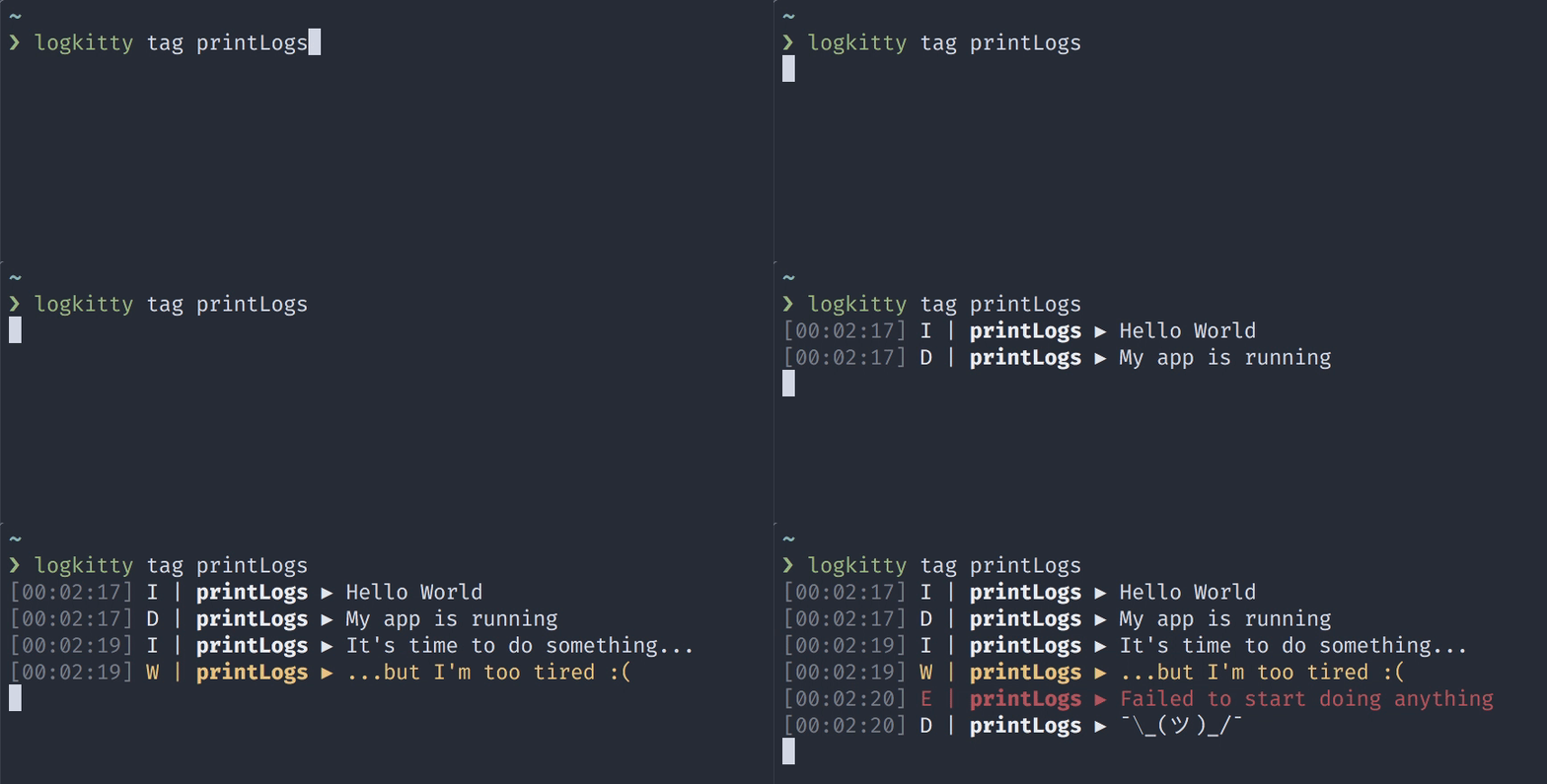
Installation
yarn global add logkittyOr if you prefer having it locally:
yarn add -D logkitty
yarn logkitty --help
Usage
logkitty <platform> <command> [options]Command line help
You can inspect available platforms, command and options for a given platform by adding -h at the end, for example:
logkitty -h # prints available platforms and global options
logkitty android -h # prints commands and options for android
logkitty android tag -h # prints tag command syntax and options for android
Commands
- platform:
android:
tag <tags...> - Show logs with matching tags.
* app <appId> - Show logs from application with given identifier.
* match <regexes...> - Show logs matching given patterns (all regexes have flags g and m).
* custom <patterns...> - Use custom patters supported by Logcat.
* all - Show all logs.
- platform:
ios:
tag <tags...> - Show logs with matching tags (where tag is usually a name of the app).
* match <regexes...> - Show logs matching given patterns (all regexes have flags g and m).
* all - Show all logs.
Options
- common:
-h, --help - Display help
* -v, --version - Display version
- platform
android:
tag, app, match and all commands support additional priority filtering options (sorted by priority):
* -U, -u - Unknown priority (lowest) * -v, -v - Verbose priority * -D, -d - Debug priority (default) * -I, -i - Info priority * -W, -w - Warn priority * -E, -e - Error priority * -F, -f - Fatal priority * -S, -s - Silent priority (highest)
For example logkitty android all -W will display all logs with priority warn, error and fatal.
- platform
ios:
tag, match and all commands support additional level filtering options:
* -D, -d - Debug level * -I, -i - Info level * -E, -e - Error level
Examples
Show all logs with tag ReactNativeJS (and default priority - debug and above):
logkitty android tag ReactNativeJS
logkitty ios tag ReactNativeJS
Show all logs with priority info and above from application with identifier com.example.myApplication:
logkitty android app com.example.myApplication -iShow all logs matching /CodePush/gm regex:
logkitty android match CodePush
logkitty ios match CodePush
Show all logs with priority error or fatal for Android and _error level for iOS:
logkitty android all -e
logkitty ios all -e
Show logs using custom patterns - silence all logs and display only the onces with tag my-tag and priority debug and above:
logkitty android custom *:S my-tag:DNode API
If your building a tool and want to use Node API, head over to Node API documentation.
[license-badge]: https://img.shields.io/npm/l/logkitty.svg?style=flat-square [license]: https://opensource.org/licenses/MIT [prs-welcome-badge]: https://img.shields.io/badge/PRs-welcome-brightgreen.svg?style=flat-square [prs-welcome]: http://makeapullrequest.com [coc-badge]: https://img.shields.io/badge/code%20of-conduct-ff69b4.svg?style=flat-square [coc]: https://github.com/zamotany/logkitty/blob/master/CODEOFCONDUCT.md [chat-badge]: https://img.shields.io/badge/chat-discord-brightgreen.svg?style=flat-square&colorB=7289DA&logo=discord [chat]: https://discord.gg/zwR2Cdh
[version]: https://img.shields.io/npm/v/logkitty.svg?style=flat-square [package]: https://www.npmjs.com/package/logkitty


