
This is a kubectl plugin that creates a local SOCKS5 proxy through which you can access to pods/services in a Kubernetes cluster. Please [✩Star] if you're using it!
kubectl-plugin-socks5-proxy
This is a kubectl plugin that creates a local SOCKS5 proxy through which you can access to Services or Pods in a Kubernetes cluster.
What the plugin actually does is that it create a SOCKS proxy server Pod in a Kubernetes cluster and forwards a local port (default:1080) to the proxy. So you can access to Servcies or Pods in Kuberenetes cluster by using the local port as SOCKS5 proxy like this:
curl --socks5-hostname localhost:1080 http://httpbin.default.svc.cluster.local/headersInstallation
This is a way to install the plugin through krew. After installing krew by following this, you can install the plugin like this:
kubectl krew install socks5-proxyYou can search the plugin with a keyword like this:
kubectl krew search socks5
NAME          DESCRIPTION                                      INSTALLED socks5-proxy  SOCKS5 proxy to Services or Pods in the cluster  no
After installed the plugin, you can run the plugin like this:
kubectl socks5-proxyHow to use
Usage
Usage:
  kubectl socks5-proxy
Options:   -n, --namespace <namespace>   Namespace to create SOCKS5 proxy server in                                 Default: current namespace from kubectl config                                 If no namespace is set in the current context, default is used
-p, --port <local port>       Local port to be forwarded to the SOCKS5 proxy server (Pod)                                 A client connects to this port, then the connection is forwarded to the                                  SOCKS5 proxy server, which is then forwareded to the destination server                                 Default: 1080
-N --name <pod name>          Name to give the pod in the cluster                                 Default: ${DEFAULT_NAME}
-i, --image <socks5 image>    Set the image used as socks5 proxy server                                 Default: serjs/go-socks5-proxy
--proxy-user <username>       Enable SOCKS5 authentication with the given username
--proxy-password <password>   Enable SOCKS5 authentication with the given password
--skip-cleanup-proxy          Skip cearning up SOCKS5 proxy pod                                 Default: Cleaning up SOCKS5 proxy pod at the end
-h, --help                    Show this message
Deploy an sample app and Create SOCKS5 proxy
Suppose you deploy a sample app in a Kubernetes cluster like this
git clone https://github.com/yokawasa/kubectl-plugin-socks5-proxy.git cd kubectl-plugin-socks5-proxy kubectl apply -f sample-apps/party-clippy.yaml
kubectl get svc
NAME           TYPE        CLUSTER-IP     EXTERNAL-IP   PORT(S)   AGE kubernetes     ClusterIP   10.0.0.1       <none>        443/TCP   96d party-clippy   ClusterIP   10.0.5.226     <none>        80/TCP    1m
First of all, create a local SOCKS5 proxy (default: 1080 port) by running kubectl socks5-proxy like this:
kubectl socks5-proxy
using: namespace=default using: port=1080 Creating Socks5 Proxy (Pod)... pod/socks5 created Forwarding from 127.0.0.1:1080 -> 1080 Forwarding from [::1]:1080 -> 1080
By default, the plugin creates the proxy Pod with REQUIRE_AUTH=false so it remains compatible with newer serjs/go-socks5-proxy images.
Use SOCKS5 Proxy with Authentication
If you want to require SOCKS5 authentication, provide both --proxy-user and --proxy-password:
kubectl socks5-proxy --proxy-user demo --proxy-password secretIf either option is omitted, the plugin exits with an error.
Use SOCKS5 Proxy in Curl
Now you can access Srvices or Pods in the Kubernetes cluster from a local machine by using the local port as SOCKS proxy in Curl
# Service name curl --socks5-hostname localhost:1080 party-clippy Service name
curl --socks5-hostname localhost:1080 http://party-clippy FQDN
curl --socks5-hostname localhost:1080 http://party-clippy.default.svc.cluster.localWhen authentication is enabled, include credentials in the proxy URL:
curl --proxy socks5h://demo:secret@localhost:1080 http://party-clippy.default.svc.cluster.local_
/ It looks like you're building a \
\ microservice. /
---------------------------------
\
\
__
/ \
| |
@ @
| |
|| | /
|| ||
|\_/|
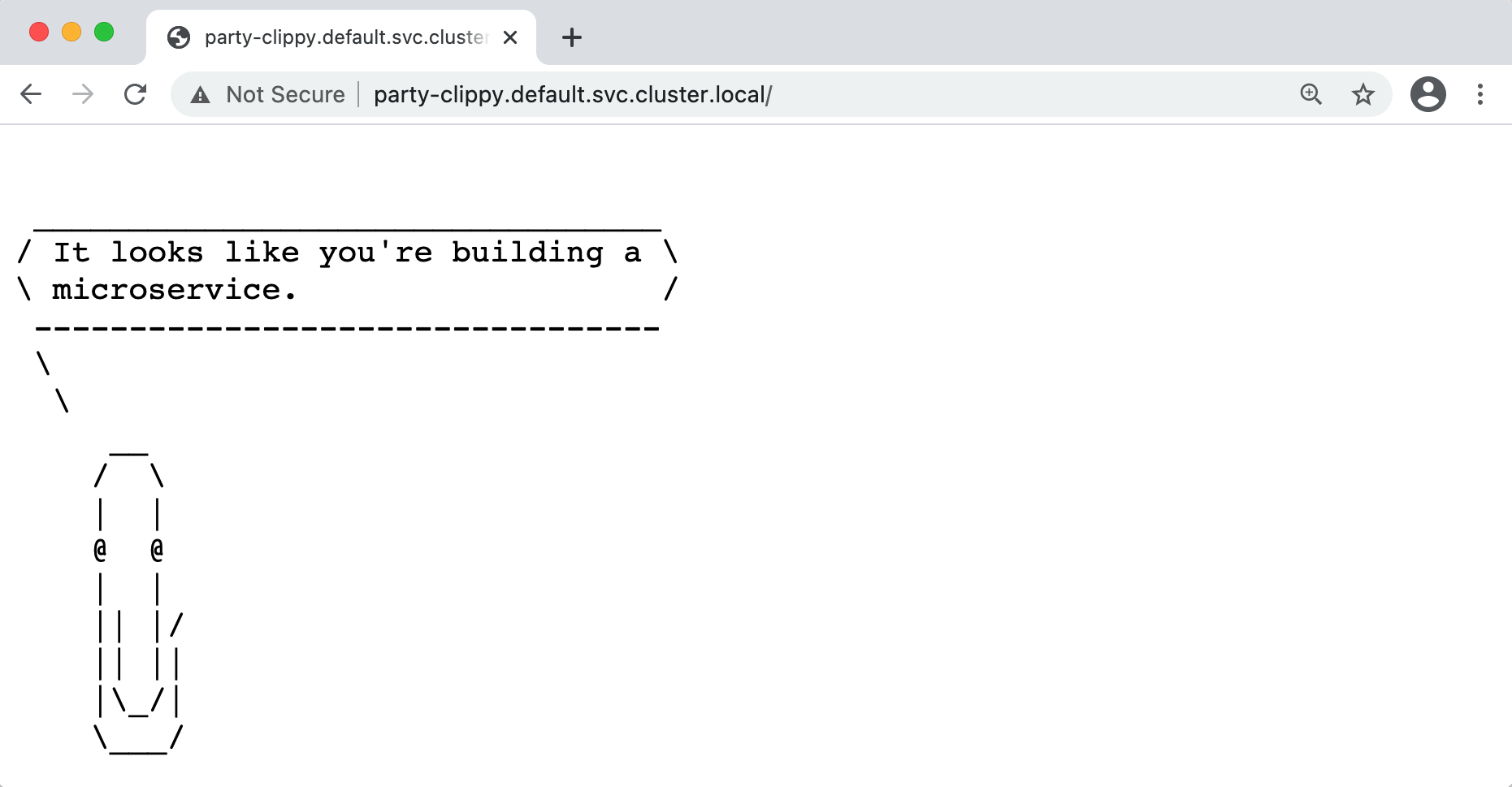
\_/Use SOCKS5 Proxy in Google Chrome browser
First, let's configuring your Chrome browser to use SOCKS5 proxy like this:
Linux
/usr/bin/google-chrome \ --user-data-dir="$HOME/proxy-profile" \ --proxy-server="socks5://localhost:1080""/Applications/Google Chrome.app/Contents/MacOS/Google Chrome" \ --user-data-dir="$HOME/proxy-profile" \ --proxy-server="socks5://localhost:1080""C:\Program Files (x86)\Google\Chrome\Application\chrome.exe" ^ --user-data-dir="%USERPROFILE%\proxy-profile" ^ --proxy-server="socks5://localhost:1080"NOTE:The --proxy-server="socks5://yourproxy:1080" flag tells Chrome to send all http:// and https:// URL requests through the SOCKS proxy server "yourproxy:1080", using version 5 of the SOCKS protocol. The hostname for these URLs will be resolved by the proxy server, and not locally by Chrome.
ref: Configuring a SOCKS proxy server in Chrome
Now you are ready to access Services or Pods in the Kubernetes cluster with your Chrome browser
Contributing
Bug reports and pull requests are welcome on GitHub at https://github.com/yokawasa/kubectl-plugin-socks5-proxy


