
Melody is a language that compiles to regular expressions and aims to be more readable and maintainable






Melody is a language that compiles to ECMAScript regular expressions, while aiming to be more readable and maintainable.
Examples
Note: these are for the currently supported syntax and may change
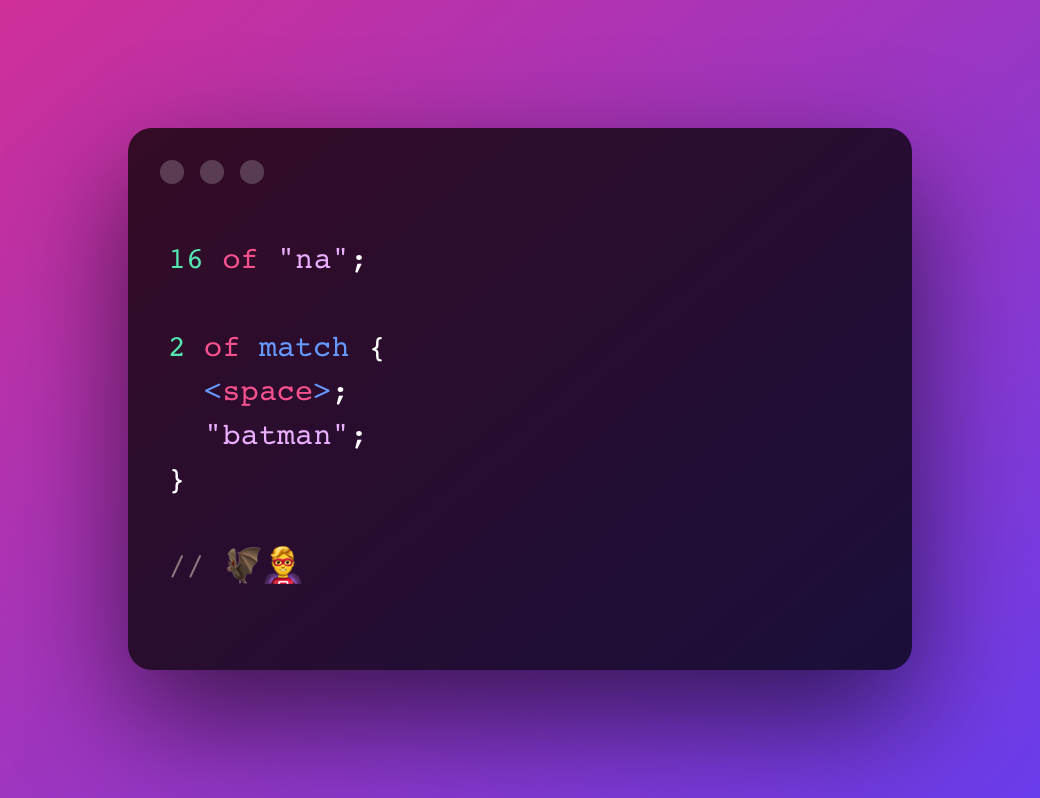
Batman Theme try in playground
16 of "na";
2 of match { <space>; "batman"; }
// 🦇🦸♂️
Turns into
(?:na){16}(?: batman){2}Twitter Hashtag try in playground
"#";
some of <word>;
// #melody
Turns into
#\w+Introductory Courses try in playground
some of <alphabetic>;
<space>;
"1";
2 of <digit>;
// classname 1xx
Turns into
[a-zA-Z]+ 1\d{2}Indented Code (2 spaces) try in playground
some of match {
  2 of <space>;
}
some of <char>; ";";
// let value = 5;
Turns into
(?: {2})+.+;Semantic Versions try in playground
<start>;
option of "v";
capture major {   some of <digit>; }
".";
capture minor {   some of <digit>; }
".";
capture patch {   some of <digit>; }
<end>;
// v1.0.0
Turns into
^v?(?<major>\d+)\.(?<minor>\d+)\.(?<patch>\d+)$Playground
You can try Melody in your browser using the playground
Book
Read the book here
Install
Cargo
cargo install melody_cliFrom Source
git clone https://github.com/yoav-lavi/melody.git
cd melody
cargo install --path crates/melody_cli
Binary
- macOS binaries (
aarch64andx8664) can be downloaded from the release page
Community
- Brew (macOS and Linux)
Installation instructions
brew install melody- Arch Linux (maintained by @ilai-deutel)
Installation instructions
1. Installation with an AUR helper, for instance using paru:
paru -Syu melody2. Install manually with makepkg:
git clone https://aur.archlinux.org/melody.git
     cd melody
makepkg -siInstallation instructions
1. Declarative installation using /etc/nixos/configuration.nix:
{ pkgs, ... }:
     {
       environment.systemPackages = with pkgs; [
         melody
       ];
     }
2. Imperative installation using nix-env:
nix-env -iA nixos.melodyCLI Usage
USAGE:
    melody [OPTIONS] [INPUTFILEPATH]
ARGS:     <INPUTFILEPATH>    Read from a file                          Use '-' and or pipe input to read from stdin
OPTIONS:     -f, --test-file <TEST_FILE>             Test the compiled regex against the contents of a file
--generate-completions <COMPLETIONS>             Outputs completions for the selected shell             To use, write the output to the appropriate location for your shell
-h, --help             Print help information
-n, --no-color             Print output with no color
-o, --output <OUTPUTFILEPATH>             Write to a file
-r, --repl             Start the Melody REPL
-t, --test <TEST>             Test the compiled regex against a string
-V, --version             Print version information
Changelog
See the changelog here or in the release page
Syntax
Quantifiers
... of- used to express a specific amount of a pattern. equivalent to regex{5}(assuming5 of ...)... to ... of- used to express an amount within a range of a pattern. equivalent to regex{5,9}(assuming5 to 9 of ...)over ... of- used to express more than an amount of a pattern. equivalent to regex{6,}(assumingover 5 of ...)some of- used to express 1 or more of a pattern. equivalent to regex+any of- used to express 0 or more of a pattern. equivalent to regex*option of- used to express 0 or 1 of a pattern. equivalent to regex?
lazy to match the least amount of characters rather than the most characters (greedy). Equivalent to regex +?, *?, etc.
Symbols
<char>- matches any single character. equivalent to regex.<space>- matches a space character. equivalent to regex<whitespace>- matches any kind of whitespace character. equivalent to regex\sor[ \t\n\v\f\r]<newline>- matches a newline character. equivalent to regex\n<tab>- matches a tab character. equivalent to regex\t<return>- matches a carriage return character. equivalent to regex\r<feed>- matches a form feed character. equivalent to regex\f<null>- matches a null characther. equivalent to regex\0<digit>- matches any single digit. equivalent to regex\dor[0-9]<vertical>- matches a vertical tab character. equivalent to regex\v<word>- matches a word character (any latin letter, any digit or an underscore). equivalent to regex\wor[a-zA-Z0-9_]<alphabetic>- matches any single latin letter. equivalent to regex[a-zA-Z]<alphanumeric>- matches any single latin letter or any single digit. equivalent to regex[a-zA-Z0-9]<boundary>- Matches a character between a character matched by<word>and a character not matched by<word>without consuming the character. equivalent to regex\b<backspace>- matches a backspace control character. equivalent to regex[\b]
not to match any character other than the symbol
Special Symbols
<start>- matches the start of the string. equivalent to regex^<end>- matches the end of the string. equivalent to regex$
Unicode Categories
Note: these are not supported when testing in the CLI (-t or -f) as the regex engine used does not support unicode categories. These require using the u flag.
<category::letter>- any kind of letter from any language
<category::lowercase_letter> - a lowercase letter that has an uppercase variant
- <category::uppercase_letter> - an uppercase letter that has a lowercase variant.
- <category::titlecase_letter> - a letter that appears at the start of a word when only the first letter of the word is capitalized
- <category::cased_letter> - a letter that exists in lowercase and uppercase variants
- <category::modifier_letter> - a special character that is used like a letter
- <category::other_letter> - a letter or ideograph that does not have lowercase and uppercase variants
<category::mark>- a character intended to be combined with another character (e.g. accents, umlauts, enclosing boxes, etc.)
<category::nonspacingmark> - a character intended to be combined with another character without taking up extra space (e.g. accents, umlauts, etc.)
- <category::spacingcombiningmark> - a character intended to be combined with another character that takes up extra space (vowel signs in many Eastern languages)
- <category::enclosing_mark> - a character that encloses the character it is combined with (circle, square, keycap, etc.)
<category::separator>- any kind of whitespace or invisible separator
<category::space_separator> - a whitespace character that is invisible, but does take up space
- <category::line_separator> - line separator character U+2028
- <category::paragraph_separator> - paragraph separator character U+2029
<category::symbol>- math symbols, currency signs, dingbats, box-drawing characters, etc
<category::math_symbol> - any mathematical symbol
- <category::currency_symbol> - any currency sign
- <category::modifier_symbol> - a combining character (mark) as a full character on its own
- <category::other_symbol> - various symbols that are not math symbols, currency signs, or combining characters
<category::number>- any kind of numeric character in any script
<category::decimaldigitnumber> - a digit zero through nine in any script except ideographic scripts
- <category::letter_number> - a number that looks like a letter, such as a Roman numeral
- <category::other_number> - a superscript or subscript digit, or a number that is not a digit 0–9 (excluding numbers from ideographic scripts)
<category::punctuation>- any kind of punctuation character
<category::dash_punctuation> - any kind of hyphen or dash
- <category::open_punctuation> - any kind of opening bracket
- <category::close_punctuation> - any kind of closing bracket
- <category::initial_punctuation> - any kind of opening quote
- <category::final_punctuation> - any kind of closing quote
- <category::connector_punctuation> - a punctuation character such as an underscore that connects words
- <category::other_punctuation> - any kind of punctuation character that is not a dash, bracket, quote or connectors
<category::other>- invisible control characters and unused code points
<category::control> - an ASCII or Latin-1 control character: 0x00–0x1F and 0x7F–0x9F
- <category::format> - invisible formatting indicator
- <category::private_use> - any code point reserved for private use
- <category::surrogate> - one half of a surrogate pair in UTF-16 encoding
- <category::unassigned> - any code point to which no character has been assigned
These descriptions are from regular-expressions.info
Character Ranges
... to ...- used with digits or alphabetic characters to express a character range. equivalent to regex[5-9](assuming5 to 9) or[a-z](assuminga to z)
Literals
"..."or'...'- used to mark a literal part of the match. Melody will automatically escape characters as needed. Quotes (of the same kind surrounding the literal) should be escaped
Raw
\- added directly to the output without any escaping...\
Groups
capture- used to open acaptureor namedcaptureblock. capture patterns are later available in the list of matches (either positional or named). equivalent to regex(...)match- used to open amatchblock, matches the contents without capturing. equivalent to regex(?:...)either- used to open aneitherblock, matches one of the statements within the block. equivalent to regex(?:...|...)
Assertions
ahead- used to open anaheadblock. equivalent to regex(?=...). use after an expressionbehind- used to open anbehindblock. equivalent to regex(?<=...). use before an expression
not to create a negative assertion (equivalent to regex (?!...), (?<!...))
Variables
let .variablename = { ... }- defines a variable from a block of statements. can later be used with.variablename. Variables must be declared before being used. Variable invocations cannot be quantified directly, use a group if you want to quantify a variable invocation
let .aandb = {
    "a";
    "b";
  }
.aandb;   "c";
// abc
Extras
/ ... /,// ...- used to mark comments (note:// ...comments must be on separate line)
File Extension
The Melody file extensions are .mdy and .melody
Crates
melodycompiler- The Melody compiler 📦 📖melodycli- A CLI wrapping the Melody compiler 📦 📖melody_wasm- WASM bindings for the Melody compiler
Extensions
Packages
Integrations
Performance
Last measured on v0.20.0
Measured on an 8 core 2021 MacBook Pro 14-inch, Apple M1 Pro using criterion:
- 8 lines:
compiler/normal (8 lines)
                            time:   [4.3556 µs 4.3674 µs 4.3751 µs]
  slope  [4.3556 µs 4.3751 µs] R^2            [0.9996144 0.9996931]
  mean   [4.3377 µs 4.3678 µs] std. dev.      [16.019 ns 30.154 ns]
median [4.3270 µs 4.3777 µs] med. abs. dev. [3.1402 ns 41.334 ns]- 1M lines:
compiler/long input (1M lines)
                            time:   [470.04 ms 472.35 ms 474.78 ms]
  mean   [470.04 ms 474.78 ms] std. dev.      [2.0458 ms 5.3453 ms]
median [469.54 ms 475.24 ms] med. abs. dev. [734.10 µs 6.8144 ms]- Deeply nested:
compiler/deeply nested
                            time:   [4.2357 µs 4.2561 µs 4.2782 µs]
  slope  [4.2357 µs 4.2782 µs] R^2            [0.9988854 0.9988087]
  mean   [4.2474 µs 4.2752 µs] std. dev.      [13.698 ns 29.574 ns]
  median [4.2426 µs 4.2819 µs] med. abs. dev. [2.7127 ns 43.193 ns]
To reproduce, run cargo bench or cargo xtask benchmark
Future Feature Status
🐣 - Partially implemented
❌ - Not implemented
❔ - Unclear what the syntax will be
❓ - Unclear whether this will be implemented
| Melody | Regex | Status | | ------------------------------- | ---------------- | ------ | | not "A"; | [^A] | 🐣 | | variables / macros | | 🐣 | | <...::...> | \p{...} | 🐣 | | not <...::...> | \P{...} | 🐣 | | file watcher | | ❌ | | multiline groups in REPL | | ❌ | | flags: global, multiline, ... | /.../gm... | ❔ | | (?) | \# | ❔ | | (?) | \k<name> | ❔ | | (?) | \uYYYY | ❔ | | (?) | \xYY | ❔ | | (?) | \ddd | ❔ | | (?) | \cY | ❔ | | (?) | $1 | ❔ | | (?) | $\</code> | ❔ | | (?) | $& | ❔ | | (?) | x20 | ❔ | | (?) | x{06fa} | ❔ | | any of "a", "b", "c" \* | [abc] | ❓ | | multiple ranges \* | [a-zA-Z0-9]` | ❓ | | regex optimization | | ❓ | | standard library / patterns | | ❓ | | reverse compiler | | ❓ |
\* these are expressable in the current syntax using other methods


