
Your Rust codebase, revealed It parses your Rust source files and provides an interactive interface to browse functions, structs, enums, traits, and more — all inside your terminal.
🔍 Rustlens
A blazing-fast Rust code inspector for the terminal




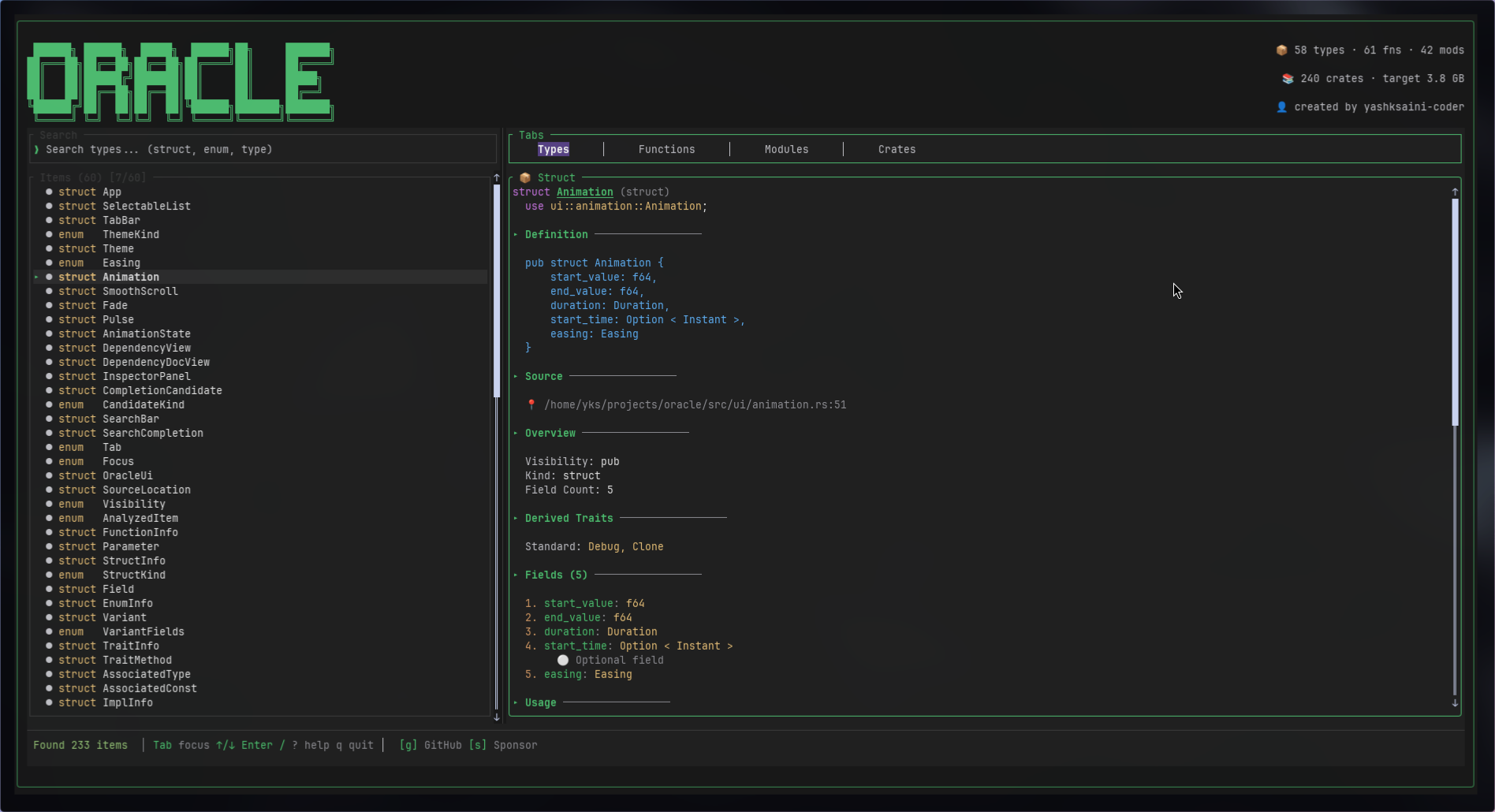
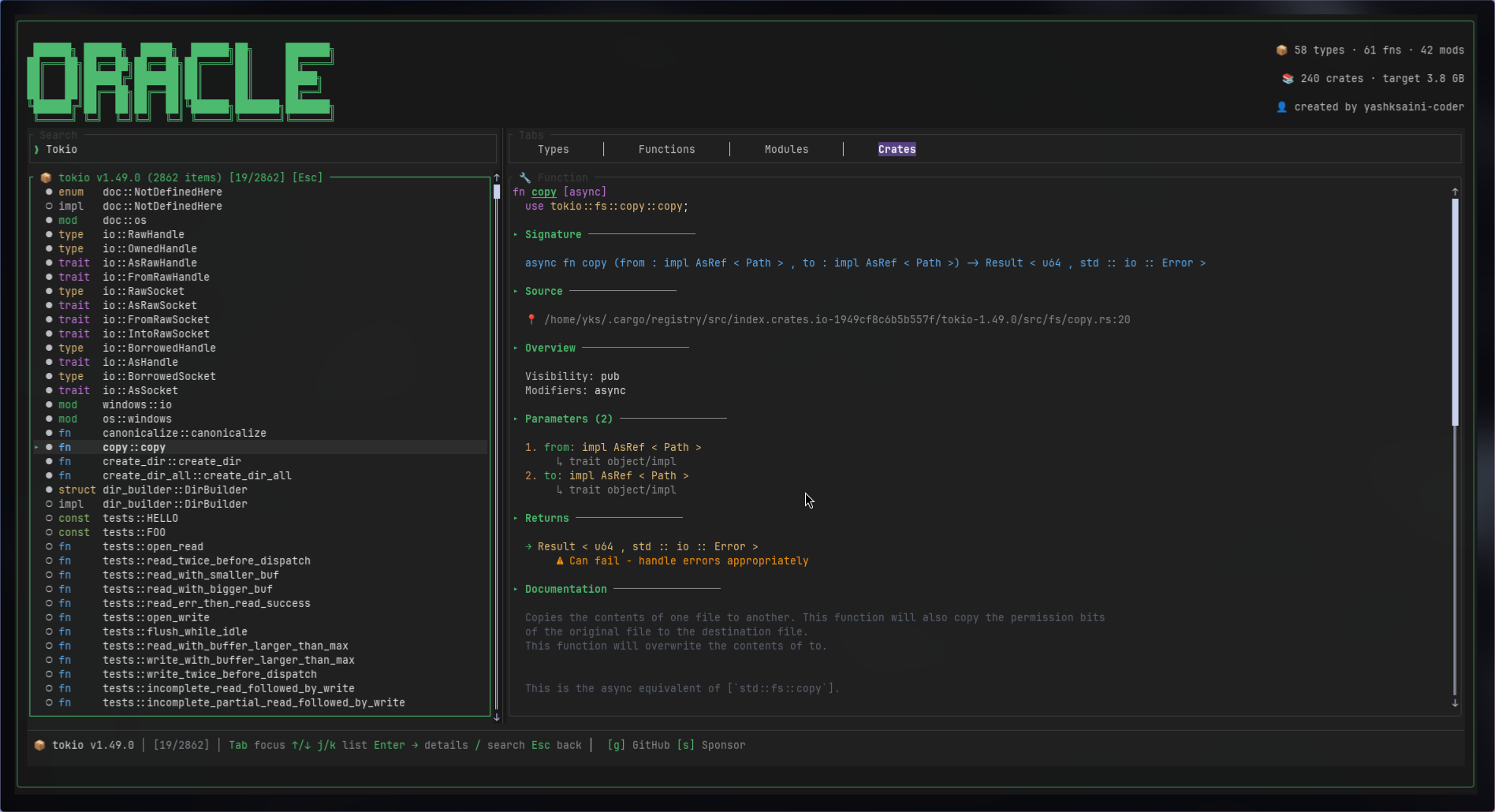
Rustlens is a terminal-based application for exploring Rust codebases. It parses your Rust source files and provides an interactive interface to browse functions, structs, enums, traits, and more — all without leaving your terminal.
Built with Ratatui for a smooth, responsive TUI experience.

✨ Features
- 📦 Code Analysis — Parses Rust source files using
syn:
- 🔍 Smart Search — Fuzzy matching with real-time filtering
- 📋 Dependency Analysis — Visualize
Cargo.tomldependencies - 🎨 Multiple Themes — Default Dark, Nord, Catppuccin Mocha, Dracula
- ⚡ Smooth Animations — Selection highlights, tab transitions
- ⌨️ Vim-style Navigation —
j/kfor movement,/for search
📦 Installation
From crates.io (recommended)
With Rust and Cargo installed:
cargo install rustlensFrom source
git clone https://github.com/yashksaini-coder/vizier.git
cd vizier
cargo install --path .
or: make install
Pre-built binaries
See Releases for Linux (x8664), macOS (x8664, Apple Silicon), and Windows (x8664) binaries.
🚀 Usage
# Cd into the project directory cd path/to/rust-project Analyze current directory (must be a Cargo project root or folder with .rs files)
rustlens⌨️ Keyboard Shortcuts
| Key | Action | |-----|--------| | Focus & panels | | | Tab / Shift+Tab | Next / previous panel (search → list → inspector) | | / | Focus search | | Esc | Clear search, back to list, or close popup | | List & inspector | | | ↑ / ↓ or j / k | Move selection / scroll inspector | | Enter / → / l | Open item / focus inspector | | ← / h | Back to list (e.g. exit crate view) | | Home | First item | | G / End | Last item | | PgUp / PgDn | Page up / down | | Tabs | | | 1 2 3 4 | Types · Functions · Modules · Crates | | Crates tab only | | | o | Open docs.rs in browser | | c | Open crates.io in browser | | Other | | | C | Open Copilot chat (ask about current item) | | t | Cycle theme | | S | Settings overlay | | ? | Toggle help | | q / Esc | Quit | | Links | | | g | Open GitHub repo in browser | | s | Open Sponsor page in browser |
🛠️ Development
# See all commands
make
Install development tools
make dev-setup
Full check (format, lint, typecheck)
make check
Run linter
make lint
Run tests
make test
Build release
make release
📤 Releasing (maintainers)
- Publish to crates.io (after
cargo login):make publish-dry-runthenmake publish. The crate is published as rustlens. - GitHub Release: Push a version tag (e.g.
v0.1.0). The release workflow builds binaries for Linux, macOS (Intel + Apple Silicon), and Windows and creates a release. Optionally setCARGOREGISTRY_TOKENin repo secrets to auto-publish to crates.io on tag push.
🤝 Contributing
Contributions are welcome! Please feel free to submit a Pull Request.
- Fork the repository
- Create your feature branch (
git checkout -b feat/amazing-feature) - Commit your changes using Conventional Commits
- Push to the branch (
git push origin feat/amazing-feature) - Open a Pull Request
Commit Convention
We use Conventional Commits. Examples:
feat: add new search featurefix: correct parsing errordocs: update READMErefactor!: change API structure(breaking change)
Star History
📄 License
This project is licensed under the MIT License.


