
TriLane: autonomous AI pentester and multi-agent security auditor for authorized gray-box testing of web apps and APIs. Built with Rust and Tauri.
TriLane
Autonomous gray-box security auditing with visible lanes, attack-surface state, and evidence-backed findings.







S0 admission -> S1 attack surface -> S2 semantic lanes -> S3 merge -> S4 probing -> S5 findings
TriLane turns one natural-language objective into a staged audit cockpit for authorized local labs, internal codebases, training apps, and bug-bounty targets where you have permission to test.
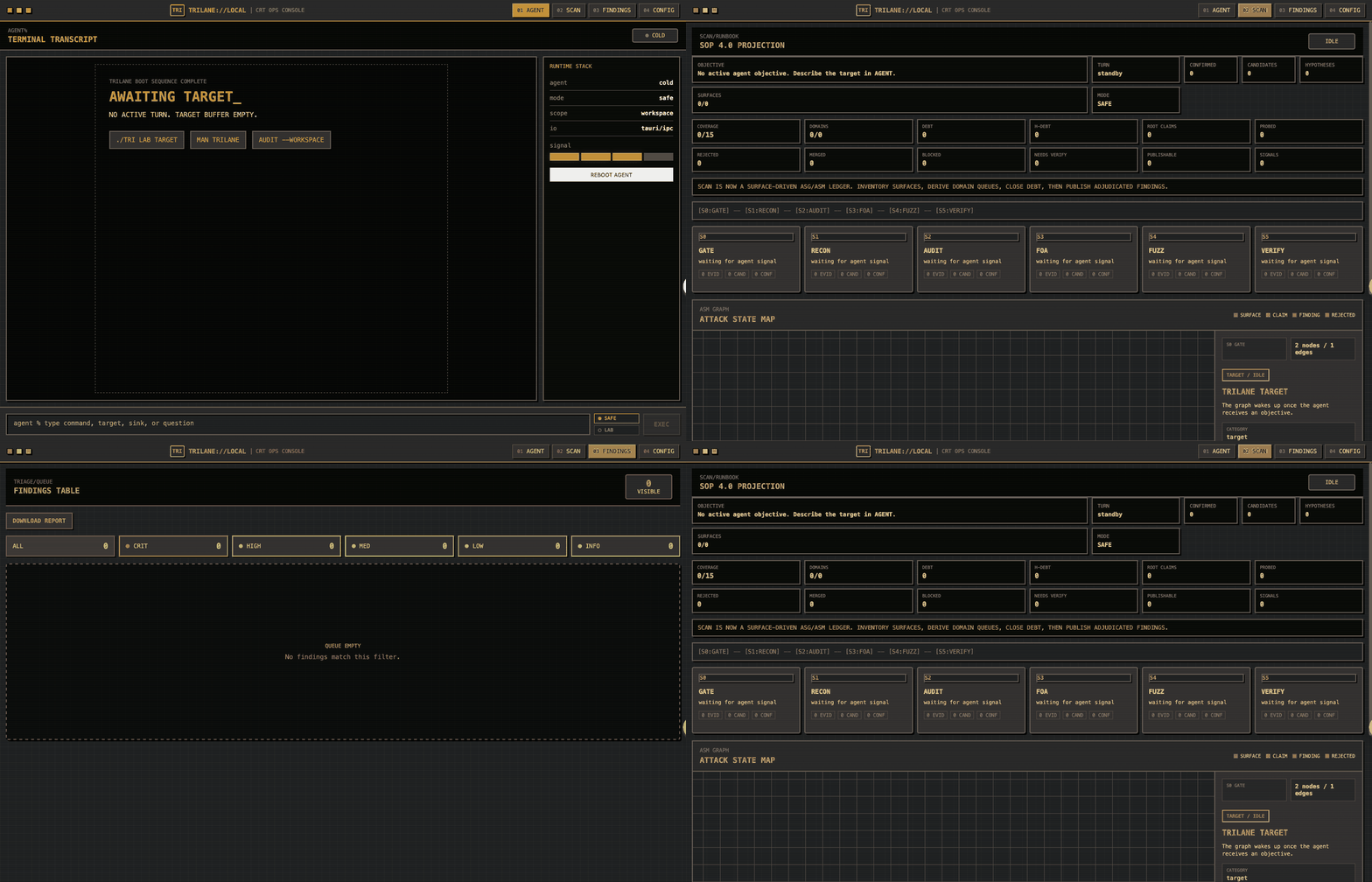
| Attack-Surface Graph | Six Semantic Lanes | Evidence Ledger | | --- | --- | --- | | Maps routes, code paths, auth boundaries, and reachable surfaces before deep auditing. | Splits review across identity/auth, injection, ingress/files/SSRF, business logic, config/secrets/crypto, and edge coverage. | Merges duplicate claims into adjudicated findings with severity, evidence, payloads, and code paths. |
Quick Start
Run without a global install:
npx trilane@latest appOr install and launch the desktop app:
npm install -g trilane
trilane doctor
trilane app
Then choose Safe or Lab mode and describe the authorized target:
Penetration test juice-shop, source code is in ~/juice-shop, service is running on localhost:3000. If not, use colima or start the service directlyWhy TriLane?
Free-form AI security agents can drift. TriLane makes the audit state explicit: surfaces are inventoried, lane outputs are merged, risky probes are gated by mode, and final findings are deduplicated before export.
0.2.0 update: TriLane's workflow has been substantially optimized with stronger source scanning, leaner candidate generation, and cleaner PoC-bundle export. In our Juice Shop regression runs, the new pipeline is faster, uses fewer model tokens, and produces higher-quality replayable PoCs than the previous release.
What TriLane Does
- Builds an attack-surface graph before deep auditing.
- Runs a six-lane semantic audit across identity/auth, injection/client-side sinks, ingress/files/SSRF, business logic, configuration/secrets/crypto, and edge-surface coverage.
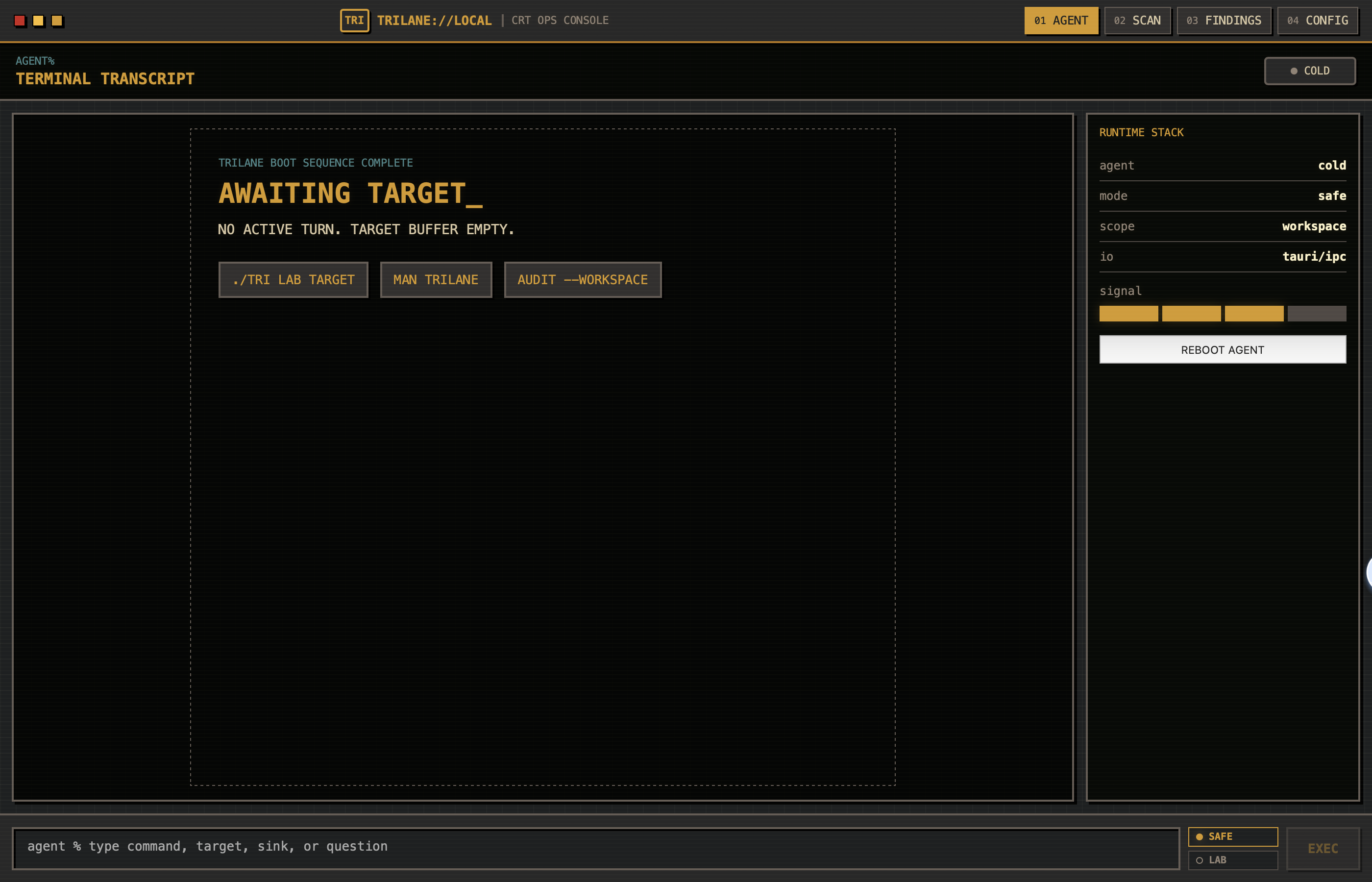
- Tracks Scan, Agent, Findings, and Config state in a desktop GUI.
- Probes high-signal variants in Lab Mode when the target is explicitly authorized.
- Deduplicates final findings with severity, evidence, payloads, code paths, and report export.
- Archives run transcripts under
~/.trilane/transcriptsfor regression analysis.
Modes
Safe Mode is the default. It is intended for exploration and lower-risk review.
Lab Mode grants the agent broader local filesystem and command execution access for the active target. Use it only on systems you own, operate, or are explicitly authorized to test.
npm Package Status
The npm package includes a prebuilt macOS Apple Silicon app bundle so the Dock/Finder icon matches the TriLane brand. Other platforms can still run TriLane from source, or set TRILANE_BIN to a locally built binary:
TRILANE_BIN=/path/to/trilane-gui npx trilane appBuild From Source
Requirements:
- Node.js 20 or newer
- Rust toolchain from
trilane-rs/rust-toolchain.toml - macOS for the current desktop build path
cd trilane-rs/trilane-gui/frontend
npm install
npm run build
Build and run the desktop binary:
cd ../../
cargo build -p trilane-gui --release
./target/release/trilane-gui
Safety
TriLane is a dual-use security tool. Do not use it against systems where you lack permission. See SECURITY.md for responsible-use boundaries, reporting guidance, and Lab Mode warnings.
License
TriLane is licensed under the Apache License 2.0. Portions of the Rust workspace are derived from the OpenAI Codex project and retain their original Apache-2.0 notices.


