
An LLM training framework built from the ground up, featuring a custom BumbleBee architecture and end-to-end support for multiple open-source models across Pretraining → SFT → RLHF/DPO.

小核心,大轰鸣 | Small Core, Big Buzz
A hands-on large language model training framework built from scratch, giving you complete control over every training detail. From model architecture to inference, from distributed training to loss computation—everything is at your fingertips.



English | 中文文档
Project Overview
Core Features
1️⃣ Fully Manual Training Loop
BumbleCore doesn't rely on any high-level Trainer libraries—every core component is built from the ground up:
- Custom data loaders and preprocessing pipelines
- Manual distributed training environment configuration with deep DeepSpeed integration
- Fully controllable forward propagation, backward propagation, and parameter update flow
- Flexible loss function implementation with multi-task learning support
- Manually implemented inference generation mechanisms including Top-p, Top-k sampling, and KV Cache
💡 Why Manual Implementation?
Manual implementation allows you to deeply understand the purpose of every line of code, making debugging, optimization, and innovation easier. Whether researching new training strategies or customizing for specific scenarios, BumbleCore provides maximum flexibility.
2️⃣ Bumblebee Model Architecture: Freely Customize Your Model
The built-in Bumblebee architecture (inspired by Qwen2.5 design) provides highly flexible configuration capabilities:
- Supports parameter scaling from small experimental models to large-scale production models
- Dynamic adjustment of Transformer layers, attention heads, hidden dimensions, and other architectural parameters
- Customizable activation functions, normalization methods, attention mechanisms, and other components
- Covers the complete training process: Pretraining, Supervised Fine-Tuning (SFT), Direct Preference Optimization (DPO)
Use Cases
Want to quickly validate a new model design? Or train a lightweight model for a specific domain? The Bumblebee architecture lets you configure your model and start training in minutes.
3️⃣ Universal Training Framework: Supporting Mainstream Open-Source Models
- Compatible with open-source models like Qwen, LLaMA, etc.
- Deep DeepSpeed integration supporting ZeRO optimization and mixed precision training
- Supports full training pipeline: pretraining, continual pretraining, instruction fine-tuning, reinforcement learning (RLHF/DPO)
- Built-in memory optimization techniques including gradient accumulation, gradient checkpointing, and activation recomputation
- Modular design for easy extension of new model architectures and training strategies
Verified Supported Models
The following model series have been tested and verified by the author to be compatible with BumbleCore:
| Model Series | Verified Stages | Notes | |--------------|-----------------|-------| | Qwen Series | Pretraining, SFT, DPO | ✅ Fully Tested | | LLaMA Series | Pretraining, SFT, DPO | ✅ Fully Tested |
💡 Note: Other models with similar architectures should be generally compatible. Users are welcome to test and integrate additional models. If you encounter any compatibility issues, please report them in Issues.
Design Philosophy
BumbleCore follows three core principles:
- Transparency - Every line of code is clearly visible with no black-box operations
- Flexibility - Everything from data to models, training to inference, is customizable
- Efficiency - Fully leverages tools like DeepSpeed to ensure training efficiency
Who Should Use BumbleCore?
- Deep Learning Researchers: Need deep customization of training processes to validate new algorithms and architectures
- Algorithm Engineers: Want complete control over model training details for performance optimization
- Learners: Want to deeply understand the underlying principles of large language model training
- Enterprise Teams: Need to customize training solutions for specific business scenarios
Installation
Requirements
- Python >= 3.10
- Linux Operating System
Installation Steps
1. Clone the Repository
git clone https://github.com/wxhcore/bumblecore.git
cd bumblecore
2. Create Virtual Environment
conda create -n bumblecore_env python=3.10 -y
conda activate bumblecore_env
3. Install Dependencies
Basic installation:
pip install -e .Optional FlashAttention-2 installation:
pip install -e ".[flash-attn]" --no-build-isolationData Preparation
BumbleCore supports different data formats for three training stages. All formats support both JSON and JSONL, with automatic recognition.
Supported Formats
| Training Stage | Data Format | |---------------|-------------| | Pretraining | {"text": "..."} | | SFT | Alpaca / ShareGPT / Messages (OpenAI-style, supports tool calling) | | DPO | Alpaca / ShareGPT / Messages (with chosen/rejected, supports full tool trajectories) |
Data Examples
SFT Alpaca format:
{
  "instruction": "Explain what machine learning is",
  "input": "",
  "output": "Machine learning is a branch of artificial intelligence..."
}
View Complete Data Format Documentation →
Configuration Guide
Bumblebee Model Configuration
BumbleCore provides multiple model scale configurations from 0.5B to 72B:
| Field | 0.5B | 1.5B | 3B | 7B | 14B | 32B | 72B | |------|------|------|----|----|-----|-----|-----| | hidden_size | 896 | 1536 | 2048 | 3584 | 5120 | 5120 | 8192 | | intermediate_size | 4864 | 8960 | 11008 | 18944 | 13824 | 27648 | 29568 | | numattentionheads | 14 | 12 | 16 | 28 | 40 | 40 | 64 | | numhiddenlayers | 24 | 28 | 36 | 28 | 48 | 64 | 80 | | numkeyvalue_heads | 2 | 2 | 2 | 4 | 8 | 8 | 8 | | tiewordembeddings | true | true | true | false | false | false | false | | vocab_size | 151936 | 151936 | 151936 | 152064 | 152064 | 152064 | 152064 |
Configuration file location: ./models/bumblebee/config.json/
Training Parameters Configuration
View Complete Configuration Parameters Documentation →
🚀 Quick Start
BumbleCore supports flexible configuration methods. Here's an example using SFT (Supervised Fine-Tuning).
Configuration priority: Command-line arguments > YAML config file > TrainConfig defaults
Method 1: Using YAML Configuration File
deepspeed --include localhost:0,1 src/train.py \
    --yamlconfig ./configs/sft/sftfull.yaml
Method 2: Pure Command Line Execution
deepspeed --include localhost:0,1 src/train.py \
    --training_stage sft \
    --finetuning_type full \
    --modelnameor_path <your model path> \
    --dataset_path <your dataset path> \
    --output_dir <your save path> \
    --num_epochs 3.0 \
    --learning_rate 5e-5 \
    --trainmicrobatchsizeper_gpu 4 \
    --gradientaccumulationsteps 4 \
    --trainmodelprecision bf16 \
    --deepspeedconfigpath ./configs/deepspeed/dsz2config.json
Method 3: Command Line Override YAML Configuration
deepspeed --include localhost:0,1 src/train.py \
    --yamlconfig ./configs/sft/sftlora.yaml \
    --learning_rate 1e-4
Using Shell Scripts
All three methods above can be written as shell scripts for easier management and reuse.
BumbleCore provides pre-configured training scripts in the scripts/ directory.
Usage Steps:
- Edit the script to modify model paths, dataset paths, and other parameters
- Execute the script to start training
bash scripts/sft_full.shThree-Stage Complete Training Experiment
Provides a complete tutorial for training a language model from scratch, covering pretraining, supervised fine-tuning, and preference optimization.
Experiment Configuration
| Stage | Dataset | Scale | Output | |-------|---------|-------|--------| | Pretraining | minipretrain_dataset | 1B tokens | Base model | | Supervised Fine-tuning | alpacagpt4_zh | 42.7K samples | Instruction model | | Preference Optimization | DPO-En-Zh-20k | 10K samples (zh) | Aligned model |
View Complete Experiment Tutorial →
LoRA Weight Merging
After training with LoRA, you can merge LoRA weights back into the base model to generate complete model files.
# Edit tools/runmergelora.sh to modify model path parameters then execute
bash tools/runmergelora.sh
Model Inference
After training, BumbleCore provides flexible inference methods supporting both YAML configuration and command-line arguments.
Command Line Interactive Chat
Configuration file: configs/inference/chat.yaml
bash scripts/chat.shWeb Interface (BumbleChat)
Configuration file: configs/inference/bumblechat.yaml
bash scripts/bumblechat.sh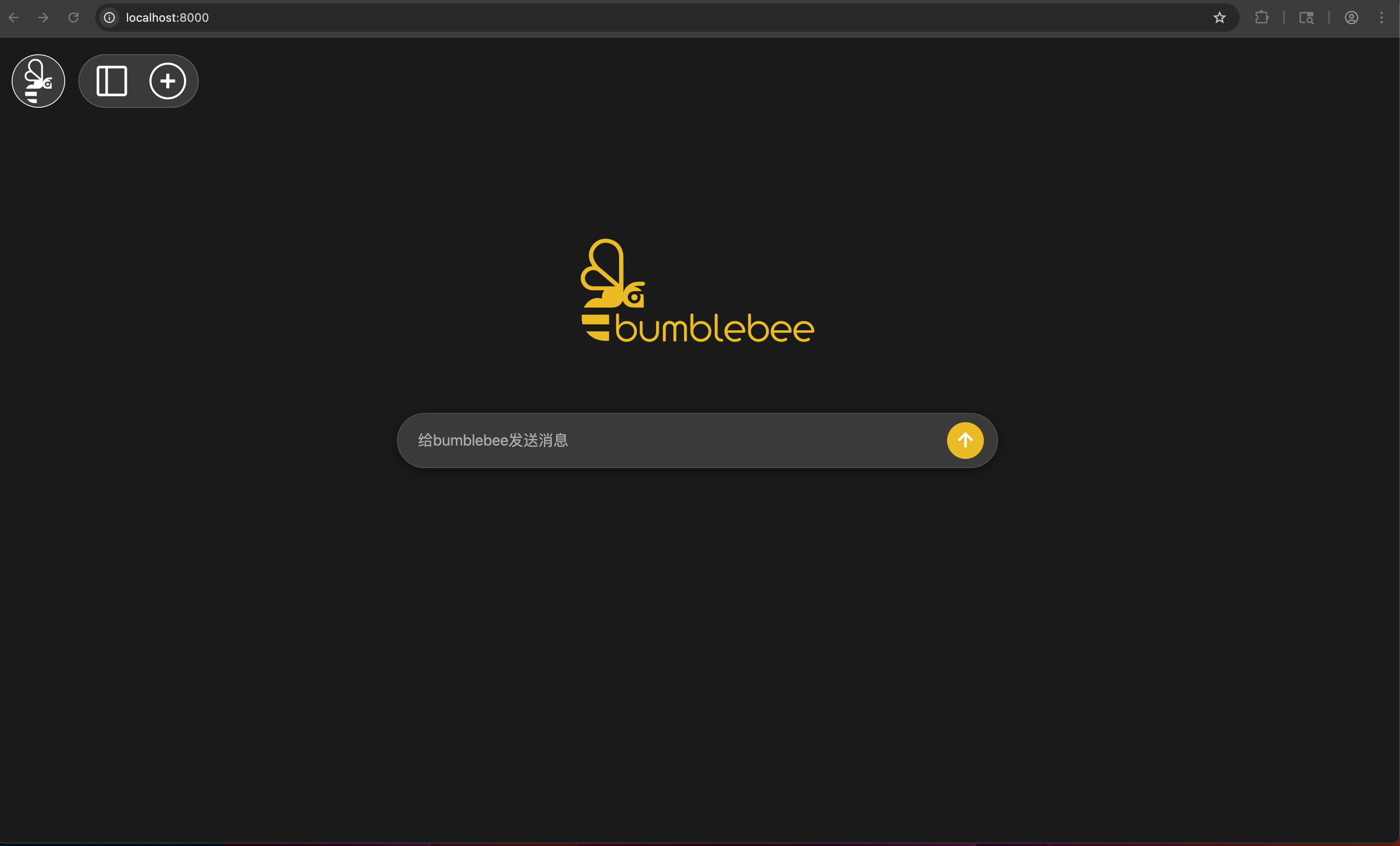
After the service starts, it supports OpenAI-compatible API calls:
from openai import OpenAI
client = OpenAI(     base_url="<your service API address>/v1",     api_key="dummy"  )
response = client.chat.completions.create(     model="bumblebee",      messages=[         {"role": "user", "content": "Hello, please introduce yourself"}     ],     temperature=0.7,     maxcompletiontokens=2048 )
print(response.choices[0].message.content)


