
IDE-style autocomplete for your existing terminal & shell



Amazon Q Developer CLI adds IDE-style completions for hundreds of popular CLIs like git, npm, docker, and aws. Start typing, and Amazon Q populates contextually relevant subcommands, options and arguments.
Amazon Q Developer CLI, formerly known as Fig, is open source. See aws/amazon-q-developer-cli to learn more.
⚡️ Installation
- macOS:
brew install amazon-q
- Linux/Windows:
- Remote machines
NOTE: Once it's downloaded, launch the app to set up Amazon Q for command
line!
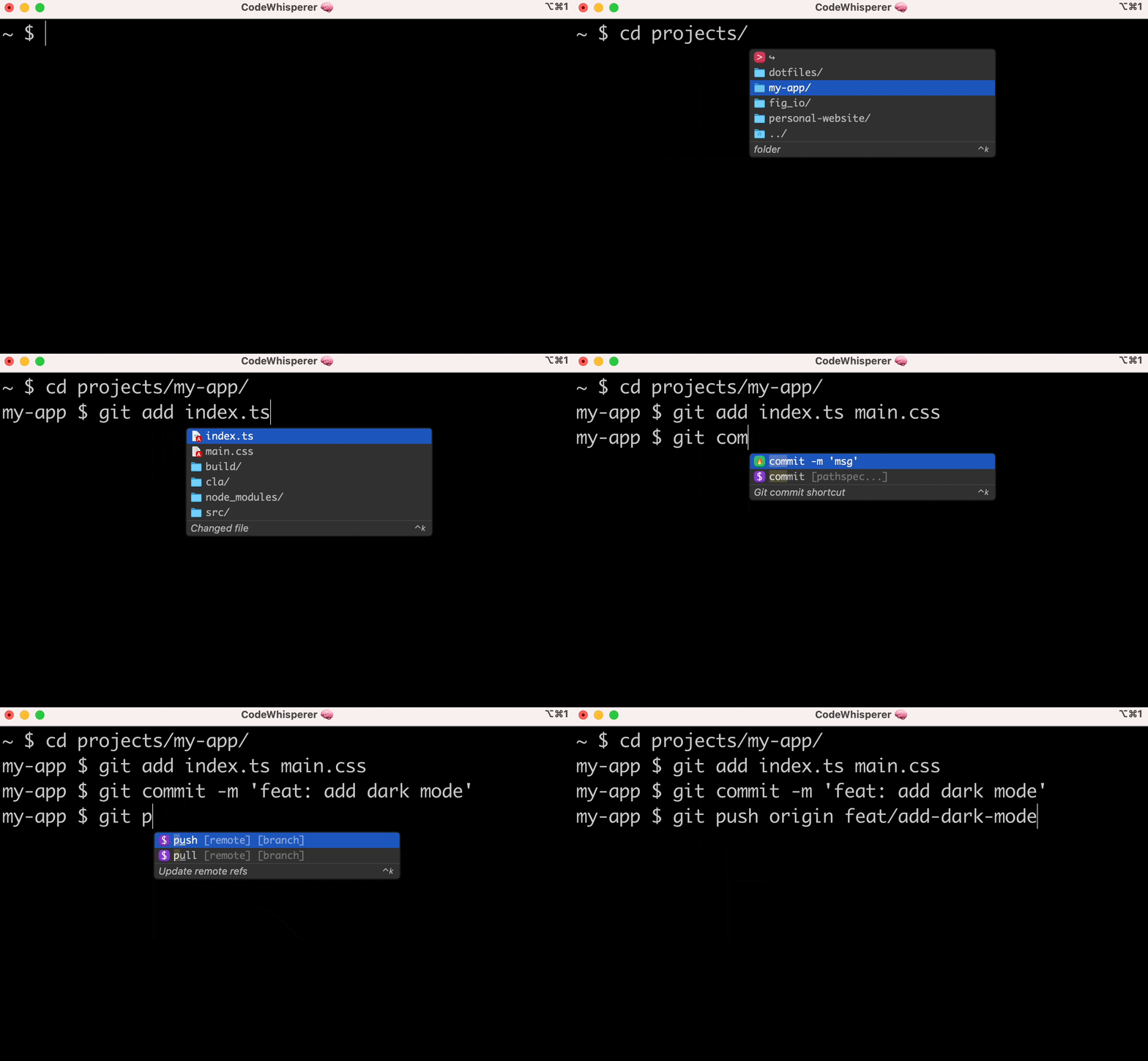
👋 What are "completion specs"?
A completion spec is a declarative schema that specifies the subcommands, options and args for a CLI tool. Amazon Q uses these schemas to generate suggestions.
😎 Contribute your first spec in < 3 minutes
Use the steps below or follow our getting started guide: fig.io/docs
Prerequisites:
- Download Amazon Q for command line
- Node and Pnpm
Steps
- Make sure you have
pnpminstalled, as
- Click here to fork this
- Clone your forked repo and create an example spec
# Replace YOURGITHUBUSERNAME with your own GitHub username
   git clone https://github.com/YOURGITHUBUSERNAME/autocomplete.git autocomplete
   cd autocomplete
# Add withfig/autocomplete as a remote    git remote add upstream https://github.com/withfig/autocomplete.git
# Install packages    pnpm install
# Create an example spec (call it "abc")    pnpm create-spec abc
# Turn on "dev mode"    pnpm dev
- Now go to your terminal and type
abc[space]. Your example spec will appear.
Other things to know
- Edit your spec in TypeScript in the
src/folder - On save, specs are compiled to the
build/folder - In dev mode, specs are read from the
buildfolder, and generators run
📦 Other available package.json commands
# Typecheck all specs in the src/ folder
pnpm test
Compile typescripts specs from src/ folder to build/ folder
pnpm build
Lint and fix issues
pnpm lint:fix
🔥 Contributions
We would love contributions for:
- New completion specs
- Errors with existing completion specs (e.g. missing subcommands, options, or
- Better descriptions, icons etc
- Themes!
🙋♀️ FAQ
What terminals does Amazon Q work with?
Amazon Q for command line works with the native macOS Terminal app, [iTerm], [Tabby], [Hyper], [Kitty], [WezTerm], and [Alacritty]. It also works in the integrated terminals of [VSCode], [JetBrains IDEs], [Android Studio], and [Nova].
[iterm]: https://iterm2.com [tabby]: https://tabby.sh [hyper]: https://hyper.is [kitty]: https://sw.kovidgoyal.net/kitty [wezterm]: https://wezfurlong.org/wezterm/ [alacritty]: https://alacritty.org/ [vscode]: https://code.visualstudio.com/ [jetbrains ides]: https://www.jetbrains.com/ [android studio]: https://developer.android.com/studio [nova]: https://nova.app/
Want to see another terminal included? Check our issue tracker and add your support for it!
How does Amazon Q for command line work?
Amazon Q for command line uses the Accessibility API on Mac to position the window, and integrates with your shell to read what you've typed.
Does Amazon Q for command line work on Windows or Linux?
Not yet, Amazon Q for command line is only available on macOS for now. Windows and Linux support is in progress!
How can I download Amazon Q?
Run brew install amazon-q or, downloading the app at aws.amazon.com. Then, launch the Amazon Q app!
How do I submit a PR?
Check out our How to Contribute guide. Many of Amazon Q's 400+ contributors made their first open source contribution to Amazon Q!
Amazon Q for command line doesn't work for me!
Run q doctor to automatically debug issues with your installation. Otherwise make an issue in our GitHub discussions community: aws/q-command-line-discussions
✨ Contributors


