
Backtrader-powered backtesting framework for algorithmic trading, featuring 20+ strategies, multi-market support, CLI tools, and an integrated MCP server for professional traders.
AI-Trader


A professional, config-driven backtesting framework for algorithmic trading, built on Backtrader. Seamlessly test, optimize, and integrate trading strategies with Large Language Models (LLMs) across stocks, crypto, and forex markets.
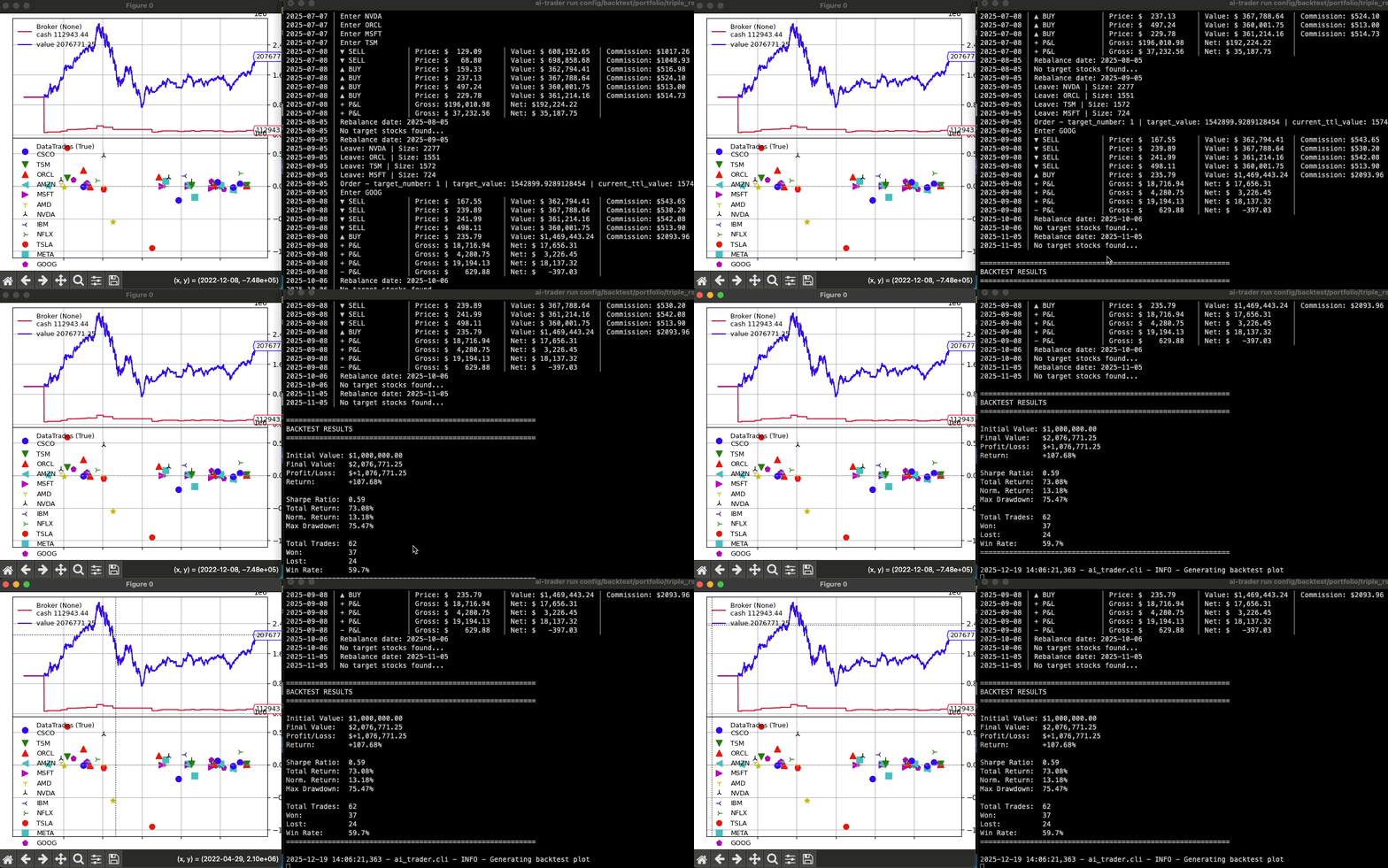
Key Features
- Config-Driven Workflows: Define and manage backtests with version-controllable YAML files for reproducible results.
- Seamless LLM Integration: Built-in MCP (Model Context Protocol) server allows AI assistants like Claude to run backtests, fetch data, and analyze strategies.
- Multi-Market Support: Test strategies on US stocks, Taiwan stocks, cryptocurrencies, and forex.
- Extensive Strategy Library: Comes with over 20 built-in strategies, from classic indicators to advanced adaptive models.
- Powerful CLI: A rich command-line interface to run backtests, fetch market data, and list strategies.
- Developer Friendly: Easily create and test custom strategies with simple helpers and a clear structure.
Quick Start
1. Installation
Option A: Install from PyPI (Recommended for using the CLI)
pip install ai-trader- Use the CLI commands:
ai-trader run,ai-trader fetch,ai-trader quick - Run backtests on your own data files
- Use as a library in your Python projects
git clone https://github.com/whchien/ai-trader.git cd ai-trader
Install dependencies (choose one method)
uv sync        # Recommended (fastest, modern tool)
poetry install   # Or use Poetry
pip install -e .  # Or traditional pip with editable install
- Run the config-based examples in
config/backtest/ - Use the example data files in
data/ - Run the example scripts in
scripts/examples/ - Contribute or customize strategies
If you cloned from source, run a predefined backtest using a configuration file:
# Run a backtest from a config file (requires source installation) ai-trader run config/backtest/classic/sma_example.yamlOr, run a quick backtest on any data file (works with both pip and source installation):
# Quick backtest on your own data file ai-trader quick CrossSMAStrategy your_data.csv --cash 1000003. Fetch Market Data
Download historical data for any supported market:
# US Stock (default: saves to CSV) ai-trader fetch TSM --market us_stock --start-date 2020-01-01
Taiwan Stock (台灣股票)
ai-trader fetch 2330 --market tw_stock --start-date 2020-01-01
Cryptocurrency
ai-trader fetch BTC-USD --market crypto --start-date 2020-01-01
With SQLite persistent caching (NEW!)
ai-trader fetch AAPL --market us_stock --start-date 2024-01-01 --storage sqlite
Save to both CSV and SQLite
ai-trader fetch AAPL --market us_stock --start-date 2024-01-01 --storage both
Persistent Data Storage with SQLite
By default, ai-trader fetch saves data to CSV. For faster repeated backtests, use SQLite:
# First fetch: Downloads from API and caches in SQLite (~2-3 seconds)
ai-trader fetch AAPL --market us_stock --start-date 2024-01-01 --storage sqlite
Repeated fetch: Loads from cache (~50ms, no API call)
ai-trader fetch AAPL --market us_stock --start-date 2024-01-01 --storage sqlite
Check cached data
ai-trader data list
ai-trader data info
Clean old data
ai-trader data clean --market us_stock --before 2020-01-01
Learn more about SQLite Storage →
Core Workflows
1. Configuration-Based Backtesting
The most robust way to run backtests is with a YAML config file.
my_backtest.yaml:
broker:   cash: 1000000   commission: 0.001425
data:   file: "data/us_stock/TSM.csv"   start_date: "2020-01-01"   end_date: "2023-12-31"
strategy:   class: "CrossSMAStrategy"   params:     fast: 10     slow: 30
sizer:   type: "percent"   params:     percents: 95
ai-trader run my_backtest.yamlconfig/backtest/ for more examples.
2. Python-Based Backtesting
For more granular control or integration into other Python scripts.
Simple approach:
from aitrader import runbacktest from ai_trader.backtesting.strategies.classic.sma import CrossSMAStrategy
Run backtest with example data
results = run_backtest(
    strategy=CrossSMAStrategy,
    data_source=None,  # Uses built-in example data
    cash=1000000,
    strategy_params={"fast": 10, "slow": 30}
)
Step-by-step control: See scripts/examples/02stepby_step.py for a detailed example.
3. LLM Integration (MCP Server)
Run ai-trader as a server to let AI assistants interact with your backtesting engine.
Start the Server (for testing):
python -m ai_trader.mcpConfigure with Claude Desktop (Recommended):
- Locate your Claude Desktop configuration file:
~/.config/Claude/claudedesktopconfig.json
- Windows: %APPDATA%\Claude\claudedesktopconfig.json
- Add the
ai-traderMCP server to themcpServerssection:
{
  "mcpServers": {
    "ai-trader": {
      "command": "python3",
      "args": ["-m", "ai_trader.mcp"],
      "cwd": "/path/to/ai-trader"
    }
  }
}
Configuration Notes:
- Replace
/path/to/ai-traderwith your actual ai-trader project directory - If using a virtual environment, use the full path to the Python executable:
/path/to/.venv/bin/python3 - Restart Claude Desktop after updating the config file
- "Run a backtest of the CrossSMAStrategy on TSM data from 2020-2022."
- "List all available trading strategies."
- "Fetch Apple stock data from 2021 to 2024."
Creating Custom Strategies
Option 1: Using Claude Code Skills (Recommended)
The fastest way to create a new strategy is with the /add-strategy skill in Claude Code. The skill guides you through the process interactively:
/add-strategy classicThis will prompt you for:
- Strategy name (e.g., "MACDBBands")
- Description
- Parameters with defaults
- Entry and exit conditions
- Any custom indicators
- File creation with proper naming conventions
- Comprehensive docstrings
- Automatic registration in
init.py - Syntax validation
Option 2: Manual Creation
Create a new file in ai_trader/backtesting/strategies/classic/ and inherit from BaseStrategy.
# aitrader/backtesting/strategies/classic/mystrategy.py
import backtrader as bt
from ai_trader.backtesting.strategies.base import BaseStrategy
class MyCustomStrategy(BaseStrategy):     params = dict(period=20)
def init(self):         self.sma = bt.indicators.SMA(self.data.close, period=self.p.period)
def next(self):         if not self.position and self.data.close[0] > self.sma[0]:             self.buy()         elif self.position and self.data.close[0] < self.sma[0]:             self.close()
The new strategy is automatically available to the CLI and run_backtest function.
Documentation & Resources
- Strategy Examples: Details on built-in strategies.
- Example Scripts: 5 complete working examples for different use cases.
- Config Templates: YAML configuration templates.
- Migration Guide: For upgrading from v0.1.x.
Contributing
Contributions are welcome! Feel free to report bugs, suggest features, or submit pull requests.
Show Your Support
If you find this project helpful, please give it a star !
License
This project is licensed under the GNU General Public License v3 (GPL-3.0). See the LICENSE file for details.


