
📡 Blazing fast minimap / scrollbar for vim, powered by code-minimap written in Rust.
📡 minimap.vim
Blazing fast minimap for vim, powered by 🛰 code-minimap written in Rust.




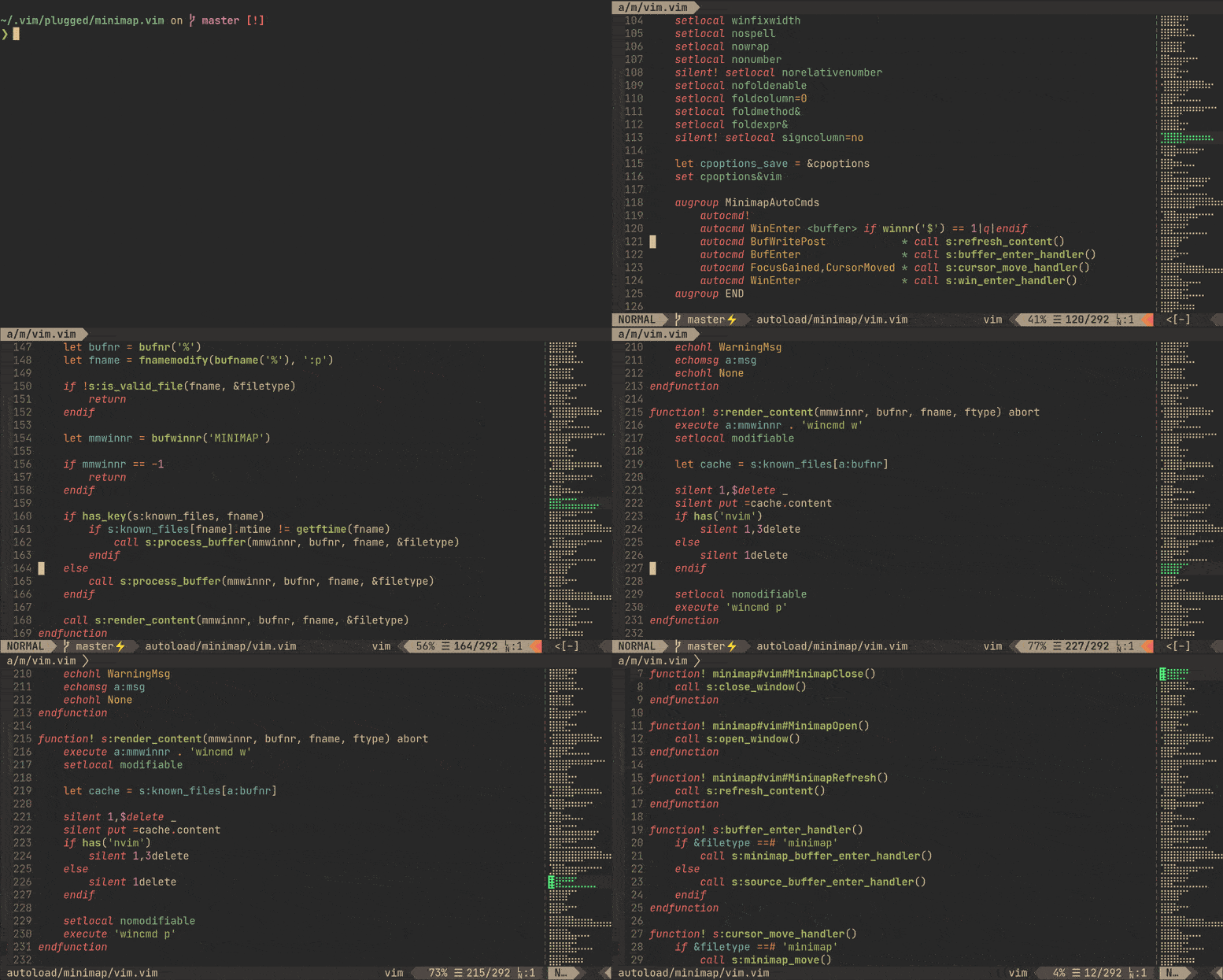
✨ Features
- Blazing-fast (see benchmark).
- Dynamic scaling.
- Real-time highlight.
- It can be used to scroll buffer (in vim's way!).
📥 Installation
Requirement
- 🛰
code-minimapis required. The plugin receives rendered minimap from it. - vim8.2+, or neovim 0.5.0+.
Plug 'wfxr/minimap.vim'If you need to install the plugin manually, you can refer to this issue: #2.
You can use cargo to install 'code-minimap' simultaneously (Only recommended for rust users):
Plug 'wfxr/minimap.vim', {'do': ':!cargo install --locked code-minimap'}📑 Example configuration
let g:minimap_width = 10
let g:minimapautostart = 1
let g:minimapautostartwinenter = 1
🛠 Commands
| Flag | Description | |------------------------|----------------------------------------------| | Minimap | Show minimap window | | MinimapClose | Close minimap window | | MinimapToggle | Toggle minimap window | | MinimapRefresh | Force refresh minimap window | | MinimapUpdateHighlight | Force update minimap highlight | | MinimapRescan | Force recalculation of minimap scaling ratio |
⚙ Options
| Flag | Default | Description | |-----------------------------------------------|-----------------------------------------------------------|----------------------------------------------------------------------| | g:minimapautostart | 0 | if set, minimap will show at startup | | g:minimapautostartwinenter | 0 | if set with g:minimapautostart, minimap shows on WinEnter | | g:minimap_width | 10 | the width of the minimap window in characters | | g:minimapwindowwidthoverridefor_scaling | 2147483647 | the width cap for scaling the minimap (see minimap.txt help file) | | g:minimapbasehighlight | Normal | the base color group for minimap | | g:minimapblockfiletypes | ['fugitive', 'nerdtree', 'tagbar', 'fzf' ] | disable minimap for specific file types | | g:minimapblockbuftypes | ['nofile', 'nowrite', 'quickfix', 'terminal', 'prompt'] | disable minimap for specific buffer types | | g:minimapclosefiletypes | ['startify', 'netrw', 'vim-plug'] | close minimap for specific file types | | g:minimapclosebuftypes | [] | close minimap for specific buffer types | | g:minimapexecwarning | 1 | if set, enables code-minimap not found warning message at startup | | g:minimap_left | 0 | if set, minimap window will append left | | g:minimaphighlightrange | 1 | if set, minimap will highlight range of visible lines | | g:minimaphighlightsearch | 0 | if set, minimap will highlight searched patterns | | g:minimapbackgroundprocessing | 0 | if set, minimap will use a background job to get the longest line (requires gnu-wc on MacOS) | | g:minimapgitcolors | 0 | if set, minimap will highlight range of changes as reported by git | | g:minimapenablehighlight_colorgroup | 1 | if set, minimap will create an autocommand to set highlights on color scheme changes. |
⚙ Color Options
Minimap.vim sets its own color groups to give a reasonable default.| Flag | Default | Description | |-------------------------------------|-----------------------------------------------------------|----------------------------------------------------------------------| | g:minimapsearchcolor_priority | 120 | the priority for the search highlight colors | | g:minimapcursorcolor_priority | 110 | the priority for the cursor highlight colors | | g:minimapcursorcolor | minimapCursor | the color group for current position | | g:minimaprangecolor | minimapRange | the color group for window range (if highlight_range is enabled) | | g:minimapsearchcolor | Search | the color group for highlighted search patterns in the minimap | | g:minimapdiffaddcolor | minimapDiffAdded | the color group for added lines (if git_colors is enabled) | | g:minimapdiffremovecolor | minimapDiffRemoved | the color group for removed lines (if git_colors is enabled) | | g:minimapdiffcolor | minimapDiffLine | the color group for modified lines (if git_colors is enabled) | | g:minimapcursordiffadd_color | minimapCursorDiffAdded | the color group for the cursor over added lines | | g:minimapcursordiffremove_color | minimapCursorDiffRemoved | the color group for the cursor over removed lines | | g:minimapcursordiff_color | minimapCursorDiffLine | the color group for the cursor over modified lines | | g:minimaprangediffadd_color | minimapRangeDiffAdded | the color group for the window range encompassing added lines | | g:minimaprangediffremove_color | minimapRangeDiffRemoved | the color group for the window range encompassing removed lines | | g:minimaprangediff_color | minimapRangeDiffLine | the color group for the window range encompassing modified lines |
You can create your own colorgroup by specifying the foreground and background colors for the cterm or gui:
:highlight minimapCursor ctermbg=59 ctermfg=228 guibg=#5F5F5F guifg=#FFFF87For more information, see :help highlight
Note: some colorschemes will clear all previous colors, so you may have to add an autocmd to ensure your custom colorgroups are added back:
autocmd ColorScheme *
        \ highlight minimapCursor            ctermbg=59  ctermfg=228 guibg=#5F5F5F guifg=#FFFF87 |
        \ highlight minimapRange             ctermbg=242 ctermfg=228 guibg=#4F4F4F guifg=#FFFF87
If you prefer to disable this behavior, set g:minimapenablehighlight_colorgroup to 0 / false. This is useful if you have a color scheme that sets the minimap highlight groups explicitly.
💬 F.A.Q
Highlight and scroll are not working properly.
Check the vim version you are using. minimap.vim requires vim 8.2+ or neovim 0.5.0+.
Integrated with diagnostics or git status plugins?
Git integration is supported. See g:minimapgitcolors and #72.
Minimap window is too wide for me, how to use it as a simple scrollbar?
You can reduce the width of the minimap window:
let g:minimap_width = 2How do the color priorities work?
A higher priority color group will override a lower priority color group. By default, search > cursor/window position > git colors
I don't like the default highlight group, how to change it?
Choose any one of the highlight groups (or define a new one) and just set it for minimap like this:
hi MinimapCurrentLine ctermfg=Green guifg=#50FA7B guibg=#32302f let g:minimapcursorcolor = 'MinimapCurrentLine'All existing highlight groups can be displayed by :hi.
Minimap shows up as a jumble of characters?
Check that your encoding is set to utf-8 and not latin1 (for Vim users). Also, ensure that you're using a Unicode-compatible font that has Braille characters in it.
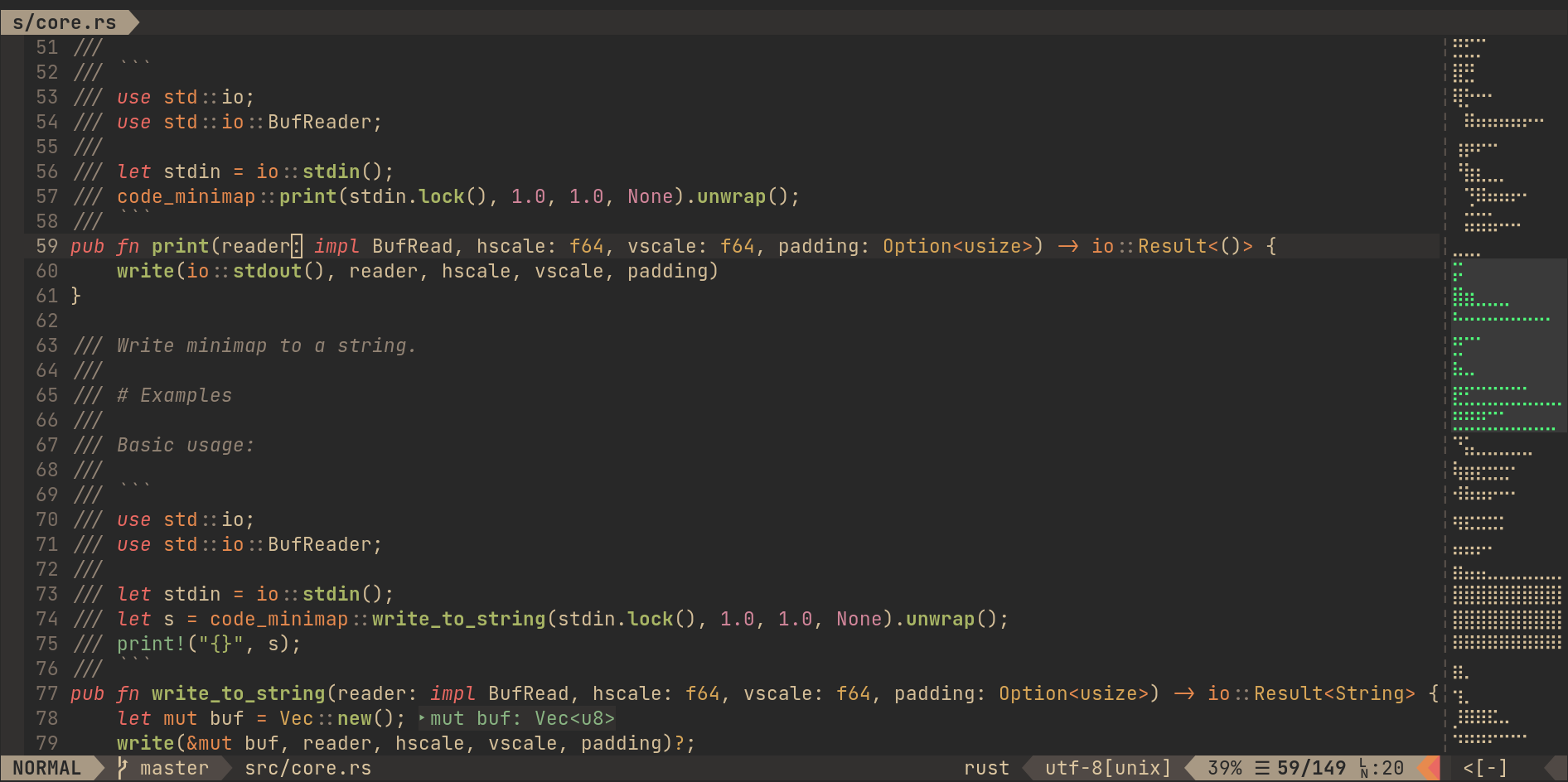
What is g:minimaphighlightrange and how do you use it?
You can have the minimap highlight all the visible lines in your current window by setting g:minimaphighlightrange. If you use Neovim, and your version is recent enough (after November 7, 2020), you can set this option to update the highlight when the window is scrolled.
I'm using g:minimaphighlightsearch and the highlighted searches don't go away until I :nohlsearch and save!
It is recommended that you create a mapping to run :nohlsearch and clear the minimap all in one action. For example:
nnoremap <silent> ` :nohlsearch<CR>:call minimap#vim#ClearColorSearch()<CR></code></pre>
I'm using
g:minimapbackgroundprocessing on MacOS and the minimap isn't working!
The version of
wc that ships with MacOS does not have support for the -L flag. To use background processing on MacOS, install gnu-wc. Example via homebrew: <pre><code class="lang-">brew install coreutils</code></pre>
📋 Running Unit Tests
- Install Testify.
- From the top level directory (minimap.vim/)
vim +TestifySuite for a yay/nay
from your shell.
- For a more detailed run, open vim at the top level and run
:TestifySuite.
README.md works, but an empty buffer at the top level works too.
- To hone in on one test file, open that file (located in the
t/ directory)
and run :TestifyFile.
- (As a note, the t/ directory is named such as a requirement from Testify.
:TestifySuite runs all the tests in the t/` directory)
📦 Related Projects
- code-minimap: A high performance code minimap render.
- scrollbar.nvim: A pure scrollbar indicator for neovim (nightly).
- vim-minimap: A minimap plugin written in python.
🌼 Maintainers
|  |
|  |
|  | | :---: | :---: | :---: | | ZNielsen | wfxr | rabirabirara |
📃 License
MIT (c) Wenxuan Zhang


