
A simple static file serving command-line tool written in Rust.
Thank you for using this tool so far. Unfortunately I have no time
maintaining it, but I believe people can find a better alternative
out there on crates.io.>
If you are still interested in supporting Rust and its community, please
consider sponsoring Rust developers you like. You can find a few from
the official Rust teams,
or just buy me a coffee ❤️.
[ ][sfz]


 [
[][sfz]

sfz, or Static File Zerver, is a simple command-line tool serving static files for you.
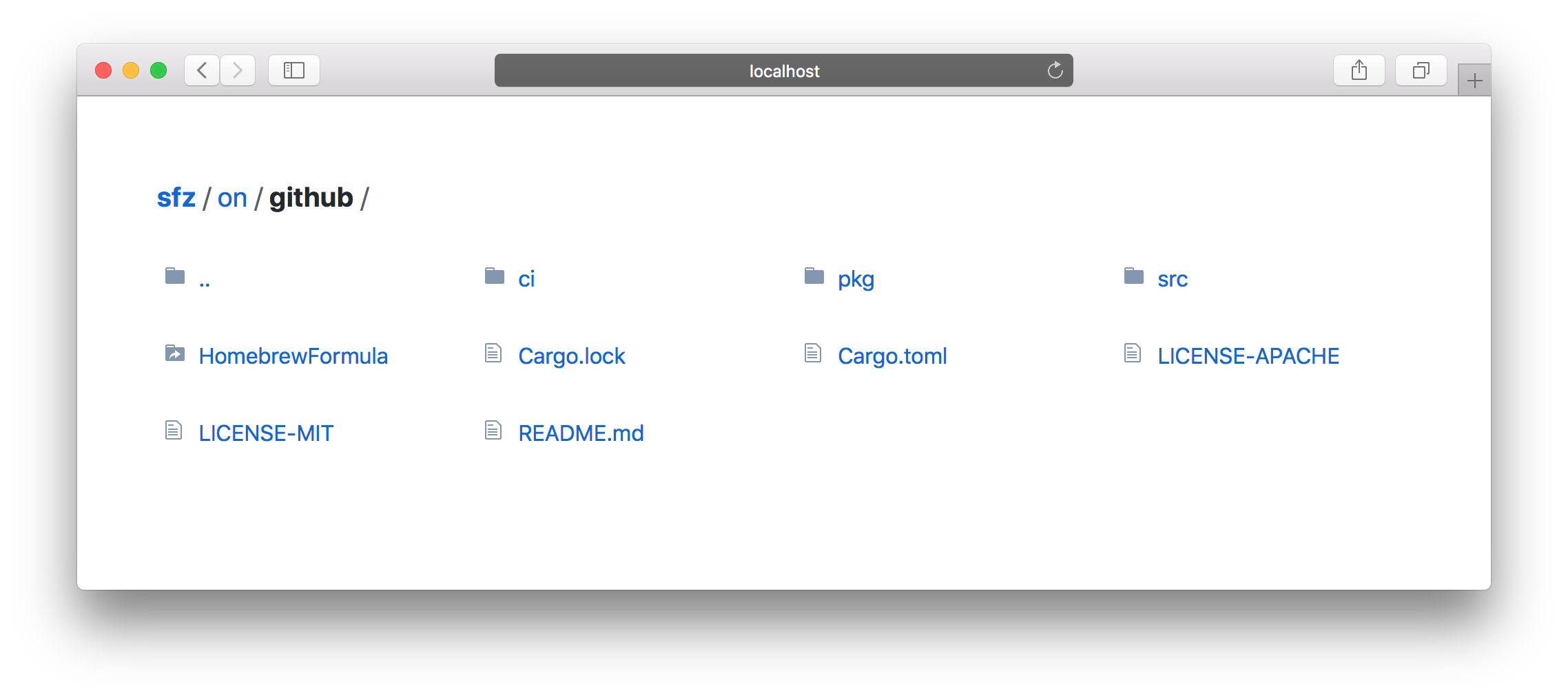
The name sfz is derived from an accented note [Sforzando][sforzando] in music, which means “suddenly with force.”
[sfz]: https://github.com/weihanglo/sfz [sforzando]: https://en.wikipedia.org/wiki/Dynamics(music)#Suddenchangesandaccented_notes
Features
- Directory listing
- Partial responses (range requests)
- Conditional requests with cache validations
- Cross-origin resource sharing
- Automatic HTTP compression (Brotli, Gzip, Deflate)
- Automatic rendering
index.html - Respect
.gitignorefile - Customize path prefix
Installation
Automatic
macOS
If you are a macOS Homebrew user, you can install sfz from a custom tap:
brew tap weihanglo/sfz https://github.com/weihanglo/sfz.git
brew install sfz
Disclaimer: Formula on Linuxbrew did not fully tested.
Cargo
If you are a Rust programmer, sfz are available on [crates.io][crates.io] via [Cargo][cargo].
cargo install sfzYou can also install the latest version (or a specific commit) of sfz directly from GitHub.
cargo install --git https://github.com/weihanglo/sfz.git[crates.io]: https://crates.io [cargo]: https://doc.rust-lang.org/cargo/
Manual
Prebuilt binaries
Archives of prebuilt binaries are available on [GitHub Release][gh-release] for Linux, maxOS and Windows. Download a compatible binary for your system. For convenience, make sure you place sfz under $PATH if you want access it from the command line.
[gh-release]: https://github.com/weihanglo/sfz/releases
Build from source
sfz is written in Rust. You need to [install Rust][install-rust] in order to compile it.
$ git clone https://github.com/weihanglo/sfz.git
$ cd sfz
$ cargo build --release
$ ./target/release/sfz --version
0.7.1
[install-rust]: https://www.rust-lang.org/install.html
Usage
The simplest way to start serving files is to run this command:
sfz [FLAGS] [OPTIONS] [path]The command above will start serving your current working directory on 127.0.0.1:5000 by default.
If you want to serve another directory, pass [path] positional argument in with either absolute or relaitve path.
sfz /usr/local
Serve files under /usr/local directory.
#
You can press ctrl-c to exit immediately.
Flags and Options
sfz aims to be simple but configurable. Here is a list of available options:
USAGE:
    sfz [OPTIONS] [path]
ARGS:     <path>    Path to a directory for serving files [default: .]
OPTIONS:     -a, --all                   Serve hidden and dot (.) files     -b, --bind <address>        Specify bind address [default: 127.0.0.1]     -c, --cache <seconds>       Specify max-age of HTTP caching in seconds [default: 0]     -C, --cors                  Enable Cross-Origin Resource Sharing from any origin (*)         --coi                   Enable Cross-Origin isolation     -h, --help                  Print help information     -I, --no-ignore             Don't respect gitignore file     -L, --follow-links          Follow symlinks outside current serving base path         --no-log                Don't log any request/response information.     -p, --port <port>           Specify port to listen on [default: 5000]         --path-prefix <path>    Specify an url path prefix, helpful when running behing a reverse                                 proxy     -r, --render-index          Render existing index.html when requesting a directory.     -V, --version               Print version information     -Z, --unzipped              Disable HTTP compression
Contributing
Contributions are highly appreciated! Feel free to open issues or send pull requests directly.
Credits
sfz was originally inspired by another static serving tool [serve][serve], and sfz's directory-listing UI is mainly borrowed from [GitHub][github].
sfz is built on the top of awesome Rust community. Thanks for all Rust and crates contributors.
[serve]: https://github.com/zeit/serve [github]: https://github.com/
License
This project is licensed under either of
- Apache License, Version 2.0, (LICENSE-APACHE or http://www.apache.org/licenses/LICENSE-2.0)
- MIT license (LICENSE-MIT or http://opensource.org/licenses/MIT)
Contribution
Unless you explicitly state otherwise, any contribution intentionally submitted for inclusion in sfz by you, as defined in the Apache-2.0 license, shall be dual licensed as above, without any additional terms or conditions.


