
[DevOps] [Stephen Grider] Docker and Kubernetes: The Complete Guide [ENG, 2018]
[Stephen Grider] Docker and Kubernetes: The Complete Guide [ENG, 2018]
Original src: https://github.com/StephenGrider/DockerCasts
[Offtopic]: Deploy application from video course [Stephen Grider] Docker and Kubernetes: The Complete Guide [2018, ENG] on local kubernetes cluster https://github.com/wildmakaka/Docker-and-Kubernetes-The-Complete-Guide-Deploy-on-Local-Kubernetes-Cluster-Only
09 Dockerizing Multiple Services
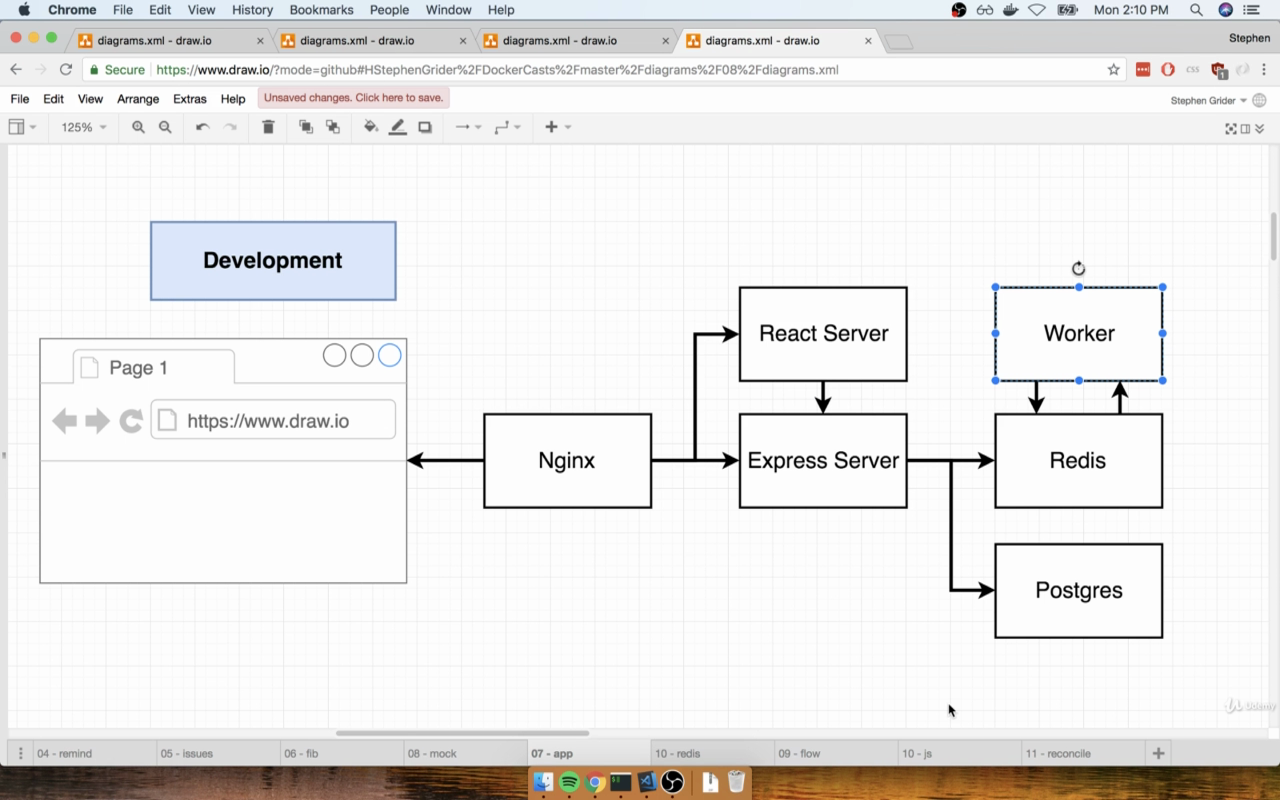
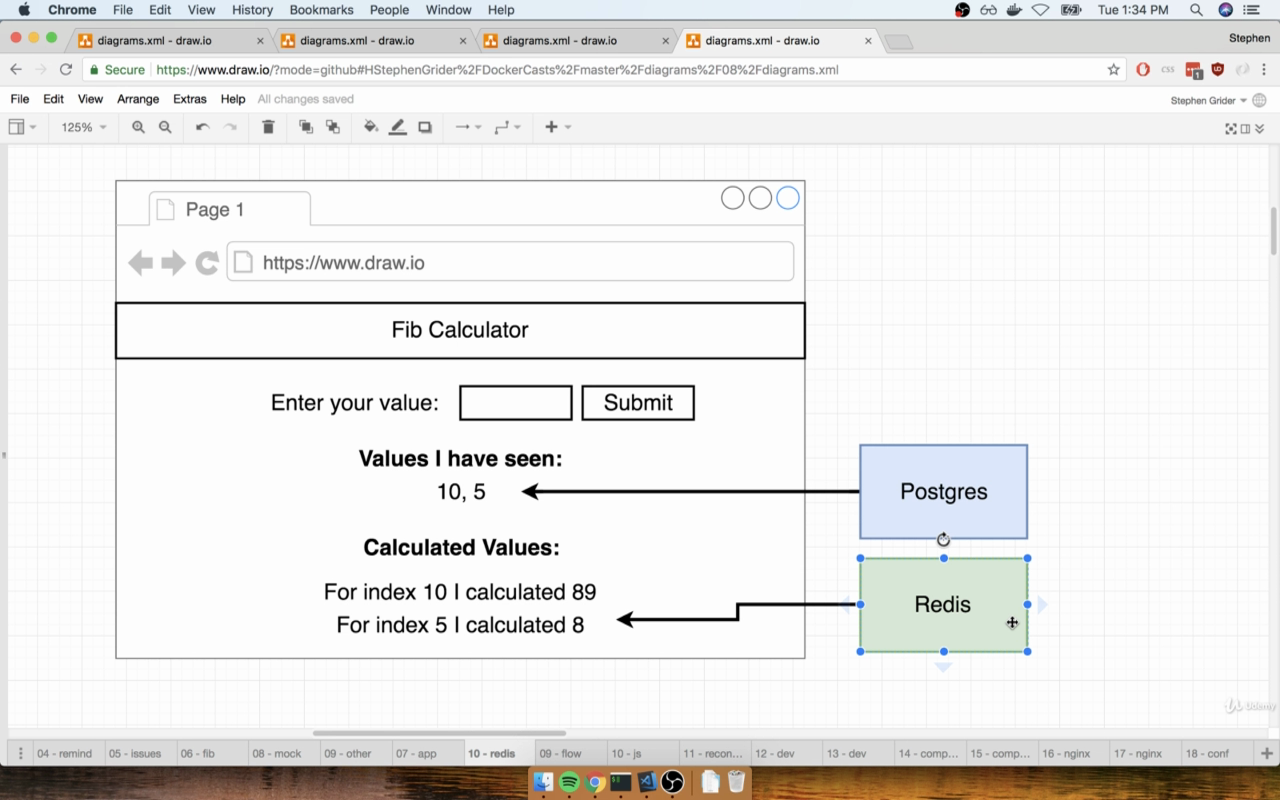
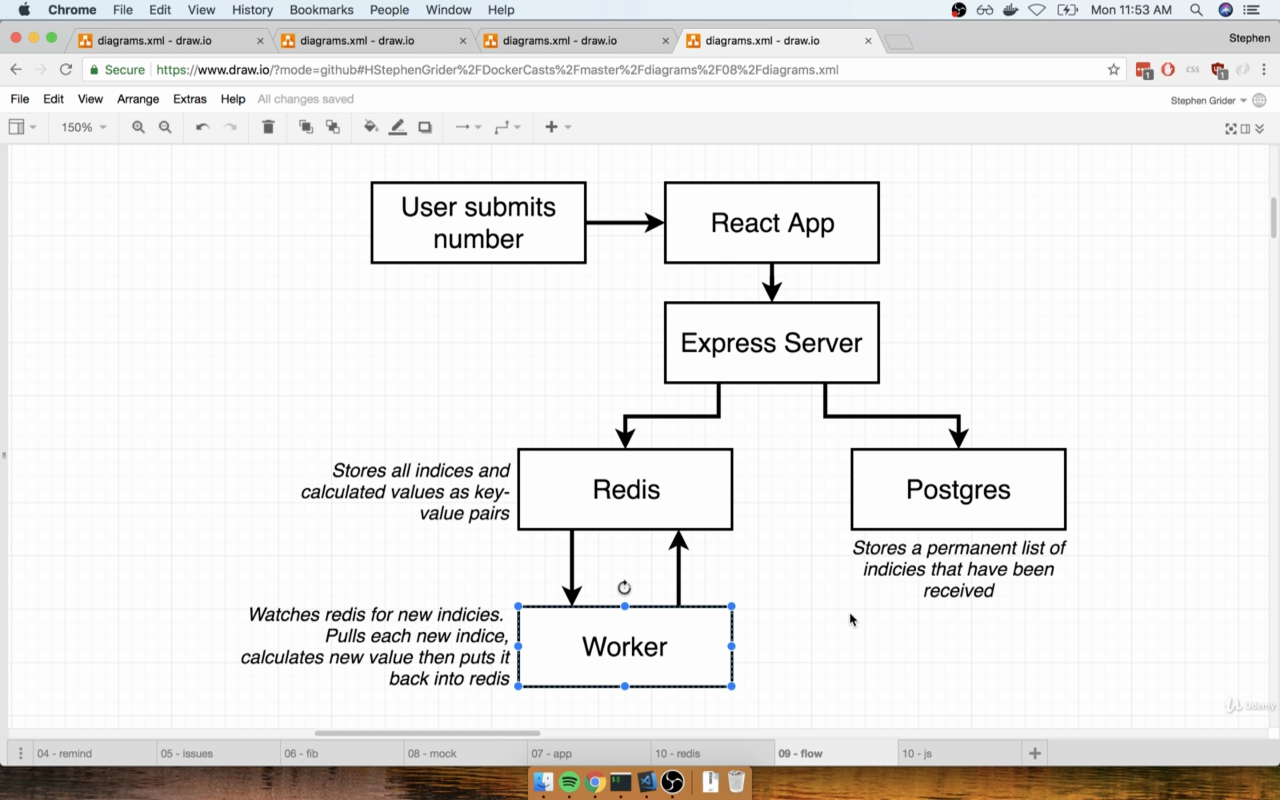
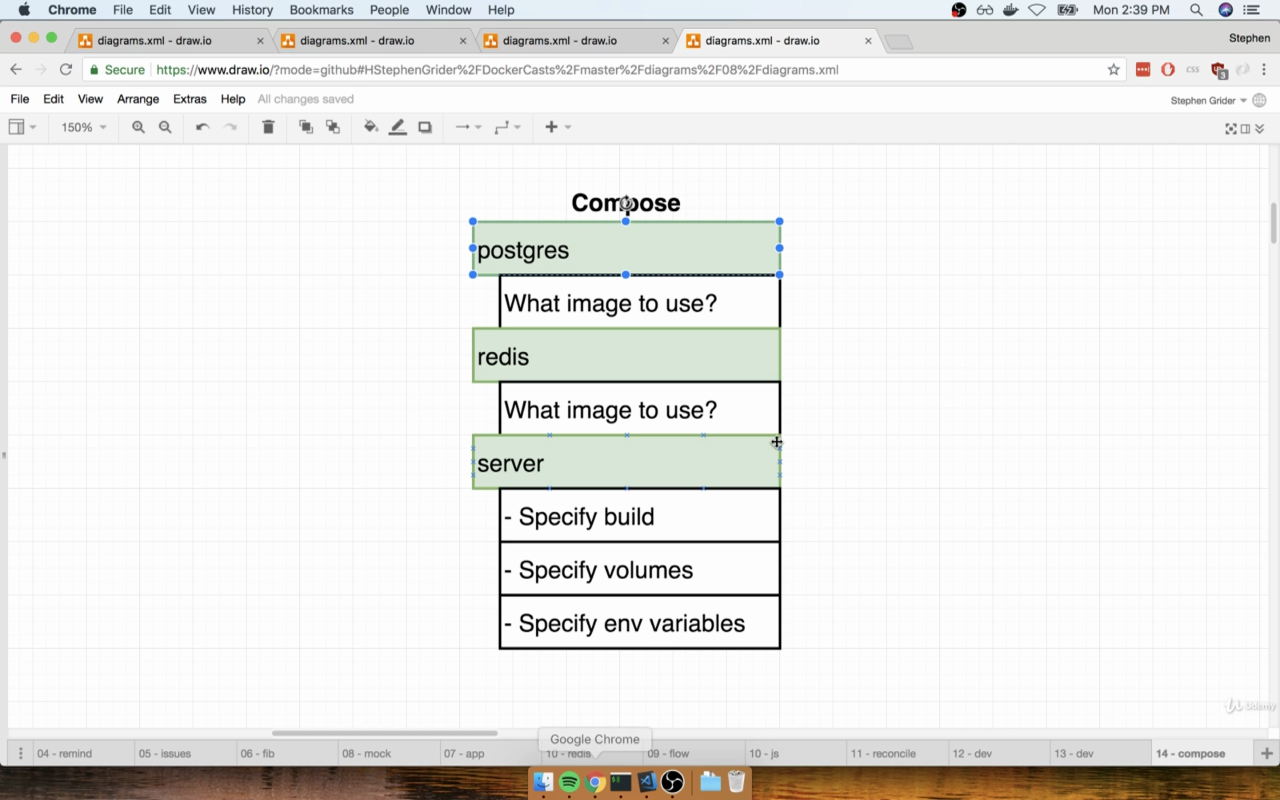
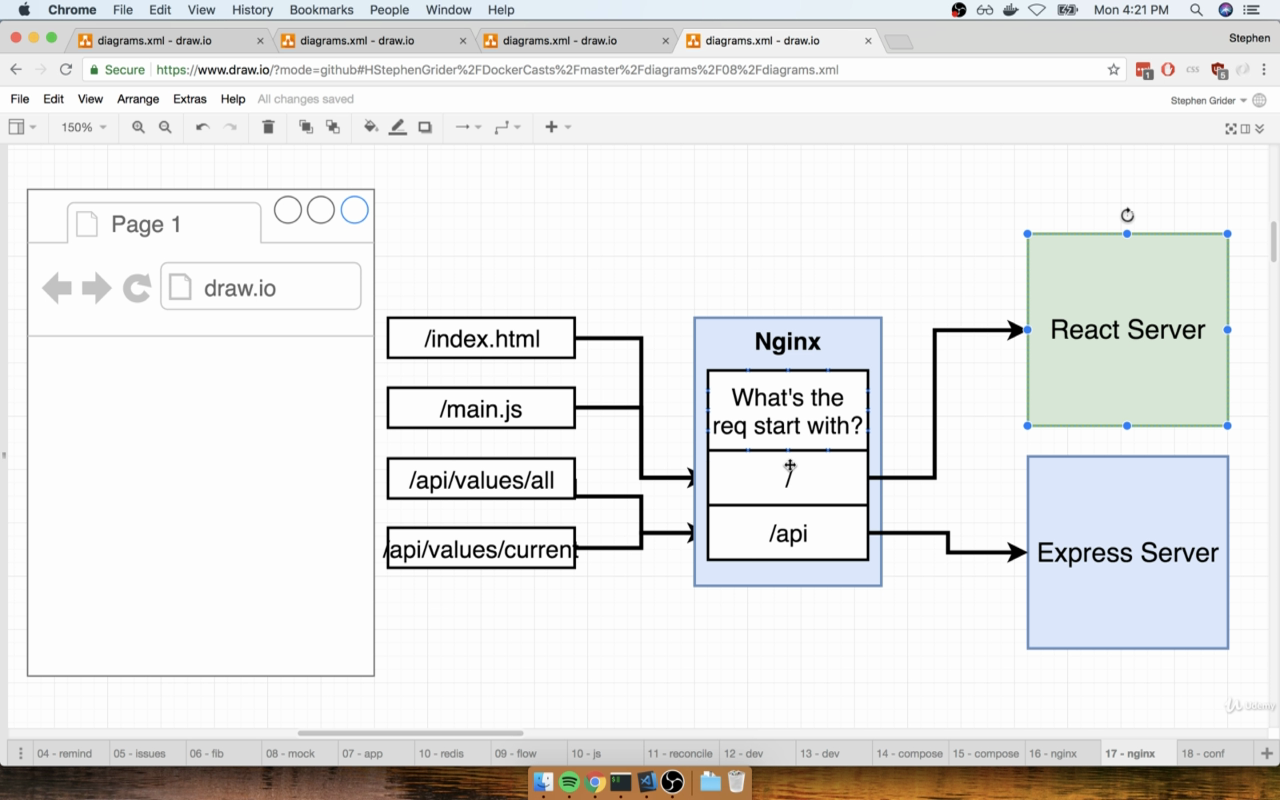
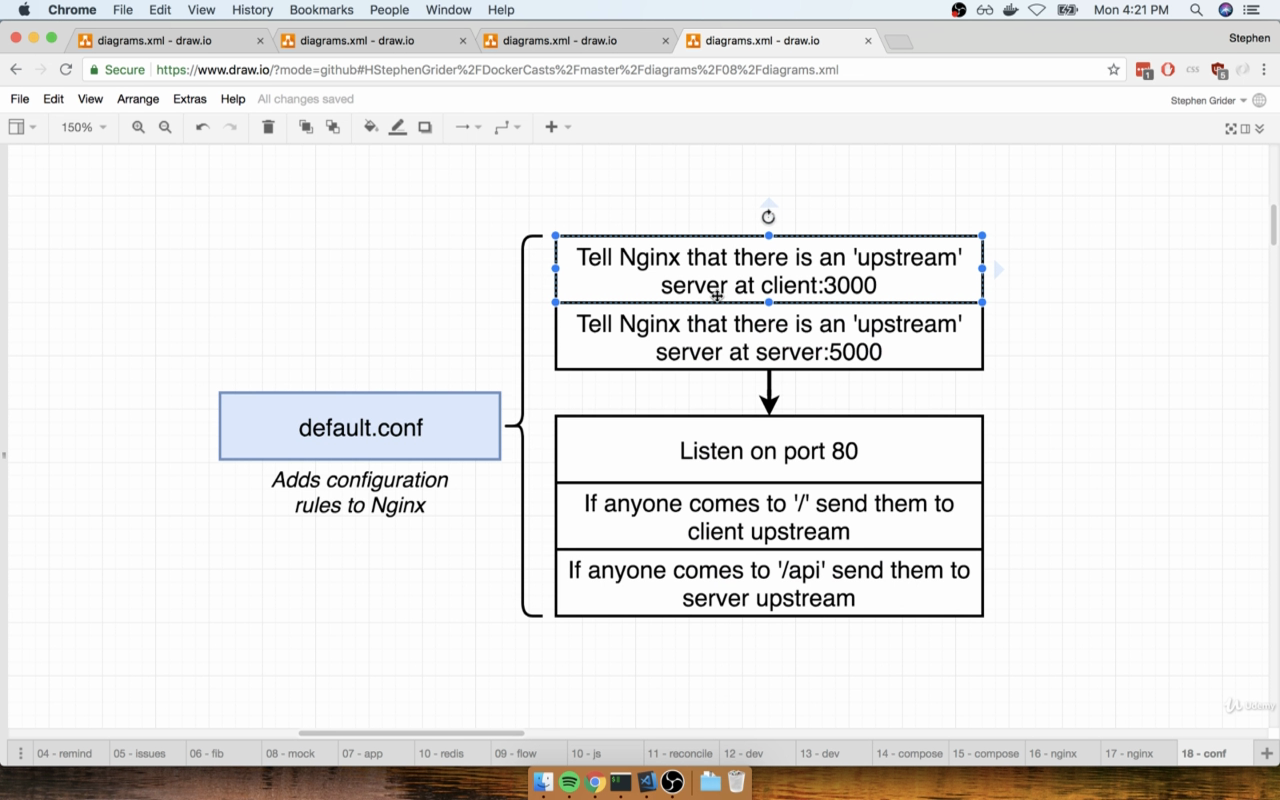
Stephen forgot to add in docker-compose.yml
worker:
    environment:
      - REDIS_HOST=redis
      - REDIS_PORT=6379
$ cd 09DockerizingMultiple_Services $ docker-compose up --build $ ctrl^C $ docker-compose up
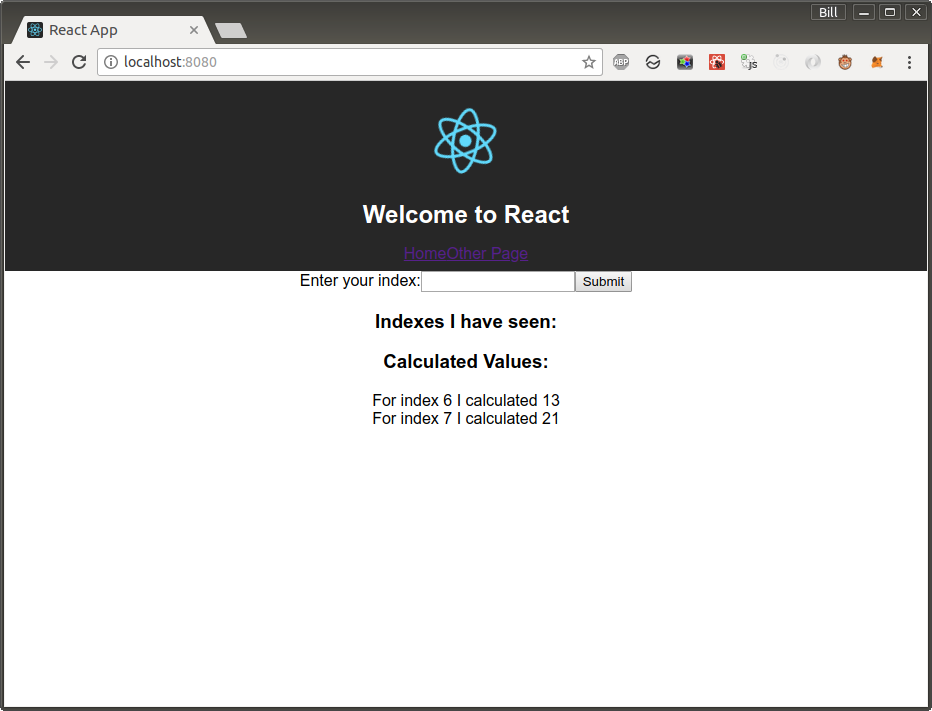
http://localhost:8080/api/values/current
$ docker-compose ps
                   Name                                  Command               State          Ports

09dockerizingmultipleservicesapi_1        npm run dev                      Up
09dockerizingmultipleservicesclient_1     npm run start                    Up
09dockerizingmultipleservicesnginx_1      nginx -g daemon off;             Up      0.0.0.0:8080->80/tcp
09dockerizingmultipleservicespostgres_1   docker-entrypoint.sh postgres    Up      5432/tcp
09dockerizingmultipleservicesredis_1      docker-entrypoint.sh redis ...   Up      6379/tcp
10 A Continuous Integration Workflow for Multiple Images
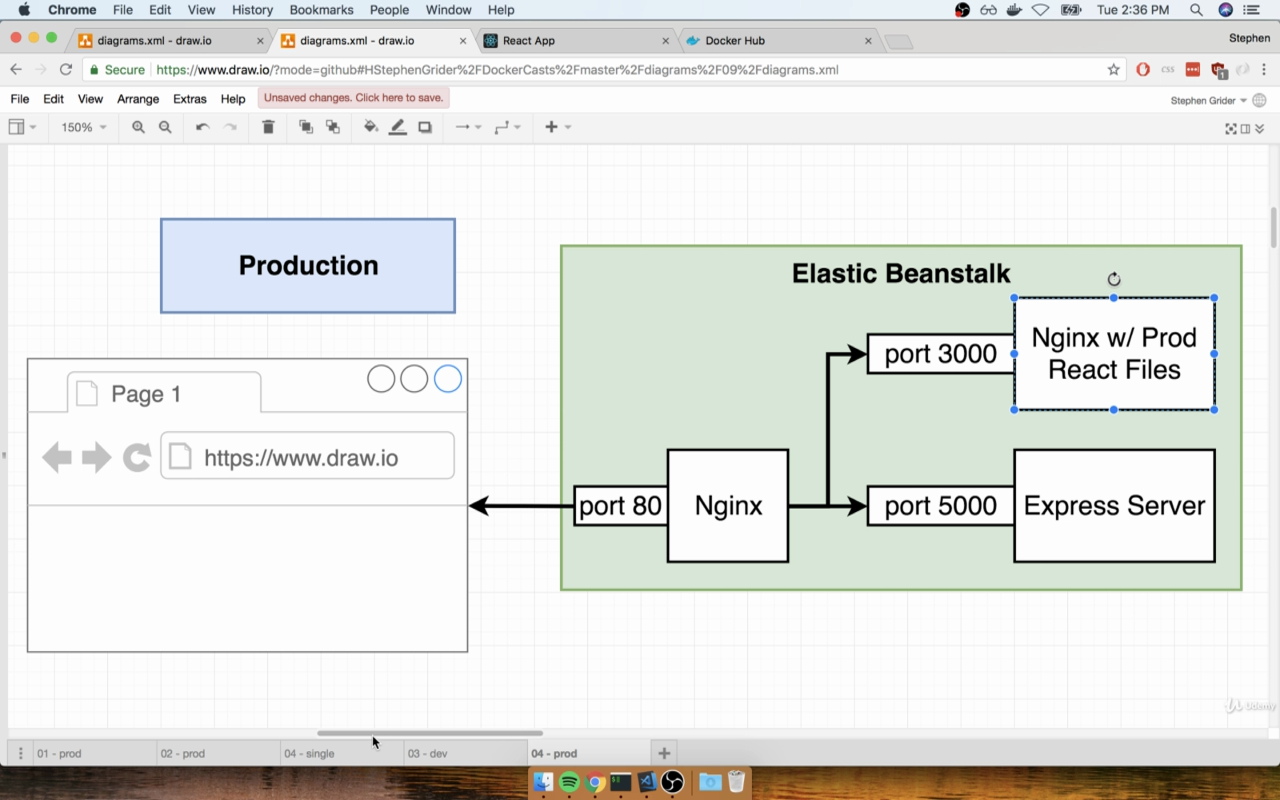
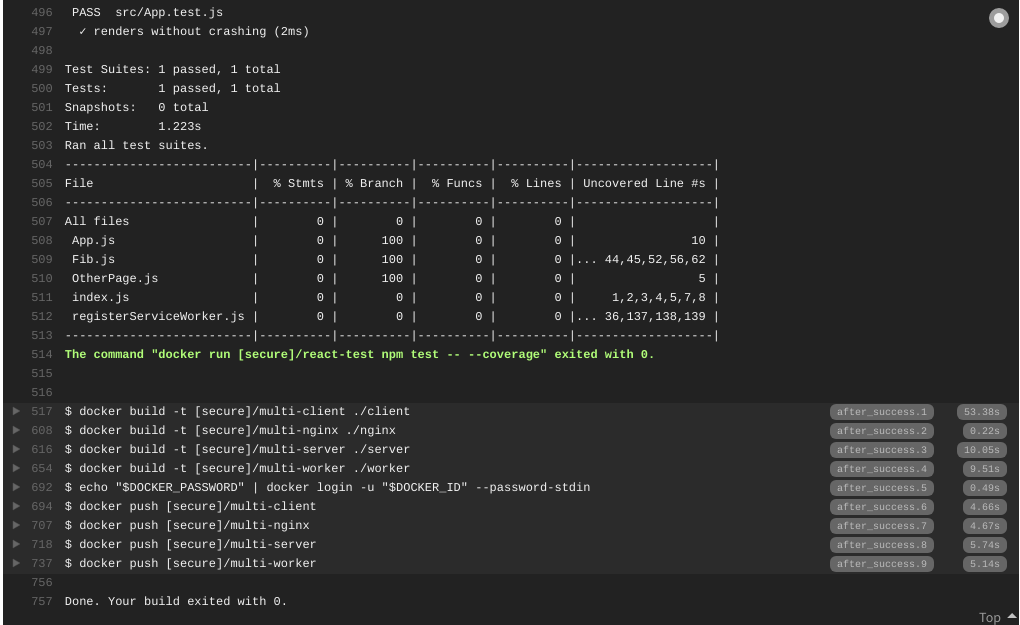
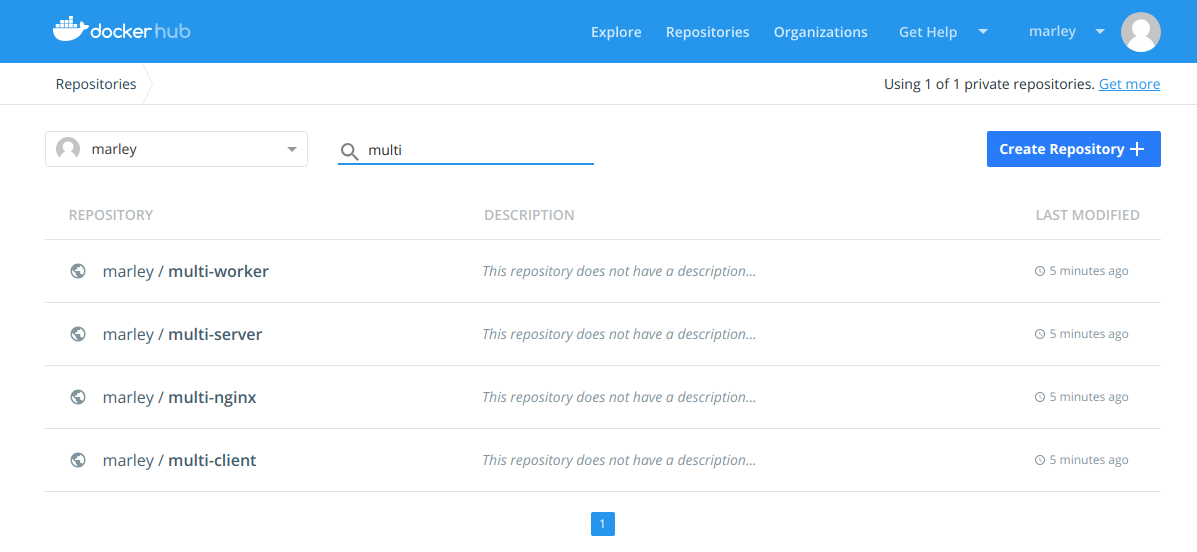
Travis-ci.org --> OUR Project --> More options --> Settings --> Environment Variables

DOCKER_ID marley DOCKER_PASSWORD mypassword
11 Multi-Container Deployments to AWS
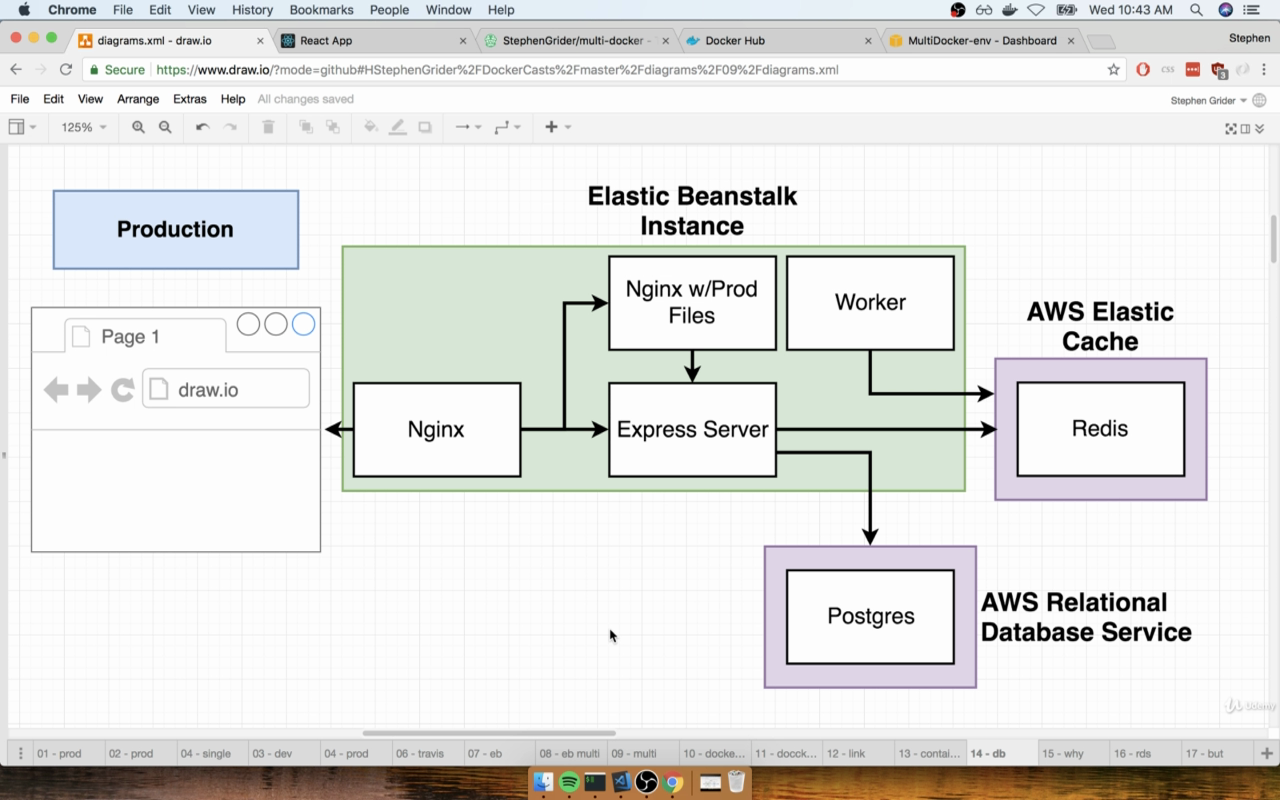
I do not want to pay money for testing AWS.
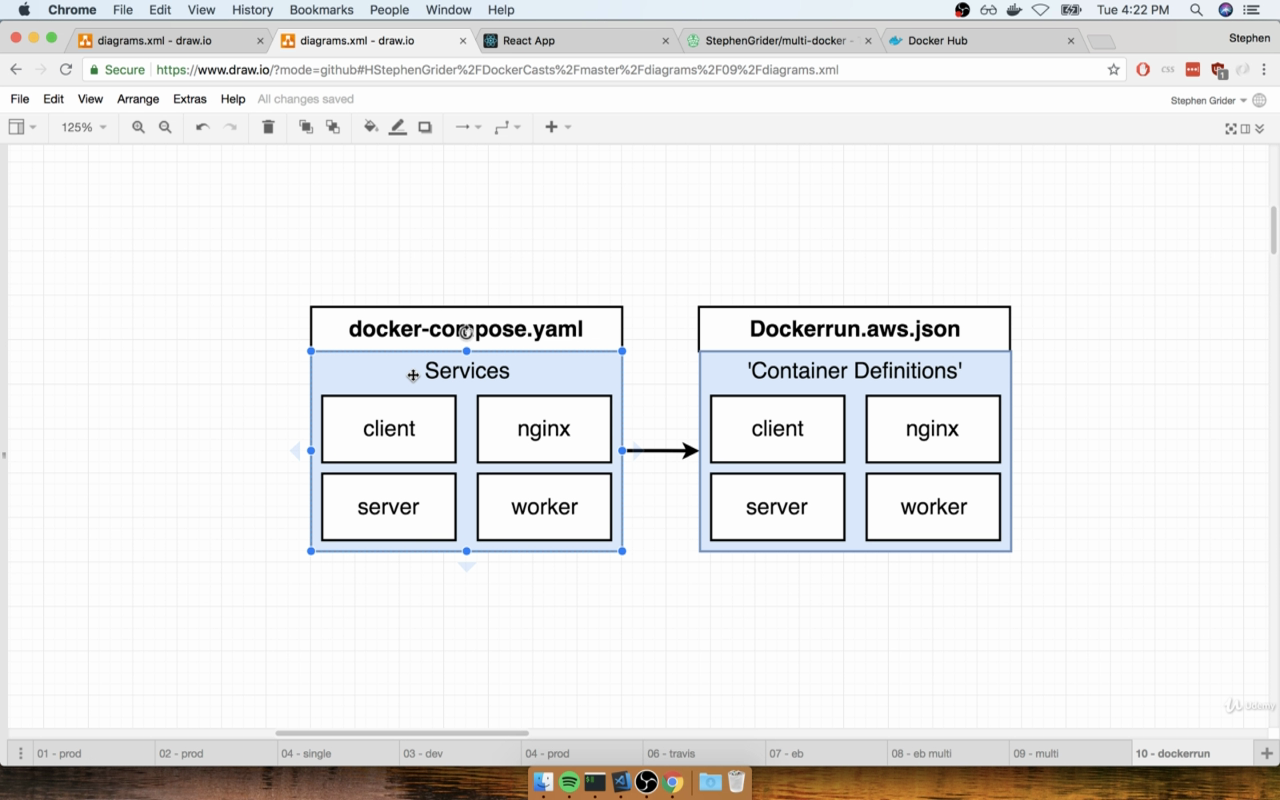
https://docs.aws.amazon.com/AmazonECS/latest/developerguide/task_definitions.html
Travis-ci.org --> OUR Project --> More options --> Settings --> Environment Variables
AWSACCESSKEY AWSSECRETKEY
12 Onwards to Kubernetes
$ minikube start
$ cd 12Onwardsto_Kubernetes/
$ kubectl apply -f client-pod.yaml $ kubectl apply -f client-node-pod.yaml
$ kubectl get pods NAME READY STATUS RESTARTS AGE client-pod 1/1 Running 0 14s
$ kubectl get services NAME TYPE CLUSTER-IP EXTERNAL-IP PORT(S) AGE client-node-port NodePort 10.97.14.234
$ echo $(minikube service client-node-port --url) http://192.168.99.117:31515
$ kubectl delete -f client-pod.yaml $ kubectl delete -f client-node-pod.yaml
13 Maintaining Sets of Containers with Deployments
$ kubectl apply -f client-node-pod.yaml $ kubectl apply -f client-deployment.yaml $ kubectl get pods $ kubectl get deployments NAME DESIRED CURRENT UP-TO-DATE AVAILABLE AGE client-deployment 1 1 1 1 1m
$ echo $(minikube service client-node-port --url) http://192.168.99.117:31515
$ kubectl get pods -o wide NAME READY STATUS RESTARTS AGE IP NODE client-deployment-588947887b-lkqsc 1/1 Running 0 8m 172.17.0.7 minikube
$ vi client-deployment.yaml
set replicas: 5
$ kubectl apply -f client-deployment.yaml
$ kubectl get deployments NAME READY UP-TO-DATE AVAILABLE AGE client-deployment 5/5 5 5 16m
set replicas back to: 1
Update container:
$ kubectl set image deployment/client-deployment client=marley/multi-client:v5
Reconfiguring Docker CLI
$ minikube docker-env export DOCKERTLSVERIFY="1" export DOCKER_HOST="tcp://192.168.99.117:2376" export DOCKERCERTPATH="/home/marley/.minikube/certs" export DOCKERAPIVERSION="1.35" # Run this command to configure your shell: # eval $(minikube docker-env)
$ eval $(minikube docker-env) $ docker ps
14 A Multi-Container App with Kubernetes
$ minikube stop $ minikube delete $ minikube start
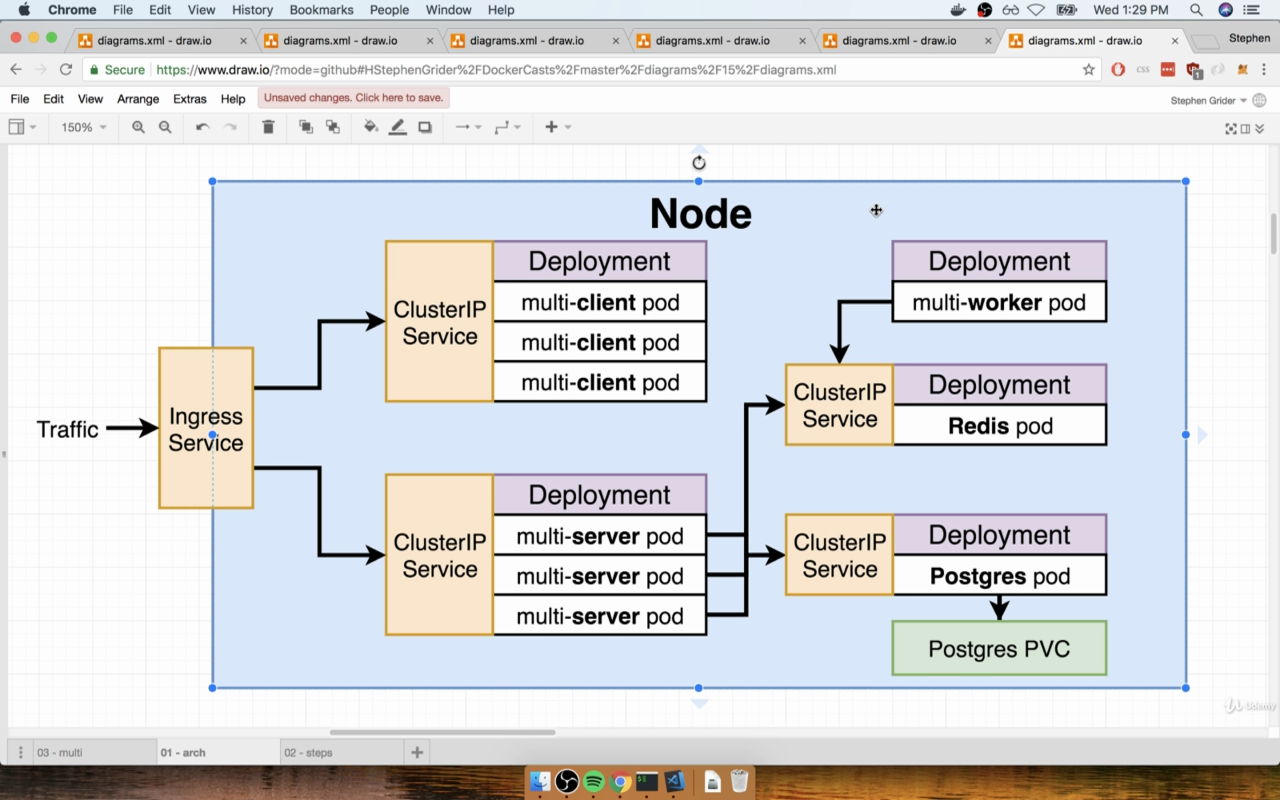
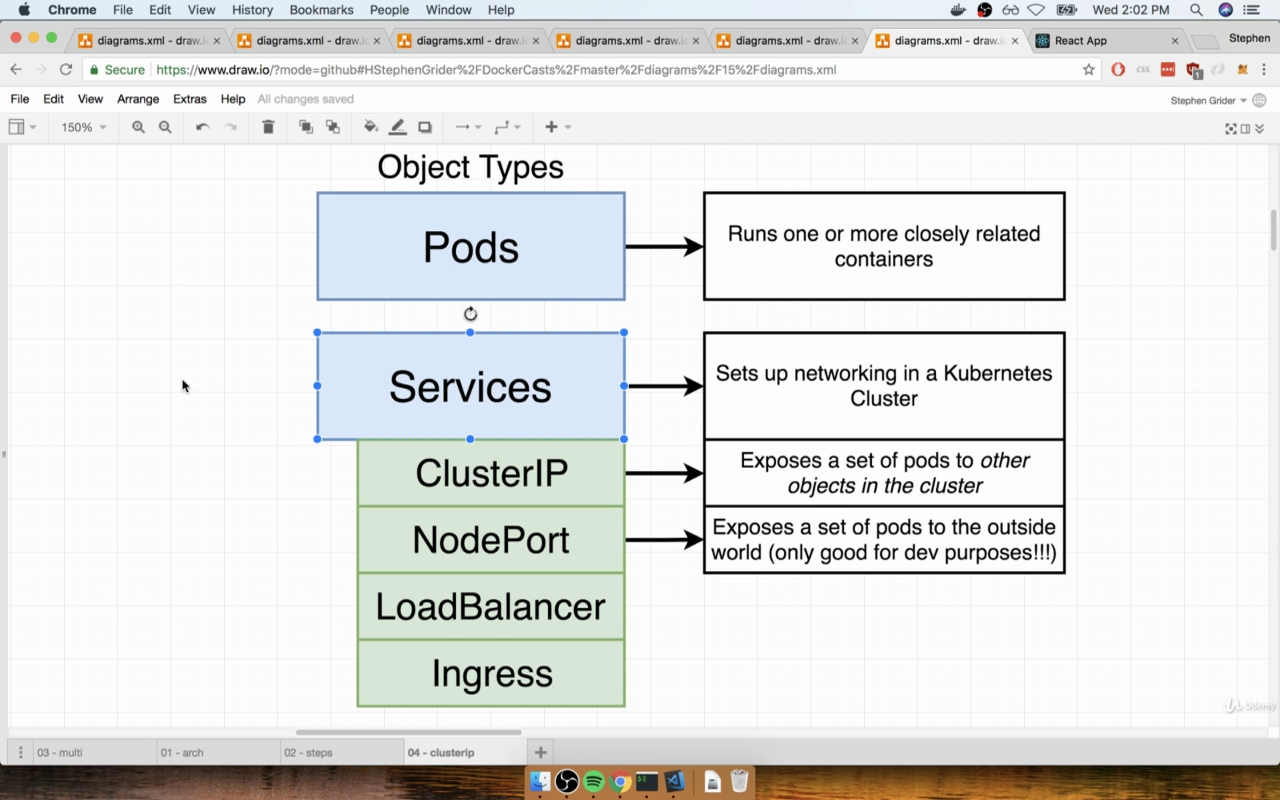
Persitence Volume && Persitence Volume Claims
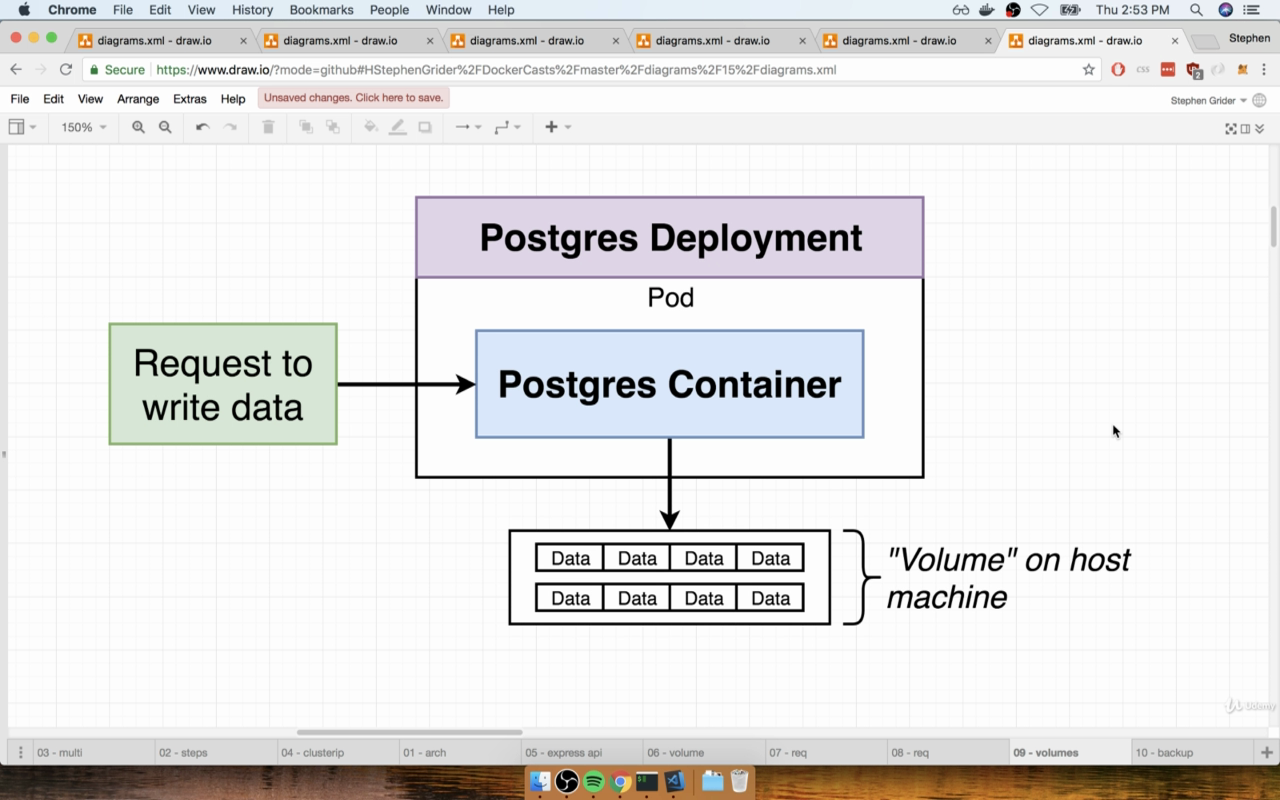
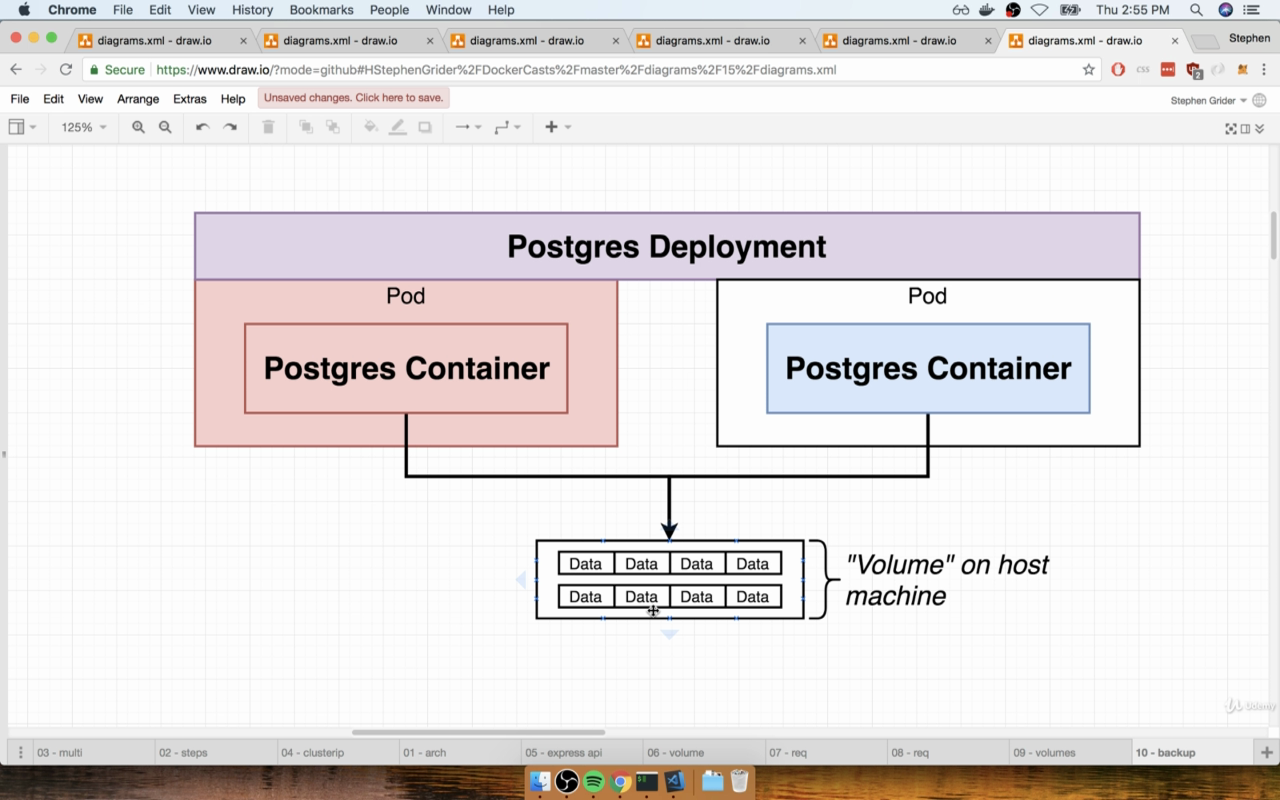
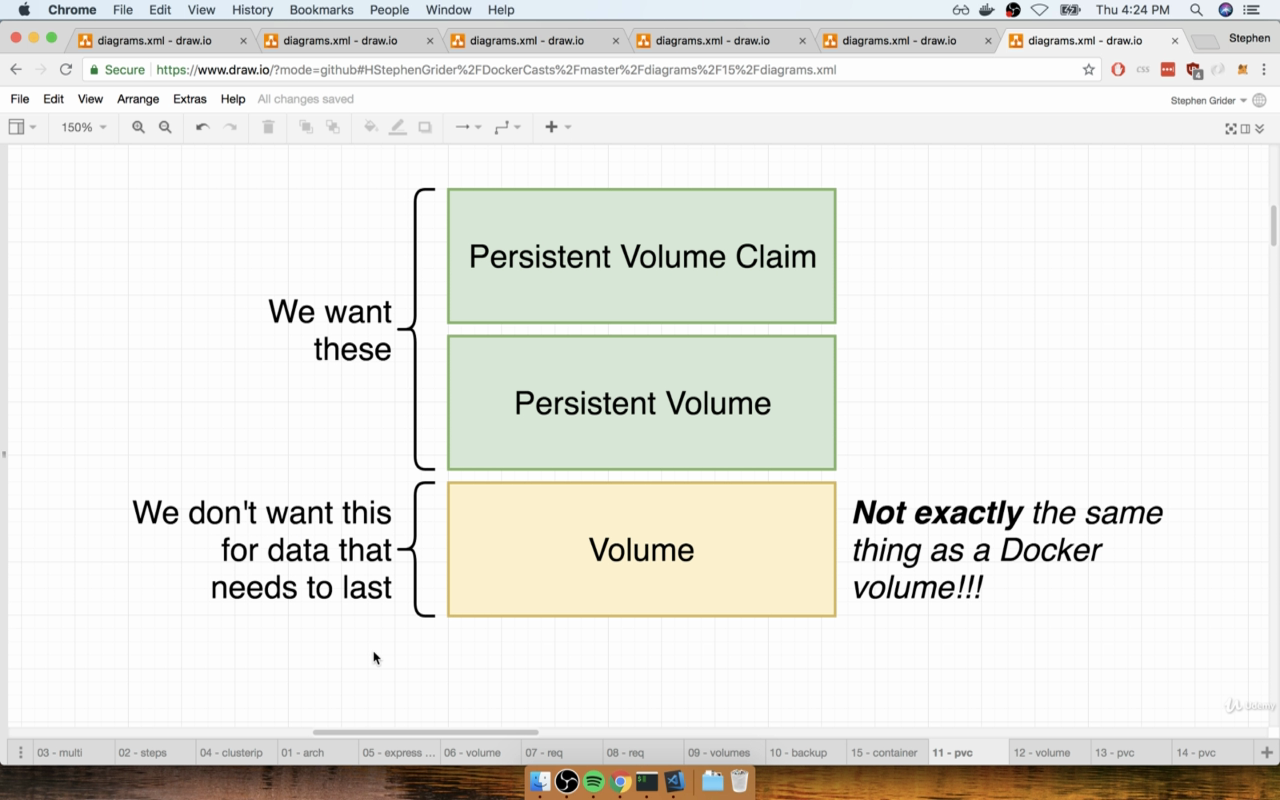
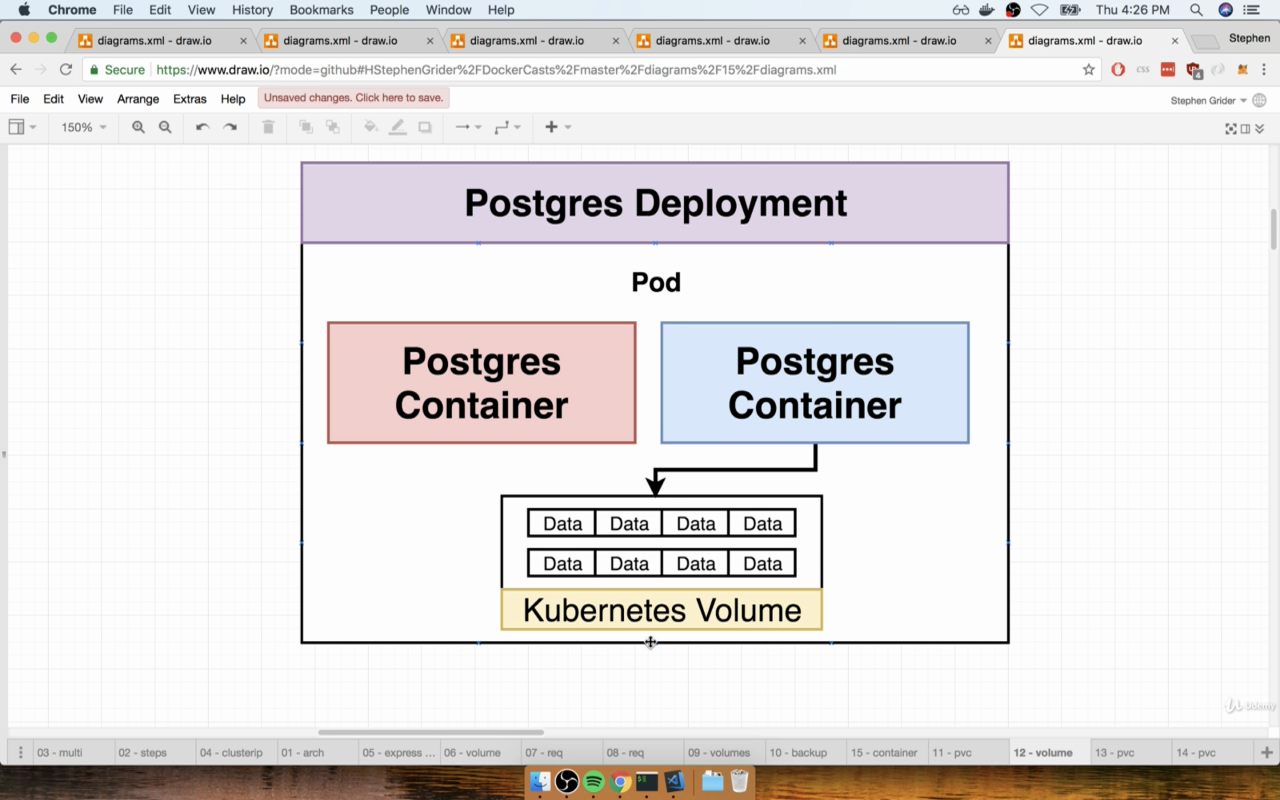
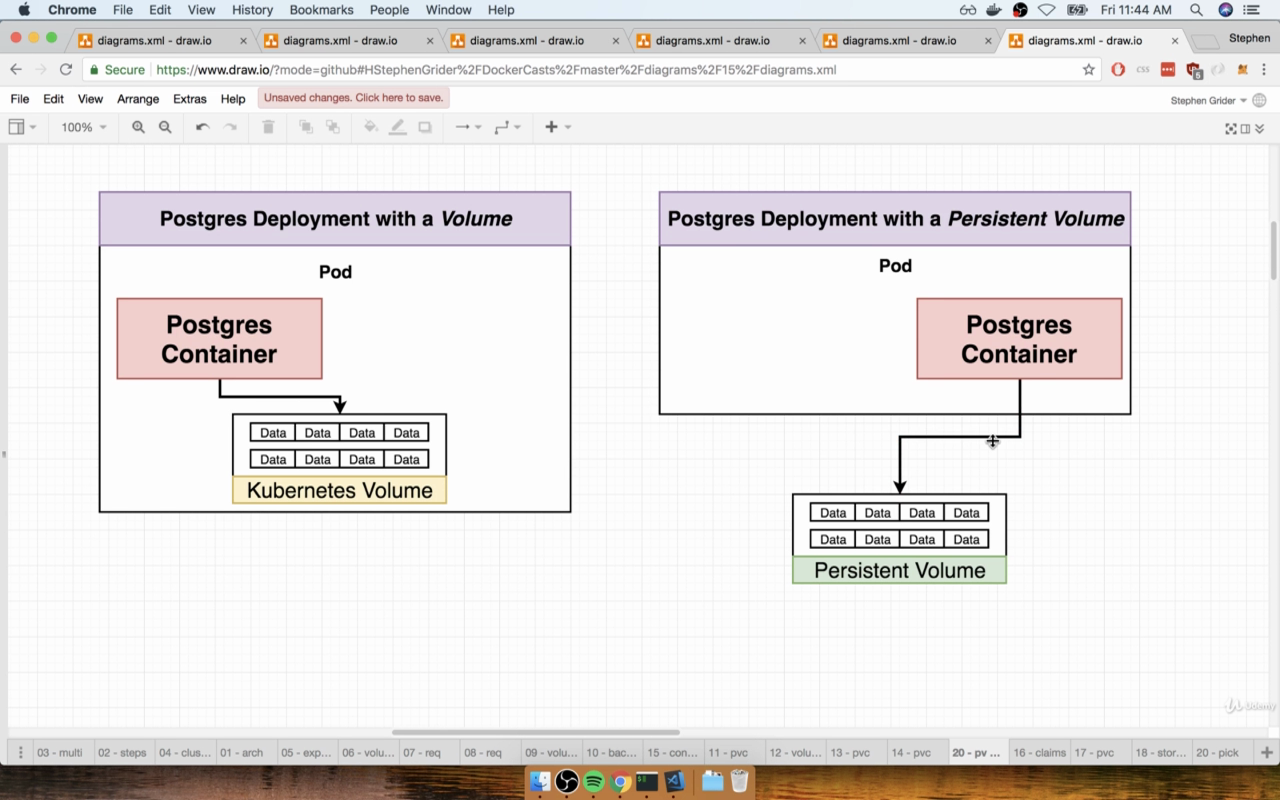
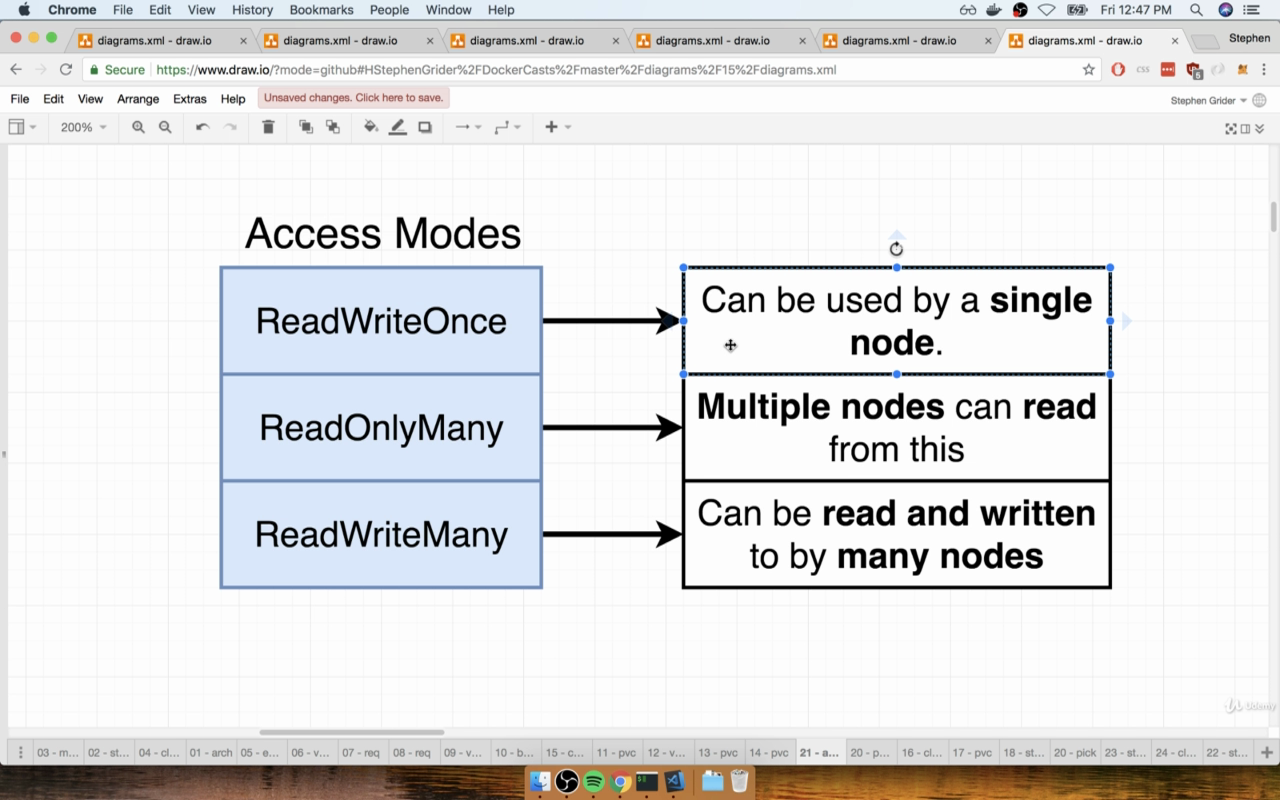
// we will use default minikube storageclass $ kubectl get storageclass $ kubectl describe storageclass
$ cd 14AMultiContainerAppwithKubernetes
$ kubectl apply -f . $ kubectl get pv $ kubectl get pvc
Environment Variables
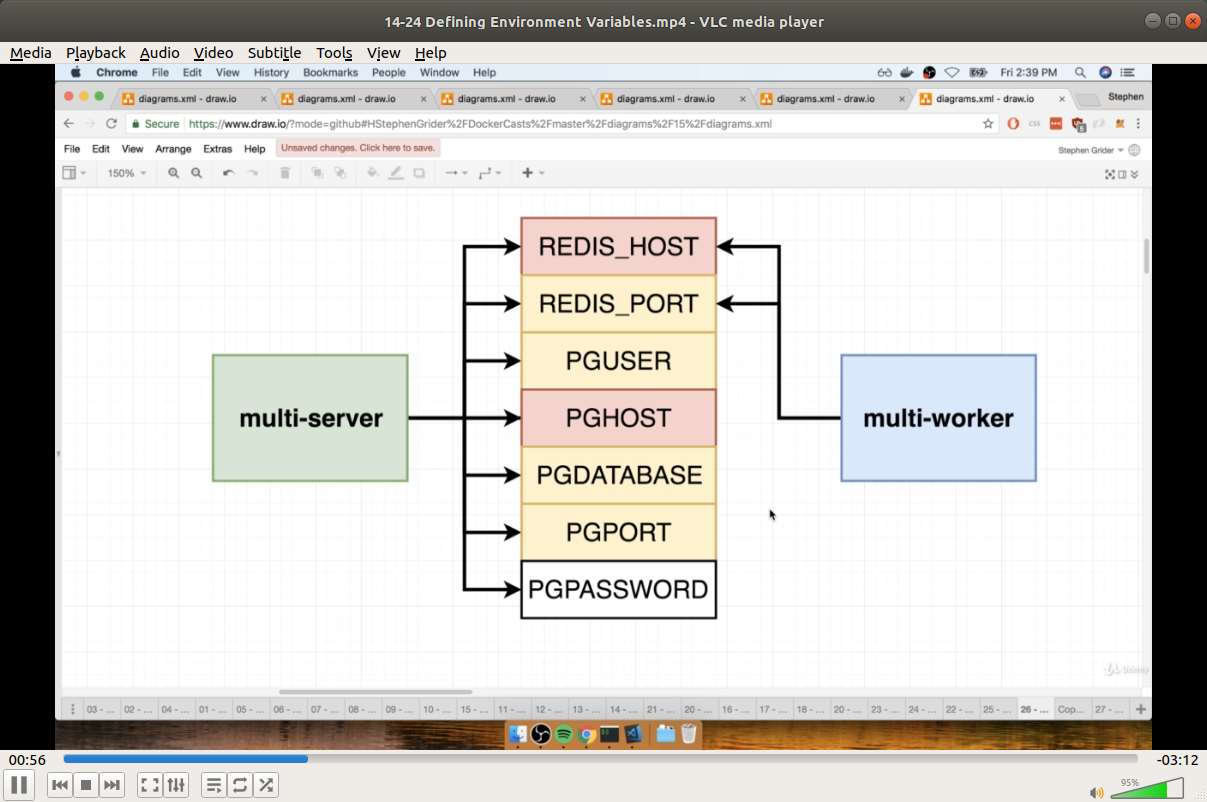
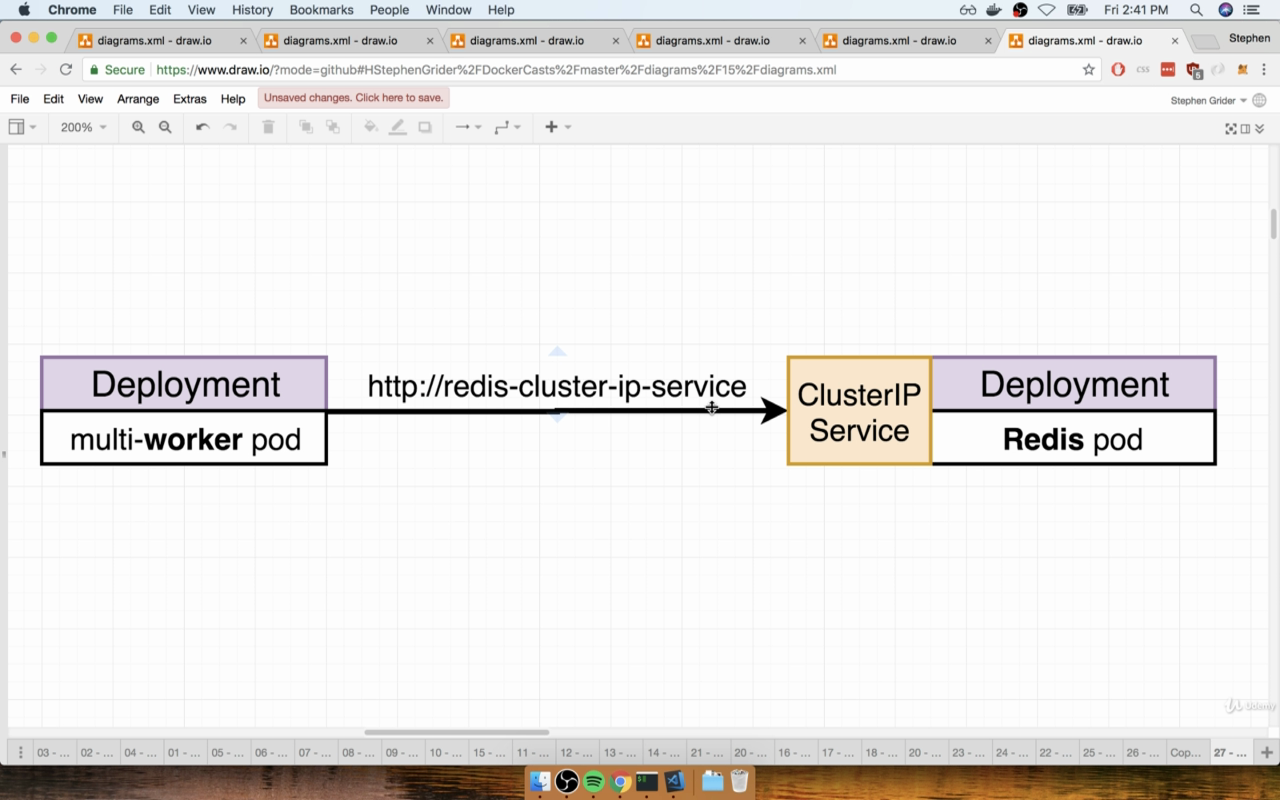
Secrets
$ kubectl create secret generic pgpassword --from-literal PGPASSWORD=12345asdf $ kubectl get secrets
Final
$ kubectl apply -f .
15 Handling Traffic with Ingress Controllers
$ minikube addons enable ingress
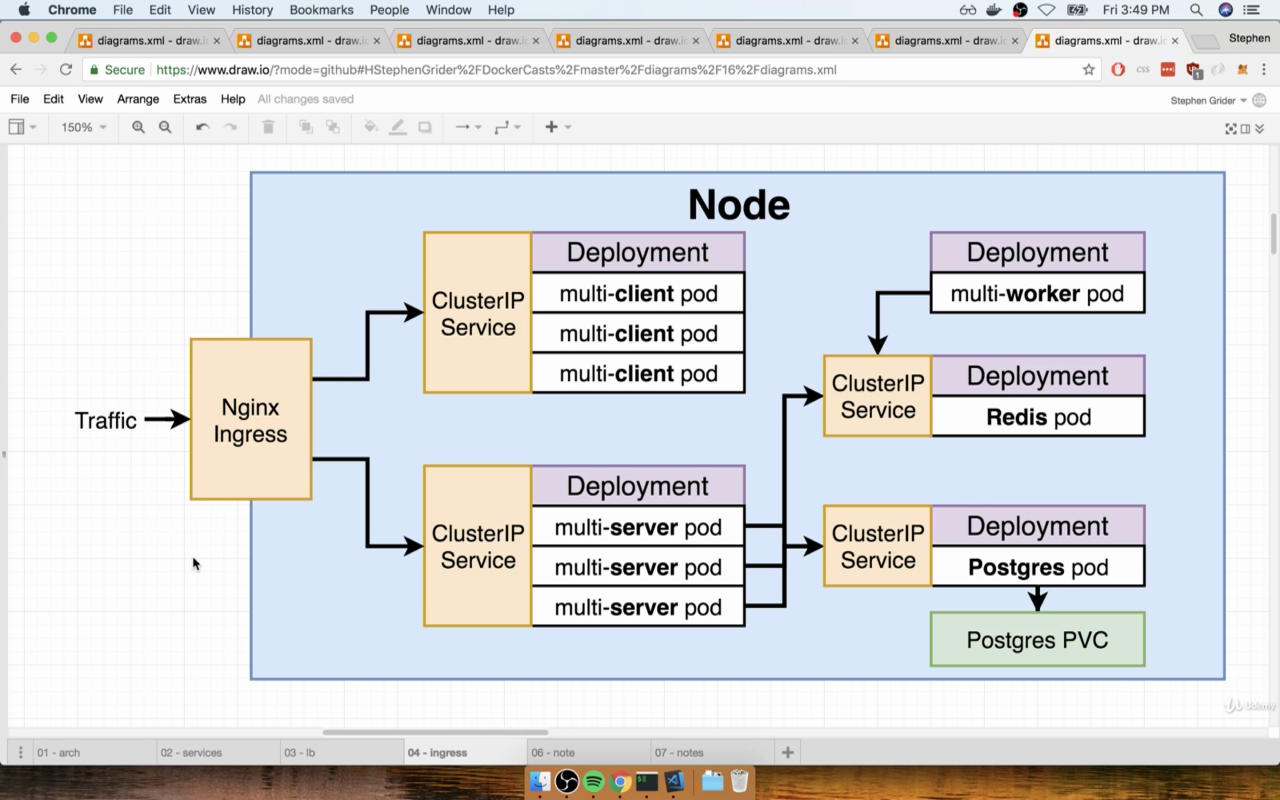
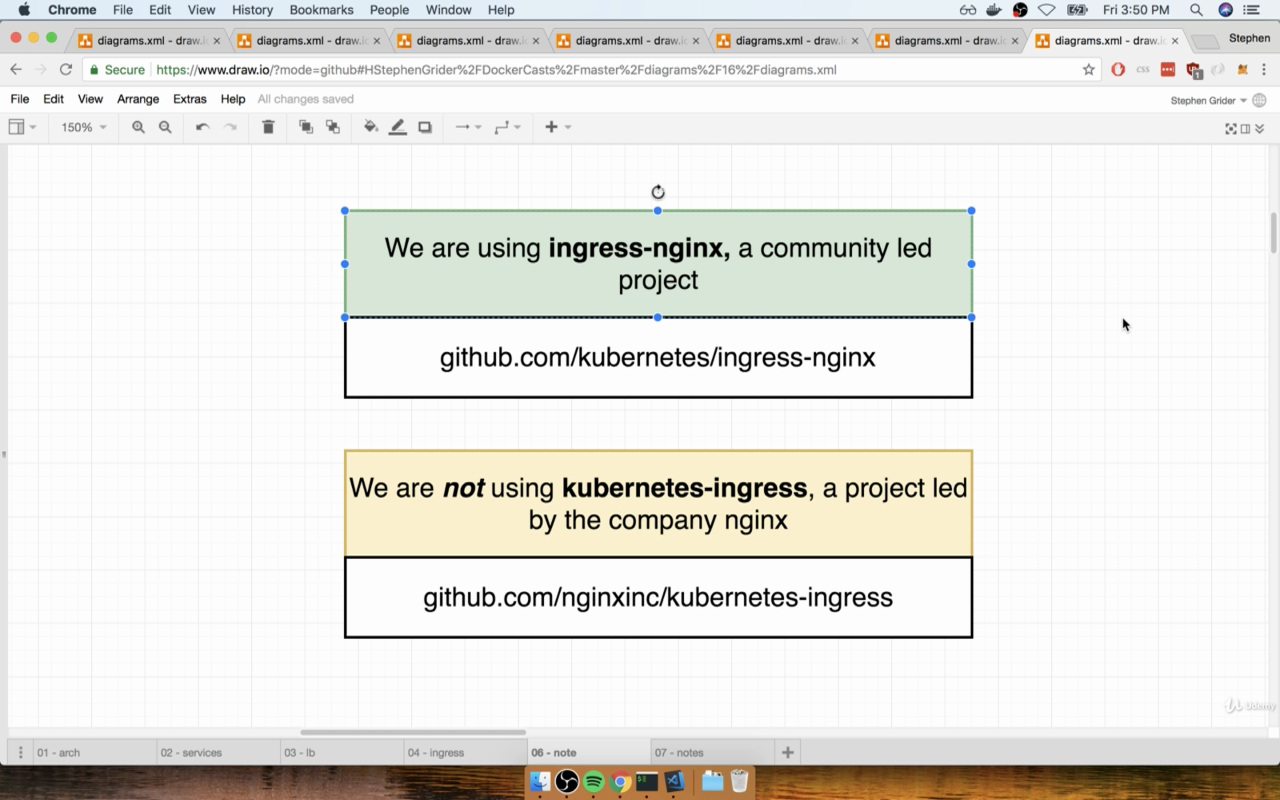
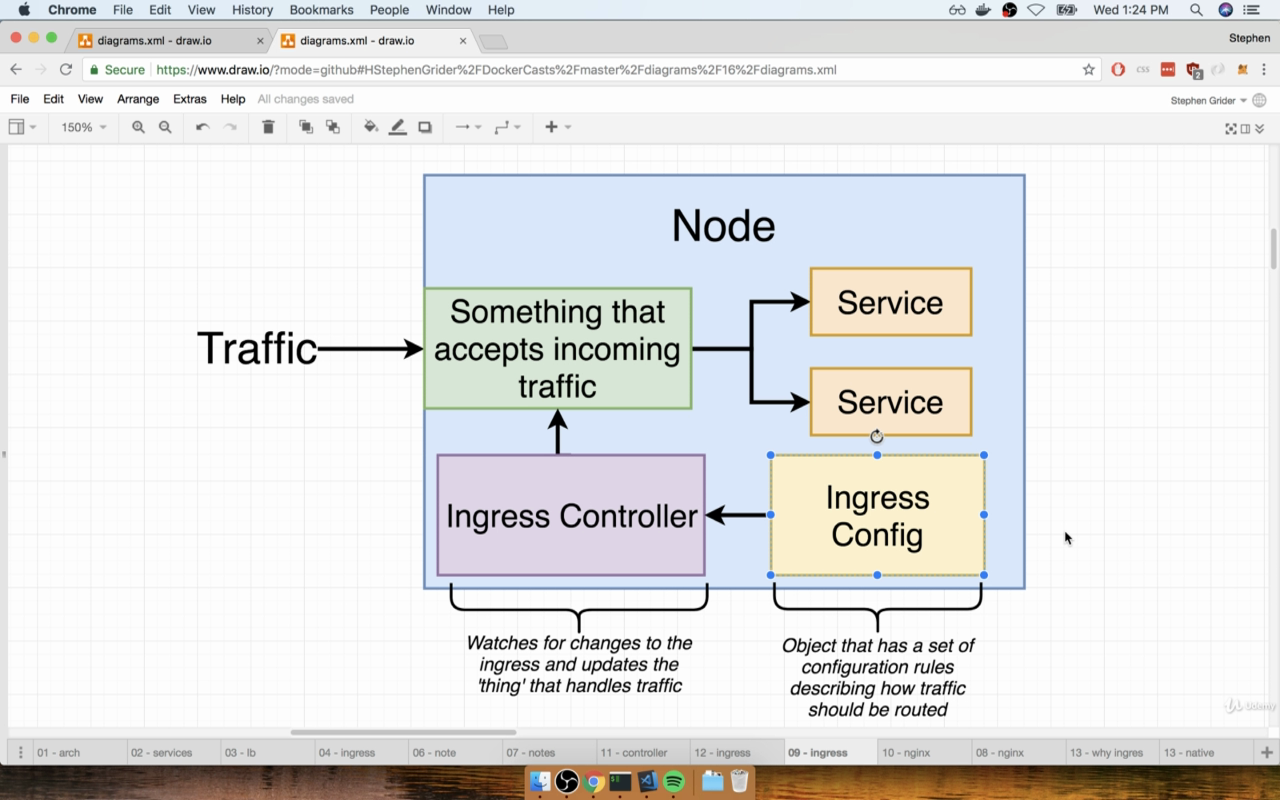
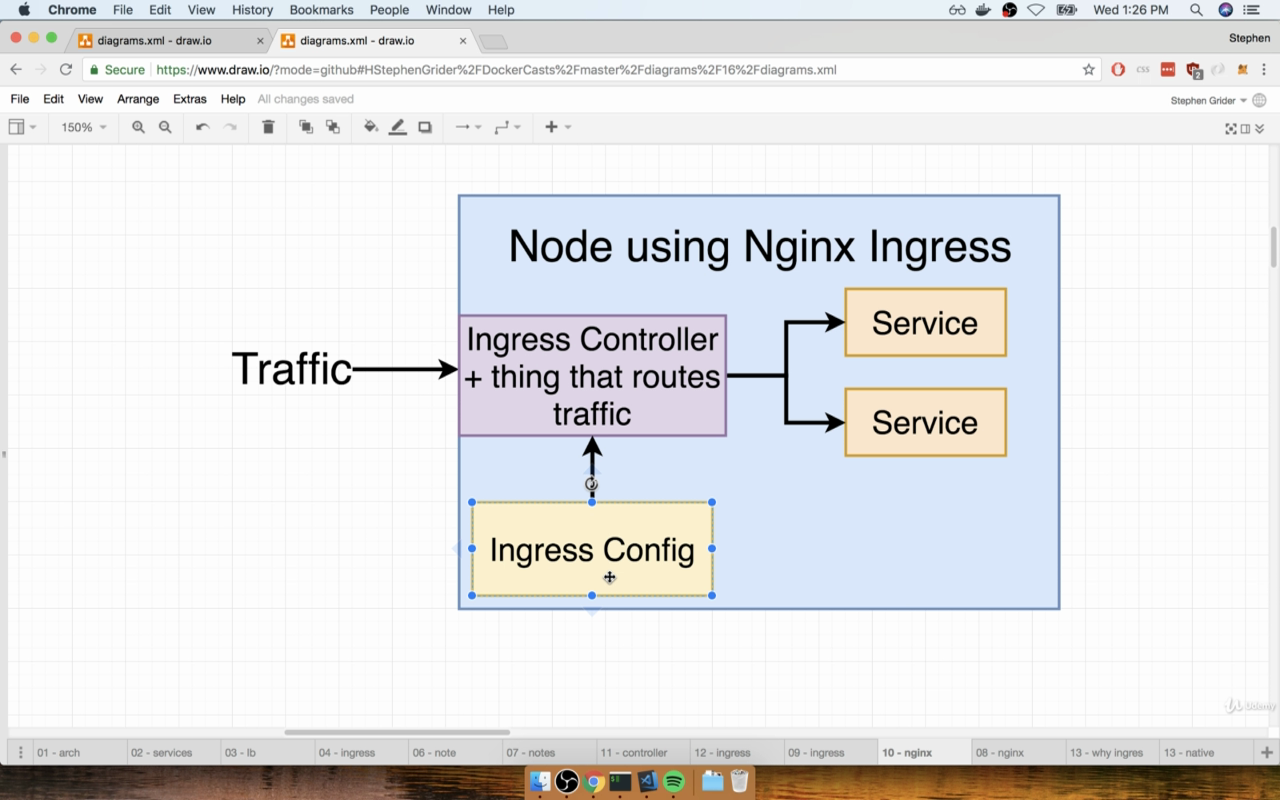
https://github.com/kubernetes/ingress-nginx
https://kubernetes.github.io/ingress-nginx/deploy/#prerequisite-generic-deployment-command
$ kubectl apply -f https://raw.githubusercontent.com/kubernetes/ingress-nginx/master/deploy/static/mandatory.yaml
https://kubernetes.github.io/ingress-nginx/deploy/#minikube
$ cd 15HandlingTrafficwithIngress_Controllers/
$ kubectl apply -f ingress-service.yaml
$ minikube ip 192.168.99.100
https://192.168.99.100/
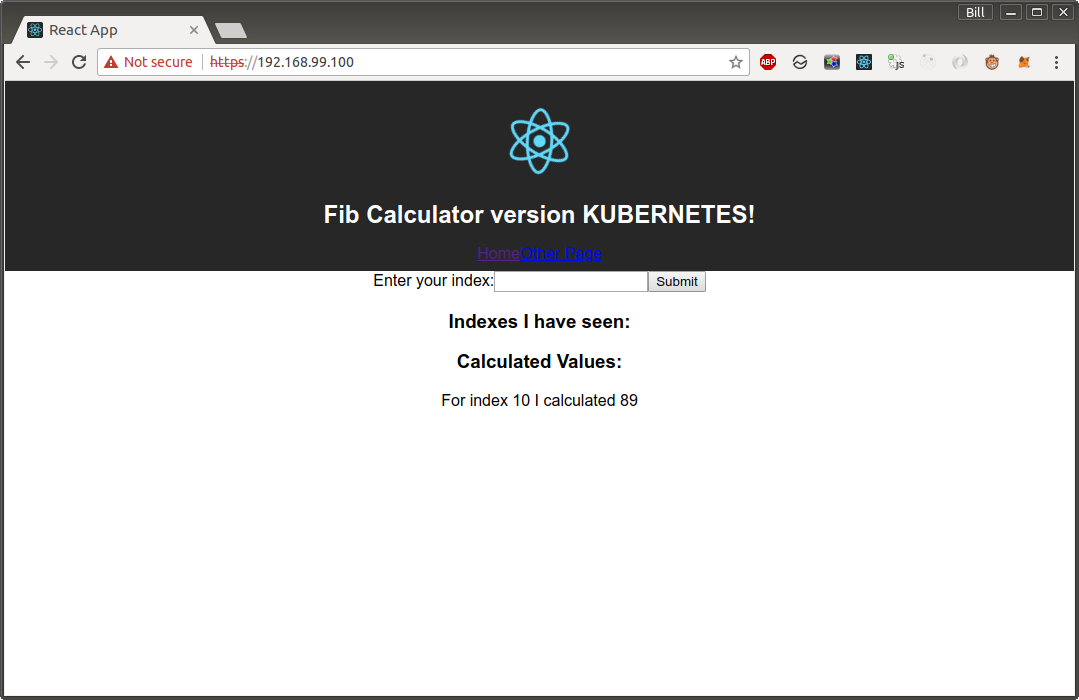
$ minikube stop $ minikube delete
16 Kubernetes Production Deployment
I will only watch. Do not want to pay for Google Clouds.
17 HTTPS Setup with Kubernetes
Marley
Any questions in eng: https://jsdev.org/chat/ Любые вопросы на русском: https://jsdev.ru/chat/


