
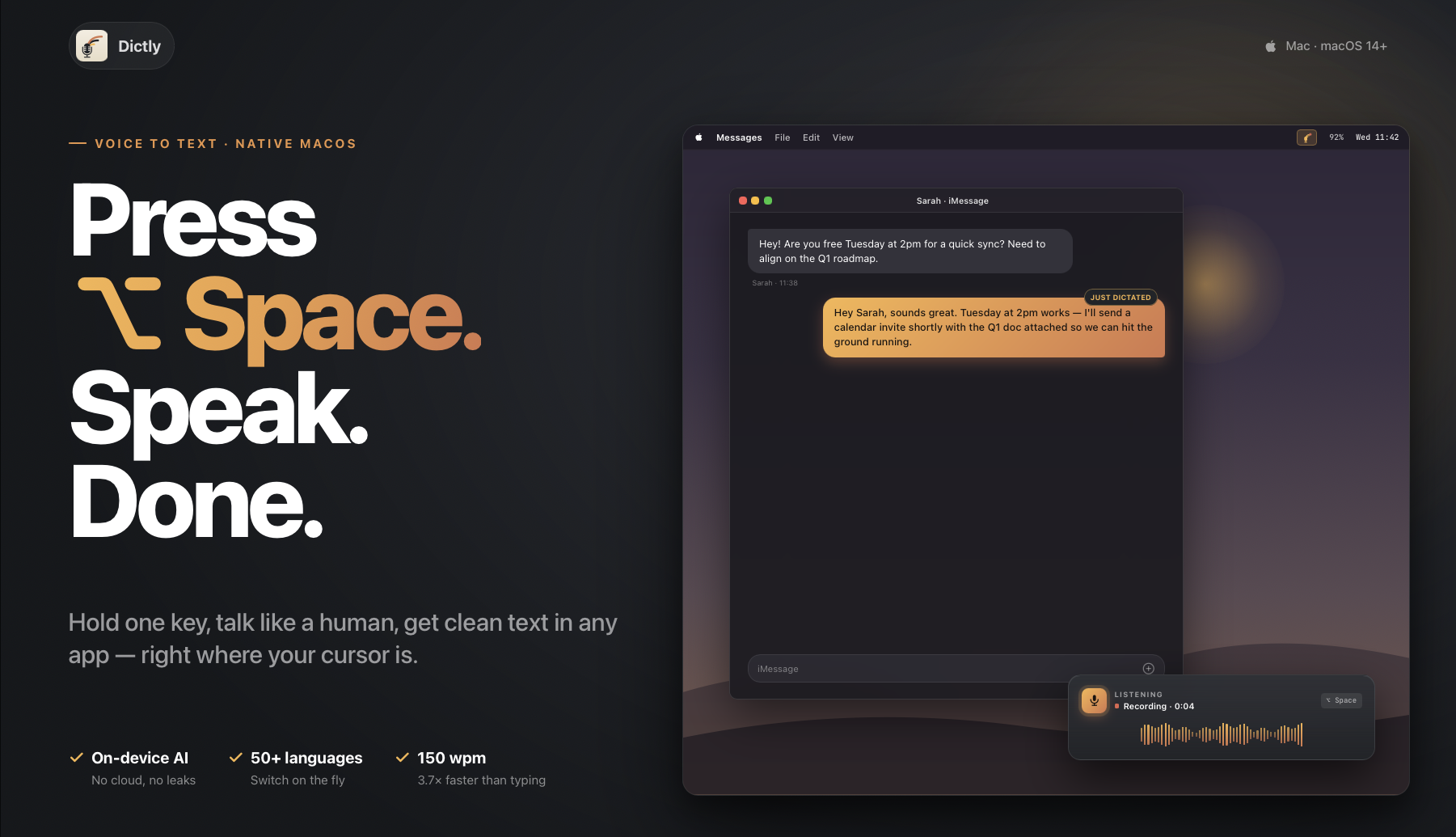
On-device speech-to-text for macOS. Hold a hotkey → Whisper transcribes locally via CoreML → text auto-pastes into the focused app. 99 languages, free, open-source.
Dictly
Press a hotkey. Speak. Paste anywhere.
A free, open-source macOS menu-bar dictation app. Hold a global hotkey, speak, release — your speech is transcribed locally by Whisper and placed on the clipboard (or auto-pasted into the focused app, depending on build).
Free · Apple Silicon only · macOS 15+ · 99 languages · 100% on-device
No cloud API. No account. No telemetry. Audio never leaves your Mac.
Download

Installing
- Unzip the download.
- Drag Dictly.app into
/Applications. - Double-click to launch.
On first launch macOS will ask for microphone permission (required) and Accessibility permission (only needed if you want the transcribed text to be auto-pasted into the focused app; without it Dictly falls back to clipboard-only mode and you press ⌘V manually).
Coming next
Things I'm actively working on for upcoming releases:
- 🌐 Speak-and-translate — dictate in one language and have the
- 🔧 F-key hotkeys — F-keys (and the dedicated 🎤 dictation key on
Fn modifier before the F-key keycode lands. Fix is
in the works.
Got ideas / requests / bug reports? Open an issue —
Highlights
- Global push-to-talk hotkey (default
Fn). Configurable in Settings. - OpenAI Whisper via WhisperKit,
- 99 languages supported by Whisper out of the box. Auto-detection or pinned
- Bundled model (Whisper
basemultilingual, ~139 MB) — ships in-repo so
scripts/fetchbundledmodel.py <variant>.
- Pure AppKit, no SwiftUI dependencies.
- Auto-paste into the focused app via simulated ⌘V (needs the standard
Project layout
Dictly/
├── Dictly.xcodeproj/
├── Dictly/                        main app target sources
│   ├── App/                     AppDelegate, DictationCoordinator
│   ├── MenuBar/                 NSStatusItem + menu
│   ├── Hotkey/                  KeyCombo, HotkeyManager (Carbon RegisterEventHotKey)
│   ├── Audio/                   AudioRecorder (AVAudioEngine → 16 kHz mono Float32)
│   ├── Transcription/           Transcriber protocol, WhisperKit, ModelCatalog
│   ├── TextInsertion/           TextInserter (clipboard + simulated ⌘V)
│   ├── PostProcessing/          Hook for post-transcription cleanup
│   ├── Permissions/             Mic + Accessibility checks
│   ├── Settings/                UserDefaults wrapper, settings window
│   ├── HUD/                     Floating "pill" recording HUD
│   ├── Onboarding/              First-run window (permissions + model download)
│   ├── Design/                  DesignTokens, BrandButton, RingedIcon
│   ├── Dictly.entitlements           Direct distribution
│   └── PrivacyInfo.xcprivacy
└── BundledModels/               base model (~139 MB) ships in-repo;
                                   larger variants fetched on demand
scripts/
├── fetchbundledmodel.py       Downloads the bundled Whisper model
├── sync_icons.sh                Regenerates app/menu-bar icons from sources
└── syncmenubaricons.swift
Building from source
Prerequisites
- macOS 15 (Sequoia) or newer
- Apple Silicon Mac
- Xcode 16+
- Python 3 (only needed if you want to bundle a different Whisper variant
base model that ships in-repo)
Steps
# 1. Open in Xcode
open Dictly/Dictly.xcodeproj
2. Set your own signing team:
   • Project → target Dictly → Signing & Capabilities
   • Team: pick your Apple Developer team
   • Bundle Identifier: change com.mydear.voicetotext to something
     registered to your team (e.g. com.yourname.dictly)
3. Build & run. The bundled base model is already in
   Dictly/BundledModels/ — the app boots offline-ready.
(optional) Bundle a heavier model alongside base. For example:
python3 scripts/fetchbundledmodel.py large-v3-v20240930_547MB
After rebuilding, the app picks the highest-quality bundled model as
its default (see ModelInfo.defaultModelID); switching is live in
Settings → Transcription models.
Note: This repository ships the Direct distribution build only
(full functionality, auto-pastes via simulated ⌘V, needs Accessibility).
The Mac App Store variant (sandboxed, clipboard-only) is maintained
privately by the original author.
Or from the command line:
DEVELOPER_DIR=/Applications/Xcode.app/Contents/Developer \
  xcodebuild -project Dictly/Dictly.xcodeproj \
             -scheme Dictly -configuration Release build
open "$(find ~/Library/Developer/Xcode/DerivedData -name Dictly.app -type d | head -1)"
How it works (one-paragraph version)
DictationCoordinator owns the long-lived components. On hotkey press, AudioRecorder boots a fresh AVAudioEngine and starts streaming 16 kHz mono Float32 PCM into a buffer. On release, the buffer is handed to WhisperKitTranscriber, which calls Whisper on the bundled CoreML model. The resulting text passes through a TextPostProcessor and is then pasted into the focused app via CGEvent simulating ⌘V (with a clipboard-only fallback if Accessibility is not yet granted). A floating HUD shows recording/transcribing/ done states throughout.
Configuration
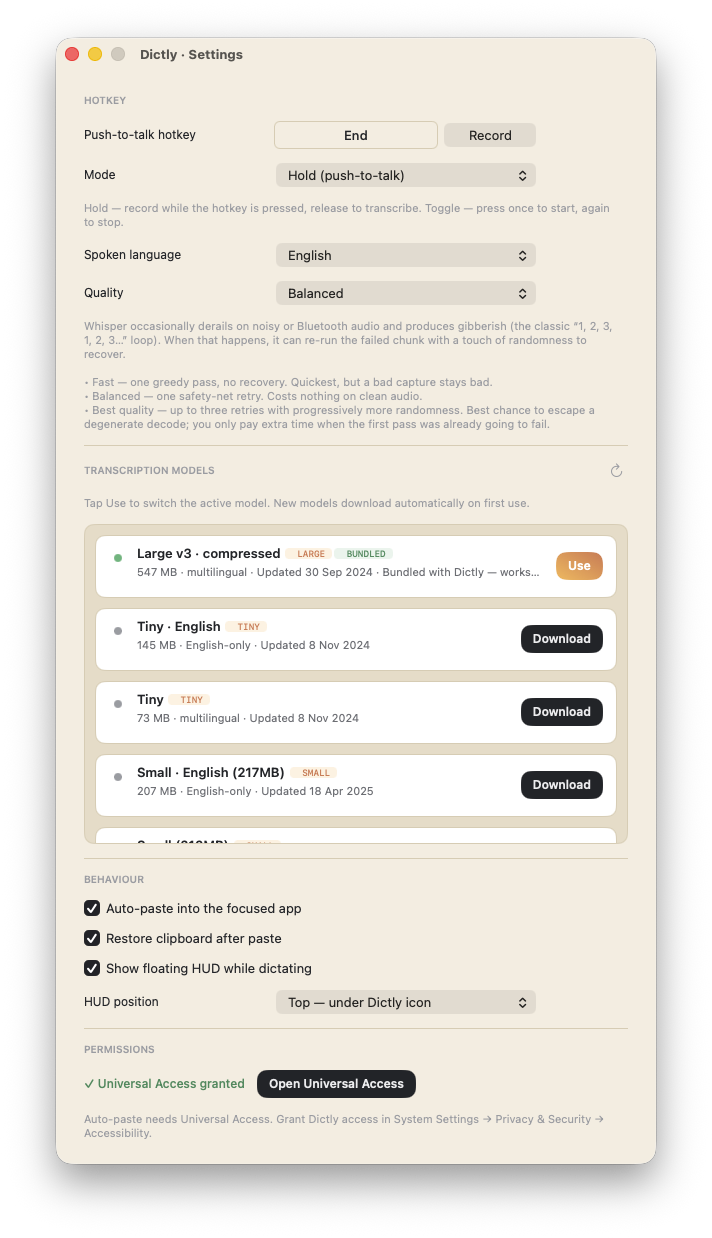
Open Settings from the menu-bar icon → ⚙️ Settings… Everything is configurable without restart; changes apply live.
Hotkey
- Push-to-talk hotkey — the key you hold to record. Click Record and
Fn, right ⌥,
right ⌘, …) registered through NSEvent.addGlobalMonitor, and regular
key combos (⌃⌥D, ⌘⇧Space, …) registered through Carbon's
RegisterEventHotKey. Default is Fn. Click End to clear a binding.
- Mode — Hold (push-to-talk: record while pressed, release to transcribe)
Speech
- Spoken language — pick a single language or set to Auto-detect. A
- Quality — trade-off between speed and resilience against degenerate
Maps directly to Whisper's temperatureFallbackCount (0 / 1 / 3).
Transcription models
The list shows all variants available from argmaxinc/whisperkit-coreml plus any models bundled with the .app. The currently active model has a BUNDLED / Use badge.
- Tap Use to switch the active model. The switch is instant if the model
- Models are cached under
~/Documents/huggingface/models/argmaxinc/whisperkit-coreml/
- Higher tiers (large) are more accurate but slower per second of audio and
- English-only variants (suffix
.en) are faster and slightly more accurate
- Tap the refresh icon in the section header to re-fetch the catalog
Behaviour
- Auto-paste into the focused app — after transcription, simulate ⌘V
- Restore clipboard after paste — when auto-paste is on, Dictly briefly
- Show floating HUD while dictating — the pill-shaped indicator with the
- HUD position — Bottom of screen (centred ~40 pt above the Dock,
Permissions
- Microphone — requested on first launch via the standard macOS prompt.
- Universal Access (Accessibility) — required only for auto-paste
All preferences live in UserDefaults; nothing leaves your Mac.
Logging
Logs are mirrored to both Apple's Unified Logging system and a rotating local file under ~/Library/Logs/Dictly/.
Unified Logging:
log stream --predicate 'subsystem == "com.mydear.voicetotext"' --infoLocal files:
tail -f ~/Library/Logs/Dictly/Dictly.log
tail -f ~/Library/Logs/Dictly/Dictly-crash.log
ls -la ~/Library/Logs/Dictly/MetricKit/
Dictly.log rotates at 2 MB and keeps five archives (Dictly.1.log ... Dictly.5.log). Dictly-crash.log records uncaught Objective-C exceptions and fatal signals (SIGABRT, SIGSEGV, SIGBUS, SIGILL, SIGFPE, SIGTRAP) with a best-effort backtrace. MetricKit crash, hang, CPU exception, disk write exception, and metric payloads are persisted as JSON under MetricKit/ when macOS delivers them.
A pipeline timing line lands at .notice level after each dictation:
pipeline: total=1.08s (transcribe=1.05s post=0.00s insert=0.03s) for 3.07s audioContributors
Huge thanks to everyone who's sent a PR, opened an issue, or just tried Dictly and reported back.
License
See LICENSE.
Contributing
Issues and PRs welcome. Please open an issue before large changes so we can discuss the approach.


