
💨 Fast, Async-ready, Openapi, type hints based framework for building APIs


Fast to learn, fast to code, fast to run




Django Ninja - Fast Django REST Framework
Django Ninja is a web framework for building APIs with Django and Python 3.6+ type hints.
Key features:
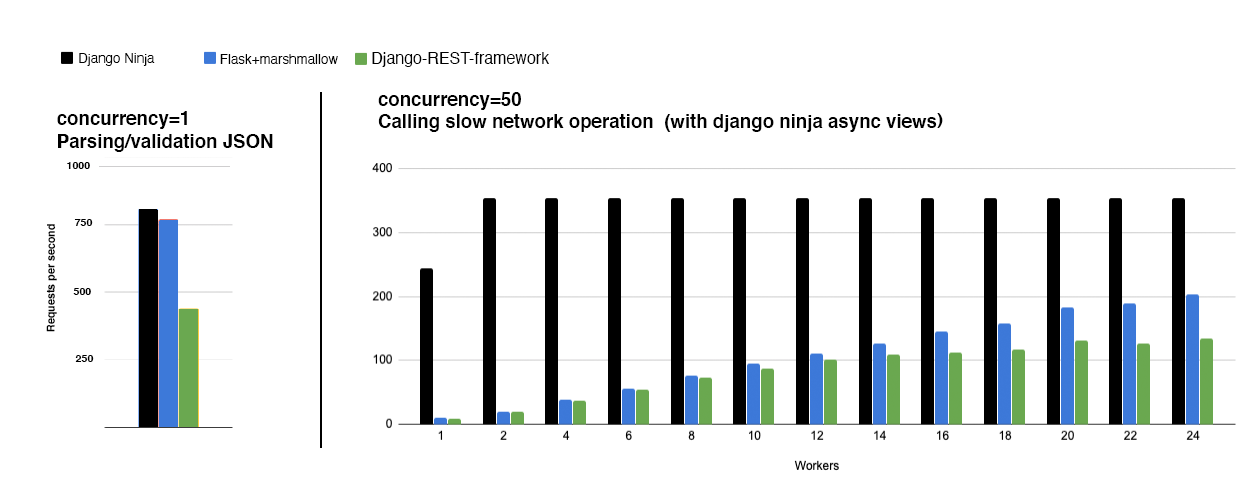
- Easy: Designed to be easy to use and intuitive. - FAST execution: Very high performance thanks to Pydantic and async support. - Fast to code: Type hints and automatic docs lets you focus only on business logic. - Standards-based: Based on the open standards for APIs: OpenAPI (previously known as Swagger) and JSON Schema. - Django friendly: (obviously) has good integration with the Django core and ORM. - Production ready: Used by multiple companies on live projects (If you use django-ninja and would like to publish your feedback, please email ppr.vitaly@gmail.com).
Documentation: https://django-ninja.dev
Installation
pip install django-ninjaUsage
In your django project next to urls.py create new api.py file:
from ninja import NinjaAPI
api = NinjaAPI()
@api.get("/add") def add(request, a: int, b: int):     return {"result": a + b}
Now go to urls.py and add the following:
hl_lines="3 7"
...
from .api import api
urlpatterns = [     path("admin/", admin.site.urls),     path("api/", api.urls),  # <---------- ! ]
That's it !
Now you've just created an API that:
- receives an HTTP GET request at /api/add - takes, validates and type-casts GET parameters a and b - decodes the result to JSON - generates an OpenAPI schema for defined operation
Interactive API docs
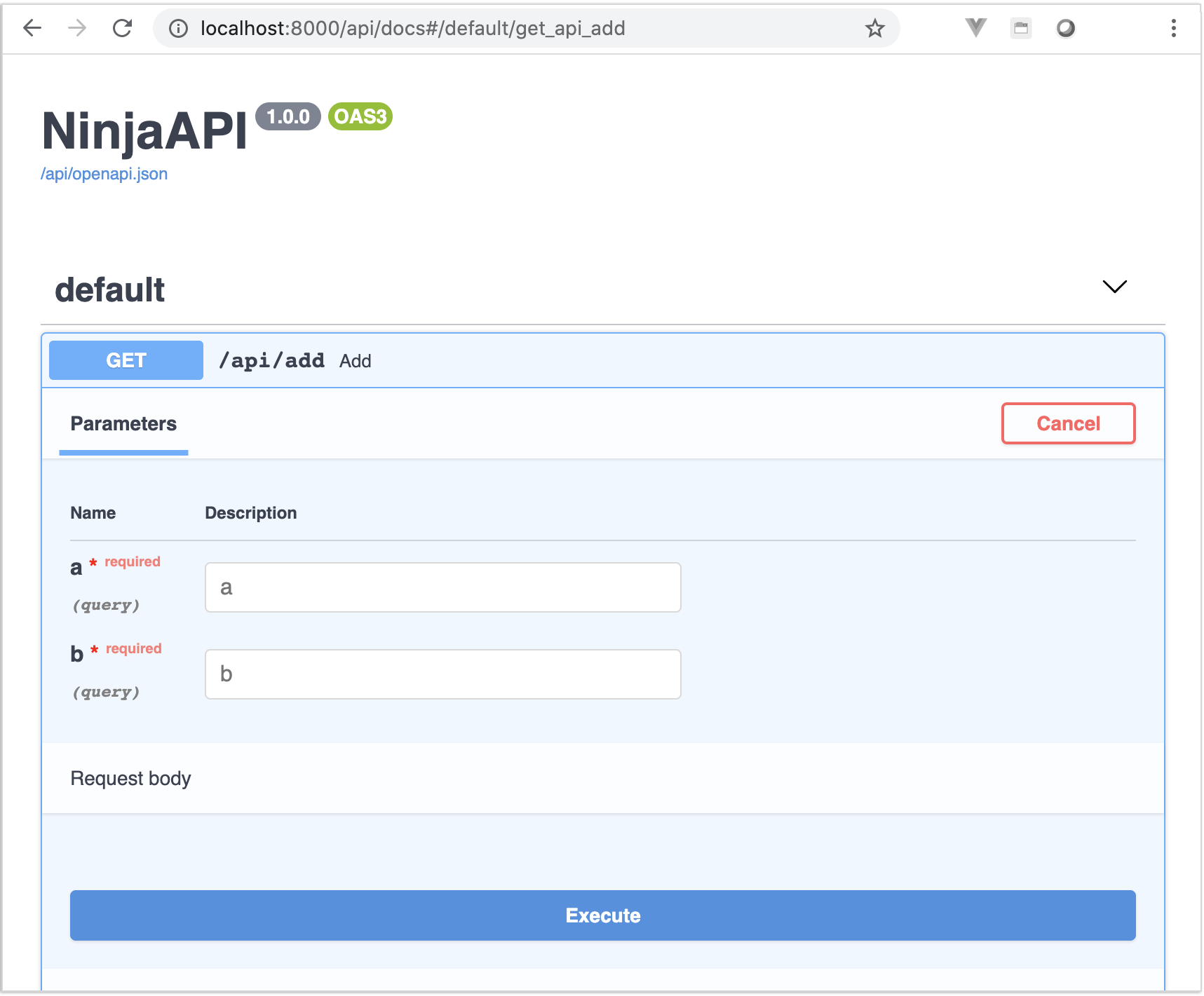
Now go to http://127.0.0.1:8000/api/docs
You will see the automatic interactive API documentation (provided by Swagger UI or Redoc):
Sponsors
What next?
- Read the full documentation here - https://django-ninja.dev - To support this project, please give star it on Github.  - Share it via Twitter - If you already using django-ninja, please share your feedback to ppr.vitaly@gmail.com


