
End-to-end test harness for the Vector observability data router
[!NOTE]
This repository is under construction. The test harness, most correctness tests, and some performance tests have not been fully validated against recent versions and may be broken.
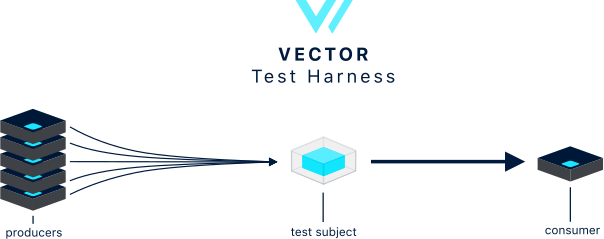
Full end-to-end test harness for the [Vector][vector] log & metrics router. This is the test framework used to generate the [performance] and [correctness] results displayed in the [Vector docs][vector_docs]. You can learn more about how this test harness works in the [How It Works][howitworks] section, and you can begin using this test harness via the [Usage][usage] section.
*Contributions for additional benchmarks and tools are welcome! As required by the MPL 2.0 License, changes to this code base, including additional benchmarks and tools, must be made in the open. Please be skeptical of tools making performance claims without doing so in the public. The purpose of this repository is to create transparency around benchmarks and the resulting performance.*
TOC
- [Results][results]
- [Directories][directories]
- [Setup][setup]
- [Usage][usage]
- [Development][development]
- [Debugging][debugging]
- [How It Works][howitworks]
Performance Tests
diskbuffer_performancetestfiletotcp_performancetesttcptoblackhole_performancetesttcptotcp_performancetesttcptohttp_performancetestregexparsing_performancetest
Correctness Tests
diskbufferpersistence_correctnesstestfilerotatecreate_correctnesstestfilerotatetruncate_correctnesstestfiletruncate_correctnesstestsighup_correctnesstestwrappedjson_correctnesstest
Directories
/ansible- global ansible resources and tasks/bin- contains all scripts- [
/cases][cases] - contains all test cases /packer- packer script to build the AMIs necessart for tests/terraform- global terraform state, resources, and modules
Setup
- Ensure you have [Ansible][ansible] (2.16+) and [Terraform][terraform] (1.0+) installed.
- This step is optional, but highly recommended. Setup a [
vector][vector] specific
~/.aws/credentials file. We highly recommend running the
Vector test harness in a separate AWS sandbox account if possible.
- [Create an Amazon compatible key pair][create_keys]. This will be used for SSH access to test
- Run
cp .env.example .env. Read through the file, update as necessary.
cp .env.example .envrc and use .envrc instead if you want to work with [direnv].
- Run
source .envto prepare the environment. [direnv] can help you do this
.envrc.
Note that the .env file, if it exists, will be automatically sourced into
the scripts environment - so it's another option to set the environment
variables for the bin/* commands of this repo.
- Run:
./bin/test -t [tcptotcp_performance]This script will take care of running the necessary Terraform and Ansible scripts.
Usage
- [
bin/build-amis][build-amis] - builds AMIs for use in test cases - [
bin/compare][compare] - compare of test results across all subjects - [
bin/ssh][test] - utility script to SSH into a test server - [
bin/test][test] - run a specific test
Results
- High-level results can be found in the Vector [performance] and [correctness] documentation
- Detailed results can be found within each [test case's][cases] README.
- Raw performance result data can be found in our public [S3 bucket][s3_bucket].
- You can run your own queries against the raw data. See the [Usage][usage] section.
Development
Adding a test
We recommend cloning a similar to test since it removes a lot of the boilerplate. If you prefer to start from scratch:
- Create a new folder in the [
/cases][cases] directory. Your name should end with
performance or correctness to clarify the type of test this is.
- Add a
README.mdproviding an overview of the test. See the
tcptotcpperformance][tcptotcpperformance] test for an example.
- Add a
terraform/main.tffile for provisioning test resources. - Add a
ansible/bootstrap.ymlto bootstrap the environment. - Add a
ansible/run.ymlto run the test againt each subject. - Add any additional files as you see fit for each test.
- Run
bin/test -t <nameoftest>.
Changing a test
You should not be changing tests with historical test data. You can change test subject versions since test data is [partitioned by version][datalocation], but you cannot_ change a test's execution strategy as this would corrupt historical test data. If you need to change the test in such a way that would violate historical data we recommend creating an entirely new test.
Deleting a test
Simply delete the folder and any data in the [s3 bucket][s3_bucket].
Debugging
On a VM end
If you encounter an error it's likely you'll need to SSH onto the server to investigate.
SSHing
ssh -o 'IdentityFile="~/.ssh/vector_management"' ubuntu@51.5.210.84Where:
~/.ssh/vectormanagement= theVECTORTESTSSHPRIVATE_KEYvalue provided in your.envfile.ubuntu= the default root username for the instance.51.5.210.84= the public IP address of the instance.
ssh and provides the same
credentials that ansible uses when connecting to the VM:
./bin/ssh 51.5.210.84Viewing logs
All services are configured with systemd where their logs can be accessed with journalctl:
sudo journactl -fu <service>Failed services
If you find that the service failed to start, I find it helpful to manually attempt to start the service by inspecting the command in the .service file:
cat /etc/systemd/system/<name>.serviceThen copy the command specified in ExecStart and run it manually. Ex:
/usr/bin/vectorOn your end
Things can go wrong on your end (i.e. on the local system you're running the test harness) too.
Ansible Task Debugger
export ANSIBLEENABLETASK_DEBUGGER=TrueSet the environment variable above, and Ansible will drop you in a debug mode on any task failure.
See Ansible documentation on Playbook Debugger to learn more.
Some useful commands:
pprint taskvars['hostvars'][str(host)]['lastmessage']Verbose Ansible Execution
export ANSIBLEEXTRAARGS=-vvvSet the environment variable above, and Ansible will print verbose debug information for every task it executes.
How It Works
Design
The Vector test harness is a mix of [bash][bin], [Terraform][terraform], and [Ansible][ansible] scripts. Each test case lives in the [/cases][cases] directory and has full reign of it's bootstrap and test process via it's own [Terraform][terraform] and [Ansible][ansible] scripts. The location of these scripts is dictated by the [test][test] script and is outlined in more detail in the [Adding a test][addingatest] section. Each test falls into one of 2 categories: performance tests and correctness tests:
Performance tests
Performance tests measure performance and MUST capture detailed performance data as outlined in the [Performance Data][performance_data] and [Rules][rules] sections.
In addition to the test script, there is a [compare][compare] scripts. This script analyzes the performance data captured when executing a test. More information on this data and how it's captured and analyzed can be found in the [Performance Data][performance_data] section. Finally, each [script][bin] includes a usage overview that you can access with the --help flag.
Performance data
Performance test data is captured via [dstat][dstat], which is a lightweight utility that captures a variety of system statistics in 1-second snapshot intervals. The final result is a CSV where each row represents a snapshot. You can see the [dstat command][dstat_command] used in the [ansible/roles/profiling/start.yml][profiling_start] file.
Performance data schema
The performance data schema is reflected in the [Athena table definition][athena_table] as well as the CSV itself. The following is an ordered list of columns:
| Name | Type | |:----------------|:---------:| | epoch | double | | cpu_usr | double | | cpu_sys | double | | cpu_idl | double | | cpu_wai | double | | cpu_hiq | double | | cpu_siq | double | | disk_read | double | | disk_writ | double | | io_read | double | | io_writ | double | | loadavg1m | double | | loadavg5m | double | | loadavg15m | double | | mem_used | double | | mem_buff | double | | mem_cach | double | | mem_free | double | | net_recv | double | | net_send | double | | procs_run | double | | procs_bulk | double | | procs_new | double | | procs_total | double | | sys_init | double | | sys_csw | double | | sock_total | double | | sock_tcp | double | | sock_udp | double | | sock_raw | double | | sock_frg | double | | tcp_lis | double | | tcp_act | double | | tcp_syn | double | | tcp_tim | double | | tcp_clo | double |
Performance data location
All performance data is made public via the [vector-tests S3 bucket][s3_bucket] in the us-east-1 region. The partitioning structure follows the Hive partitioning structure with variable names in the path. For example:
name=tcptotcp_performance/configuration=default/subject=vector/version=v0.2.0-dev.1-20-gae8eba2/timestamp=1559073720And the same in a tree form:
name=tcptotcp_performance/
  configuration=default/
    subject=vector/
      version=v0.2.0-dev.1-20-gae8eba2/
timestamp=1559073720name= the test name.configuration= refers to the test's specific configuration (tests can have multiple configurations
subject= the test subject, such asvector.version= the version fo the test subject.timestamp= when the test was executed.
Performance data analysis
Analysis of this data is performed through the [AWS Athena service][aws_athena]. This allows us to execute complex queries on the [performance data][performance_data] stored in S3. You can see the queries ran in the [compare][compare] script.
Correctness tests
Correctness tests simply verify behavior. These tests are not required to capture or to persist any data. The results can be manually verified and placed in the test's README.
Correctness data
Since correctness tests are pass/fail there is no data to capture other than the successful running of the test.
Correctness output
Generally, correctness tests verify the output. Because of the various test subjects, we use a variety of output methods to capture output (tcp, http, and file). This is highly dependent on the test subject and the methods available. For example, the Splunk Forwarders only support TCP and Splunk specific outputs.
To make capturing this data easy, we created a [testserver Ansible role][testservers_role] that spins up various test servers and provides a simple way to capture summary output.
Environments
Tests must operate in isolated reproducible environments, they must never run locally. The obvious benefit is that it removes variables across tests, but it also improves collaboration since remote environments are easily accessible and reproducible by other engineers.
Rules
- ALWAYS filter to resources specific to your
testname,testconfiguration, and
user_id (ex: ansible host targeting)
- ALWAYS make sure the initial instance state is identical across test subjects. We recommend explicitly
- ALWAYS use the [
profileansible role][profiling_role] to capture data. This ensures a consistent
- ALWAYS run performance tests for at least 1 minute to calculate a 1m CPU load average.
- Use [ansible roles][roles] whenever possible.
- If you are not testing local data collection we recommend using TCP as a data source since
[addingatest]: #adding-a-test [ansible]: https://www.ansible.com/ [athena_table]: /terraform/data.tf [aws_athena]: https://aws.amazon.com/athena/ [aws_cli]: https://aws.amazon.com/cli/ [aws_profile]: https://docs.aws.amazon.com/cli/latest/userguide/cli-configure-profiles.html [bin]: /bin [build-amis]: bin/build-amis [cases]: /cases [compare]: bin/compare [correctness]: https://vector.dev/#correctness [create_keys]: https://docs.aws.amazon.com/AWSEC2/latest/UserGuide/ec2-key-pairs.html [data_location]: #performance-data-location [debugging]: #debugging [development]: #development [directories]: #directories [direnv]: https://direnv.net/ [dstat]: http://dag.wiee.rs/home-made/dstat/ [dstat_command]: /ansible/roles/profiling/tasks/start.yml [howitworks]: #how-it-works [performance]: https://vector.dev/#performance [performance_data]: #performance-data [profiling_role]: /ansible/roles/profiling [profiling_start]: /ansible/roles/profiling/tasks/start.yml [results]: #results [roles]: /ansible/roles [rules]: #rules [s3_bucket]: https://s3.console.aws.amazon.com/s3/buckets/vector-tests/?region=us-east-1 [setup]: #setup [testserversrole]: /ansible/roles/test_servers [tcptotcpperformance]: cases/tcptotcpperformance [terraform]: https://www.terraform.io/ [test]: bin/test [usage]: #usage [vector]: https://github.com/timberio/vector [vector_docs]: https://docs.vector.dev/


