
An optimized markdown editor with live editing mode for VS Code.
Last updated Jul 9, 2026
171
Stars
19
Forks
10
Issues
+3
Stars/day
Attention Score
73
Topics
Language breakdown
No language data available.
▸ Files
click to expand
README
Markdown Editor Optimized (MEO)
An optimized markdown editor with live editing mode for VS Code.

Features
Writing & Editing
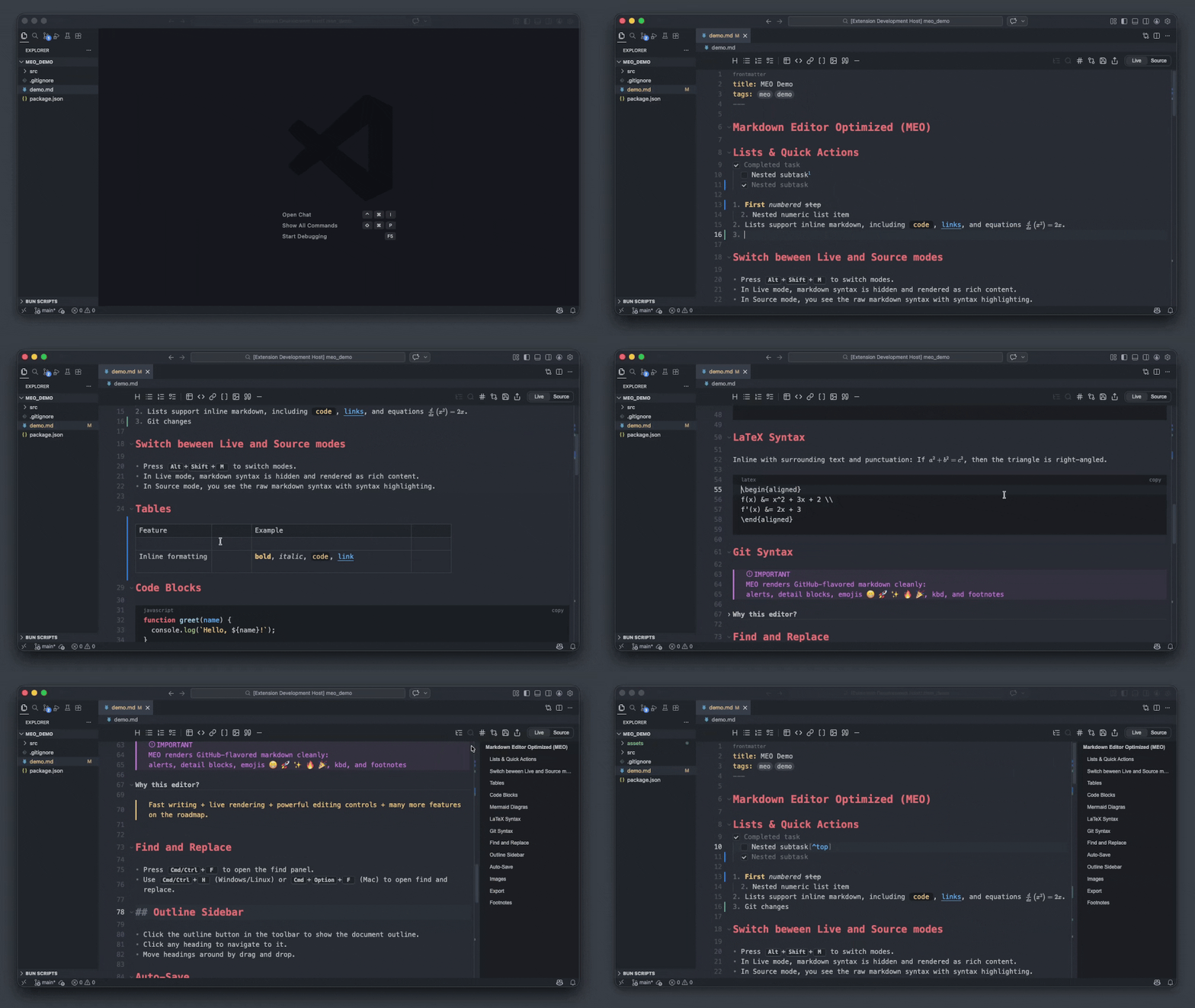
- Live/Source modes - Switch between clean writing and raw markdown in a single tab
- Toolbar formatting - Insert headings, lists, tasks, tables, code blocks, links, images, and quotes in one click
- Floating selection menu - Instantly apply bold, italic, strikethrough, inline code, or links on any text selection
- Spellcheck - Fix issues with built-in spelling suggestions
- Interactive editing - Toggle tasks, open links, find/replace, render full-screen Mermaid diagrams, and LaTeX syntax
- Images - Paste images directly into notes with inline rendering and automatic path resolution
Navigation & Organisation
- Contents outline sidebar - Jump to and reorder sections in long documents with ease
- Table editing - Insert and edit tables inline without writing raw syntax
- Scroll memory - Reopening a long file restores your previous scroll position
Git and Agents Integration
- Change visualisations - See insertions, modifications, and merge conflicts inline
- Git blame - View commit information for any line directly in the editor
- GitHub syntax - Renders GitHub-specific markdown including collapsible details, footnotes, alerts, kbd, and emojis
- GitHub Copilot - Support of native changes review experience
Customisation & Export
- Theming - Guide - Customise syntax colors, background, fonts, and line height to match your style
- Default themes - One Monokai, One Dark Pro, Dracula, Gruvbox, Nord, Solarized Dark, Catppuccin Mocha, Tokyo Night, GitHub Dark, and GitHub Light
- Export - Save your document as HTML or PDF
Getting Started
- Right-click any
.md,.markdown,.mdx, or.mdcfile in the Explorer → Open With Markdown Editor Optimized - Set as default:
Cmd/Ctrl + Shift + P→ Markdown Editor Optimized: Set as Default - Toggle between Live/Source modes:
Option/Alt + Shift + M
Acknowledgements
- VS Code - Extension platform
- CodeMirror - Core editor component
- Obsidian - Inspiration
Feedback & Contributions
For any issues, suggestions, or feature requests, please open a ticket.
Changelog
Please refer to CHANGELOG.md for details about ongoing changes.


