
An app to keep a watch on big volume trades of cryptocurrecies on different exchanges by sending alerts via a Telegram Bot.
Last updated Jul 8, 2026
193
Stars
113
Forks
11
Issues
0
Stars/day
Attention Score
66
Topics
Language breakdown
No language data available.
▸ Files
click to expand
README
Crypto Whale Watcher
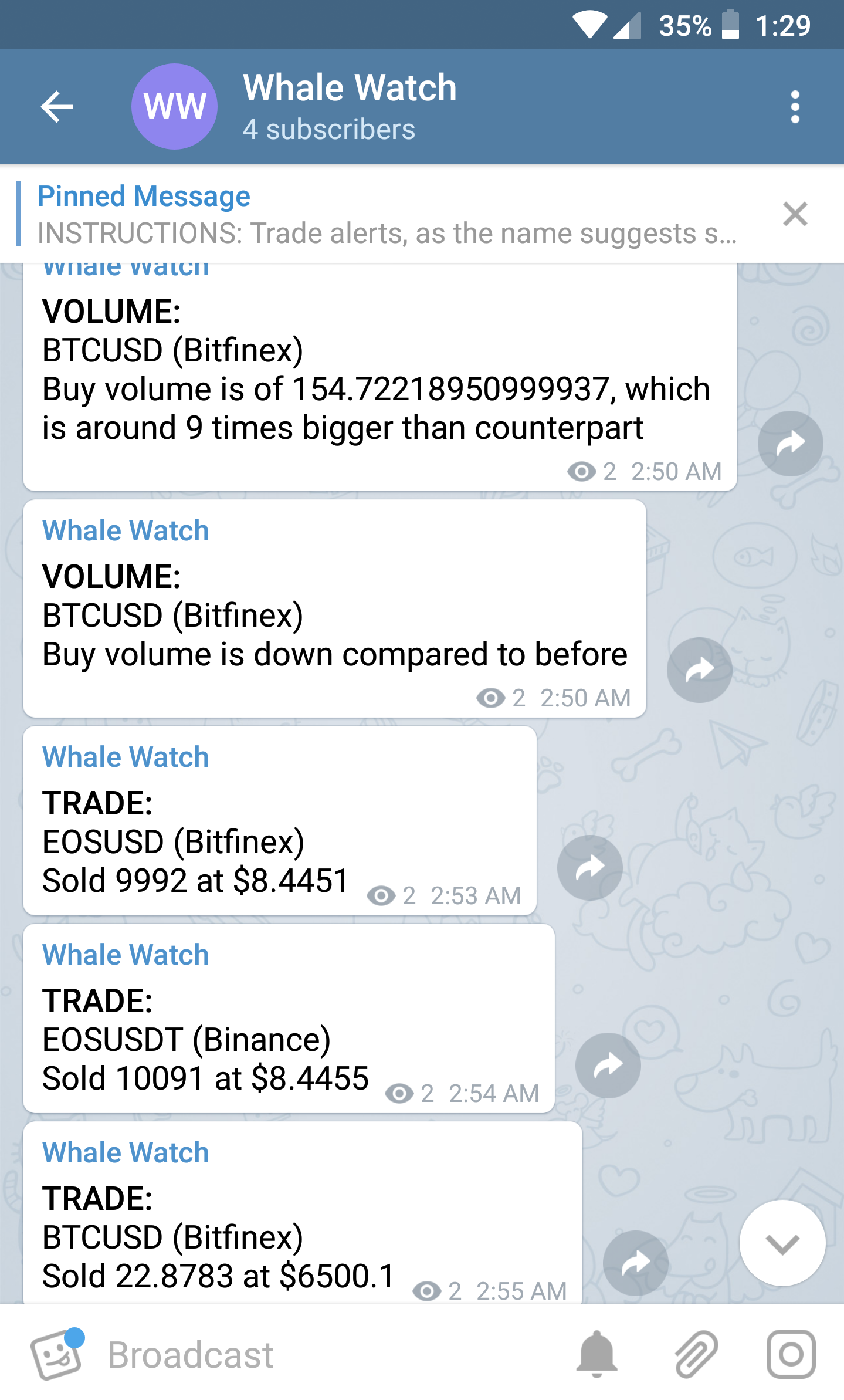
 Constantly looking at the order book and depth charts of different crypto-currencies on different exchanges can be painstakingly tedious. I decided to create this app to simultaneously monitor different exchanges and currencies without being bothered by insignificant trades and orders. With this app, a person can get real time trade and volume alerts from GDAX, Binance, and Bitfinex. These alerts currently occur on Telegram, but are easily switchable with other services.
Note : This README mostly deals with the setup and execution of the app. If you want to understand the working of the project and code, please refer to the [wiki][] section.
Constantly looking at the order book and depth charts of different crypto-currencies on different exchanges can be painstakingly tedious. I decided to create this app to simultaneously monitor different exchanges and currencies without being bothered by insignificant trades and orders. With this app, a person can get real time trade and volume alerts from GDAX, Binance, and Bitfinex. These alerts currently occur on Telegram, but are easily switchable with other services.
Note : This README mostly deals with the setup and execution of the app. If you want to understand the working of the project and code, please refer to the [wiki][] section.
A Note About Exchange APIs
You might notice I haven't used any of the exchanges' respective node modules in this project, and have instead gone with the raw REST APIs. This is because I did not realize these modules existed until much later into the development process. Therefore, I understand that my API calls might come with manual need for stream management. But I feel going through the documentations of these modules, then rewriting the code would cause a significant waste of time and resources until I am made to realize otherwise.Table of Contents
+ Currency Pairs + Limits + AlertsBasic Setup
- [Fork][] and [Clone][] the repository
- [Create a Telegram Bot][] using BotFather, note down the authorization-token.
- Create a group or channel, and add the bot to it. Then [get the group/channel's chat_id][].
- Create a PostgreSQL database.
Installation
Creating Database
- Create a file with name ".env" in the parent directory.
- Add the auth-token, respective chat_id(s), and database url to the ".env" file as key-value pairs in the form shown below. These key-value pairs will be exported to the environment variables.
BOT_TOKEN=Your:<your-bot-token>
    CHAT_ID=<main-chat-id>
    TESTCHATID=<test-chat-id>
DATABASE_URL=postgres://<username>@localhost:5432/<db-name>touch .env
echo "BOT_TOKEN=<your-bot-token>" >> .env
echo "CHAT_ID=<main-chat-id>" >> .env
echo "TESTCHATID=<test-chat-id>" >> .env
echo "DATABASE_URL=$USER@localhost:5432/<db-name>" >> .envTESTING=true
- Run
npm install, and run the app vianpm run start.
- If you get Database errors, try running
npm run db:migrate. IMPORTANT: This command deletes and recreates all tables. You will need to run this every time you make a change in the list of currencies in the config file.
- A lot of the major hosting services come preinstalled with PostgreSQL or provide some plugin. Therefore the steps for creating and setting up the database may differ. For example, Heroku has an excellend PostgreSQL plugin which upon installation automatically adds the environment variable for the database URL.
- On your local machine, the app will be served on port 3000 of localhost.
Customizing
The app is made to use certain limits and services that may or may not be suitable for others. Therefore it is possible to make changes and customize the app to better suit the developers requirements. Please do not send pull requests to the main repository with these changes.Currency Pairs
Currency pairs are defined in the [config.js][] file, and can easily be added and removed as needed. One needs to be mindful to try and add pairs that are supported by both Binance and Bitfinex. Not doing so can cause unexpected behavior.Limits
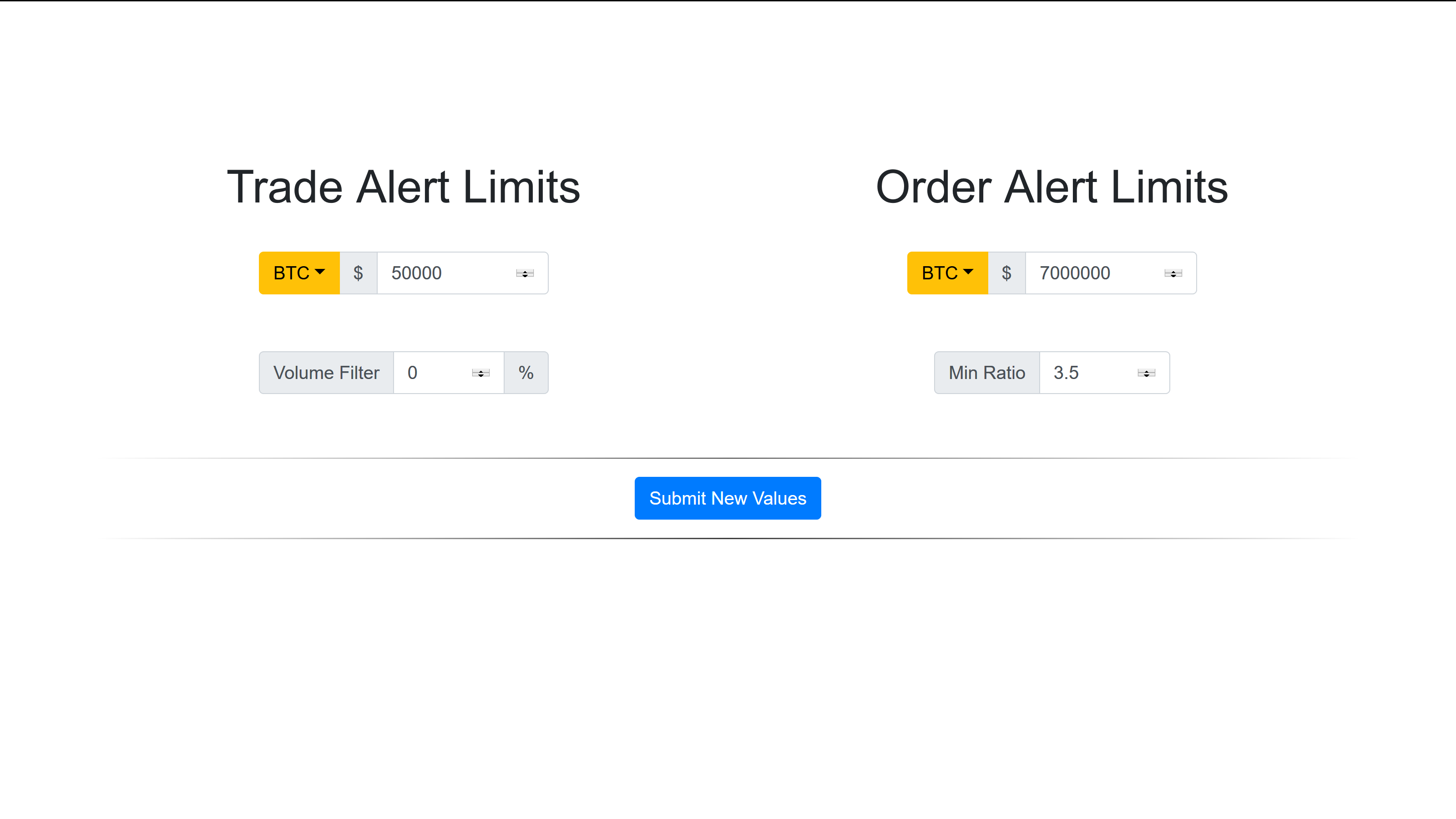
The alerts are triggered by checking the various limits for the crypto-currency. You can learn about each limit in the [wiki][] section of this project. Limit changes are persistent and are saved to the PostgreSQL databse on the running machine. Limits can easily be changed without affecting the repository through the browser by going to the endpoint of the running app. If you are running the app on your local machine, it'll be served on localhost:3000. Limits can also be changed by editing the migration file, and runningnpm run db:migrate, in which case changes will be saved on the repository level. This method is not recommended if you plan to contribute to the main repository.
Alerts
The app currently uses Telegram as the medium for alerts. However, if one requires they can choose to add and/or replace it with other services like Discord. It is recommended you keep the structure of the functions the same. The alerts are managed in message.js.Screenshots
Telegram :
Webpage :
Contributing
If you are a developer trying to contribute to this project, please follow these steps:- Fork and Clone the repository.
- Run
npm install.
- Export the DATABASE_URL to the environment using
exportor adding it to a ".env" file.
- Run
npm startornpm run start:devto see if it runs without errors.
- Tests can be performed by running
npm test


