
A bullet journal-style life planner plugin for KOReader. Track quests, habits, mood, and reading stats on your e-reader (Kindle, Kobo, PocketBook).
Life Tracker for KOReader
A bullet journal-style life planner plugin for KOReader. Track quests, habits, mood, and reading stats directly on your e-reader.

Screenshots
Features
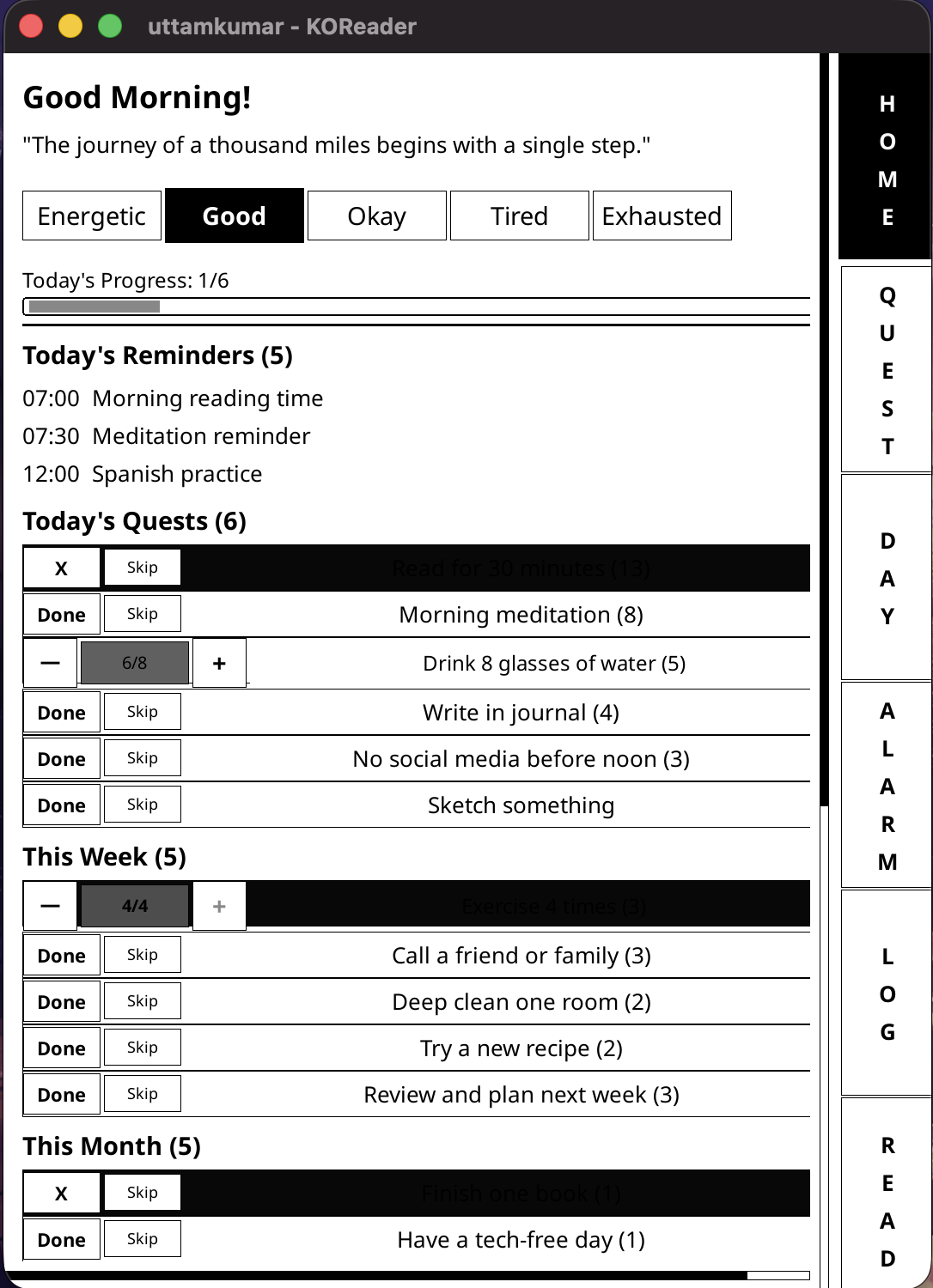
- Dashboard - Morning energy check-in, daily quote, streak tracking, today's quests at a glance
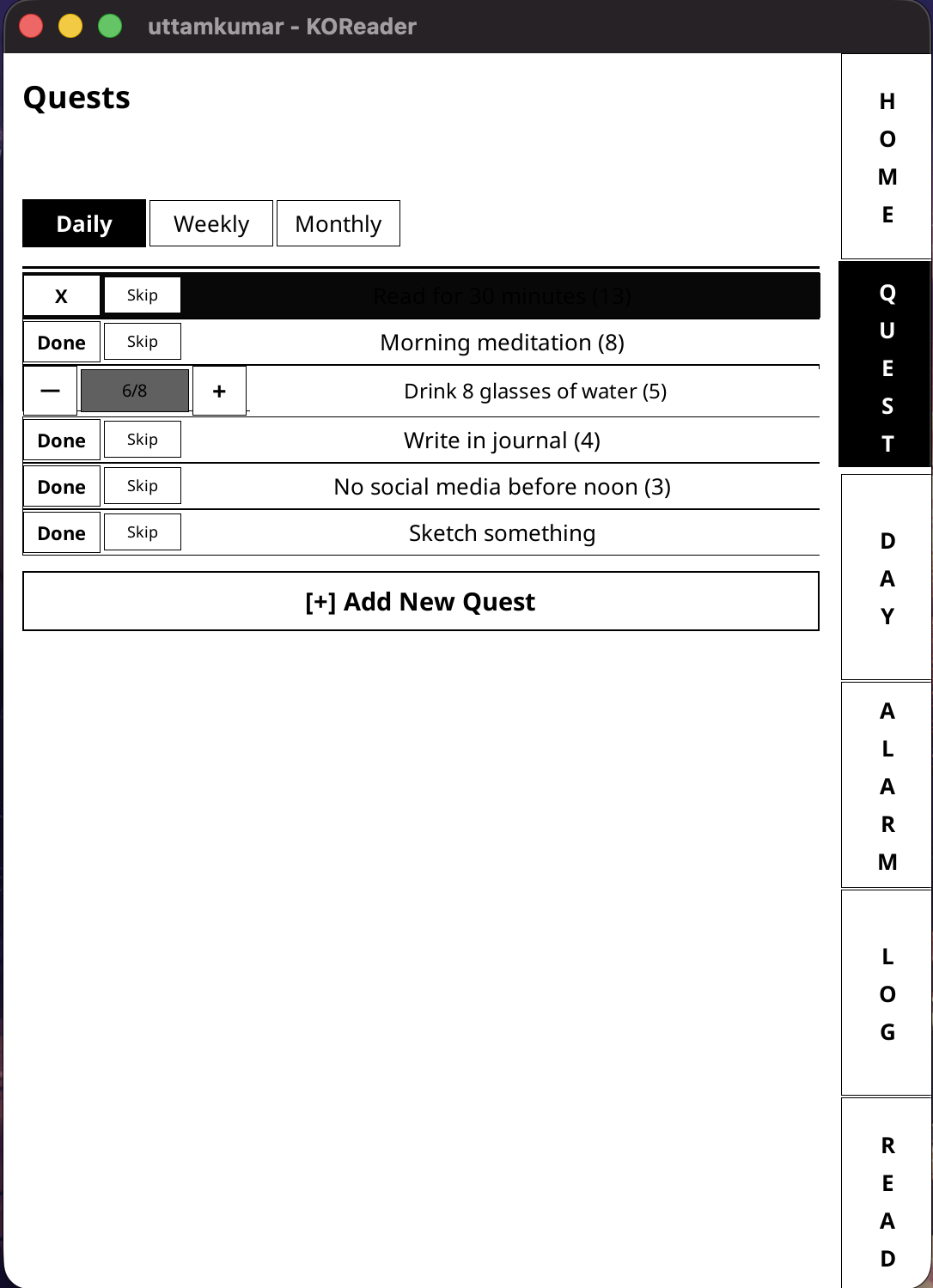
- Quests - Daily, weekly, and monthly goals with streaks and progress tracking
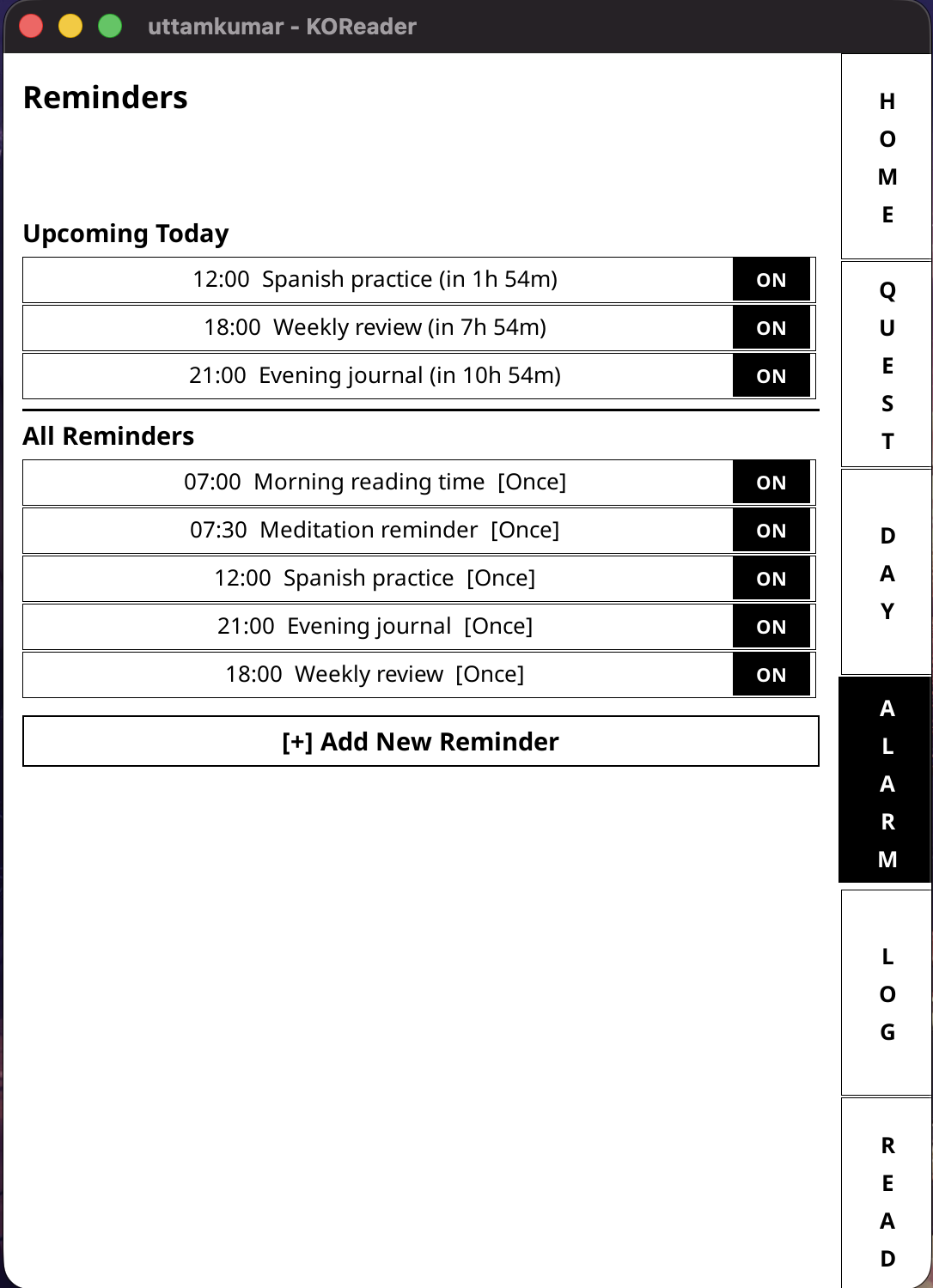
- Reminders - Time-based notifications with customizable schedules
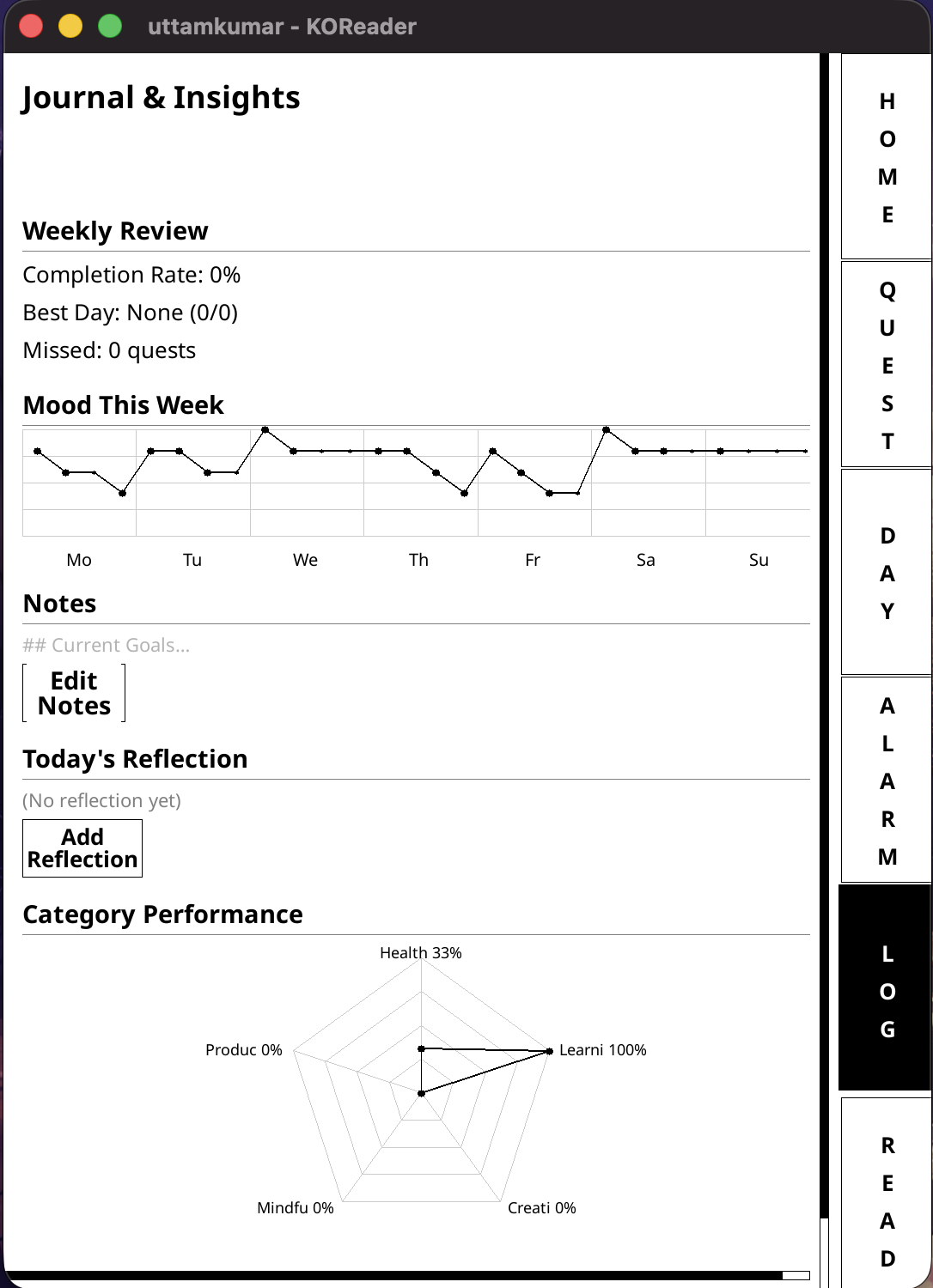
- Journal - Weekly mood graph, category performance spider chart, notes and reflections
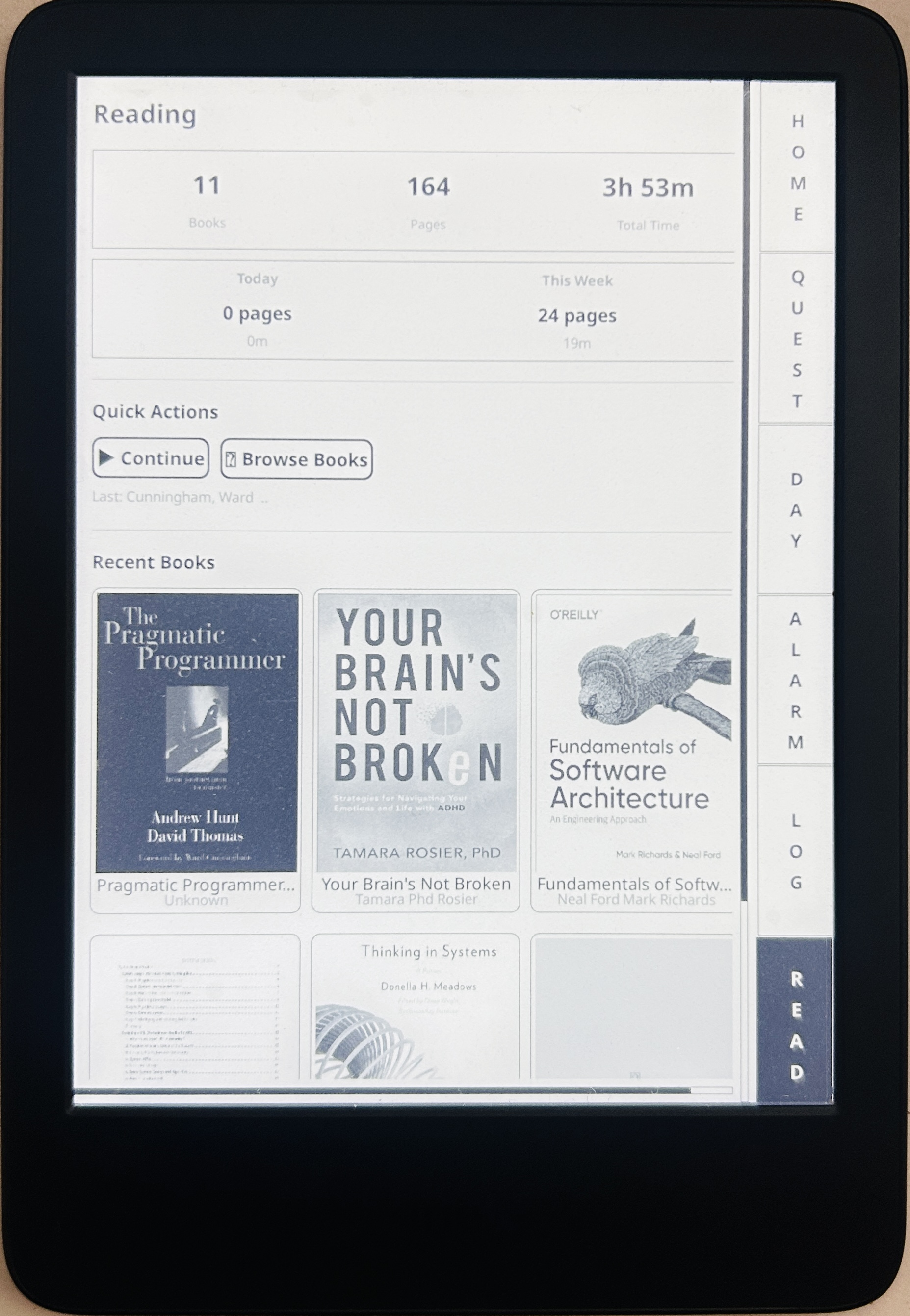
- Reading Stats - Integration with KOReader's reading history and statistics
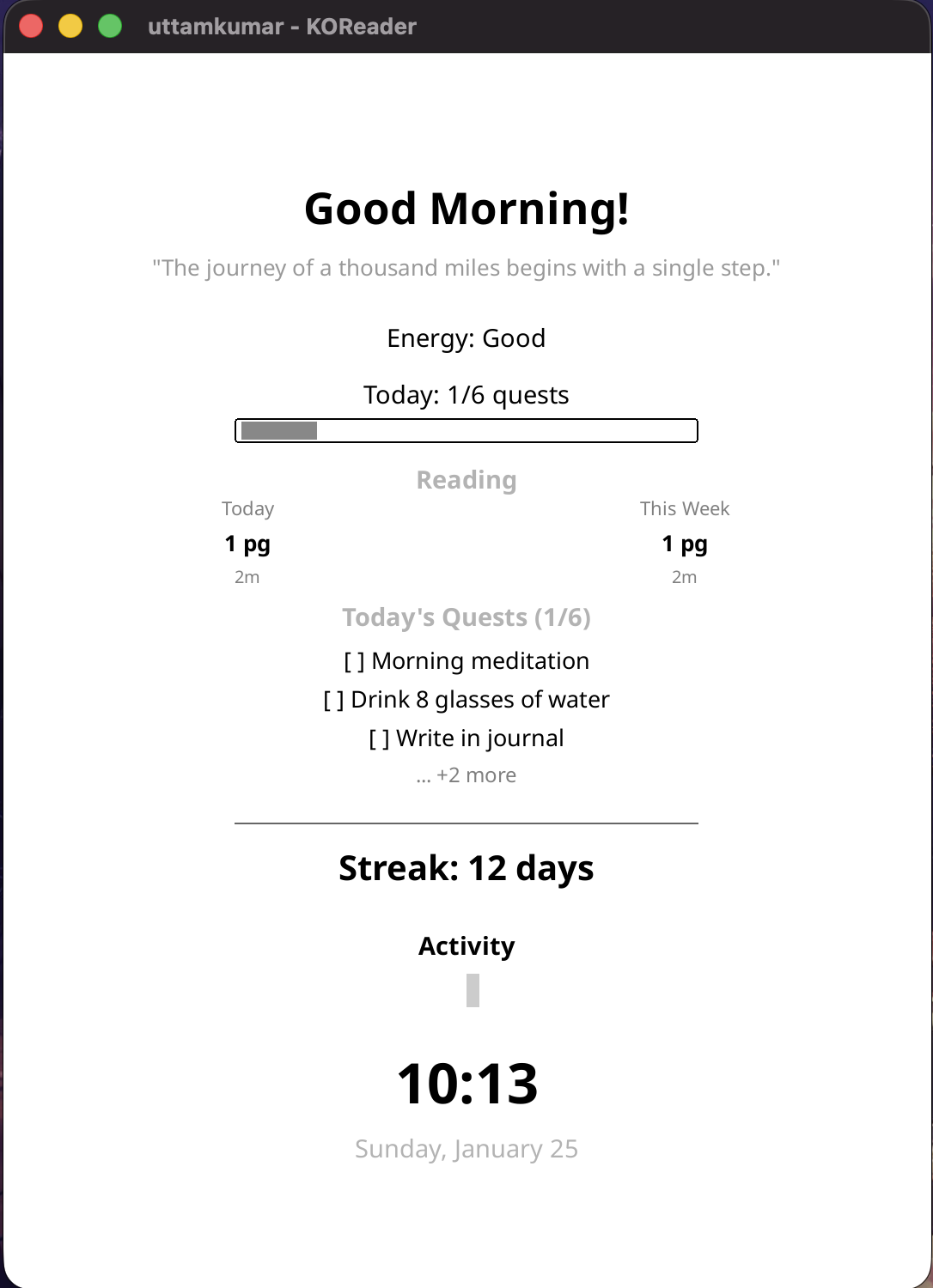
- Sleep Screen - Optional dashboard display when device wakes showing time, quests, and reading progress
Installation
Method 1: Download Release
- Download the latest release from Releases
- Extract
lifetracker.kopluginfolder - Copy to your KOReader plugins directory (see paths below)
- Restart KOReader
Method 2: Clone Repository
# Clone directly to your plugins folder
cd /path/to/koreader/plugins/
git clone https://github.com/uttam-salamander/koreader-life-tracker.git lifetracker.koplugin
Plugin Paths by Device
| Device | Path | |--------|------| | Kindle | koreader/plugins/lifetracker.koplugin/ | | Kobo | .adds/koreader/plugins/lifetracker.koplugin/ | | PocketBook | applications/koreader/plugins/lifetracker.koplugin/ | | Android | Varies by installation (check your KOReader folder) | | Desktop/Emulator | koreader/plugins/lifetracker.koplugin/ |
Verify Installation
After restarting KOReader:
- Open the top menu (tap top of screen or swipe down)
- Navigate to Tools (gear icon)
- Look for Life Tracker in the menu
Usage
Getting Started
- Open Tools > Life Tracker
- Start with the Dashboard - do your morning energy check-in
- Create your first quest in the Quests tab
- Track your progress throughout the day
Dashboard
The home screen shows:
- Daily Quote - Rotating motivational quotes (customizable)
- Energy Level - Tap to set your current energy state
- Today's Reminders - Upcoming scheduled reminders
- Today's Quests - Quick view of daily, weekly, and monthly tasks
Quests
Organize your goals into three categories:
- Daily - Reset each day (habits, routines)
- Weekly - Reset each week (bigger tasks)
- Monthly - Reset each month (major goals)
- Streaks - Track consecutive days of completion
- Progress Tracking - For countable goals (e.g., "Drink 8 glasses of water")
- Categories - Organize by Health, Learning, Creativity, Mindfulness, Productivity
- Skip Option - Mark a quest as skipped without breaking your streak
Reminders
Set gentle notifications:
- Choose time (24-hour format)
- Select repeat days (Daily, Weekdays, Weekends, or custom)
- View upcoming reminders for today
- Toggle reminders on/off
Journal & Insights
Review your patterns:
- Weekly Stats - Completion rate, best days
- Mood Graph - Energy levels throughout the week
- Category Performance - Spider chart showing balance across categories
- Notes - Persistent notes for goals and ideas
- Reflections - Add daily reflections
Reading Stats
Track your reading:
- Total books, pages, and reading time
- Today and this week statistics
- Recent books with cover images
- Quick actions to continue reading or browse books
Sleep Screen
Enable the sleep screen to see your dashboard when your device wakes:
- Current time and date
- Daily quote and energy level
- Quest progress with checklist
- Reading stats (today and this week)
- Current streak and activity indicator
Settings
Customize the plugin:
- Energy Categories - Rename levels to match your vocabulary
- Time Slots - Adjust to your schedule (Morning, Afternoon, Evening, Night)
- Quest Categories - Add or modify category names
- Quotes - Customize your daily quote rotation
- UI Scale - Adjust text size for accessibility (0.8x to 1.5x)
- High Contrast - Enhanced visibility mode
- Sleep Screen - Show dashboard when device wakes
- Backup/Restore - Export and import your data as JSON
Navigation
Sidebar Tabs
| Tab | Function | |-----|----------| | HOME | Dashboard with overview | | QUEST | Manage daily/weekly/monthly quests | | DAY | Timeline/calendar view | | ALARM | Reminders management | | LOG | Journal and insights | | READ | Reading statistics |
Data Storage
Your data is stored in KOReader's settings directory:
| File | Contents | |------|----------| | lifetracker_settings.lua | User preferences, quotes, streak data | | lifetracker_quests.lua | Quests and completion history | | lifetracker_logs.lua | Mood entries and journal notes | | lifetracker_reminders.lua | Reminder schedules |
Use Settings > Backup & Restore to export/import your data as JSON.
Troubleshooting
Enable Debug Logging
To enable detailed logging for troubleshooting:
- Open
modules/data.luain the plugin folder - Find line 18:
Data.DEBUG = false - Change to:
Data.DEBUG = true - Restart KOReader
- Device:
koreader/crash.log - Emulator: Console output or
crash.log
tail -f /mnt/us/koreader/crash.log  # Kindle
tail -f /mnt/onboard/.adds/koreader/crash.log  # Kobo
Common Issues
Plugin not appearing in menu:
- Ensure folder is named
lifetracker.koplugin(not.koplugin.zip) - Check that
_meta.luaandmain.luaexist in the folder - Restart KOReader completely
- Check available storage space on device
- Verify write permissions to settings directory
- Enable in Settings > Sleep Screen Dashboard
- Some devices may not support custom sleep screens
Designed for E-Ink
- High contrast black & white UI
- Large tap targets for touch accuracy
- Minimal screen refreshes
- Optimized for grayscale displays
- Responsive layout for different screen sizes
Requirements
- KOReader 2024.01 or newer
- Any device running KOReader (Kindle, Kobo, PocketBook, Android, etc.)
Contributing
Issues and pull requests welcome!
License
AGPL-3.0 (same as KOReader)


