
Tiny local text-to-24x24 pixel art model, trained on roughly 200K samples in 30 minutes on an RTX 5090.
PixelGPT 24x24
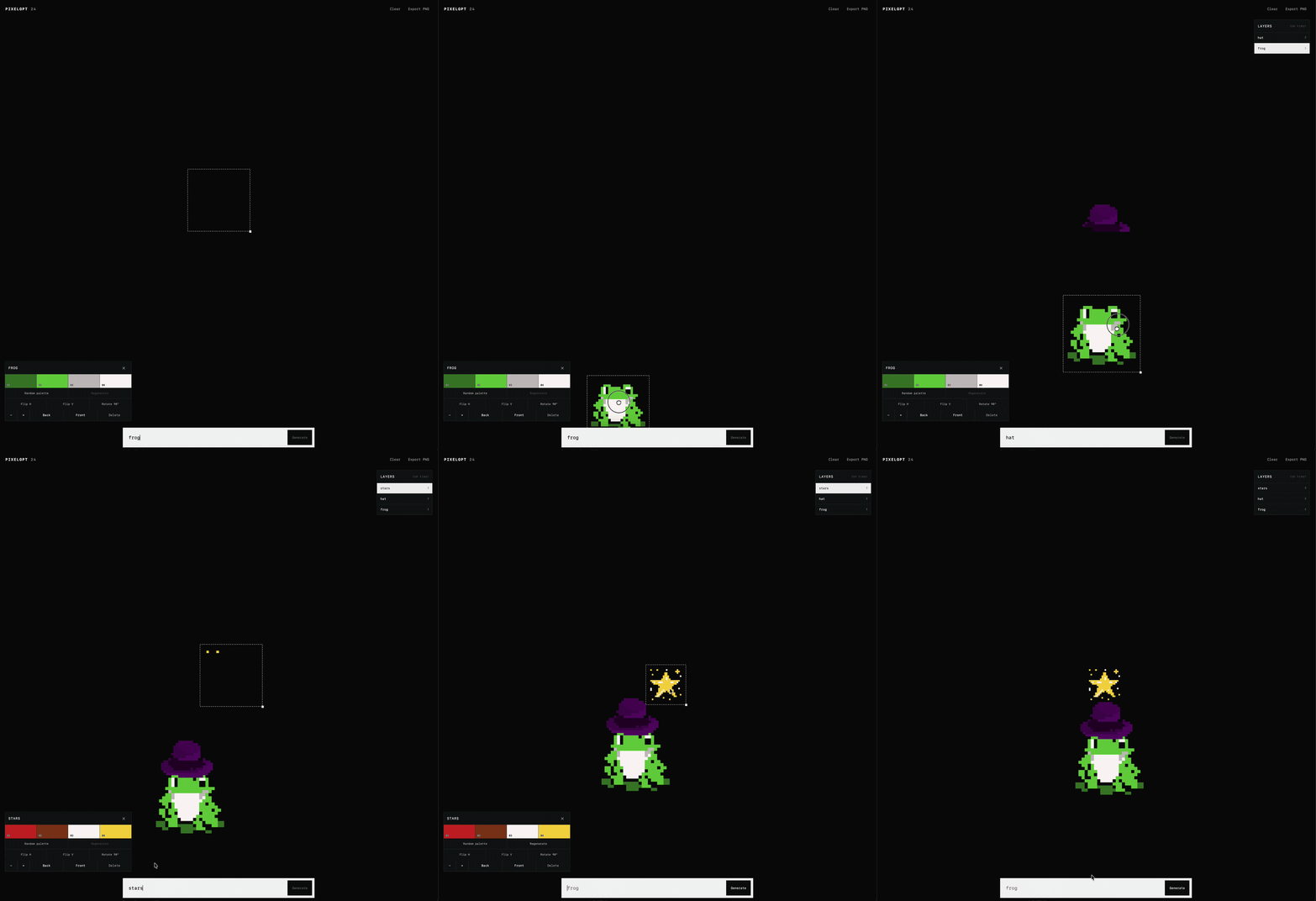
A tiny, fully local text-to-pixel-art model. Type a prompt, choose a five-color palette, and watch a 24x24 sprite appear one pixel at a time.
Small Model, Short Training Run
This is an experiment in how far a deliberately constrained generative model can go:
- Trained on approximately 200K samples (218K examples in the training run)
- Trained for about 30 minutes on a single NVIDIA GeForce RTX 5090
- 68M-parameter autoregressive pixel transformer
- Fixed 24x24 canvas and five-color palette
- Local inference with no prompt or image data sent to an API
How It Works
PixelGPT is a decoder-only autoregressive transformer conditioned on both text and a palette:
| Component | Details | | --- | --- | | Output | 24x24 pixels, five palette indices | | Generator | 68M parameters, 14 layers, width 512, 8 attention heads | | Text encoder | all-MiniLM-L6-v2, 384-dimensional embeddings | | Conditioning | Adaptive layer normalization in every transformer block | | Generation order | Serpentine 4x4 blocks, 576 autoregressive steps | | Sampling | Classifier-free guidance, temperature control, top-p sampling | | Checkpoint | FP16 PyTorch weights |
Each text prompt is embedded by the bundled MiniLM encoder. That embedding and the selected RGB palette modulate every transformer block. During generation, the model predicts one of five palette entries at each position. Classifier-free guidance strengthens prompt adherence, while temperature changes how adventurous the samples are.
Run Locally
Python 3.10 or newer is recommended. The repository is about 222 MB because it includes both model checkpoints, so make sure Git LFS is installed before cloning.
git lfs install
git clone https://github.com/unstonio/pixelgpt-24x24.git
cd pixelgpt-24x24
python3 -m venv .venv
source .venv/bin/activate
python3 -m pip install --upgrade pip
python3 -m pip install -r requirements.txt
python3 app.py
Open http://127.0.0.1:8000.
On Windows, activate the environment with:
.venv\Scripts\activateThe app uses CUDA automatically when it is available and CPU everywhere else, including Apple devices. Choose a device explicitly with:
PIXELAR_DEVICE=cpu python3 app.py
PIXELAR_DEVICE=cuda python3 app.py
PIXELAR_DEVICE=mps python3 app.py
Explicit CUDA or MPS selection falls back to CPU when that backend is not available. MiniLM runs on CPU by default. Advanced users can set PIXELARMINILMDEVICE=cuda or PIXELARMINILMDEVICE=mps as well.
Using The Canvas
- Enter a short concrete prompt such as
tiny red lighthouse at night. - Pick a palette or randomize it, then press Generate.
- Lower Temp for more predictable sprites; raise it for more variation.
- Use the seed to reproduce a result with the same prompt, palette, and settings.
- Move, resize, duplicate, layer, group, and export generated sprites in the canvas.
- Undo with
Cmd+Zon macOS orCtrl+Zelsewhere. - Group with
Cmd/Ctrl+Gand ungroup withCmd/Ctrl+Shift+G.
Local API
The FastAPI server also exposes generation directly:
curl http://127.0.0.1:8000/api/generate \
  -H 'Content-Type: application/json' \
  -d '{"prompt":"tiny red lighthouse at night","seed":42,"temperature":0.9}'
Useful endpoints:
GET /api/healthreports model and device status.GET /api/palettereturns a random five-color palette.POST /api/generatereturns a completed 24x24 palette-index image.POST /api/generate/streamstreams partial images as NDJSON every 24 steps.
0 is treated as transparent by the canvas.
Offline And Private
The runtime explicitly enables offline mode for Hugging Face and loads every model from this repository. Once Python packages are installed, generation does not require a network connection. Prompts, seeds, palettes, and generated images remain on your machine.
Repository Layout
app.py                  FastAPI server and generation service
model_runtime.py        Minimal PixelGPT architecture and sampler
models/pixelar_fp16.pt  FP16 generator checkpoint
models/minilm/          Local MiniLM text encoder and tokenizer
palettes.bin            217,925 training-set five-color palettes
static/                 Canvas interface
The original 807 MB training dataset is not required for inference.
Limitations
- The model only produces 24x24 images with five colors.
- Text understanding is intentionally modest; concrete object prompts work best.
- Autoregressive generation performs 576 sequential steps, so CPU inference can
- This is a small experimental model, not a general-purpose image generator.


