A Python port and library-fication of the midicsv tool by John Walker. If you need to convert MIDI files to human-readable text files and back, this is the library for you.
py_midicsv
A Python library inspired by the midicsv tool created by John Walker. Its main purpose is to bidirectionally convert between the binary MIDI format and a human-readable interpretation of the contained data in text format, expressed as CSV. If you found this library, you probably already know why you need it.
Installation
py_midicsv can be installed via pip:
$ pip install py_midicsvAlternatively you can build the package by cloning this repository and installing via poetry:
$ git clone https://github.com/timwedde/py_midicsv.git $ cd py_midicsv/ $ poetry installUsage
As a Command Line Tool
Usage: midicsvpy [OPTIONS] INPUTFILE OUTPUTFILE
Convert MIDI files to CSV files.
midicsv reads a standard MIDI file and decodes it into a CSV file which   preserves all the information in the MIDI file. The ASCII CSV file may be   loaded into a spreadsheet or database application, or processed by a program   to transform the MIDI data (for example, to key transpose a composition or   extract a track from a multi-track sequence). A CSV file in the format   created by midicsv may be converted back into a standard MIDI file with the   csvmidi program.
Specify an input file and an output file to process it. Either argument can   be stdin/stdout.
Some arguments are kept for backwards-compatibility with the original   midicsv tooling. These are marked as NOOP in this command line interface.
Options:   -n, --nostrict  Do not fail on parse/validation errors.   -u, --usage     Print usage information (NOOP)   -v, --verbose   Print debug information (NOOP)   --help          Show this message and exit.
Usage: csvmidipy [OPTIONS] INPUTFILE OUTPUTFILE
Convert CSV files to MIDI files.
csvmidi reads a CSV file in the format written by midicsv and creates the   equivalent standard MIDI file.
Specify an input file and an output file to process it. Either argument can   be stdin/stdout.
Some arguments are kept for backwards-compatibility with the original   csvmidi tooling. These are marked as NOOP in this command line interface.
Options:   -n, --nostrict     Do not fail on parse/validation errors.   -u, --usage        Print usage information (NOOP)   -v, --verbose      Print debug information (NOOP)   -z, --strict-csv   Raise exceptions on CSV errors (NOOP)   -x, --no-compress  Do not compress status bytes (NOOP)   --help             Show this message and exit.
As a Library
import py_midicsv as pm
Load the MIDI file and parse it into CSV format
csvstringlist = pm.miditocsv("example.mid")
with open("example_converted.csv", "w") as f:     f.writelines(csvstringlist)
Parse the CSV output of the previous command back into a MIDI file
midiobject = pm.csvtomidi(csvstring_list)
Save the parsed MIDI file to disk
with open("exampleconverted.mid", "wb") as outputfile:
    midiwriter = pm.FileWriter(outputfile)
    midiwriter.write(midiobject)
Documentation
A full explanation of themidicsv file format can be found here.
Differences
This library adheres as much as possible to how the original library works, however generated files are not guaranteed to be entirely identical when compared bit-by-bit. This is mostly due to the handling of meta-event data, especially lyric events, since the encoding scheme has changed. The original library did not encode some of the characters in the Latin-1 set, while this version does.
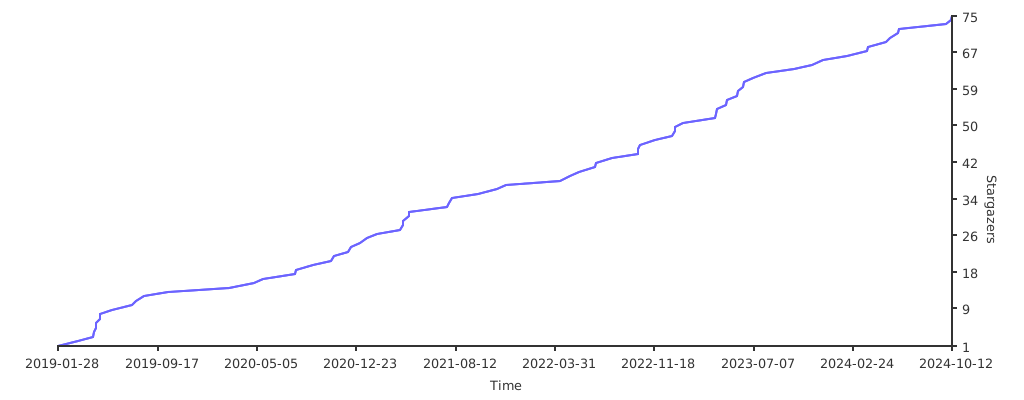
Stargazers over time