
A standalone/GitHub CLI extension to preview GitHub Flavored Markdown, even offline.
gh gfm-preview
A Go program to preview GitHub Flavored Markdown (GFM) :notebook:.
The gh-gfm-preview command start a local web server to serve the markdown document. gh gfm-preview renders the HTML using yuin/goldmark and some extensions and frontend tricks to have similar features and look to how GitHub renders a markdown.
It may also be used as a GitHub CLI extension.
This is a hard fork of yusukebe/gh-markdown-preview, that uses the GitHub Markdown API, but this means it doesn't work offline. The code of this repository tries to emulate the look of GitHub Markdown rendering as close as possible, but the original project will be even closer to the actual result if you don't need offline rendering.
Screenshots
Open your browser:
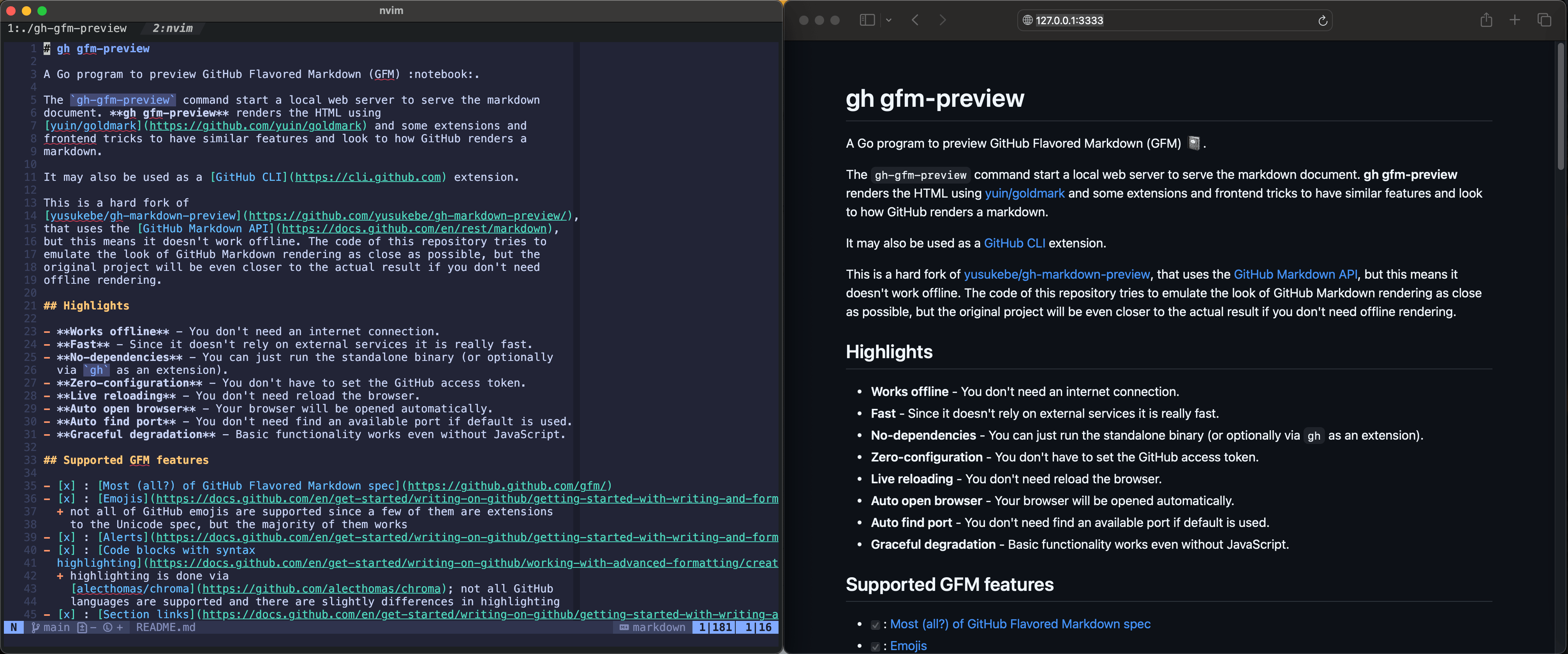
Live reloading:
https://github.com/user-attachments/assets/0219ac01-71d3-4568-bff4-c9de092ca4e3
Highlights
- Works offline - You don't need an internet connection.
- Fast - Since it doesn't rely on external services it is really fast.
- No-dependencies - You can just run the standalone binary (or optionally
gh as an extension).
- Zero-configuration - You don't have to set the GitHub access token.
- Live reloading - You don't need reload the browser.
- Auto open browser - Your browser will be opened automatically.
- Auto find port - You don't need find an available port if default is used.
- Graceful degradation - Basic functionality works even without JavaScript.
Supported GFM features
- [x] : Most (all?) of GitHub Flavored Markdown spec
- [x] : Emojis
- [x] : Alerts
- [x] : Code blocks with syntax
- [x] : Section links
- [x] : Raw HTML
- [x] : MathJax
- [x] : Mermaid diagrams
- [x] : GeoJSON/TopoJSON diagrams
- [ ] : STL 3D diagrams
- [ ] : Mentioning people/Referencing issues and Pull Requests/Other features
Installation
GitHub Extension
You need to have gh installed.
gh extension install thiagokokada/gh-gfm-previewUpgrade:
gh extension upgrade gfm-previewStandalone
You need to have Go installed.
go install github.com/thiagokokada/gh-gfm-preview@latestNix
Assuming that you have Flakes enabled:
nix run github:thiagokokada/gh-gfm-previewUsage
The usage:
gh gfm-preview README.mdOr this command will detect README file in the directory automatically.
gh gfm-previewYou can also preview Markdown from stdin by piping or using -:
echo "# Hello" | gh gfm-preview
cat README.md | gh gfm-preview
gh gfm-preview - < README.md
Then access the local web server such as http://localhost:3333 with Chrome, Firefox, or Safari.
Available options:
-p, --port int                                   TCP port number of this server (default 3333)
  -H, --host string                                hostname this server will bind (default "localhost")
  -R, --disable-reload                             disable live reloading
  -A, --disable-auto-open                          disable auto opening your browser
  -l, --light-mode                                 force light mode
  -d, --dark-mode                                  force dark mode
  -m, --markdown-mode                              force "markdown" mode (rather than default "gfm")
  -D, --directory-listing                          enable directory browsing mode
      --directory-listing-show-extensions string   file extensions to show in directory listing (comma-separated, use '*' for all files) (default ".md,.txt")
      --directory-listing-text-extensions string   text file extensions for preview (comma-separated, others will be served as binary) (default ".md,.txt")
      --no-color                                   disable color for logs
  -v, --verbose                                    show verbose output
      --version                                    show program version
Directory Listing
Enable directory browsing mode to navigate and preview files:
# Enable with default settings
gh gfm-preview --directory-listing
Or
gh gfm-preview -D
Show all file types
gh gfm-preview --directory-listing --directory-listing-show-extensi
Custom file extensions
gh gfm-preview --directory-listing \
  --directory-listing-show-extensi \
  --directory-listing-text-extensi
Other usages
Since the binary is static and it works offline, this is a good program to use to preview how a Markdown is looking in e.g.: neovim. For example, you can add this in your $HOME/.config/nvim/init.lua:
local function preview_markdown()
local file = vim.fn.expand("%")
local onexitcb = function(out)
print("Markdown preview process exited with code:", out.code)
end
local process = vim.system(
-- assuming that the extension were installed using gh
-- the reason we are not using gh gfm-preview instead is because this
-- can cause an issue where the gh process is killed but not the
-- gh-gfm-preview, since the kill signal will not reach the child process
{vim.fn.expand("$HOME/.local/share/gh/extensions/gh-gfm-preview/gh-gfm-preview"), file},
onexitcb
)
vim.api.nvimcreateautocmd({ "BufUnload", "BufDelete" }, { buffer = vim.api.nvimgetcurrent_buf(), callback = function() process:kill("sigterm") -- timeout (in ms), will call SIGKILL upon timeout process:wait(500) end, }) end
-- create a shortcut only in Markdown files, mapped to <Leader>P vim.api.nvimcreateautocmd({ "FileType" }, { pattern = { "markdown" }, callback = function() vim.keymap.set("n", "<Leader>P", preview_markdown, { desc = "Markdown preview", buffer = true }) end, })
Development
You can run the following command to (re-)generate assets:
go generate ./...And you can run the following command to build:
go buildIf you have nix with Flakes enabled:
nix developRelated projects
- GitHub CLI
- Grip
- github-markdown-css
- gh-markdown-preview


