
A text-based language for writing Apple Shortcuts. Experimental.
Perspective Cuts
A text-based language for writing Apple Shortcuts. Write code, compile it, get a shortcut. No dragging blocks. No clicking menus. Just text.

This is a highly experimental project. Things will break. APIs will change. Actions might not work on your machine. If you are okay with that, keep reading.
Why I Built This
I wanted an easy and accessible way to create shortcuts through code. The Shortcuts app is visual. It is drag and drop. That does not work for everyone. I wanted to write shortcuts the same way I write Swift code. In a text editor. With a compiler that handles the rest.
If you know my stance on using Apple official channels, you know where this is going. Perspective Cuts is built in Swift. It uses Swift Package Manager. It runs on macOS. And it uses Apple's own shortcuts sign command to sign the output. That is the tool Apple ships with macOS for signing shortcut files. I am not using some third party signing service. I am not wrapping this in Electron or shipping it as a web app. This is a Mac tool for building Apple Shortcuts. Built the right way.
Other tools existed for writing shortcuts as code. JellyCuts was the main one. But the actions were outdated. It did not support iOS 26 actions like Apple Intelligence, Private Cloud Compute, or the new Writing Tools. It did not support third party apps out of the box. I wanted to provide a solution that was current, that supported every action Apple ships, and that could use any app installed on your Mac without having to register anything.
What It Does
- 180+ built-in Shortcuts actions with friendly parameter names
- Any third party app action via raw identifiers (ChatGPT, Drafts, Fantastical, Bear, Things, etc.)
- Apple Intelligence with Private Cloud Compute and on-device models
- Translation to 21 languages
- Control flow (if/else, repeat, for-each, menu)
- Compiles to signed
.shortcutfiles that work on macOS, iOS, and iPadOS discovercommand to find actions from any installed app
Install
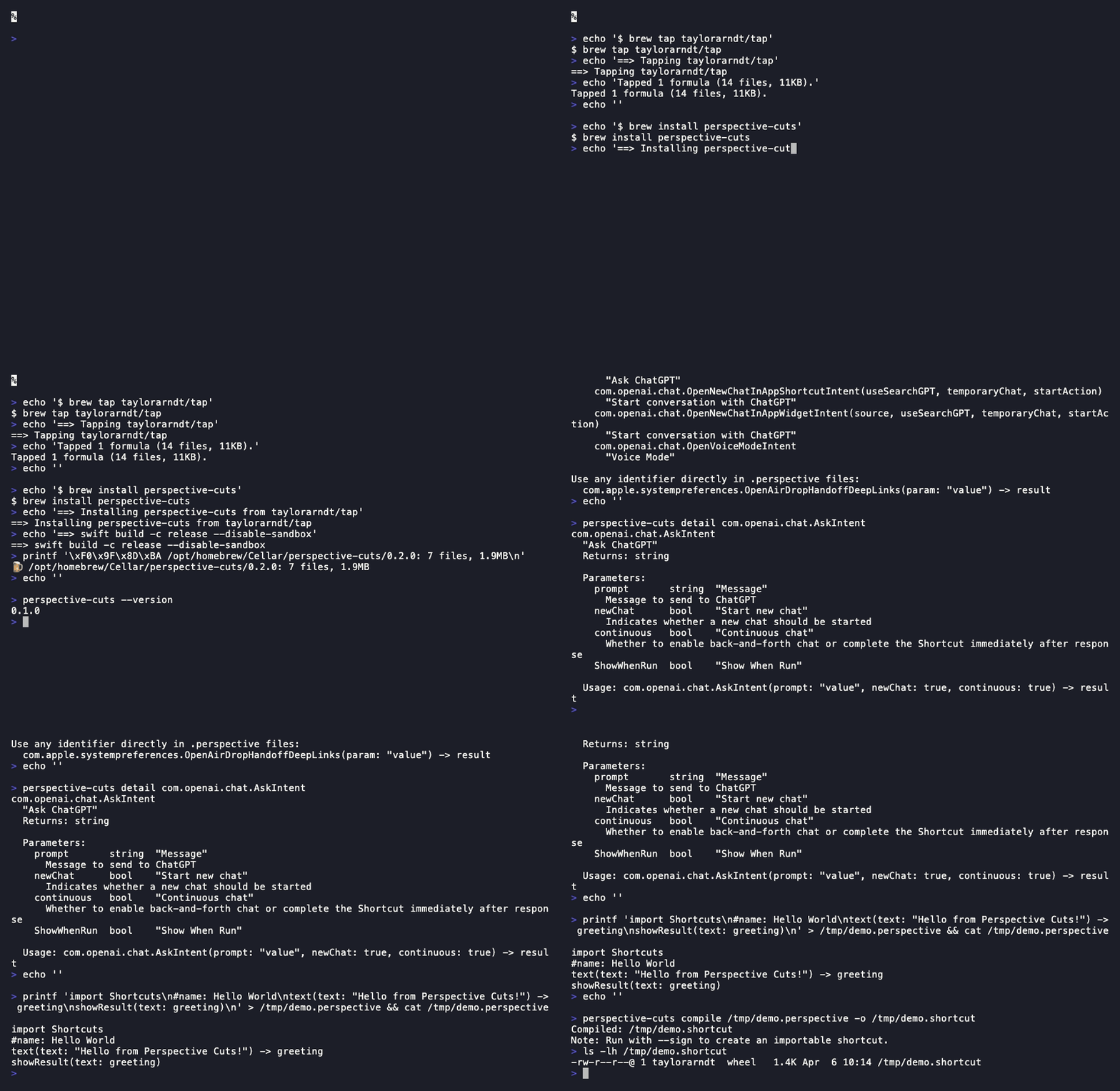
brew tap taylorarndt/tap
brew install perspective-cuts
Or build from source:
git clone https://github.com/taylorarndt/perspective-cuts.git
cd perspective-cuts
swift build
Quick Start
# Write a shortcut
cat > hello.perspective << 'EOF'
import Shortcuts
#color: blue
#icon: star
#name: Hello World
text(text: "Hello from Perspective Cuts!") -> greeting showResult(text: greeting) EOF
Compile and sign
swift run perspective-cuts compile --sign hello.perspective
Import into Shortcuts
open hello.shortcut
Example: Substack Summarizer with Private Cloud Compute

import Shortcuts
#color: purple
#icon: compose
#name: Taylors Substack Summarizer
getRSSFeed(url: "https://taylorarndt.substack.com/feed", count: 5) -> feedItems useModel(prompt: "Summarize each of these blog posts in 3 key bullet points:\n\(feedItems)", model: "Private Cloud Compute", resultType: "Automatic", followUp: false) -> summary showResult(text: summary)
Example: Third Party App (ChatGPT)
import Shortcuts
#color: green
#icon: message
#name: Ask ChatGPT
ask(prompt: "What do you want to ask ChatGPT?") -> question com.openai.chat.AskIntent(prompt: question) -> answer showResult(text: answer)
CLI

perspective-cuts compile --sign file.perspective    # Compile and sign
perspective-cuts compile --install file.perspective  # Install to Shortcuts DB
perspective-cuts actions                             # List built-in actions
perspective-cuts discover openai                     # Find third party actions
perspective-cuts discover --third-party              # All third party apps
perspective-cuts detail com.openai.chat.AskIntent   # Inspect action parameters
perspective-cuts validate file.perspective           # Validate syntax
macOS Only
This runs on macOS only. The shortcuts sign command that Apple provides only exists on Mac. If Apple ever ships a signing tool on iOS, I will add support. But I am not going to use unofficial signers. That is not how I do things.
Full Documentation
See PERSPECTIVE-LANGUAGE.md for the complete language reference, 12 tutorials, all 180+ actions, AI assistant instructions, and verified test results.
Status
This is experimental. 35 actions have been tested end-to-end. 167 have verified identifiers. The compiler works. The language works. But there are known limitations:
changeCasecannot be used becausecaseis a parser keywordgetCurrentWeatheris iOS only- Some enum parameters need special handling (like
useModelneeding integer values) - 13 legacy actions have unverified identifiers
Security
See SECURITY.md for the security policy and how to report vulnerabilities.
Contributing
See CONTRIBUTING.md for how to contribute. This is experimental. I appreciate help but want to make sure contributions align with where the project is going.
AI Contributions Are Welcome
AI-generated contributions are welcome here. You do not need to apologize for your tooling.
We use AI on this project ourselves. The way we like to work is what we call partner coding. A human and an AI write code together, and a human reviews what comes out. If you have a basic understanding of what the code does and why, we are very happy to work with you on it. And honestly, even if you do not fully understand every line yet, we are still willing to review it with you. We believe in helping people learn how to code and in building a community around that, not gatekeeping based on how the keystrokes got typed.
No PRs will be closed here for being AI-assisted. Bring them.
Contributors
 Taylor Arndt Creator |  Michael Doise Contributor |
License
MIT


