
Unofficial Ollama manager app for macOS, iOS, iPadOS, and visionOS, featuring server management, model management, chat, and image generation feature
Mocolamma
English | 日本語



Table of Contents
- Origin of the name - Download - macOS Version - iOS / iPadOS Version - visionOS Version - System Requirements - Differences between free and paid versions - Server Tab - Model Tab - Chat Tab - Image Generation Tab - Privacy and Security - App Store Review Requests - Bug Reports - Feedback - Community - Give a Star - Donate - Ollama by Ollama - Antigravity and Gemini CLI by Google / Qwen Code by Qwen / OpenCode by Anomaly - Textual by Guillermo Gonzalez and Taiga Imaura - CompactSlider by Alexey Bukhtin - create-dmg by Andrey Tarantsov and Andrew JankeWhat is Mocolamma?
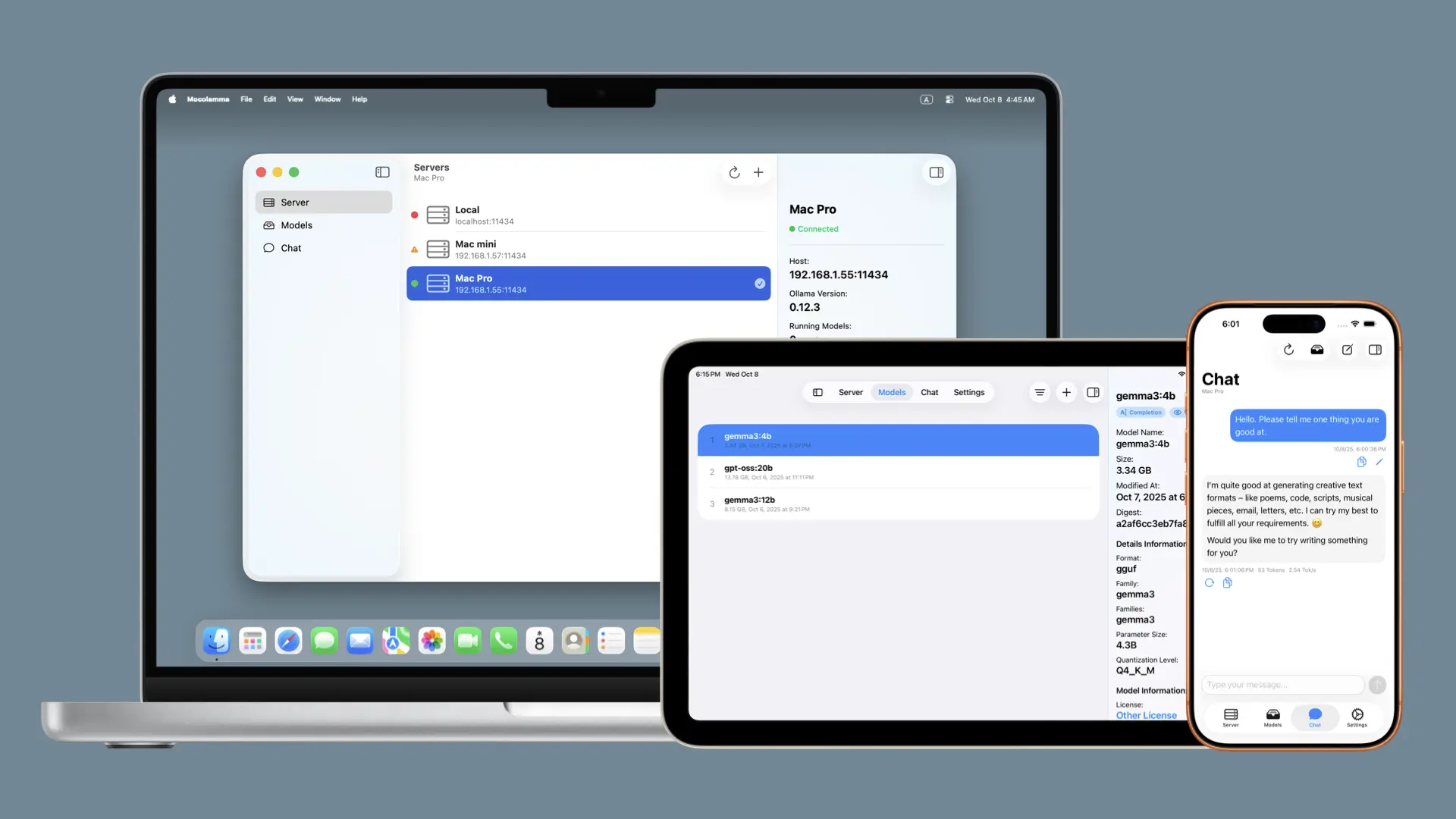
Mocolamma is an Ollama management application for macOS, iOS / iPadOS and visionOS that connects to Ollama servers to manage models and perform chat tests using models stored on the Ollama server.
[!NOTE]
Generative AI was used in the development of Mocolamma. Therefore, the code might not follow best practices or may contain unstable code.\
Mocolamma is an unofficial app for Ollama and is not affiliated with Ollama in any way.
Origin of the name
The name "Mocolamma" is a coined word combining "Model", "Control", "Ollama", and "Manage".\ I wanted it to be easy to read and remember, while having a meaningful name, so this word came to be.Download
macOS Version
Mocolamma can be downloaded for free from the releases page, or purchased for $1.99 on the Mac App Store.iOS / iPadOS Version
Mocolamma can be purchased for $1.99 on the App Store.visionOS Version
Mocolamma can be purchased for $1.99 on the App Store.[!TIP]
Purchasing Mocolamma on the App Store for macOS, iOS / iPadOS, or visionOS will enable access from all platforms with a single purchase!
[!NOTE]
App Store prices may vary by region and could be automatically adjusted due to exchange rates. These prices are based on the Japanese yen prices of 250 yen, but actual prices may differ depending on your region.
System Requirements
The system requirements for Mocolamma are as follows:- macOS Sequoia (15.0) or later installed on Mac computer
- iOS / iPadOS 18.0 or later installed on iPhone and iPad
- visionOS 2.0 or later installed on Apple Vision Pro
[!NOTE]
Ollama is not included with Mocolamma. A separate Ollama server is required to use most of Mocolamma's features.\
Also, the Ollama server must be configured to be accessible from within your local network.
Differences between free and paid versions
Mocolamma has both a free version (GitHub version, macOS only) and a paid version (App Store version), but there are no differences in the app's basic functionality. The App Store version includes several features provided by the App Store, such as the automatic update feature.\ The differences are as follows:| Feature | Free Version (GitHub) | Paid Version (App Store) | |-------------------|------------------------|-------------------------------| | Platforms | macOS | macOS, iOS / iPadOS, visionOS | | Price | Free | $1.99 | | All App Features | ✓ | ✓ | | Automatic Updates | - | ✓ (App Store feature) | | Donation Link | ✓ | - (Due to App Store review) | | Review Requests | - | ✓ (Can be disabled) | | Support Developer | ✓ (via Donation Link) | ✓ (via Purchase) |
I would appreciate it if you purchase from the App Store, but feel free to download for free first, and if you find it very useful, please consider purchasing or donating!
Features
Mocolamma can connect to Ollama servers on networks to manage models and perform simple chats using the models.Server Tab
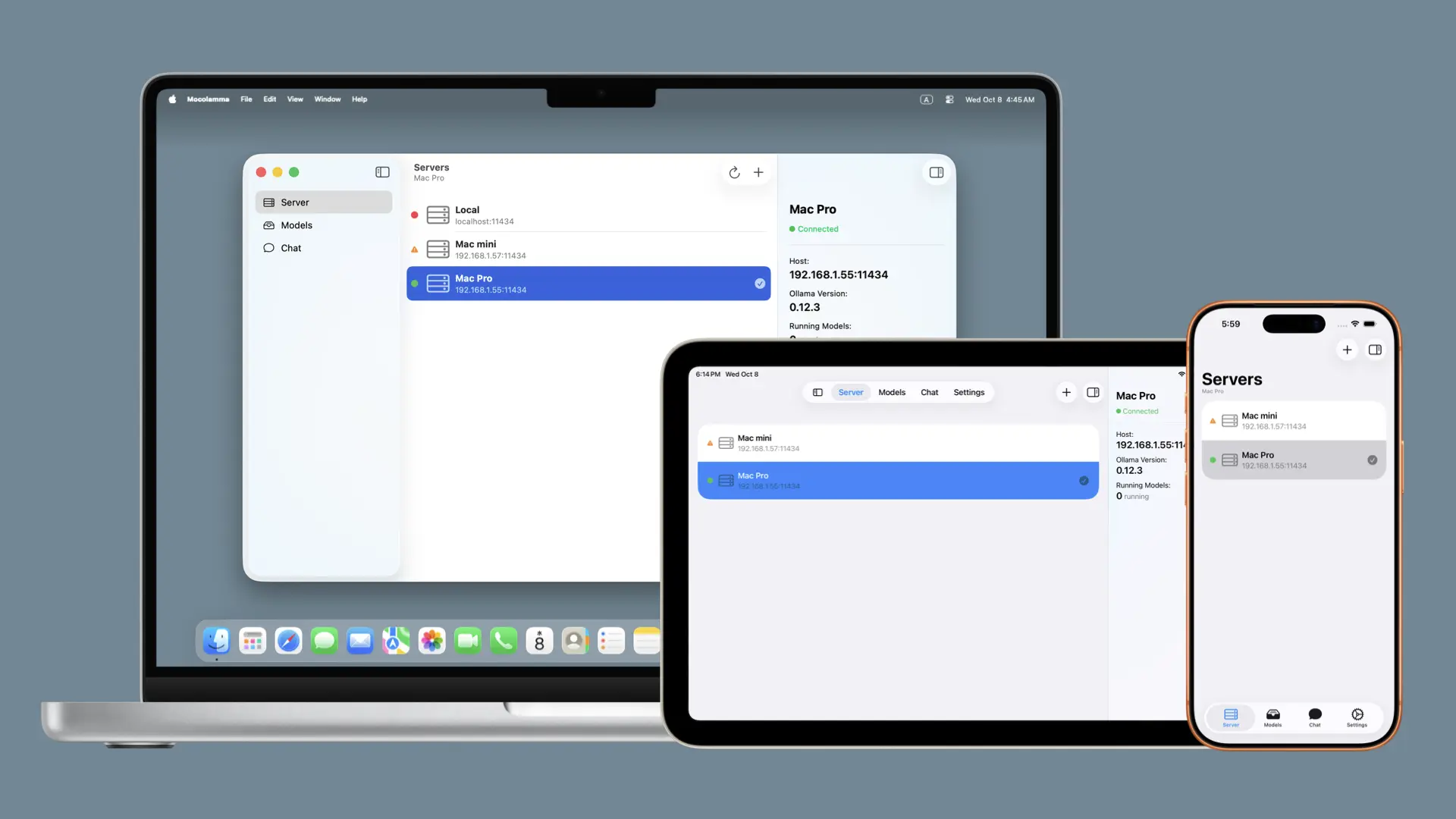
From the server tab, you can easily manage Ollama servers by adding, editing, and more. By default, the localhost server is registered on macOS, so if you're running the Ollama server on the Mac where you opened Mocolamma, you can start using it immediately without additional server setup.
Model Tab
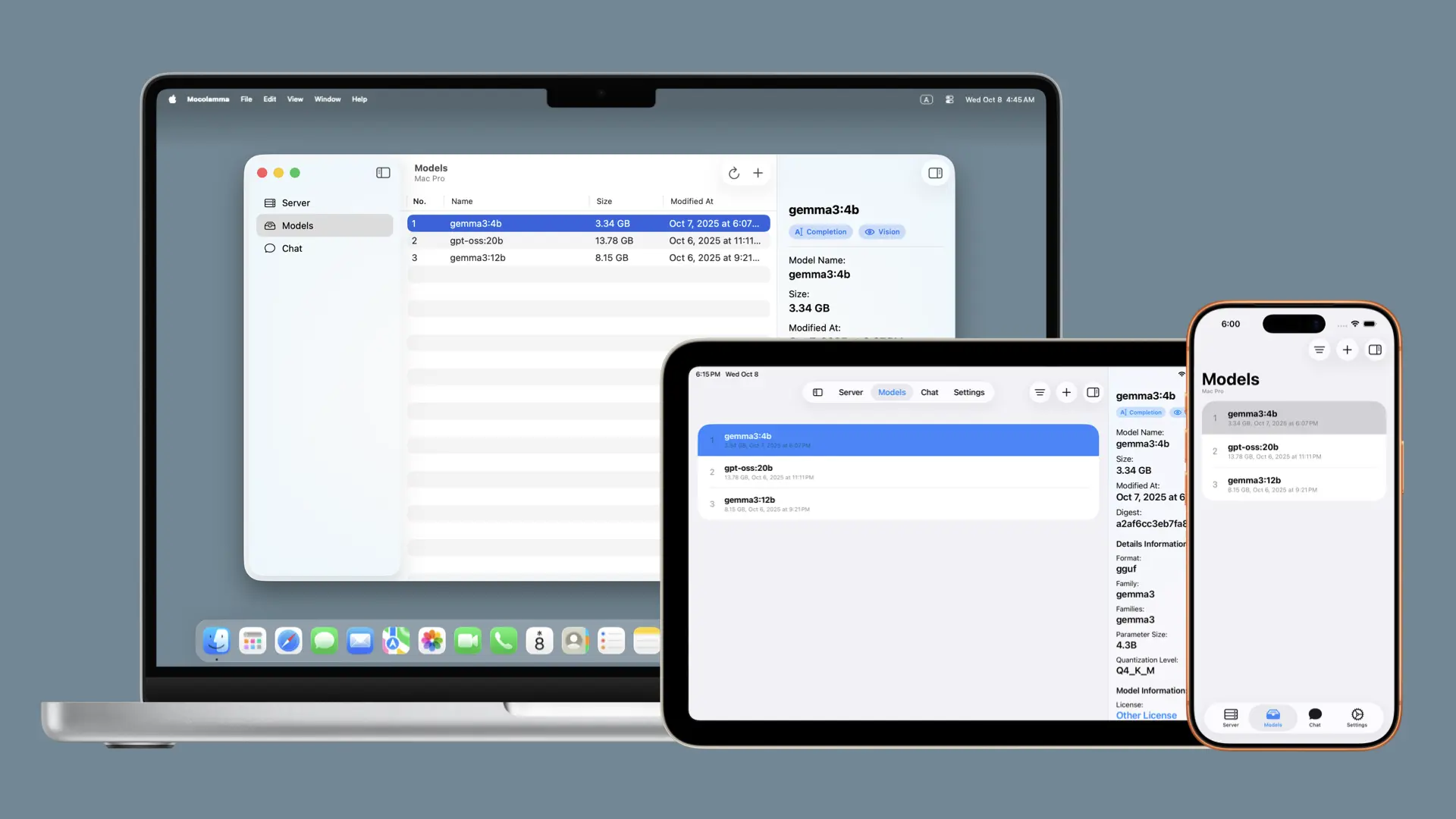
From the model tab, you can view models stored on the selected server and add models to the selected server. By opening the inspector, you can check specific model details as well.
Chat Tab
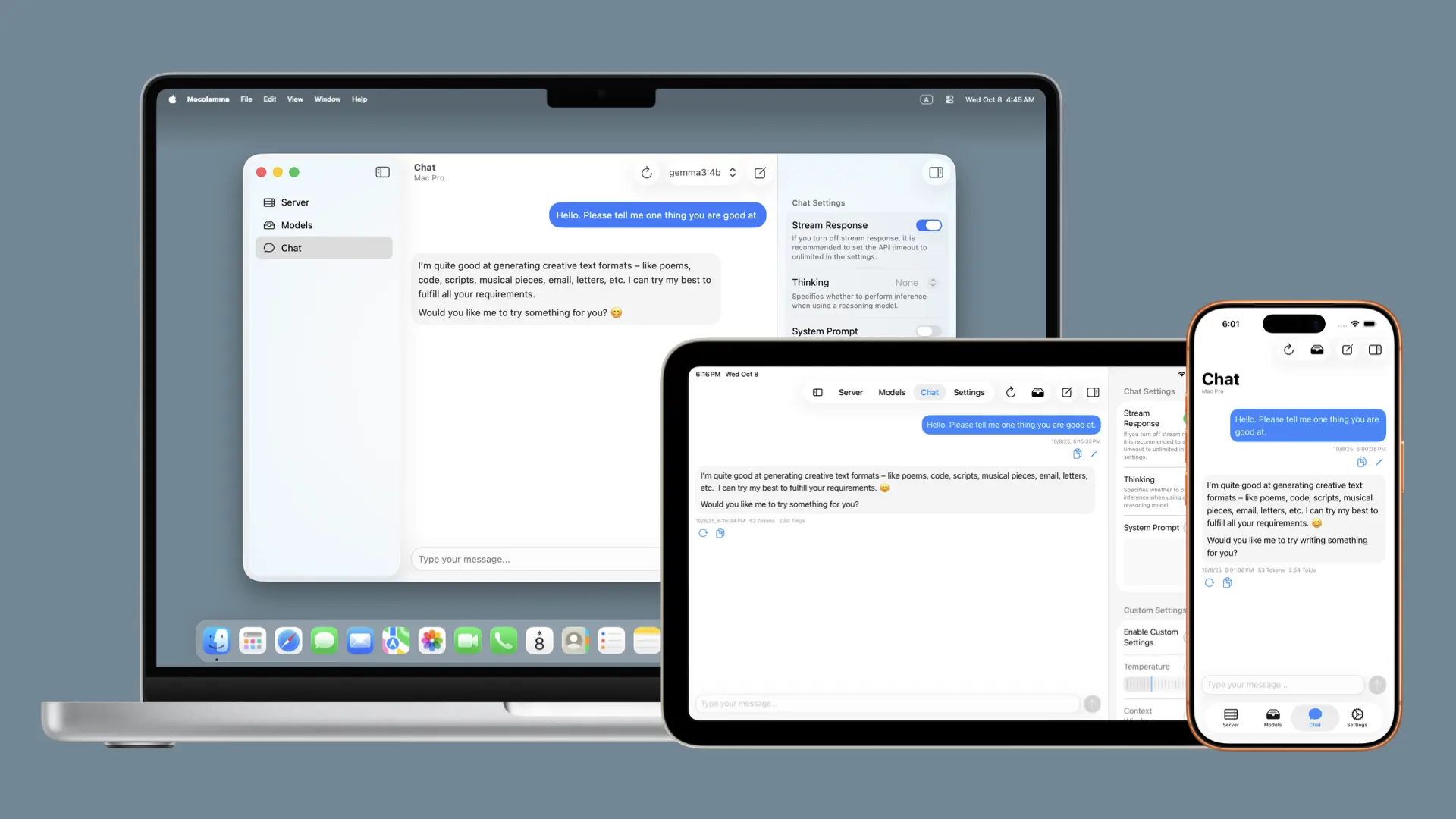
The chat tab allows you to have simple chats using models stored on the selected server. Since this is a simple chat for model testing, it does not have a message saving function, but it is useful for casually testing downloaded models.\ For advanced chat features, I recommend using the official Ollama app or a dedicated chat-focused application.
Image Generation Tab
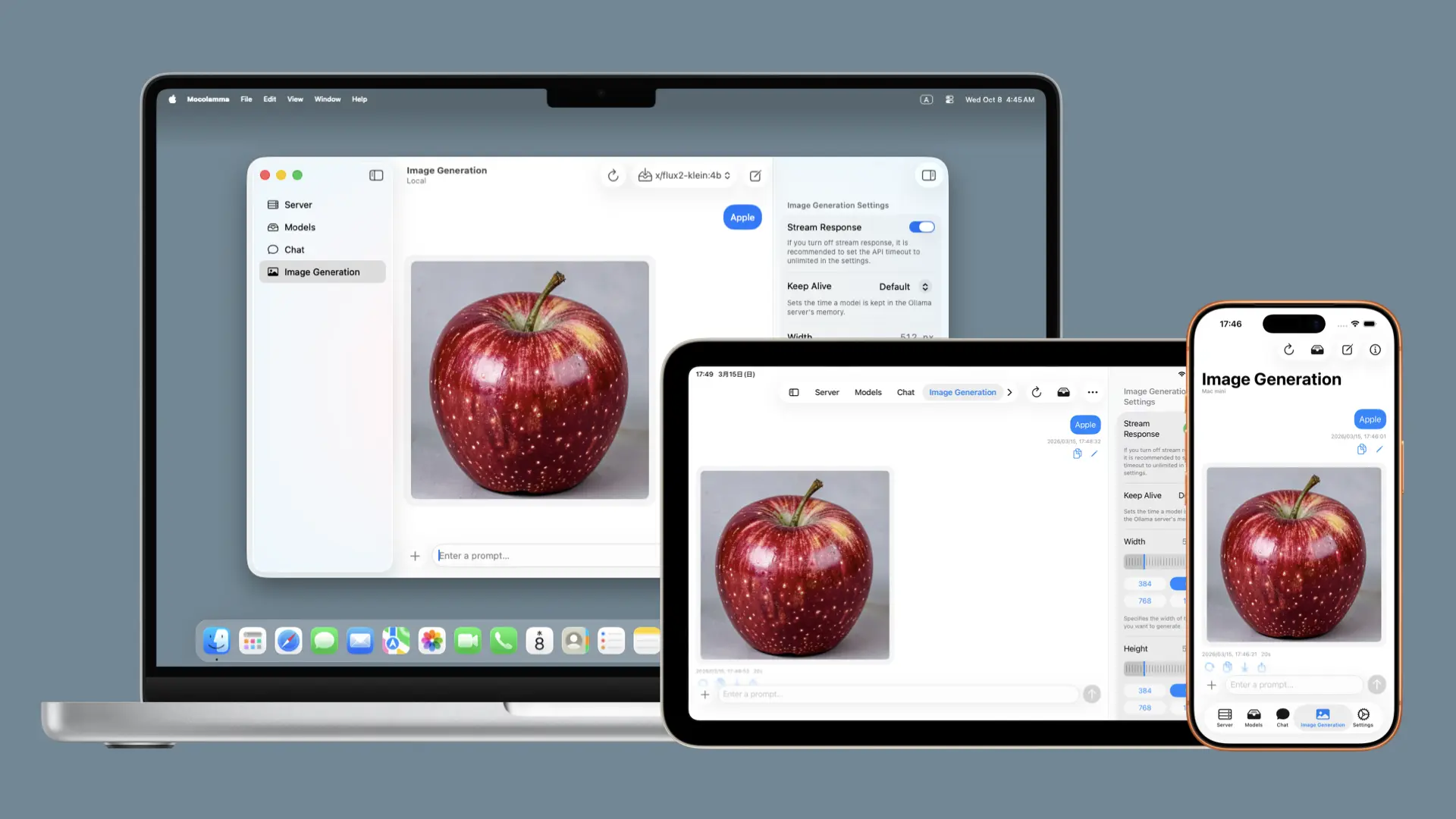
The image generation tab allows you to generate images using image models stored on the selected server. You can also save the generated images to your device or share them.
[!NOTE]
Ollama's image generation feature is currently in beta. It may stop working due to future changes in the Ollama API specification.\
Also, as of May 2026, using the image generation feature with Ollama requires using a Mac computer with Apple silicon as the Ollama server.
Privacy and Security
Mocolamma does not collect any information about users.\ Usage data and crash reports of users who have enabled "Share with App Developers" in the system settings "Analytics & Improvements" may be shared, but the app itself doesn't have any functionality to collect and send information. You can use it with peace of mind even if you're concerned about privacy.App Store Review Requests
The App Store version periodically (but very infrequently) displays a screen asking users to review the app on the App Store (Review Request Screen).This screen appears only when all of the following conditions are met:
- You are using the App Store version.
- The "Action Count," which represents the number of times major features have been used, is a total of 29 or more.
- At least 3 days have passed since the app was updated (since the first launch after the update).
- The Review Request Screen has not been displayed for the current app version.
- At least 90 days have passed since the last time the Review Request Screen was displayed.
- Review requests have not been disabled in the app settings.
When the above conditions are met, the Review Request Screen will appear at the following times:
- When a model download has successfully completed.
- When a chat is sent.
- When an image prompt is sent.
Support and Feedback
Bug Reports
Mocolamma is an app developed using generative AI. Although extensive testing was performed during development, bugs may remain, or some functions may not work properly.If you find bugs or operational issues, please check the already opened Issues (known bugs or issues) and look for the same problems already reported by others. If you can't find the same issue, please open a new Issue to report the problem.\ To make bug tracking easier, please open one Issue per issue if you want to report multiple issues. In other words, if you want to report two bugs, you need to open two Issues.
Feedback
If you want to submit bug reports, idea sharing, or messages to the developer (me) as someone without a GitHub account, please click this link or send an email through the "Send Feedback" button on the about screen (accessed from "About Mocolamma" on macOS, or from the information button in the settings tab on iOS / iPadOS / visionOS) (please note that I may not be able to reply to all messages).\ Opening the email sending screen from the in-app button will pre-fill necessary information such as system information (device model and OS version) and app version information, so I recommend sending from there.Community
A Discussions page is available where you can share new features you'd like added to the app, ask questions about potential issues, or exchange opinions with others.\ Please make good use of it as a place for information exchange. I often look at it too, so messages to the developer are welcome!Support Developer
Give a Star
Please click the "Star" button in the upper right corner at this page to give it a star!\ This button is like a thumbs up button and keeps me motivated to continue development! This feature is free, so please give it a star if you like Mocolamma!Donate
If you like Mocolamma, please donate to support continued development!You can donate using the following services.
Buy Me a Coffee
Support from the cost of a cup of green tea at Buy Me a Coffee.


