
🍅Pomosh is your next awesome Pomodoro Technique assistant on macOS. Lives right in your menubar. It's native and lightweight. Uses SwiftUI. has a nice tomato icon and also ready for 📱iOS and ⌚️ WatchOS 🙌 For download proceed with App Store link🔥

🍅 Pomosh • Pomodoro technique asistant •

Looking for iOS version repo? stevenselcuk/Pomosh-iOS-watchOS
About 🍅 Pomosh
Is it the first time remote working? Or are you tired of distraction at home in these COVID-19 days? Pomosh can help you fight against procrastination and distraction.
Is it the first time remote working? Or are you tired of distraction at home in these COVID-19 days? Pomosh can help you fight against procrastination and distraction.
How to:
A working block and a break count as a cycle. A Cycle with a 25-minute working & 5-minute break is a good starting point for newbies. How many cycles do you need in a day? It depends on your workload. It's time hustle. Create a new session and follow working/break cycles while working. Pomosh will help you focus.
Main Features:
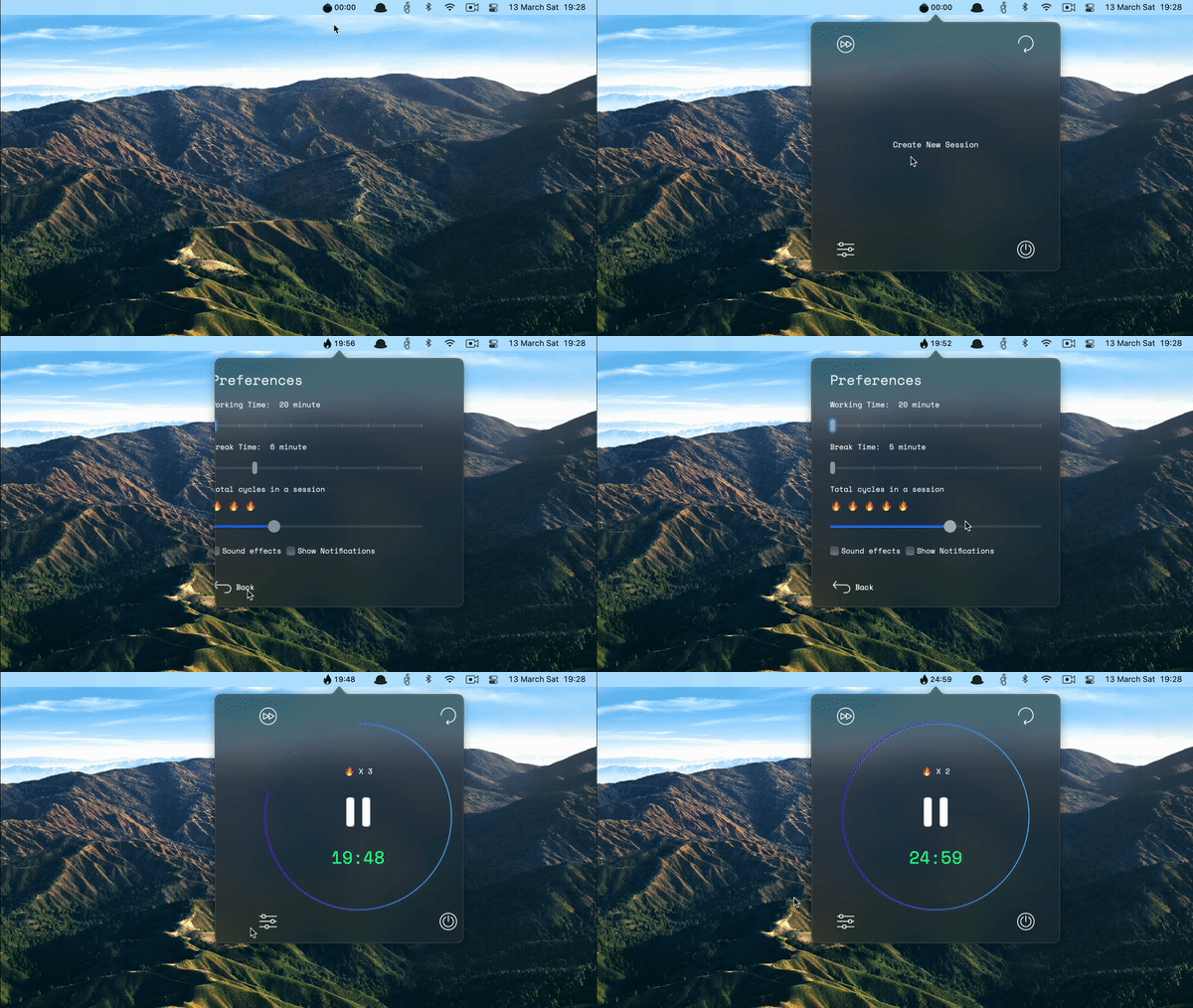
- Timer: Helps you to follow Pomodoro Technique practices. It shows remaining working/break time with remaining cycles in your session. You can start/pause with clicking. The first click on the timer creates a session. You can think session = your typical working day. The timer automatically continues between work/break cycles. You cannot skip a period. But, yes, you can pause the timer.
- Skip Button: You can skip current round if you failed your task.
- Reload Button: You can restart your round instead of skipping it if you failed your task.
- Settings: Pomosh is flexible. You can easily change the working & break duration. Also, you can set total cycles in a session, which depends on your workload and rhythm.
- Menubar Countdown: There is no need to click the app every time to check the remaining time. It shows working & break time. The flame icon means it's working time. Coffee cup with a clock says it's break time. Just enjoy your time. If countdown makes you worry a lot, remember that you can disable the menu bar timer at any time. 😌
- Notifications: Pomosh shows notifications when working time & break time ends. Do notifications annoy you? Just turn them off settings pane.
- Sound effects: A chime effect indicates time is up. You can turn off it off course.
- Global hotkeys: You can easily pause/start the timer with Control + Cmd + P
- Written with Swift & SwiftUI
Requirements 🤔
> macOS 15
Download 🚀
Roadmap 🗺
- [x] Submit to Apple Store!
- [x] Launch on Producthunt
Change log 🧠
🏷 v1.0.7 : Out-Of-AppStore Release
- I removed it from AppStore, so I needed a GitHub release
🏷 v1.0.6 : Improve the performance.
- Processor load optimization
🏷 v1.0.5 : Option for disabling menubar timer
- UI&UX related fixes
🏷 v1.0.4 : Option for disabling menubar timer
- New feature: Option for disabling menubar timer to decrease worries
🏷 v1.0.3 : New functions & more Big Sur
- Skip round feature
- Reload round feature
- Big Sur icons
- Menubar timer styling fix for Big Sur
🏷 v1.0.2
- Bugfix: Settings set issue on Big Sur has been fixed.
🏷 v1.0.1
- Improvements
- New feature: New sound effects for timer start/stop & creating new session action & Settings and back button clicks
- Bugfix: Notification badge now resets when the app launched.
🏷 v1.0 : Initial Release
Notes and Credits 🍍
Special thanks for her feedback to Heval Hazal Kurt 🙌
Some of icons made by Freepik from www.flaticon.com


