
Dash Single Page Application (SPA) Framework
[![Build Status][buildstatusbadge]][buildstatuslink]
Dash Single Page Application (SPA) Framework
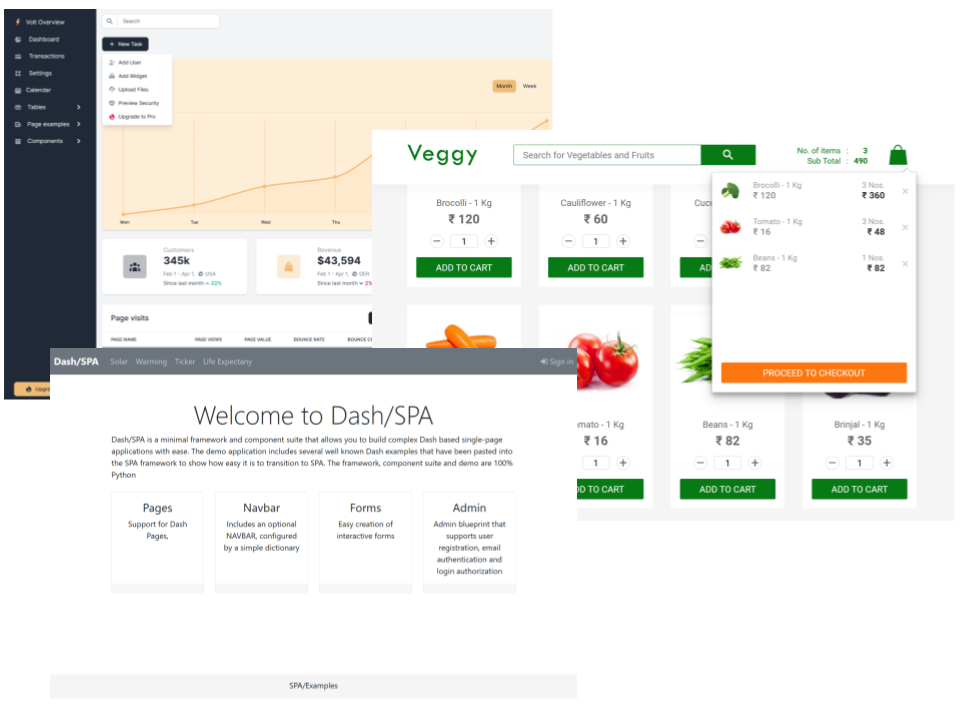
DashSPA is a component suite that allows you to build complex [Plotly/Dash] based multi-page applications with ease. The demo application includes several well known Dash demos that have been pasted into the SPA framework to show how easy it is to transition to SPA.
To appreciate what you can do with DashSPA take a look at [dash-flightdeck].
Usage
pip install dash-spa
or to install the optional admin support
pip install dash-spa[admin]
Demo and Examples
To try the demo perform the following steps:
git clone https://github.com/stevej2608/dash-spa.git cd dash-spa
pip install poetry poetry install --no-root
Then start the demo with:
python usage.py or:
python waitress_server.py
When run the demo for the first time you will be asked to create an admin account. Enter any email address and password you fancy. To manage users, as admin, select Users from the My Account drop-down on the nav-bar.
Docker Demo Website
Perform the following steps to build and run the demo website in an nginx docker container.
Build demo website Docker image:
docker build -t holoniq/dash-spa .
Run website (waitress server):
docker run -it --rm -p 80:5000 holoniq/dash-spa
Visit http://localhost/
Remove image:
docker rmi holoniq/dash-spa
DashSPA Features
The following DashSPA features are implemented to allow [Plotly/Dash] to be more easily used at scale.
DashSPA Uses an enhanced version of Dash Pages together with a state context/provider pattern similar to React.js.
simple.py
from dash import html import dashbootstrapcomponents as dbc from dashspa import DashSPA, pagecontainer, register_page from server import serve_app
app = DashSPA(name,external_stylesheets=[dbc.themes.BOOTSTRAP])
def big_center(text):     className='display-3 text-center'     return html.H2(text, className=className)
def page_layout():     return big_center('Simple Page Example')
page = registerpage("test.page1", path='/page1', title='Page1', layout=pagelayout)
if name == "main":     app.layout = page_container     serve_app(app, debug=False, path=page.path)
DashSPA manages component IDs using page namespaces. This greatly reduces Dash component ID conflicts. A component ID is only ever defined once when the component is created. It is then used by reference in associated Dash callbacks:
from dash import html
import dashbootstrapcomponents as dbc
import dashholoniqcomponents as dhc
from dashspa import registerpage, callback
page = register_page(name, ...')
user_name = dbc.Input(id=page.id('user'), placeholder="Enter name") password = dhc.PasswordInput("Password", name='password', id=page.id('password'), placeholder="Enter password")
btn = html.Button('Enter', id=page.id('enter'), disabled=True)
@callback(btn.output.disabled, user_name.input.value, password.input.value) def cbenter(user_name, password):     return not dbvalidateuser(user_name, password)
DashSPA includes an optional NAVBAR, configured by a simple dictionary:
import dash_spa as spa from pages import NAVBAR_PAGES from dashspaadmin import AdminNavbarComponent
NAVBARITEMS = {     'brand' : spa.NavbarBrand(' DashSPA','/'),     'left' : [spa.NavbarLink(path=path) for path in NAVBAR_PAGES],     'right' : AdminNavbarComponent() }
navbar = spa.NavBar(NAVBARITEMS)
layout = navbar.layout()
A context can have any number of @Context.Providers. This pattern makes it possible to create generic Dash components that communicate with host application via ContextState.
ContextState can, if required, have session persistence.
Example usage:
@dataclass class ButtonState(ContextState):     clicks: int = 0
ButtonContext = createContext(ButtonState)
def Button(id):     state = ButtonContext.getState()     btn = html.Button("Button", id=id)
@ButtonContext.On(btn.input.n_clicks)     def btn_click(clicks):         state.clicks += 1
@ButtonContext.Provider() def layout():     state = ButtonContext.getState()     btn =  Button(id='test_btn')     div = html.Div(f"Button pressed {state.clicks} times!")     return html.Div([btn, div])
DashSPA Tables
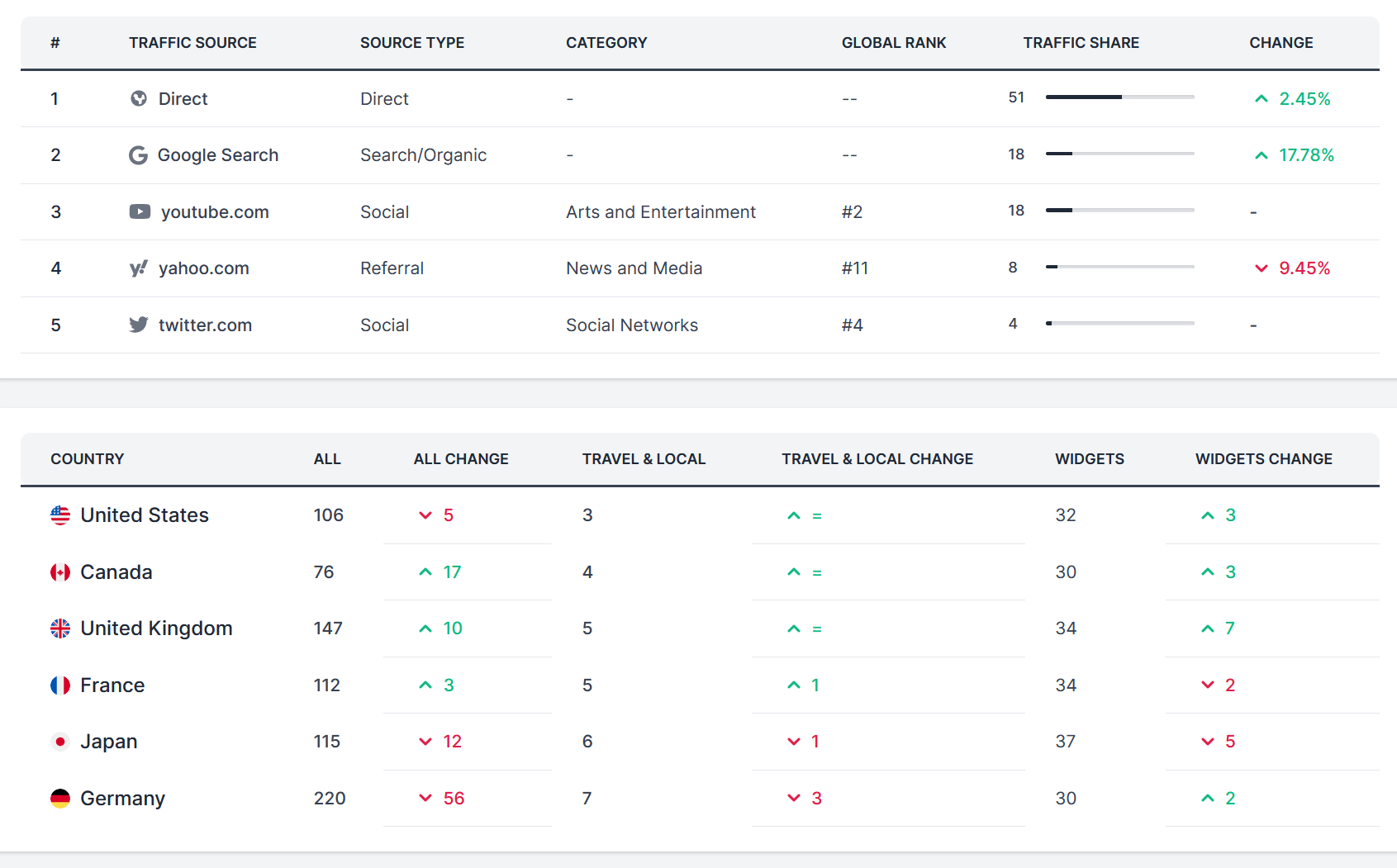
It's easy it create great looking tables with optional search and pagination. Table cells can contain text and active components. Table, search and pagination layout is completely flexible.
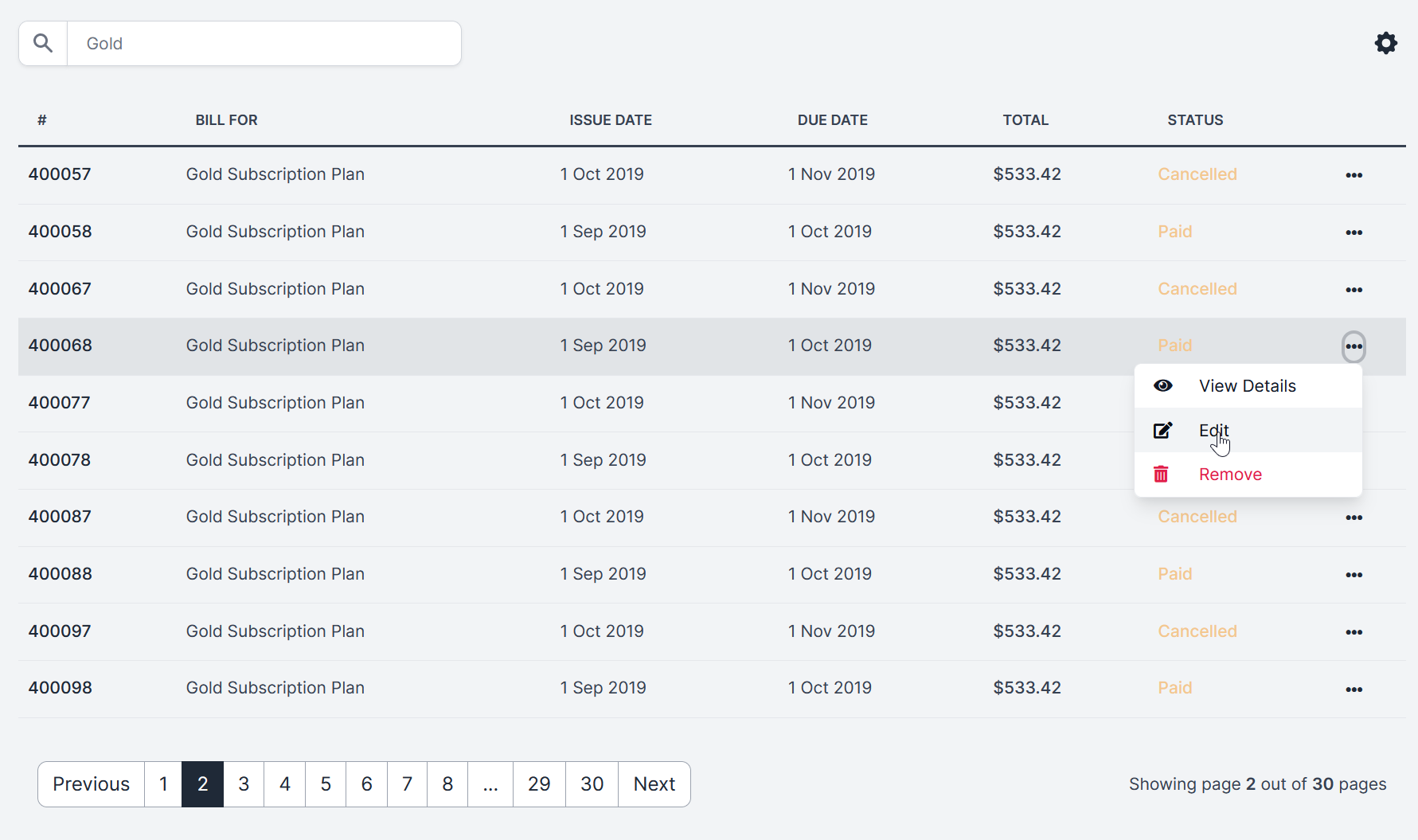
Tables are defined in a few lines:
@TableContext.Provider()
def create_table(id):
state = TableContext.getState()
df1 = filterstr(df, state.searchterm)
ordersTable = OrdersTable(         data=df1.to_dict('records'),         columns=[{'id': c, 'name': c} for c in df.columns],         page = state.current_page,         pagesize = state.pagesize,         id=id     )
return ordersTable
Tables are customised by creating a custom tableRow method for the table:
def tableRow(self, index, args):
    name, views, value, rate, change = args.values()
    icon = UP if change == "Up" else DOWN
    return  html.Tr([
        html.Th(name, className='text-gray-900', scope='row'),
        html.Td(views, className='fw-bolder text-gray-500'),
        html.Td(value, className='fw-bolder text-gray-500'),
        html.Td([
            html.Div([
                icon,
                rate
            ], className='d-flex')
        ], className='fw-bolder text-gray-500')
    ])
DashSPA Allows easy creation of interactive forms
from dash_spa import SpaForm, isTriggered
frm = SpaForm('loginFrm')
email = frm.Input('Email', name='email', type='email', placeholder="Enter email") password = frm.PasswordInput("Password", name='password', placeholder="Enter password") button = html.Button('Sign In', type='submit')
form = frm.Form([     email,     password,     button, ], title='Sign In'),
@app.callback(form.output.children, form.input.form_data) def formsubmit(values):
if isTriggered(form.input.form_data):         print(values)
return spa.NOUPDATE
DashSPA Supports page containers.
Page containers define markup wrappers for page content. This allows layout themes to be created. In DashSPA all pages are rendered in a default container but only if one has been defined. If a default container is not defined the page is rendered raw.
To define a default container, in any module in the ./pages folder:
/pages/
from dash import html import dash_spa as spa
Example DashSPA container
def my_container(page, layout,  **kwargs):     try:         # Page to be rendered
CONTENT = layout(**kwargs) if callable(layout) else layout
# Return the container markup with the content embedded
return html.Div([             MY_NAVBAR(),             html.Br(),             html.Div([                 html.Div([                     html.Div([], className="col-md-1"),                     html.Div(CONTENT, className="col-md-10"),                     html.Div([], className="col-md-1")                 ], className='row')             ], className="container-fluid"),             MY_FOOTER()         ])     except Exception:         page = spa.pagefor('pages.notfound_404')         return page.layout()
spa.registercontainer(mycontainer)
Any number of containers can be defined. To use an alternative container simply register the page specifying the container to use:
register_page(name,..., c)
DashSPA Has protected pages
A number of layout() decorators are defined.
@login_required: Will test to see is a user is logged in. If not the 404 page is displayed.
@role_required('role') Will test to see if the current user has been assigned the required role. If not the 404 page is displayed.
The decorators raise exceptions that are handled by the associated container. See pages/containers.py
from dashspa import registerpage, currentuser, loginrequired
register_page(name, ...)
@login_required def layout():   return "Big SECRET for {current_user.name}"
from dashspa import registerpage, currentuser, rolerequired
register_page(name, ...)
@role_required('admin') def layout():   return "Big ADMIN SECRET for {current_user.name}"
DashSPA Has a server-side session data cache. Back ends are available for [diskcache] and [REDIS].
The shape of session data is defined using [dataclasses].
@session_data()
class ButtonState(SessionContext):
    clicks: int = 0
ctx = session_context(ButtonState) ctx.clicks += 1
Any number of session data objects can be defined.
DashSPA Examples
Several example are available. The most comprehensive is Veggy. Other examples are minimalistic and focus on DashSPA specifics. See also the separate DashSPA [dash-flightdeck] dashboard project
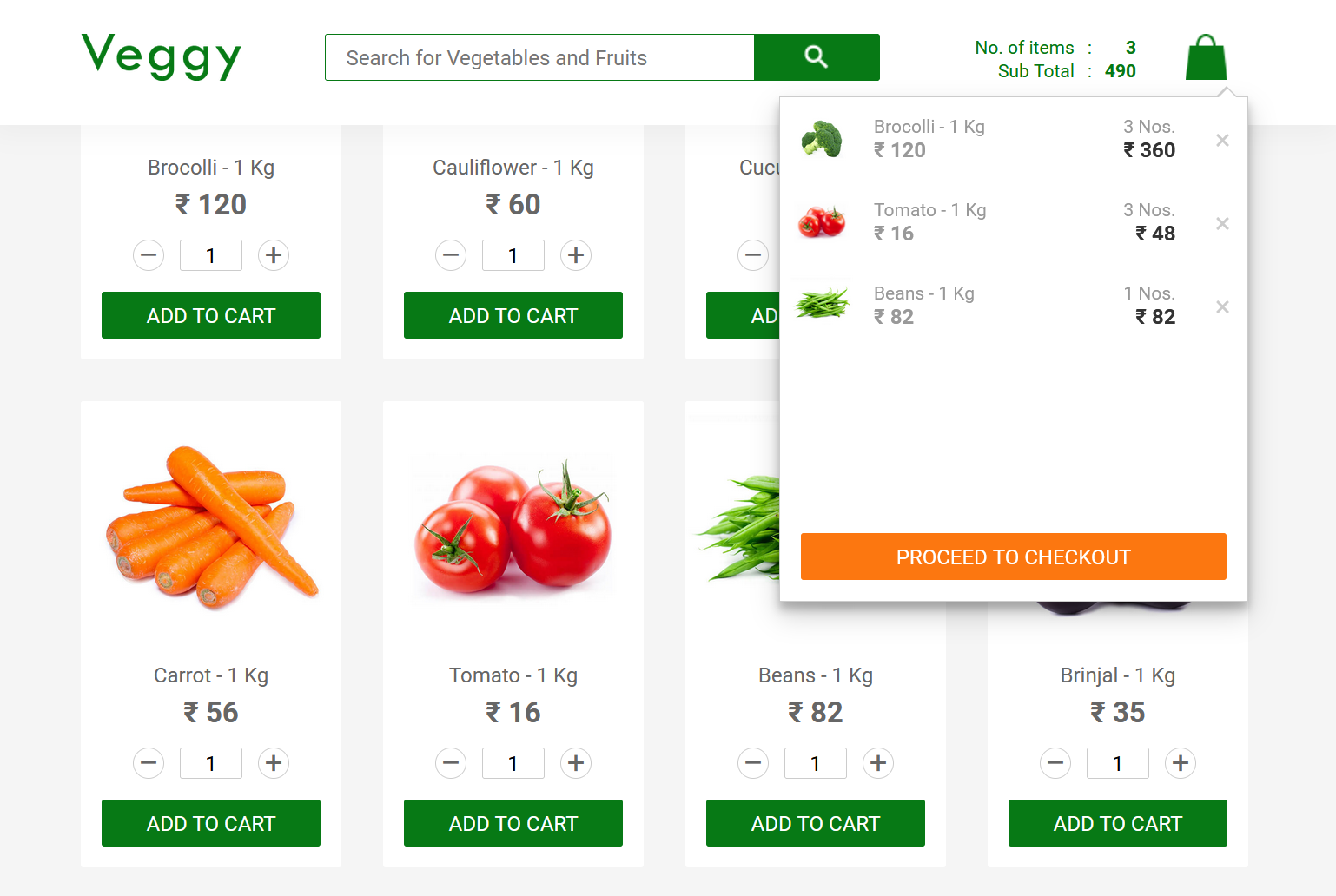
1. Veggy This is a fully working clone of the React shopping cart demo, Veggy.
Written in less than 250 lines of Python, it's far smaller than the React version. Eat your (artichoke) heart out React!.
python -m examples.veggy.app
2. Minimal MultiPage An example of a multi-page app with navbar and footer in less than sixty lines of code.
python -m examples.multipage.app
3. React CRA clone
python -m examples.cra.app
4. DashSPA Forms example
python -m examples.forms.app
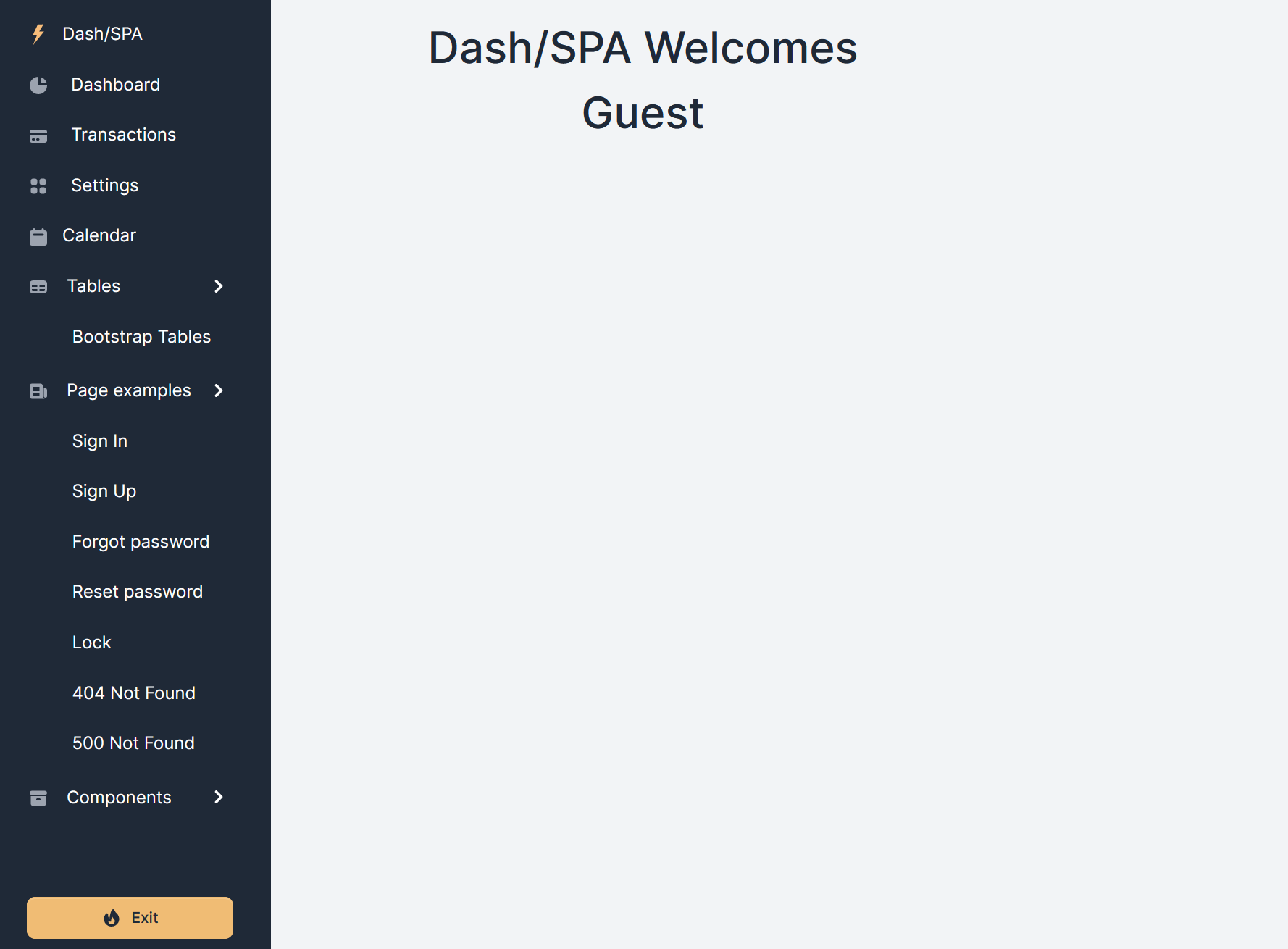
5. DashSPA Sidebar example
The example sidebar is less than eighty lines of code, see sidebar.py
python -m examples.sidebar.app
Login Manager
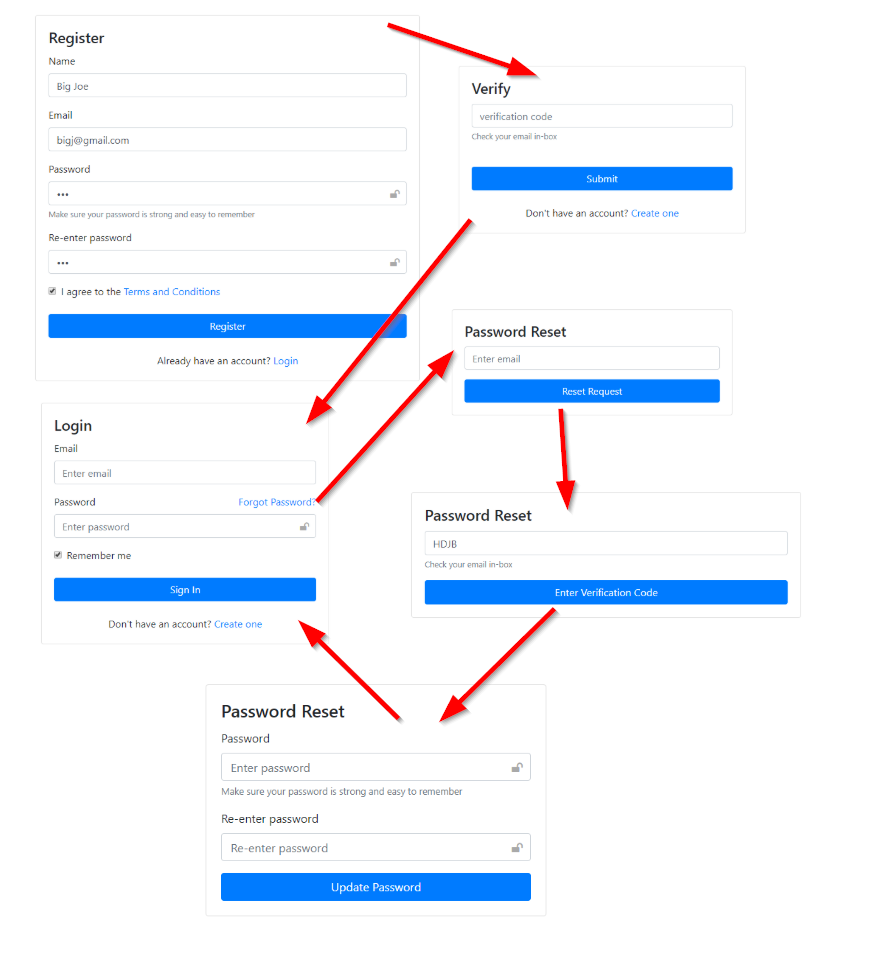
DashSPA Includes an optional LogninManager that supports user registration, email authentication and login. This is provided as a demonstrator, careful consideration to the security implications should be undertaken before using it in a public website.
Views are provided that allow:
- Register, name, email, password. Verification code send by email.
- Enter the email verification code.
- Normal user login.
- Reset forgotten password, Password reset code sent by email.
- Enter password reset code.
- Enter new password, confirm new password.
- Login using new password.
User DB
User details are held in a local sqlite db. The SQLAlchemy model and all DB interaction is defined in login_manager.py. It should be straight forward to modify this for other databases.
Authentication mailer
The authentication mailer is configured in spa_config.ini this will need to be modified to include the details for your email agent, see below.
If you use gmail just change the user/password details in the [login_manager.mail]. Emails sent by the mailer will have come from [login_manager.mail].sender edit this field as required. Gmail will flag unknown emails as a security risk. This can be overridden in the gmail account.
Configuration
Configuration details are in .ini files. The DashSPA will look for one of the following files: 'config/spaconfig.ini', 'spaconfig.ini', '.env'.
An additional file, defined by the ENV var DASHSPAENV can be defined to overwrite selected settings in the base file. If DASHSPAENV=test then the file spa_config.test.ini will overwrite entries in spa_config.ini
The following configuration options can be set:
[logging] level=WARN DASH_LOGGING=False
[flask] SECRET_KEY=my secret flask password URL_PREFIX=api
[session_storage] expire_days=30 backend=diskcache diskcachefolder=tmp/cache/spasessions
[session_storage.redis] host=redis_server ;host=172.172.0.128
[login_manager] ; Set True to enable login manager enabled=True ; DB holds user registration details database_uri=sqlite:///db.sqlite ; Verify users using email verification code. If not enabled users can ; register without verification verify_users=False
[login_manager.mail] ; User email verification agent details sender=admin@bigjoes.com host=smtp.gmail.com port=465 secure=True user=bigjoe password=1234
password=${MAIL_PASSWORD}
DashSPA will then read the password from the ENV variable MAIL_PASSWORD
Build the project
The dash-spa package is available on [pypi]. If needed, to create a local tarball, first change the release version in dashspa/version.py, then:
rm -rf dist dash_spa.egg-info build
python setup.py sdist bdist_wheel
The tarball is in dist/dash_spa-
To install the tarball in a dash project:
pip install dash_spa-
Testing
Pytest and Dash Duo are used for testing. To run these tests both the Chrome browser and Chrome driver must be installed. See Dockerfile.dev for details.
To run the tests:
pytest tests
Coverage
pytest --cov=dash_spa --ignore=tests/admin tests
pytest --cov=dashspaadmin tests/admin
Publish
twine upload dist/*
[pypi]: https://pypi.org/project/dash-spa/ [Plotly/Dash]: https://dash.plot.ly/introduction [plugin]: https://community.plotly.com/t/introducing-dash-pages-a-dash-2-x-feature-preview/57775 [Volt Bootstrap 5 Dashboard]:https://demo.themesberg.com/volt/pages/dashboard/dashboard.html [diskcache]: https://grantjenks.com/docs/diskcache/ [REDIS]: https://redis.io/ [dataclasses]: https://realpython.com/python-data-classes/ [dash-flightdeck]: https://github.com/stevej2608/dash-flightdeck
[buildstatusbadge]: https://github.com/stevej2608/dash-spa/actions/workflows/test.yml/badge.svg [buildstatuslink]: https://github.com/stevej2608/dash-spa/actions/workflows/test.yml


