
3D Object detection using the ZED and Tensorflow
3D Object Detection using ZED and Tensorflow 1
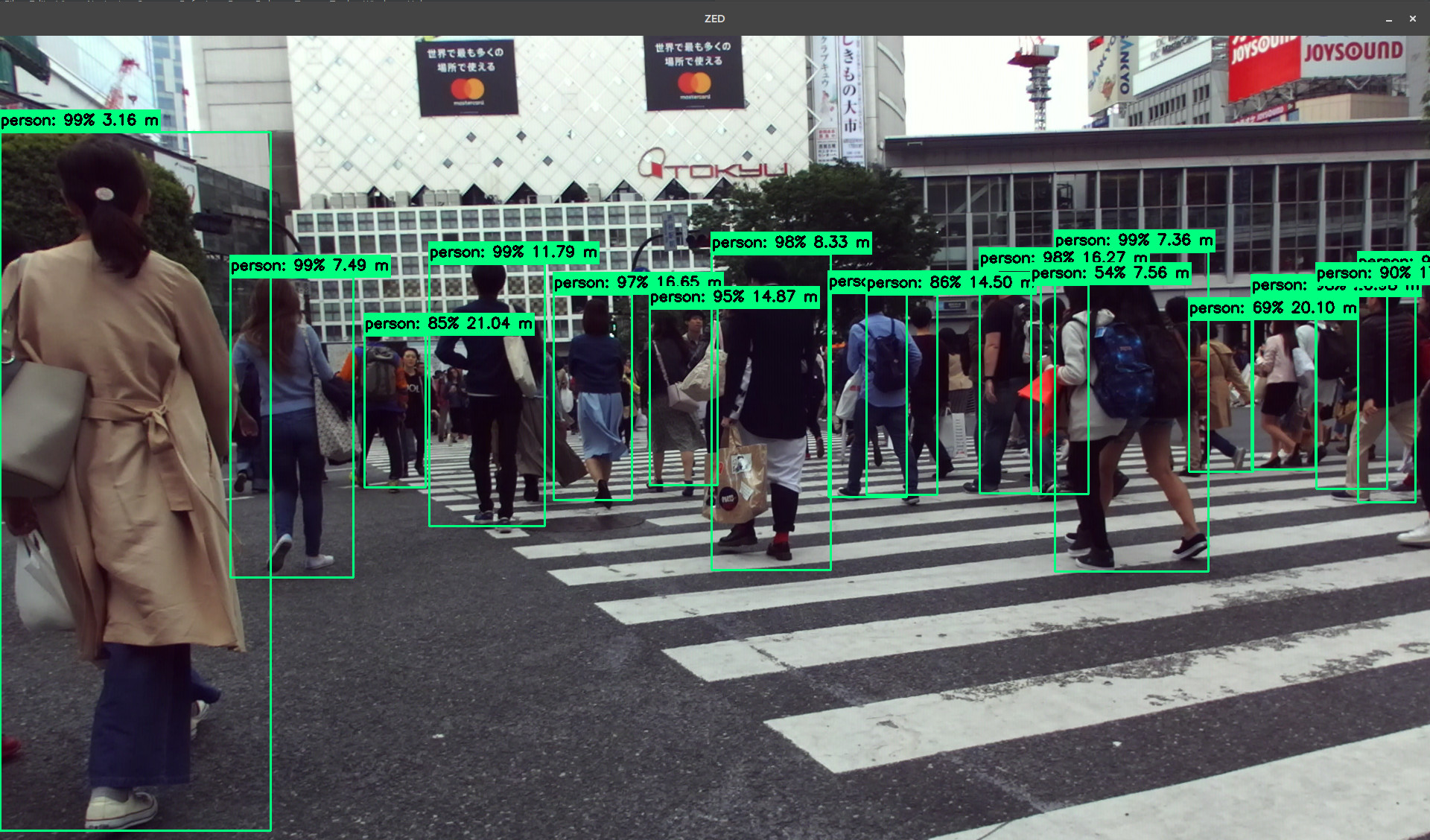
The ZED SDK can be interfaced with Tensorflow for adding 3D localization of custom objects detected with Tensorflow Object Detection API. In this Python 3 sample, we will show you how to detect, classify and locate objects in 3D space using the ZED stereo camera and Tensorflow SSD MobileNet inference model.
Installation
Dependencies
The 3D Object Detection project depends on the following libraries:
- Python 3
- CUDA
- ZED SDK 3
- ZED Python API
- cuDNN
- Tensorflow 1
- Tensorflow Object Detection API
- OpenCV
Getting Started
ZED SDK Installation
Install the ZED SDK and the ZED Python API.
cuDNN Installation
Install cuDNN. Read the support matrix for the corresponding CUDA and driver version.
Tensorflow Object Detection API Installation
Install Tensorflow 1 with GPU support by reading the following instructions for your target platform.
# GPU package for CUDA-enabled GPU cards
python -m pip install tensorflow==1.15
Install Tensorflow Object Detection API by following these instructions and download the model repository.
git clone https://github.com/tensorflow/modelsTest that you have correctly installed the Tensorflow Object Detection API by running the following command:
python objectdetection/builders/modelbuilder_test.pyNote: If you get an import error, make sure that tensorflow/models/research/slim directories have been added to PYTHONPATH. This can be done by running the following command:
# From tensorflow/models/
export PYTHONPATH=$PYTHONPATH:pwd:pwd/slim
Running the sample
Make sure the virtualenv is active.
source ~/tensorflow/bin/activateRun the code with python3.
python3 objectdetectionzed.pyTesting other models
In this example, we're using the computationally efficient MobileNet model for detecting objects. You can change this by updating the MODELNAME variable and selecting another one from Tensorflow model zoo. These models will be downloaded and extracted automatically. For example, a ResNet model can used by changing MODEL_NAME to :
# Full model name required
MODELNAME = ssdresnet50v1fpnsharedboxpredictor640x640coco14sync201807_03
Testing a custom model
Other custom object detection models can be loaded by modifying the PATHTOFROZENGRAPH, variable typically called frozeninferencegraph.pb.
Running a Docker Container
A DockerFile is provided in the docker folder.
Notes
CUDA / cuDNN version
Please refer to the Tensorflow compatibility table to know the appropriate cuDNN and CUDA versions for a given Tensorflow version. At the moment of writing, Tensorflow requires CUDA 9.0 and cuDNN 7.
Architecture
This sample uses 2 threads, one for the ZED images capture and one for the Tensorflow detection. While it may seem complex at first, it actually solves 2 issues:
- Performance is increased, as depth computation is done in parallel to inference.
- Tensorflow and the ZED SDK uses CUDA GPU computation and therefore requires the use of CUDA contexts. Since we currently can't share the CUDA Context between the ZED and TF, we have to separate the GPU computation. Each CUDA context must therefore have its own thread.


