
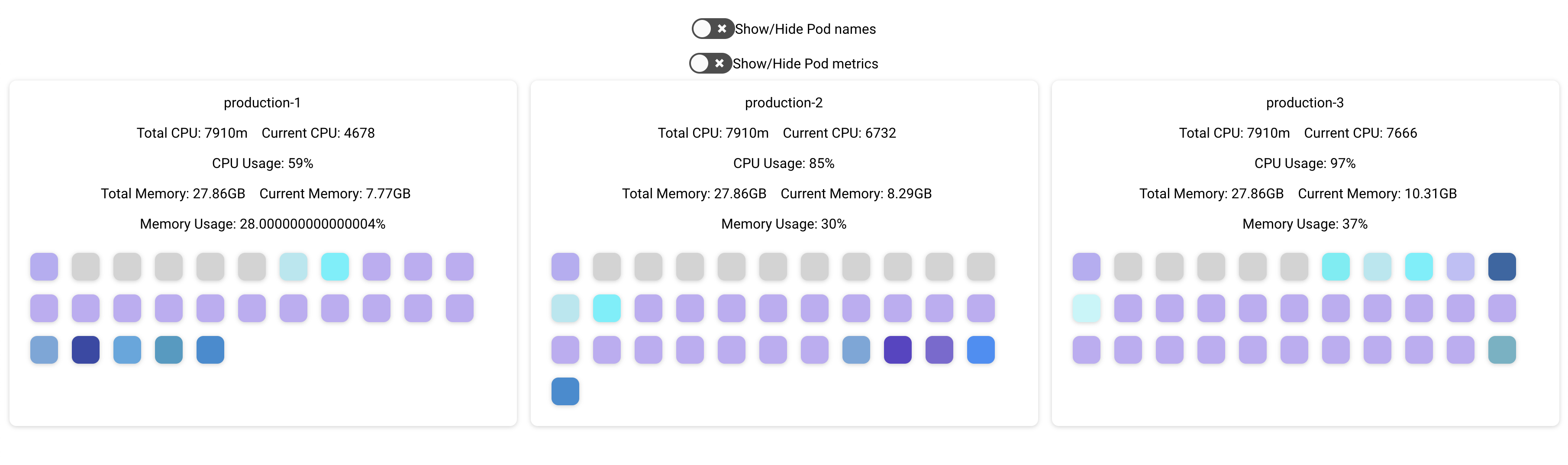
Kubernetes resource dashboard with node/pod layout and resource requests
Last updated Nov 8, 2025
57
Stars
4
Forks
1
Issues
0
Stars/day
Attention Score
10
Language breakdown
TypeScript 47.1%
Go 39.5%
Sass 7.0%
Makefile 2.9%
Dockerfile 2.0%
HTML 1.5%
▸ Files
click to expand
README
kuberhaus
Resource dashboard for kubernetes
Setup
Connect to your desired kubernetes cluster:
kubectl config use-context <cluster-name>go run main.goNow start the dashboard:
cd dashboard
yarn
yarn start
Using Docker
Use existing image stevelacy/kuberhaus
docker run -v ~/.kube/:/root/.kube -p 8282:8282 --name stevelacy/kuberhaus:latest
Open http://localhost:8282
Build image
docker build -t kuberhaus:latest .Run container and mount config to container
docker run -v ~/.kube/:/root/.kube -p 8282:8282 --name kuberhausRunning on kubernetes
Kuberhaus will automatically retrieve the KUBERNETESSERVICEHOST variable and connect to the parent cluster
deployment.yaml
apiVersion: apps/v1
kind: Deployment
metadata:
  name: kuberhaus-deployment
  namespace: kube-system
  labels:
    app: kuberhaus
spec:
  replicas: 1
  selector:
    matchLabels:
      app: kuberhaus
  template:
    metadata:
      labels:
        app: kuberhaus
    spec:
      serviceAccountName: cluster-admin
      containers:
      - name: kuberhaus
        image: stevelacy/kuberhaus:latest
        imagePullPolicy: Always
        ports:
        - containerPort: 8282
---
kubectl apply -f deployment.yaml
Access it with kubectl port-forward
kubectl port-forward -n kube-system kuberhaus-deployment-<id> 8282:8282
MIT


