
:zap: Delightful AppImage package manager

⚡️ Zap
The delightful package manager for AppImages
Report bug · Request feature




Looking for the older Zap v1 (Python) implementation? Head over to v1 branch.
Getting Started ✨
Automated Installation
For installing zap you can use our little bash script.The installer requires curl, grep jq and wget (optional). Please make sure you have it installed.
For system-wide installation (needs sudo)
curl https://raw.githubusercontent.com/srevinsaju/zap/main/install.sh | sudo bash -sNote: Always Check bash scripts before running as sudo. You can feel free to check out install.sh, it's safe.
For local installation run
curl https://raw.githubusercontent.com/srevinsaju/zap/main/install.sh | bash -sManual Installation
For system-wide installation (needs sudo)
sudo wget https://github.com/srevinsaju/zap/releases/download/continuous/zap-amd64 -O /usr/local/bin/zap sudo chmod +x /usr/local/bin/zap zap --helpFor local installation, (requires ~/.local/bin to be on $PATH)
mkdir -p ~/.local/bin wget https://github.com/srevinsaju/zap/releases/download/continuous/zap-amd64 -O ~/.local/bin/zap chmod +x ~/.local/bin/zap zap --helpNOTE: Replace amd64 with your machine architecture. Supported architectures are listed in the release page
Installing AppImages
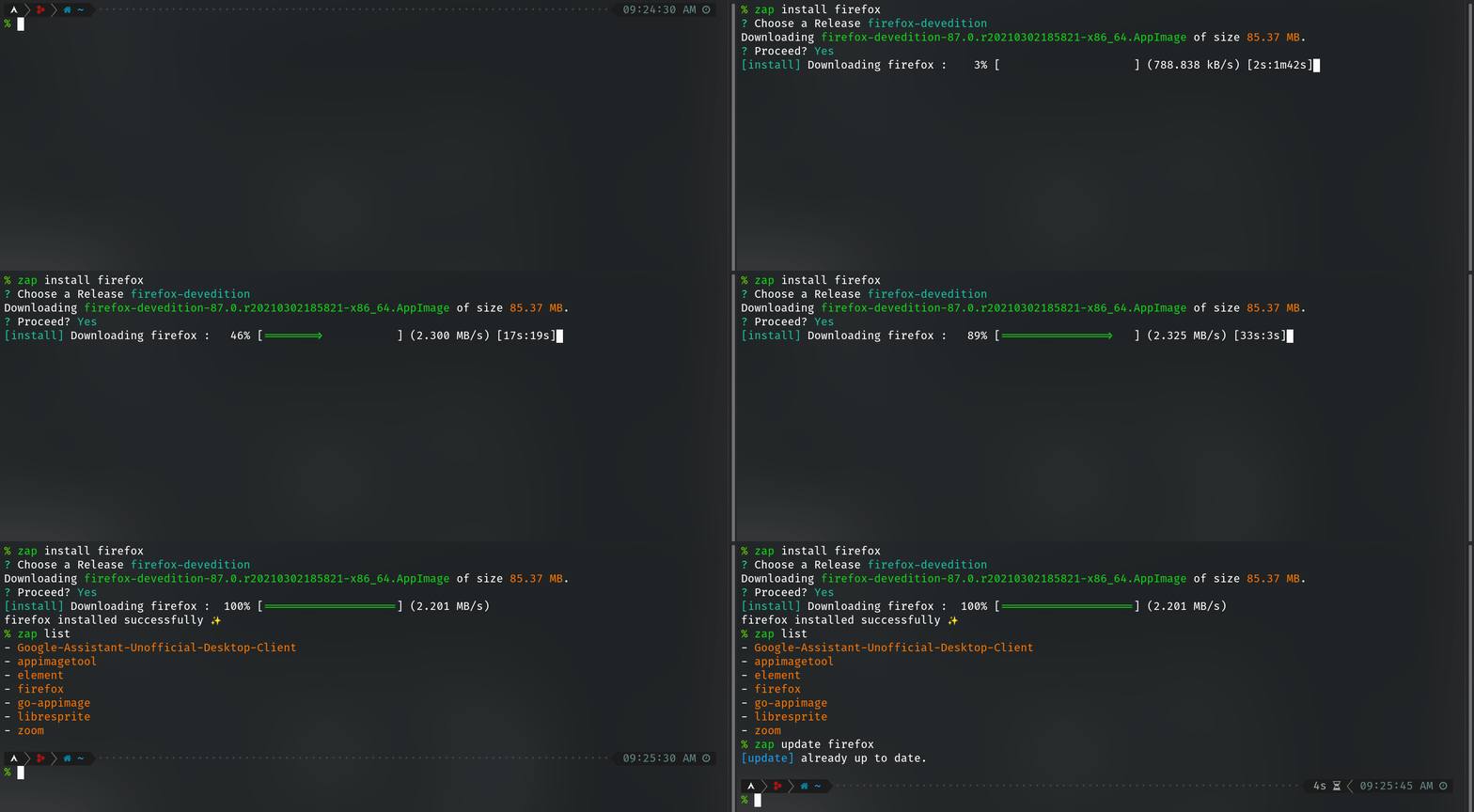
All AppImages from the AppImage Catalog and AppImage catalog v2 can be installed using zap with their registered name.zap install elementYou can also install appimages from GitHub releases
zap install --github --from vscodium/vscodiumwill put some options which will let you choose the best version for your system.
It is also possible to install AppImage from URLs
zap install --from https://f.sed.lol/wow.AppImage wowTo integrate a locally downloaded AppImage,
zap install libresprite ~/Downloads/Libresprite-x86_64.AppImage... or using the file:// protocol
zap install --from file:///home/username/Downloads/MySuperCool-x8664.AppImage nameoftheapp_herenameoftheapphere specifies the name of the application. This name will be used as a unique identification of the AppImage, by zap, in its internal database.
Updating AppImages 🔄
AppImages can be optionally, automatically updated using thezapd, but to achieve this manually, you need to
zap update firefoxFor those AppImages not supporting delta updates, you can still do
zap install zoomUpgrade 🚀
zap also supports updating all the apps together using appimage-update.
zap upgradeConfiguration ⚙️
It is possible to interactively configurezap. All you need to do is
zap initDaemon 🏃
zapd is a Zap AppImage daemon which periodically checks for updates.
zap daemon --installThis will install a systemd service in the local (user) level, which will spawn zap daemon which auto-updates the AppImages.
To run the daemon (sync), do
zap daemonSupport 💸
All Pull Requests are welcome.
If you are a non-coder or was inspired by this small project, I would be glad if you would :star2: this repository, and spread the word with your friends and foes :smile:
Credits 🙏
This project has been possible with the help and support provided by the AppImage community. Thanks to the detailed responses I received from mentors at AppImage's freenode channel.
License ⚖️
MIT License
Copyright (c) 2020-23 Srevin Saju, and other zap contributors
Permission is hereby granted, free of charge, to any person obtaining a copy of this software and associated documentation files (the "Software"), to deal in the Software without restriction, including without limitation the rights to use, copy, modify, merge, publish, distribute, sublicense, and/or sell copies of the Software, and to permit persons to whom the Software is furnished to do so, subject to the following conditions:
The above copyright notice and this permission notice shall be included in all copies or substantial portions of the Software.
THE SOFTWARE IS PROVIDED "AS IS", WITHOUT WARRANTY OF ANY KIND, EXPRESS OR IMPLIED, INCLUDING BUT NOT LIMITED TO THE WARRANTIES OF MERCHANTABILITY, FITNESS FOR A PARTICULAR PURPOSE AND NONINFRINGEMENT. IN NO EVENT SHALL THE AUTHORS OR COPYRIGHT HOLDERS BE LIABLE FOR ANY CLAIM, DAMAGES OR OTHER LIABILITY, WHETHER IN AN ACTION OF CONTRACT, TORT OR OTHERWISE, ARISING FROM, OUT OF OR IN CONNECTION WITH THE SOFTWARE OR THE USE OR OTHER DEALINGS IN THE SOFTWARE.


