
TUI Client for Docker
Last updated Jul 8, 2026
2.3k
Stars
103
Forks
10
Issues
0
Stars/day
Attention Score
74
Language breakdown
Go 98.9%
Makefile 0.7%
Dockerfile 0.5%
▸ Files
click to expand
README
docui - TUI Client for Docker Written in Go




This repository is no longer maintenance. Please use lazydocker instead.
About docui
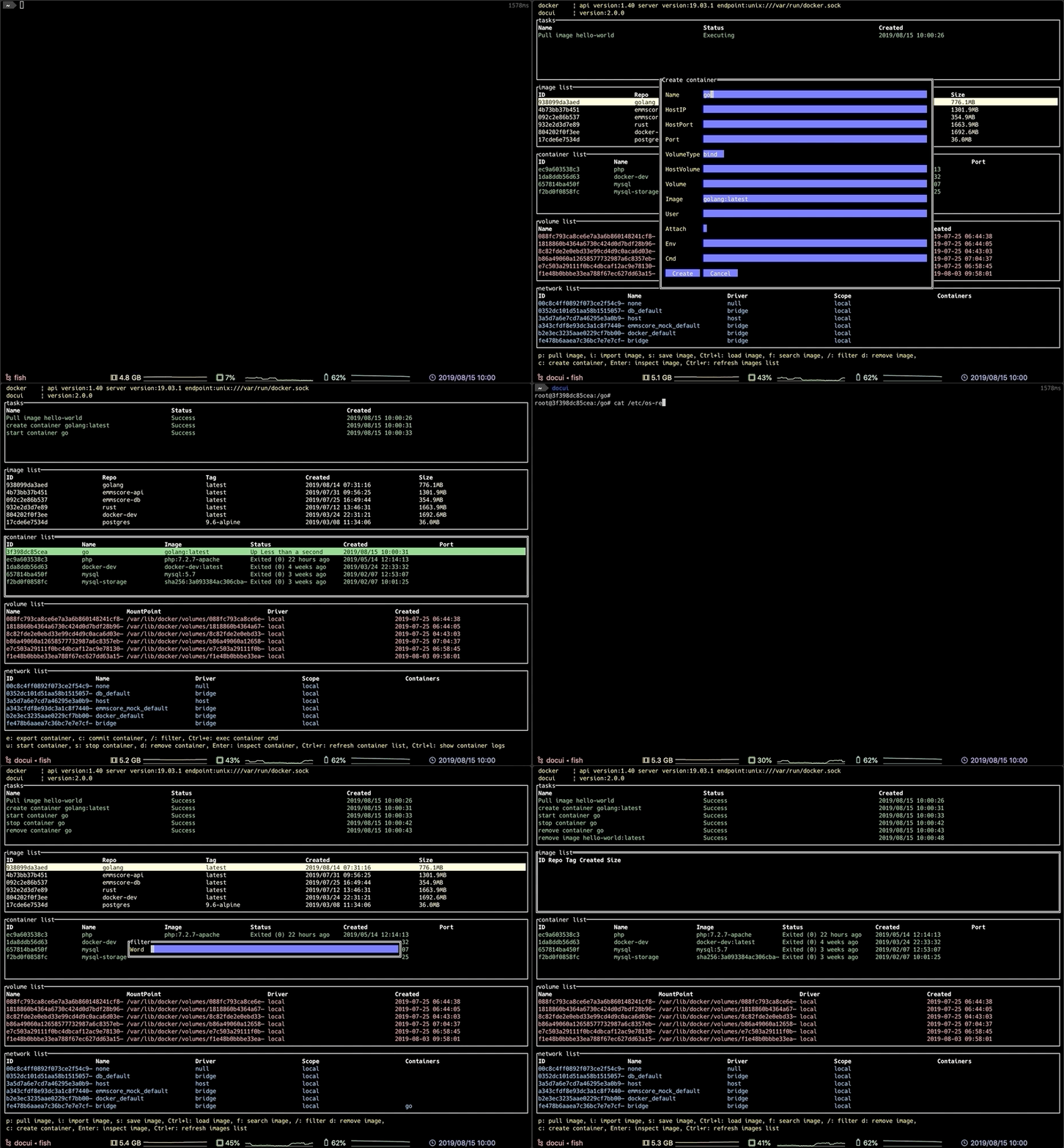
docui is a TUI Client for Docker. It can do the following:
- image
- container
- volume
- network
Supported OSes
- Mac
- Linux
Required Tools
- Go Ver.1.11.4~
- Docker Engine Ver.18.06.1~
- Git
Installation
Environment variables
The following environment variables must be set.export LCCTYPE=enUS.UTF-8
export TERM=xterm-256colorFrom Source
If you have not installed go and set GOPATH/GOBIN, you must install and set env before installing docui.
This project uses Go Modules for dependencies introduced in Go 1.11.
Use go get or git clone:
$ go get -d github.com/skanehira/docui
$ cd $GOPATH/src/github.com/skanehira/docui
$ GO111MODULE=on go install
$ git clone https://github.com/skanehira/docui.git
$ cd docui/
$ GO111MODULE=on go installMake sure your PATH includes the $GOPATH/bin directory so your commands can be easily used:
export PATH=$PATH:$GOPATH/binHomebrew
$ brew install docuiNix
docui is available on nixpkgs unstable channel:
$ nix-env -i docuiUpdate
Use git pull:
$ git pull
$ GO111MODULE=on go install
Log file
Check wiki.
Use on Docker
$ docker run --rm -itv /var/run/docker.sock:/var/run/docker.sock skanehira/docuiBuild Docker Image
$ make docker-buildKeybindings
| panel | operation | key | |------------------|------------------------|----------------------------------------------------| | all | change panel | Tab / Shift + Tab | | all | quit | q | | list panels | next entry | j / ↓ | | list panels | previous entry | k / ↑ | | list panels | next page | Ctrl / f | | list panels | previous page | Ctrl / b | | list panels | scroll to top | g | | list panels | scroll to bottom | G | | image list | pull image | p | | image list | search images | f | | image list | remove image | d | | image list | create container | c | | image list | inspect image | Enter | | image list | save image | s | | image list | import image | i | | image list | load image | Ctrl + l | | image list | refresh image list | Ctrl + r | | image list | filter image | / | | container list | inspect container | Enter | | container list | remove container | d | | container list | start container | u | | container list | stop container | s | | container list | kill container | Ctrl + k | | container list | export container | e | | container list | commit container | c | | container list | rename container | r | | container list | refresh container list | Ctrl + r | | container list | filter image | / | | container list | exec container cmd | Ctrl + e | | container logs | show container logs | Ctrl + l | | volume list | create volume | c | | volume list | remove volume | d | | volume list | inspect volume | Enter | | volume list | refresh volume list | Ctrl + r | | volume list | filter volume | / | | network list | inspect network | Enter | | network list | remove network | d | | network list | filter network | / | | pull image | pull image | Enter | | pull image | close panel | Esc | | create container | next input box | Tab | | create container | previous input box | Shift + Tab | | detail | cursor dwon | j | | detail | cursor up | k | | detail | next page | Ctrl / f | | detail | previous page | Ctrl / b | | search images | search image | Enter | | search images | close panel | Esc | | search result | next image | j | | search result | previous image | k | | search result | pull image | Enter | | search result | close panel | q | | create volume | close panel | Esc | | create volume | next input box | Tab | | create volume | previous input box | Shift + Tab |How to use
For details of the input panel please refer to wikiAlternatives
A simple terminal UI for both docker and docker-compose, written in Go with the gocui library. Manage docker containers and images in Vim- See Awesome Docker list for similar tools to work with Docker.


