A beautiful terminal dashboard for hledger 💰
Puffin
Terminal dashboard to manage personal finances. Built with hledger and bubbletea.


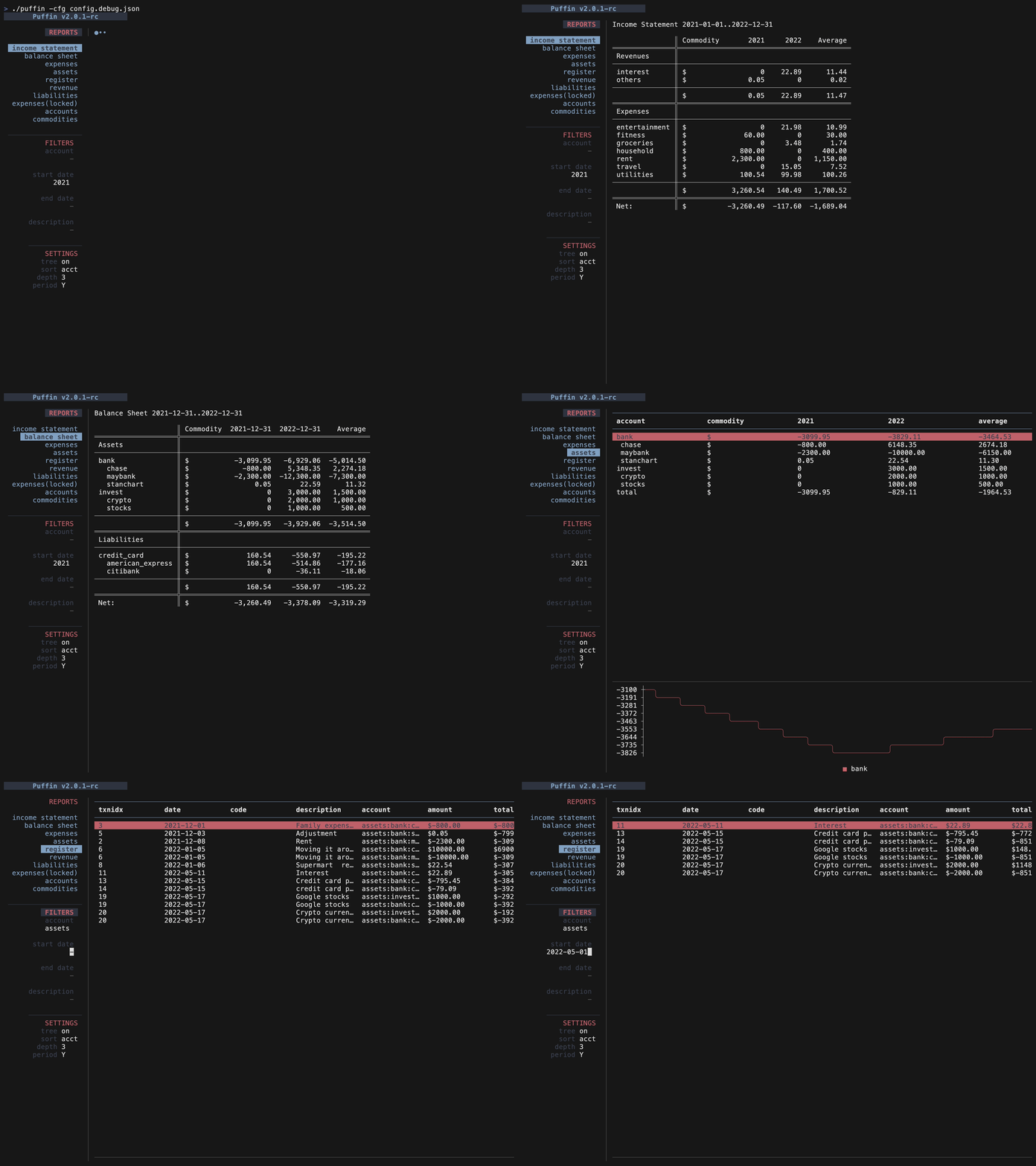
Table of Contents
- 📈 View reports - 🔎 Filter reports - Keys📢 V3 announcement
2026-02-17 Update: The work on v3 is paused due to personal reasons. v3 is stable but does not have all the features from v2. It looks better than v2 in my opinion! Contributions are welcome.
A new version of Puffin is under development. This version completely revamps the UI and gives you a far better overview of your finances. Some features have been implemented, while others are still being built.
To try V3, you can update to the latest version and run
./puffin -v3Please note, v3 uses a simple config file with only the journalFile field. So if you are using a config file with v2 then it won't be used with v3. However, you can modify the journal file to be used with v3.
Demo

Screenshots
Home

Reports

V3 roadmap
- [x] Accounts table
- [x] Balance table
- [x] Register table
- [x] Income statement
- [x] Balance sheet
- [ ] Balance table with periodic columns
- [ ] Config file support
- [ ] Custom reports
💫 Features
All hledger reports are viewable using Puffin. Some of them are natively supported, others are displayed in a simple scrollable view.
📈 View reports
Puffin supports the following reports natively:
- assets
- expenses
- revenue
- liabilities
- register
- accounts
- commodities
- income statement
- balance sheet
🔎 Filter reports
The data can be filtered by:- account name
- start/end date
- displayed periodically - weekly, monthly, quaterly, yearly
- change account depth
🤖 Installation
Homebrew
brew install siddhantac/puffin/puffinDownload binaries
If you just want to use it, you can download the binary from here.Install from source
Pre-requisites
- hledger is required for puffin to work.
- make
- Go compiler (>=1.17)
Build
- Clone this repo
- Run the command
make build. This creates the binarypuffin.
Run demo
- Clone this repo
- Run
make debug
Run with your own journal file
- Use
make start
- Run using
make build && ./puffin
Configuration
Puffin can use a config file written in json. It is not required though. Without a config file Puffin will use sane defaults.
The default config:
"reports": [
    {
        "name": "register",
        "cmd": "hledger register"
    },
    {
        "name": "expenses",
        "cmd": "hledger balance type:x"
    },
    {
        "name": "assets",
        "cmd": "hledger balance type:a"
    },
    {
        "name": "revenue",
        "cmd": "hledger balance type:r"
    },
    {
        "name": "liabilities",
        "cmd": "hledger balance type:l"
    },
    {
        "name": "income statement",
        "cmd": "hledger incomestatement"
    },
    {
        "name": "balance sheet",
        "cmd": "hledger balancesheet"
    },
    {
        "name": "accounts",
        "cmd": "hledger accounts --tree",
        "locked": true,
    }
]namerepresents the name of the report, as displayed in the left sidebarcmdis the hledger command to be runlocked: if true, filters will not be applied to the report
locked field is set to true. A locked report remains unaffected by the filters. This means that they cannot be filtered by date, period, account name etc.
Locked reports are useful for 2 purposes
- Reports where filters don't make sense, such as a list of accounts or commodities
- Reports that you want to remain static. Such as a report with more a complex hledger command or other custom modifications.
Keys
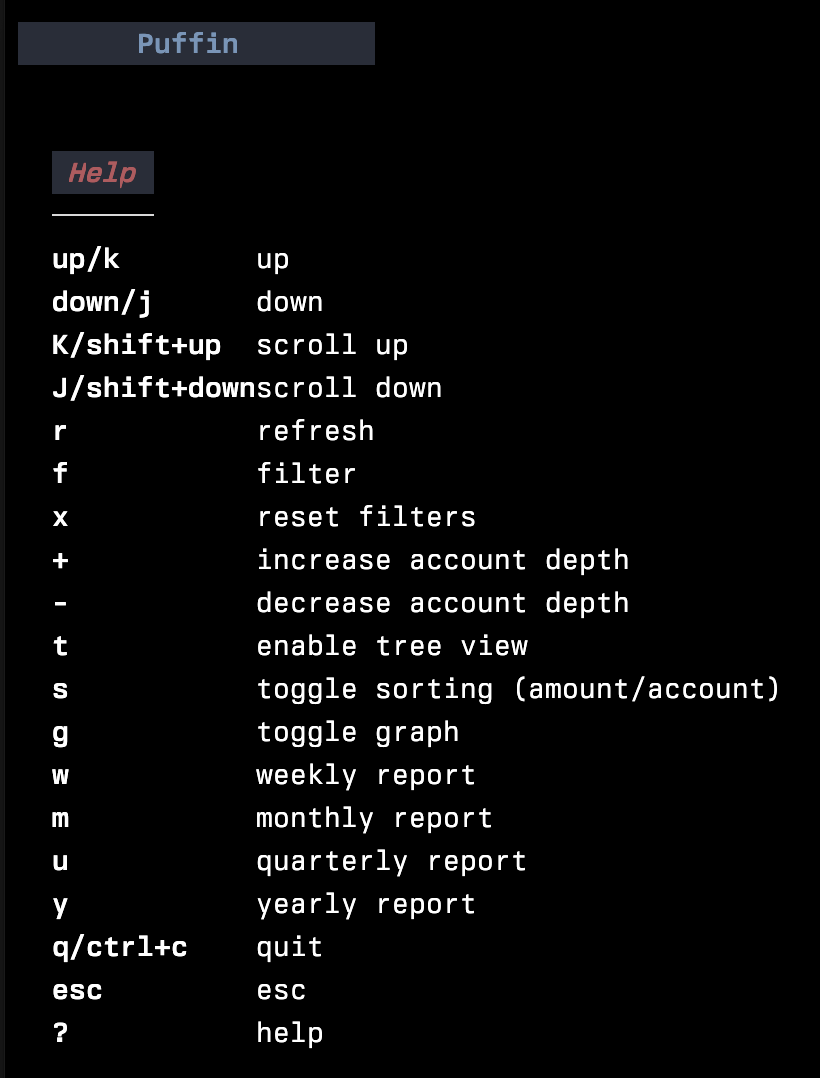
Show this help with ?