
🖖 Responsive Touch Compatible Toast plugin for VueJS 2+








Introduction
Vue Toasted is one of the best toast plugins available for VueJS. It's used by VueJS, Laravel, NuxtJS and trusted by many more organizations. It's responsive, touch compatible, easy to use, attractive and feature rich with icons, actions, and more!
Interactive Demo
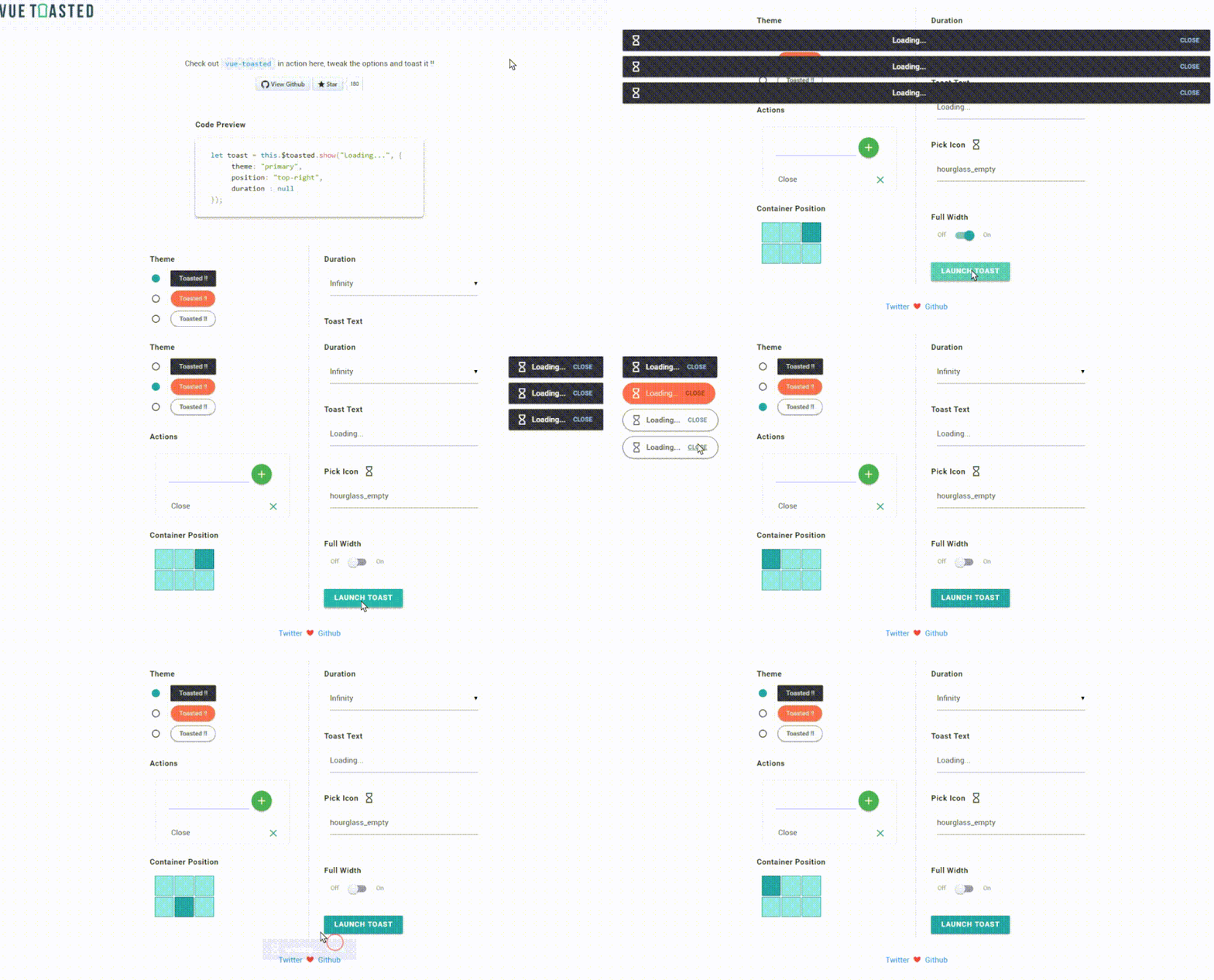
Checkout the Interactive Demo here.
Menu
- Npm - Yarn - Direct Usage - Nuxt - Basic Usage - Actions - Icons - Standalone Usage - Options - Methods - Toast Object - Custom Toast Registration - Vue RouterInstallation
Install using npm
# install it via npm
npm install vue-toasted --save
Install using yarn
# install it via yarn
yarn add vue-toasted
Direct usage with html
<!-- Insert the vue core before vue-toasted -->Nuxt 💓 Officially uses vue-toasted for their toast module.
installation guide 👉 @nuxtjs/toast
Usage
It's simple. A couple of lines is all you need.
// register the plugin on vue
import Toasted from 'vue-toasted';
// or you can use it with require var Toasted = require('vue-toasted').default
Vue.use(Toasted)
// you can also pass options, check options reference below Vue.use(Toasted, Options)
;
// you can call like this in your component
this.$toasted.show('hello billo')
// and also Vue.toasted.show('hola billo');
All Good Now you have this cool toast in your project..
Icons :fire:
Material Icons, Fontawesome and Material Design Icons are supported. you will have to import the icon packs into your project. example using icons{
// pass the icon name as string
icon : 'check'
// or you can pass an object icon : { name : 'watch', after : true // this will append the icon to the end of content } }
Actions :fire:
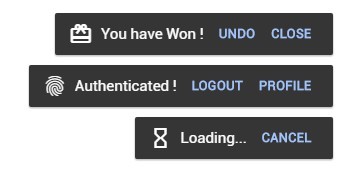
You can have single or multiple actions in the toast. take a look at the example below
Check below Vue Router section for router integration
Parameter|Type|Default|Description -----|-----|-----|----- text*|String|-| name of action href|String|null| url of action icon|String|null| name of material for action target|String|null| target of url class|String/Array|null| custom css class for the action push|Object |null| Vue Router push parameters onClick|Function(e,toastObject) |null| onClick Function of action
Examples
{
    // you can pass a single action as below
    action : {
        text : 'Cancel',
        onClick : (e, toastObject) => {
            toastObject.goAway(0);
        }
    },
// you can pass a multiple actions as an array of actions     action : [         {             text : 'Cancel',             onClick : (e, toastObject) => {                 toastObject.goAway(0);             }         },         {             text : 'Undo',             // router navigation             push : {             	name : 'somewhere',             	// this will prevent toast from closing             	dontClose : true              }         }     ] }
API
Options
below are the options you can pass to create a toast
Option|Type|Default|Description -----|-----|-----|----- position|String|'top-right'|Position of the toast container
['top-right', 'top-center', 'top-left', 'bottom-right', 'bottom-center', 'bottom-left'] duration|Number|null|Display time of the toast in millisecond keepOnHover|Boolean|false|When mouse is over a toast's element, the corresponding duration timer is paused until the cursor leaves the element action|Object, Array|null|Add single or multiple actions to toast explained here fullWidth|Boolean|false|Enable Full Width fitToScreen|Boolean|false|Fits to Screen on Full Width className|String, Array|null|Custom css class name of the toast containerClass|String, Array|null|Custom css classes for toast container iconPack|String|'material'| Icon pack type to be used
['material', 'fontawesome', 'mdi', 'custom-class', 'callback'] Icon|String, Object|null|Material icon name as string. explained here type|String|'default'| Type of the Toast ['success', 'info', 'error'] theme|String|'toasted-primary'|Theme of the toast you prefer
['toasted-primary', 'outline', 'bubble'] onComplete|Function|null|Trigger when toast is completed closeOnSwipe|Boolean|true|Closes the toast when the user swipes it singleton|Boolean|false| Only allows one toast at a time.
Methods
Methods available on Toasted...
// you can pass string or html to message
Vue.toasted.show( 'my message', { / some option / })Method|Parameters|Description -----|-----|----- show|message, options| show a toast with default style success|message, options| show a toast with success style info|message, options| show a toast with info style error|message, options | show a toast with error style register | name, message, options | register your own toast with options explained here clear | - | clear all toasts
Toast Object
Each Toast Returns a Toast Object where you can manipulate the toast.// html element of the toast
el : HtmlElement
// change text or html of the toast text : Function(text)
// fadeAway the toast. default delay will be 800ms goAway : Function(delay = 800)
using the toast object
let myToast = this.$toasted.show("Holla !!");
myToast.text("Changing the text !!!").goAway(1500);
Vue Router
Adding vue-router to vue-toasted where you can use it on toast actions.
// your app router instance
var router = new VueRouter({
	mode: 'history',
	routes: [{
		path: '/foo',
		name : 'foo-name'
	}],
	linkActiveClass: "active"
});
// pass it to vue toasted as below.. Vue.use(Toasted, { 	router });
Custom Toast Registration
You can register your own toasts like below and it will be available all over the application.
Toasted.register methods api details...
Parameter|Type|Default|Description -----|-----|-----|----- name*|String|-| name of your toast message*|String/Function(payload) |-| Toast Body Content options|String/Object| {} | Toast Options as Object or either of these strings ['success', 'info', 'error']
Take a look at the below examples
Simple Example
import Toasted from 'vue-toasted';
Vue.use(Toasted);
// Lets Register a Global Error Notification Toast. Vue.toasted.register('myapperror', 'Oops.. Something Went Wrong..', {     type : 'error',     icon : 'error_outline' })
After Registering your toast you can easily access it in the vue component like below
// this will show a toast with message 'Oops.. Something Went Wrong..'
// all the custom toasts will be available under toasted.global
this.$toasted.global.myapperror();
Advanced Example
You can also pass message as a function. which will give you more power. Lets think you need to pass a custom message to the error notification we built above.
this.$toasted.global.myapperror({
    message : 'Not Authorized to Access'
});import Toasted from 'vue-toasted';
Vue.use(Toasted);
// options to the toast let options = { type : 'error', icon : 'error_outline' };
// register the toast with the custom message Vue.toasted.register('myapperror', (payload) => {
// if there is no message passed show default message if(! payload.message) { return "Oops.. Something Went Wrong.." }
// if there is a message show it with the message return "Oops.. " + payload.message; }, options )
Browsers support
|  IE / Edge |
  Firefox |
  Chrome |
  Safari |
  Opera |
  iOS Safari |
  Chrome for Android | | --------- | --------- | --------- | --------- | --------- | --------- | --------- | | IE10, IE11, Edge| last 7 versions| last 7 versions| last 7 versions| last 7 versions| last 3 versions| last 3 versions
Please Report If You have Found any Issues.
Mobile Responsiveness
On Mobile Toasts will be on full width. according to the position the toast will either be on top or bottom.
Contribute using the one-click online setup.
Contribute to Vue Toasted using a fully featured online development environment that will automatically: clone the repo, install the dependencies and start the webserver.

Credits
- Inspired and developed from materialize-css toast.
- Uses hammerjs for touch events
- Uses lightweight and fast animejs for animations.
- Whoever contributes to this project :wink:


