
Command line parsing in go, with coloring support 🌈
ccli


Command line parsing in Go, with coloring support
This package wraps urfave/cli/v3 and adds coloring to help output. Section headers, command names, author info, and copyright each get their own color.
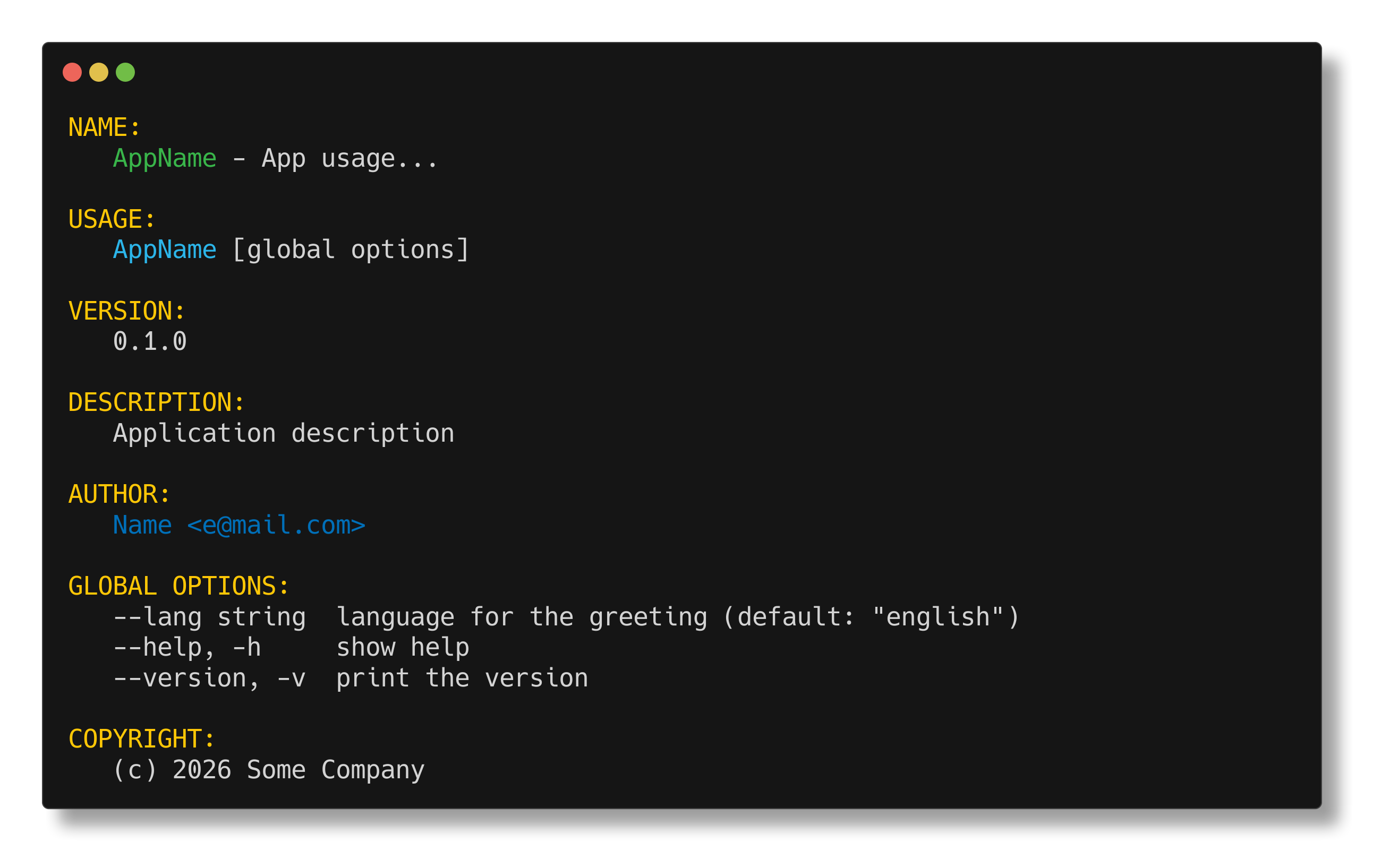
Usage
Install the package with:
go get github.com/saschagrunert/ccli/v3Then use it like the cli package:
package main
import ( 	"context" 	"fmt" 	"os" 	"time"
"github.com/saschagrunert/ccli/v3" 	"github.com/urfave/cli/v3" )
func main() { 	cmd := ccli.NewCommand() 	cmd.Name = "AppName" 	cmd.Usage = "App usage..." 	cmd.Version = "0.1.0" 	cmd.Description = "Application description" 	cmd.Copyright = fmt.Sprintf("(c) %d Some Company", time.Now().Year()) 	cmd.Authors = []any{"Name <e@mail.com>"} 	cmd.Flags = []cli.Flag{ 		&cli.StringFlag{ 			Name:  "lang", 			Value: "english", 			Usage: "language for the greeting", 		}, 	} 	cmd.Commands = []*cli.Command{ 		{ 			Name:  "greet", 			Usage: "send a greeting", 			Commands: []*cli.Command{ 				{ 					Name:  "hello", 					Usage: "say hello", 					Action: func( context.Context,  *cli.Command) error { 						fmt.Println("hello!") 						return nil 					}, 				}, 			}, 		}, 	} 	ccli.Apply(cmd) // colored help for all subcommands 	cmd.Action = func( context.Context,  *cli.Command) error { 		fmt.Println("boom! I say!") 		return nil 	} 	if err := cmd.Run(context.Background(), os.Args); err != nil { 		os.Exit(1) 	} }
Custom colors
Use functional options with NewCommandWith:
import (
	"github.com/fatih/color"
	"github.com/saschagrunert/ccli/v3"
)
cmd := ccli.NewCommandWith( 	ccli.WithGreen(color.New(color.FgHiGreen).SprintFunc()), 	ccli.WithYellow(color.New(color.FgHiYellow).SprintFunc()), )
Or pass an Options struct to NewCommandWithOptions:
cmd := ccli.NewCommandWithOptions(ccli.Options{
	Green:  color.New(color.FgHiGreen).SprintFunc(),
	Yellow: color.New(color.FgHiYellow).SprintFunc(),
})
Any color left unset falls back to its default. To turn off all coloring:
cmd := ccli.NewCommandWith(ccli.WithDisable())Subcommand colors
Subcommands added after creating the root command don't automatically get colored help. Call Apply (or ApplyWithOptions) after setting up your command tree:
cmd := ccli.NewCommand()
cmd.Commands = []*cli.Command{
	{Name: "serve", Usage: "start the server"},
	{Name: "config", Usage: "manage config", Commands: []*cli.Command{
		{Name: "show", Usage: "show config"},
	}},
}
ccli.Apply(cmd) // recursively sets colored templates on all subcommands
Migrating from v2
The v2 branch is deprecated. To upgrade:
- Change imports from
github.com/saschagrunert/ccli/v2to
github.com/saschagrunert/ccli/v3
- Rename
NewApptoNewCommand,NewAppWithtoNewCommandWith, and
NewAppWithOptions to NewCommandWithOptions
- Follow the urfave/cli v3 migration guide
cli.App to cli.Command changes
Notes
All help templates are set per-command via CustomRootCommandHelpTemplate and CustomHelpTemplate. No package-level globals are modified.


