
A python tool to visualise game animations
Game Animation ==== An easy way to visualize player tracking data with animation. Built using Bokeh Plots, this tool can be used to visualise player movements for all sport. It also includes visualising voronoi and convex hulls, player speed and total distance covered by each player, interactively.
New Features:
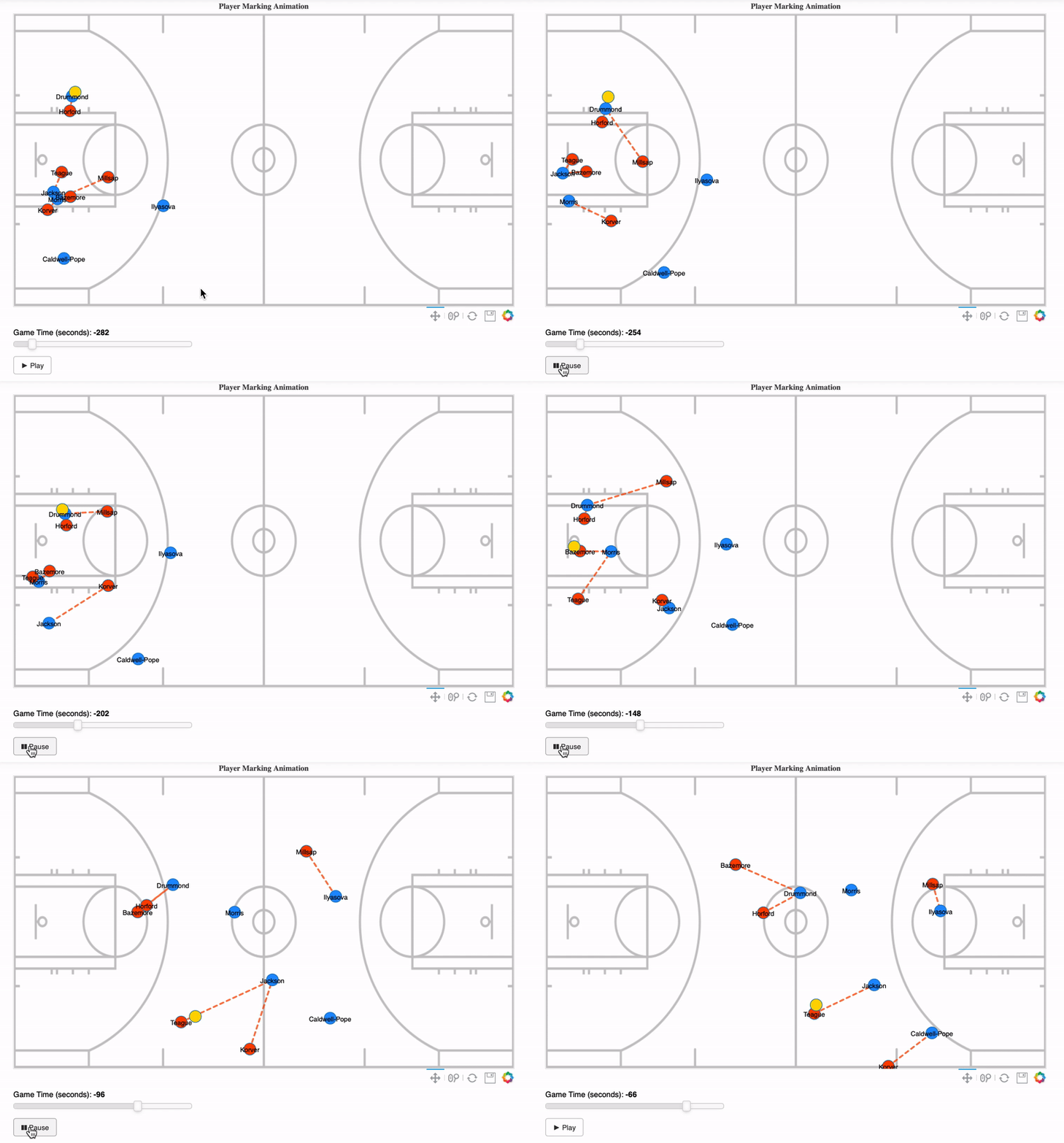
Visualize players being marked by opposition players and find the distance between them. Statistics such as total time player was marked, average distance between the players can also be calculated and visualised.

Player Marking
The code was tested on Python 3.7.1, but should work for other versions as well.
The following packages are needed in order to run the code (Bokeh plot version has to be 1.2.0 but for other packages with older versions, the tool should work) :
| Package |Version| |--|--| | Numpy |1.16.4| |Pandas|0.24.2| | Bokeh|1.2.0| | Scipy|1.3.0| | Notebook|5.7.8|
The animation plot can be viewed directly on a Jupyter Notebook.
Usage
---- 3 sample notebook examples (Soccerexample.ipynb, Basketballexample.ipynb and NFL_example.ipynb) are placed in the folder.
- The background pitch images are placed in
/static/images/folder.
Please see Functions Helper for additional information regarding usage of different functions.
Please see Notes for additional information regarding potential errors and usability of the tool.
Sample basketball animation
#import makeplot from gameanimation
from Animation.gameanimation import makeplot from bokeh.io import show, output_notebook import pandas as pd from functools import partial
#output_notebook shows the graph within the notebook output_notebook()
df = pd.readcsv("sampledata/sample_basketball.csv") image_url=["static/images/basketball.png"]
id_def=65 id_att=37 x_range=(0,94) y_range=(0,50)
makeanimplot = partial(makeplot, df=df, iddef = iddef, idatt = id_att,                            headers = ["x", "y", "teamid", "playerid","time"],                             imageurl=imageurl, slider_steps=1,sport='basketball',                             xrange=xrange,yrange=yrange, anim_speed=50)
show(makeanimplot)
Sample soccer animation:
from Animation.gameanimation import makeplot
from bokeh.io import show, output_notebook
import pandas as pd
from functools import partial
output_notebook()
df = pd.readcsv('sampledata/soccer_sample.csv') image_url = 'static/images/soccer.png'
x_range=(-52.5,52.5) y_range=(-34, 34)
id_def = 2 id_att = 1
makeanimplot = partial(makeplot, df=df,imageurl=imageurl, iddef=iddef, idatt = id_att,                            xrange=xrange, yrange=yrange, slider_steps=1,                            headers = ["x", "y", "teamid", "playerid","time"],                             anim_speed=60)
show(makeanimplot)
Sample player marking animation:
from Animation.playermarking import playermarking
from bokeh.io import show, output_notebook
import pandas as pd
from functools import partial
output_notebook()
df = pd.readcsv('sampledata/soccer_sample.csv') image_url = 'static/images/soccer.png'
x_range=(-52.5,52.5) y_range=(-34, 34)
id_def = 2 id_att = 1
makeanimplot = partial(playermarking, df=df,imageurl=imageurl, iddef=iddef, idatt = id_att,                            xrange=xrange, yrange=yrange, slider_steps=1,                            headers = ["x", "y", "teamid", "playerid","time"],                             anim_speed=60, attack=True,sport='football')
show(makeanimplot)
Sample player marking stats:
from Animation.markingdetails import markingstats
import pandas as pd
df = pd.readcsv('sampledata/soccer_sample.csv')
id_def = 2 id_att = 1
marking = markingstats(df=df, iddef=iddef, idatt = id_att,                            time_steps=1,                            headers = ["x", "y", "teamid", "playerid","time"],                             attack=True,threshold = 10)
Sample Outputs:
Game Animation


Player Marking Animation
Player Marking Stats


All feedbacks are appreciated.
Reach out to me on Twitter and you can also find my LinkedIn page here


