
Tango is a command-line tool for analyzing access logs 💃

Tango
Tool to get insights from the server access logs



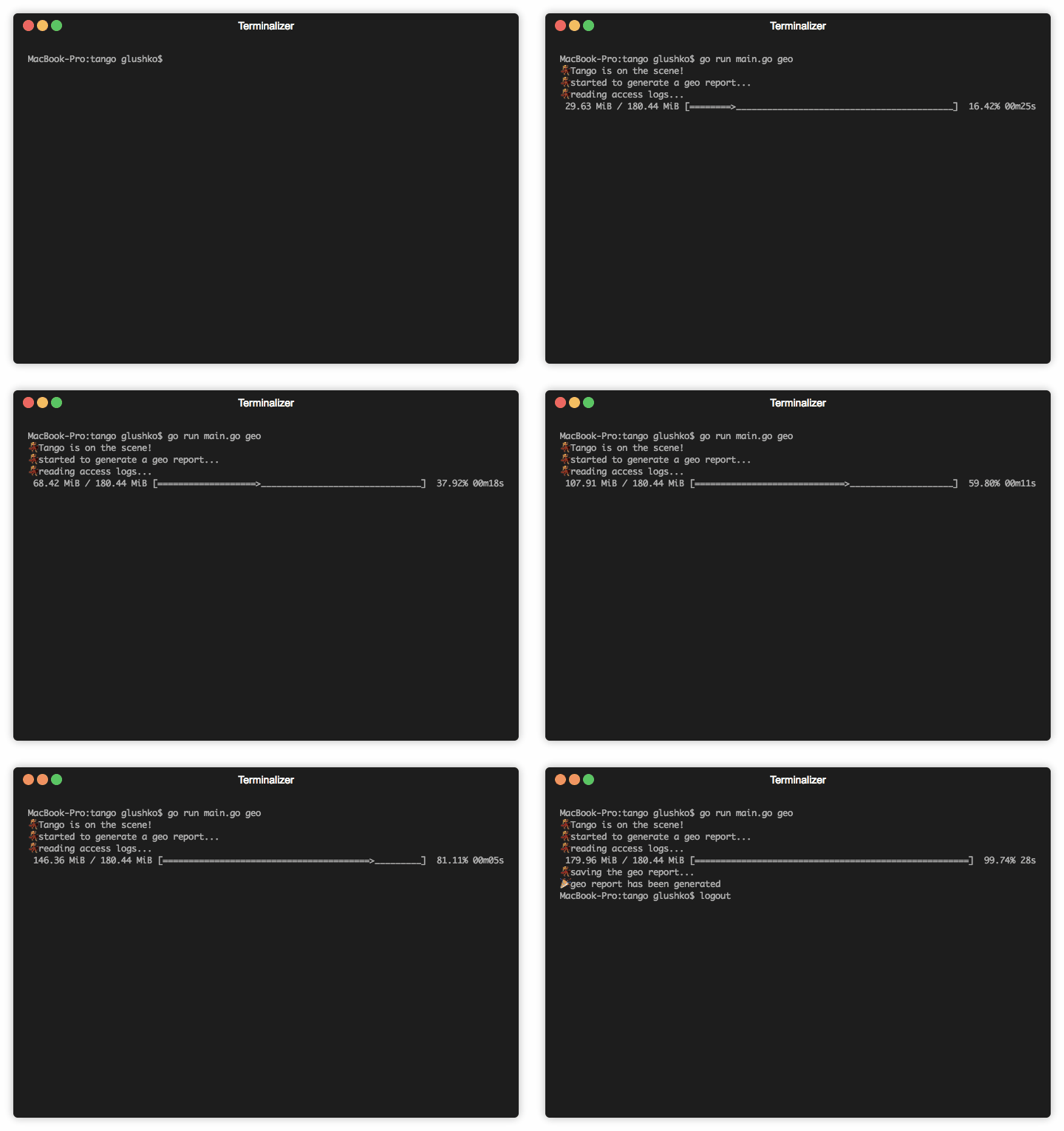
Tango is a command-line tool for analyzing server access logs 💃
Table of Contents
Installation
macOS
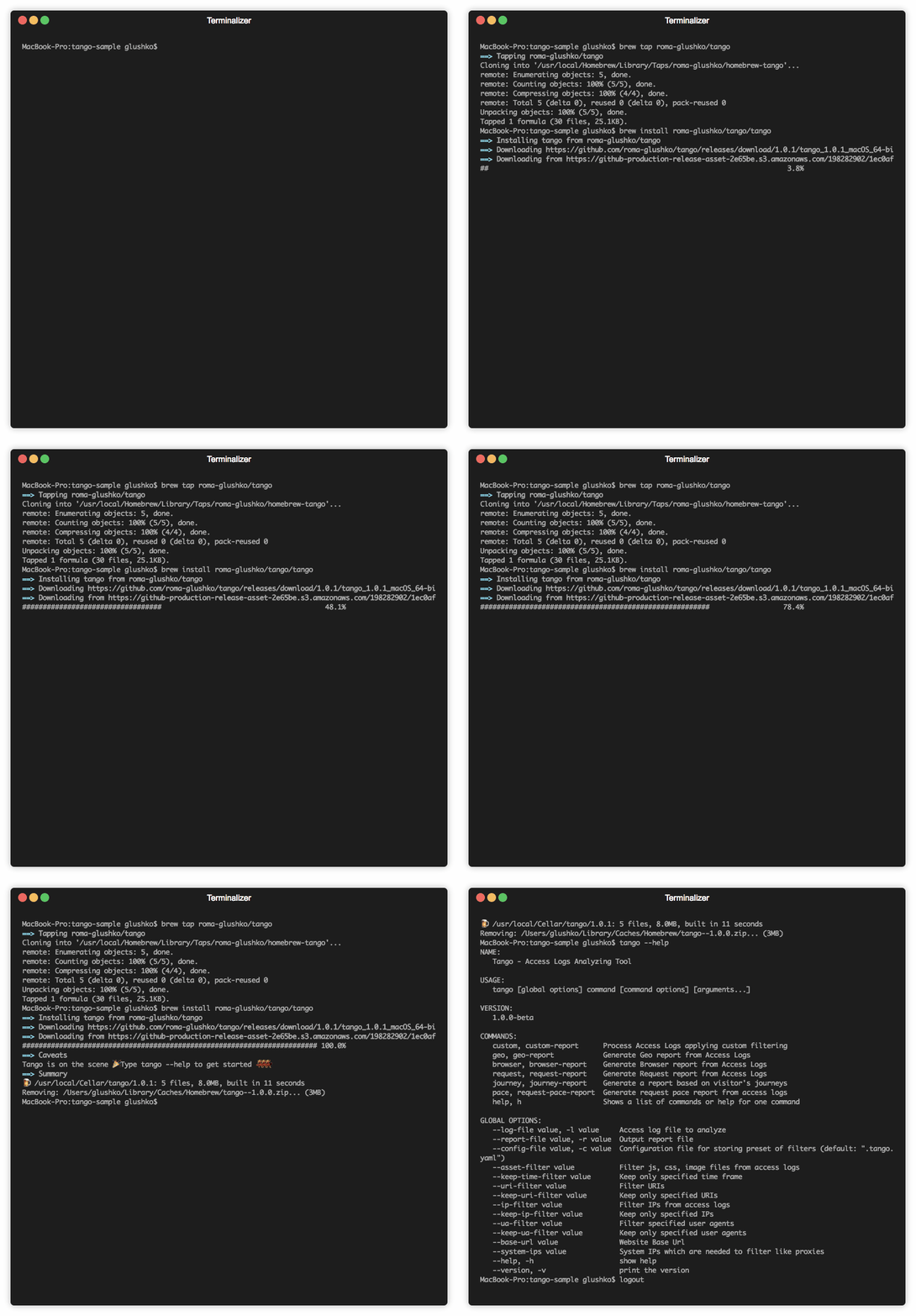
Tango can be installed on macOS via Homebrew:
brew tap roma-glushko/tango
brew install roma-glushko/tango/tango
To upgrade, try to run:
brew upgrade tangoLinux
Tango is available on Linux via Snapcraft. This means that Tango can be installed on:
To upgrade, try to run:snap refresh tangoWindows
Tango can be installed on Windows via Scoop:
scoop bucket add tango https://github.com/roma-glushko/scoop-tango.git
scoop install tango
To upgrade, try to run:
scoop update tangoUsage
List of available commands:
tango helpTango Version:
tango -vGlobal Options
Filters
# IP filters
tango --ip-filter "127.0.0.1" custom -l access-log.log -r custom.csv
tango --keep-ip-filter "8.8.8.8" custom -l access-log.log -r custom.csv
# URI filters
tango --uri-filter "/test-page" custom -l access-log.log -r custom.csv
tango --keep-uri-filter "/admin/" custom -l access-log.log -r custom.csv# Time Frame filter
tango --keep-time-filter "2019-09-15 04:16:00 -0400" --keep-time-filter "2019-09-15 04:35:00 -0400" custom -l access-log.log -r custom.csv# User Agent filters
tango --ua-filter "iPhone OS 1231 like Mac OS X" custom -l access-log.log -r custom.csv
tango --keep-ua-filter "iPhone OS 1231 like Mac OS X" custom -l access-log.log -r custom.csv# Asset filter
tango --asset-filter "/pub/static/" --asset-filter "/pub/media/" custom -l access-log.log -r custom.csv# System IP filter
tango --system-ips "127.0.0.1" --system-ips "1.2.3.4" custom -l access-log.log -r custom.csvOther
# Base URL info
tango --base-url "https://example.com/" custom -l access-log.log -r custom.csv
Report Commands
Custom Reports
tango --keep-uri-filter "/newsletter/subscriber/new/" custom -l access-log.log -r custom.csvUse cases:
- generate a report with all requests from a certain IP
- generate a report with all requests to a certain URL
Geo Reports
tango geo -l access-log.log -r custom.csvGeo Report uses MaxMind Geo lib to get Geo information. See Geo Lib command for more info.
Use cases:
- collects geo information about all IPs that requested the website
- get request distribution by IP with geo information
- see all IPs sorted by countries/continents/cities
Example of the report
| IP | Country | City | Continent | Sample Request | Browser Agent | Count of Requests | |----------------|---------------|---------|---------------|----------------|--------------------------------------------------------------------------|-------------------| | 46.229.173.68 | United States | Ashburn | North America | /robots.txt | Mozilla/5.0 (compatible; Googlebot/2.1; +http://www.google.com/bot.html) | 362 | | 40.77.167.91 | United States | Boydton | North America | /contact-us | Mozilla/5.0 (compatible; bingbot/2.0; +http://www.bing.com/bingbot.htm) | 3 | | 178.154.171.62 | Russia | | Europe | / | Mozilla/5.0 (compatible; YandexBot/3.0; +http://yandex.com/bots) | 34 |
Browser Reports
tango browser -l access-log.log -r custom.csvUse cases:
- check how many requests were sent by crawlers
- check what kind of browsers requested the website
- check bandwith that was transmitted to all kind of browsers
- check what crawlers requested the website
Example of the report
| Category | Browser | Requests | Bandwith | Sample URL | User Agents | |----------|---------|----------|----------|--------------------|------------------------------------------------------------------------------------------------------------------------------------------------------------------------------------------------------------------------------------------------------------------------------------------------------------------------------------------------------------------------------------------------------------------------------------------------------------------------------------------| | Crawlers | bingbot | 629 | 28.8 MB | /black-bag-product | Mozilla/5.0 (compatible; bingbot/2.0; +http://www.bing.com/bingbot.htm) | | Chrome | Chrome | 131998 | 1.3 GB | /gears/bags?p=3 | Mozilla/5.0 (Linux; Android 8.0.0; G8441) AppleWebKit/537.36 (KHTML, like Gecko) Chrome/79.0.3945.136 Mobile Safari/537.36Mozilla/5.0 (Linux; Android 9; SM-G960F) AppleWebKit/537.36 (KHTML, like Gecko) Chrome/79.0.3945.136 MobileSafari/537.36
Mozilla/5.0 (X11; Linux x86_64) AppleWebKit/537.36 (KHTML, like Gecko) Chrome/78.0.3904.108 Safari/537.36
Mozilla/5.0 (Windows NT 6.1; Win64; x64) AppleWebKit/537.36 (KHTML, like Gecko) Chrome/40.0.2214.85 Safari/537.36 |
Request Reports
tango request -l access-log.log -r custom.csvUse cases:
- check how many requests were sent to a certain URL
- check all URLs that were responded with 404/50X code
- find requests from security scanners (sort by response codes and look at 404/50X codes which were requested only 1 time)
Example of the report
| Path | Requests | Response Code | Referer URLs | |---------------------------------------|----------|---------------|---------------------------------------| | /media/catalog/product/black-bag.jpg | 20 | 200 | /black-bag | | /admin/sales/order/view/orderid/1234 | 4 | 200 | /admin/sales/order/index/orderid/123 | | /test321 | 1 | 404 | / |Pace Reports [Experimental]
tango pace -l access-log.log -r custom.csvUse cases:
- check which IPs and how many requests they made during a certain time frame
- check count of requests per minutes/hours
Example of the report
| Hour Group | Minute Group | IP | Browser | Pace (req/min) | Pace (req/hour) | |-----------------|------------------|---------------|--------------------------------------------------------------------|----------------|-----------------| | 2020-02-10 04 h | | | | | 35 | | | 2020-02-10 04:06 | | | 15 | | | | | 51.15.191.180 | Barkrowler/0.9 (+https://babbar.tech/crawler) | 10 | | | | | 54.36.150.167 | Mozilla/5.0 (compatible; AhrefsBot/6.1; +http://ahrefs.com/robot/) | 5 | | | | 2020-02-10 04:06 | | | 15 | | | | 2020-02-10 04:07 | | | 20 | | | | | 66.249.76.89 | Googlebot-Image/1.0 | 20 | | | | 2020-02-10 04:07 | | | 20 | | | 2020-02-10 04 h | | | | | 35 |Journey Reports [Experimental]
tango journey -l access-log.log -r custom.csvMisc Commands
Geo Lib
# Install geo library to be able to generate geo reports
tango geo-lib
Tango uses the MaxMind GeoLite2-City database and stores it under:
- macOS -
/Users/[username]/.tango/GeoLite2-City.mmdb
Config File
Put the similar content to a .tango.yaml file under your working directory where you analyze logs:
"asset-filter":
  - "/pub/static/"
  - "/pub/media/"
  - "/media/"
  - "/static/"
"ip-filter":
  - "127.0.0.1"
"system-ips":
  # Fastly IPs
  - "23.235.32.0/20"
  - "43.249.72.0/22"
  - "103.244.50.0/24"
  - "103.245.222.0/23"
  - "103.245.224.0/24"
  - "104.156.80.0/20"
  - "151.101.0.0/16"
  - "157.52.64.0/18"
  - "167.82.0.0/17"
  - "167.82.128.0/20"
  - "167.82.160.0/20"
  - "167.82.224.0/20"
  - "172.111.64.0/18"
  - "185.31.16.0/22"
  - "199.27.72.0/21"
  - "199.232.0.0/16"


