
Read the current, daily and total Wh from your Omnik Inverter via local network (no cloud!)
[![hacs_badge][hacs-shield]][hacs-url] ![Project Stage][project-stage-shield]
![Project Maintenance][maintenance-shield] [![Maintainability][maintainability-shield]][maintainability-url]
Omnik Inverter Integration for Home Assistant
The Omnik Inverter integration will scrape data from an Omnik inverter connected to your local network. It has been tested and developed on the following inverters:
Supported models
| Brand | Model | Datasource | |----------|------------------|------------| | Omnik | Omniksol 1000TL | JS | | Omnik | Omniksol 1500TL | JS | | Omnik | Omniksol 2000TL | JS | | Omnik | Omniksol 2000TL2 | JSON | | Omnik | Omniksol 2500TL | HTML | | Omnik | Omniksol 3000TL | JS/TCP | | Omnik | Omniksol 4000TL2 | JS | | Ginlong | Solis-DLS-WiFi | JSON/HTML | | Hosola | 1500TL | JS | | Bosswerk | BW-MI300 | HTML | | Bosswerk | BW-MI600 | HTML | | Sofar | 3600TLM | HTML | | Huayu | HY-600-Pro | HTML |
After installation you can add the inverter through the integration page. The values will be presented by two devices in Home Assistant. One is the inverter containing the actual solar power, and one is the device containing information about the wifi signal.
Requirements
Your Omnik Inverter needs to be connected to your local network, as this custom integration will utilise the web interface of the Omnik inverter to read data. All you need to know is the IP address of the Omnik inverter and you are good to go.
HACS installation
Add this integration using HACS by searching for Omnik Inverter Solar Sensor (No Cloud) on the Integrations page.
Manual installation
Create a directory called omnikinverter in the <config directory>/customcomponents/ directory on your Home Assistant instance. Install this integration by copying all files in /customcomponents/omnikinverter/ folder from this repo into the new <config directory>/customcomponents/omnikinverter/ directory you just created.
This is how your custom_components directory should be:
custom_components ├── omnik_inverter │ ├── translations │ │ ├── de.json │ │ ├── en.json │ │ └── nl.json │ ├── init.py │ ├── binary_sensor.py │ ├── config_flow.py │ ├── const.py │ ├── coordinator.py │ ├── diagnostics.py │ ├── manifest.json │ ├── models.py │ ├── sensor.py │ └── strings.jsonConfiguration
[![ha_badge][ha-add-shield]][ha-add-url]
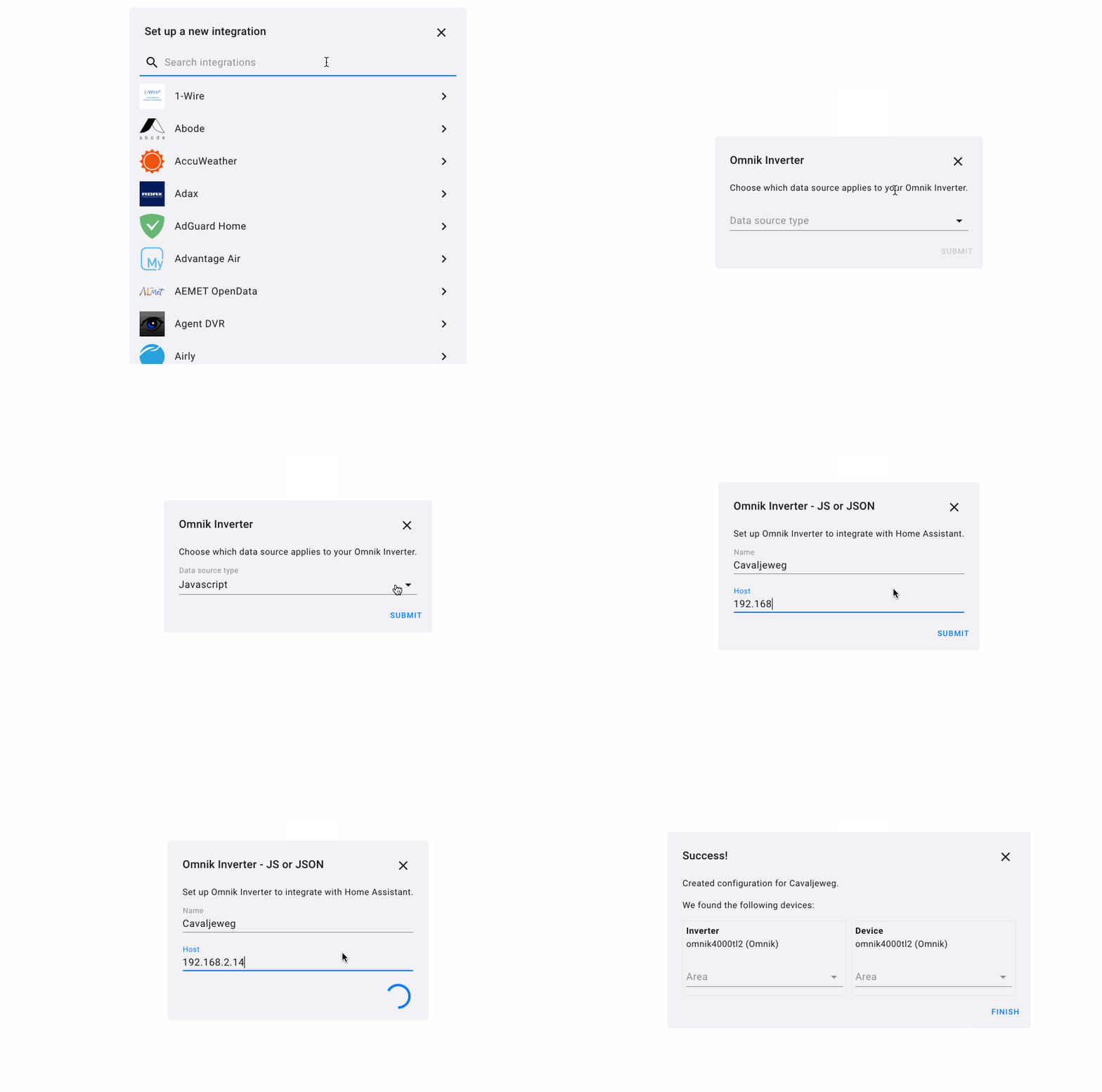
To configure the integration, add it using [Home Assistant integrations][ha-add-url]. This will provide you with a configuration screen where you can first select the data source. Again, most inverters use JS. Some use JSON and in some rare cases HTML is used. The TCP backend contains additional electrical statistics but lacks information about the WiFi module.
After selecting the data source, enter a name and IP address as host and you're good to go!
Optionally you can update the scan interval in the integration settings.
Examples
Config flow
Entities
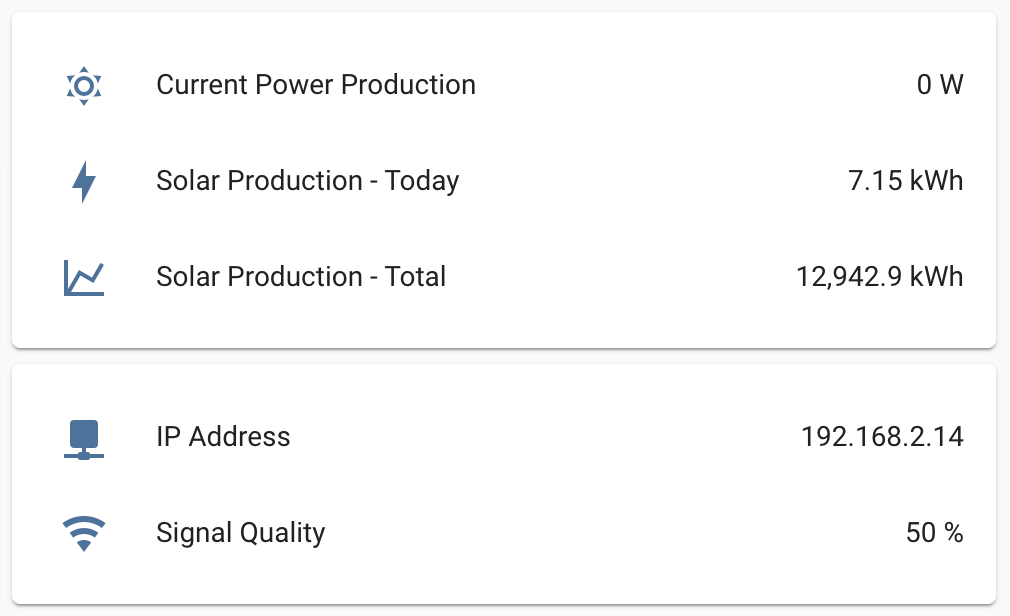
What data source do I use?
The web interface has a javascript, JSON or HTML file that contains the actual values. These values are updated every few minutes.
- Most inverters have a JS file, try accessing
http://<your omnik ip address>/js/status.jsin your browser. - Some inverters use a JSON status file to output the values. Check if your inverter outputs JSON data by navigating to:
http://<your omnik ip address>/status.json?CMD=inv_query. - A few inverters don't have JS or JSON but output the values directly in a HTML files. Check if your inverter supports the following URL:
http://<your omnik ip address>/status.html. Note that this will work for almost all inverters, but you need to check the HTML source for a<script>tag that contains the relevantwebData.
Contributing
Please see CONTRIBUTING and CODEOFCONDUCT for details.
Thanks
Special thank you to @klaasnicolaas for taking this integration to the next level 🚀 and @relout for testing 👍
References
- https://community.home-assistant.io/t/omink-inverter-in-home-assistant/102455/36
- https://github.com/heinoldenhuis/homeassistantomnik_solar
- https://github.com/sincze/Domoticz-Omnik-Local-Web-Plugin
- https://github.com/klaasnicolaas/python-omnikinverter
[hacs-url]: https://github.com/hacs/integration [hacs-shield]: https://img.shields.io/badge/HACS-Default-orange.svg?style=for-the-badge
[ha-add-url]: https://my.home-assistant.io/redirect/configflowstart/?domain=omnik_inverter [ha-add-shield]: https://my.home-assistant.io/badges/configflowstart.svg


