
PyGTK3 frontend to Neovim with some visual GUI elements.
Last updated Mar 15, 2026
53
Stars
4
Forks
2
Issues
0
Stars/day
Attention Score
8
Language breakdown
No language data available.
▸ Files
click to expand
README
nvim-pygtk3
PyGTK3 frontend to Neovim with some visual GUI elements.
- Provides GTK's clipboard (no need for xclip/xsel)
- Buffers on header bar
- GUI Tabs
- Overlay scrollbars
- Applies GTK's light/dark themes according to
&bg - Applies font from
:GuiFont, or from GSettings'
org.gnome.desktop.interface:monospace-font-name
- Customizable with Python scripts
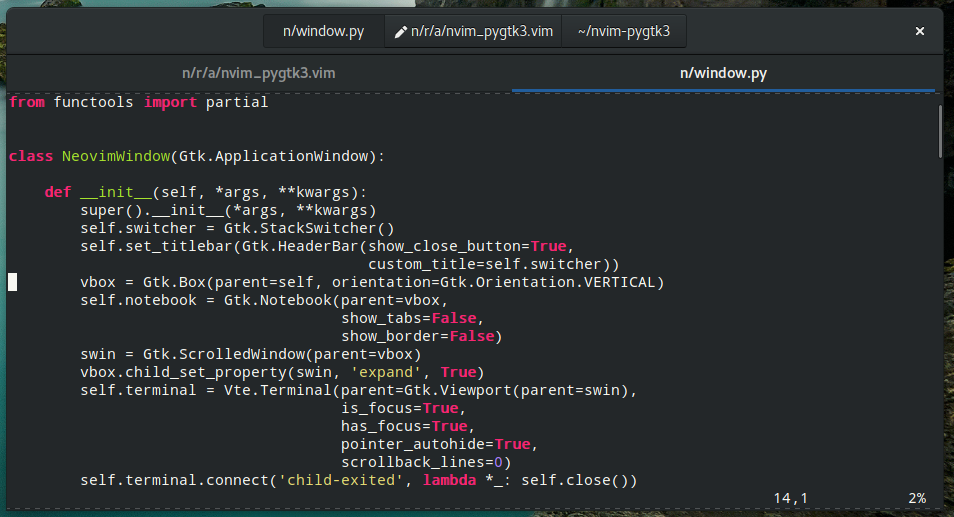
Preview
Installation
Requirements:
python 3.6+python-setuptools(make)python-neovimpython-gobjectvte3
$ python setup.py install --user --root=/System-wide:
$ sudo python setup.py install --root=/Python scripts
Scripts in $XDGCONFIGHOME/nvim_pygtk3/*.py are exec'd at startup, exposing the following globals:
connect: Utility wrapper to connect GObject signals.window: The GTK top-level window.
window.terminal: The VTE terminal that hosts neovim.
Docs
* window.switcher: The GtkStackSwitcher that displays buffers.
Docs
* window.notebook: The GtkNotebook that displays tabs.
Docs
* window.viewport: The GtkViewport that holds the terminal.
Docs
The window object has the following additional signals:
nvim-setup: Emitted when neovim has started.nvim-notify: Emitted when neovim has notified the GUI.nvim-request: Emitted when neovim has requested the GUI.
~/.config/nvim_pygtk3/a.py:
@connect(window, 'nvim-setup')
def a(nvim):
    nvim.command(f'call rpcnotify({nvim.channel_id}, "hello", "world")')
@connect(window, 'nvim-notify') def b(nvim, event, args):     if event == 'hello':         print('hello', args)
@connect(window.terminal, 'cursor-moved') def c():     print('cursor moved!')


