
A beautiful terminal social client for Mastodon and Bluesky 🐦
🐦 Perch
A beautiful terminal social client for Mastodon and Bluesky
Read, post, and engage across social networks — all from your terminal.




📖 Table of Contents
- ✨ Features
- 📸 Screenshots
- 🚀 Quick Start
- 🔐 Authentication
- 💻 Usage
- ⌨️ Keybindings
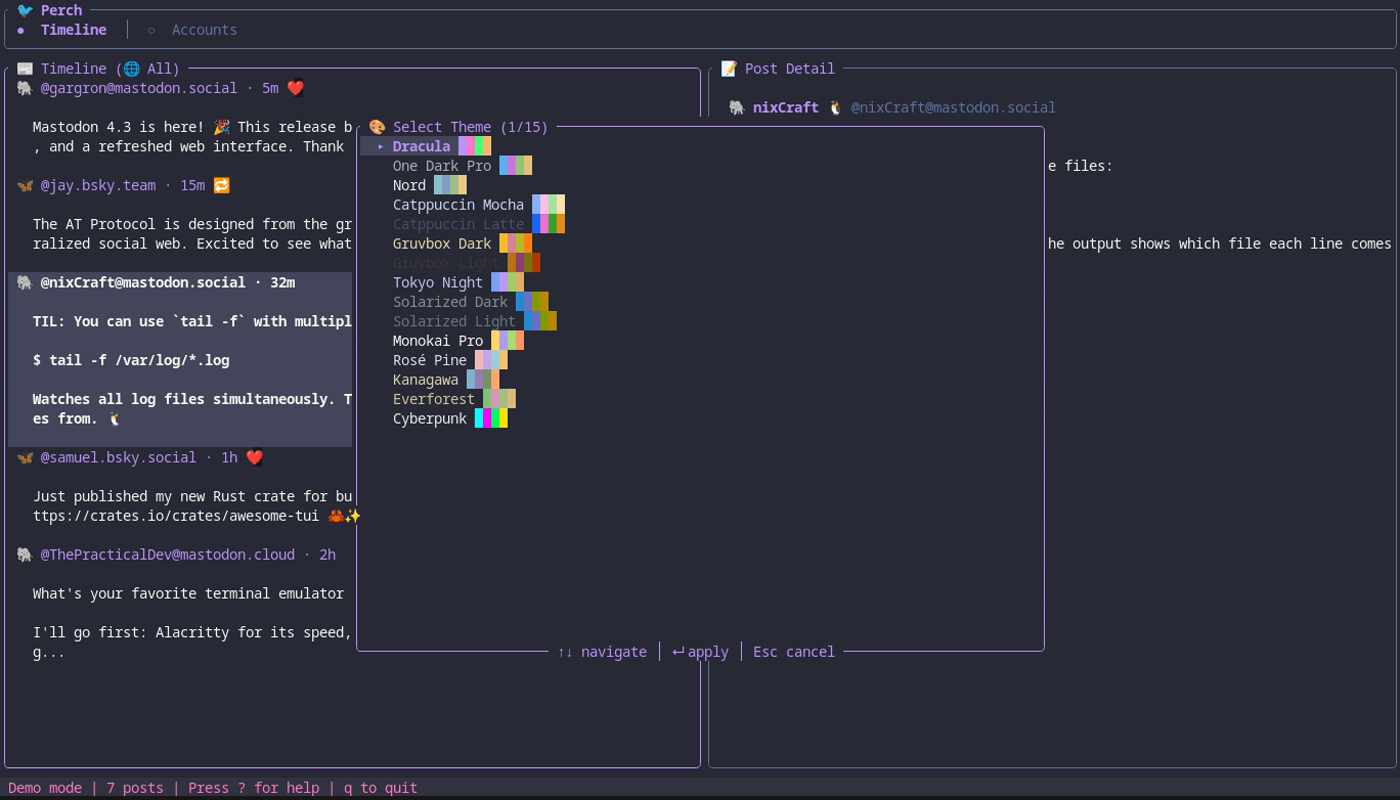
- 🎨 Themes
- ⚙️ Configuration
- 🏗️ Architecture
- 🔧 Building from Source
- 🤝 Contributing
- 📄 License
✨ Features
🐘 Mastodon IntegrationFull OAuth authentication with any instance. Browse timelines, post, reply, like, and boost.🦋 Bluesky IntegrationAT Protocol support with app passwords. Stay connected to the decentralized social web.📝 Cross-PostingWrite once, post to multiple networks simultaneously. Perfect for maintaining presence everywhere. |
🖥️ Beautiful TUIGorgeous three-panel terminal interface with vim keybindings and real-time updates.⚡ Powerful CLIScript your social media with comprehensive commands. Automate posts, fetch timelines, manage accounts.🔐 Secure StorageCredentials stored safely in your system keyring. Never worry about plaintext tokens. |
Feature Highlights
| Feature | Description | |---------|-------------| | 🔍 Timeline Filtering | View all posts or filter by network | | 💾 Offline Cache | SQLite-backed cache for offline reading | | 🎨 15 Built-in Themes | From Dracula to Cyberpunk | | ⌨️ Vim Keybindings | Navigate like a pro | | 📋 Draft Support | Save drafts for later | | 📅 Scheduled Posts | Queue posts for optimal timing | | 🔔 Notifications | Desktop alerts for mentions | | 🖼️ Media Support | Attach images to posts |
📸 Screenshots
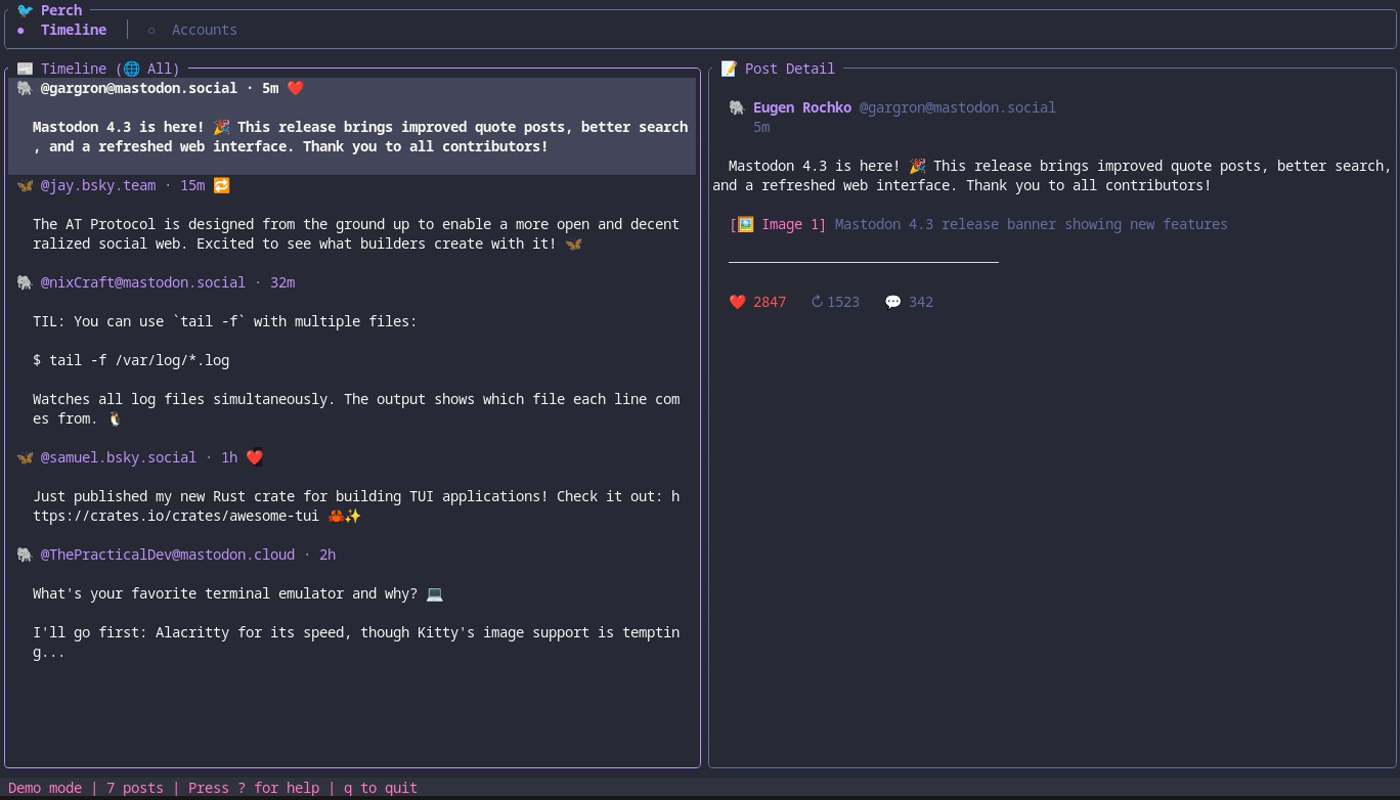
Timeline View — Browse posts from all your networks
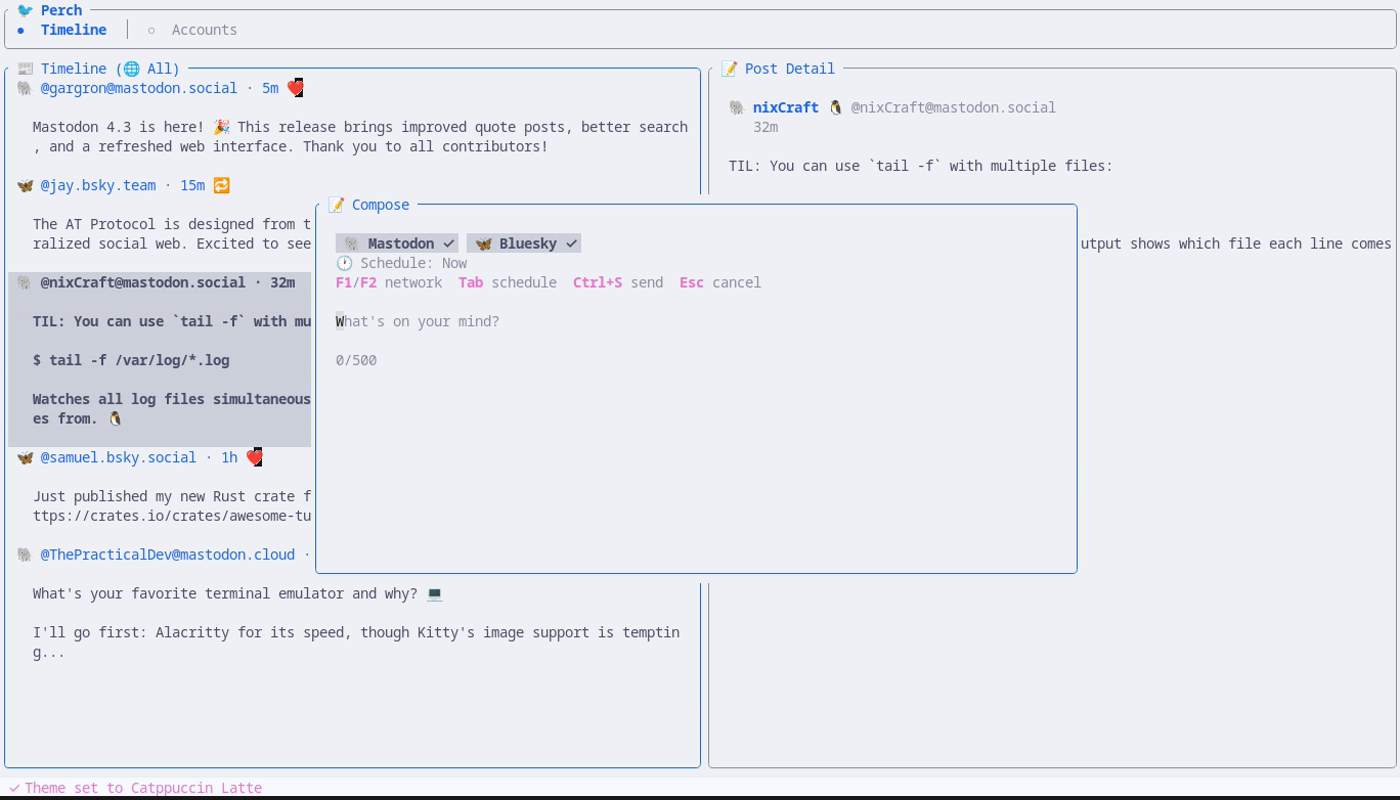
Compose Post — Write once, post everywhere
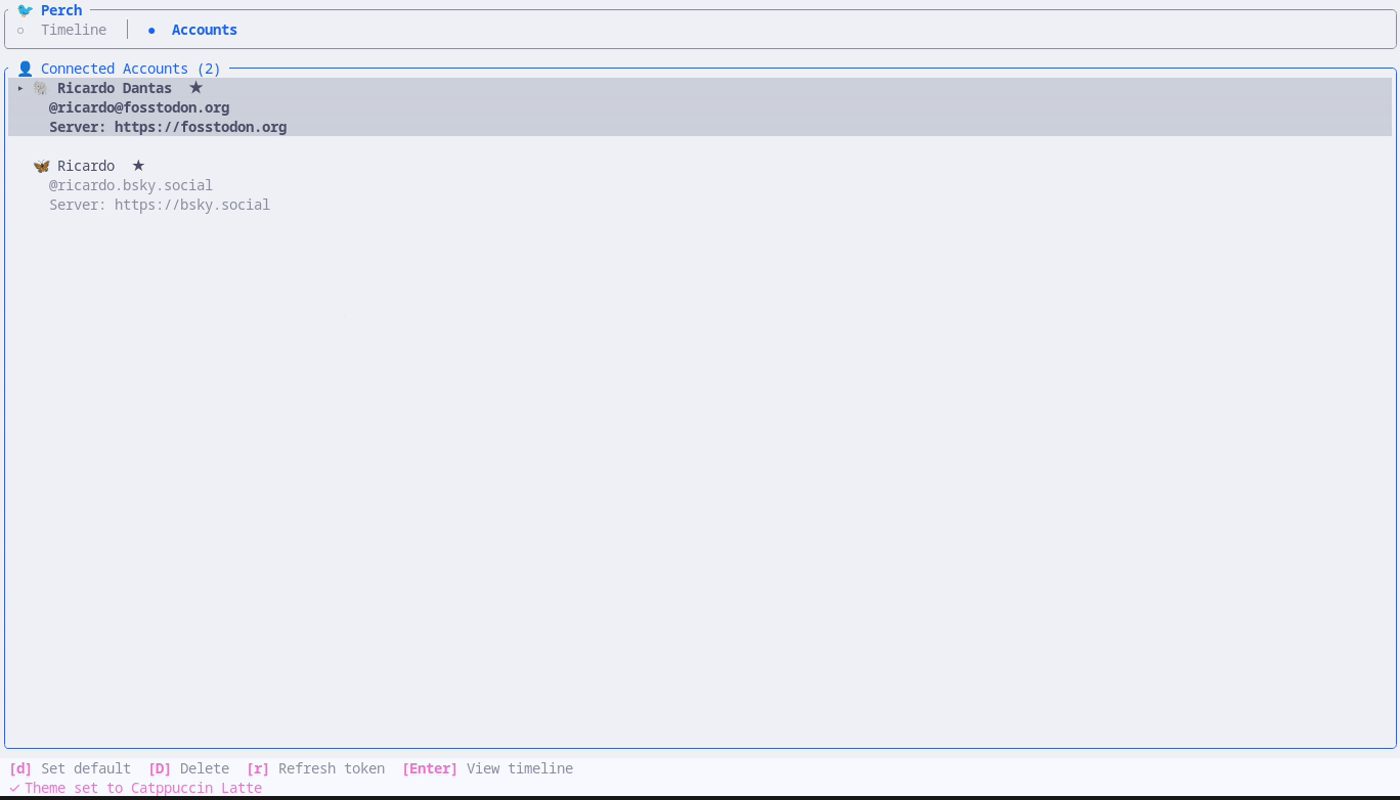
Accounts — Manage your connected accounts
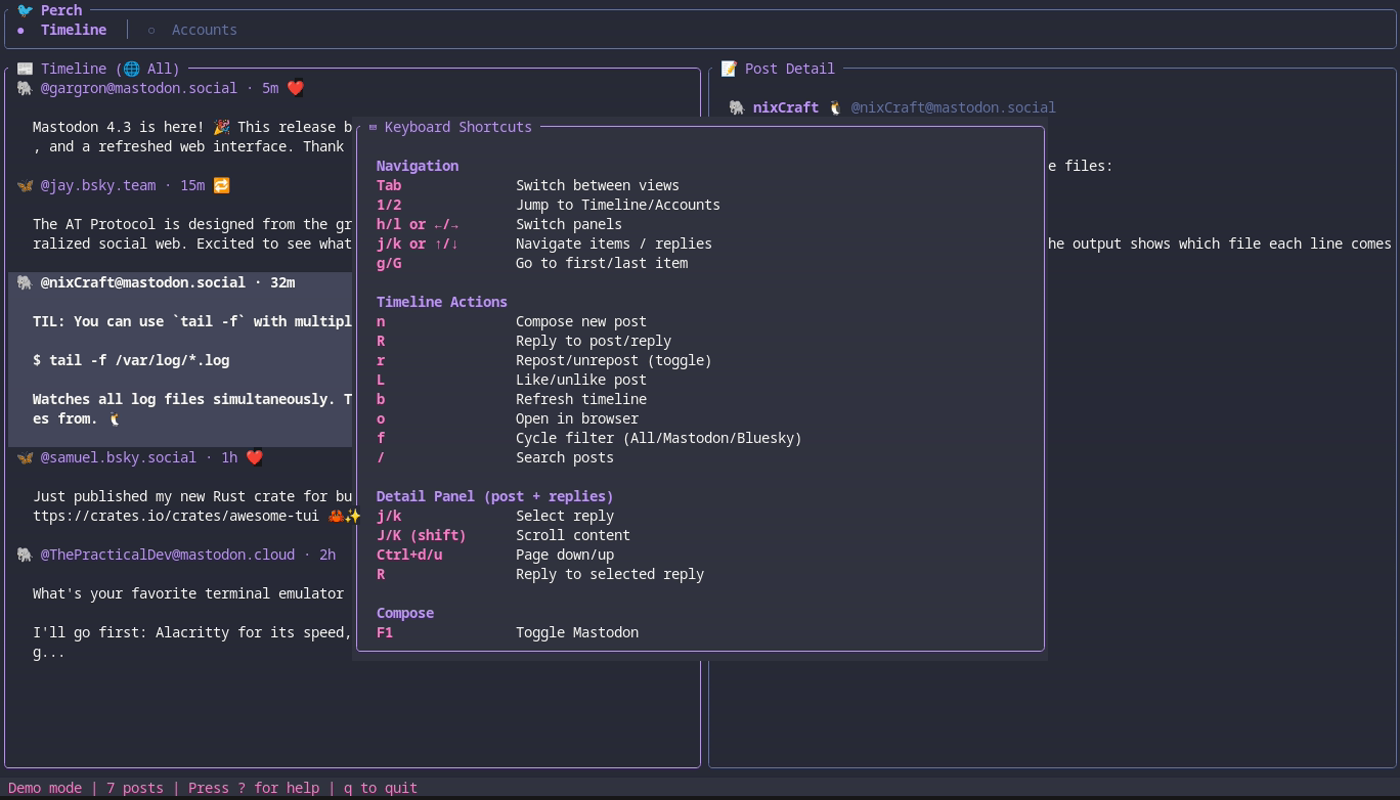
Keyboard Shortcuts — Vim-style navigation
Theme Picker — 15 beautiful themes
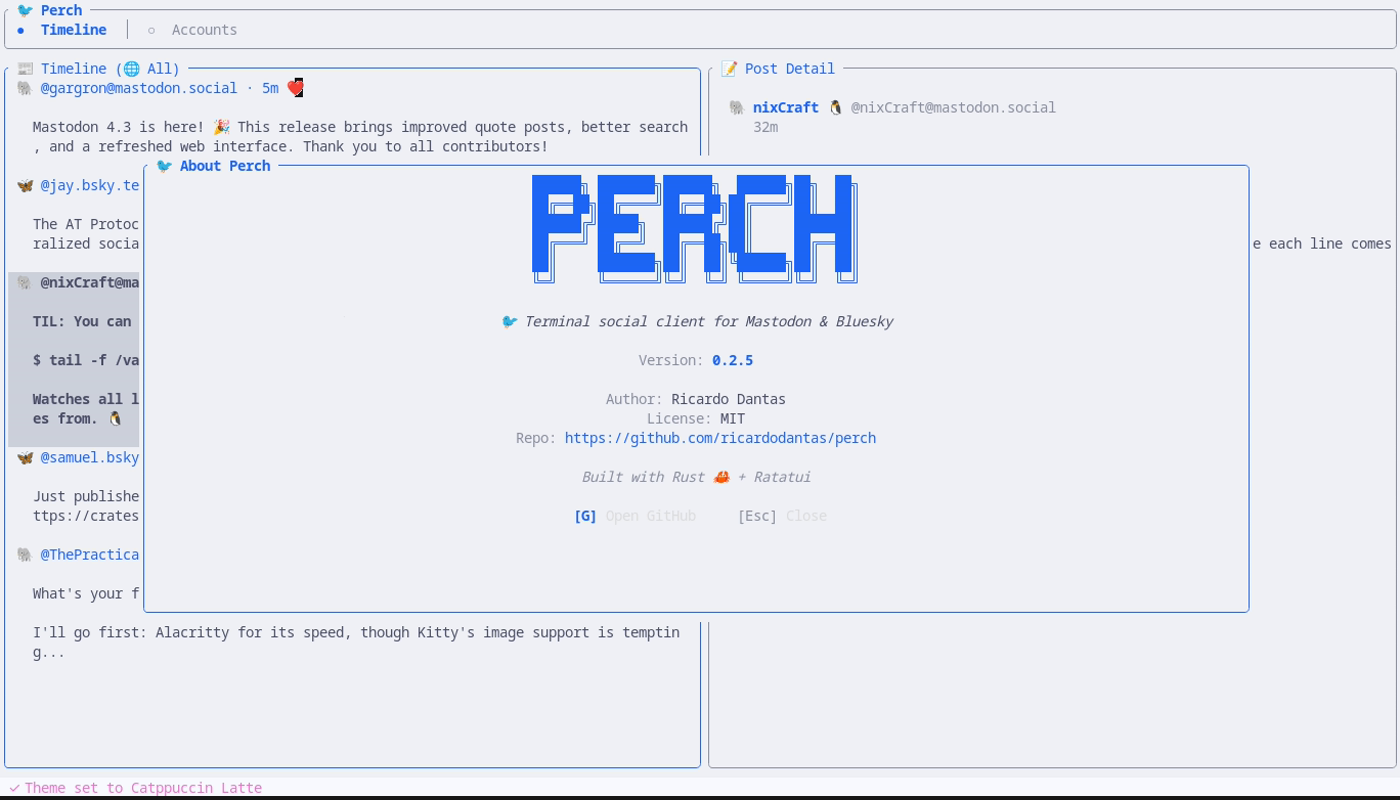
About — Version info and links
🚀 Quick Start
Installation
macOS
# Homebrew (recommended - fast, pre-built binary)
brew install ricardodantas/tap/perch
Linux
# Homebrew (recommended)
brew install ricardodantas/tap/perch
Or via Cargo
cargo install perch
Windows
# Via Cargo (requires Rust toolchain)
cargo install perch
Or download perch-*-x8664-pc-windows-msvc.zip from GitHub Releases.
From Source
git clone https://github.com/ricardodantas/perch
cd perch
cargo install --path .
First Run
- Add a Mastodon account:
perch auth mastodon mastodon.social- Or add a Bluesky account:
perch auth bluesky- Launch the TUI:
perch🔐 Authentication
Mastodon (OAuth)
perch auth mastodon <instance>This will:
- Register Perch with your Mastodon instance
- Open your browser for authorization
- Ask you to paste the authorization code
- Store credentials securely in your system keyring
perch auth mastodon mastodon.social
perch auth mastodon fosstodon.org
perch auth mastodon hachyderm.io
Bluesky (App Password)
perch auth blueskyYou'll need an App Password from Bluesky settings.
Note: App passwords are more secure than your main password — they can be revoked individually and don't have full account access.
💻 Usage
TUI Mode
perchLaunch the beautiful terminal interface with three-panel layout:
- Left panel: Accounts and filters
- Center panel: Timeline/feed
- Right panel: Post details and media
CLI Commands
Posting
# Post to all configured networks
perch post "Hello world!"
Post to specific networks
perch post "Hello Fediverse!" --to mastodon
perch post "Hello everyone!" --to mastodon,bluesky
Post with content warning
perch post "Spoiler content" --cw "Movie spoilers"
Post with media
perch post "Check this out!" --media ~/photo.jpg
Scheduled Posts
# Schedule a post for later
perch post "Good morning!" --schedule "in 2h"
perch post "Happy Friday!" --schedule "YYYY-MM-DD HH:MM" --to mastodon,bluesky
List pending scheduled posts
perch schedule list
Cancel a scheduled post
perch schedule cancel abc123
Process due scheduled posts (one-time)
perch schedule run
Run scheduler daemon (continuous)
perch schedule daemon
perch schedule daemon --interval 30  # Check every 30 seconds
Schedule time formats:
- Relative:
"in 5m","in 2h","in 1d","in 30 minutes" - Time today:
"15:00","3pm"(schedules for tomorrow if past) - Date+time:
"YYYY-MM-DD HH:MM","YYYY-MM-DDTHH:MM"
n), press Tab to switch to the schedule input field. Type your schedule time and it validates in real-time. Press Tab or Enter to confirm, F4 to clear.
Timeline
# View home timeline (all networks)
perch timeline
View specific network
perch timeline mastodon
perch timeline bluesky
Limit posts
perch timeline --limit 50
Account Management
# List all accounts
perch accounts
Remove an account
perch accounts remove <account-id>
⌨️ Keybindings
Global
| Key | Action | |-----|--------| | Tab | Switch panel | | ? / F1 | Show help | | t | Change theme | | q | Quit | | Ctrl+c | Force quit |
Navigation
| Key | Action | |-----|--------| | ↑ / k | Move up | | ↓ / j | Move down | | g / Home | Go to first item | | G / End | Go to last item | | PageUp | Page up | | PageDown | Page down |
Timeline View
| Key | Action | |-----|--------| | r | Refresh timeline | | f | Cycle filter (All/Mastodon/Bluesky) | | Enter | View post details | | o | Open in browser | | l | Like/favorite | | b | Boost/repost | | R | Reply to post |
Compose
| Key | Action | |-----|--------| | n | New post | | Ctrl+Enter | Send post | | Alt+1 | Toggle Mastodon | | Alt+2 | Toggle Bluesky | | Esc | Cancel |
🎨 Themes
Perch includes 15 beautiful themes based on popular terminal and editor color schemes.
Press t in the TUI to cycle through themes.
Available Themes
| Theme | Description | |-------|-------------| | 🦇 Dracula | Dark purple aesthetic (default) | | 🌙 One Dark Pro | Atom's iconic dark theme | | ❄️ Nord | Arctic, bluish color palette | | 🐱 Catppuccin Mocha | Warm pastel dark theme | | ☕ Catppuccin Latte | Warm pastel light theme | | 🎸 Gruvbox Dark | Retro groove colors | | 📜 Gruvbox Light | Retro groove, light variant | | 🌃 Tokyo Night | Futuristic dark blue | | 🌅 Solarized Dark | Precision colors, dark | | 🌞 Solarized Light | Precision colors, light | | 🎨 Monokai Pro | Classic syntax highlighting | | 🌹 Rosé Pine | All natural pine with soho vibes | | 🌊 Kanagawa | Inspired by Katsushika Hokusai | | 🌲 Everforest | Comfortable green forest theme | | 🌆 Cyberpunk | Neon-soaked futuristic theme |
⚙️ Configuration
Perch uses TOML for configuration. The config file is located at:
~/.config/perch/config.tomlFull Configuration Example
# ─────────────────────────────────────────────────────────────
Display Settings
─────────────────────────────────────────────────────────────
Theme (dracula, nord, catppuccin-mocha, etc.)
theme = "dracula"
Enable vim-like keybindings
vim_mode = true
Show media previews (when supported)
show_media = true
─────────────────────────────────────────────────────────────
Timeline Settings
─────────────────────────────────────────────────────────────
Default timeline view
default_timeline = "home"
Number of posts to fetch
post_limit = 50
Auto-refresh interval in seconds (0 = manual only)
refreshintervalsecs = 0
─────────────────────────────────────────────────────────────
Posting Settings
─────────────────────────────────────────────────────────────
Default visibility for posts
Options: public, unlisted, private, direct
default_visibility = "public"
Default networks to post to (when using CLI without --to)
default_networks = ["mastodon", "bluesky"]
🏗️ Architecture
┌─────────────────────────────────────────────────────────────┐
│                         User                                │
└─────────────────────────────────────────────────────────────┘
                              │
              ┌───────────────┴───────────────┐
              ▼                               ▼
┌─────────────────────────┐     ┌─────────────────────────┐
│     perch (TUI)         │     │     perch (CLI)         │
│  • Browse timelines     │     │  • perch post           │
│  • Compose posts        │     │  • perch timeline       │
│  • Like & boost         │     │  • perch accounts       │
│  • Switch themes        │     │  • Scriptable commands  │
└─────────────────────────┘     └─────────────────────────┘
              │                               │
              └───────────────┬───────────────┘
                              ▼
┌─────────────────────────────────────────────────────────────┐
│                      Core Library                           │
│  • api/mastodon.rs  — Mastodon OAuth + API                  │
│  • api/bluesky.rs   — AT Protocol integration               │
│  • auth/            — System keyring storage                │
│  • db.rs            — SQLite cache & drafts                 │
└─────────────────────────────────────────────────────────────┘
                              │
              ┌───────────────┴───────────────┐
              ▼                               ▼
┌─────────────────────────┐     ┌─────────────────────────┐
│   🐘 Mastodon API       │     │   🦋 Bluesky API        │
│   (Any instance)        │     │   (bsky.social)         │
└─────────────────────────┘     └─────────────────────────┘
Project Structure
perch/
├── src/
│   ├── api/              # Network API clients
│   │   ├── mod.rs        # Unified SocialApi trait
│   │   ├── mastodon.rs   # Mastodon OAuth + REST
│   │   └── bluesky.rs    # AT Protocol client
│   ├── app/              # TUI application
│   │   ├── mod.rs
│   │   ├── state.rs      # Application state
│   │   ├── events.rs     # Key event handling
│   │   └── ui.rs         # UI rendering
│   ├── auth/             # Credential storage
│   │   └── mod.rs        # System keyring
│   ├── models/           # Data models
│   │   ├── mod.rs
│   │   ├── account.rs
│   │   ├── network.rs
│   │   └── post.rs
│   ├── config.rs         # Configuration loading
│   ├── db.rs             # SQLite database
│   ├── theme.rs          # Color themes
│   ├── lib.rs            # Library root
│   └── main.rs           # Entry point
├── Cargo.toml
└── LICENSE
🔧 Building from Source
Requirements
- Rust 1.85+
- Linux, macOS, or Windows
Build
# Clone the repository
git clone https://github.com/ricardodantas/perch
cd perch
Build release binary
cargo build --release
The binary will be at:
target/release/perch
Or install directly
cargo install --path .
Development
# Run in development
cargo run
Run tests
cargo test
Run linter
cargo clippy
Format code
cargo fmt
🤝 Contributing
Contributions are welcome! Please feel free to submit a Pull Request.
Quick Start for Contributors
- Fork the repository
- Create a feature branch:
git checkout -b feature/amazing-feature - Make your changes
- Run tests:
cargo test - Run clippy:
cargo clippy - Format:
cargo fmt - Commit:
git commit -m "Add amazing feature" - Push:
git push origin feature/amazing-feature - Open a Pull Request
📄 License
This project is licensed under the GPL-3.0-or-later license — see the LICENSE file for details.
Built with 🦀 Rust and ❤️ by Ricardo Dantas


