
Run Red Hat Developer Hub (RHDH) locally with Podman Compose or Docker Compose. Ideal to test software catalogs, techdocs, dynamic plugins, templates, homepage customizations, configurations and more. NO OFFICIAL SUPPORT.
RHDH Local
The fastest and simplest way for platform engineers to test Red Hat Developer Hub (RHDH) features locally.
RHDH Local lets you quickly test software catalogs, TechDocs, plugins, templates, and configurations without needing a cluster. Perfect for individual development and testing on your laptop, desktop, or homelab.
[!CAUTION]>
- RHDH Local is NOT a substitute for Red Hat Developer Hub.
- It is for development and testing only, not for production use.
- It is designed for individual developers try out various RHDH features, not for teams as there is no out-of-the-box RBAC support.
- There is no official, commercial support for RHDH Local. Use RHDH Local at your own risk.
Quick Start
- Clone and start:
git clone https://github.com/redhat-developer/rhdh-local.git && cd rhdh-local
   podman compose up -d  # or: docker compose up -d
> Developer Lightspeed is included by default. To configure an LLM provider, see the Developer Lightspeed Guide. To disable Lightspeed, see Disabling Lightspeed.
- Access: Open http://localhost:7007 and log in as 'Guest'
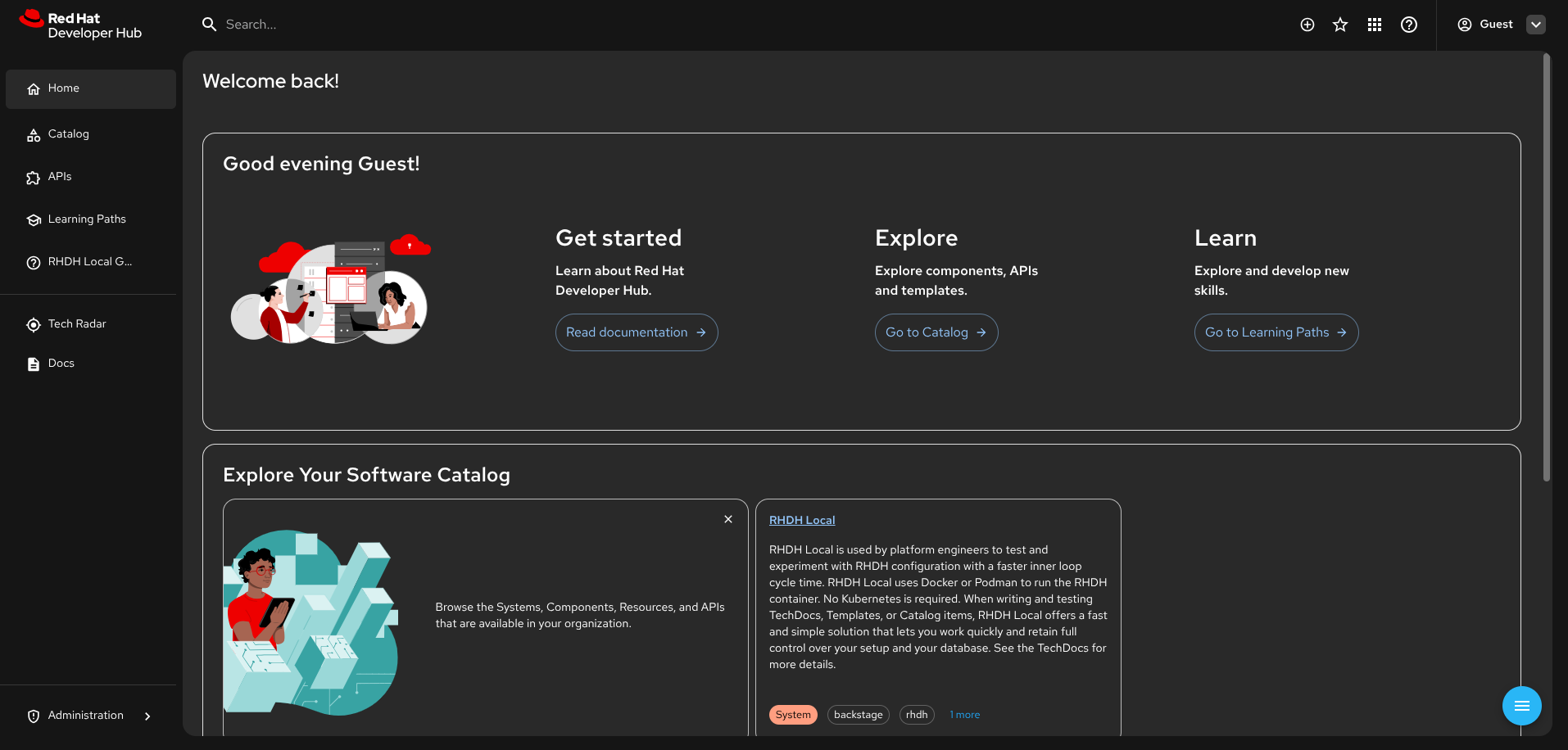
Built-in Documentation
RHDH Local includes comprehensive technical TechDocs covering everything you need to know about it. Once running, access the documentation directly in the application for detailed guides on:
- Getting Started: Understanding RHDH Local's purpose and capabilities
- Loading Content: Adding catalogs, templates, and TechDocs
- Dynamic Plugins: Installing, configuring, and developing plugins
- GitHub Integration: Setting up authentication and content fetching
- Local Development: Working with plugins and configurations
- Operations: Running, restarting, and troubleshooting
Quick Commands
Note: Replacepodmanwithdockerif using Docker.
After Plugin changes
After modifying the plugins configuration, for example after configuring plugins using the Extensions in the RHDH UI:
# Reinstall plugins and restart RHDH
podman compose run install-dynamic-plugins  # or: docker compose run install-dynamic-plugins
podman compose stop rhdh                    # or: docker compose stop rhdh
podman compose start rhdh                   # or: docker compose start rhdh
Quick restart (No Plugin changes)
For configuration-only changes:
# Just restart RHDH (if plugins haven't changed)
podman compose stop rhdh   # or: docker compose stop rhdh
podman compose start rhdh  # or: docker compose start rhdh
Clean up
podman compose down --volumes # or: docker compose down --volumesAdditional Configuration Guides
If you would like to change your RHDH-Local setup, or add additional features or plugins, please check out the guides below.
- Plugins Guide - how to include your own plugins
- Container Image Guide - how to switch to a more bleeding edge, or commercially supported version of RHDH
- Simulated Proxy Setup - testing in a simulated proxy environment
- PostgreSQL Guide - using PostgreSQL instead of an in-memory database
- Orchestrator Workflow Guide - using Orchestrator with RHDH to develop workflows.
- Developer Lightspeed Guide - configuring an LLM provider for the built-in Developer Lightspeed assistant.
- Developer Lightspeed Maintainer Guide - maintaining and syncing Lightspeed configuration files.
Contributing and reporting issues
To report issues against this repository, please use JIRA with Component: RHDH Local
To browse the existing issues, you can use this Query.
Contributions are welcome!
Breaking changes and known issues
Upgrading to RHDH 1.9
More details in the RHDH 1.9 Release Notes.
If you switch your RHDH_IMAGE to 1.9+ (default value in this branch), you may need to:
- Update your
dynamic-plugins.override.yaml
See Migration Steps for more information.
Also see configs/dynamic-plugins/dynamic-plugins.override.example.yaml for an example.
- Update any scaffolder modules
TypeError: Cannot read properties of undefined (reading 'id')). See RHDHBUGS-2497 as a known issue.
License
Copyright Red Hat
Licensed under the Apache License, Version 2.0 (the "License"); you may not use this file except in compliance with the License. You may obtain a copy of the License at
http://www.apache.org/licenses/LICENSE-2.0
Unless required by applicable law or agreed to in writing, software distributed under the License is distributed on an "AS IS" BASIS, WITHOUT WARRANTIES OR CONDITIONS OF ANY KIND, either express or implied. See the License for the specific language governing permissions and limitations under the License.


