
My API wrapper for ChatGPT making it possible to use ChatGPT via API for free instead of paying for their API.
ChatGPT Reverse
A reverse-engineered implementation of ChatGPT that bypasses OpenAI's API system. This project provides free access to ChatGPT as API by emulating browser behavior and solving OpenAI Turnstile challenge through VM decompilation.
Quick Start
Install dependencies:
pip install fastapi uvicorn curl-cffi pydantic pillow colorama esprimaRun the API server:
python api_server.pyThe server runs on http://localhost:6969
Or test directly:
python manual.pyUsage
API Endpoint
POST /conversation
Request:
{ "proxy": "http://user:pass@ip:port", "message": "Your message here", "image": "data:image/png;base64,iVBORw0KGgoAAAANSUhEUgAA..." }The image field accepts base64-encoded images with data URI format. The system automatically handles image upload, processing, and attachment to the conversation.
Response:
{ "status": "success", "result": "ChatGPT response" }Direct Usage
from wrapper import ChatGPT
client = ChatGPT("http://user:pass@proxy:port") response = client.ask_question("Hello") print(response)
With image
response = client.ask_question("What's in this image?", "data:image/png;base64,...")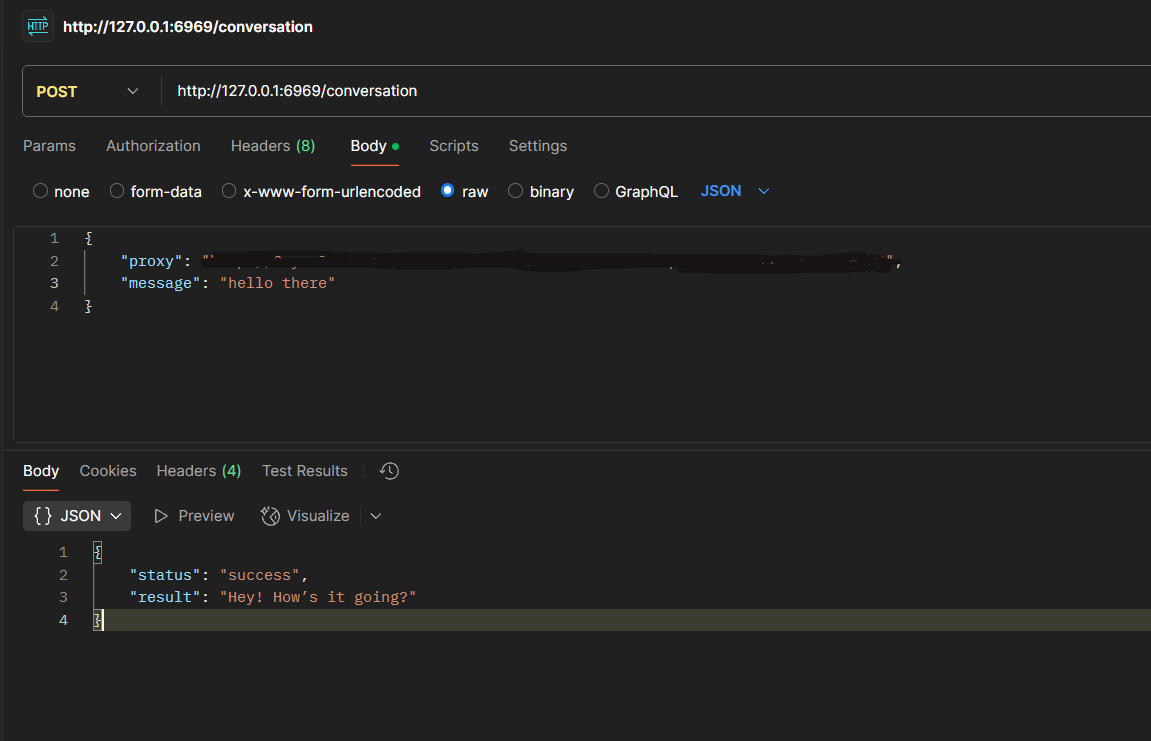
Request Flow and Authentication
The system makes several authenticated requests to ChatGPT endpoints:
1. Initial Requirements (/backend-anon/sentinel/chat-requirements)
- Sends VM token in request body as
pparameter - Receives chat requirements token, proof-of-work challenge, and Turnstile bytecode
- Headers:
oai-client-version,oai-device-id
2. Conduit Token (/backend-anon/f/conversation/prepare)
- Prepares conversation context
- Uses
x-conduit-token: no-tokenheader initially - Returns conduit token for actual conversation
3. Main Conversation (/backend-anon/f/conversation)
- Critical headers with VM components:
openai-sentinel-chat-requirements-token: From requirements endpoint
- openai-sentinel-proof-token: Solved proof-of-work challenge
- openai-sentinel-turnstile-token: VM-generated Turnstile token
- x-conduit-token: From conduit preparation
- oai-echo-logs: Timing data for behavioral analysis
VM and Turnstile Token System
The core of this implementation is the VM system that solves OpenAI Turnstile challenges used in the openai-sentinel-turnstile-token header.
How It Works
ChatGPT uses Turnstile anti-bot protection that sends encrypted JavaScript bytecode to verify legitimate browsers. Our system:
- Receives bytecode from ChatGPT servers in the requirements response
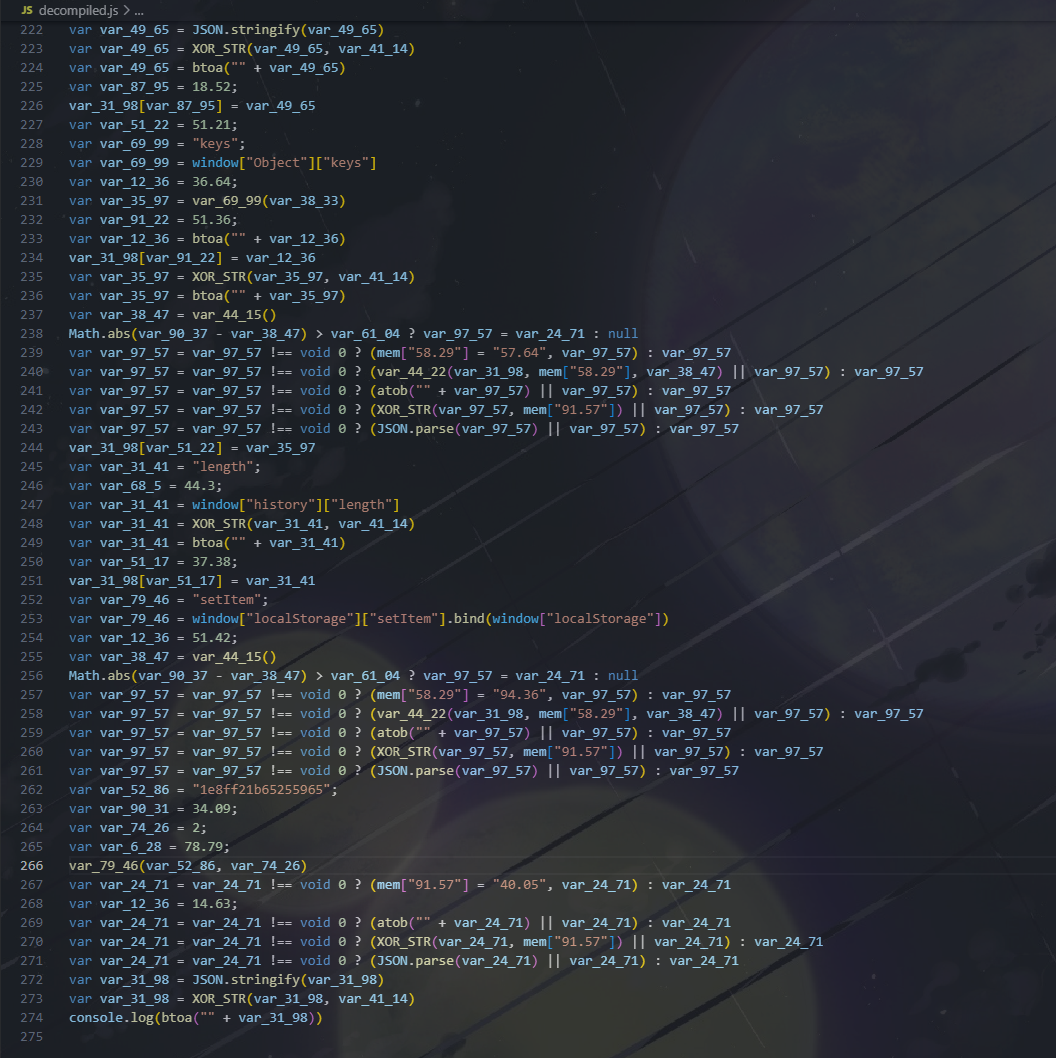
- Decompiles bytecode into readable JavaScript operations
- Parses decompiled output to extract variable assignments and XOR keys
- Executes VM logic by building browser fingerprint payload with XOR encryption
Decompiler
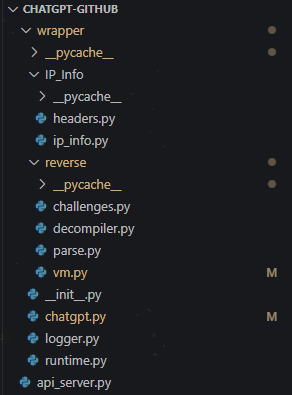
The decompiler (wrapper/reverse/decompiler.py) translates Turnstile's custom bytecode:
mapping = {
        "1": "XOR_STR",
        "2": "SET_VALUE",
        "3": "BTOA",
        "4": "BTOA_2",
        "5": "ADDORPUSH",
        "6": "ARRAY_ACCESS",
        "7": "CALL",
        "8": "COPY",
        "10": "window",
        "11": "GETSCRIPTSRC",
        "12": "GET_MAP",
        "13": "TRY_CALL",
        "14": "JSON_PARSE",
        "15": "JSON_STRINGIFY",
        "17": "CALLANDSET",
        "18": "ATOB",
        "19": "BTOA_3",
        "20": "IFEQUALCALL",
        "21": "IFDIFFCALL",
        "22": "TEMPSTACKCALL",
        "23": "IFDEFINEDCALL",
        "24": "BIND_METHOD",
        "27": "REMOVEORSUBTRACT",
        "28": "undefined",
        "25": "undefined",
        "26": "undefined",
        "29": "LESS_THAN",
        "31": "INCREMENT",
        "32": "DECREMENTANDEXEC",
        "33": "MULTIPLY"
    }
It handles:
- Multi-layer bytecode decryption using XOR operations
- Variable state tracking across operations
- Browser API simulation (window, document objects)
- Three-stage decompilation process with nested encrypted layers
VM Execution
The VM (wrapper/reverse/vm.py) parses the decompiled output and extracts:
- XOR encryption keys: Dynamic keys for payload encryption extracted from
XOR_STR()patterns - Variable assignments: Browser fingerprint data collection points
- Operation sequences: DOM manipulation and measurement operations
XOR_STR()calls with different variables for encryptiongetBoundingClientRect()for element measurementsnavigatorproperty access for hardware fingerprintslocalStorage.keys()for browser storage dataMath.random()calls requiring XOR self-encryption- Performance timing measurements
- Element measurements: Realistic
getBoundingClientRect()values - Navigator data: Chrome browser fingerprints (
["Google Inc.","Win32",8,0]) - Location info: Current page URL and IP geolocation data
- Storage keys: Realistic localStorage key patterns
- Random values: Self-XOR encrypted random numbers

Proof-of-Work Challenge
In addition to Turnstile, the system solves computational proof-of-work challenges:
def solve_pow(seed, difficulty, config):
    for i in range(500000):
        result = runCheck(seed, difficulty, i, config)
        if result:
            return f"gAAAAAB{result}"
The PoW solver:
- Brute forces hash computations until difficulty threshold is met
- Uses FNV-1a hash algorithm with specific bit operations
- Integrates browser configuration data into the solution
- Provides the
openai-sentinel-proof-tokenheader value
Challenge Integration
All challenge solutions work together:
- VM Token: Generated from initial config, sent to
/chat-requirements - PoW Solution: Computed from returned challenge, proves computational work
- Turnstile Token: VM-generated from bytecode, proves browser legitimacy
- Conduit Token: Session-specific token for conversation context

Image Processing
The system handles image uploads through a multi-step process:
- Image Upload (
/backend-anon/files):
- Blob Upload:
x-ms-blob-type: BlockBlob
- Processing (
/backend-anon/files/processuploadstream):
- Conversation Integration:
file-service://{file_id}
- Includes image metadata (dimensions, mime type)
Security Bypasses
IP Detection: Uses proxy rotation to avoid rate limits and geographic restrictions Browser Fingerprinting: Emulates Chrome 139 with consistent headers and device properties Device Tracking: Maintains stable device IDs (oai-did) across sessions Behavioral Analysis: Simulates realistic timing patterns in oai-echo-logs Challenge Solving: Passes all cryptographic and computational verification steps
Configuration
Proxy format: http://username:password@host:port
Troubleshooting
"Unusual activity" error: Your IP is flagged, use a different proxy Requirements token fails: VM token generation issue, check decompiler mappings Turnstile token invalid: Bytecode format changed, update operation mappings PoW challenge timeout: Increase iteration limit or check hash implementation Image upload fails: Check file size limits and blob storage connectivity
Disclaimer
This project is for educational purposes only. If OpenAI has an Issue with this Project please contact me via my email nuhuh3116@gmail.com.


