
🎛️ Kanban dashboard for AI assistants. Chat-to-task. Visual project management for MoltBot.
Mission Control 🎛️
The visual layer your AI assistant is missing.
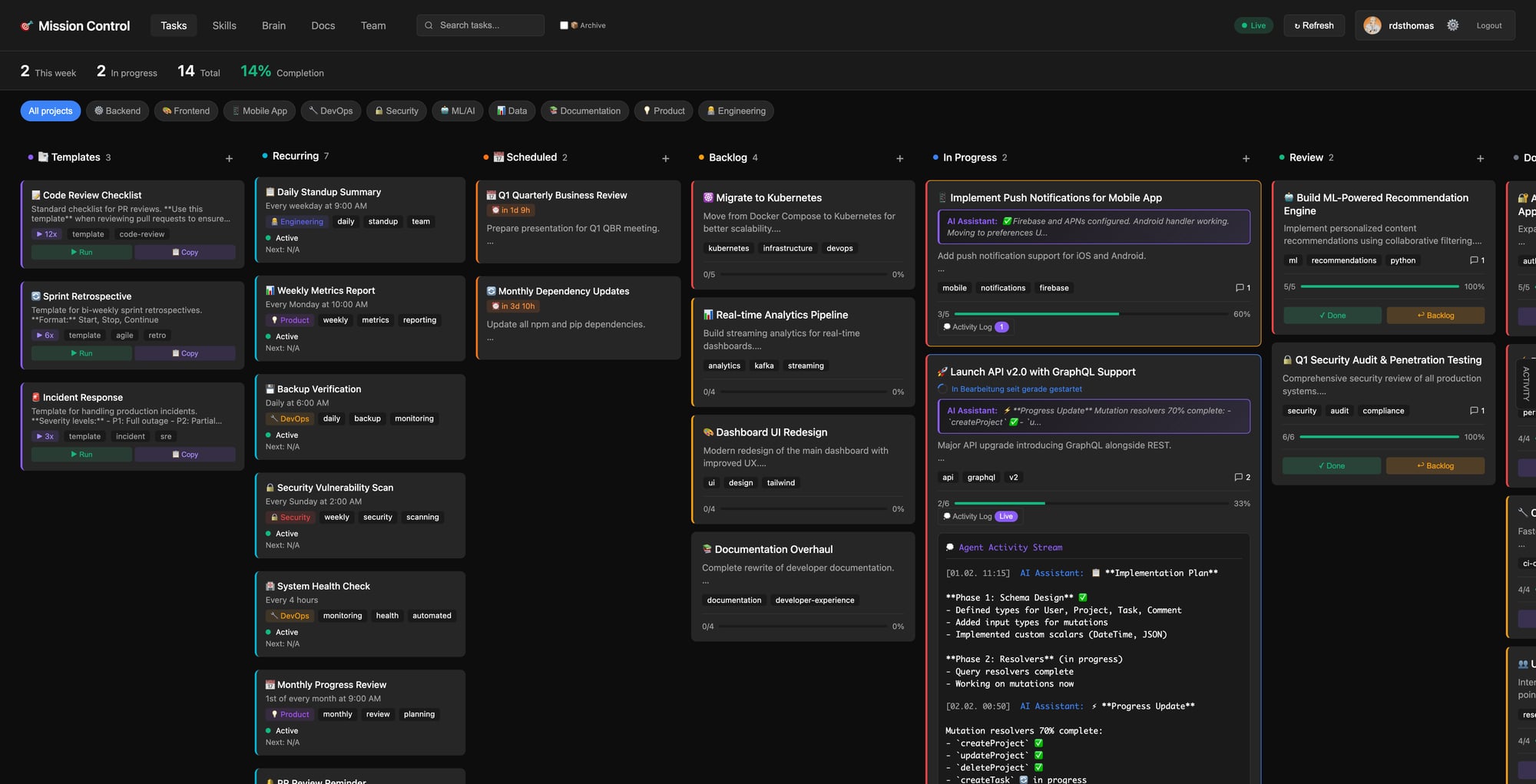
Chat conversations are linear. Projects aren't.




Why Mission Control?
You've set up Clawdbot. It's brilliant — answers on WhatsApp, automates your workflows, even writes code for you. But after a week of conversations, you have 50+ tasks scattered across hundreds of messages.
Where was that API refactor task? Did the dark mode feature get completed? What's actually in progress right now?
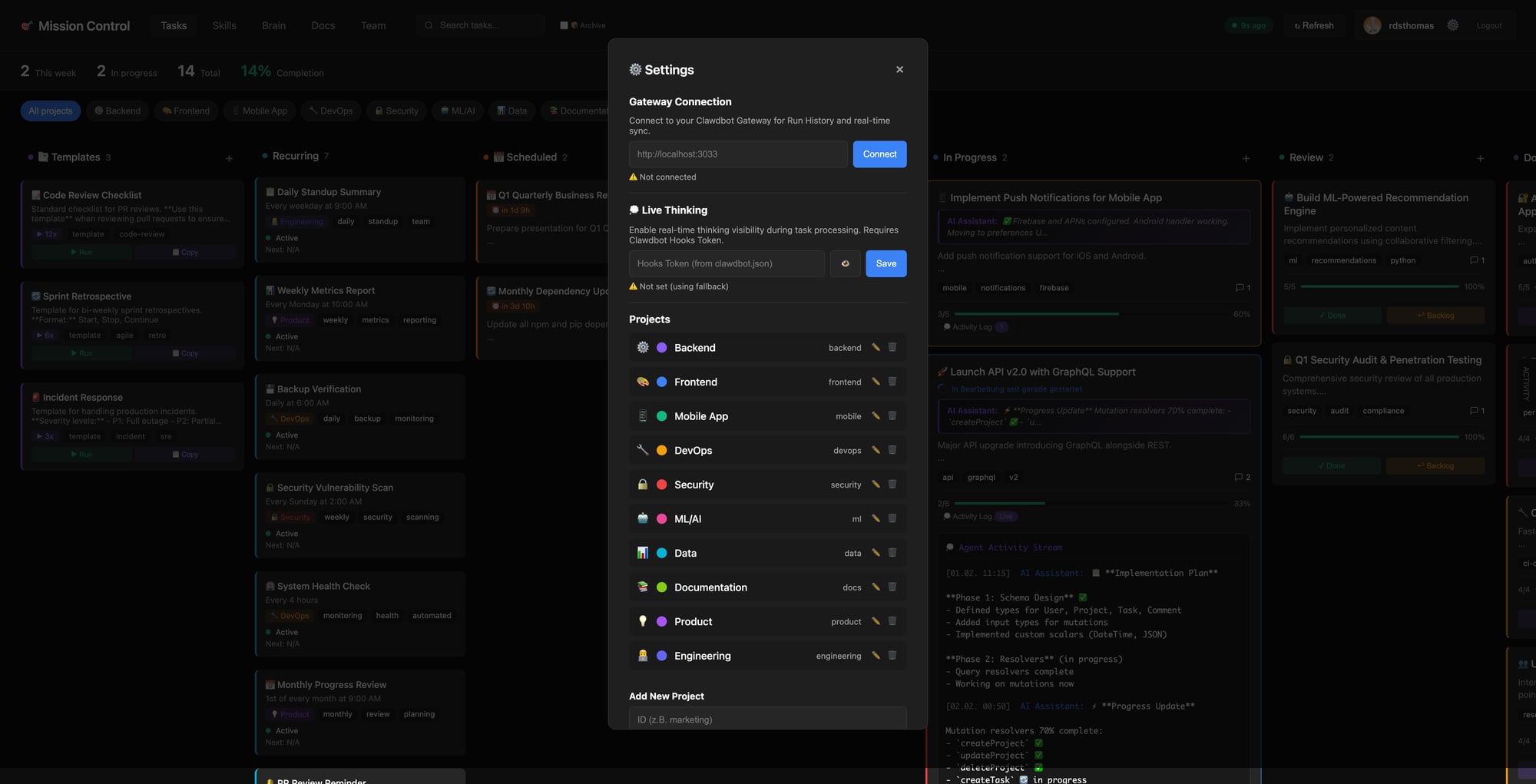
Mission Control gives your AI assistant a visual brain.
| Without Mission Control | With Mission Control | |------------------------|---------------------| | Tasks buried in chat history | All tasks on one Kanban board | | "What was I working on?" | Instant visual status | | Lost context between sessions | Persistent, organized backlog | | AI works, you lose track | AI works, dashboard updates |
Who Is This For?
🛠️ Solo Developers & Indie Hackers
You're building products while juggling a dozen parallel workstreams. Clawdbot helps you code, but you need to see the big picture. Mission Control turns your AI conversations into a project board.⚡ Productivity Enthusiasts
You've optimized everything — but your AI assistant's output is still trapped in linear chat. Mission Control extracts actionable tasks from conversations and tracks them visually.🔒 Self-Hosters & Privacy-Conscious Users
Your data stays yours. Mission Control runs on GitHub Pages from your own repo. No external services, no tracking, no cloud lock-in.Features
- 📋 Kanban Board — Permanent, Backlog, In Progress, Review, Done
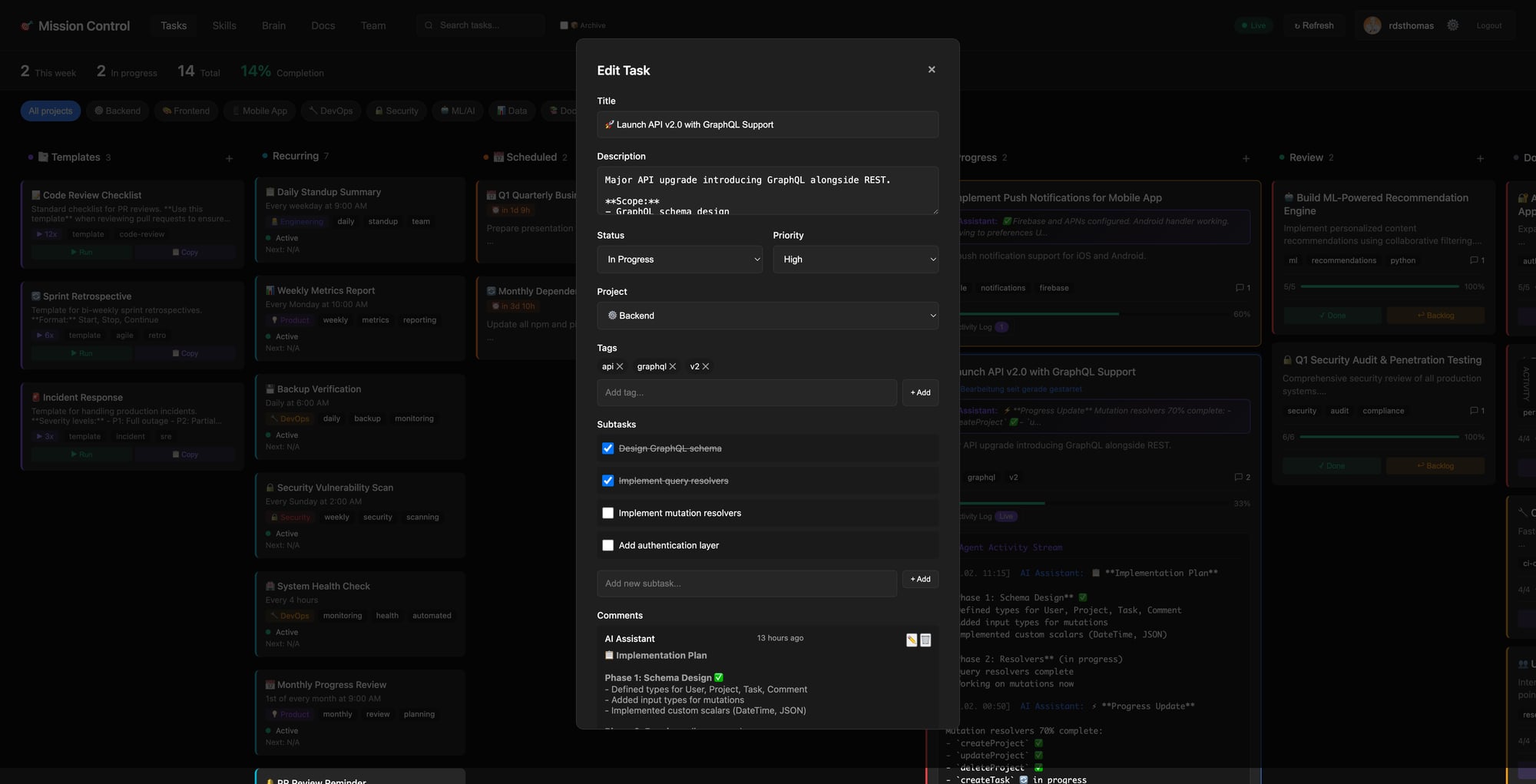
- 🤖 AI-Native — Clawdbot can create, update, and complete tasks via chat
- 👤 Human-Friendly — You can drag & drop in the dashboard
- 🔄 GitHub Sync — Auto-save to your repo, hosted on GitHub Pages
- 🔔 Webhooks — Clawdbot gets notified instantly when you move tasks
- 🎨 Projects & Tags — Organize by project, filter by context
- 🧩 Dynamic Config — Environment variable fallbacks for flexible deployment
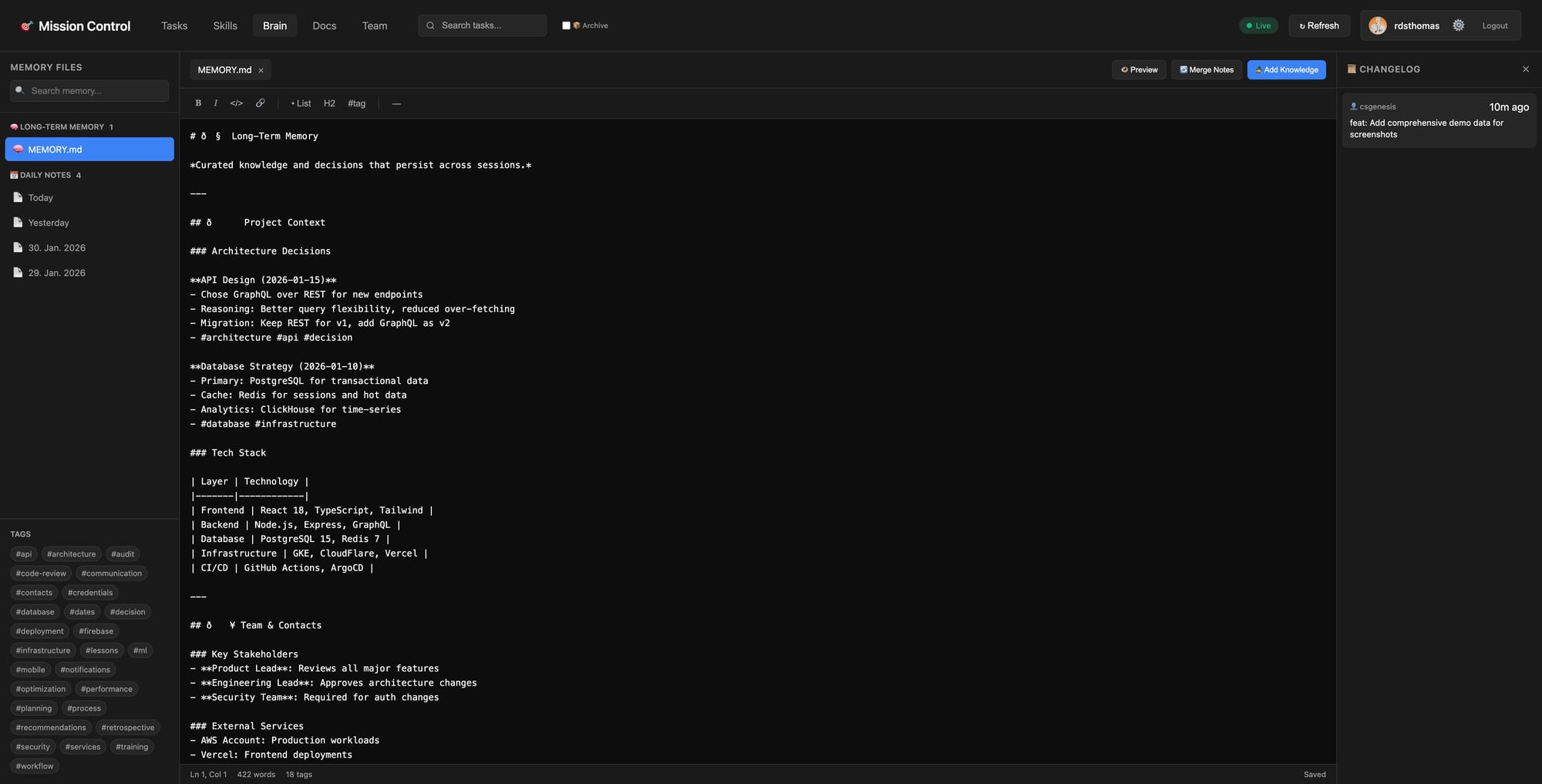
- 🧠 Brain Tab — Long-term memory with daily notes, tags, and changelogs
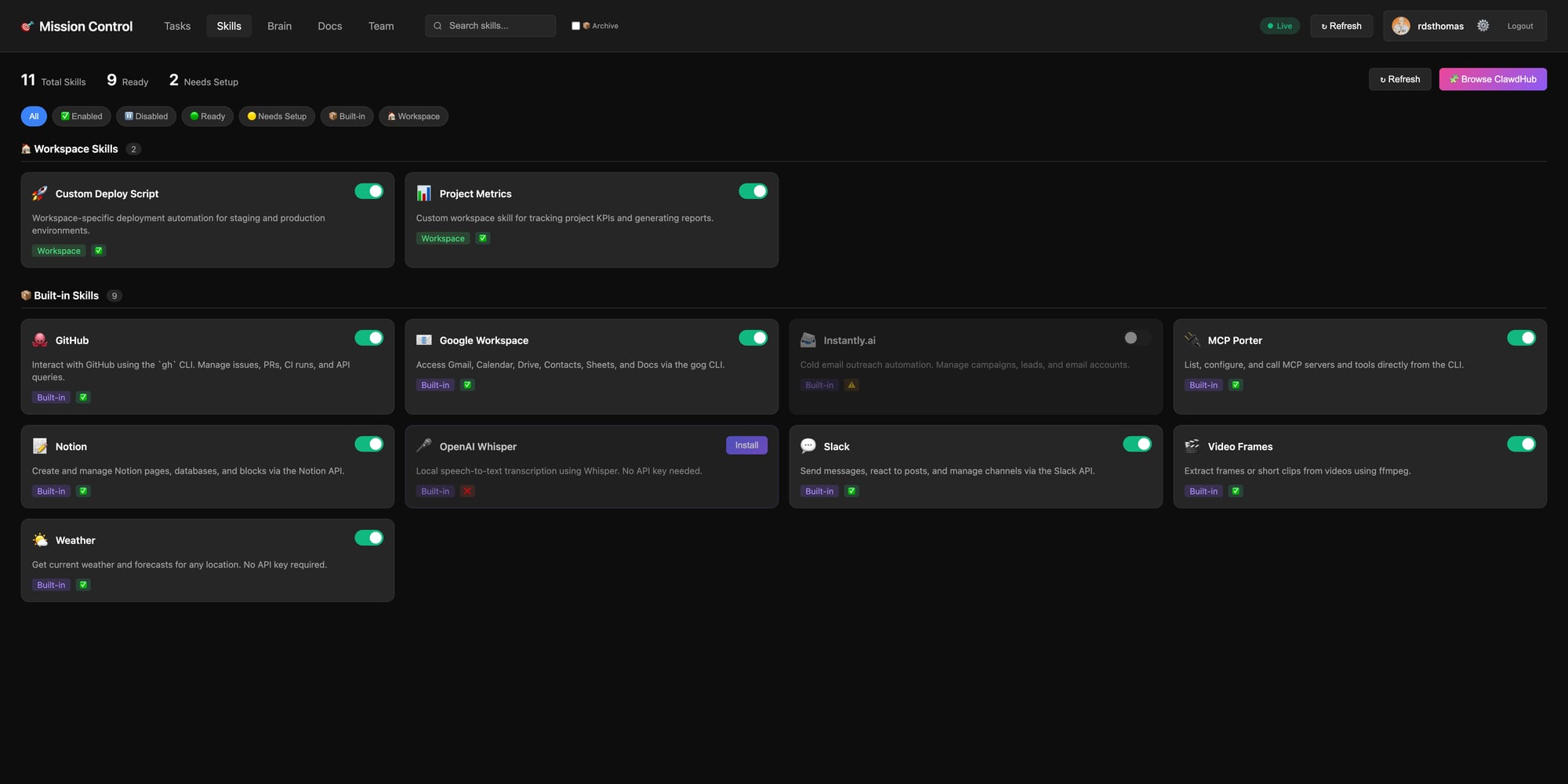
- 🔌 Skills Management — View and configure your AI assistant's capabilities
Skills Tab
Manage your AI assistant's capabilities. See what's installed, what needs setup, and browse ClawdHub for more.
Brain Tab
Your AI's memory, visualized. Edit MEMORY.md, browse daily notes, and track knowledge over time.
Quick Start
Via ClawdHub (Recommended)
clawdhub install mission-controlThen just tell your AI: "Set up Mission Control for my workspace"
The agent will:
- Check prerequisites (Tailscale, gh CLI)
- Copy dashboard files to your workspace
- Create config file
- Install webhook transform
- Set up GitHub webhook
- Push to GitHub and enable Pages
Manual Installation
git clone https://github.com/rdsthomas/mission-control.git
cd mission-control
Follow SKILL.md for manual setup steps
How It Works
┌─────────────────────────────────────────────────────────────────┐
│                        YOUR WORKFLOW                            │
├─────────────────────────────────────────────────────────────────┤
│                                                                 │
│  💬 CHAT                           📊 DASHBOARD                 │
│  ─────                             ─────────                    │
│                                                                 │
│  "Plan the Q1 roadmap"      ──►    📋 Backlog: Q1 Roadmap      │
│                                         ├── Feature A           │
│                                         └── Feature B           │
│                                                                 │
│  "Start Feature A"          ──►    🚀 In Progress: Feature A   │
│                                                                 │
│  [Clawdbot works...]        ◄──    Updates subtasks & comments │
│                                                                 │
│  [You review in dashboard]  ──►    ✅ Done: Feature A          │
│                                                                 │
└─────────────────────────────────────────────────────────────────┘
Bidirectional: Both you AND Clawdbot can create, edit, move, and complete tasks. Work from the dashboard or via chat — everything stays in sync.
Bidirectional Workflow
Two Ways to Work
| Action | 👤 You (Dashboard) | 🤖 Clawdbot (Chat/CLI) | |--------|-------------------|----------------------| | Create task | Click "+" button | Natural language or CLI | | Edit task | Click card → Edit | mc-update.sh or JSON | | Move task | Drag & drop | Change status via CLI | | Add comment | Type in comment box | mc-update.sh comment | | Complete | Drag to Done | mc-update.sh complete |
Example: Planning via Chat
You: "Let's implement dark mode"
Clawdbot: "I'll create an implementation plan:"
📋 Task: Implement Dark Mode
├── Define color variables (CSS custom properties)
├── Create theme toggle component
├── Persist preference in localStorage
├── Detect system preference
└── Test across browsers
"Added to your Backlog. Move to In Progress when ready!"
Chat Commands
Talk naturally — Clawdbot understands:
- "Create a task for refactoring the auth module"
- "Add a subtask: write unit tests"
- "Move dark mode to review"
- "What's in progress?"
- "Archive completed tasks"
CLI Tool
Use mc-update.sh for task management:
# Status changes
mc-update.sh status <task_id> review
mc-update.sh status <task_id> done
Comments
mc-update.sh comment <task_id> "Progress update..."
Subtasks
mc-update.sh subtask <taskid> sub1 done
Complete (moves to review + adds summary)
mc-update.sh complete <task_id> "Summary of what was done"
Push to GitHub
mc-update.sh push "Commit message"
Documentation
| Document | Description | |----------|-------------| | SKILL.md | Agent-focused setup guide | | ARCHITECTURE.md | Technical deep-dive | | docs/PREREQUISITES.md | Installation requirements | | docs/HOW-IT-WORKS.md | System architecture | | docs/TROUBLESHOOTING.md | Common issues & fixes |
What's New in v2.0.0
- 🔧 Dynamic Config Loading —
loadConfig()with environment variable fallbacks - 📖 Agent-Guided Setup — Just say "set up Mission Control" and the AI handles it
- 📚 Comprehensive Docs — Prerequisites, architecture, troubleshooting (10 issues covered)
- 🎯 EPIC Support — Handle parent tasks with multiple child tickets
- ⚙️ Example Configs — Ready-to-use templates in
assets/examples/
Troubleshooting
"Cannot find package 'undici'" during installation
This error comes from the ClawdHub CLI, not Mission Control:
Error [ERRMODULENOT_FOUND]: Cannot find package 'undici' imported from .../clawdhub/dist/http.jsFix: Reinstall ClawdHub to ensure all dependencies are properly installed:
npm install -g clawdhubThen retry the installation:
clawdhub install mission-controlFor more issues, see docs/TROUBLESHOOTING.md.
Community & Support
- 💬 Discord: discord.gg/clawd — Clawdbot community (8.9K+ members)
- 📖 Docs: ARCHITECTURE.md — How it all works
- 🐛 Issues: GitHub Issues
- 🌟 Star this repo if Mission Control helps you stay organized!
Security
Mission Control passes human-authored task descriptions to an AI agent for execution. This is the product's core function — not a vulnerability.
Trust model: Designed for single-user / trusted-user setups where the task author is the same person who controls the agent. For multi-user scenarios, use Clawdbot's agent sandbox and permission settings.
Mitigations included:
- Input sanitization in
mc-update.sh(blocks shell injection patterns) - Webhook HMAC verification with
timingSafeEqual - Credential scanning before open-source sync
- No tokens or secrets stored in the dashboard
License
MIT License — see LICENSE.
Built for Clawdbot 🦞
Stop losing tasks in chat. Start shipping.
Try the Demo · Join Discord · ⭐ Star on GitHub


