
Simple yet powerful multi-line text editor widget for Ratatui
ratatui-textarea
[![crate][crates-io-badge]][crate] [![docs][doc-badge]][doc] [![CI][ci-badge]][ci] [![coverage][codecov-badge]][codecov]
[!NOTE]
This project is a Ratatui fork of [tui-textarea] and maintained independently. See [this issue][ecosystem-issue] for details.
[ratatui-textarea][crate] is a simple yet powerful text editor widget like <textarea> in HTML for [ratatui][]. Multi-line text editor can be easily put as part of your TUI application.
Features:
- Multi-line text editor widget with basic operations (insert/delete characters, auto scrolling, ...)
- Emacs-like shortcuts (
C-n/C-p/C-f/C-b,M-f/M-b,C-a/C-e,C-h/C-d,C-k,M-</M->, ...) - Undo/Redo
- Line number
- Cursor line highlight
- Soft wrapping with character and word wrap modes
- Search with regular expressions
- Text selection
- Mouse scrolling
- Yank support. Paste text deleted with
C-k,C-j, ... - Backend agnostic. [crossterm][], [termion][], [termwiz][], and your own backend are all supported
- Multiple textarea widgets in the same screen
Examples
Running cargo run --example in this repository can demonstrate usage of ratatui-textarea.
minimal
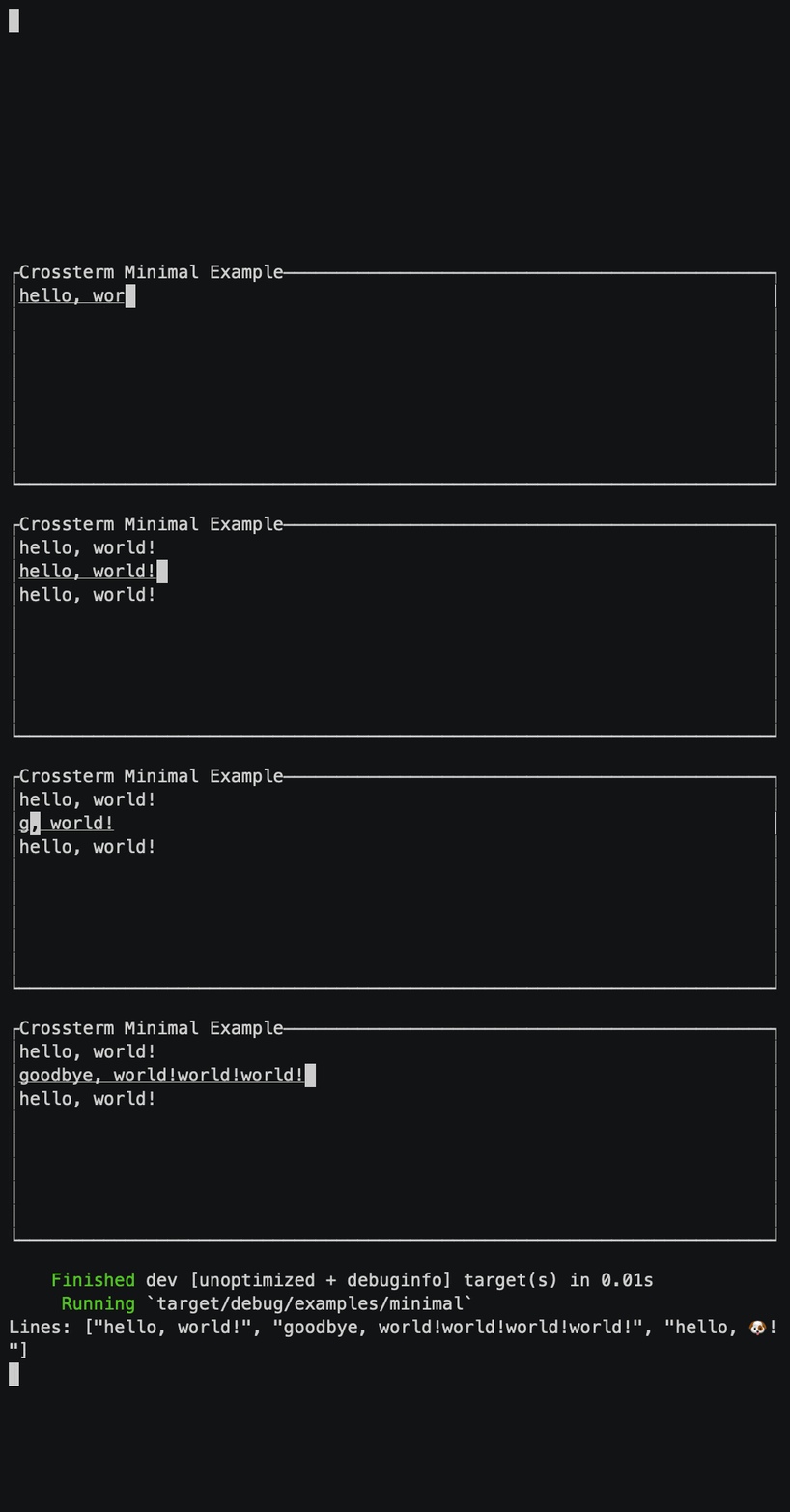
cargo run --example minimalMinimal usage with [crossterm][] support.
editor
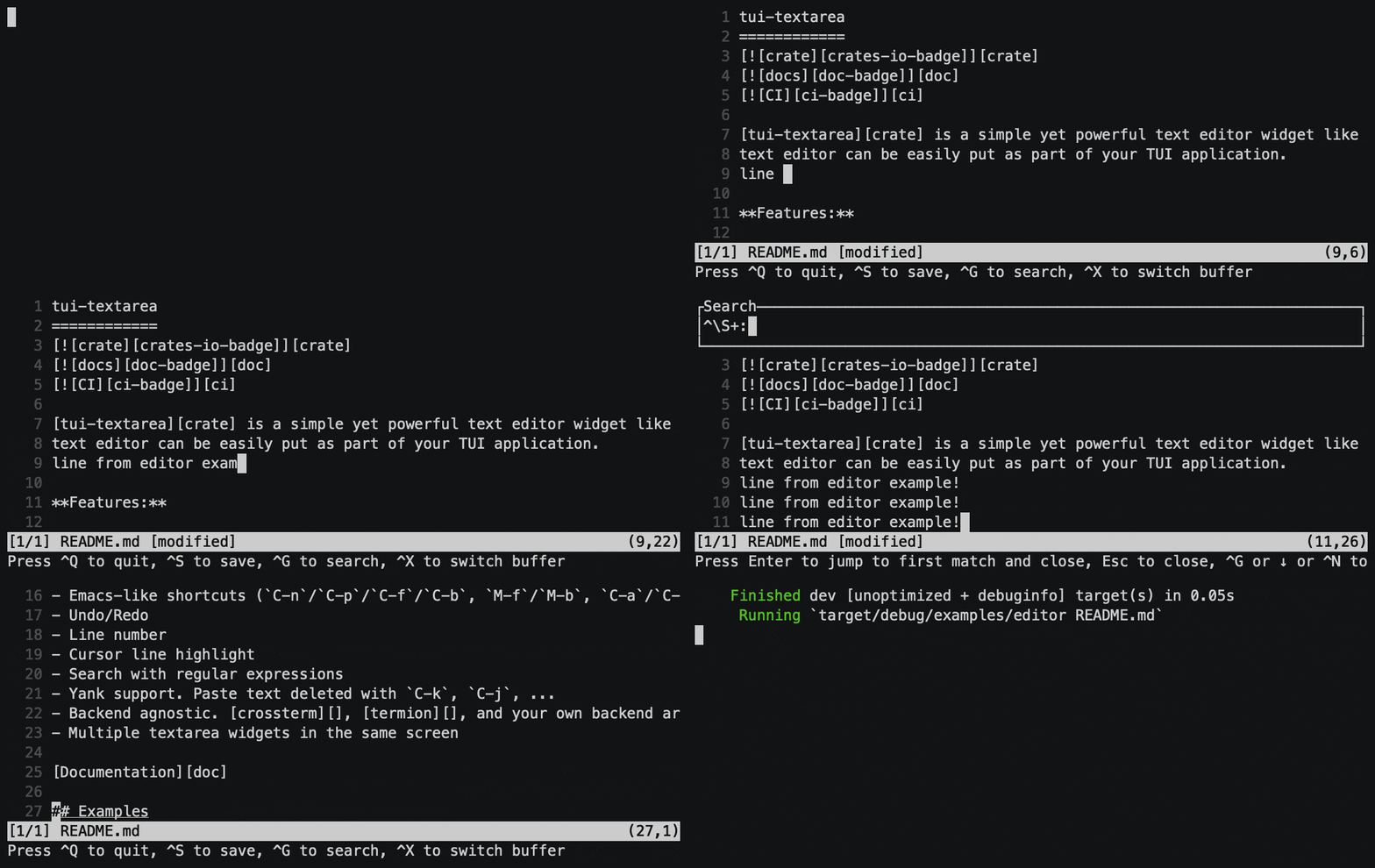
cargo run --example editor --features search file.txtSimple text editor to edit multiple files.
single_line
cargo run --example single_lineSingle-line input form with float number validation.

split
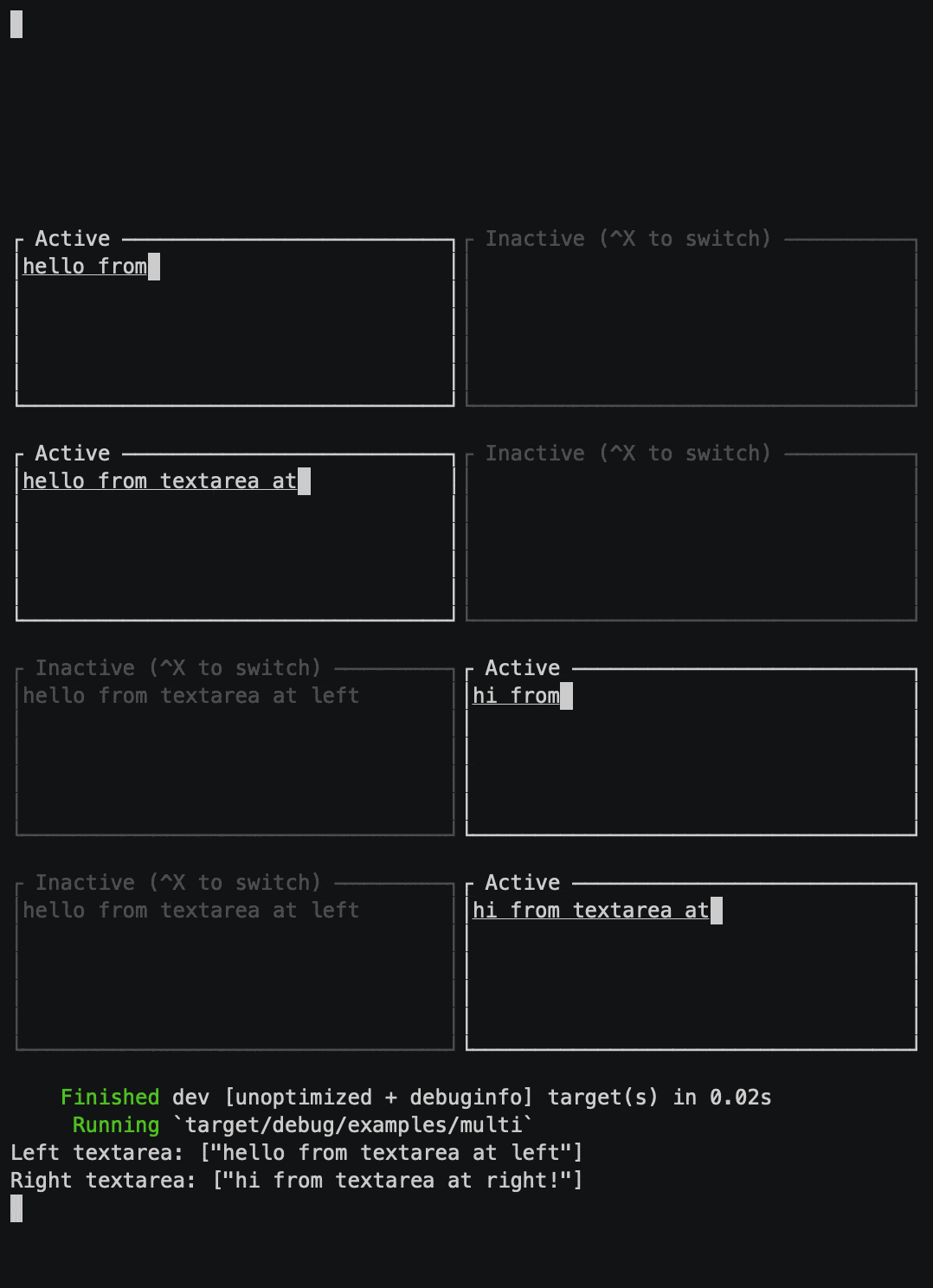
cargo run --example splitTwo split textareas in a screen and switch them. An example for multiple textarea instances.
wrap
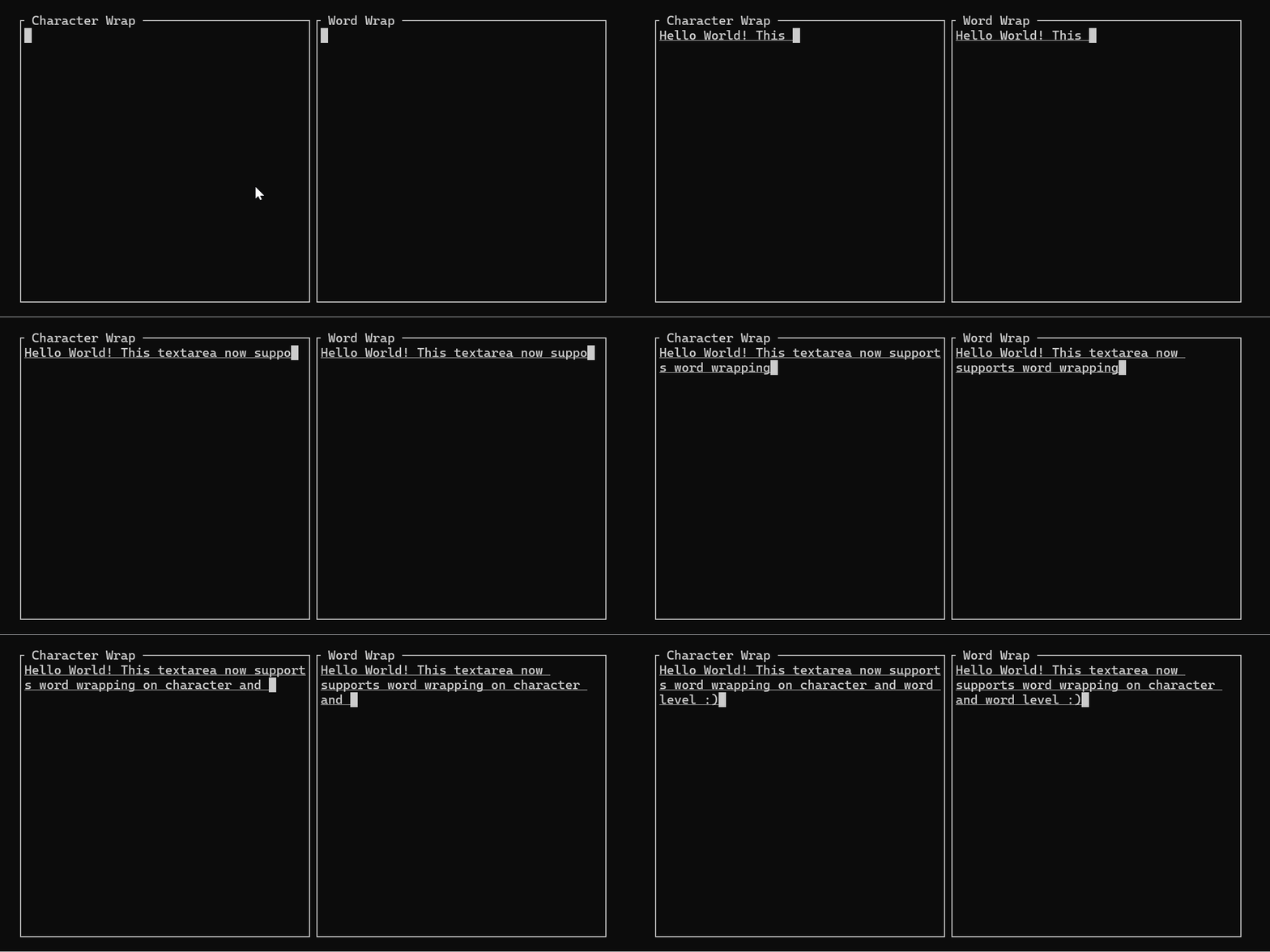
cargo run --example wrapTwo split textareas showing character and word wrapping side by side.
variable
cargo run --example variableSimple textarea with variable height following the number of lines.
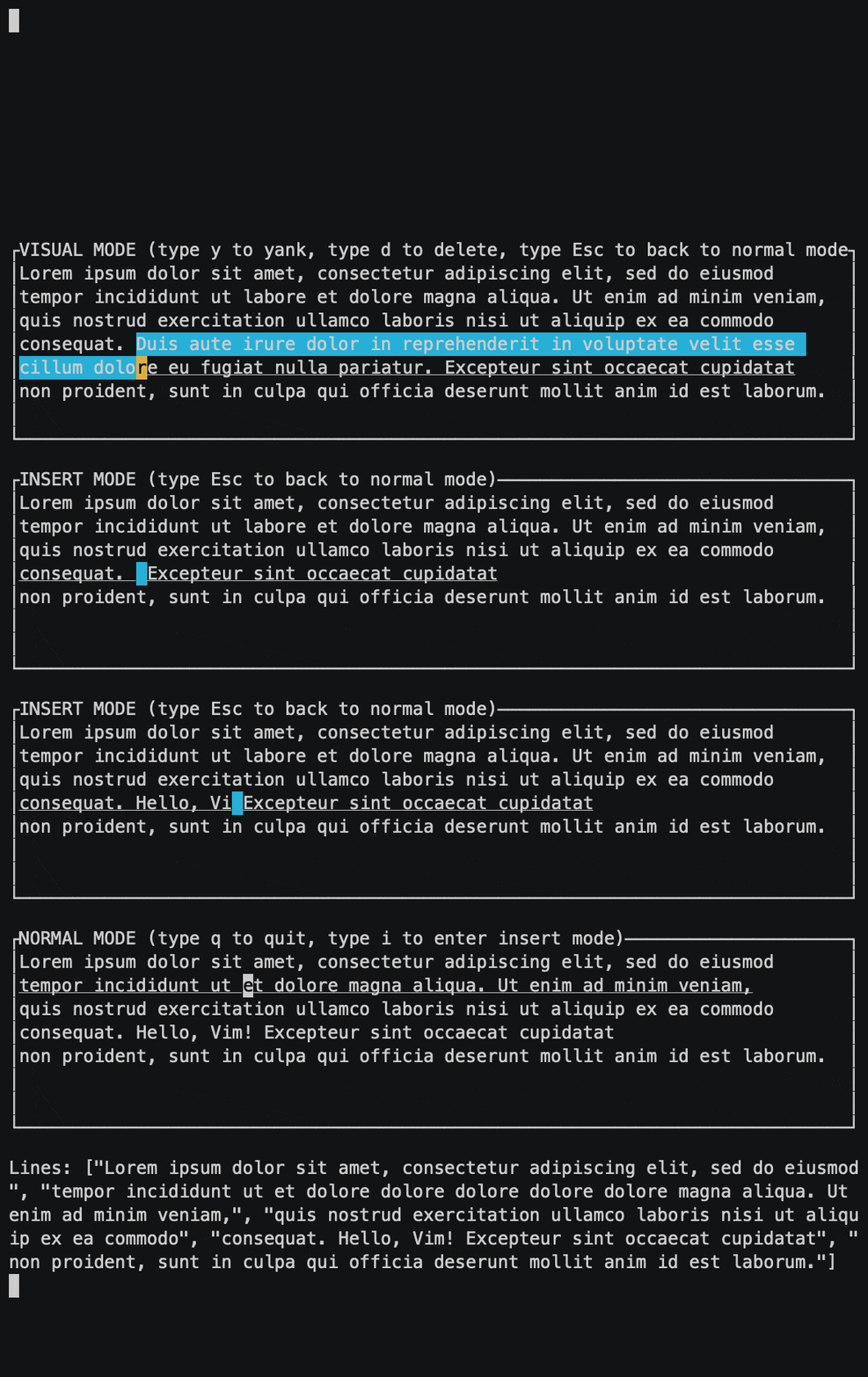
vim
cargo run --example vimVim-like modal text editor. Vim emulation is implemented as a state machine.
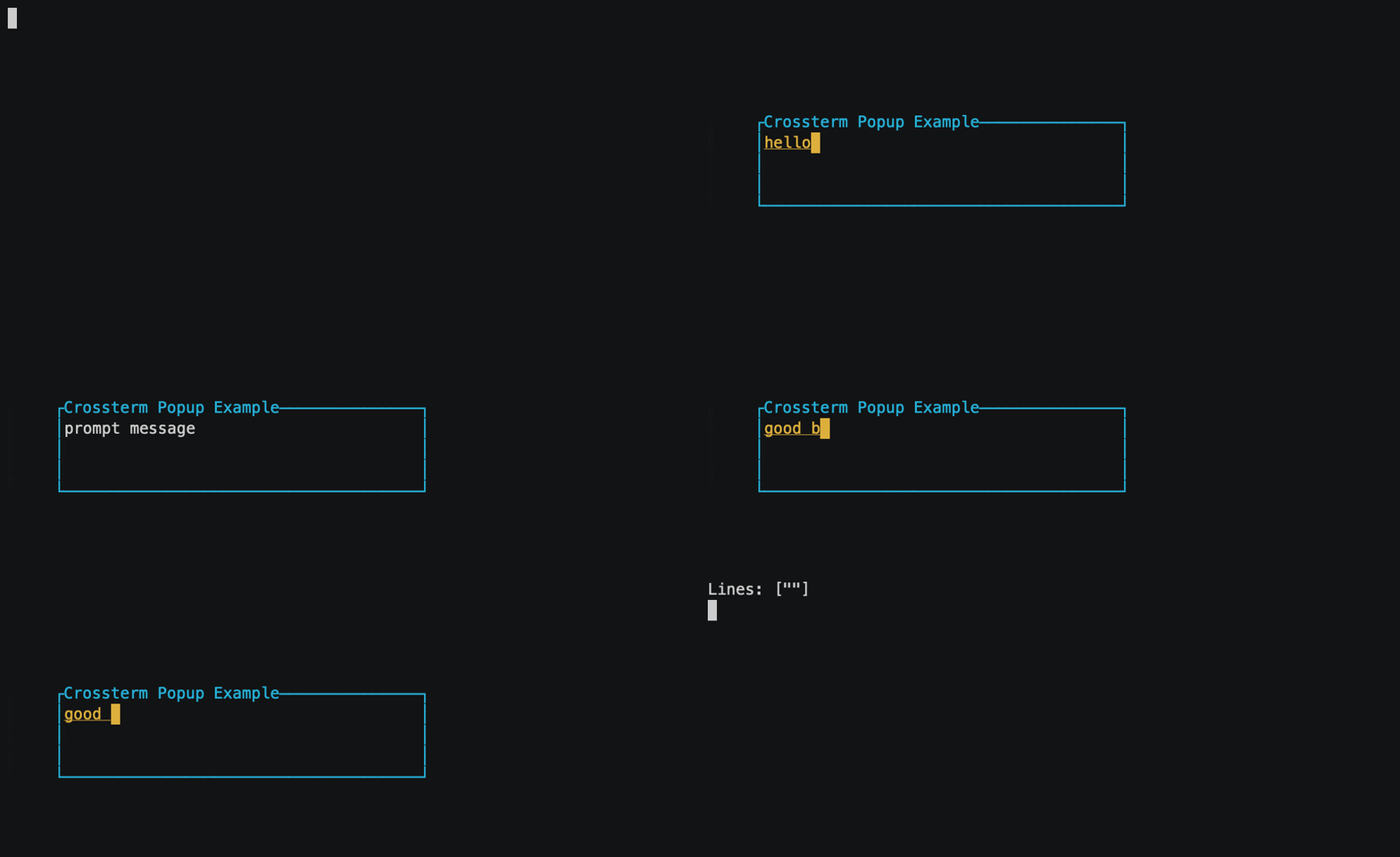
popup_placeholder
cargo run --example popup_placeholderPopup textarea with a placeholder text.
password
cargo run --example passwordPassword input form with masking text with ●.

termion
cargo run --example termion --no-default-features --features=termionMinimal usage with [termion][] support.
termwiz
cargo run --example termwiz --no-default-features --features=termwizMinimal usage with [termwiz][] support.
Installation
Add ratatui-textarea crate to dependencies in your Cargo.toml. This enables crossterm backend support by default.
[dependencies]
ratatui = "*"
ratatui-textarea = "*"
If you need text search with regular expressions, enable search feature. It adds [regex crate][regex] as dependency.
[dependencies]
ratatui = "*"
ratatui-textarea = { version = "*", features = ["search"] }
If you're using ratatui with [termion][] or [termwiz][], enable the termion or termwiz feature instead of crossterm feature.
[dependencies]
For termion
ratatui = { version = "*", default-features = false, features = ["termion"] }
ratatui-textarea = { version = "*", default-features = false, features = ["termion"] }
For termwiz
ratatui = { version = "*", default-features = false, features = ["termwiz"] }
ratatui-textarea = { version = "*", default-features = false, features = ["termwiz"] }
In addition to above dependencies, you also need to install [crossterm][] or [termion][] or [termwiz][] to initialize your application and to receive key inputs. Please make sure to use the same version that matches the package you are using.
Minimal Usage
,ignore
use ratatui_textarea::TextArea;
use crossterm::event::{Event, read};
let mut term = ratatui::Terminal::new(...);
// Create an empty TextArea instance which manages the editor state let mut textarea = TextArea::default();
// Event loop loop {     term.draw(|f| {         // Get ratatui::layout::Rect where the editor should be rendered         let rect = ...;         // Render the textarea in terminal screen         f.render_widget(&textarea, rect);     })?;
if let Event::Key(key) = read()? {         // Your own key mapping to break the event loop         if key.code == KeyCode::Esc {             break;         }         // TextArea::input can directly handle key events from backends and update the editor state         textarea.input(key);     } }
// Get text lines as &[String] println!("Lines: {:?}", textarea.lines());
TextArea is an instance to manage the editor state. By default, it disables line numbers and highlights cursor line with underline.
&TextArea reference implements ratatui's Widget trait. Render it on every tick of event loop.
TextArea::input() receives inputs from tui backends. The method can take key events from backends such as crossterm::event::KeyEvent or termion::event::Key directly if the features are enabled. The method handles default key mappings as well.
Default key mappings are as follows:
| Mappings | Description | | -------------------------------------------- | ----------------------------------------- | | Ctrl+H, Backspace | Delete one character before cursor | | Ctrl+D, Delete | Delete one character next to cursor | | Ctrl+M, Enter | Insert newline | | Ctrl+K | Delete from cursor until the end of line | | Ctrl+J | Delete from cursor until the head of line | | Ctrl+W, Alt+H, Alt+Backspace | Delete one word before cursor | | Alt+D, Alt+Delete | Delete one word next to cursor | | Ctrl+U | Undo | | Ctrl+R | Redo | | Ctrl+C, Copy | Copy selected text | | Ctrl+X, Cut | Cut selected text | | Ctrl+Y, Paste | Paste yanked text | | Ctrl+F, → | Move cursor forward by one character | | Ctrl+B, ← | Move cursor backward by one character | | Ctrl+P, ↑ | Move cursor up by one line | | Ctrl+N, ↓ | Move cursor down by one line | | Alt+F, Ctrl+→ | Move cursor forward by word | | Atl+B, Ctrl+← | Move cursor backward by word | | Alt+], Alt+P, Ctrl+↑ | Move cursor up by paragraph | | Alt+[, Alt+N, Ctrl+↓ | Move cursor down by paragraph | | Ctrl+E, End, Ctrl+Alt+F, Ctrl+Alt+→ | Move cursor to the end of line | | Ctrl+A, Home, Ctrl+Alt+B, Ctrl+Alt+← | Move cursor to the head of line | | Alt+<, Ctrl+Alt+P, Ctrl+Alt+↑ | Move cursor to top of lines | | Alt+>, Ctrl+Alt+N, Ctrl+Alt+↓ | Move cursor to bottom of lines | | Ctrl+V, PageDown | Scroll down by page | | Alt+V, PageUp | Scroll up by page |
Deleting multiple characters at once saves the deleted text to yank buffer. It can be pasted with Ctrl+Y later.
If you don't want to use default key mappings, see the 'Advanced Usage' section.
Basic Usage
Create TextArea instance with text
TextArea implements Default trait to create an editor instance with an empty text.
,ignore
let mut textarea = TextArea::default();
TextArea::new() creates an editor instance with text lines passed as Vec<String>.
,ignore
let mut lines: Vec<String> = ...;
let mut textarea = TextArea::new(lines);
TextArea implements From<impl Iterator<Item=impl Into<String>>>. TextArea::from() can create an editor instance from any iterators whose elements can be converted to String.
,ignore
// Create TextArea from from [&str]
let mut textarea = TextArea::from([
    "this is first line",
    "this is second line",
    "this is third line",
]);
// Create TextArea from String let mut text: String = ...; let mut textarea = TextArea::from(text.lines());
TextArea also implements FromIterator<impl Into<String>>. Iterator::collect() can collect strings as an editor instance. This allows to create TextArea reading lines from file efficiently using io::BufReader.
,ignore
let file = fs::File::open(path)?;
let mut textarea: TextArea = io::BufReader::new(file).lines().collect::<io::Result<_>>()?;
Get text contents from TextArea
TextArea::lines() returns text lines as &[String]. It borrows text contents temporarily.
,ignore
let text: String = textarea.lines().join("\n");
TextArea::into_lines() moves TextArea instance into text lines as Vec<String>. This can retrieve the text contents without any copy.
,ignore
let lines: Vec<String> = textarea.into_lines();
Note that TextArea always contains at least one line. For example, an empty text means one empty line. This is because any text file must end with newline.
,ignore
let textarea = TextArea::default();
asserteq!(textarea.intolines(), [""]);
Show line number
By default, TextArea does not show line numbers. To enable, set a style for rendering line numbers by TextArea::setlinenumber_style(). For example, the following renders line numbers in dark gray background color.
,ignore
use ratatui::style::{Style, Color};
let style = Style::default().bg(Color::DarkGray); textarea.setlinenumber_style(style);
Configure cursor line style
By default, TextArea renders the line at cursor with underline so that users can easily notice where the current line is. To change the style of cursor line, use TextArea::setcursorline_style(). For example, the following styles the cursor line with bold text.
,ignore
use ratatui::style::{Style, Modifier};
let style = Style::default().add_modifier(Modifier::BOLD); textarea.setcursorline_style(style);
To disable cursor line style, set the default style as follows:
,ignore
use ratatui::style::{Style, Modifier};
textarea.setcursorline_style(Style::default());
Configure tab width
The default tab width is 4. To change it, use TextArea::settablength() method. The following sets 2 to tab width. Typing tab key inserts 2 spaces.
,ignore
textarea.settablength(2);
Configure max history size
By default, past 50 modifications are stored as edit history. The history is used for undo/redo. To change how many past edits are remembered, use TextArea::setmaxhistories() method. The following remembers past 1000 changes.
,ignore
textarea.setmaxhistories(1000);
Setting 0 disables undo/redo.
,ignore
textarea.setmaxhistories(0);
Text search with regular expressions
To search text in textarea, set a regular expression pattern with TextArea::setsearchpattern() and move cursor with TextArea::searchforward() for forward search or TextArea::searchback() backward search. The regular expression is handled by [regex crate][regex].
Text search wraps around the textarea. When searching forward and no match found until the end of textarea, it searches the pattern from start of the file.
Matches are highlighted in textarea. The text style to highlight matches can be changed with TextArea::setsearchstyle(). Setting an empty string to TextArea::setsearchpattern() stops the text search.
,ignore
// Start text search matching to "hello" or "hi". This highlights matches in textarea but does not move cursor.
// regex::Error is returned on invalid pattern.
textarea.setsearchpattern("(hello|hi)").unwrap();
textarea.search_forward(false); // Move cursor to the next match textarea.search_back(false);    // Move cursor to the previous match
// Setting empty string stops the search textarea.setsearchpattern("").unwrap();
No UI is provided for text search. You need to provide your own UI to input search query. It is recommended to use another TextArea for search form. To build a single-line input form, see 'Single-line input like <input> in HTML' in 'Advanced Usage' section below.
editor example implements a text search with search form built on TextArea. See the implementation for working example.
To use text search, search feature needs to be enabled in your Cargo.toml. It is disabled by default to avoid depending on regex crate until it is necessary.
ratatui-textarea = { version = "*", features = ["search"] }Advanced Usage
Single-line input like <input> in HTML
To use TextArea for a single-line input widget like <input> in HTML, ignore all key mappings which inserts newline.
,ignore
use crossterm::event::{Event, read};
use ratatui_textarea::{Input, Key};
let default_text: &str = ...; let defaulttext = defaulttext.replace(&['\n', '\r'], " "); // Ensure no new line is contained let mut textarea = TextArea::new(vec![default_text]);
// Event loop loop {     // ...
// Using Input is not mandatory, but it's useful for pattern match     // Ignore Ctrl+m and Enter. Otherwise handle keys as usual     match read()?.into() {         Input { key: Key::Char('m'), ctrl: true, alt: false }         | Input { key: Key::Enter, .. } => continue,         input => {             textarea.input(key);         }     } }
let text = textarea.into_lines().remove(0); // Get input text
See single_line example for working example.
Define your own key mappings
All editor operations are defined as public methods of TextArea. To move cursor, use ratatui_textarea::CursorMove to notify how to move the cursor.
| Method | Operation | | ---------------------------------------------------- | ----------------------------------------------- | | textarea.delete_char() | Delete one character before cursor | | textarea.deletenextchar() | Delete one character next to cursor | | textarea.insert_newline() | Insert newline | | textarea.deletelineby_end() | Delete from cursor until the end of line | | textarea.deletelineby_head() | Delete from cursor until the head of line | | textarea.delete_word() | Delete one word before cursor | | textarea.deletenextword() | Delete one word next to cursor | | textarea.undo() | Undo | | textarea.redo() | Redo | | textarea.copy() | Copy selected text | | textarea.cut() | Cut selected text | | textarea.paste() | Paste yanked text | | textarea.start_selection() | Start text selection | | textarea.cancel_selection() | Cancel text selection | | textarea.select_all() | Select entire text | | textarea.move_cursor(CursorMove::Forward) | Move cursor forward by one character | | textarea.move_cursor(CursorMove::Back) | Move cursor backward by one character | | textarea.move_cursor(CursorMove::Up) | Move cursor up by one line | | textarea.move_cursor(CursorMove::Down) | Move cursor down by one line | | textarea.move_cursor(CursorMove::WordForward) | Move cursor forward by word | | textarea.move_cursor(CursorMove::WordEnd) | Move cursor to next end of word | | textarea.move_cursor(CursorMove::WordBack) | Move cursor backward by word | | textarea.move_cursor(CursorMove::ParagraphForward) | Move cursor up by paragraph | | textarea.move_cursor(CursorMove::ParagraphBack) | Move cursor down by paragraph | | textarea.move_cursor(CursorMove::End) | Move cursor to the end of line | | textarea.move_cursor(CursorMove::Head) | Move cursor to the head of line | | textarea.move_cursor(CursorMove::Top) | Move cursor to top of lines | | textarea.move_cursor(CursorMove::Bottom) | Move cursor to bottom of lines | | textarea.move_cursor(CursorMove::Jump(row, col)) | Move cursor to (row, col) position | | textarea.move_cursor(CursorMove::InViewport) | Move cursor to stay in the viewport | | textarea.setsearchpattern(pattern) | Set a pattern for text search | | textarea.searchforward(matchcursor) | Move cursor to next match of text search | | textarea.searchback(matchcursor) | Move cursor to previous match of text search | | textarea.scroll(Scrolling::PageDown) | Scroll down the viewport by page | | textarea.scroll(Scrolling::PageUp) | Scroll up the viewport by page | | textarea.scroll(Scrolling::HalfPageDown) | Scroll down the viewport by half-page | | textarea.scroll(Scrolling::HalfPageUp) | Scroll up the viewport by half-page | | textarea.scroll((row, col)) | Scroll down the viewport to (row, col) position |
To define your own key mappings, simply call the above methods in your code instead of TextArea::input() method.
See the vim example for working example. It implements more Vim-like key modal mappings.
If you don't want to use default key mappings, TextArea::inputwithoutshortcuts() method can be used instead of TextArea::input(). The method only handles very basic operations such as inserting/deleting single characters, tabs, newlines.
,ignore
match read()?.into() {
    // Handle your own key mappings here
    // ...
    input => textarea.inputwithoutshortcuts(input),
}
Use your own backend
ratatui allows to make your own backend by implementing the [ratatui::backend::Backend][ratatui-backend] trait. ratatui-textarea supports it as well. Please disable default features to do so. This avoids adding backend crates (crossterm, termion, or termwiz) since you're using your own backend.
[dependencies]
ratatui-textarea = { version = "*", default-features = false }
ratatui_textarea::Input is a type for backend-agnostic key input. What you need to do is converting key event in your own backend into the ratatui_textarea::Input instance. Then TextArea::input() method can handle the input as other backend.
In the following example, let's say your_backend::KeyDown is a key event type for your backend and yourbackend::readnext_key() returns the next key event.
,ignore
// In your backend implementation
pub enum KeyDown {     Char(char),     BS,     Del,     Esc,     // ... }
// Return tuple of (key, ctrlkey, altkey) pub fn readnextkey() -> (KeyDown, bool, bool) {     // ... }
Then you can implement the logic to convert yourbackend::KeyDown value into ratatuitextarea::Input value.
,ignore
use ratatui_textarea::{Input, Key};
use your_backend::KeyDown;
fn keydowntoinput(key: KeyDown, ctrl: bool, alt: bool) -> Input {     match key {         KeyDown::Char(c) => Input { key: Key::Char(c), ctrl, alt },         KeyDown::BS => Input { key: Key::Backspace, ctrl, alt },         KeyDown::Del => Input { key: Key::Delete, ctrl, alt },         KeyDown::Esc => Input { key: Key::Esc, ctrl, alt },         // ...         _ => Input::default(),     } }
For the keys which are not handled by ratatui-textarea, ratatui_textarea::Input::default() is available. It returns 'null' key. An editor will do nothing with the key.
Finally, convert your own backend's key input type into ratatui_textarea::Input and pass it to TextArea::input().
,ignore
let mut textarea = ...;
// Event loop loop {     // ...
let (key, ctrl, alt) = yourbackend::readnext_key();     if key == your_backend::KeyDown::Esc {         break; // For example, quit your app on pressing Esc     }     textarea.input(keydowntoinput(key, ctrl, alt)); }
Put multiple TextArea instances in screen
You don't need to do anything special. Create multiple TextArea instances and render widgets built from each instances.
The following is an example to put two textarea widgets in application and manage the focus.
,ignore
use ratatui_textarea::{TextArea, Input, Key};
use crossterm::event::{Event, read};
let editors = &mut [     TextArea::default(),     TextArea::default(), ];
let mut focused = 0;
loop {     term.draw(|f| {         let rects = ...;
for (editor, rect) in editors.iter().zip(rects.into_iter()) {             f.render_widget(editor, rect);         }     })?;
match read()?.into() {         // Switch focused textarea by Ctrl+S         Input { key: Key::Char('s'), ctrl: true, .. } => focused = (focused + 1) % 2;         // Handle input by the focused editor         input => editors[focused].input(input),     } }
See split example and editor example for working example.
Serialization/Deserialization support
This crate optionally supports [serde][] crate by enabling serde feature.
[dependencies]
ratatui-textarea = { version = "*", features = ["serde"] }
Values of the following types can be serialized/deserialized:
KeyInputCursorMoveScrolling
,ignore
use ratatui_textarea::Input;
let json = r#"     {         "key": { "Char": "a" },         "ctrl": true,         "alt": false,         "shift": true     } "#;
let input: Input = serdejson::fromstr(json).unwrap(); println!("{input:?}"); // Input { //     key: Key::Char('a'), //     ctrl: true, //     alt: false, //     shift: true, // }
Minimum Supported Rust Version
MSRV of this crate is depending on tui crate. Currently MSRV is 1.56.1. Note that ratatui crate requires more recent Rust version.
Versioning
This crate is not reaching v1.0.0 yet. There is no plan to bump the major version for now. Current versioning policy is as follows:
- Major: Fixed to 0
- Minor: Bump on breaking change
- Patch: Bump on new feature or bug fix
Contributing to ratatui-textarea
This project is developed [on GitHub][repo].
For feature requests or bug reports, please [create an issue][new-issue]. For submitting patches, please [create a pull request][pulls].
Please read CONTRIBUTING.md before reporting an issue or making a PR.
License
ratatui-textarea is distributed under The MIT License.
[crates-io-badge]: https://img.shields.io/crates/v/ratatui-textarea.svg [crate]: https://crates.io/crates/ratatui-textarea [doc-badge]: https://docs.rs/ratatui-textarea/badge.svg [doc]: https://docs.rs/ratatui-textarea/latest/ratatui_textarea/ [ci-badge]: https://github.com/ratatui/ratatui-textarea/actions/workflows/ci.yml/badge.svg?event=push [ci]: https://github.com/ratatui/ratatui-textarea/actions/workflows/ci.yml [codecov-badge]: https://codecov.io/gh/ratatui/ratatui-textarea/graph/badge.svg [codecov]: https://codecov.io/gh/ratatui/ratatui-textarea [ecosystem-issue]: https://github.com/ratatui/ratatui/discussions/2367#discussioncomment-15664087 [tui-rs]: https://github.com/fdehau/tui-rs [tui-textarea]: https://github.com/rhysd/tui-textarea [ratatui]: https://github.com/ratatui/ratatui [crossterm]: https://docs.rs/crossterm/latest/crossterm/ [termion]: https://docs.rs/termion/latest/termion/ [termwiz]: https://docs.rs/termwiz/latest/termwiz/ [ratatui-backend]: https://docs.rs/ratatui/latest/ratatui/backend/trait.Backend.html [repo]: https://github.com/ratatui/ratatui-textarea [new-issue]: https://github.com/ratatui/ratatui-textarea/issues/new [pulls]: https://github.com/ratatui/ratatui-textarea/pulls [regex]: https://docs.rs/regex/latest/regex/ [serde]: https://crates.io/crates/serde [serdejson]: https://crates.io/crates/serdejson


