
PyPrind - Python Progress Indicator Utility



PyPrind (Python Progress Indicator)
The PyPrind (Python Progress Indicator) module provides a progress bar and a percentage indicator object that let you track the progress of a loop structure or other iterative computation. Typical applications include the processing of large data sets to provide an intuitive estimate at runtime about the progress of the computation.
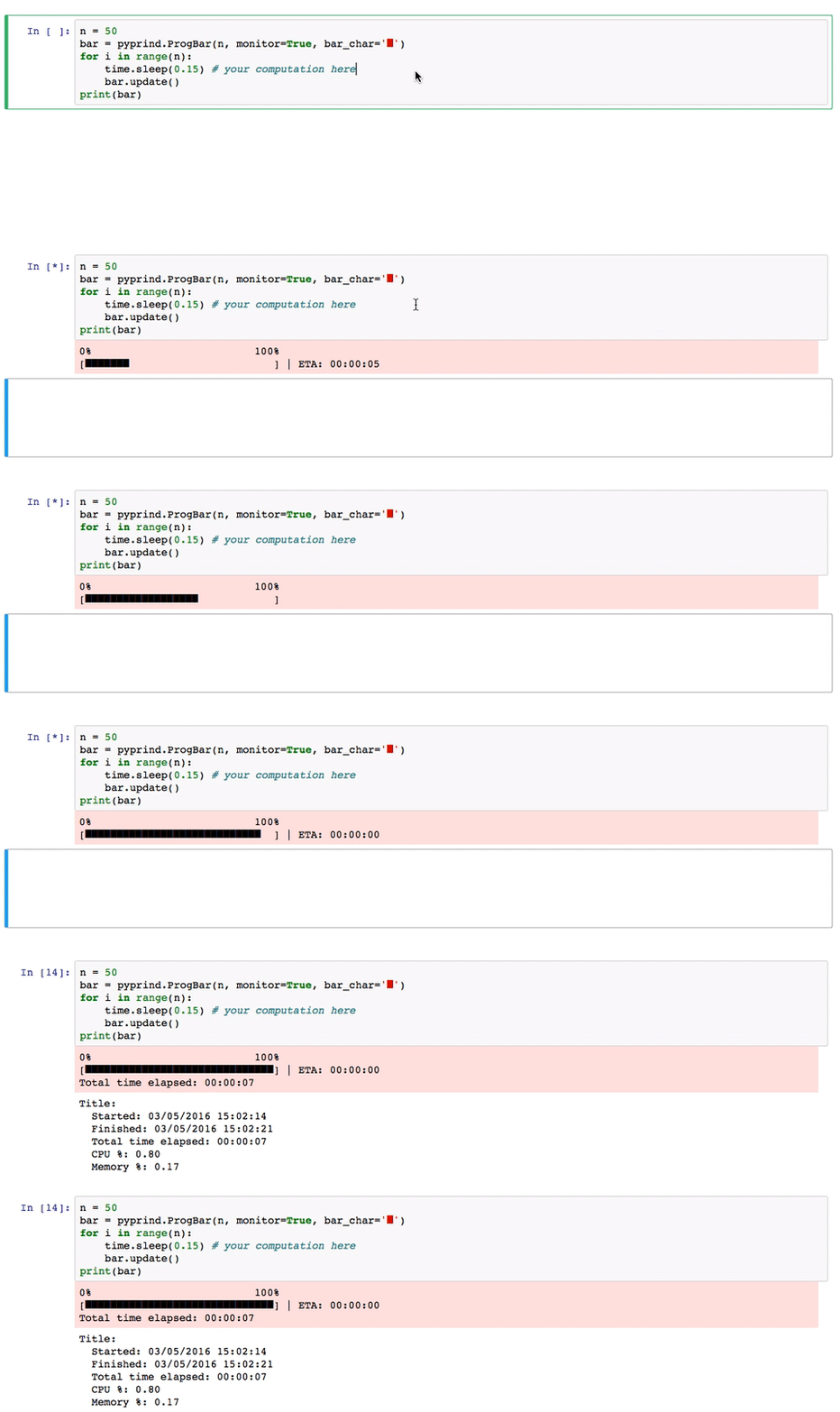
Progress Bars and Percentage Generators
import pyprind
for i in pyprind.prog_bar(range(n)):     time.sleep(timesleep) # your computation here
0% 100% [##############################] | ETA: 00:00:00 Total time elapsed: 00:00:05
for i in pyprind.prog_percent(range(n)):
    time.sleep(timesleep) # your computation here
[10 %] Time elapsed: 00:00:01 | ETA: 00:00:04While-loops
The ProgBar and ProgPercent classes also support while loops if desired. The objects are updated inside the loop using the update method as shown below:
import random
import pyprind
import time
timesleep = 0.05 random.seed(1) collection = set()
n = 100 bar = pyprind.ProgBar(n, track_time=False, title='while example')
while len(collection) < n:     r = random.randint(0, 10**5)     if r % 7 and r not in collection:         collection.add(r)         bar.update()         time.sleep(timesleep)
print(bar)
while example 0% 100% [##############################] Title: while example Started: 09/07/2016 13:06:58 Finished: 09/07/2016 13:07:03 Total time elapsed: 00:00:05
Advanced Tracking
If you have the psutil package installed, you can set the monitor=True to track CPU and memory usage:
bar = pyprind.ProgBar(n, monitor=True)
for i in range(n):
    time.sleep(timesleep) # your computation here
    bar.update()
print(bar)
0% 100%
[##############################] | ETA: 00:00:00
Total time elapsed: 00:00:05
Title:
Started: 09/07/2016 13:14:09
Finished: 09/07/2016 13:14:14
Total time elapsed: 00:00:05
CPU %: 1.90
Memory %: 0.48
Choose Your Favorite Bar Style
bar = pyprind.ProgBar(n, bar_char='█')
for i in range(n):
    time.sleep(0.1) # do some computation
    bar.update()
0% 100%
[██████████████████████████████] | ETA: 00:00:00
Total time elapsed: 00:00:10Note to PyCharm users
If you are using the PyCharm IDE, you need to pass the sys.stdout or sys.err as a stream argument to display the progress indicators correctly in the IDE. For example,
import sys
bar = pyprind.ProgBar(n, stream=sys.stdout) for i in range(n):     time.sleep(0.1) # do some computation     bar.update()
###View more examples in an IPython Demo Notebook
Sections
Installation
The most convenient way to install PyPrind is via tools like pip or easy_install:
pip install pyprind
-
easy_install pyprind
PyPrind comes without any dependencies except for the optional psutil to monitor CPU and memory usages. You can install psutil via pip install psutil or install it automatically with PyPrind: pip install pyprind -r requirements.txt
Alternatively, you can install PyPrind the classic way: Download the package from the Python Package Index https://pypi.python.org/pypi/PyPrind, unzip it, navigate into the unzipped directory, and use the command
python setup.py install
Documentation
PyPrind consists of two class objects that can visualize the progress of a computation on the output screen. Progress bars are available via ProgBar, and percentage indicators can be used via a ProgPercent.
n = 10000000
	bar = pyprind.ProgBar(n)   # 1) initialization with number of iterations
	for i in range(n):
    	# do some computation
    	bar.update()           # 2) update the progress visualization
Alternatively, the progress can be tracked via the equivalent generator functions progbar and progpercent:
for i in pyprind.prog_bar(range(n)):
    	# do something
    	pass
Complete Parameter of Parameters and Options
ProgBar
*ProgBar(iterations, tracktime=True, width=30, barchar='#', stream=2, title='', monitor=False, update_interval=None))*
- iterations :
int
- track_time :
bool(default:True)
- width :
int(default: 30)
- stream :
int(default: 2).
1 for stdout, 2 for stderr, or a custom stream object
- title :
str(default:'')
- monitor :
bool(default:False)
True (requires psutil package).
- update_interval : float or int (default:
None)
update_interval=None.
ProgPercent
*ProgPercent(iterations, track_time=True, stream=2, title='', monitor=False, update_interval=None)*
- iterations :
int
- track_time :
bool(default:True)
- stream :
int(default: 2).
1 for stdout, 2 for stderr, or a custom stream object
- title :
str(default :'').
- monitor :
bool(default:False)
True (requires psutil package).
- update_interval : float or int (default:
None)
update_interval=None.
update method
update(iterations=1, itemid=None, forceflush=False)
- iterations : int (default:
1)
>=1 in order to update the progress indicators more than once
per iteration.
- item_id : str (default:
None)
- force_flush : bool (default:
False)
Examples
Examples for using the progress bar and percentage indicator objects can be found in the IPython Demo Notebook.


