
Minimal and readable coding agent harness implementation in Python to explain the core components of coding agents.
Mini-Coding-Agent
This folder contains a small standalone coding agent:
- code:
minicodingagent.py - CLI:
mini-coding-agent
- workspace snapshot collection
- stable prompt plus turn state
- structured tools
- approval handling for risky tools
- transcript and memory persistence
- bounded delegation
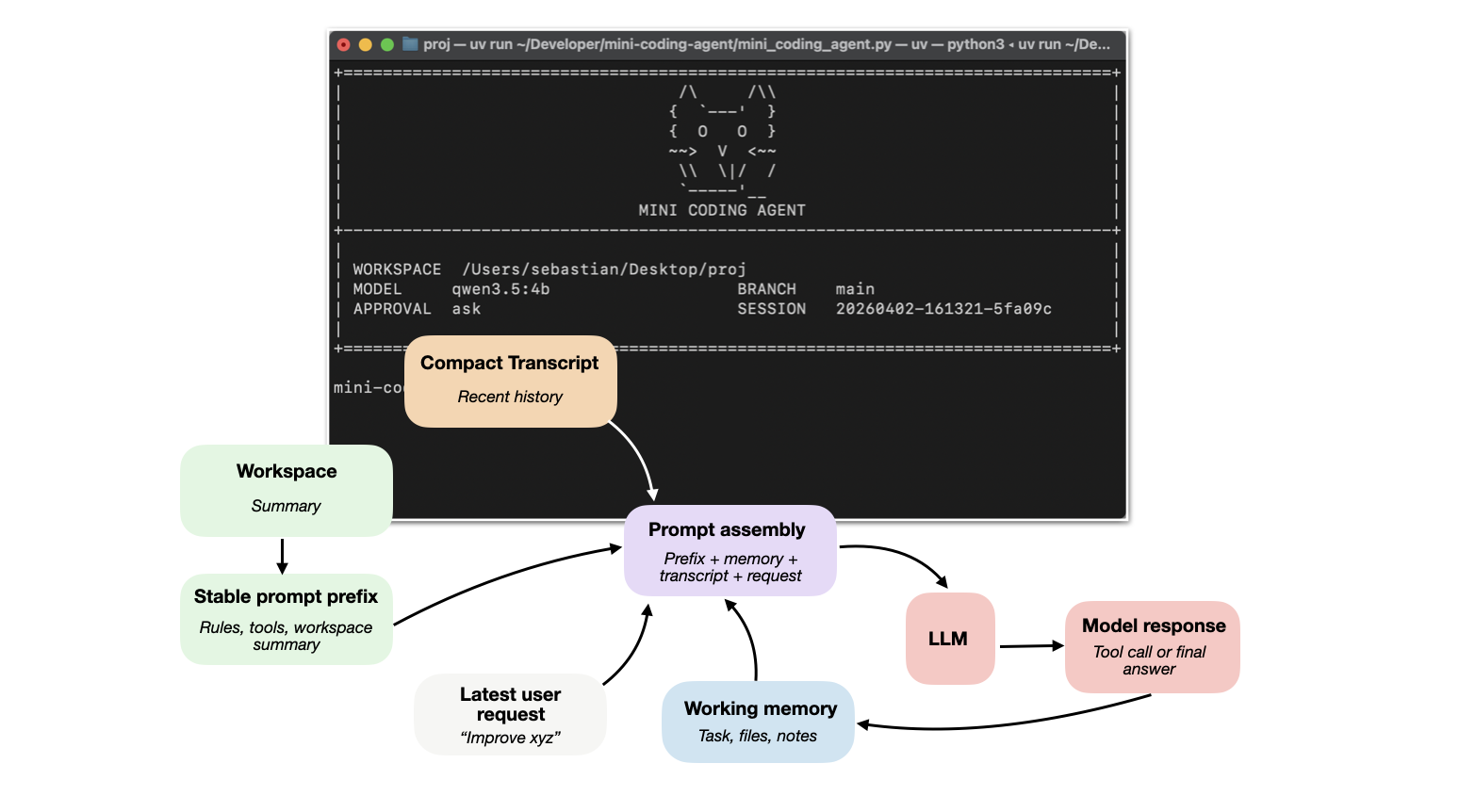
The detailed tutorial: Components of a Coding Agent
Six Core Components
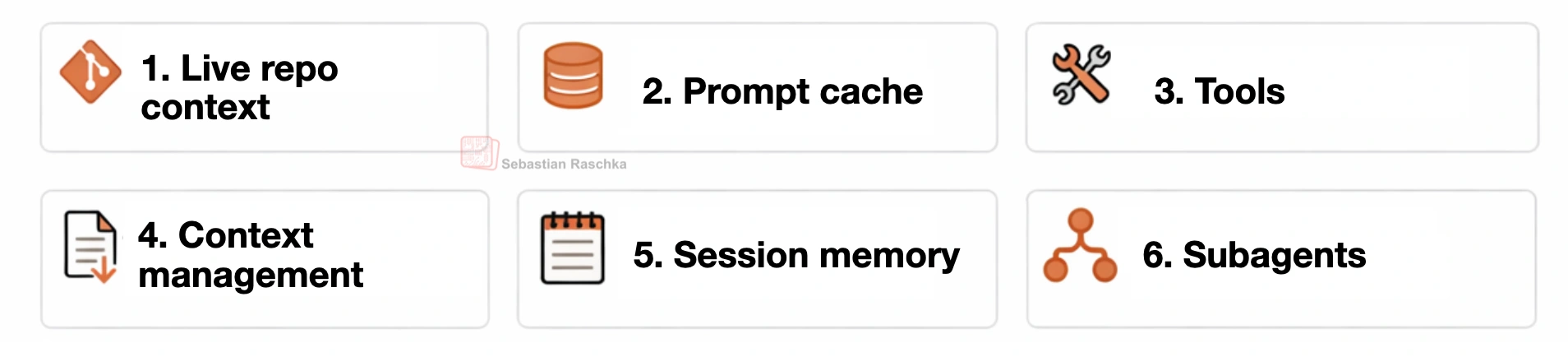
This coding harness is organized around six practical building blocks:
- Live repo context
- Prompt shape and cache reuse
- Structured tools, validation, and permissions
- Context reduction and output management
- Transcripts, memory, and resumption
- Delegation and bounded subagents
Requirements
You need:
- Python 3.10+
- Ollama installed
- an Ollama model pulled locally
uvfor environment management and themini-coding-agentCLI entry point
python minicodingagent.py if you do not want to use uv.
Install Ollama
Install Ollama on your machine so the ollama command is available in your shell.
Official installation link: ollama.com/download
Then verify:
ollama --helpStart the server:
ollama serveIn another terminal, pull a model. Example:
ollama pull qwen3.5:4bQwen 3.5 model library:
The default in this project isqwen3.5:4b. If you have sufficient memory, it is worth trying a larger model such as qwen3.5:9b or another larger Qwen 3.5 variant. The agent just sends prompts to Ollama's /api/generate endpoint.
Project Setup
Clone the repo or your fork and change into it:
git clone https://github.com/rasbt/mini-coding-agent.git
cd mini-coding-agent
If you forked it first, use your fork URL instead:
git clone https://github.com/<your-github-user>/mini-coding-agent.git
cd mini-coding-agent
Basic Usage
Start the agent:
cd mini-coding-agent
uv run mini-coding-agent
Without uv, run the script directly:
cd mini-coding-agent
python minicodingagent.py
By default it uses:
- model:
qwen3.5:4b - approval:
ask
Approval Modes
Risky tools such as shell commands and file writes are gated by approval.
--approval ask
--approval auto
--approval never
Example:
uv run mini-coding-agent --approval auto
Resume Sessions
The agent saves sessions under the target workspace root in:
.mini-coding-agent/sessions/Resume the latest session:
uv run mini-coding-agent --resume latestResume a specific session:
uv run mini-coding-agent --resume 20260401-144025-2dd0aa
Interactive Commands
Inside the REPL, slash commands are handled directly by the agent instead of being sent to the model as a normal task.
/help
/memory
/session
/reset
/exit
/quit
/exit
Main CLI Flags
uv run mini-coding-agent --helpWithout uv:
python minicodingagent.py --helpCLI flags are passed before the agent starts. Use them to choose the workspace, model connection, resume behavior, approval mode, and generation limits.
Important flags:
--cwd
.
--model
qwen3.5:4b; default: qwen3.5:4b
--host
http://127.0.0.1:11434
--ollama-timeout
300 seconds
--resume
latest; default: start a new session
--approval
ask, auto, or never; default: ask
--max-steps
6
--max-new-tokens
512
--temperature
0.2
--top-p
0.9
Example
See EXAMPLE.md
Notes & Tips
- The agent expects the model to emit either
<tool>...</tool>or<final>...</final>. - Different Ollama models will follow those instructions with different reliability.
- If the model does not follow the format well, use a stronger instruction-following model.
- The agent is intentionally small and optimized for readability, not robustness.


