
Self-hosted portfolio tracker: Stocks, ETFs, Bonds. TTWROR, IRR, Sharpe ratio, volatility, FIFO/Moving Average cost basis, asset allocation, dividend tracking, multi-currency (ECB). 15 transaction types, customizable dashboards, privacy mode. 8 languages. Docker-ready.
quovibe






⭐ If you like this project, please consider starring the repository on GitHub.

If quovibe helps you, consider supporting development on Ko-fi.
Description
A web-based, self-hosted portfolio tracker developed with the assistance of AI (Claude Code).
Import your portfolio XML and instantly access performance analytics, holdings, dividends, and asset allocation — running fully locally.
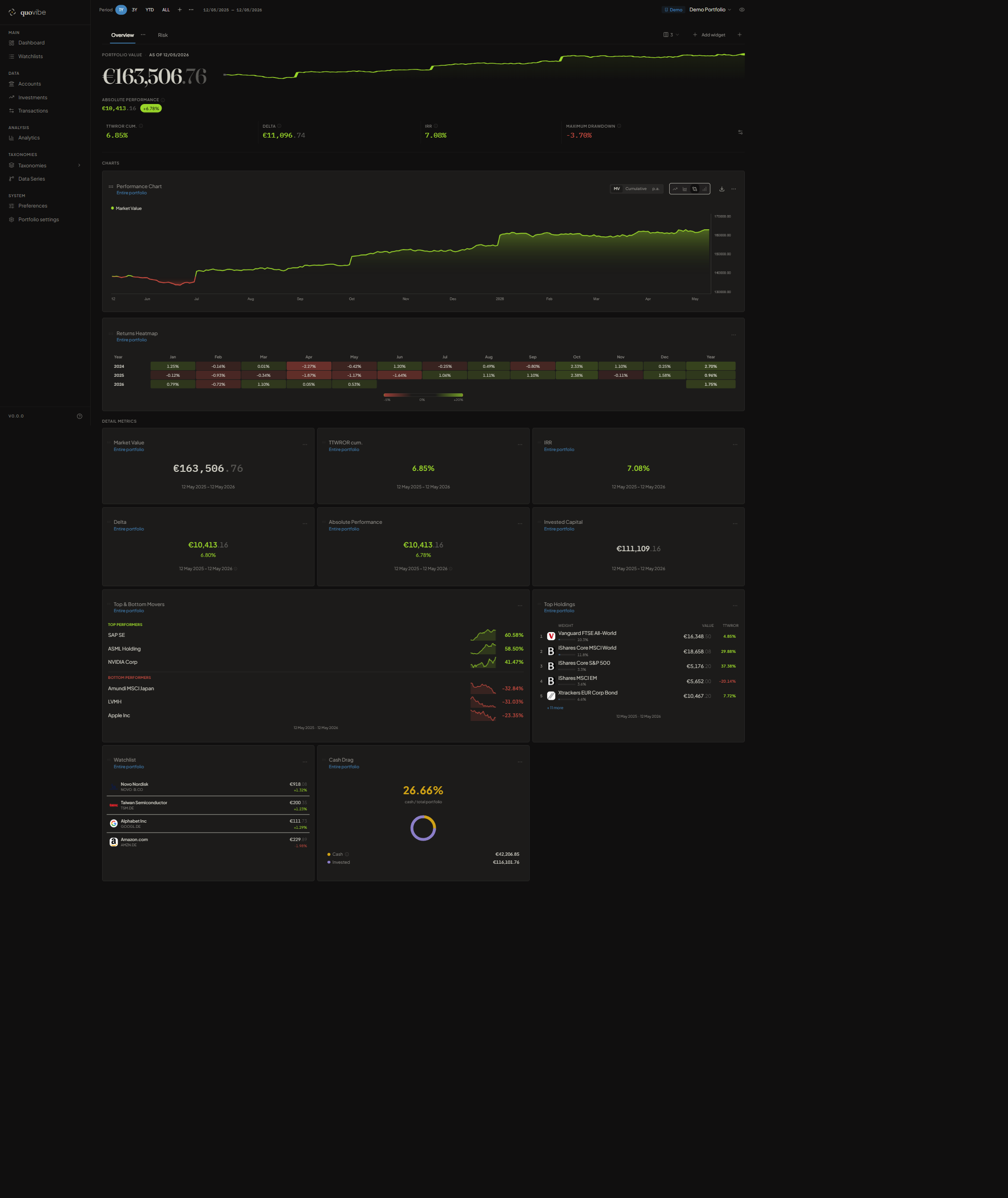
Features
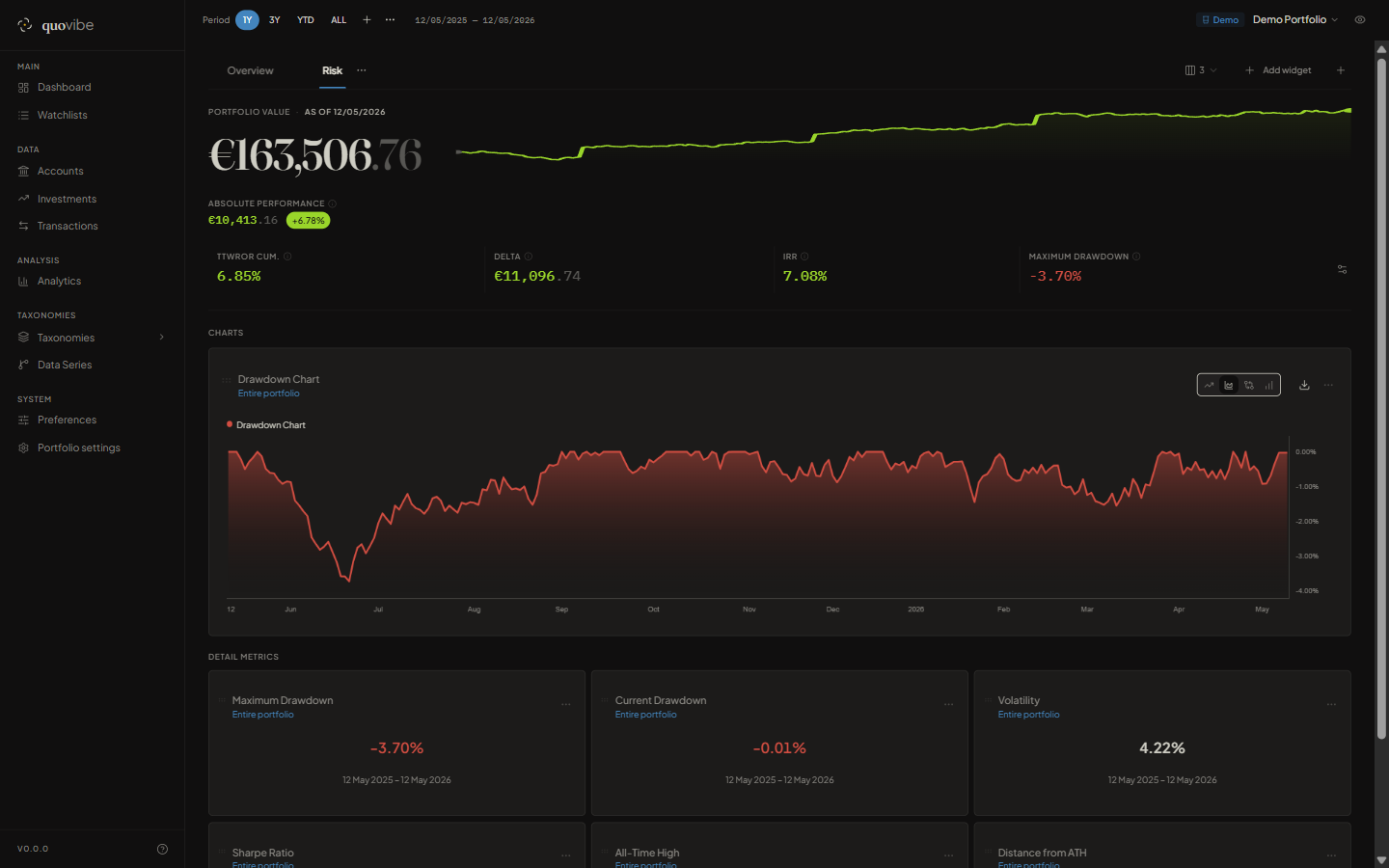
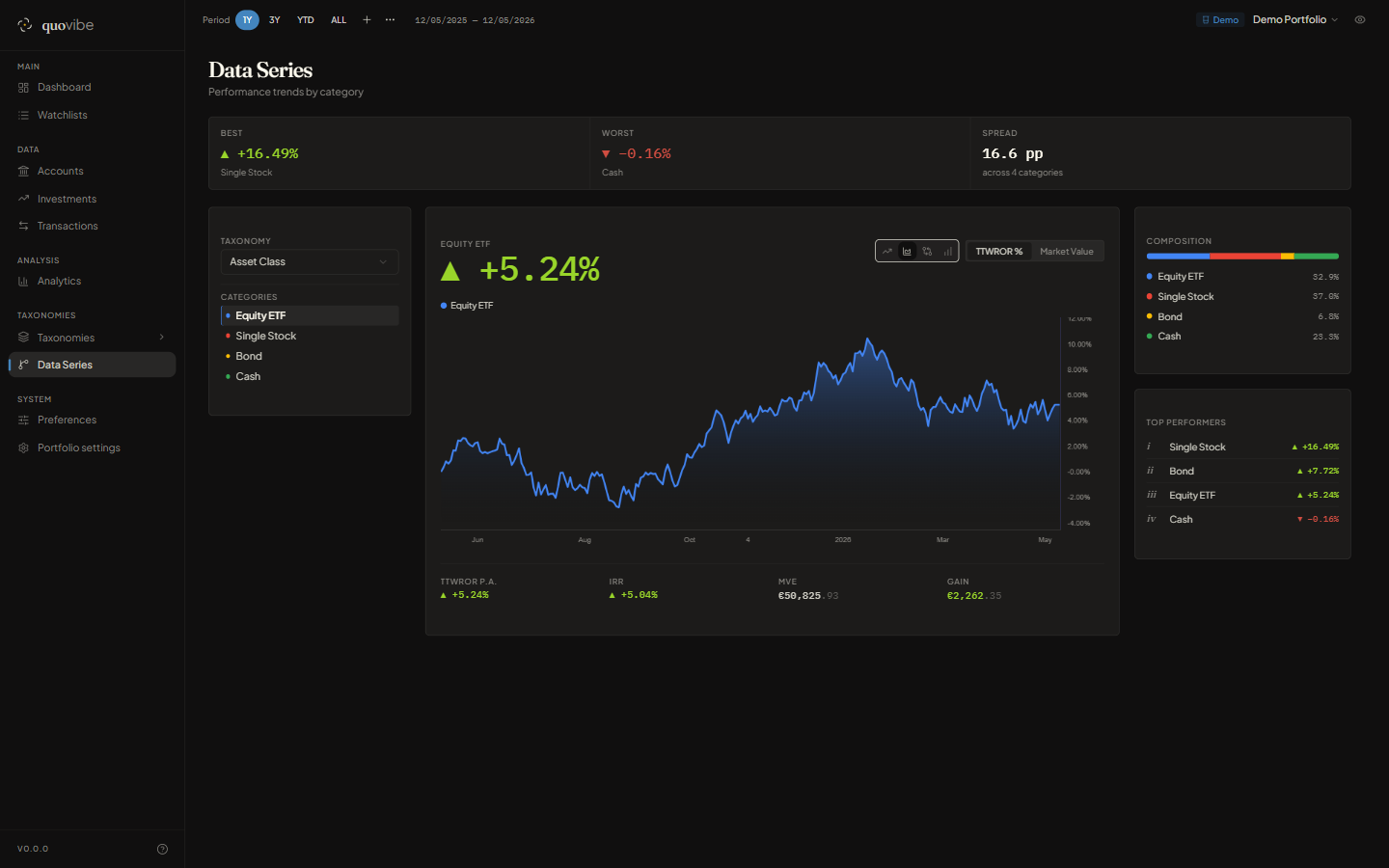
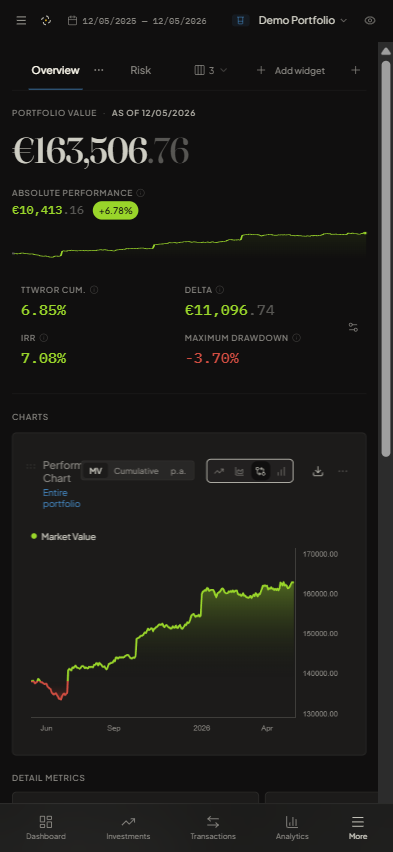
- Performance analytics — TTWROR, IRR, volatility, Sharpe ratio, max drawdown, benchmark alpha
- Customizable dashboard — 26+ drag-and-drop widgets, multiple dashboards
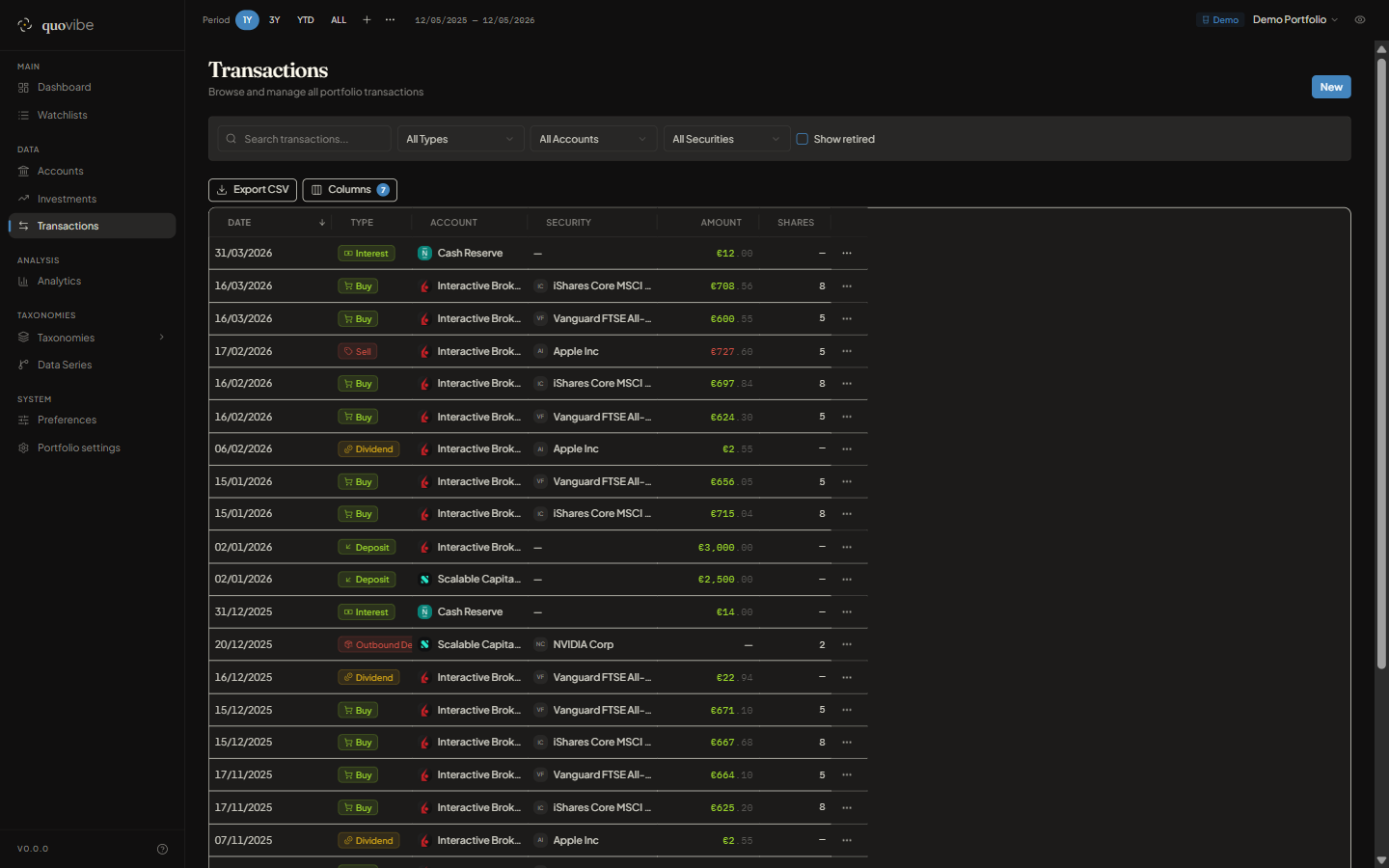
- 15 transaction types — Double-entry bookkeeping, FIFO & Moving Average cost basis
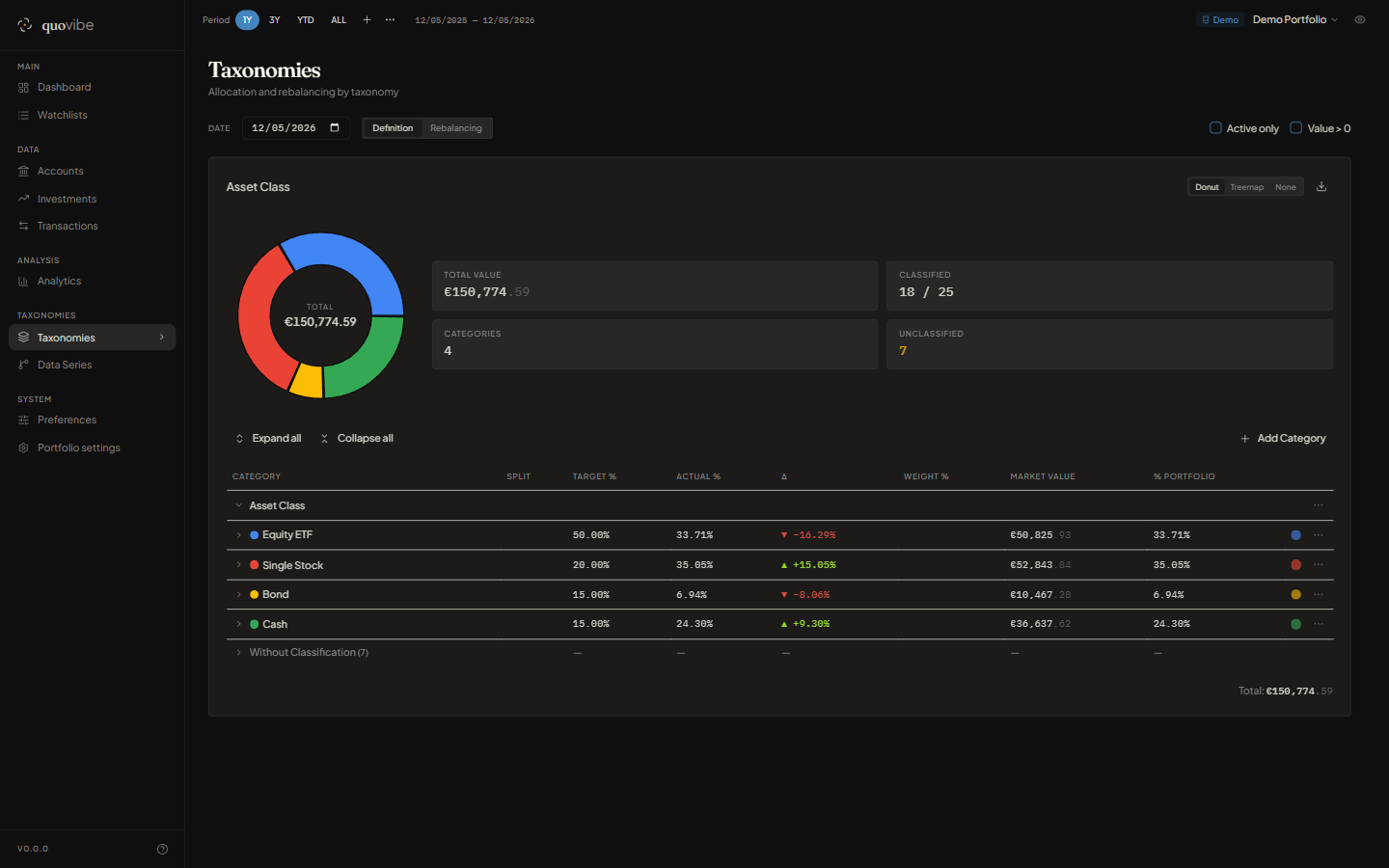
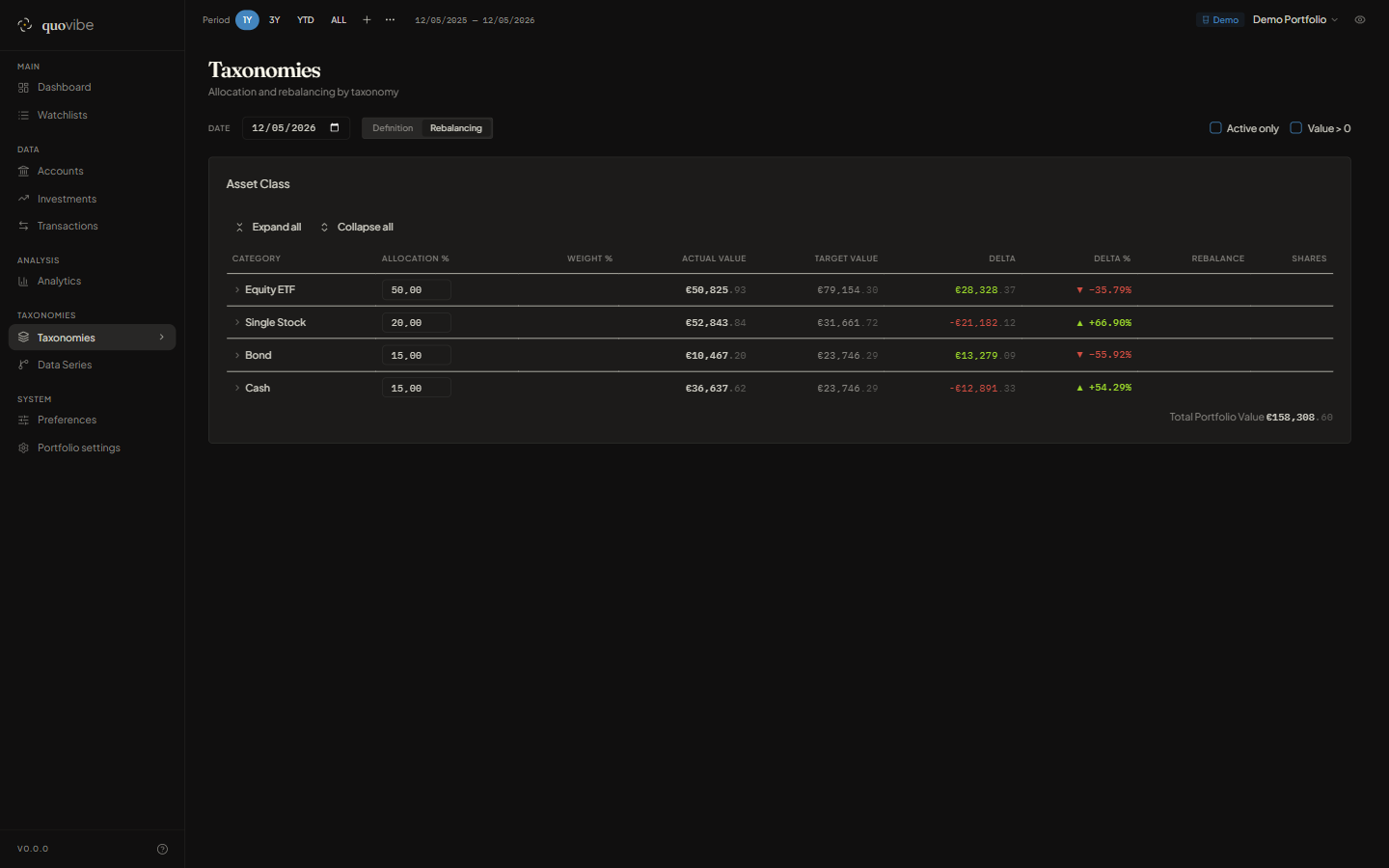
- Asset allocation — Taxonomy trees with rebalancing targets
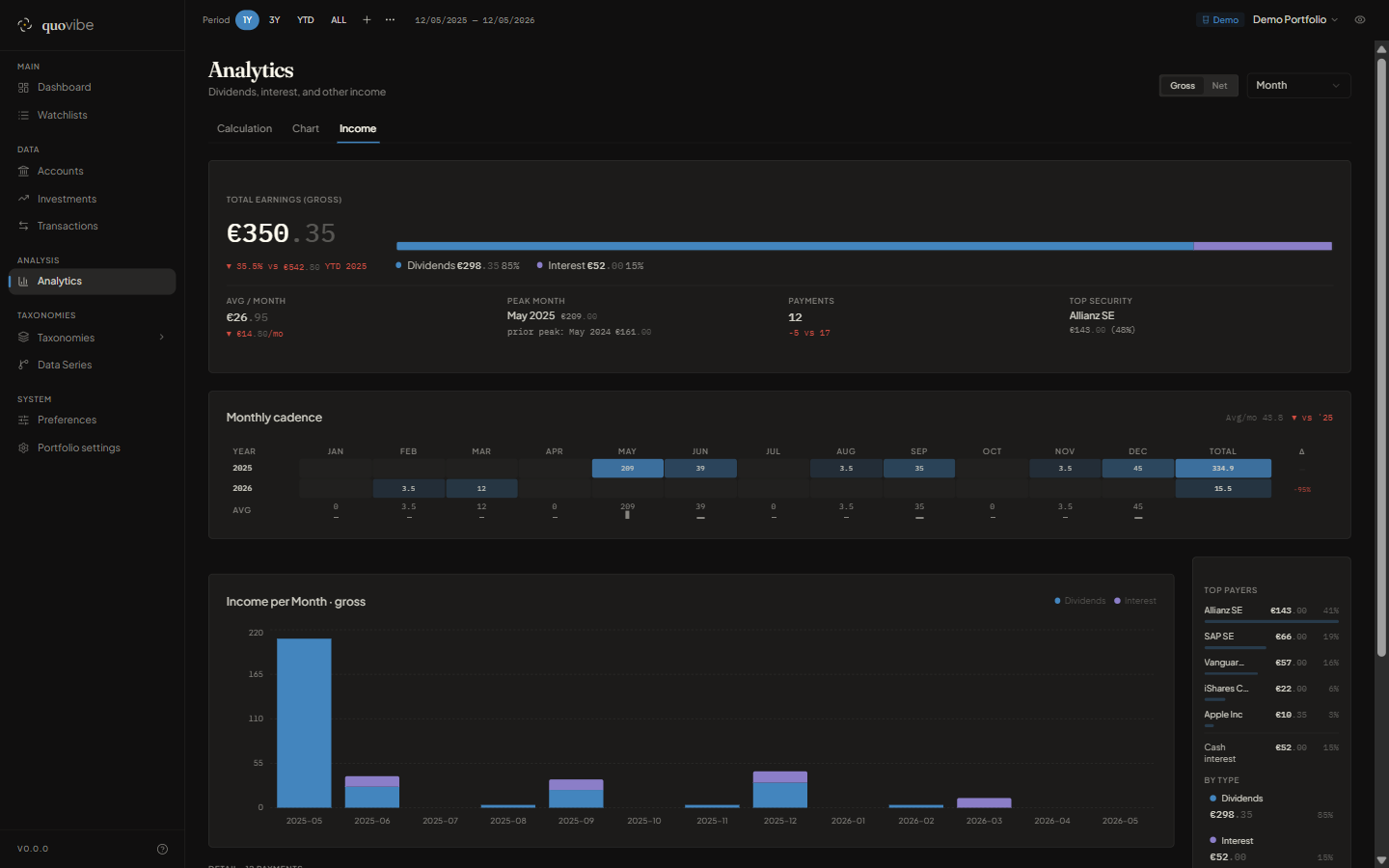
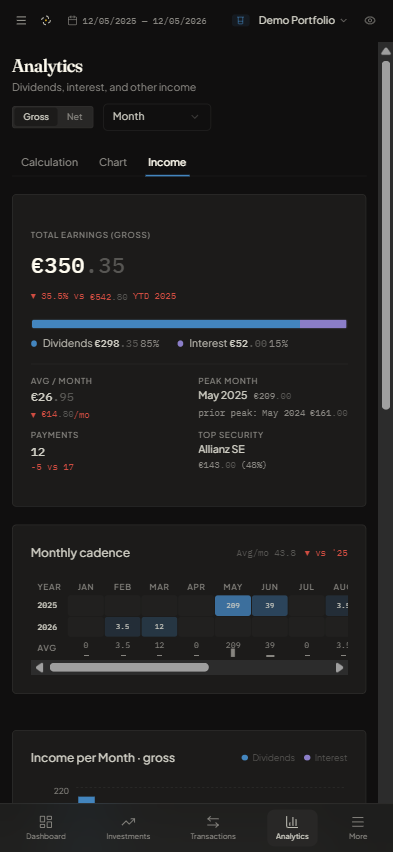
- Income tracking — Dividend/interest reports with gross/net breakdown
- Multi-currency — Automatic FX conversion via ECB rates
- Data import — XML (ppxml2db-compatible format), CSV wizard, Web HTML table, Custom JSON, Yahoo Finance & Alpha Vantage price feeds
- Self-hosted — SQLite + Docker, no cloud dependency, privacy mode, 8 languages
Screenshots
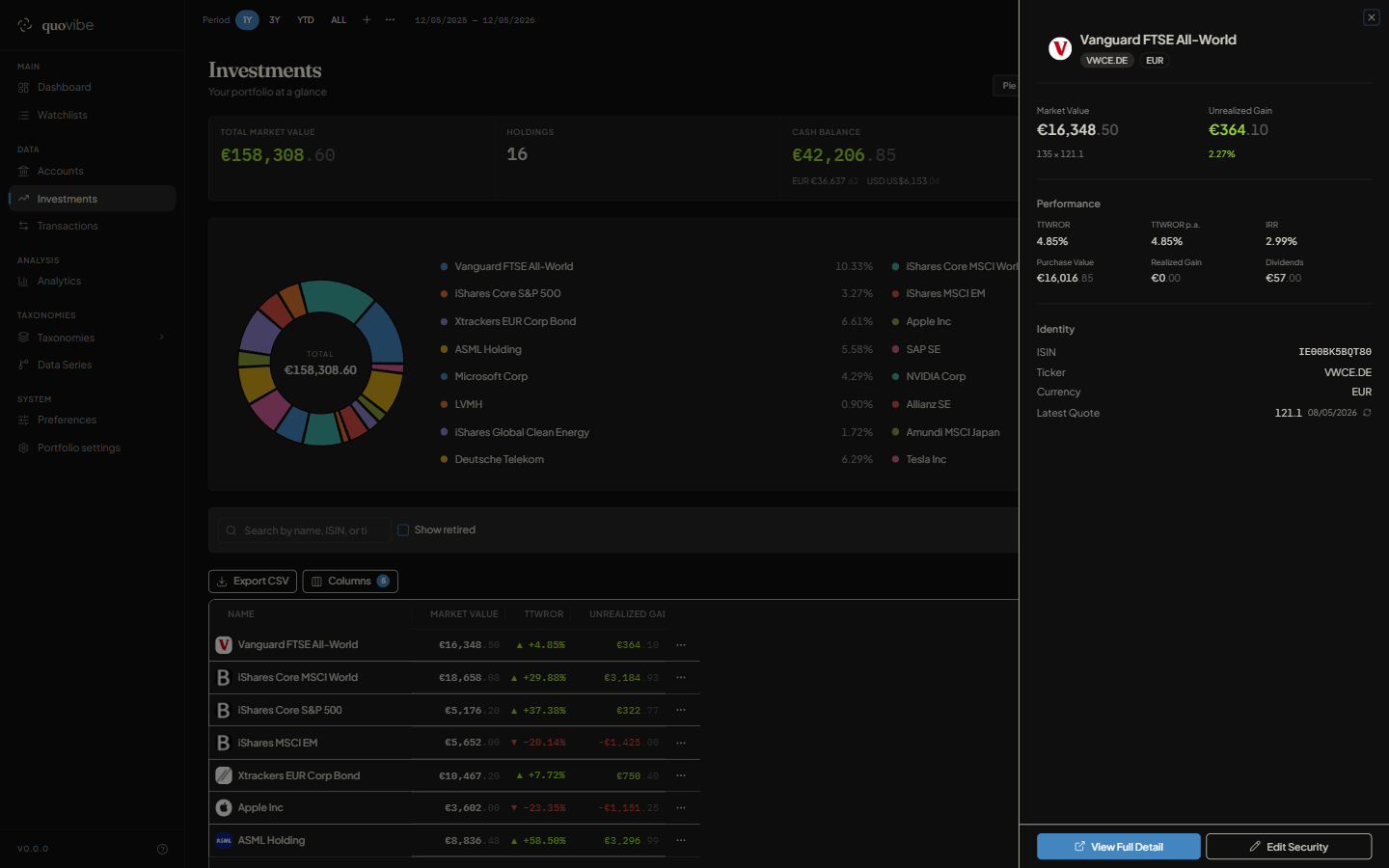
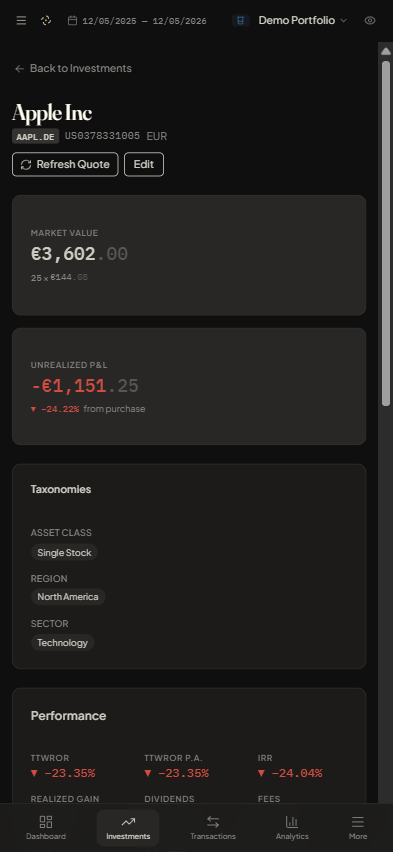
Security detail
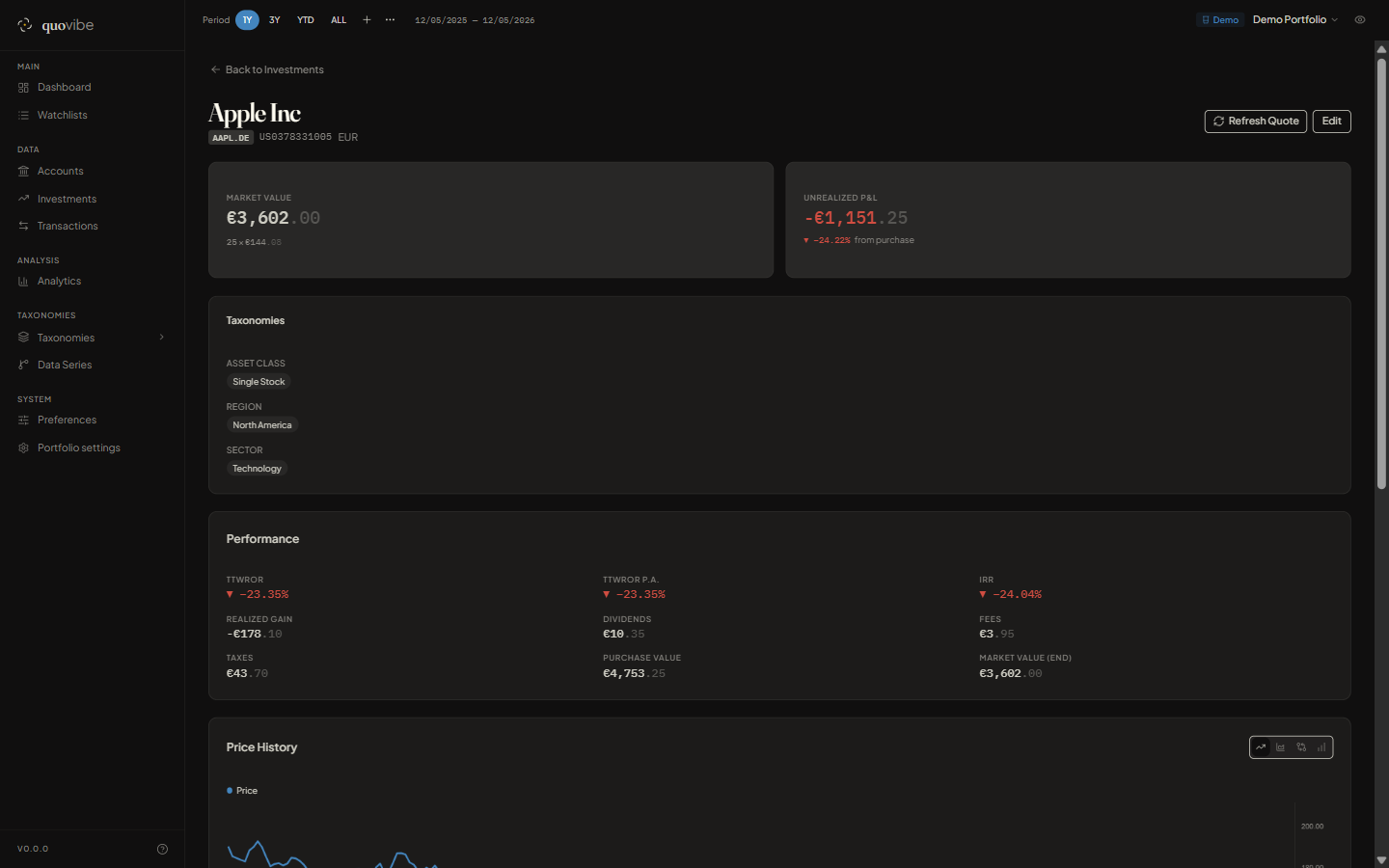
Performance & risk
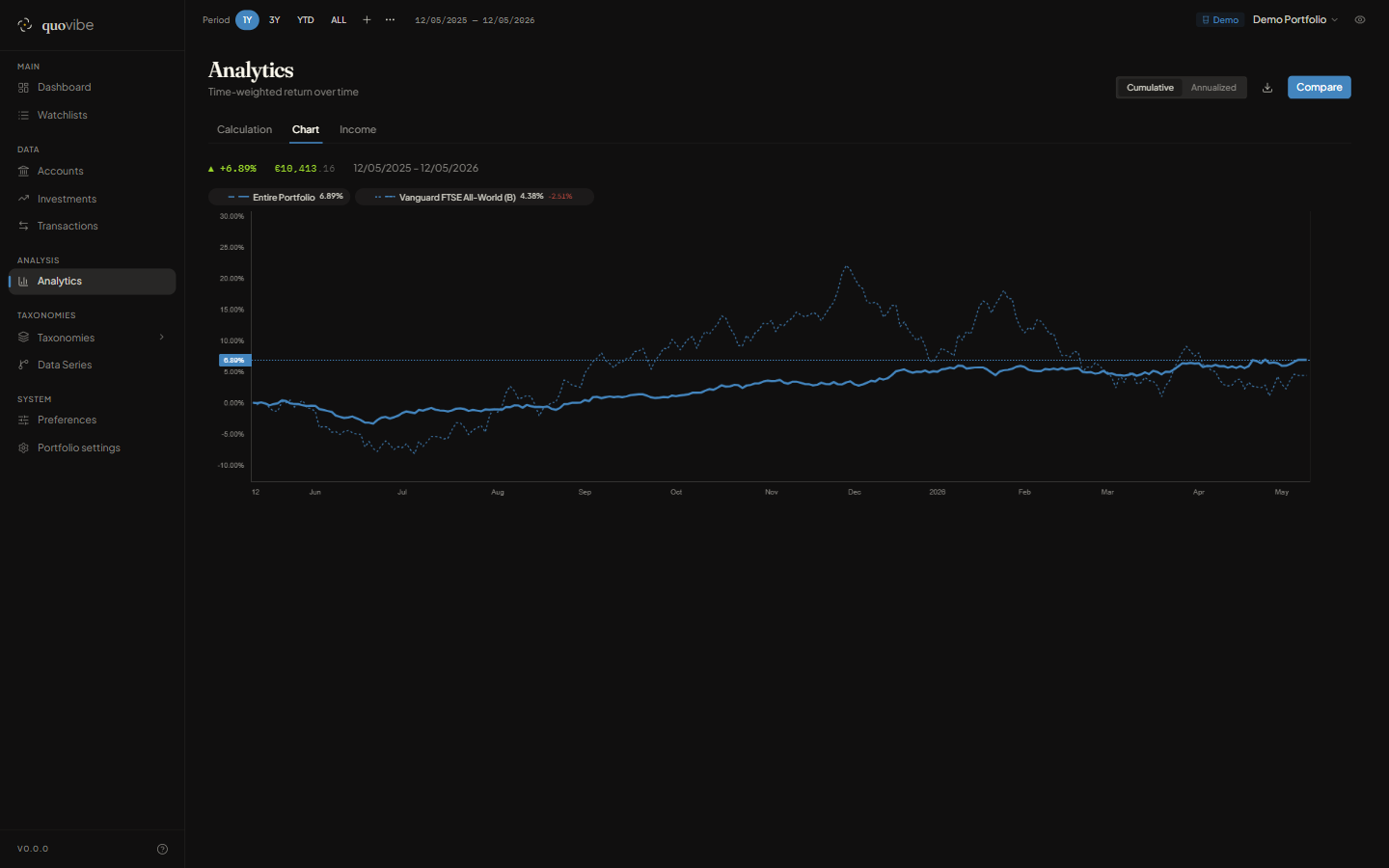
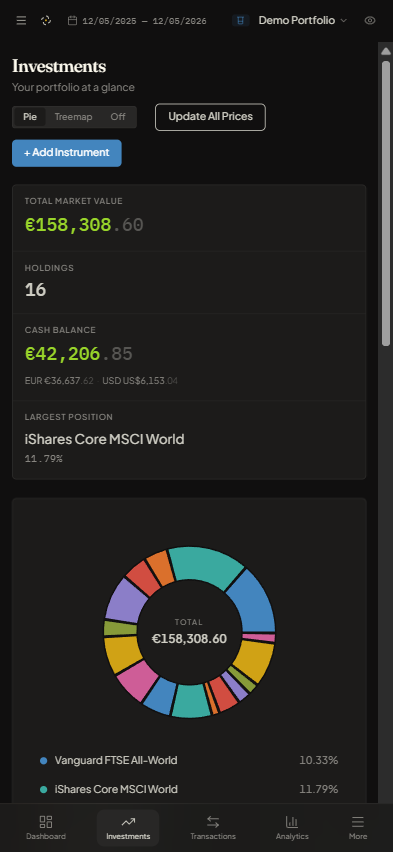
Holdings & allocation
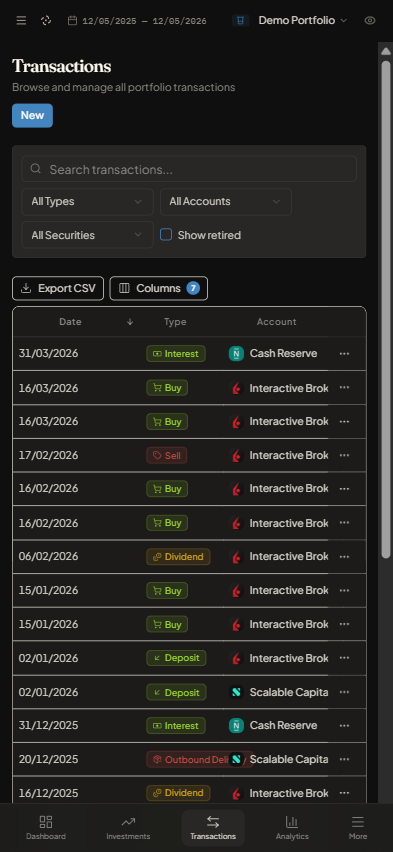
Income & activity
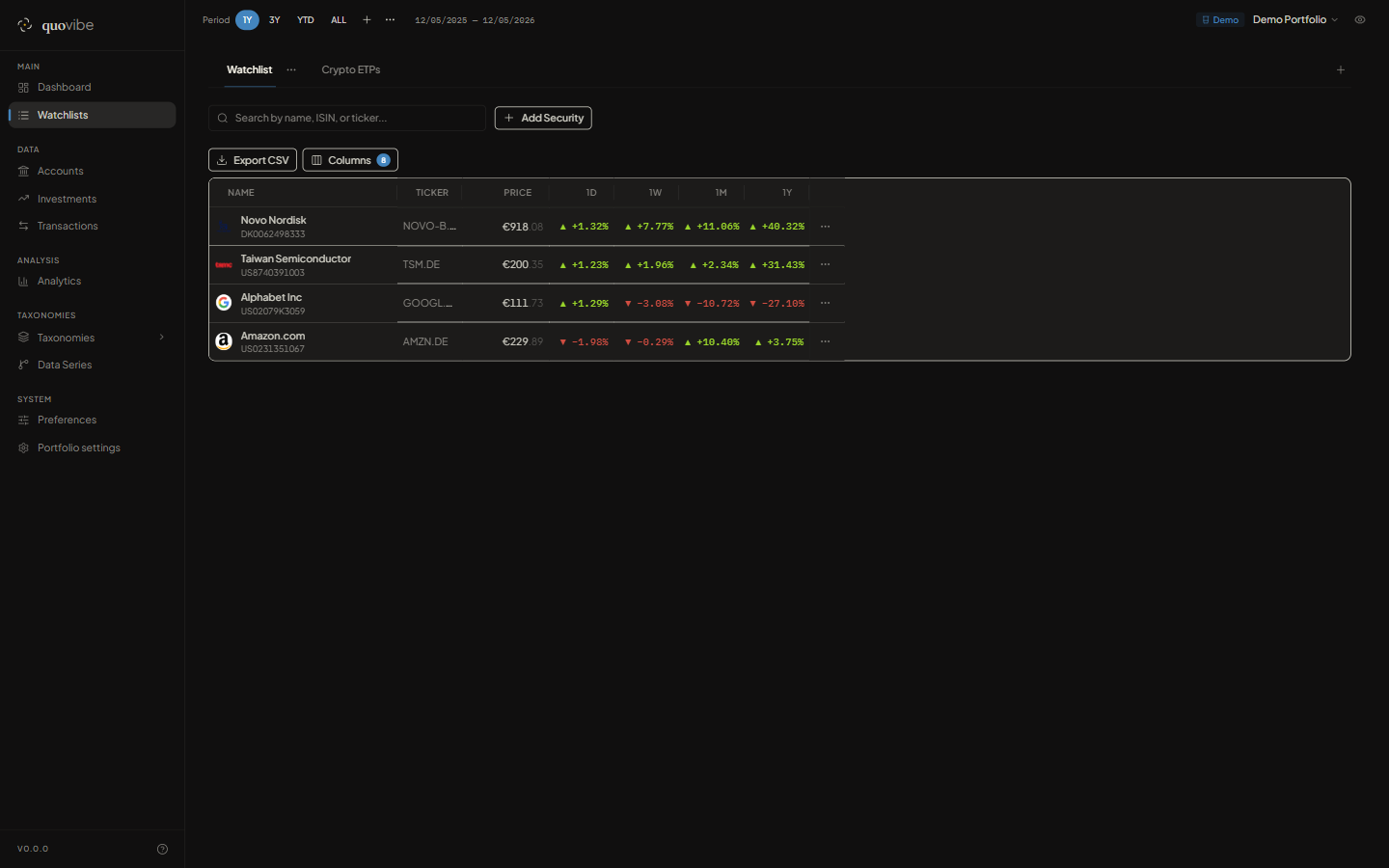
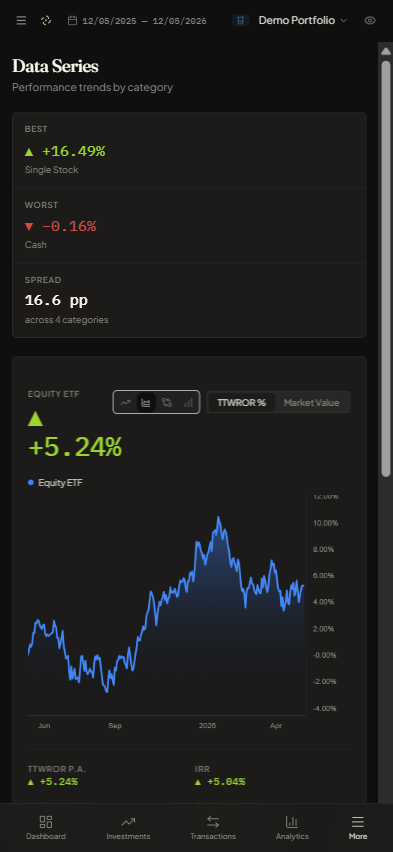
Data series
Mobile
Tech Stack
| Layer | Technology | |------------|----------------------------------------------------------------| | Frontend | React 19, Vite 8, React Router v7, shadcn/ui, Tailwind CSS v4 | | Tables | TanStack Table v8 | | State | TanStack Query v5 | | Charts | Recharts 3 + lightweight-charts 5 | | Backend | Express 5, Drizzle ORM, better-sqlite3 | | Database | SQLite | | Math | decimal.js (no native floats for financials) | | Validation | Zod (shared schemas between front and back) | | Tests | Vitest + Supertest (unit + integration) | | Language | TypeScript (strict, no any) | | Monorepo | pnpm workspaces |
Prerequisites
| Tool | Version | Notes | |---------|----------|-------------------------------| | Node.js | 24+ | Required | | pnpm | 9+ | npm install -g pnpm | | Docker | optional | Recommended for production |
Windows: better-sqlite3 requires MSVC build tools with Node 24. Use pnpm install --ignore-scripts to skip native compilation, or run via Docker.
Getting Started
1. Clone and install
git clone https://github.com/quovibe-web/quovibe.git
cd quovibe
pnpm install          # Windows without MSVC: pnpm install --ignore-scripts
2. Configure
cp .env.example .env
(Optional) set QUOVIBEDATADIR to override the portfolio storage location.
3. Build and run
pnpm build
pnpm dev- API: http://localhost:3000
- Web: http://localhost:5173
Docker
Self-hosting (recommended)
No need to clone — pull the published image directly:
curl -O https://raw.githubusercontent.com/quovibe-web/quovibe/main/docker-compose.yml
docker compose up -d
Open http://localhost:3000 and import your portfolio XML on first boot. Data lives in a named Docker volume (quovibe_data) — safe across image updates.
Update: docker compose pull && docker compose up -d
Custom port: PORT=8080 docker compose up -d
Backup:
You can export the portfolio database directly from the app: Settings → Export Portfolio downloads portfolio.db to your browser.
Alternatively, copy the file from the Docker volume:
# bash / macOS / Linux docker run --rm -v quovibe_data:/data -v $(pwd):/backup alpine cp /data/portfolio.db /backup/portfolio.db
Windows PowerShell
docker run --rm -v quovibe_data:/data -v "${PWD}:/backup" alpine cp /data/portfolio.db /backup/portfolio.db
Development (hot reload)
docker compose -f docker-compose.dev.yml upPlace portfolio.db in data/ before starting.
Importing your portfolio
quovibe supports five import paths:
Start from scratch — create an empty portfolio and add securities, accounts, and transactions manually from the app UI.
In-app XML import (recommended) — upload your portfolio .xml file directly in the browser at /import. Works on first boot and from Settings at any time.
Quovibe .db re-import — upload a portfolio.db previously exported via Settings → Export Portfolio. Round-trips full state (transactions, dashboards, settings).
CSV import — import transactions and holdings from CSV files via the import wizard in the app.
CLI via ppxml2db — convert your XML to SQLite with ppxml2db, then place the resulting portfolio.db in QUOVIBEDATA_DIR (default: ./data/) and import it from the Welcome page.
Deployment Model
quovibe is designed for self-hosted, single-user deployment — home server, NAS, or VPS behind a VPN or reverse proxy.
[Internet] → [VPN / Reverse Proxy] → [quovibe Docker container]
                (auth, TLS, CSP)         (port 3000, LAN only)
Any reverse proxy works: nginx, Caddy, Traefik, or your router's built-in VPN.
[!WARNING]
quovibe has no built-in authentication. Do not expose it directly to the internet without a reverse proxy that provides auth, TLS termination, and security headers.
| Limitation | Notes | |-----------|-------| | No authentication | By design — single-user, trusted network. Your proxy should add auth. | | No rate limiting | By design. Your proxy should handle this. | | 1.16 MB JS bundle | Non-blocking; optimization planned. |
Environment Variables
| Variable | Default | Description | |-----------------------|--------------|----------------------------------------------------| | QUOVIBEDATADIR | ./data | Parent of per-portfolio .db files + sidecar | | QUOVIBEDEMOSOURCE | ./data/demo.db | Bootstrap source for the "Try demo" flow | | DBBACKUPMAX | 3 | Rotated backups retained per portfolio | | PORTFOLIOPOOLMAX | 5 | Max simultaneously open per-portfolio DB handles | | IMPORTMAXMB | 500 | Max upload size (MB) accepted by import endpoints | | PORT | 3000 | API server port | | NODE_ENV | development| Node environment | | LOG_LEVEL | info | Logging verbosity |
See .env.example for all options (price feed tuning, backup settings).
API
The REST API is served at /api. All performance endpoints accept periodStart and periodEnd query parameters (ISO date strings).
See docs/architecture/api-routes.md for the full endpoint reference.
Architecture
Documentation in docs/architecture/ — see the index for all 16 files:
- Financial model (TTWROR, IRR, purchase value, cashflow rules)
- DB schema, double-entry bookkeeping, unit conventions
- Engine algorithms and API layer design
- Frontend pages and component structure
- Operations / Docker deployment
docs/adr/
Quality
2200+ tests · 14 governance checks · 9 architecture boundary rules — all enforced in CI on every push. See CONTRIBUTING.md for the full quality workflow.
Internationalization
8 languages out of the box: English, Italian, German, French, Spanish, Dutch, Polish, Portuguese. Powered by i18next + react-i18next.
Contributing
See CONTRIBUTING.md. Core rules:
- Use
decimal.jsfor all financial calculations — never native floats - Keep the engine (
packages/engine) free of I/O - Add tests with concrete numeric values for any financial logic
- Run
pnpm build && pnpm test && pnpm lintbefore opening a PR


