
✨ PTerm is a modern Go module to easily beautify console output. Featuring charts, progressbars, tables, trees, text input, select menus and much more 🚀 It's completely configurable and 100% cross-platform compatible.
💻 PTerm | Pretty Terminal Printer
A modern Go framework to make beautiful CLIs







PTerm.sh | Installation | Getting Started | Documentation | Examples | Q&A | Discord
📦 Installation
To make PTerm available in your project, you can run the following command.\ Make sure to run this command inside your project, when you're using go modules 😉
go get github.com/pterm/pterm⭐ Main Features
| Feature | Description | |------------------|-----------------------------------------------------| | 🪀 Easy to use | PTerm emphasizes ease of use, with examples and consistent component design. | | 🤹♀️ Cross-Platform | PTerm works on various OS and terminals, including Windows CMD, macOS iTerm2, and in CI systems like GitHub Actions. | | 🧪 Well tested | A high test coverage and 29126 automated tests ensure PTerm's reliability. | | ✨ Consistent Colors | PTerm uses the ANSI color scheme for uniformity and supports TrueColor for advanced terminals. | | 📚 Component system | PTerm's flexible Printers can be used individually or combined to generate beautiful console output. | | 🛠 Configurable | PTerm is ready to use without configuration but allows easy customization for unique terminal output. | | ✏ Documentation | Access comprehensive docs on pkg.go.dev and view practical examples in the examples section. |
Printers (Components)
| Feature | Feature | Feature | Feature | Feature | | :-------: | :-------: | :-------: | :-------: | :-------: | | Area
(Examples) |Barchart
(Examples) |Basictext
(Examples) |Bigtext
(Examples) |Box
(Examples) | | Bulletlist
(Examples) |Center
(Examples) |Coloring
(Examples) |Header
(Examples) |Heatmap
(Examples) | | Interactive confirm
(Examples) |Interactive continue
(Examples) |Interactive multiselect
(Examples) |Interactive select
(Examples) |Interactive textinput
(Examples) | | Logger
(Examples) |Multiple-live-printers
(Examples) |Panel
(Examples) |Paragraph
(Examples) |Prefix
(Examples) | | Progressbar
(Examples) |Section
(Examples) |Slog
(Examples) |Spinner
(Examples) |Style
(Examples) | | Table
(Examples) |Test.sh
(Examples) |Theme
(Examples) |Tree
(Examples) | |
🦸♂️ Sponsors

🧪 Examples
| ‼️ You can find all the examples, in a much better structure and their source code, in "examples" ‼️ Click on the link above to show the examples folder. |
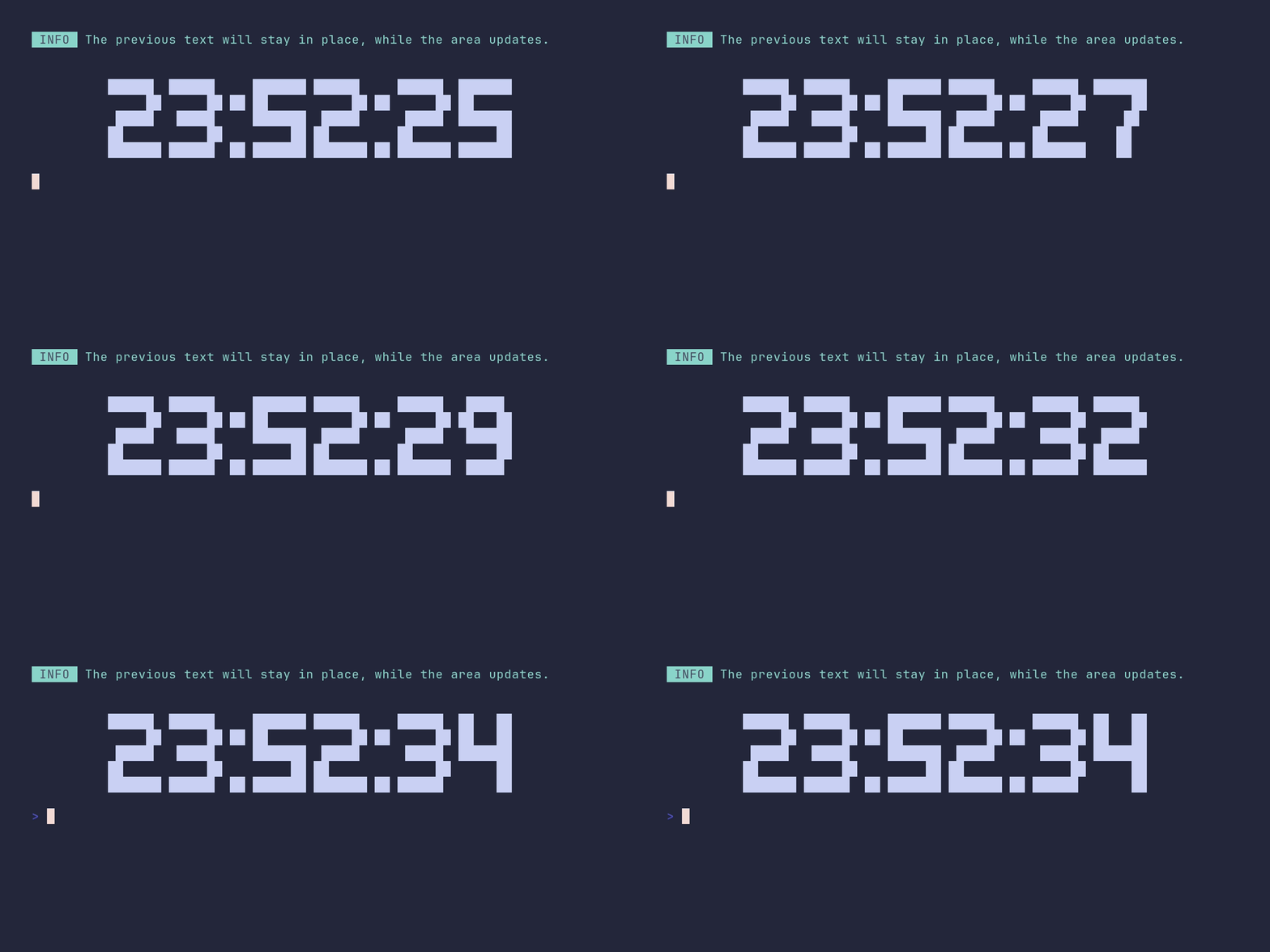
area/demo
package main
import ( 	"time"
"github.com/pterm/pterm" 	"github.com/pterm/pterm/putils" )
func main() { 	// Print an informational message using PTerm's Info printer. 	// This message will stay in place while the area updates. 	pterm.Info.Println("The previous text will stay in place, while the area updates.")
// Print two new lines as spacer. 	pterm.Print("\n\n")
// Start the Area printer from PTerm's DefaultArea, with the Center option. 	// The Area printer allows us to update a specific area of the console output. 	// The returned 'area' object is used to control the area updates. 	area, _ := pterm.DefaultArea.WithCenter().Start()
// Loop 10 times to update the area with the current time. 	for i := 0; i < 10; i++ { 		// Get the current time, format it as "15:04:05" (hour:minute:second), and convert it to a string. 		// Then, create a BigText from the time string using PTerm's DefaultBigText and putils NewLettersFromString. 		// The Srender() function is used to save the BigText as a string. 		str, _ := pterm.DefaultBigText.WithLetters(putils.LettersFromString(time.Now().Format("15:04:05"))).Srender()
// Update the Area contents with the current time string. 		area.Update(str)
// Sleep for a second before the next update. 		time.Sleep(time.Second) 	}
// Stop the Area printer after all updates are done. 	area.Stop() }
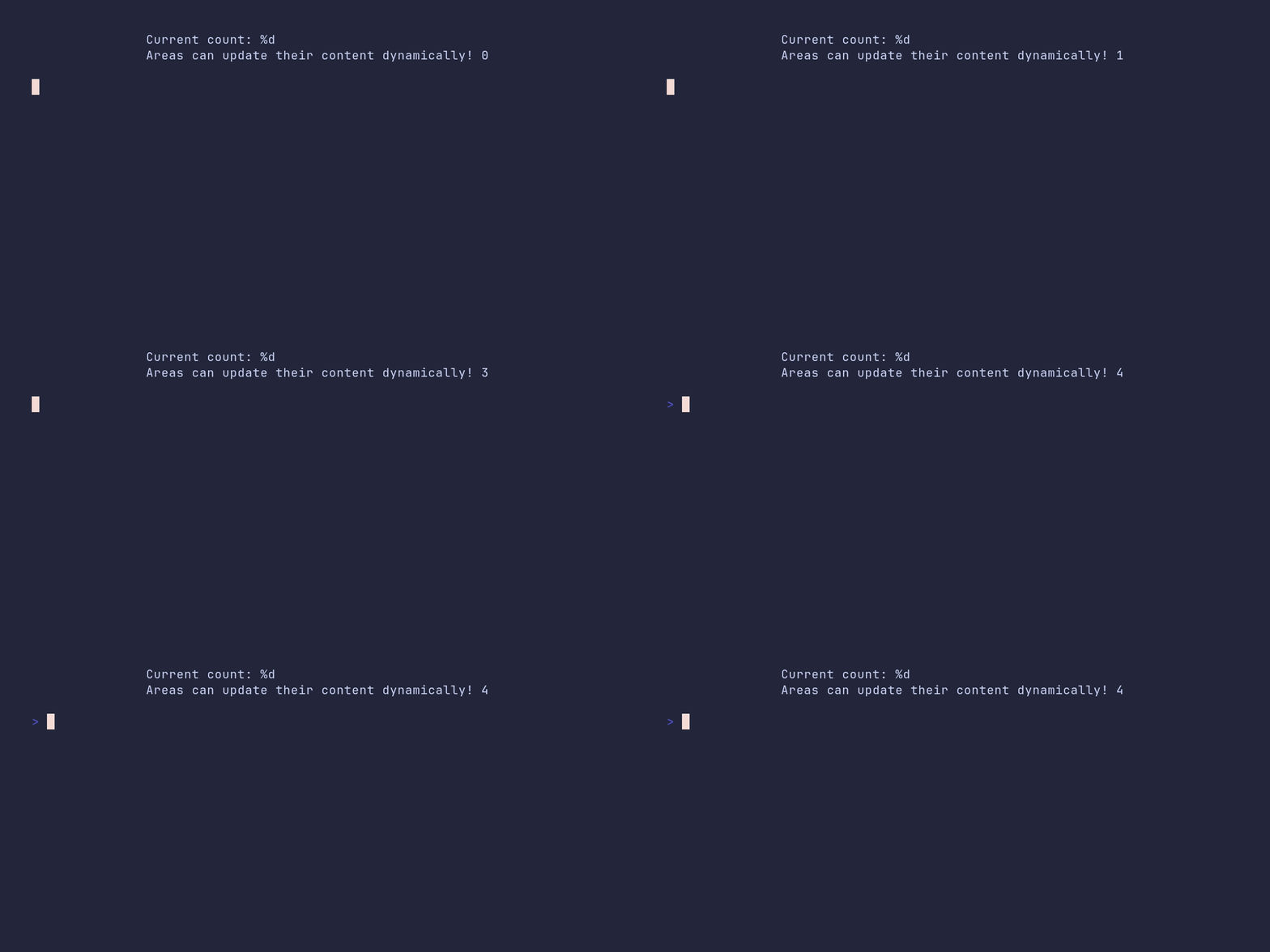
area/center
package main
import ( 	"time"
"github.com/pterm/pterm" )
func main() { 	// Start a new default area in the center of the terminal. 	// The Start() function returns the created area and an error. 	area, _ := pterm.DefaultArea.WithCenter().Start()
// Loop 5 times to simulate a dynamic update. 	for i := 0; i < 5; i++ { 		// Update the content of the area with the current count. 		// The Sprintf function is used to format the string. 		area.Update(pterm.Sprintln("Current count: %d\nAreas can update their content dynamically!", i))
// Pause for a second to simulate a time-consuming task. 		time.Sleep(time.Second) 	}
// Stop the area after all updates are done. 	area.Stop() }
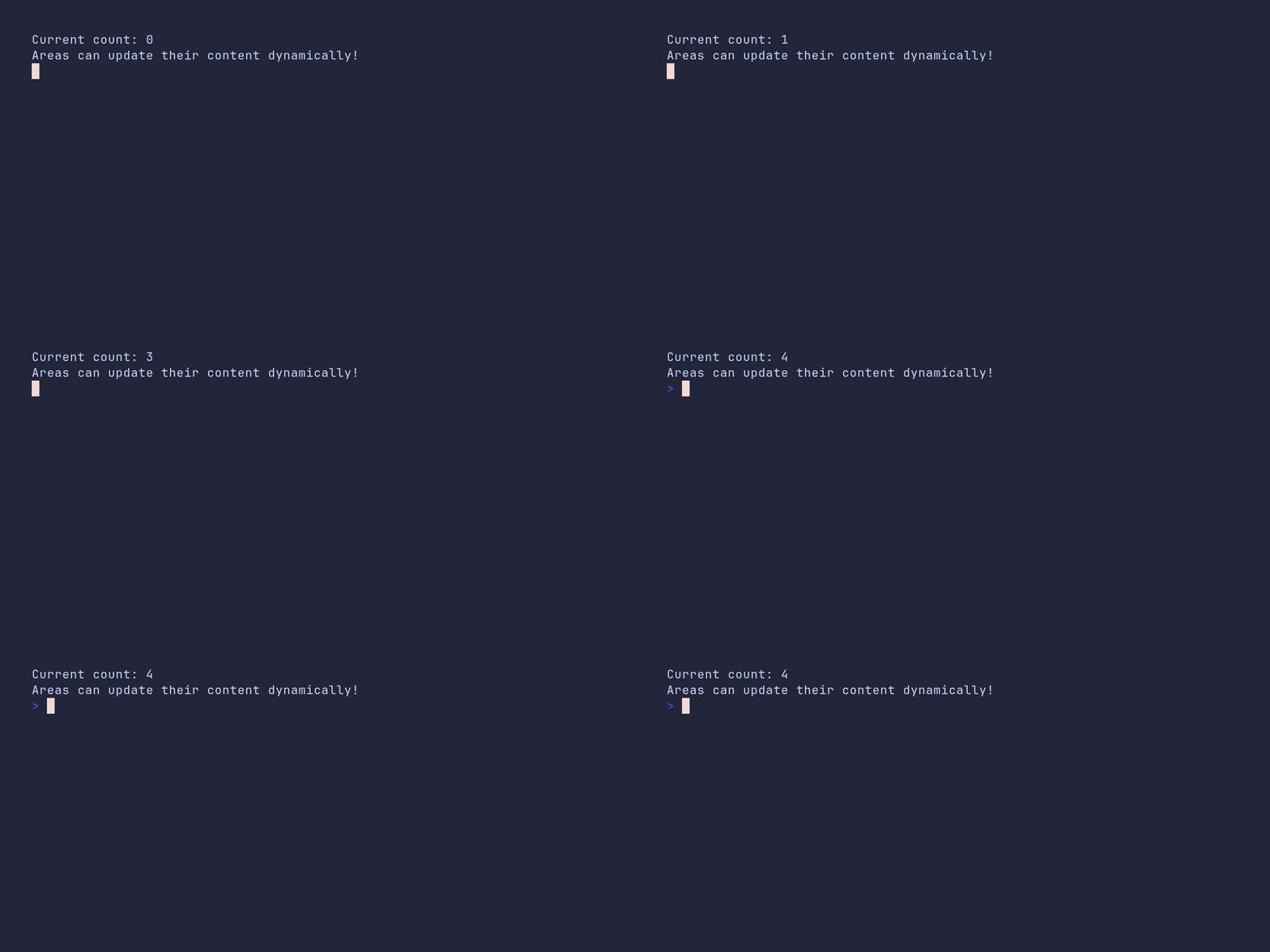
area/default
package main
import ( 	"time"
"github.com/pterm/pterm" )
func main() { 	// Start a new default area and get a reference to it. 	// The second return value is an error which is ignored here. 	area, _ := pterm.DefaultArea.Start()
// Loop 5 times 	for i := 0; i < 5; i++ { 		// Update the content of the area dynamically. 		// Here we're just displaying the current count. 		area.Update(pterm.Sprintfln("Current count: %d\nAreas can update their content dynamically!", i))
// Pause for a second before the next update. 		time.Sleep(time.Second) 	}
// Stop the area after all updates are done. 	// This will clean up and free resources used by the area. 	area.Stop() }
area/dynamic-chart
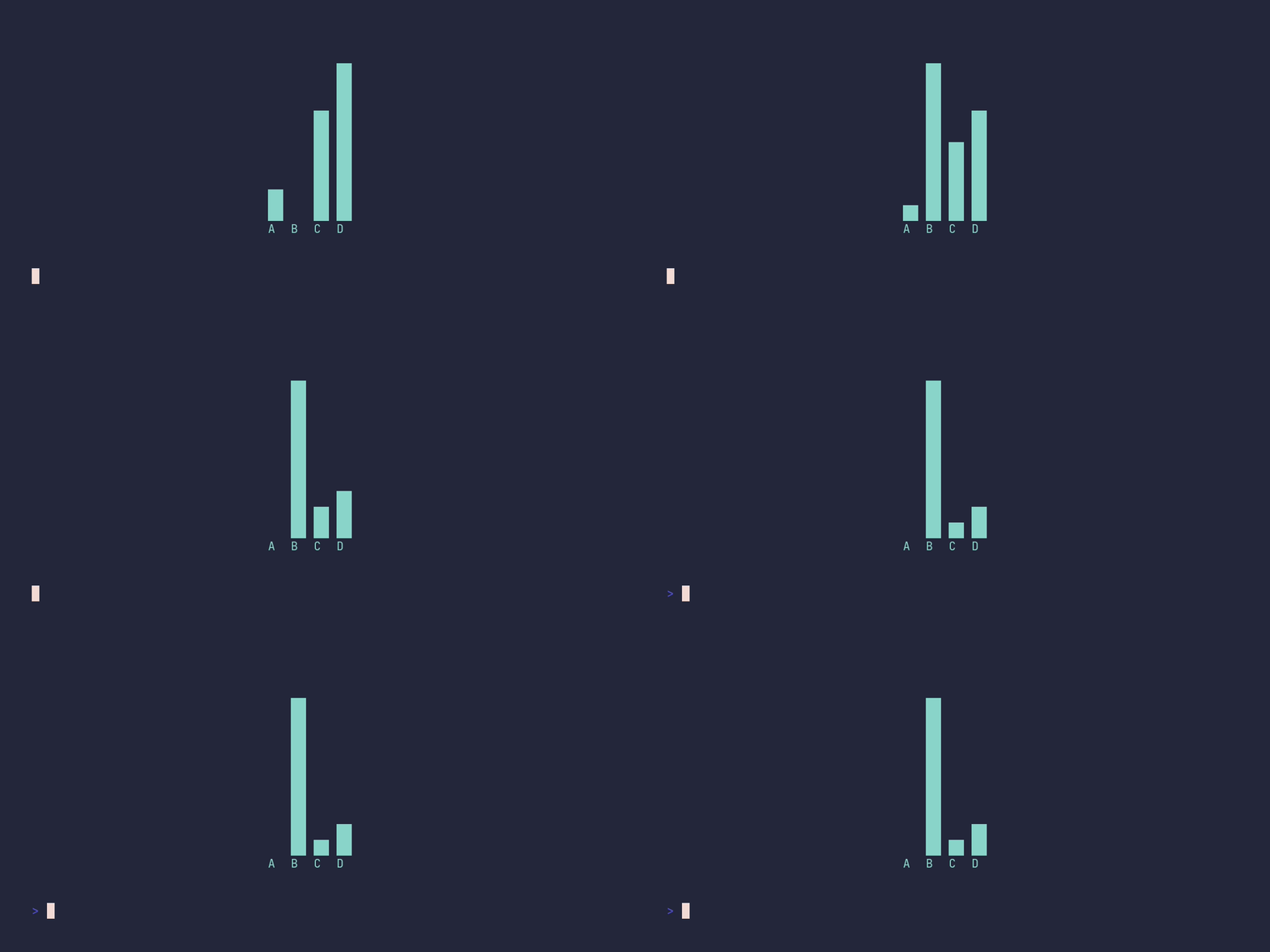
package main
import ( 	"time"
"github.com/pterm/pterm" )
func main() { 	// Start a new fullscreen centered area. 	// This area will be used to display the bar chart. 	area, _ := pterm.DefaultArea.WithFullscreen().WithCenter().Start() 	// Ensure the area stops updating when we're done. 	defer area.Stop()
// Loop to update the bar chart 10 times. 	for i := 0; i < 10; i++ { 		// Create a new bar chart with dynamic bars. 		// The bars will change based on the current iteration. 		barchart := pterm.DefaultBarChart.WithBars(dynamicBars(i)) 		// Render the bar chart to a string. 		// This string will be used to update the area. 		content, _ := barchart.Srender() 		// Update the area with the new bar chart. 		area.Update(content) 		// Wait for half a second before the next update. 		time.Sleep(500 * time.Millisecond) 	} }
// dynamicBars generates a set of bars for the bar chart. // The bars will change based on the current iteration. func dynamicBars(i int) pterm.Bars { 	return pterm.Bars{ 		{Label: "A", Value: 10},     // A static bar. 		{Label: "B", Value: 20 * i}, // A bar that grows with each iteration. 		{Label: "C", Value: 30},     // Another static bar. 		{Label: "D", Value: 40 + i}, // A bar that grows slowly with each iteration. 	} }
area/fullscreen
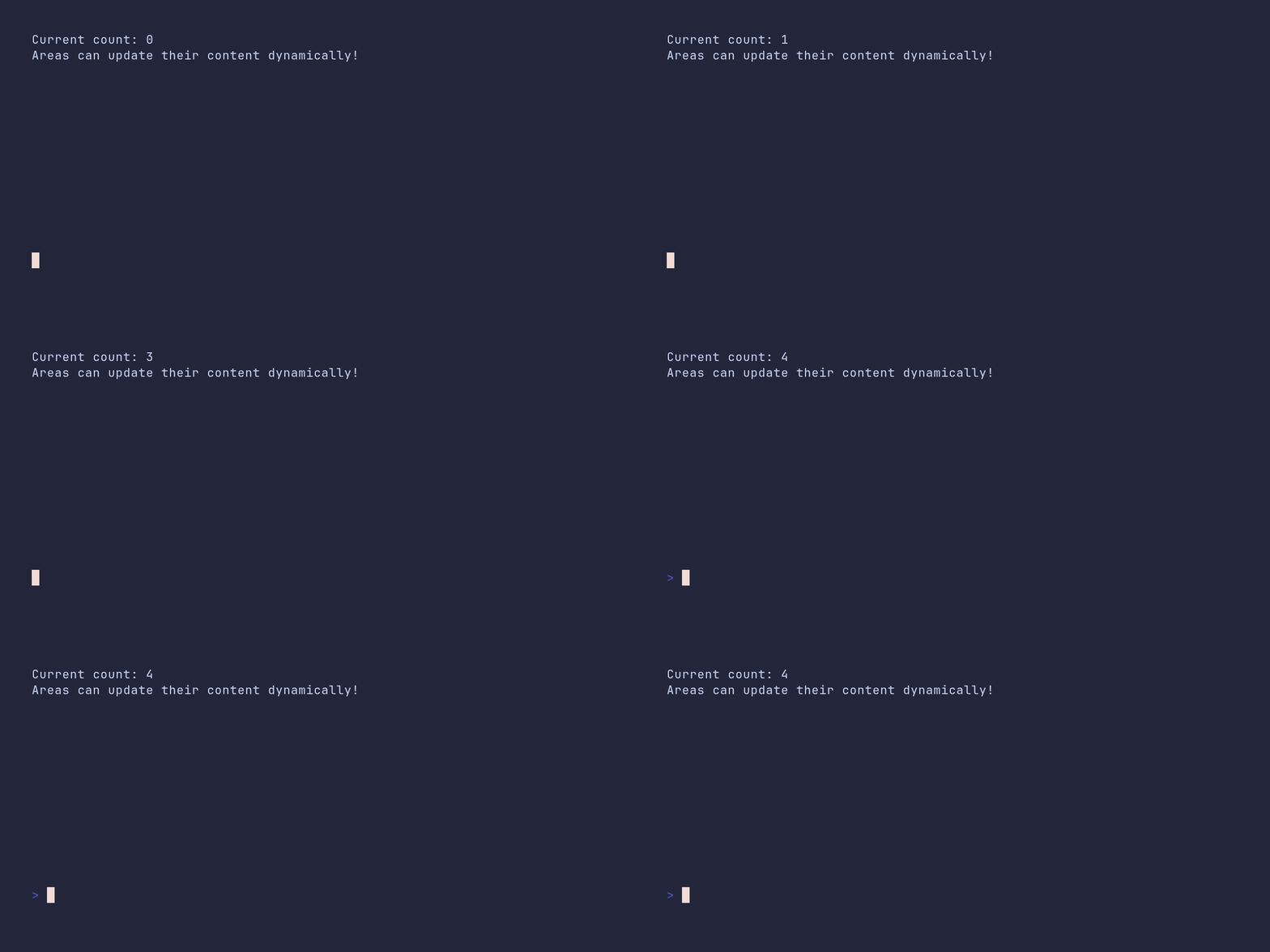
package main
import ( 	"time"
"github.com/pterm/pterm" )
func main() { 	// Start a new fullscreen area. This will return an area instance and an error. 	// The underscore (_) is used to ignore the error. 	area, _ := pterm.DefaultArea.WithFullscreen().Start()
// Loop 5 times to update the area content. 	for i := 0; i < 5; i++ { 		// Update the content of the area with the current count. 		// The Sprintf function is used to format the string. 		area.Update(pterm.Sprintf("Current count: %d\nAreas can update their content dynamically!", i))
// Pause for a second before the next update. 		time.Sleep(time.Second) 	}
// Stop the area after all updates are done. 	area.Stop() }
area/fullscreen-center
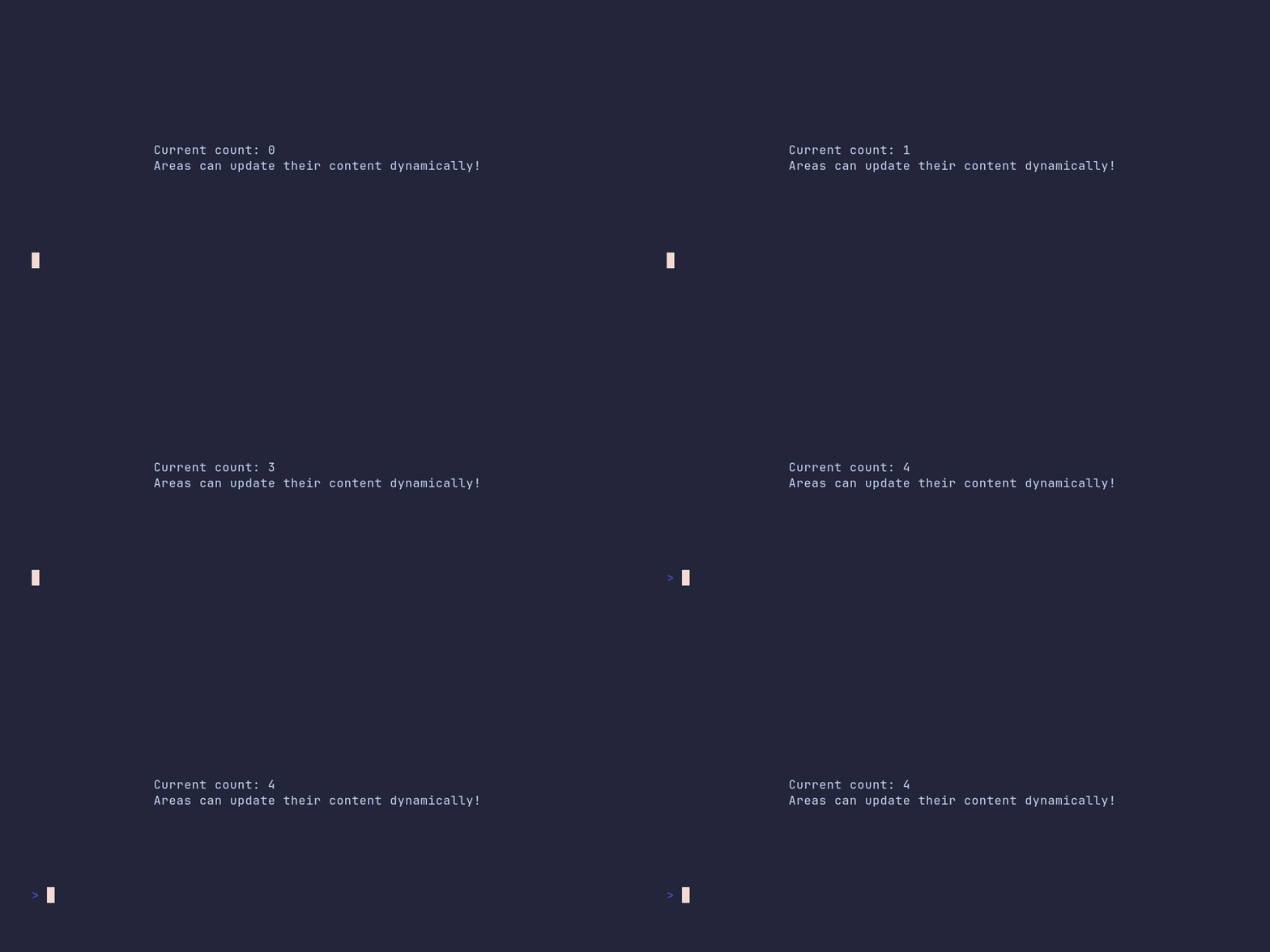
package main
import ( 	"time"
"github.com/pterm/pterm" )
func main() { 	// Initialize a new PTerm area with fullscreen and center options 	// The Start() function returns the created area and an error (ignored here) 	area, _ := pterm.DefaultArea.WithFullscreen().WithCenter().Start()
// Loop 5 times to demonstrate dynamic content update 	for i := 0; i < 5; i++ { 		// Update the content of the area with the current count 		// The Sprintf function is used to format the string with the count 		area.Update(pterm.Sprintf("Current count: %d\nAreas can update their content dynamically!", i))
// Pause for a second 		time.Sleep(time.Second) 	}
// Stop the area after all updates are done 	// This will clear the area and return the terminal to its normal state 	area.Stop() }
barchart/demo
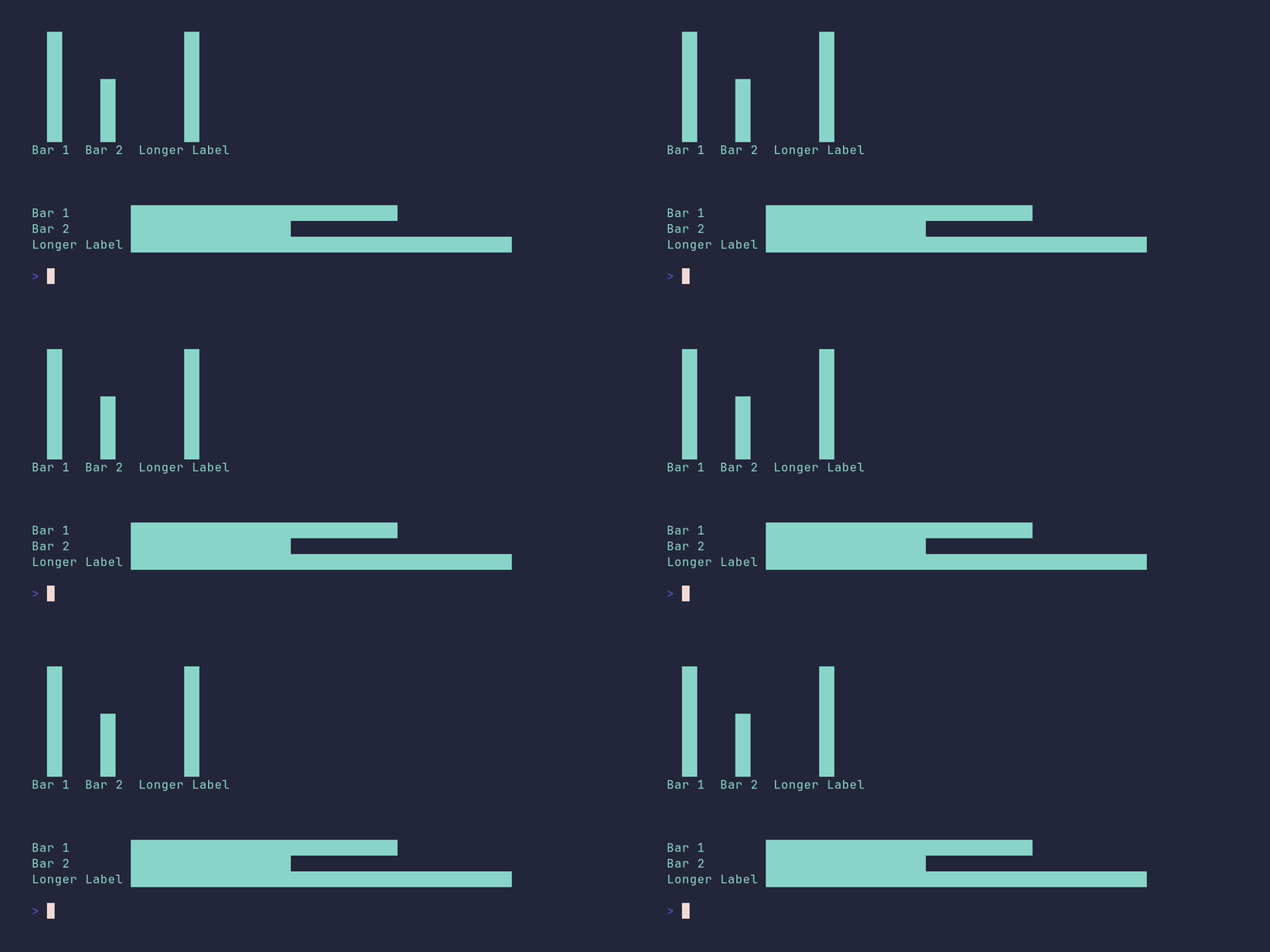
package main
import ( 	"github.com/pterm/pterm" )
func main() { 	// Define the bars for the chart 	bars := []pterm.Bar{ 		{Label: "Bar 1", Value: 5}, 		{Label: "Bar 2", Value: 3}, 		{Label: "Longer Label", Value: 7}, 	}
// Print an informational message 	pterm.Info.Println("Chart example with positive only values (bars use 100% of chart area)")
// Create a bar chart with the defined bars and render it 	// The DefaultBarChart is used as a base, and the bars are added with the WithBars option 	// The Render function is then called to display the chart 	pterm.DefaultBarChart.WithBars(bars).Render()
// Create a horizontal bar chart with the defined bars and render it 	// The DefaultBarChart is used as a base, the chart is made horizontal with the WithHorizontal option, and the bars are added with the WithBars option 	// The Render function is then called to display the chart 	pterm.DefaultBarChart.WithHorizontal().WithBars(bars).Render() }
barchart/custom-height
package main
import "github.com/pterm/pterm"
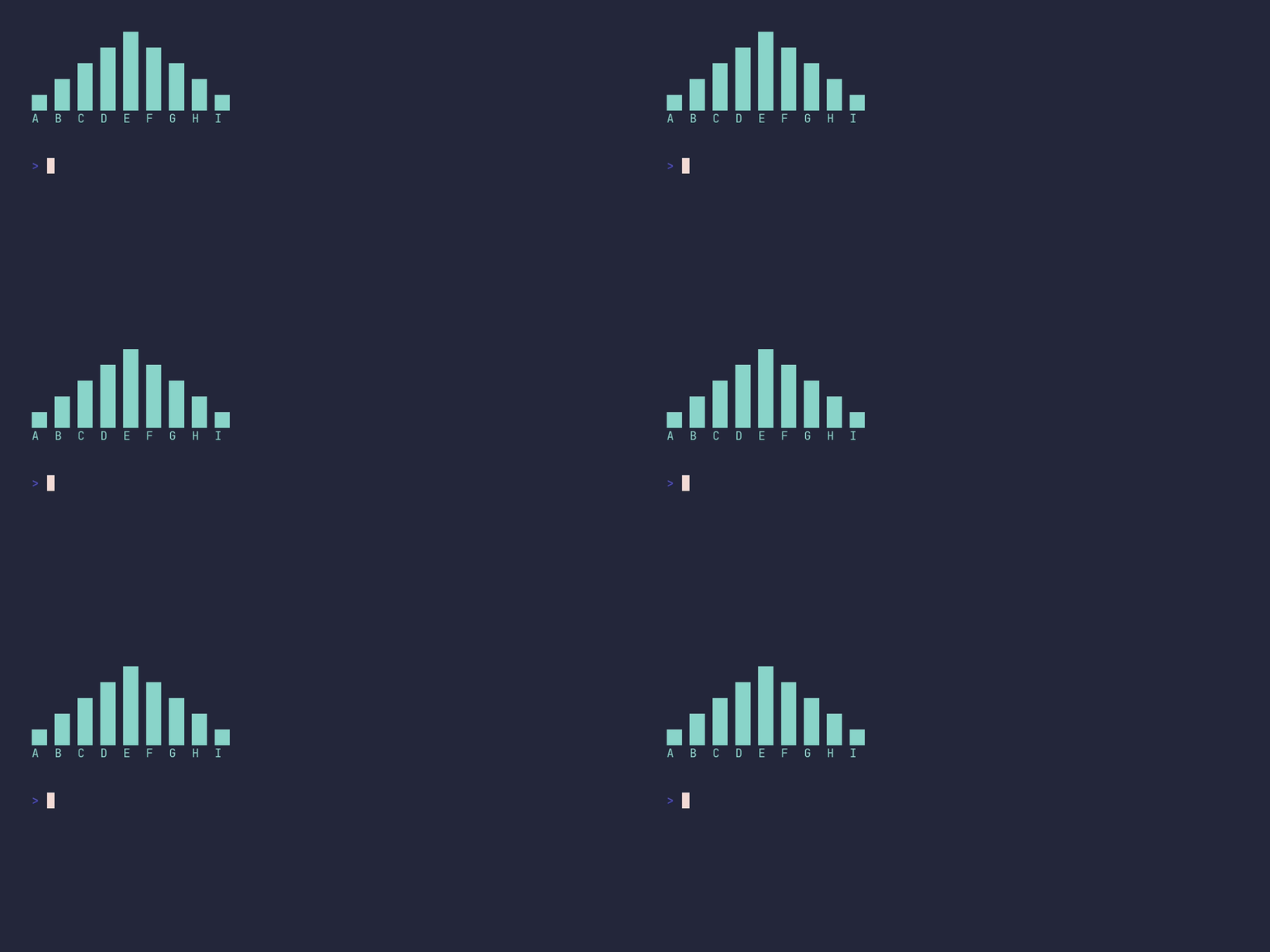
func main() { 	// Define a slice of Bar structs. Each struct represents a bar in the chart. 	// The Label field is the name of the bar and the Value field is the height of the bar. 	bars := []pterm.Bar{ 		{Label: "A", Value: 10}, 		{Label: "B", Value: 20}, 		{Label: "C", Value: 30}, 		{Label: "D", Value: 40}, 		{Label: "E", Value: 50}, 		{Label: "F", Value: 40}, 		{Label: "G", Value: 30}, 		{Label: "H", Value: 20}, 		{Label: "I", Value: 10}, 	}
// Create and render a bar chart with the defined bars and a height of 5. 	// The WithBars method is used to set the bars of the chart. 	// The WithHeight method is used to set the height of the chart. 	// The Render method is used to display the chart in the terminal. 	pterm.DefaultBarChart.WithBars(bars).WithHeight(5).Render() }
barchart/custom-width

package main
import "github.com/pterm/pterm"
func main() { 	// Define the data for the bar chart 	barData := []pterm.Bar{ 		{Label: "A", Value: 10}, 		{Label: "B", Value: 20}, 		{Label: "C", Value: 30}, 		{Label: "D", Value: 40}, 		{Label: "E", Value: 50}, 		{Label: "F", Value: 40}, 		{Label: "G", Value: 30}, 		{Label: "H", Value: 20}, 		{Label: "I", Value: 10}, 	}
// Create a bar chart with the defined data 	// The chart is horizontal and has a width of 5 	// The Render() function is called to display the chart 	pterm.DefaultBarChart.WithBars(barData).WithHorizontal().WithWidth(5).Render() }
barchart/default
package main
import "github.com/pterm/pterm"
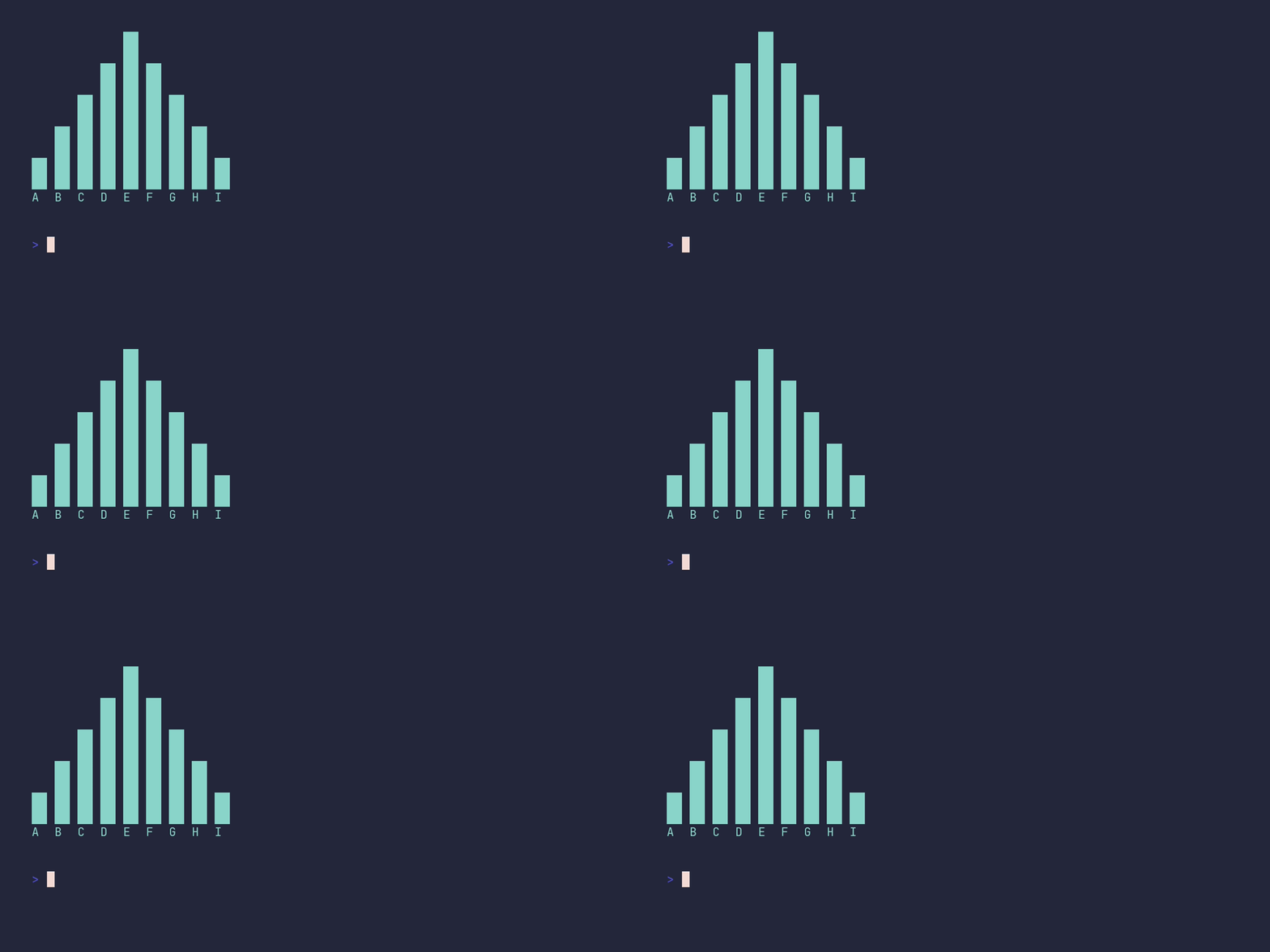
func main() { 	// Define the data for the bar chart. Each bar is represented by a pterm.Bar struct. 	// The Label field represents the label of the bar, and the Value field represents the value of the bar. 	bars := []pterm.Bar{ 		{Label: "A", Value: 10}, 		{Label: "B", Value: 20}, 		{Label: "C", Value: 30}, 		{Label: "D", Value: 40}, 		{Label: "E", Value: 50}, 		{Label: "F", Value: 40}, 		{Label: "G", Value: 30}, 		{Label: "H", Value: 20}, 		{Label: "I", Value: 10}, 	}
// Use the DefaultBarChart from the pterm package to create a bar chart. 	// The WithBars method is used to set the bars of the chart. 	// The Render method is used to display the chart. 	pterm.DefaultBarChart.WithBars(bars).Render() }
barchart/horizontal
package main
import "github.com/pterm/pterm"
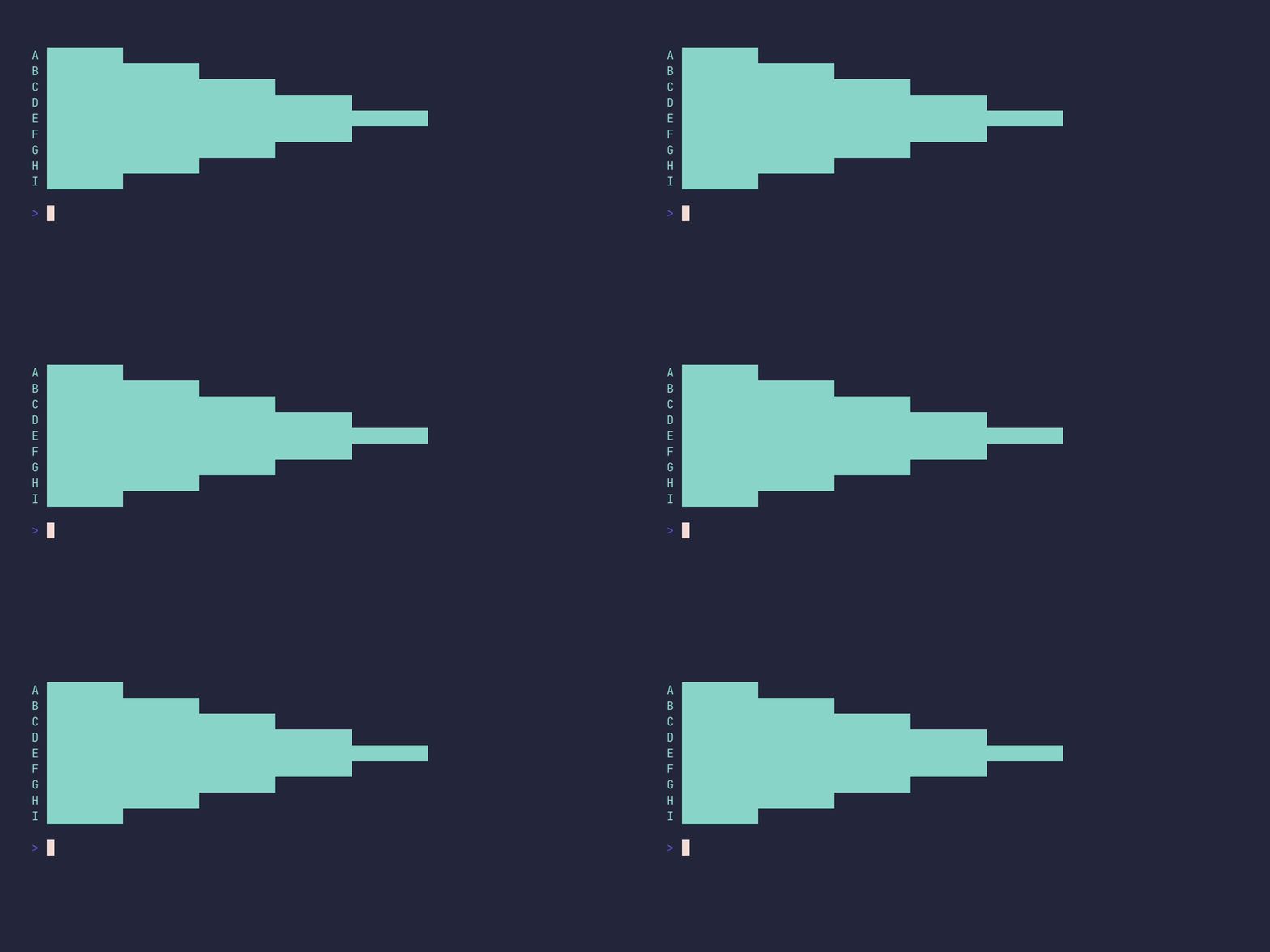
func main() { 	// Define the data for the bar chart 	bars := []pterm.Bar{ 		{Label: "A", Value: 10}, 		{Label: "B", Value: 20}, 		{Label: "C", Value: 30}, 		{Label: "D", Value: 40}, 		{Label: "E", Value: 50}, 		{Label: "F", Value: 40}, 		{Label: "G", Value: 30}, 		{Label: "H", Value: 20}, 		{Label: "I", Value: 10}, 	}
// Create a bar chart with the defined data 	// The chart is displayed horizontally 	// The Render() function is called to display the chart 	pterm.DefaultBarChart.WithBars(bars).WithHorizontal().Render() }
barchart/horizontal-show-value
package main
import "github.com/pterm/pterm"
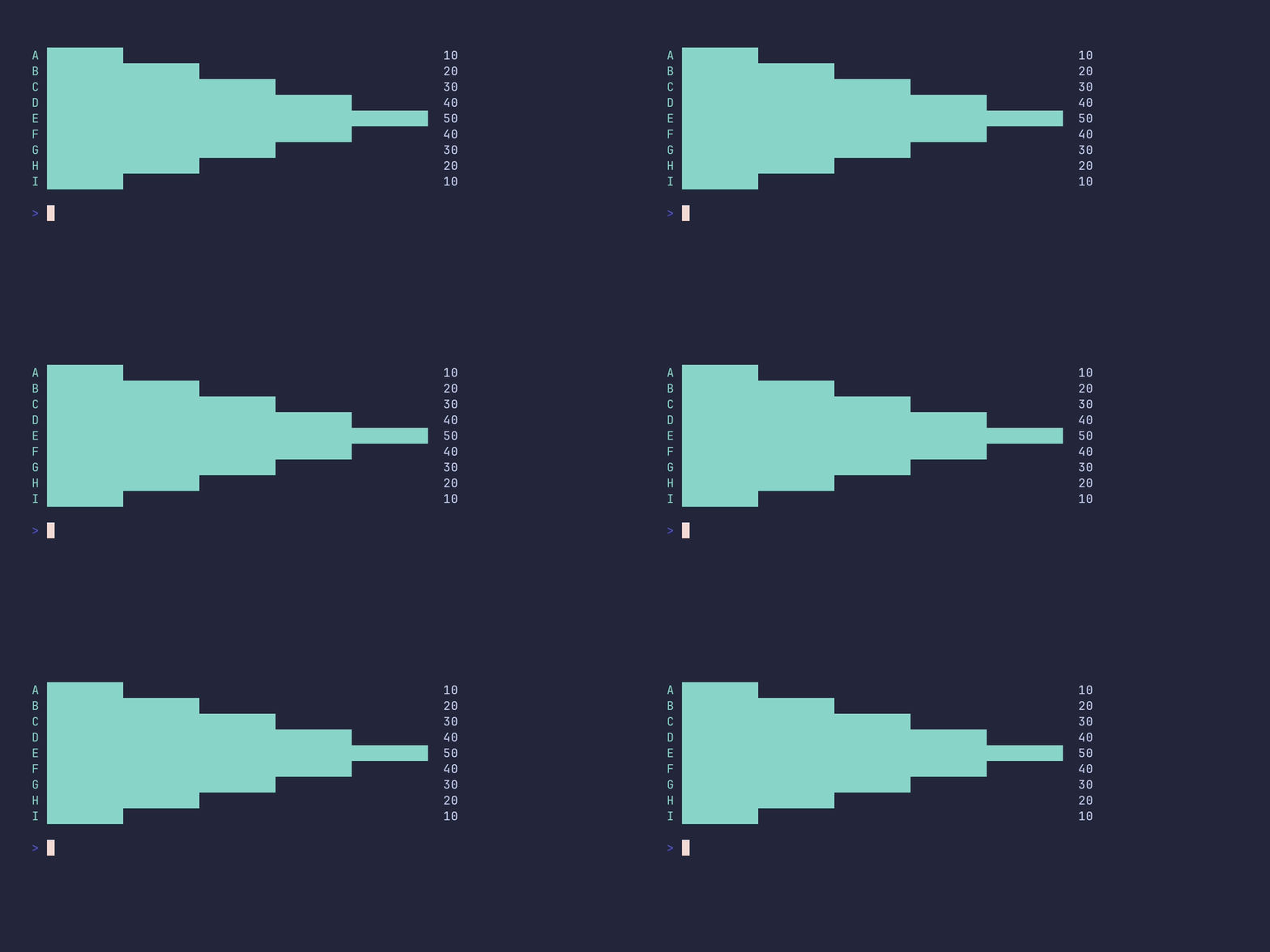
func main() { 	// Define the data for the bar chart 	barData := []pterm.Bar{ 		{Label: "A", Value: 10}, 		{Label: "B", Value: 20}, 		{Label: "C", Value: 30}, 		{Label: "D", Value: 40}, 		{Label: "E", Value: 50}, 		{Label: "F", Value: 40}, 		{Label: "G", Value: 30}, 		{Label: "H", Value: 20}, 		{Label: "I", Value: 10}, 	}
// Create a bar chart with the defined data 	// The chart is horizontal and displays the value of each bar 	// The Render() function is called to display the chart 	pterm.DefaultBarChart.WithBars(barData).WithHorizontal().WithShowValue().Render() }
barchart/mixed-values
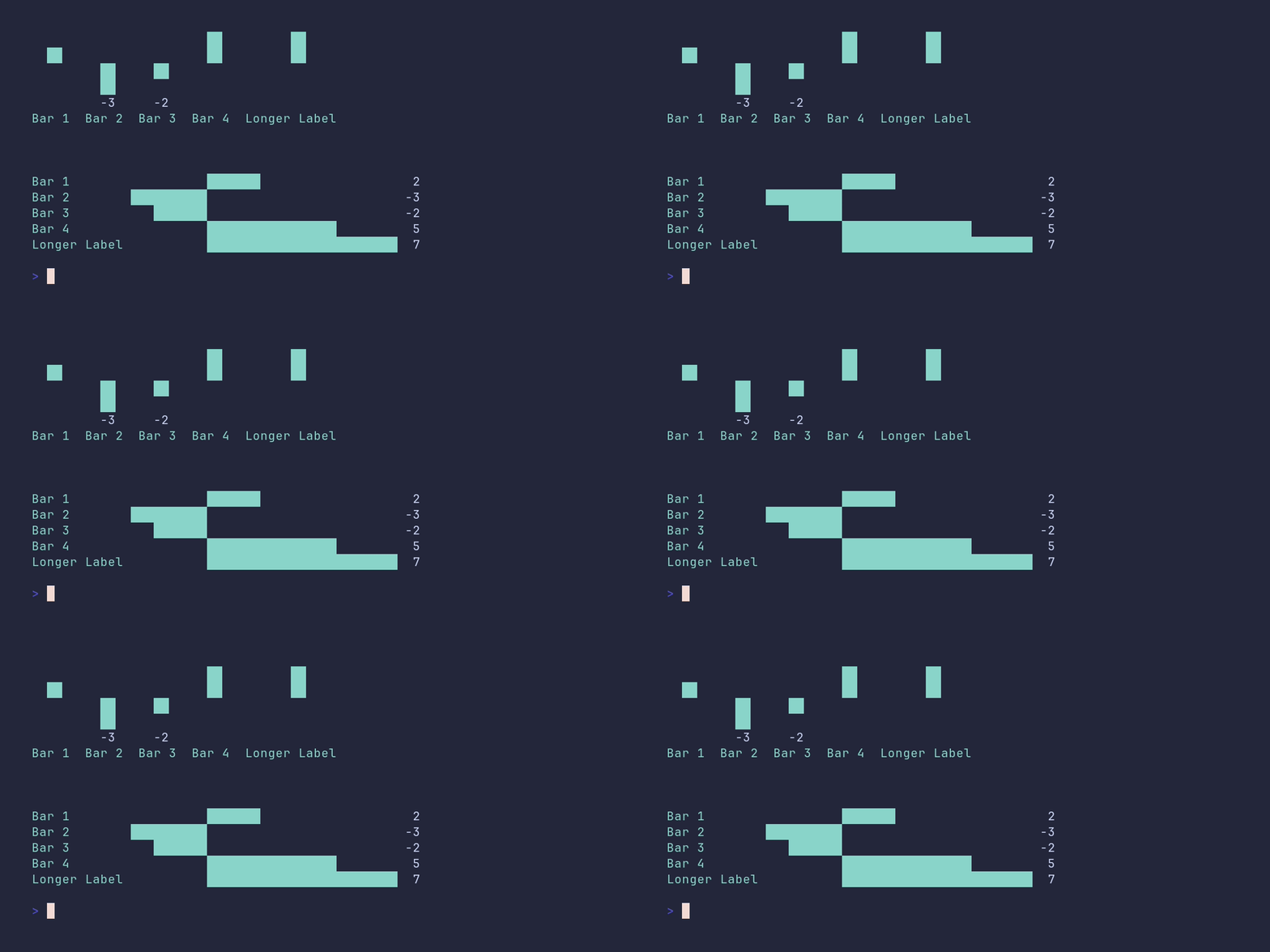
package main
import ( 	"github.com/pterm/pterm" )
func main() { 	// Define a set of bars for the chart. 	// Each bar has a label and a value. 	bars := []pterm.Bar{ 		{Label: "Bar 1", Value: 2}, 		{Label: "Bar 2", Value: -3}, 		{Label: "Bar 3", Value: -2}, 		{Label: "Bar 4", Value: 5}, 		{Label: "Longer Label", Value: 7}, 	}
// Print a section header. 	// This is useful for separating different parts of the output. 	pterm.DefaultSection.Println("Chart example with mixed values (note screen space usage in case when ABSOLUTE values of negative and positive parts are differ too much)")
// Create a bar chart with the defined bars. 	// The chart will display the value of each bar. 	// The Render() function is called to display the chart. 	pterm.DefaultBarChart.WithBars(bars).WithShowValue().Render()
// Create a horizontal bar chart with the same bars. 	// The chart will display the value of each bar. 	// The Render() function is called to display the chart. 	pterm.DefaultBarChart.WithHorizontal().WithBars(bars).WithShowValue().Render() }
barchart/negative-values
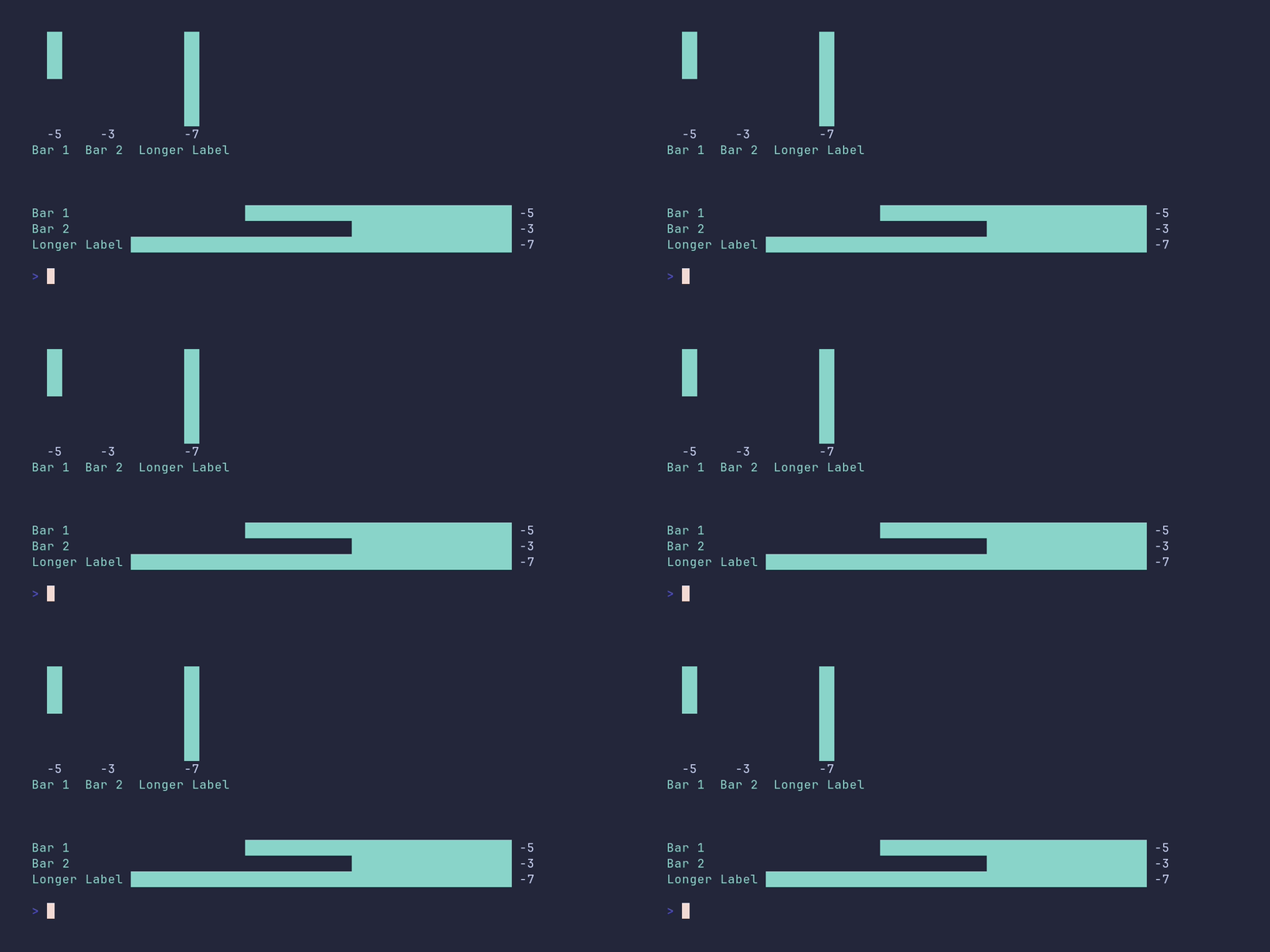
package main
import ( 	"github.com/pterm/pterm" )
func main() { 	// Define a set of bars with negative values. 	// Each bar is represented by a struct with a label and a value. 	negativeBars := pterm.Bars{ 		{Label: "Bar 1", Value: -5}, 		{Label: "Bar 2", Value: -3}, 		{Label: "Longer Label", Value: -7}, 	}
// Print an informational message to the console. 	pterm.Info.Println("Chart example with negative only values (bars use 100% of chart area)")
// Create a vertical bar chart with the defined bars. 	// The WithShowValue() option is used to display the value of each bar in the chart. 	// The Render() method is called to draw the chart. 	_ = pterm.DefaultBarChart.WithBars(negativeBars).WithShowValue().Render()
// Create a horizontal bar chart with the same bars. 	// The WithHorizontal() option is used to orient the chart horizontally. 	// The WithShowValue() option and Render() method are used in the same way as before. 	_ = pterm.DefaultBarChart.WithHorizontal().WithBars(negativeBars).WithShowValue().Render() }
barchart/show-value
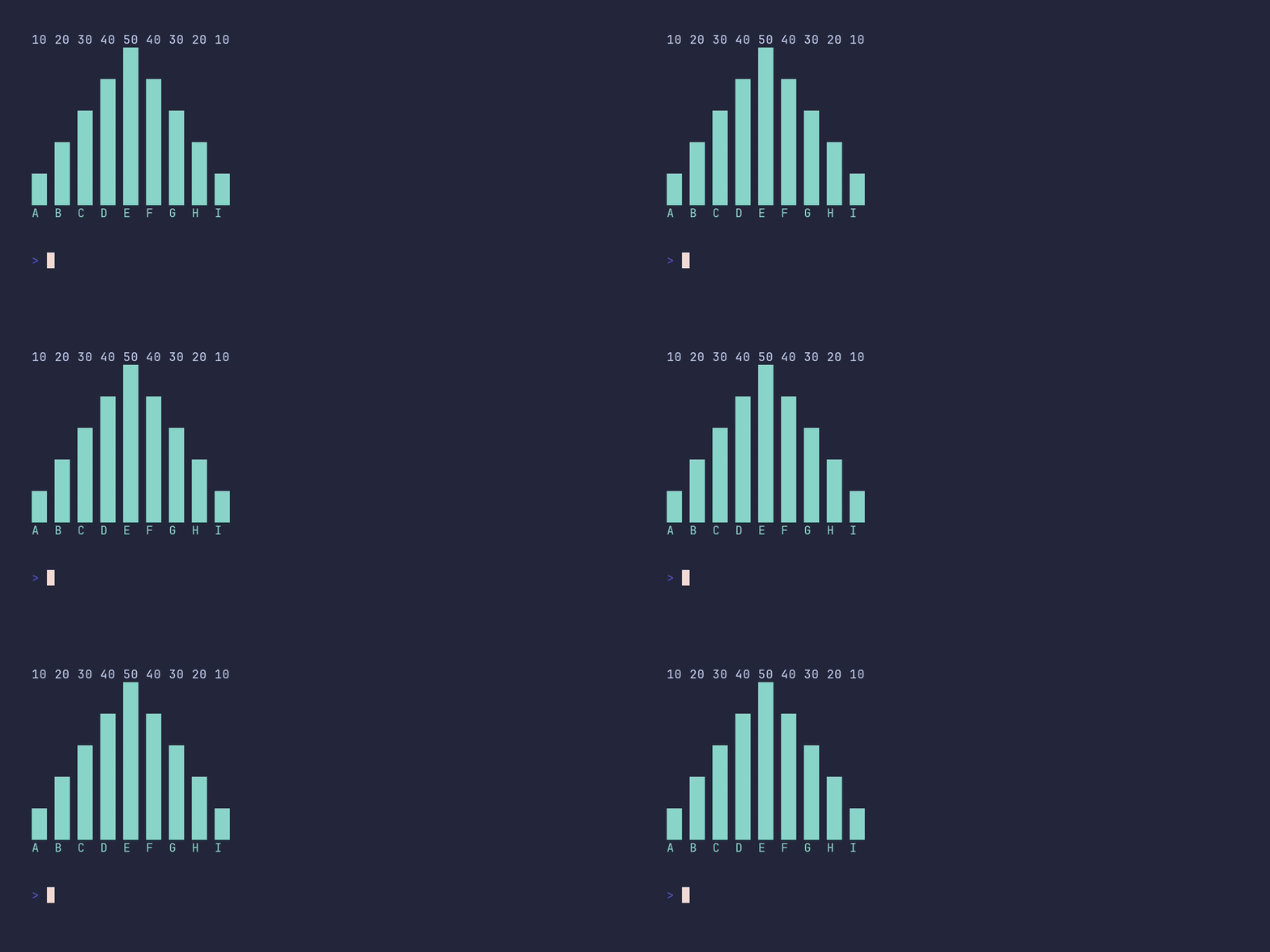
package main
import "github.com/pterm/pterm"
func main() { 	// Define a slice of bars for the bar chart. Each bar is represented by a struct 	// with a Label and a Value. The Label is a string that represents the name of the bar, 	// and the Value is an integer that represents the height of the bar. 	bars := []pterm.Bar{ 		{Label: "A", Value: 10}, 		{Label: "B", Value: 20}, 		{Label: "C", Value: 30}, 		{Label: "D", Value: 40}, 		{Label: "E", Value: 50}, 		{Label: "F", Value: 40}, 		{Label: "G", Value: 30}, 		{Label: "H", Value: 20}, 		{Label: "I", Value: 10}, 	}
// Create a bar chart with the defined bars using the DefaultBarChart object from PTerm. 	// Chain the WithBars method to set the bars of the chart. 	// Chain the WithShowValue method to display the value of each bar on the chart. 	// Finally, call the Render method to display the chart. 	pterm.DefaultBarChart.WithBars(bars).WithShowValue().Render() }
basictext/demo
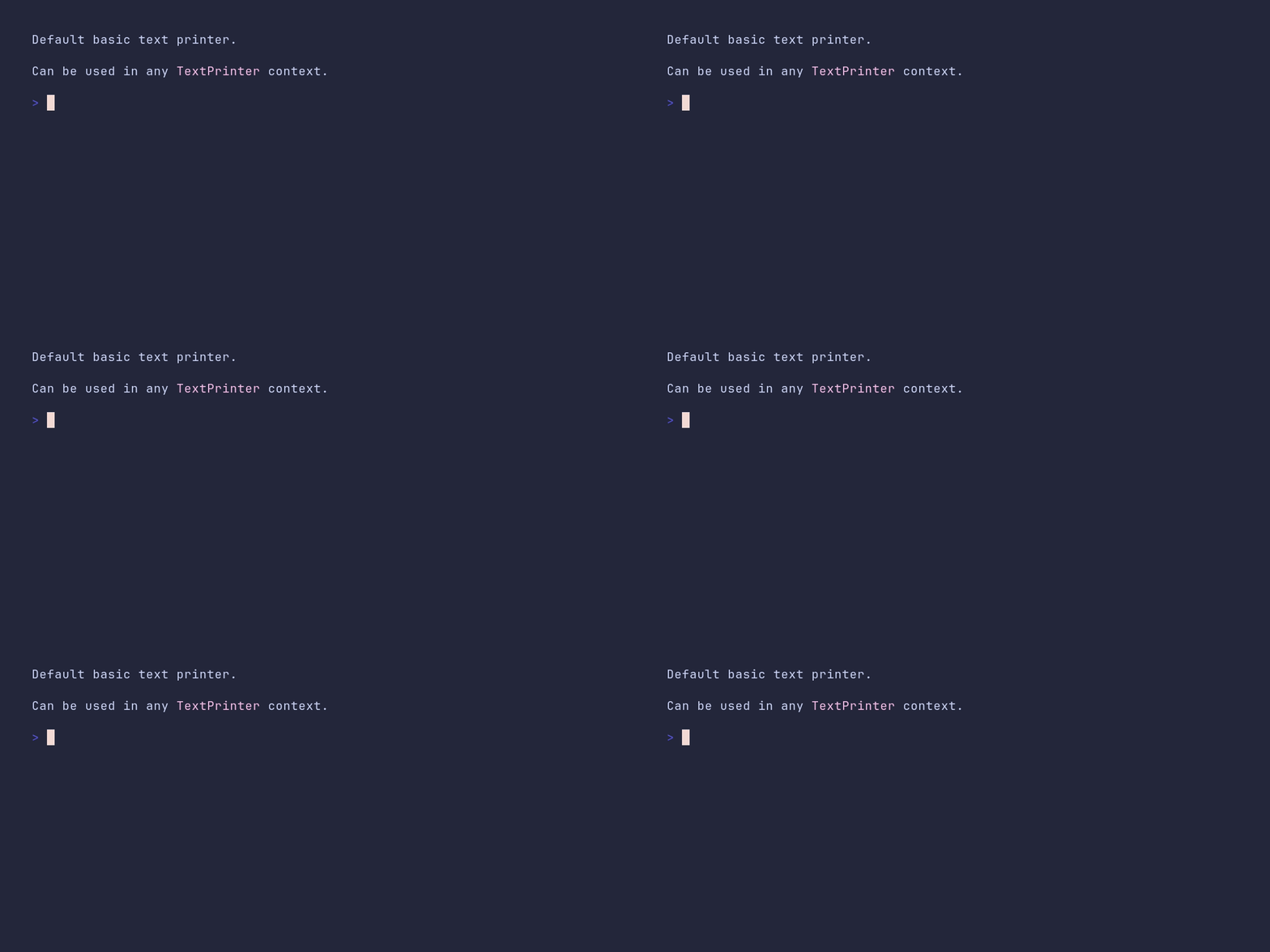
package main
import "github.com/pterm/pterm"
func main() { 	// The DefaultBasicText is a basic text printer provided by PTerm. 	// It is used to print text without any special formatting. 	pterm.DefaultBasicText.Println("Default basic text printer.")
// The DefaultBasicText can be used in any context that requires a TextPrinter. 	// Here, we're using it with the LightMagenta function to color a portion of the text. 	pterm.DefaultBasicText.Println("Can be used in any" + pterm.LightMagenta(" TextPrinter ") + "context.")
// The DefaultBasicText is also useful for resolving progress bars and spinners. }
bigtext/demo
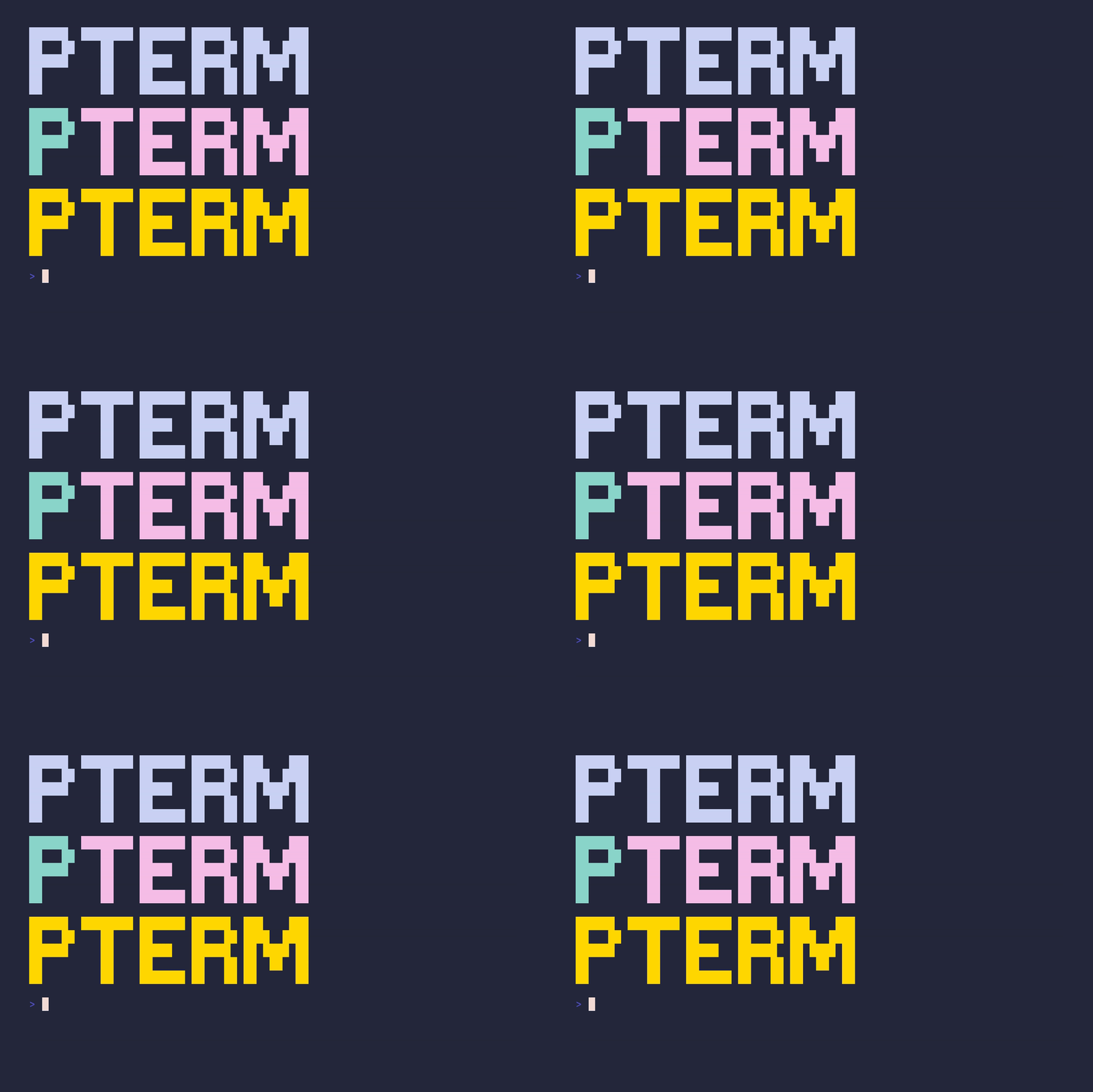
package main
import ( 	"github.com/pterm/pterm" 	"github.com/pterm/pterm/putils" )
func main() { 	// Create a large text with the LetterStyle from the standard theme. 	// This is useful for creating title screens. 	pterm.DefaultBigText.WithLetters(putils.LettersFromString("PTerm")).Render()
// Create a large text with differently colored letters. 	// Here, the first letter 'P' is colored cyan and the rest 'Term' is colored light magenta. 	// This can be used to highlight specific parts of the text. 	pterm.DefaultBigText.WithLetters( 		putils.LettersFromStringWithStyle("P", pterm.FgCyan.ToStyle()), 		putils.LettersFromStringWithStyle("Term", pterm.FgLightMagenta.ToStyle()), 	).Render()
// Create a large text with a specific RGB color. 	// This can be used when you need a specific color that is not available in the standard colors. 	// Here, the color is gold (RGB: 255, 215, 0). 	pterm.DefaultBigText.WithLetters( 		putils.LettersFromStringWithRGB("PTerm", pterm.NewRGB(255, 215, 0)), 	).Render() }
bigtext/colored
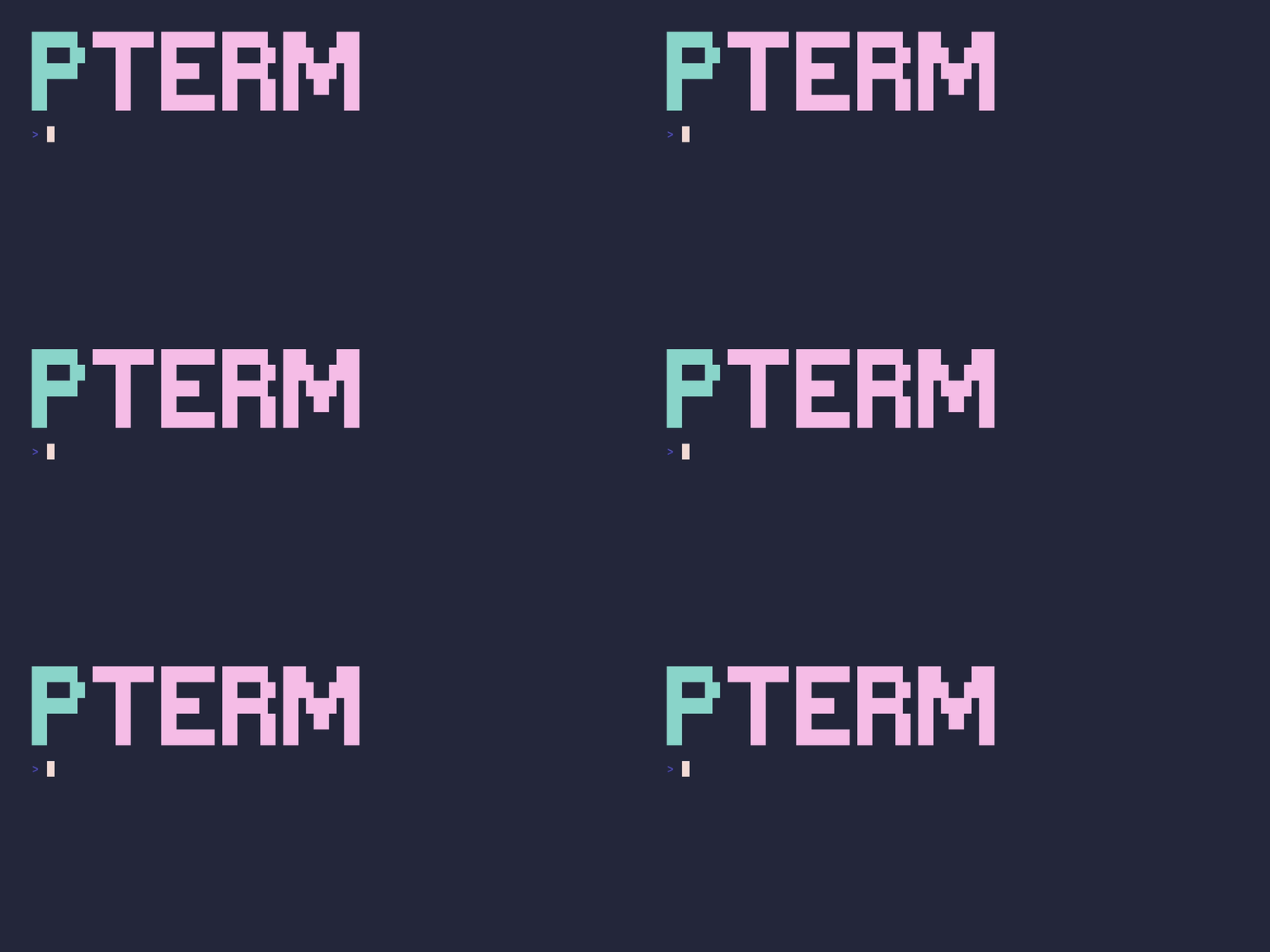
package main
import ( 	"github.com/pterm/pterm" 	"github.com/pterm/pterm/putils" )
func main() { 	// Initialize a big text display with the letters "P" and "Term" 	// "P" is displayed in cyan and "Term" is displayed in light magenta 	pterm.DefaultBigText.WithLetters( 		putils.LettersFromStringWithStyle("P", pterm.FgCyan.ToStyle()), 		putils.LettersFromStringWithStyle("Term", pterm.FgLightMagenta.ToStyle())). 		Render() // Render the big text to the terminal }
bigtext/default
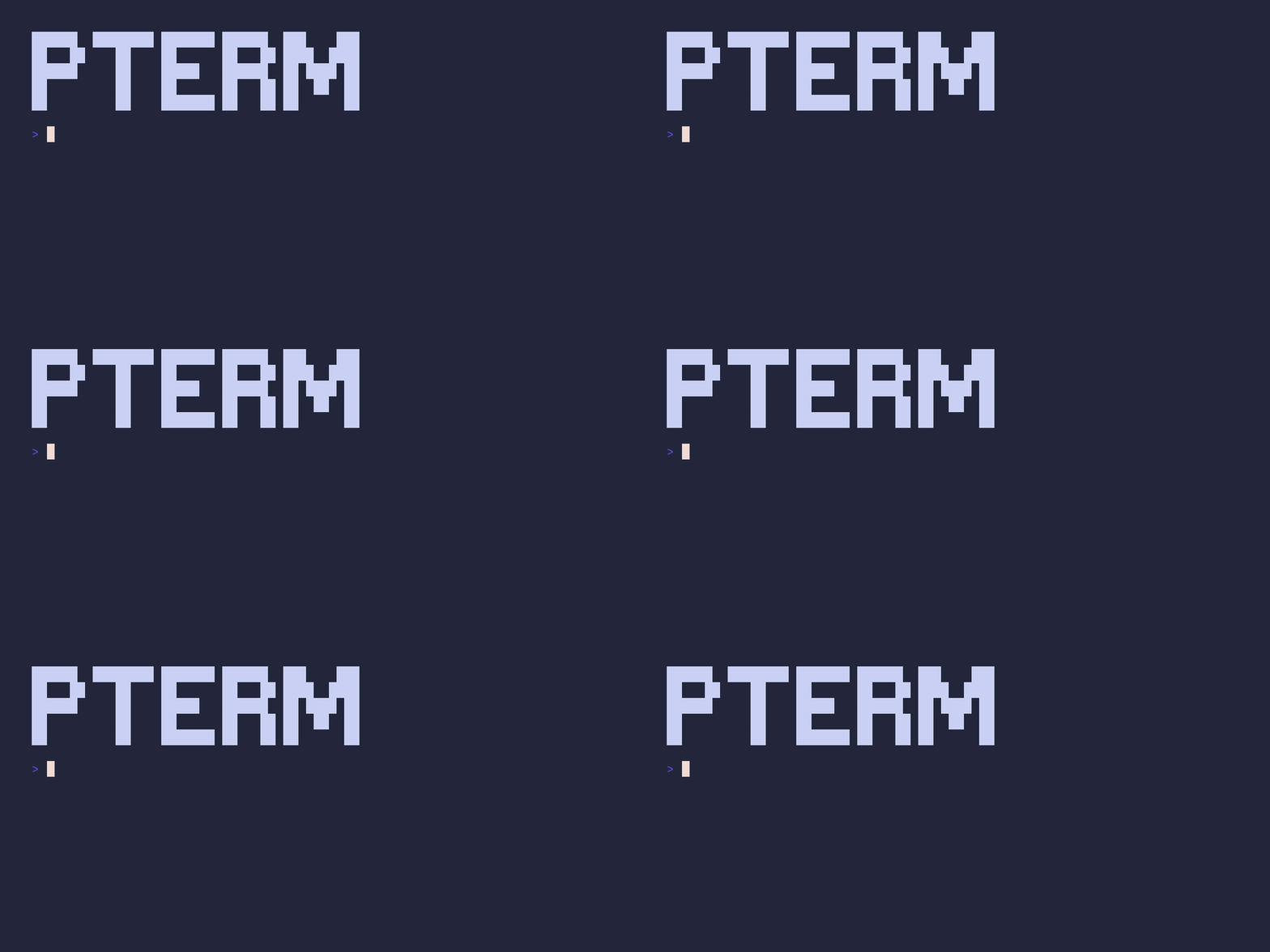
package main
import ( 	"github.com/pterm/pterm" 	"github.com/pterm/pterm/putils" )
func main() { 	// Define the text to be rendered 	var text = "PTerm"
// Convert the text into a format suitable for PTerm 	var letters = putils.LettersFromString(text)
// Render the text using PTerm's default big text style 	pterm.DefaultBigText.WithLetters(letters).Render() }
box/demo
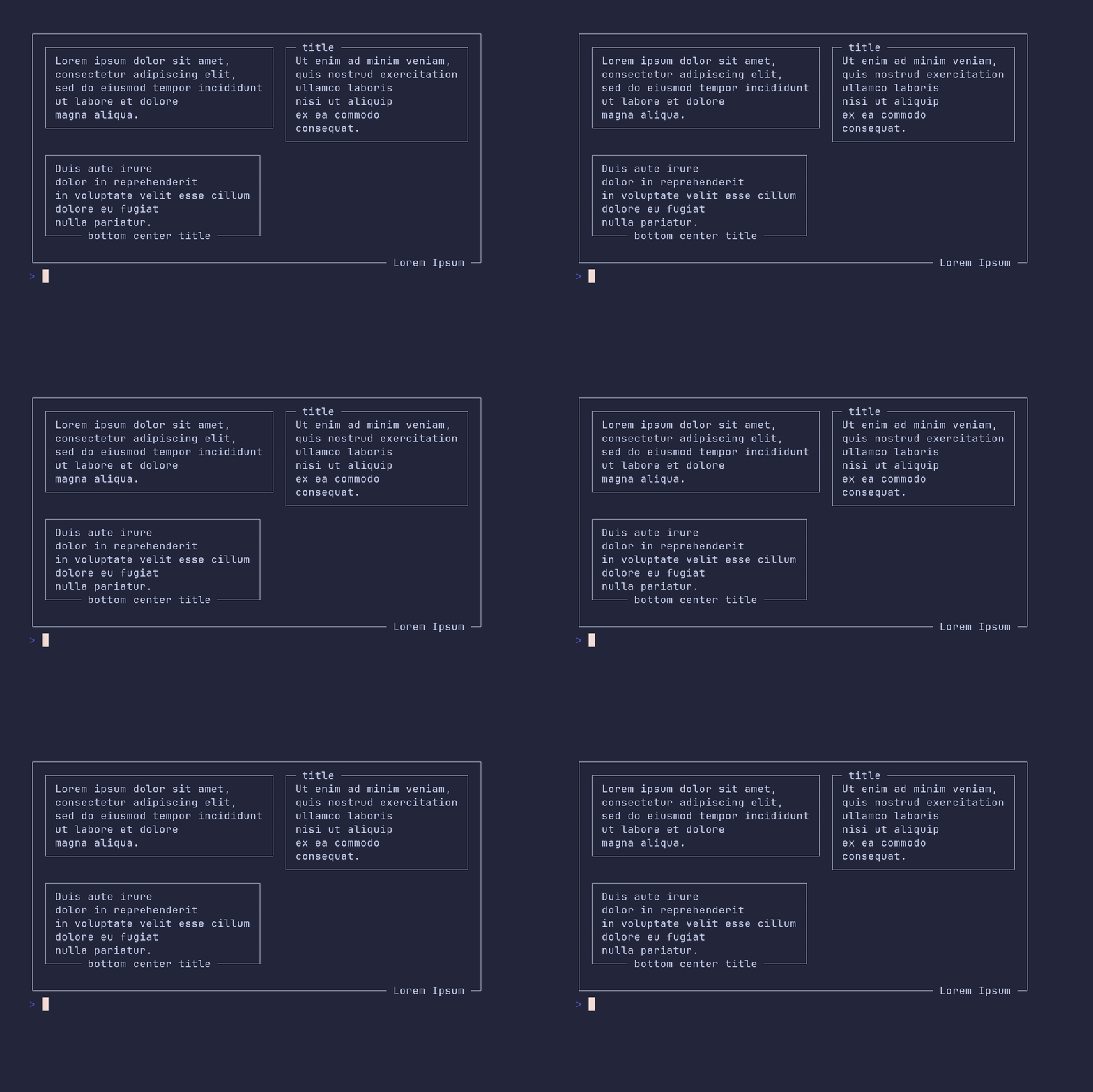
package main
import "github.com/pterm/pterm"
func main() { 	// Create three panels with text, some of them with titles. 	// The panels are created using the DefaultBox style. 	panel1 := pterm.DefaultBox.Sprint("Lorem ipsum dolor sit amet,\nconsectetur adipiscing elit,\nsed do eiusmod tempor incididunt\nut labore et dolore\nmagna aliqua.") 	panel2 := pterm.DefaultBox.WithTitle("title").Sprint("Ut enim ad minim veniam,\nquis nostrud exercitation\nullamco laboris\nnisi ut aliquip\nex ea commodo\nconsequat.") 	panel3 := pterm.DefaultBox.WithTitle("bottom center title").WithTitleBottomCenter().Sprint("Duis aute irure\ndolor in reprehenderit\nin voluptate velit esse cillum\ndolore eu fugiat\nnulla pariatur.")
// Combine the panels into a layout using the DefaultPanel style. 	// The layout is a 2D grid, with each row being an array of panels. 	// In this case, the first row contains panel1 and panel2, and the second row contains only panel3. 	panels, _ := pterm.DefaultPanel.WithPanels(pterm.Panels{ 		{{Data: panel1}, {Data: panel2}}, 		{{Data: panel3}}, 	}).Srender()
// Print the panels layout inside a box with a title. 	// The box is created using the DefaultBox style, with the title positioned at the bottom right. 	pterm.DefaultBox.WithTitle("Lorem Ipsum").WithTitleBottomRight().WithRightPadding(0).WithBottomPadding(0).Println(panels) }
box/custom-padding
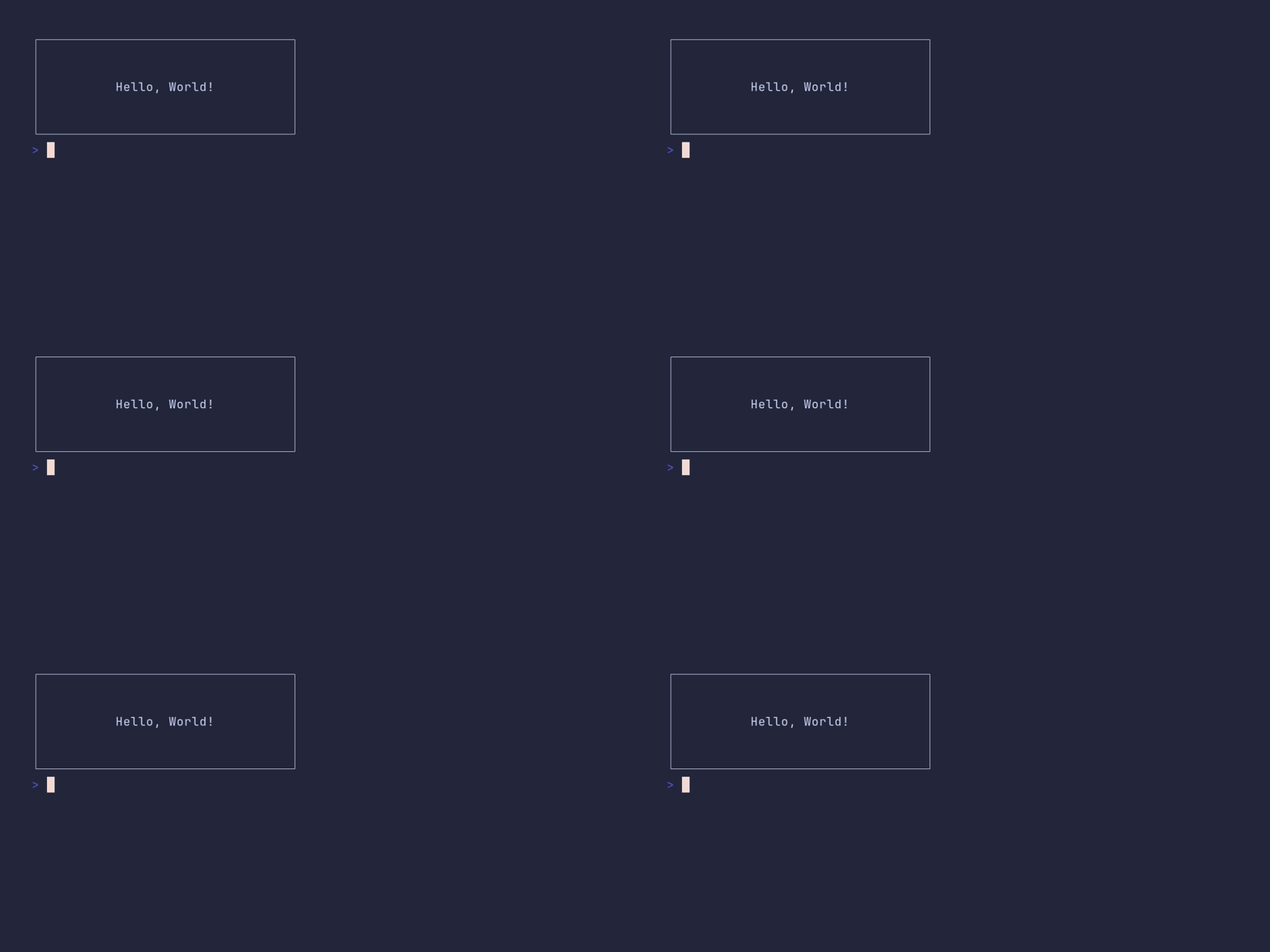
package main
import "github.com/pterm/pterm"
func main() { 	// Create a default box with custom padding options and print "Hello, World!" inside it. 	pterm.DefaultBox.WithRightPadding(10).WithLeftPadding(10).WithTopPadding(2).WithBottomPadding(2).Println("Hello, World!") }
box/default
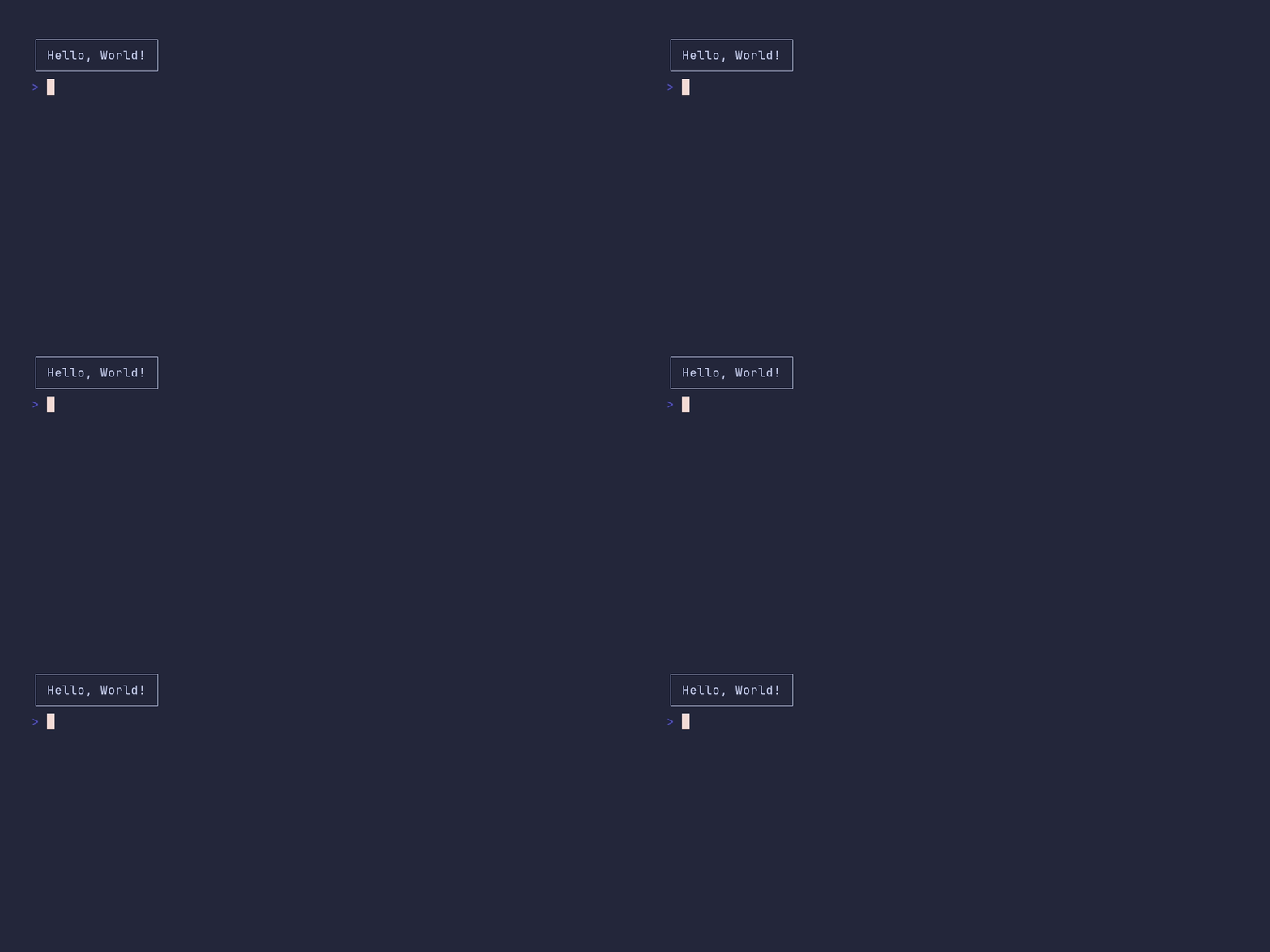
package main
import "github.com/pterm/pterm"
func main() { 	// Create a default box with PTerm and print a message in it. 	// The DefaultBox.Println method automatically starts, prints the message, and stops the box. 	pterm.DefaultBox.Println("Hello, World!") }
box/title
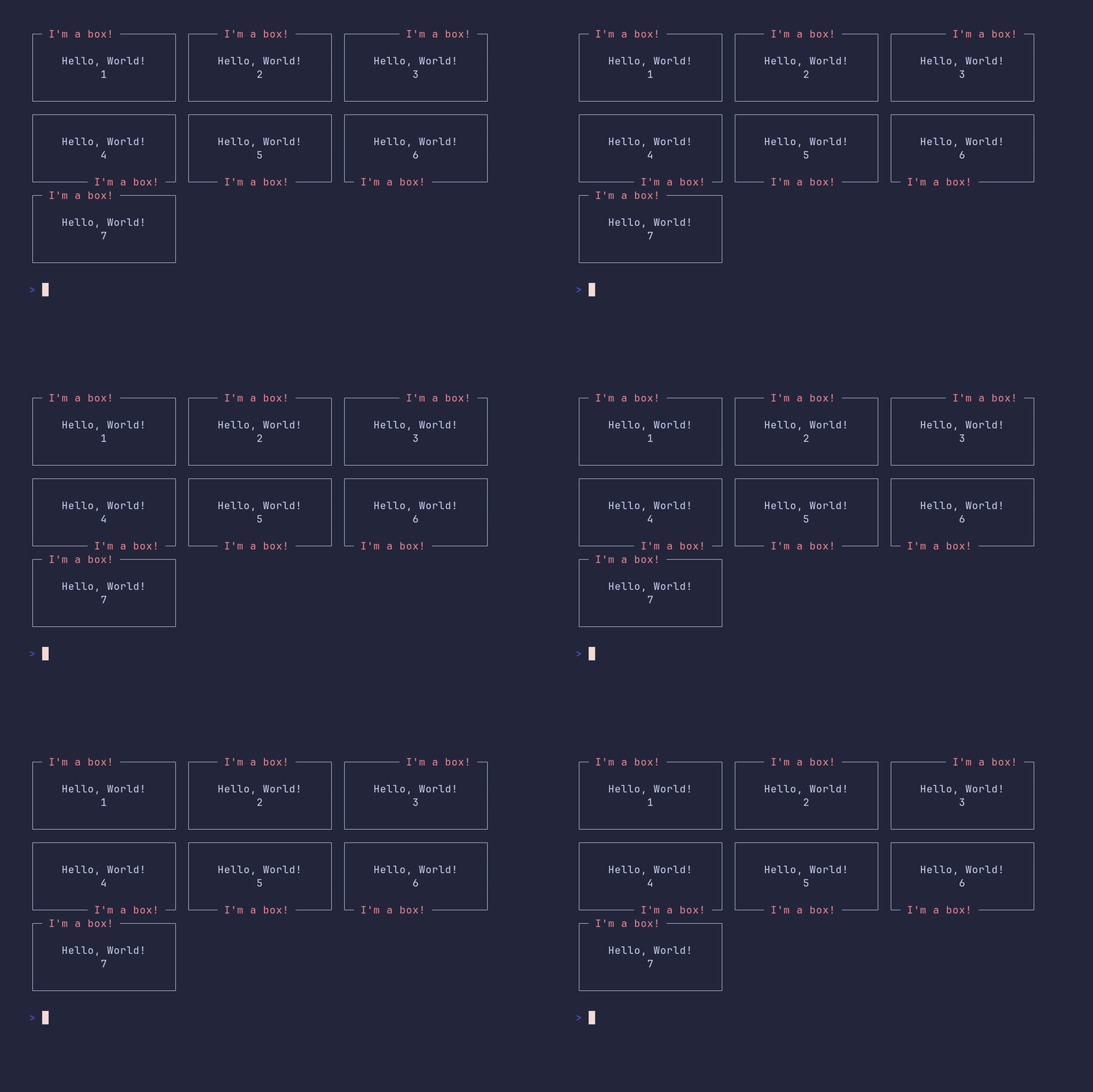
package main
import "github.com/pterm/pterm"
func main() { 	// Create a default box with specified padding 	paddedBox := pterm.DefaultBox.WithLeftPadding(4).WithRightPadding(4).WithTopPadding(1).WithBottomPadding(1)
// Define a title for the box 	title := pterm.LightRed("I'm a box!")
// Create boxes with the title positioned differently and containing different content 	box1 := paddedBox.WithTitle(title).Sprint("Hello, World!\n      1")                         // Title at default position (top left) 	box2 := paddedBox.WithTitle(title).WithTitleTopCenter().Sprint("Hello, World!\n      2")    // Title at top center 	box3 := paddedBox.WithTitle(title).WithTitleTopRight().Sprint("Hello, World!\n      3")     // Title at top right 	box4 := paddedBox.WithTitle(title).WithTitleBottomRight().Sprint("Hello, World!\n      4")  // Title at bottom right 	box5 := paddedBox.WithTitle(title).WithTitleBottomCenter().Sprint("Hello, World!\n      5") // Title at bottom center 	box6 := paddedBox.WithTitle(title).WithTitleBottomLeft().Sprint("Hello, World!\n      6")   // Title at bottom left 	box7 := paddedBox.WithTitle(title).WithTitleTopLeft().Sprint("Hello, World!\n      7")      // Title at top left
// Render the boxes in a panel layout 	pterm.DefaultPanel.WithPanels([][]pterm.Panel{ 		{{box1}, {box2}, {box3}}, 		{{box4}, {box5}, {box6}}, 		{{box7}}, 	}).Render() }
bulletlist/demo
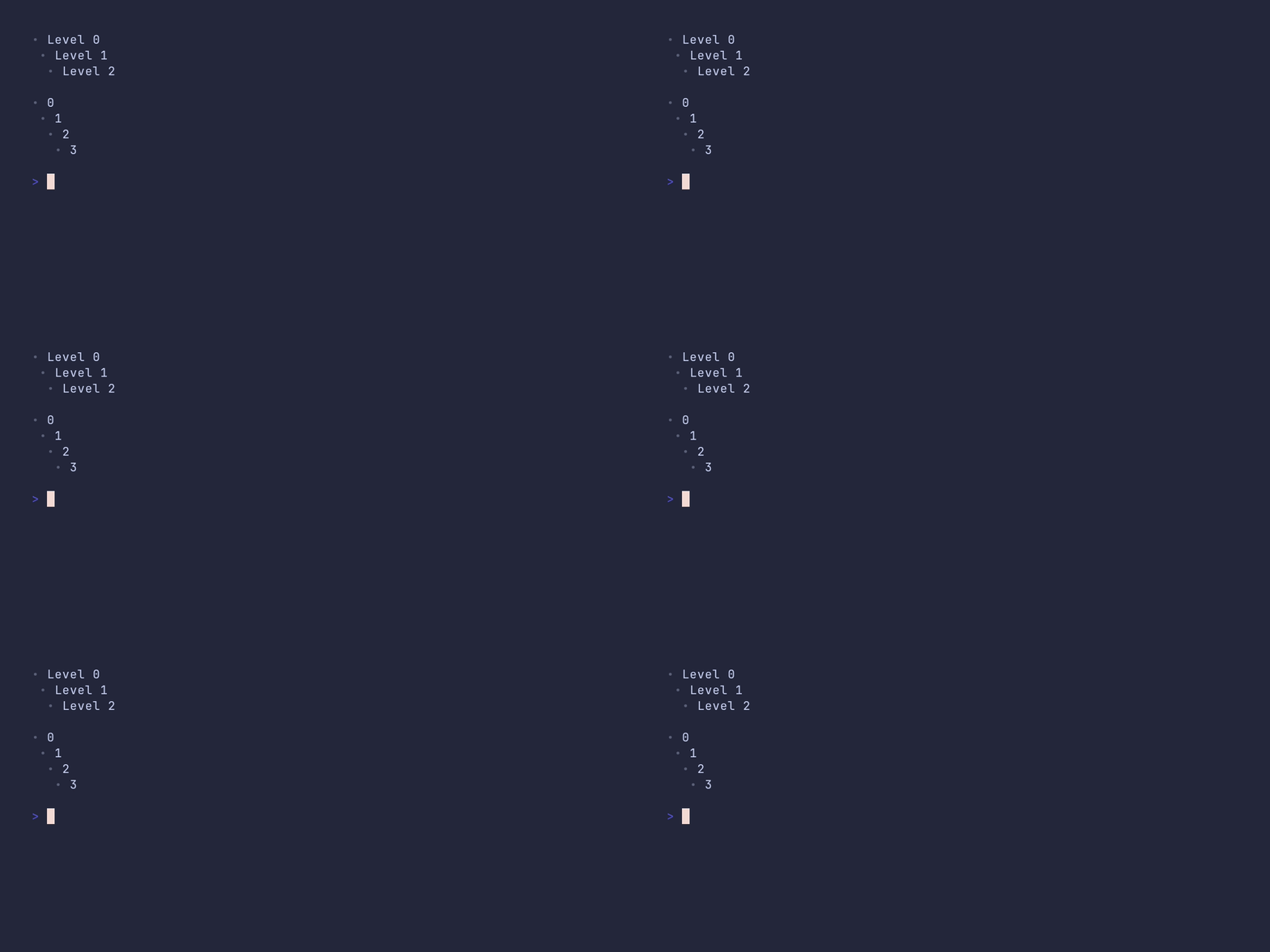
package main
import ( 	"github.com/pterm/pterm" 	"github.com/pterm/pterm/putils" )
func main() { 	// Define a list of bullet list items with different levels. 	bulletListItems := []pterm.BulletListItem{ 		{Level: 0, Text: "Level 0"}, // Level 0 item 		{Level: 1, Text: "Level 1"}, // Level 1 item 		{Level: 2, Text: "Level 2"}, // Level 2 item 	}
// Use the default bullet list style to render the list items. 	pterm.DefaultBulletList.WithItems(bulletListItems).Render()
// Define a string with different levels of indentation. 	text := 0  1   2    3
// Convert the indented string to a bullet list and render it. 	putils.BulletListFromString(text, " ").Render() }
bulletlist/customized
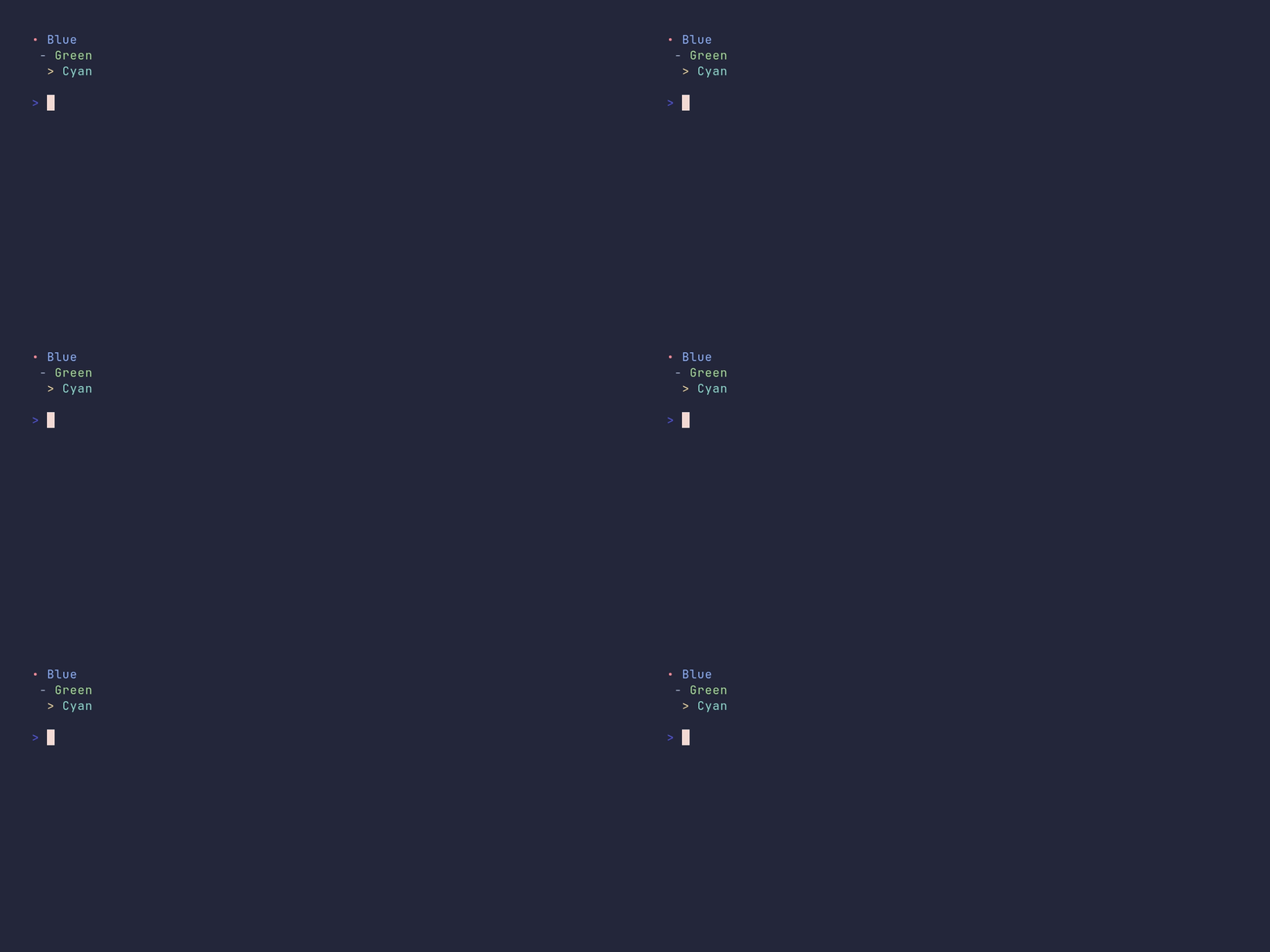
package main
import ( 	"github.com/pterm/pterm" )
func main() { 	// Define a list of bullet list items with different styles and levels. 	bulletListItems := []pterm.BulletListItem{ 		{ 			Level:       0,                            // Level 0 (top level) 			Text:        "Blue",                       // Text to display 			TextStyle:   pterm.NewStyle(pterm.FgBlue), // Text color 			BulletStyle: pterm.NewStyle(pterm.FgRed),  // Bullet color 		}, 		{ 			Level:       1,                                  // Level 1 (sub-item) 			Text:        "Green",                            // Text to display 			TextStyle:   pterm.NewStyle(pterm.FgGreen),      // Text color 			Bullet:      "-",                                // Custom bullet symbol 			BulletStyle: pterm.NewStyle(pterm.FgLightWhite), // Bullet color 		}, 		{ 			Level:       2,                              // Level 2 (sub-sub-item) 			Text:        "Cyan",                         // Text to display 			TextStyle:   pterm.NewStyle(pterm.FgCyan),   // Text color 			Bullet:      ">",                            // Custom bullet symbol 			BulletStyle: pterm.NewStyle(pterm.FgYellow), // Bullet color 		}, 	}
// Create a bullet list with the defined items and render it. 	pterm.DefaultBulletList.WithItems(bulletListItems).Render() }
center/demo
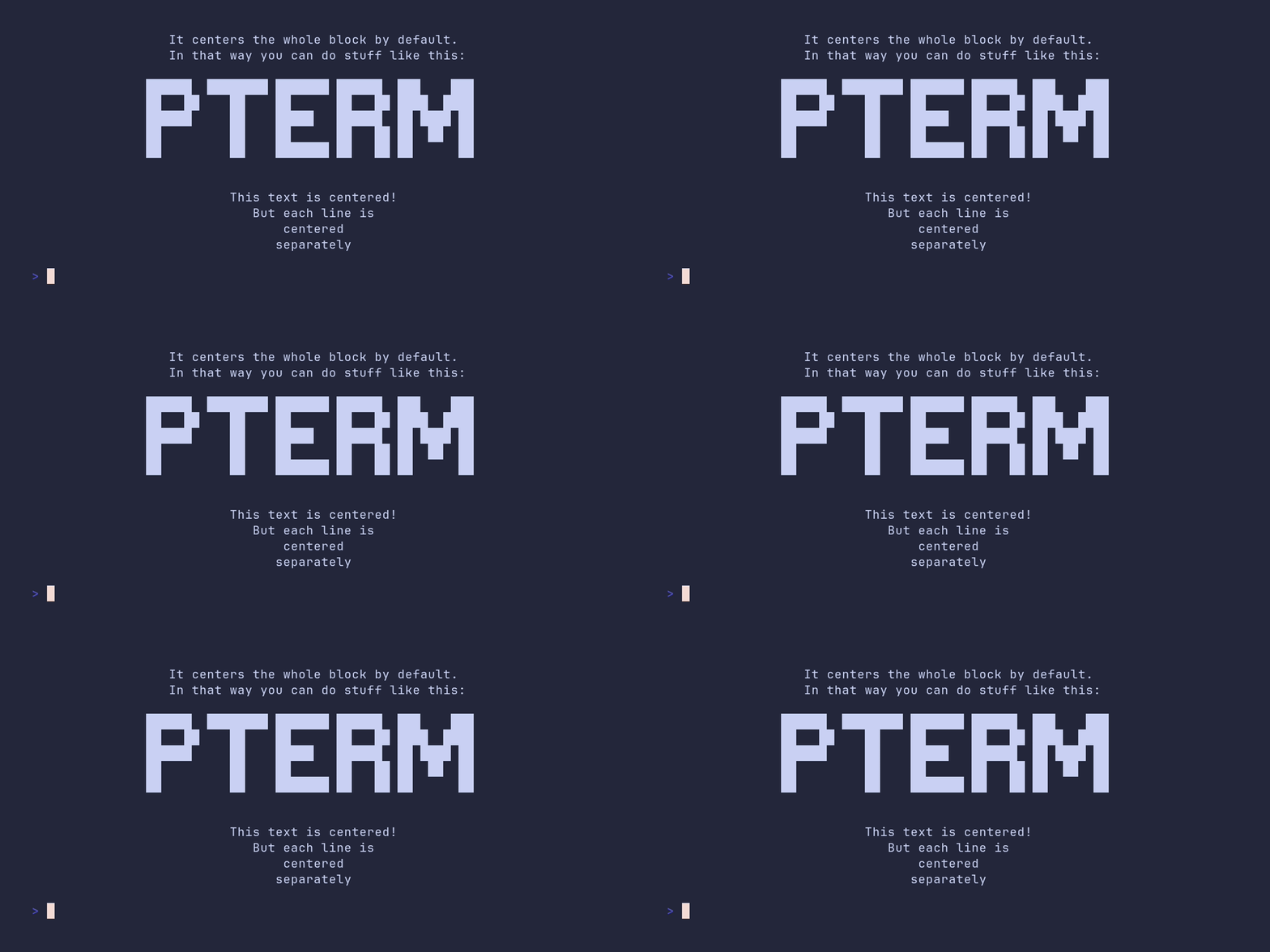
package main
import ( 	"github.com/pterm/pterm" 	"github.com/pterm/pterm/putils" )
func main() { 	// Print a block of text centered in the terminal 	pterm.DefaultCenter.Println("This text is centered!\nIt centers the whole block by default.\nIn that way you can do stuff like this:")
// Generate BigLetters and store in 's' 	s, _ := pterm.DefaultBigText.WithLetters(putils.LettersFromString("PTerm")).Srender()
// Print the BigLetters 's' centered in the terminal 	pterm.DefaultCenter.Println(s)
// Print each line of the text separately centered in the terminal 	pterm.DefaultCenter.WithCenterEachLineSeparately().Println("This text is centered!\nBut each line is\ncentered\nseparately") }
coloring/demo
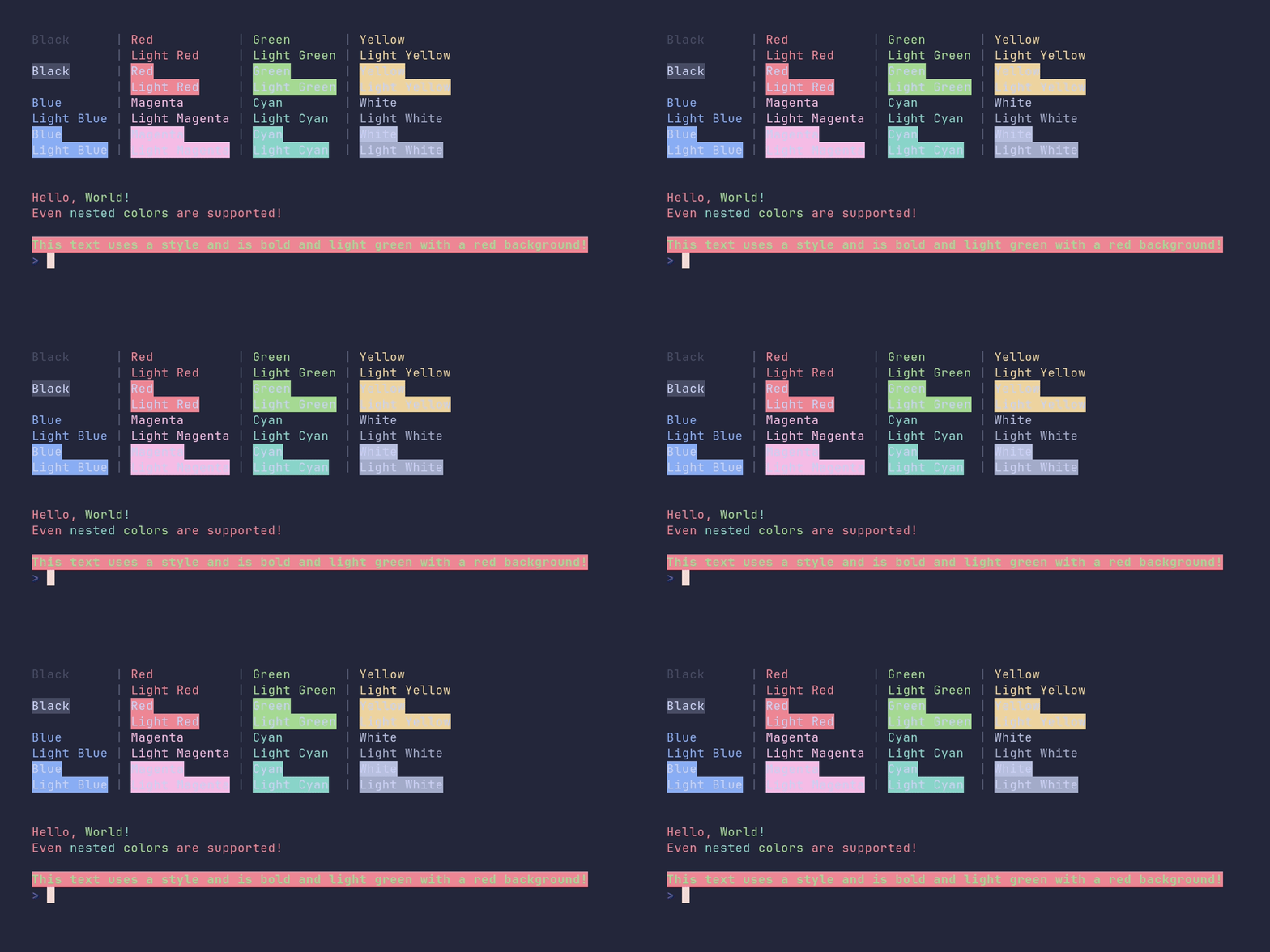
package main
import "github.com/pterm/pterm"
func main() { 	// Create a table with different foreground and background colors. 	pterm.DefaultTable.WithData([][]string{ 		{pterm.FgBlack.Sprint("Black"), pterm.FgRed.Sprint("Red"), pterm.FgGreen.Sprint("Green"), pterm.FgYellow.Sprint("Yellow")}, 		{"", pterm.FgLightRed.Sprint("Light Red"), pterm.FgLightGreen.Sprint("Light Green"), pterm.FgLightYellow.Sprint("Light Yellow")}, 		{pterm.BgBlack.Sprint("Black"), pterm.BgRed.Sprint("Red"), pterm.BgGreen.Sprint("Green"), pterm.BgYellow.Sprint("Yellow")}, 		{"", pterm.BgLightRed.Sprint("Light Red"), pterm.BgLightGreen.Sprint("Light Green"), pterm.BgLightYellow.Sprint("Light Yellow")}, 		{pterm.FgBlue.Sprint("Blue"), pterm.FgMagenta.Sprint("Magenta"), pterm.FgCyan.Sprint("Cyan"), pterm.FgWhite.Sprint("White")}, 		{pterm.FgLightBlue.Sprint("Light Blue"), pterm.FgLightMagenta.Sprint("Light Magenta"), pterm.FgLightCyan.Sprint("Light Cyan"), pterm.FgLightWhite.Sprint("Light White")}, 		{pterm.BgBlue.Sprint("Blue"), pterm.BgMagenta.Sprint("Magenta"), pterm.BgCyan.Sprint("Cyan"), pterm.BgWhite.Sprint("White")}, 		{pterm.BgLightBlue.Sprint("Light Blue"), pterm.BgLightMagenta.Sprint("Light Magenta"), pterm.BgLightCyan.Sprint("Light Cyan"), pterm.BgLightWhite.Sprint("Light White")}, 	}).Render() // Render the table.
pterm.Println()
// Print words in different colors. 	pterm.Println(pterm.Red("Hello, ") + pterm.Green("World") + pterm.Cyan("!")) 	pterm.Println(pterm.Red("Even " + pterm.Cyan("nested ") + pterm.Green("colors ") + "are supported!"))
pterm.Println()
// Create a new style with a red background, light green foreground, and bold text. 	style := pterm.NewStyle(pterm.BgRed, pterm.FgLightGreen, pterm.Bold) 	// Print text using the created style. 	style.Println("This text uses a style and is bold and light green with a red background!") }
coloring/disable-output
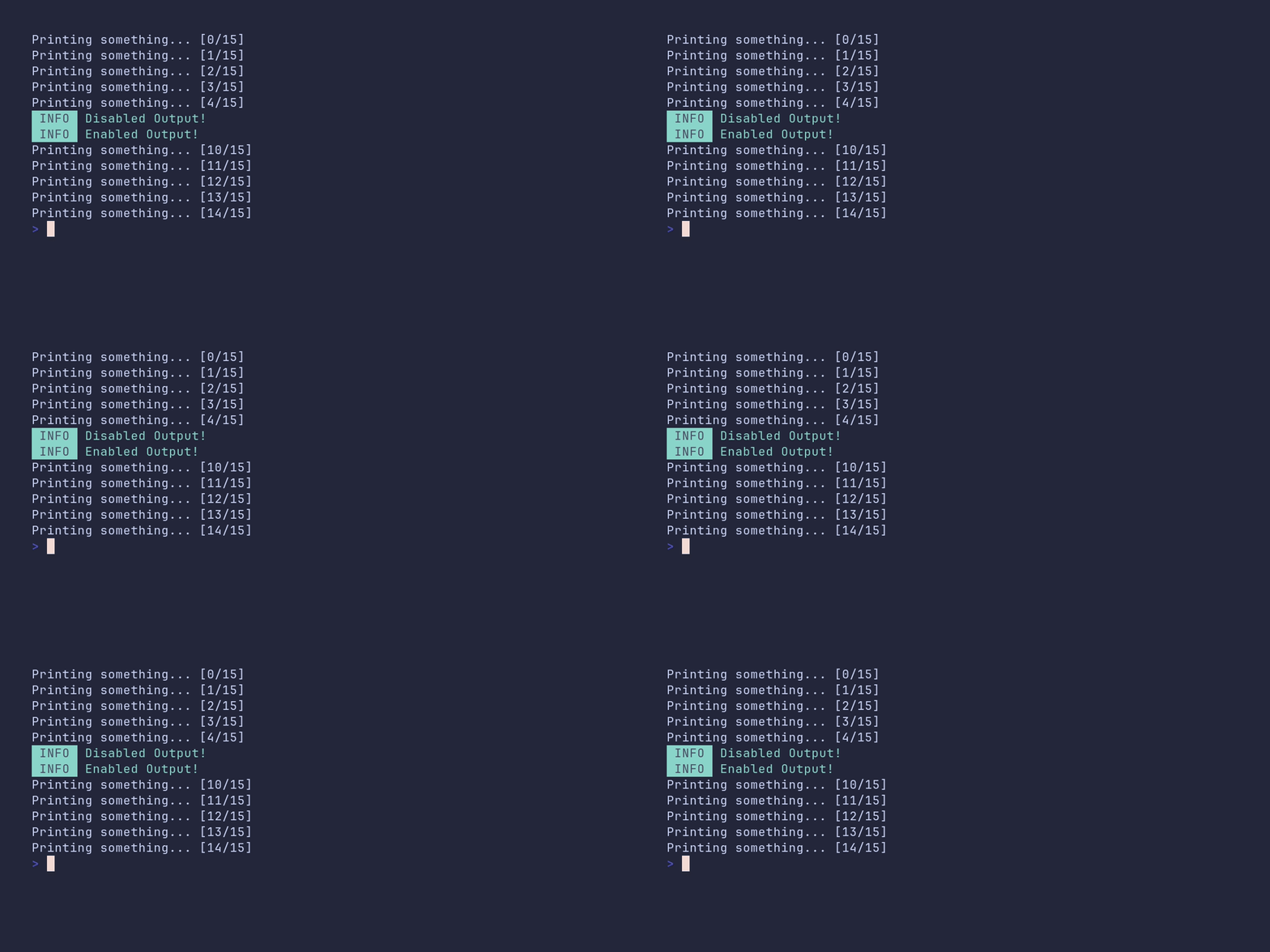
package main
import "github.com/pterm/pterm"
func main() { 	// Loop from 0 to 14 	for i := 0; i < 15; i++ { 		switch i { 		case 5: 			// At the 5th iteration, print a message and disable the output 			pterm.Info.Println("Disabled Output!") 			pterm.DisableOutput() 		case 10: 			// At the 10th iteration, enable the output and print a message 			pterm.EnableOutput() 			pterm.Info.Println("Enabled Output!") 		}
// Print a progress message for each iteration 		pterm.Printf("Printing something... [%d/%d]\n", i, 15) 	} }
coloring/fade-colors
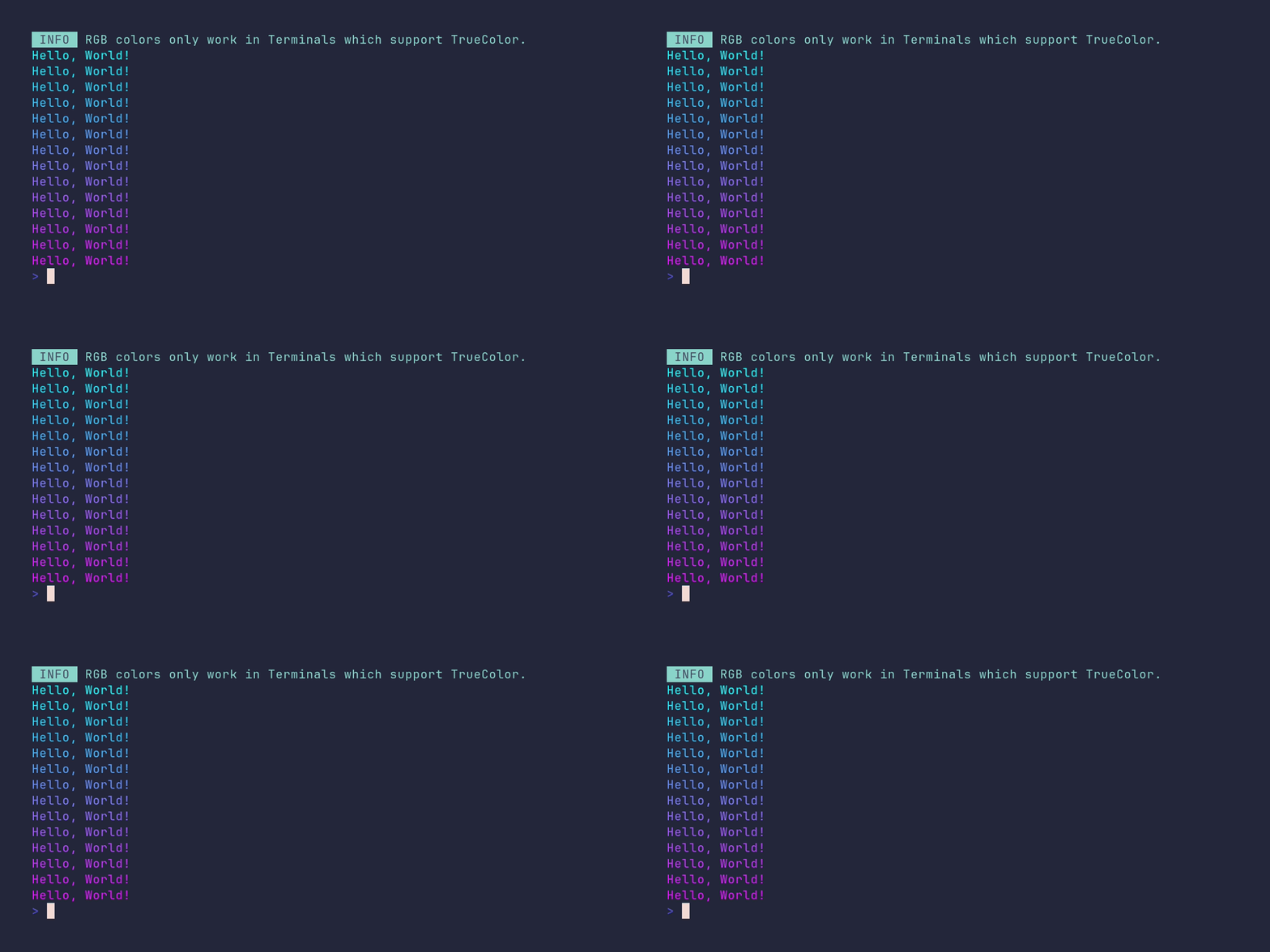
package main
import ( 	"github.com/pterm/pterm" )
func main() { 	// Print an informational message. 	pterm.Info.Println("RGB colors only work in Terminals which support TrueColor.")
// Define the start and end points for the color gradient. 	startColor := pterm.NewRGB(0, 255, 255) // Cyan 	endColor := pterm.NewRGB(255, 0, 255)   // Magenta
// Get the terminal height to determine the gradient range. 	terminalHeight := pterm.GetTerminalHeight()
// Loop over the range of the terminal height to create a color gradient. 	for i := 0; i < terminalHeight-2; i++ { 		// Calculate the fade factor for the current step in the gradient. 		fadeFactor := float32(i) / float32(terminalHeight-2)
// Create a color that represents the current step in the gradient. 		currentColor := startColor.Fade(0, 1, fadeFactor, endColor)
// Print a string with the current color. 		currentColor.Println("Hello, World!") 	} }
coloring/fade-colors-rgb-style
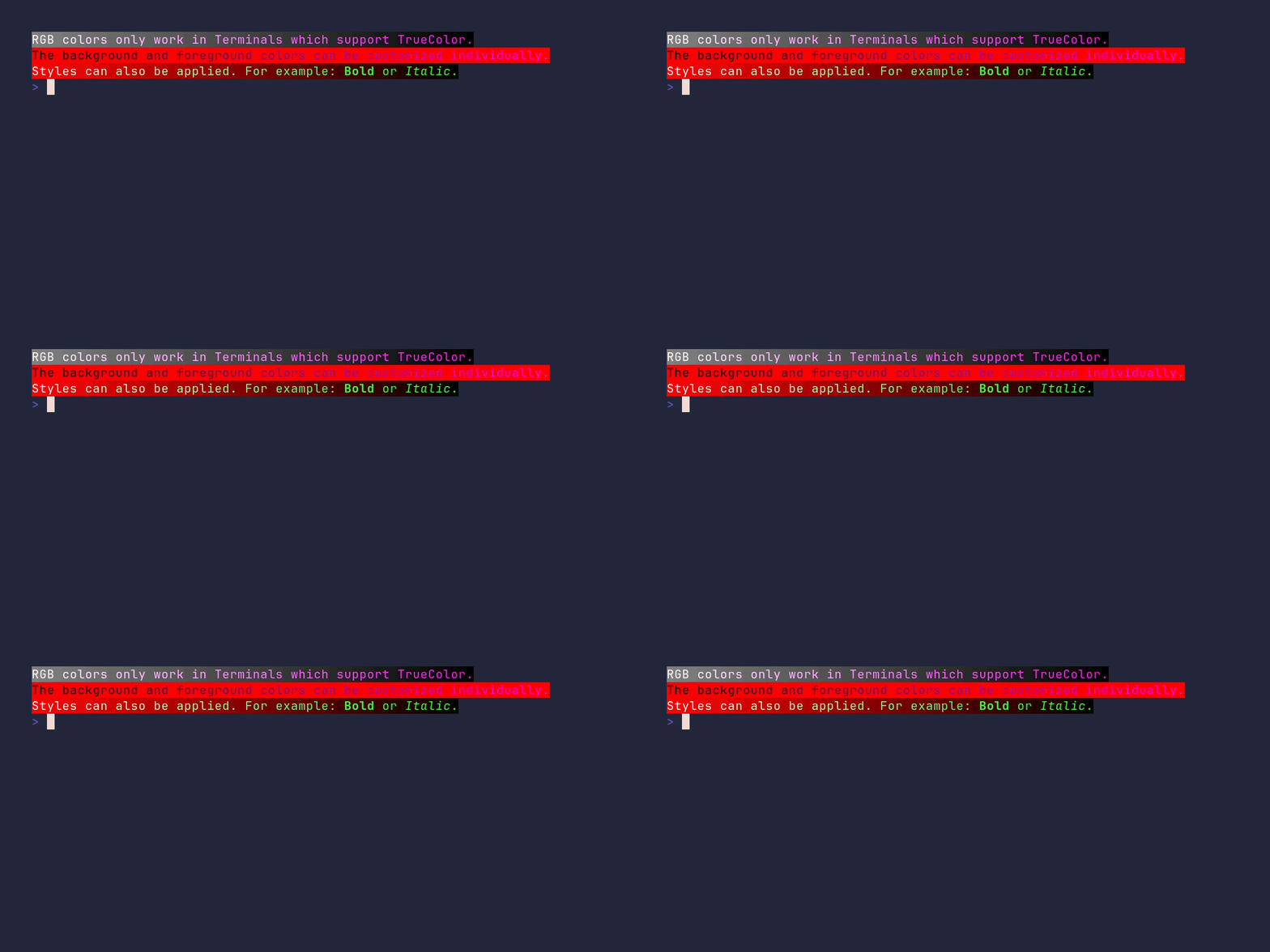
package main
import ( 	"strings"
"github.com/pterm/pterm" )
func main() { 	// Define RGB colors 	white := pterm.NewRGB(255, 255, 255) 	grey := pterm.NewRGB(128, 128, 128) 	black := pterm.NewRGB(0, 0, 0) 	red := pterm.NewRGB(255, 0, 0) 	purple := pterm.NewRGB(255, 0, 255) 	green := pterm.NewRGB(0, 255, 0)
// Define strings to be printed 	str1 := "RGB colors only work in Terminals which support TrueColor." 	str2 := "The background and foreground colors can be customized individually." 	str3 := "Styles can also be applied. For example: Bold or Italic."
// Print first string with color fading from white to purple 	printFadedString(str1, white, purple, grey, black)
// Print second string with color fading from purple to red 	printFadedString(str2, black, purple, red, red)
// Print third string with color fading from white to green and style changes 	printStyledString(str3, white, green, red, black) }
// printFadedString prints a string with color fading effect func printFadedString(str string, fgStart, fgEnd, bgStart, bgEnd pterm.RGB) { 	strs := strings.Split(str, "") 	var result string 	for i := 0; i < len(str); i++ { 		// Create a style with color fading effect 		style := pterm.NewRGBStyle(fgStart.Fade(0, float32(len(str)), float32(i), fgEnd), bgStart.Fade(0, float32(len(str)), float32(i), bgEnd)) 		// Append styled letter to result string 		result += style.Sprint(strs[i]) 	} 	pterm.Println(result) }
// printStyledString prints a string with color fading and style changes func printStyledString(str string, fgStart, fgEnd, bgStart, bgEnd pterm.RGB) { 	strs := strings.Split(str, "") 	var result string 	boldStr := strings.Split("Bold", "") 	italicStr := strings.Split("Italic", "") 	bold, italic := 0, 0 	for i := 0; i < len(str); i++ { 		// Create a style with color fading effect 		style := pterm.NewRGBStyle(fgStart.Fade(0, float32(len(str)), float32(i), fgEnd), bgStart.Fade(0, float32(len(str)), float32(i), bgEnd)) 		// Check if the next letters are "Bold" or "Italic" and add the corresponding style 		if bold < len(boldStr) && i+len(boldStr)-bold <= len(strs) && strings.Join(strs[i:i+len(boldStr)-bold], "") == strings.Join(boldStr[bold:], "") { 			style = style.AddOptions(pterm.Bold) 			bold++ 		} else if italic < len(italicStr) && i+len(italicStr)-italic < len(strs) && strings.Join(strs[i:i+len(italicStr)-italic], "") == strings.Join(italicStr[italic:], "") { 			style = style.AddOptions(pterm.Italic) 			italic++ 		} 		// Append styled letter to result string 		result += style.Sprint(strs[i]) 	} 	pterm.Println(result) }
coloring/fade-multiple-colors
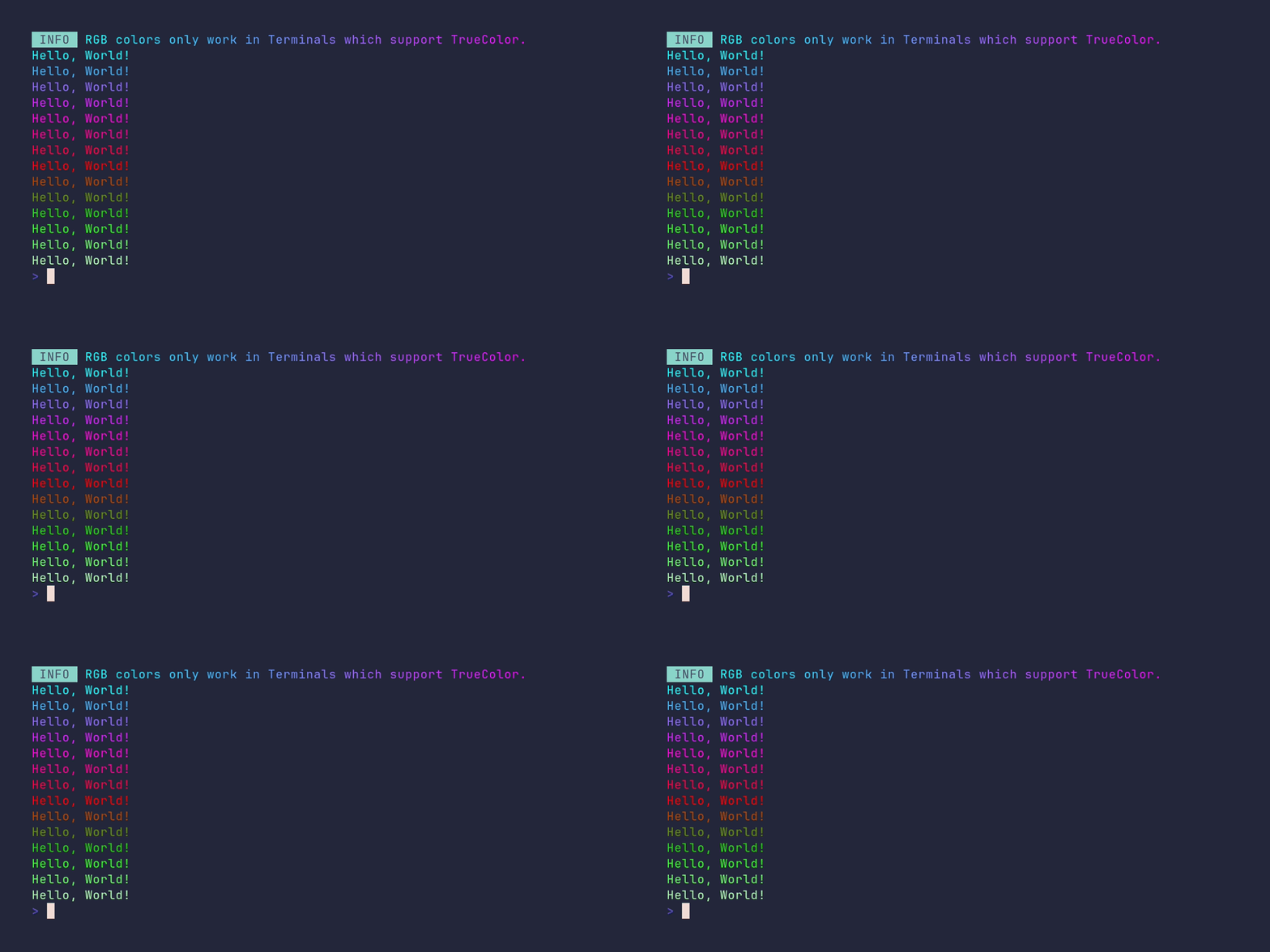
package main
import ( 	"strings"
"github.com/pterm/pterm" )
func main() { 	// Define RGB values for gradient points. 	startColor := pterm.NewRGB(0, 255, 255) 	firstPoint := pterm.NewRGB(255, 0, 255) 	secondPoint := pterm.NewRGB(255, 0, 0) 	thirdPoint := pterm.NewRGB(0, 255, 0) 	endColor := pterm.NewRGB(255, 255, 255)
// Define the string to be printed. 	str := "RGB colors only work in Terminals which support TrueColor." 	strs := strings.Split(str, "")
// Initialize an empty string for the faded info. 	var fadeInfo string
// Loop over the string length to create a gradient effect. 	for i := 0; i < len(str); i++ { 		// Append each character of the string with a faded color to the info string. 		fadeInfo += startColor.Fade(0, float32(len(str)), float32(i), firstPoint).Sprint(strs[i]) 	}
// Print the info string with gradient effect. 	pterm.Info.Println(fadeInfo)
// Get the terminal height. 	terminalHeight := pterm.GetTerminalHeight()
// Loop over the terminal height to print "Hello, World!" with a gradient effect. 	for i := 0; i < terminalHeight-2; i++ { 		// Print the string with a color that fades from startColor to endColor. 		startColor.Fade(0, float32(terminalHeight-2), float32(i), firstPoint, secondPoint, thirdPoint, endColor).Println("Hello, World!") 	} }
coloring/override-default-printers
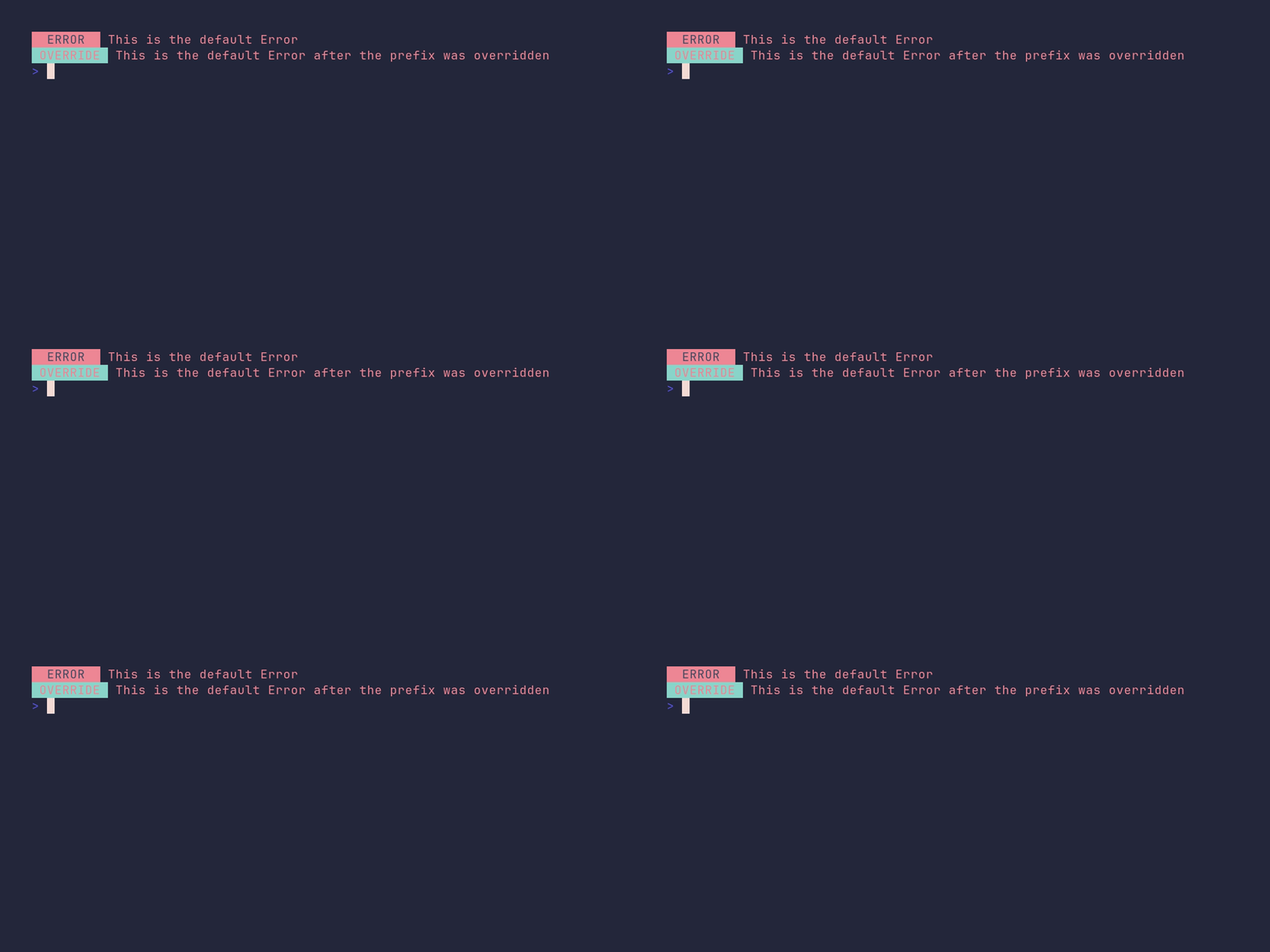
package main
import "github.com/pterm/pterm"
func main() { 	// Print a default error message with PTerm's built-in Error style. 	pterm.Error.Println("This is the default Error")
// Override the default error prefix with a new text and style. 	pterm.Error.Prefix = pterm.Prefix{Text: "OVERRIDE", Style: pterm.NewStyle(pterm.BgCyan, pterm.FgRed)}
// Print the error message again, this time with the overridden prefix. 	pterm.Error.Println("This is the default Error after the prefix was overridden") }
coloring/print-color-rgb
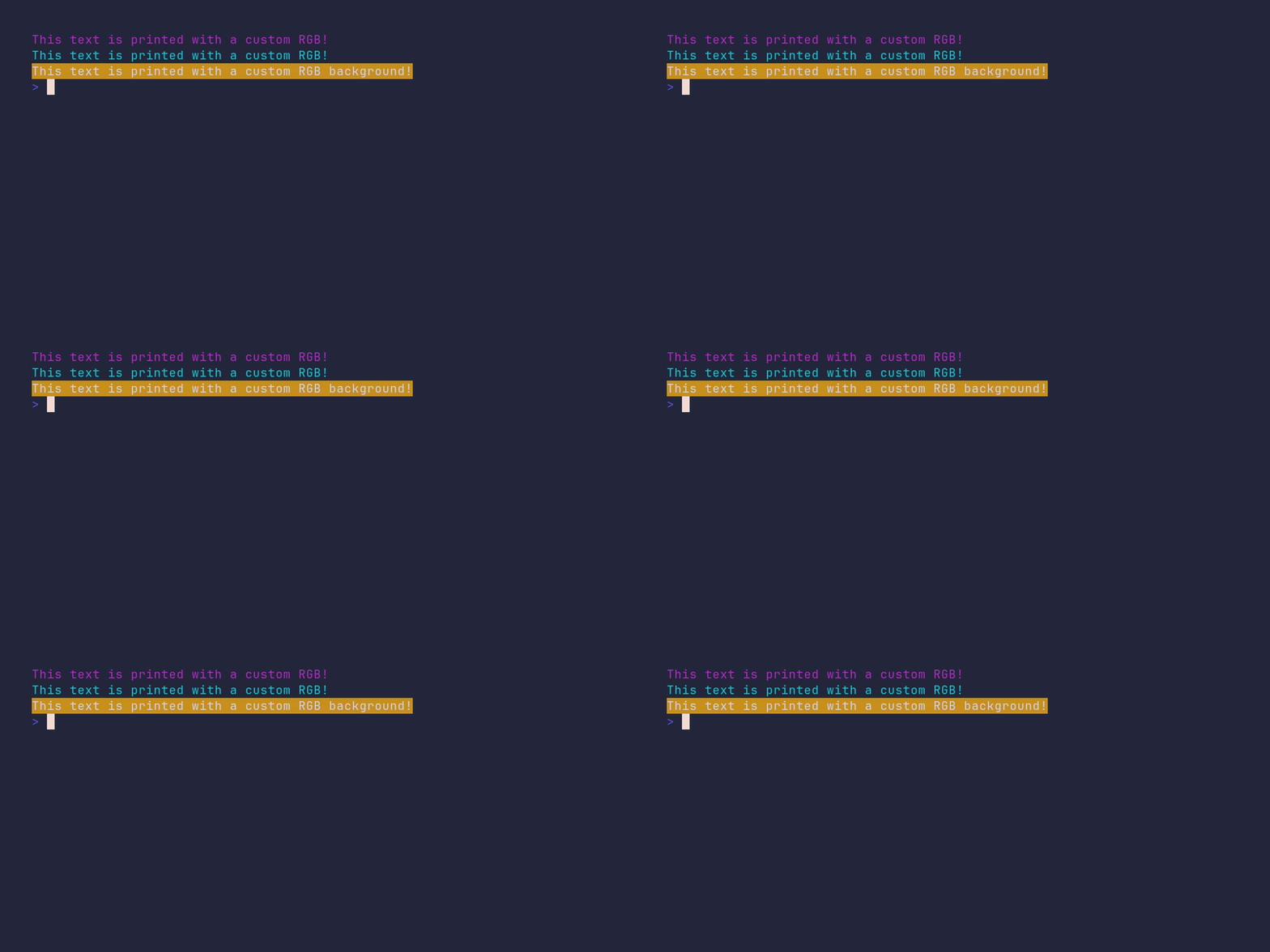
package main
import "github.com/pterm/pterm"
func main() { 	// Create a new RGB color with values 178, 44, 199. 	// This color will be used for the text. 	pterm.NewRGB(178, 44, 199).Println("This text is printed with a custom RGB!")
// Create a new RGB color with values 15, 199, 209. 	// This color will be used for the text. 	pterm.NewRGB(15, 199, 209).Println("This text is printed with a custom RGB!")
// Create a new RGB color with values 201, 144, 30. 	// This color will be used for the background. 	// The 'true' argument indicates that the color is for the background. 	pterm.NewRGB(201, 144, 30, true).Println("This text is printed with a custom RGB background!") }
coloring/print-color-rgb-style
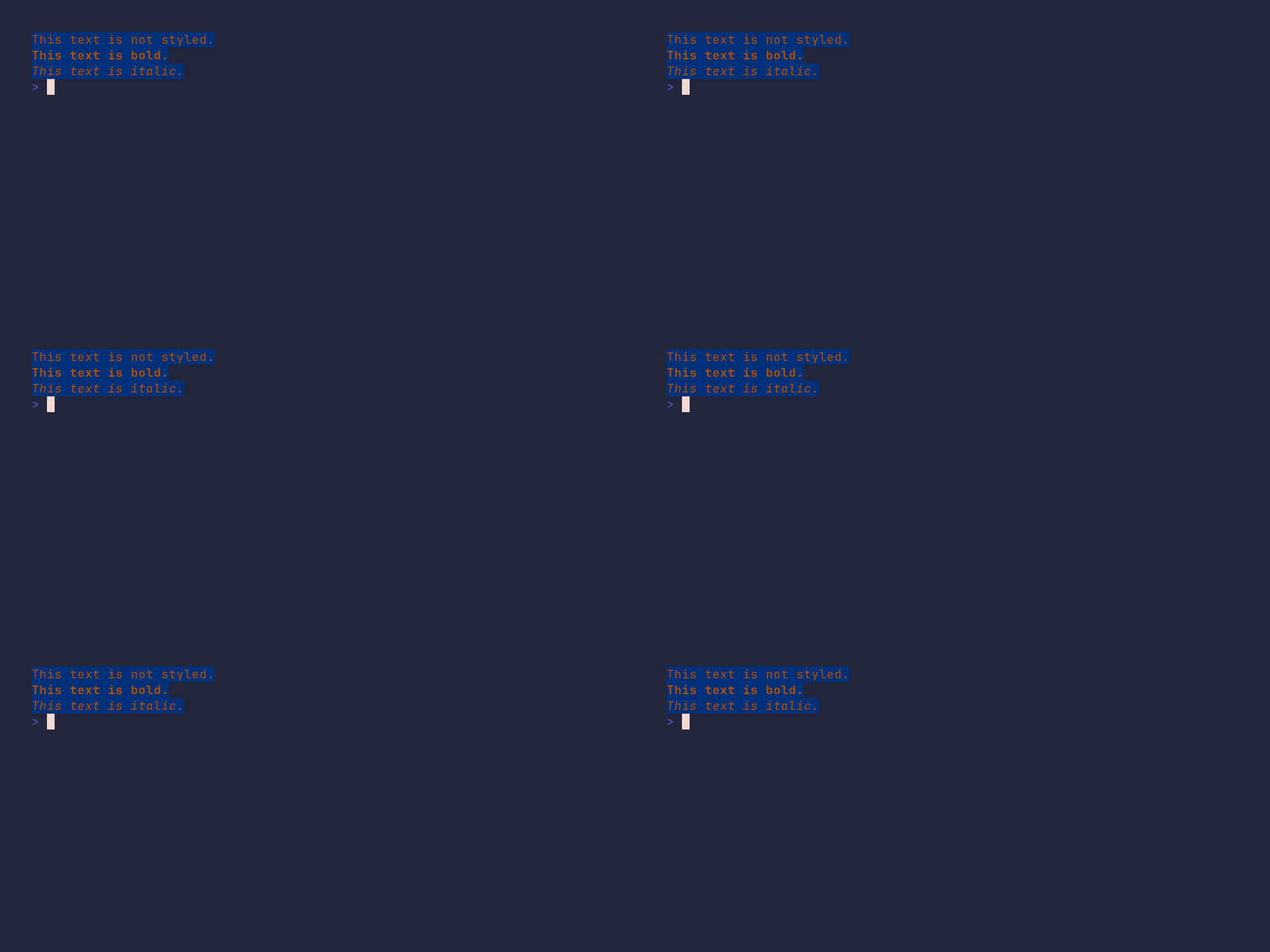
package main
import ( 	"github.com/pterm/pterm" )
func main() { 	// Define RGB colors for foreground and background. 	foregroundRGB := pterm.RGB{R: 187, G: 80, B: 0} 	backgroundRGB := pterm.RGB{R: 0, G: 50, B: 123}
// Create a new RGB style with the defined foreground and background colors. 	rgbStyle := pterm.NewRGBStyle(foregroundRGB, backgroundRGB)
// Print a string with the custom RGB style. 	rgbStyle.Println("This text is not styled.")
// Add the 'Bold' option to the RGB style and print a string with this style. 	rgbStyle.AddOptions(pterm.Bold).Println("This text is bold.")
// Add the 'Italic' option to the RGB style and print a string with this style. 	rgbStyle.AddOptions(pterm.Italic).Println("This text is italic.") }
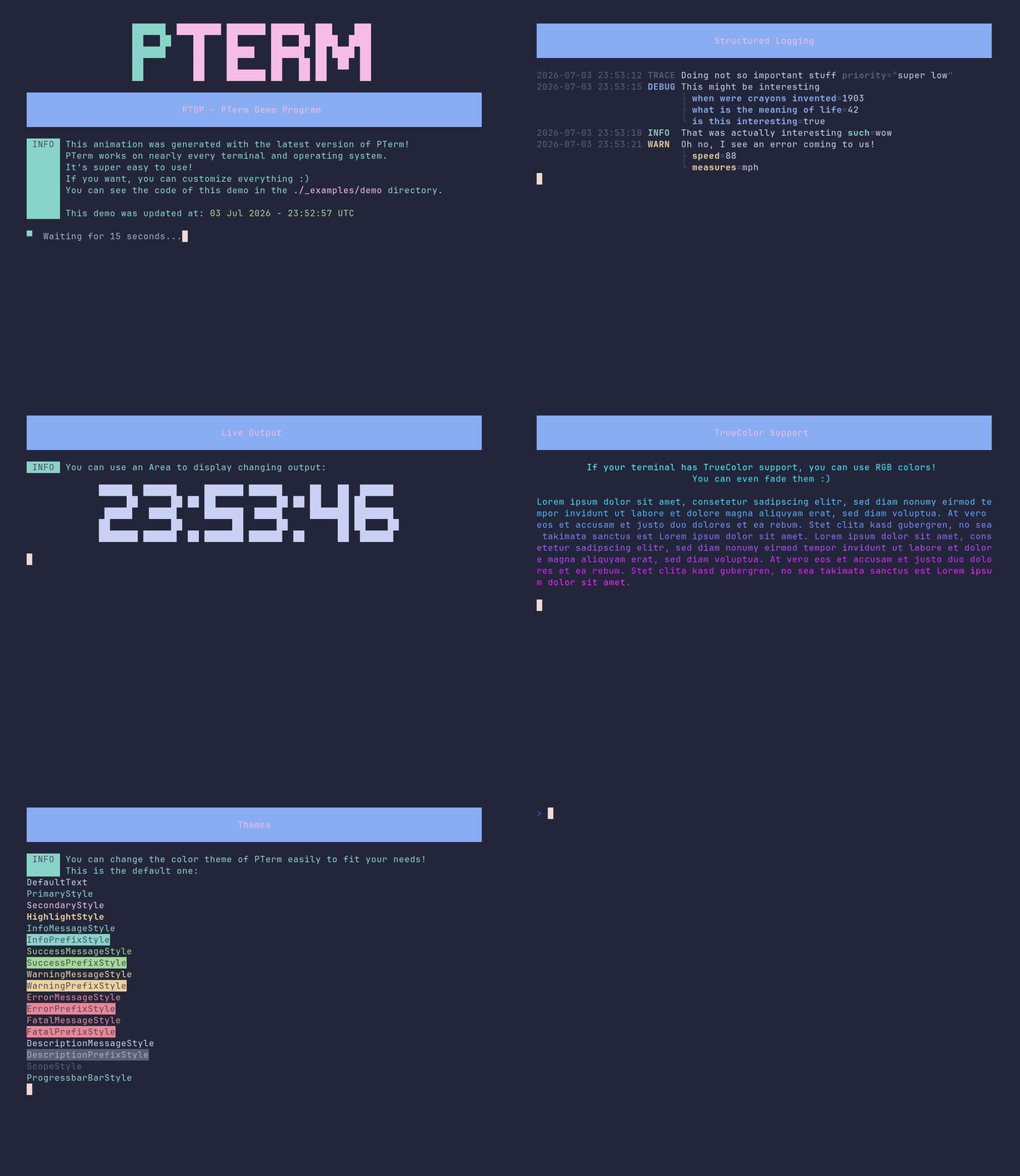
demo/demo
package main
import ( 	"flag" 	"fmt" 	"math/rand" 	"reflect" 	"strconv" 	"strings" 	"time"
"github.com/pterm/pterm" 	"github.com/pterm/pterm/putils" )
var speedup = flag.Bool("speedup", false, "Speed up the demo") var skipIntro = flag.Bool("skip-intro", false, "Skips the intro") var second = time.Second var section = pterm.DefaultHeader.WithBackgroundStyle(pterm.NewStyle(pterm.BgLightBlue)).WithTextStyle(pterm.NewStyle(pterm.FgLightMagenta)).WithFullWidth()
var pseudoProgramList = []string{"excel", "photoshop", "chrome", "outlook", "git", "vscode", "minecraft", "neovim", "gopls"}
func main() { 	setup() // Setup the demo (flags etc.)
// Show intro 	if !*skipIntro { 		introScreen() 		clear() 	}
showcase("Structured Logging", 5, func() { 		logger := pterm.DefaultLogger. 			WithLevel(pterm.LogLevelTrace)
logger.Trace("Doing not so important stuff", logger.Args("priority", "super low"))
time.Sleep(second * 3)
interstingStuff := map[string]any{ 			"when were crayons invented":  "1903", 			"what is the meaning of life": 42, 			"is this interesting":         true, 		} 		logger.Debug("This might be interesting", logger.ArgsFromMap(interstingStuff)) 		time.Sleep(second * 3)
logger.Info("That was actually interesting", logger.Args("such", "wow")) 		time.Sleep(second * 3) 		logger.Warn("Oh no, I see an error coming to us!", logger.Args("speed", 88, "measures", "mph")) 		time.Sleep(second * 3) 		logger.Error("Damn, here it is!", logger.Args("error", "something went wrong")) 		time.Sleep(second * 3) 		logger.Info("But what's really cool is, that you can print very long logs, and PTerm will automatically wrap them for you! Say goodbye to text, that has weird line breaks!", logger.Args("very", "long")) 	})
showcase("Progress bar", 2, func() { 		pb, _ := pterm.DefaultProgressbar.WithTotal(len(pseudoProgramList)).WithTitle("Installing stuff").Start() 		for i := 0; i < pb.Total; i++ { 			pb.UpdateTitle("Installing " + pseudoProgramList[i]) 			if pseudoProgramList[i] == "pseudo-minecraft" { 				pterm.Warning.Println("Could not install pseudo-minecraft\nThe company policy forbids games.") 			} else { 				pterm.Success.Println("Installing " + pseudoProgramList[i]) 			} 			pb.Increment() 			time.Sleep(second / 2) 		} 		pb.Stop() 	})
showcase("Spinner", 2, func() { 		list := pseudoProgramList[7:] 		spinner, _ := pterm.DefaultSpinner.Start("Installing stuff") 		for i := 0; i < len(list); i++ { 			spinner.UpdateText("Installing " + list[i]) 			if list[i] == "pseudo-minecraft" { 				pterm.Warning.Println("Could not install pseudo-minecraft\nThe company policy forbids games.") 			} else { 				pterm.Success.Println("Installing " + list[i]) 			} 			time.Sleep(second) 		} 		spinner.Success() 	})
showcase("Live Output", 2, func() { 		pterm.Info.Println("You can use an Area to display changing output:") 		pterm.Println() 		area, _ := pterm.DefaultArea.WithCenter().Start() // Start the Area printer, with the Center option. 		for i := 0; i < 10; i++ { 			str, _ := pterm.DefaultBigText.WithLetters(putils.LettersFromString(time.Now().Format("15:04:05"))).Srender() // Save current time in str. 			area.Update(str)                                                                                              // Update Area contents. 			time.Sleep(second) 		} 		area.Stop() 	})
showcase("Tables", 4, func() { 		for i := 0; i < 3; i++ { 			pterm.Println() 		} 		td := [][]string{ 			{"Library", "Description"}, 			{"PTerm", "Make beautiful CLIs"}, 			{"Testza", "Programmer friendly test framework"}, 			{"Cursor", "Move the cursor around the terminal"}, 		} 		table, _ := pterm.DefaultTable.WithHasHeader().WithData(td).Srender() 		boxedTable, _ := pterm.DefaultTable.WithHasHeader().WithData(td).WithBoxed().Srender() 		pterm.DefaultCenter.Println(table) 		pterm.DefaultCenter.Println(boxedTable) 	})
showcase("TrueColor Support", 7, func() { 		from := pterm.NewRGB(0, 255, 255) // This RGB value is used as the gradients start point. 		to := pterm.NewRGB(255, 0, 255)   // This RGB value is used as the gradients first point.
str := "If your terminal has TrueColor support, you can use RGB colors!\nYou can even fade them :)\n\nLorem ipsum dolor sit amet, consetetur sadipscing elitr, sed diam nonumy eirmod tempor invidunt ut labore et dolore magna aliquyam erat, sed diam voluptua. At vero eos et accusam et justo duo dolores et ea rebum. Stet clita kasd gubergren, no sea takimata sanctus est Lorem ipsum dolor sit amet. Lorem ipsum dolor sit amet, consetetur sadipscing elitr, sed diam nonumy eirmod tempor invidunt ut labore et dolore magna aliquyam erat, sed diam voluptua. At vero eos et accusam et justo duo dolores et ea rebum. Stet clita kasd gubergren, no sea takimata sanctus est Lorem ipsum dolor sit amet." 		strs := strings.Split(str, "") 		var fadeInfo string // String which will be used to print info. 		// For loop over the range of the string length. 		for i := 0; i < len(str); i++ { 			// Append faded letter to info string. 			fadeInfo += from.Fade(0, float32(len(str)), float32(i), to).Sprint(strs[i]) 		} 		pterm.DefaultCenter.WithCenterEachLineSeparately().Println(fadeInfo) 	})
showcase("Fully Customizable", 2, func() { 		for i := 0; i < 4; i++ { 			pterm.Println() 		} 		text := "All printers are fully customizable!" 		area := pterm.DefaultArea.WithCenter() 		area.Update(pterm.DefaultBox.Sprintln(text)) 		time.Sleep(second) 		area.Update(pterm.DefaultBox.WithTopPadding(1).Sprintln(text)) 		time.Sleep(second / 3) 		area.Update(pterm.DefaultBox.WithTopPadding(1).WithBottomPadding(1).Sprintln(text)) 		time.Sleep(second / 3) 		area.Update(pterm.DefaultBox.WithTopPadding(1).WithBottomPadding(1).WithLeftPadding(1).Sprintln(text)) 		time.Sleep(second / 3) 		area.Update(pterm.DefaultBox.WithTopPadding(1).WithBottomPadding(1).WithLeftPadding(1).WithRightPadding(1).Sprintln(text)) 		time.Sleep(second / 3) 		area.Update(pterm.DefaultBox.WithTopPadding(1).WithBottomPadding(1).WithLeftPadding(1).WithRightPadding(1).WithTitle("Some title!").WithTitleTopLeft().Sprintln(text)) 		time.Sleep(second / 3) 		area.Update(pterm.DefaultBox.WithTopPadding(1).WithBottomPadding(1).WithLeftPadding(1).WithRightPadding(1).WithTitle("Some title!").WithTitleTopCenter().Sprintln(text)) 		time.Sleep(second / 3) 		area.Update(pterm.DefaultBox.WithTopPadding(1).WithBottomPadding(1).WithLeftPadding(1).WithRightPadding(1).WithTitle("Some title!").WithTitleTopRight().Sprintln(text)) 		time.Sleep(second / 3) 		area.Update(pterm.DefaultBox.WithTopPadding(1).WithBottomPadding(1).WithLeftPadding(1).WithRightPadding(1).WithTitle("Some title!").WithTitleBottomRight().Sprintln(text)) 		time.Sleep(second / 3) 		area.Update(pterm.DefaultBox.WithTopPadding(1).WithBottomPadding(1).WithLeftPadding(1).WithRightPadding(1).WithTitle("Some title!").WithTitleBottomCenter().Sprintln(text)) 		time.Sleep(second / 3) 		area.Update(pterm.DefaultBox.WithTopPadding(1).WithBottomPadding(1).WithLeftPadding(1).WithRightPadding(1).WithTitle("Some title!").WithTitleBottomLeft().Sprintln(text)) 		time.Sleep(second / 3) 		area.Update(pterm.DefaultBox.WithTopPadding(1).WithBottomPadding(1).WithLeftPadding(1).WithRightPadding(1).WithBoxStyle(pterm.NewStyle(pterm.FgCyan)).Sprintln(text)) 		time.Sleep(second / 5) 		area.Update(pterm.DefaultBox.WithTopPadding(1).WithBottomPadding(1).WithLeftPadding(1).WithRightPadding(1).WithBoxStyle(pterm.NewStyle(pterm.FgRed)).Sprintln(text)) 		time.Sleep(second / 5) 		area.Update(pterm.DefaultBox.WithTopPadding(1).WithBottomPadding(1).WithLeftPadding(1).WithRightPadding(1).WithBoxStyle(pterm.NewStyle(pterm.FgGreen)).Sprintln(text)) 		time.Sleep(second / 5) 		area.Update(pterm.DefaultBox.WithTopPadding(1). 			WithBottomPadding(1). 			WithLeftPadding(1). 			WithRightPadding(1). 			WithHorizontalString("═"). 			WithVerticalString("║"). 			WithBottomLeftCornerString("╗"). 			WithBottomRightCornerString("╔"). 			WithTopLeftCornerString("╝"). 			WithTopRightCornerString("╚"). 			Sprintln(text)) 		area.Stop() 	})
showcase("Themes", 2, func() { 		pterm.Info.Println("You can change the color theme of PTerm easily to fit your needs!\nThis is the default one:") 		time.Sleep(second / 2) 		// Print every value of the default theme with its own style. 		v := reflect.ValueOf(pterm.ThemeDefault) 		typeOfS := v.Type()
if typeOfS == reflect.TypeOf(pterm.Theme{}) { 			for i := 0; i < v.NumField(); i++ { 				field, ok := v.Field(i).Interface().(pterm.Style) 				if ok { 					field.Println(typeOfS.Field(i).Name) 				} 				time.Sleep(second / 4) 			} 		} 	})
showcase("And much more!", 3, func() { 		for i := 0; i < 4; i++ { 			pterm.Println() 		} 		box := pterm.DefaultBox. 			WithBottomPadding(1). 			WithTopPadding(1). 			WithLeftPadding(3). 			WithRightPadding(3). 			Sprintf("Have fun exploring %s!", pterm.Cyan("PTerm")) 		pterm.DefaultCenter.Println(box) 	}) }
func setup() { 	flag.Parse() 	if *speedup { 		second = time.Millisecond * 200 	} }
func introScreen() { 	ptermLogo, _ := pterm.DefaultBigText.WithLetters( 		putils.LettersFromStringWithStyle("P", pterm.NewStyle(pterm.FgLightCyan)), 		putils.LettersFromStringWithStyle("Term", pterm.NewStyle(pterm.FgLightMagenta))). 		Srender()
pterm.DefaultCenter.Print(ptermLogo)
section.Println("PTDP - PTerm Demo Program")
fmt.Println() // blank line
pterm.Info.Println("This animation was generated with the latest version of PTerm!" + 		"\nPTerm works on nearly every terminal and operating system." + 		"\nIt's super easy to use!" + 		"\nIf you want, you can customize everything :)" + 		"\nYou can see the code of this demo in the " + pterm.LightMagenta("./_examples/demo") + " directory." + 		"\n" + 		"\nThis demo was updated at: " + pterm.Green(time.Now().Format("02 Jan 2006 - 15:04:05 MST"))) 	pterm.Println() 	introSpinner, _ := pterm.DefaultSpinner.WithShowTimer(false).WithRemoveWhenDone(true).Start("Waiting for 15 seconds...") 	time.Sleep(second) 	for i := 14; i > 0; i-- { 		if i > 1 { 			introSpinner.UpdateText("Waiting for " + strconv.Itoa(i) + " seconds...") 		} else { 			introSpinner.UpdateText("Waiting for " + strconv.Itoa(i) + " second...") 		} 		time.Sleep(second) 	} 	introSpinner.Stop() }
func clear() { 	print("\033[H\033[2J") }
func showcase(title string, seconds int, content func()) { 	section.Println(title) 	pterm.Println() 	time.Sleep(second / 2) 	content() 	time.Sleep(second * time.Duration(seconds)) 	print("\033[H\033[2J") }
func randomInt(min, max int) int { 	rand.Seed(time.Now().UnixNano()) 	return rand.Intn(max-min+1) + min }
header/demo
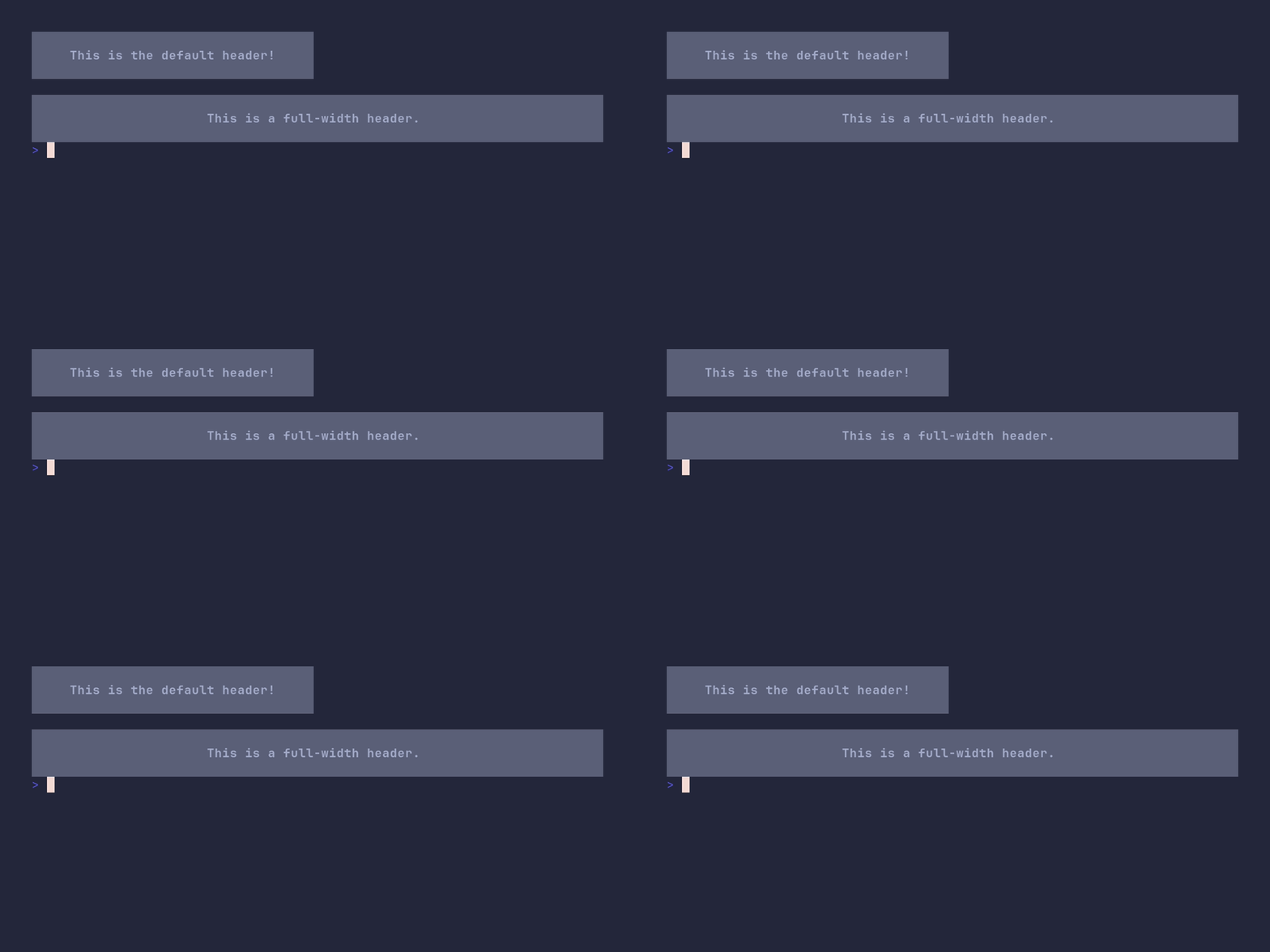
package main
import "github.com/pterm/pterm"
func main() { 	// Print a default header. 	// This uses the default settings of PTerm to print a header. 	pterm.DefaultHeader.Println("This is the default header!")
// Print a spacer line for better readability. 	pterm.Println()
// Print a full-width header. 	// This uses the WithFullWidth() option of PTerm to print a header that spans the full width of the terminal. 	pterm.DefaultHeader.WithFullWidth().Println("This is a full-width header.") }
header/custom
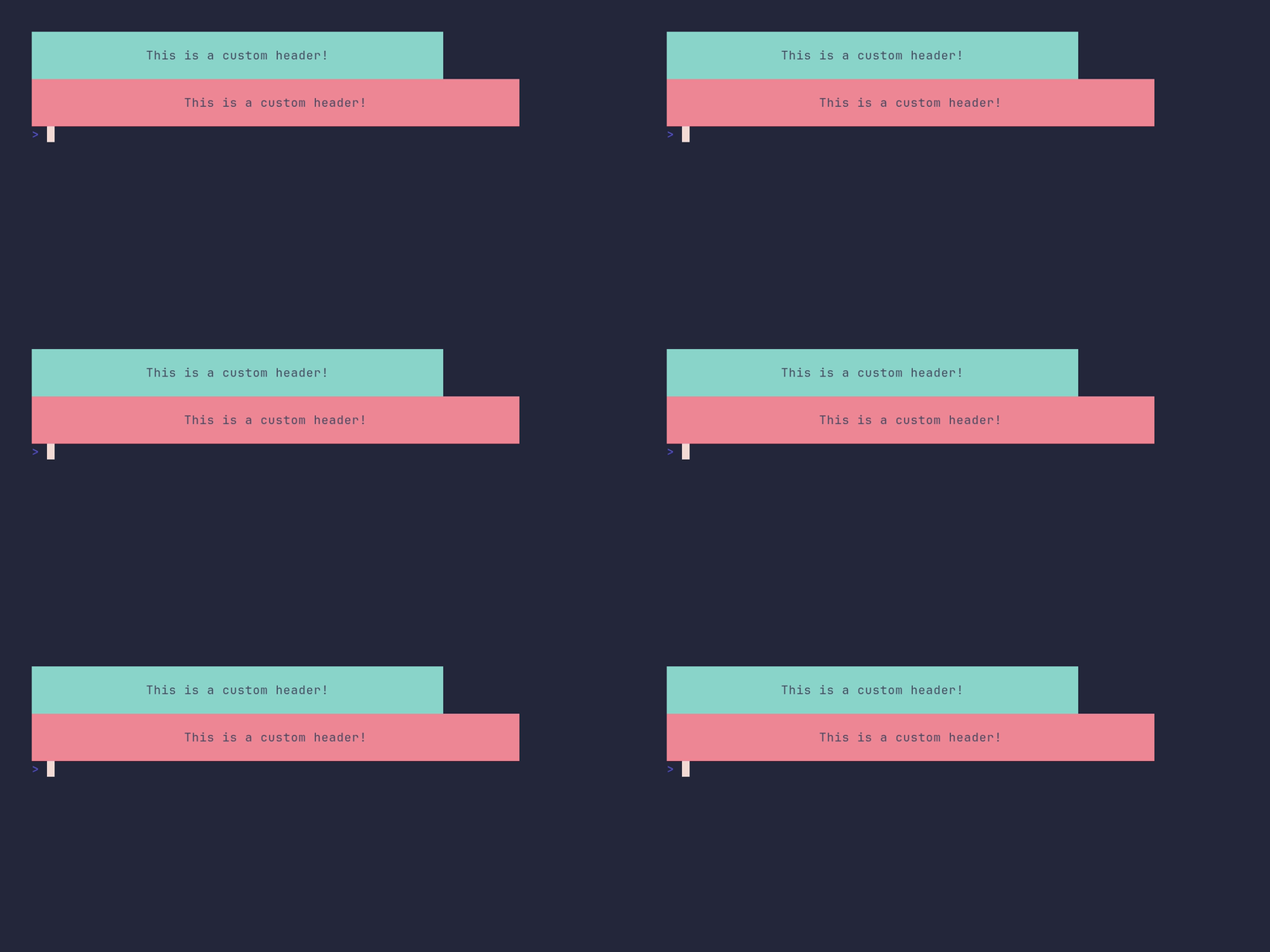
package main
import "github.com/pterm/pterm"
func main() { 	// Customize the DefaultHeader with a cyan background, black text, and a margin of 15. 	pterm.DefaultHeader.WithMargin(15).WithBackgroundStyle(pterm.NewStyle(pterm.BgCyan)).WithTextStyle(pterm.NewStyle(pterm.FgBlack)).Println("This is a custom header!")
// Define a new HeaderPrinter with a red background, black text, and a margin of 20. 	newHeader := pterm.HeaderPrinter{ 		TextStyle:       pterm.NewStyle(pterm.FgBlack), 		BackgroundStyle: pterm.NewStyle(pterm.BgRed), 		Margin:          20, 	}
// Print the custom header using the new HeaderPrinter. 	newHeader.Println("This is a custom header!") }
heatmap/demo
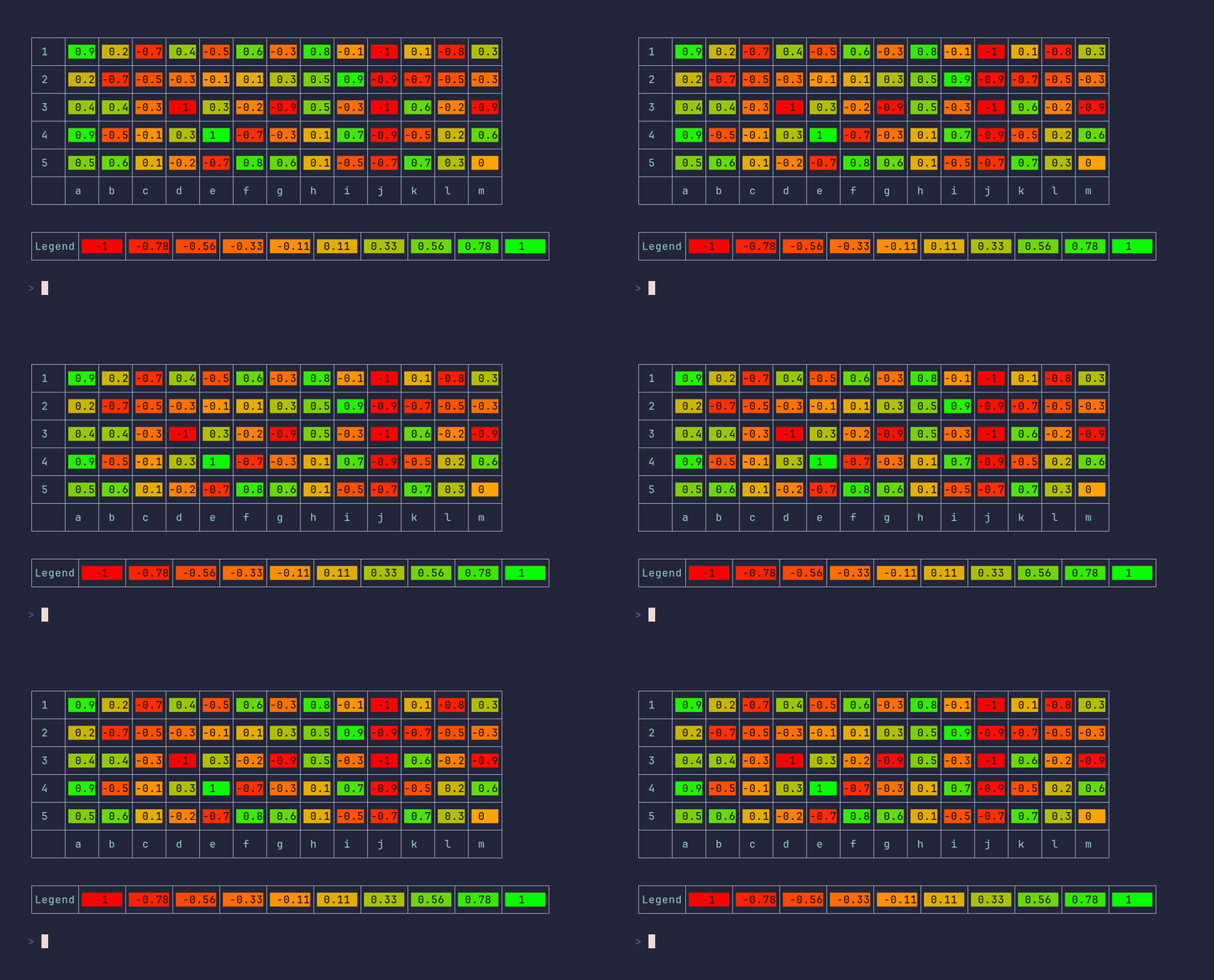
package main
import ( 	"github.com/pterm/pterm" )
func main() { 	// Define the data for the heatmap. Each sub-array represents a row in the heatmap. 	data := [][]float32{ 		{0.9, 0.2, -0.7, 0.4, -0.5, 0.6, -0.3, 0.8, -0.1, -1.0, 0.1, -0.8, 0.3}, 		{0.2, -0.7, -0.5, -0.3, -0.1, 0.1, 0.3, 0.5, 0.9, -0.9, -0.7, -0.5, -0.3}, 		{0.4, 0.4, -0.3, -1.0, 0.3, -0.2, -0.9, 0.5, -0.3, -1.0, 0.6, -0.2, -0.9}, 		{0.9, -0.5, -0.1, 0.3, 1, -0.7, -0.3, 0.1, 0.7, -0.9, -0.5, 0.2, 0.6}, 		{0.5, 0.6, 0.1, -0.2, -0.7, 0.8, 0.6, 0.1, -0.5, -0.7, 0.7, 0.3, 0.0}, 	}
// Define the labels for the X and Y axes of the heatmap. 	headerData := pterm.HeatmapAxis{ 		XAxis: []string{"a", "b", "c", "d", "e", "f", "g", "h", "i", "j", "k", "l", "m"}, 		YAxis: []string{"1", "2", "3", "4", "5"}, 	}
// Create a heatmap with the defined data and axis labels, and enable RGB colors. 	// Then render the heatmap. 	pterm.DefaultHeatmap.WithAxisData(headerData).WithData(data).WithEnableRGB().Render() }
heatmap/custom_colors
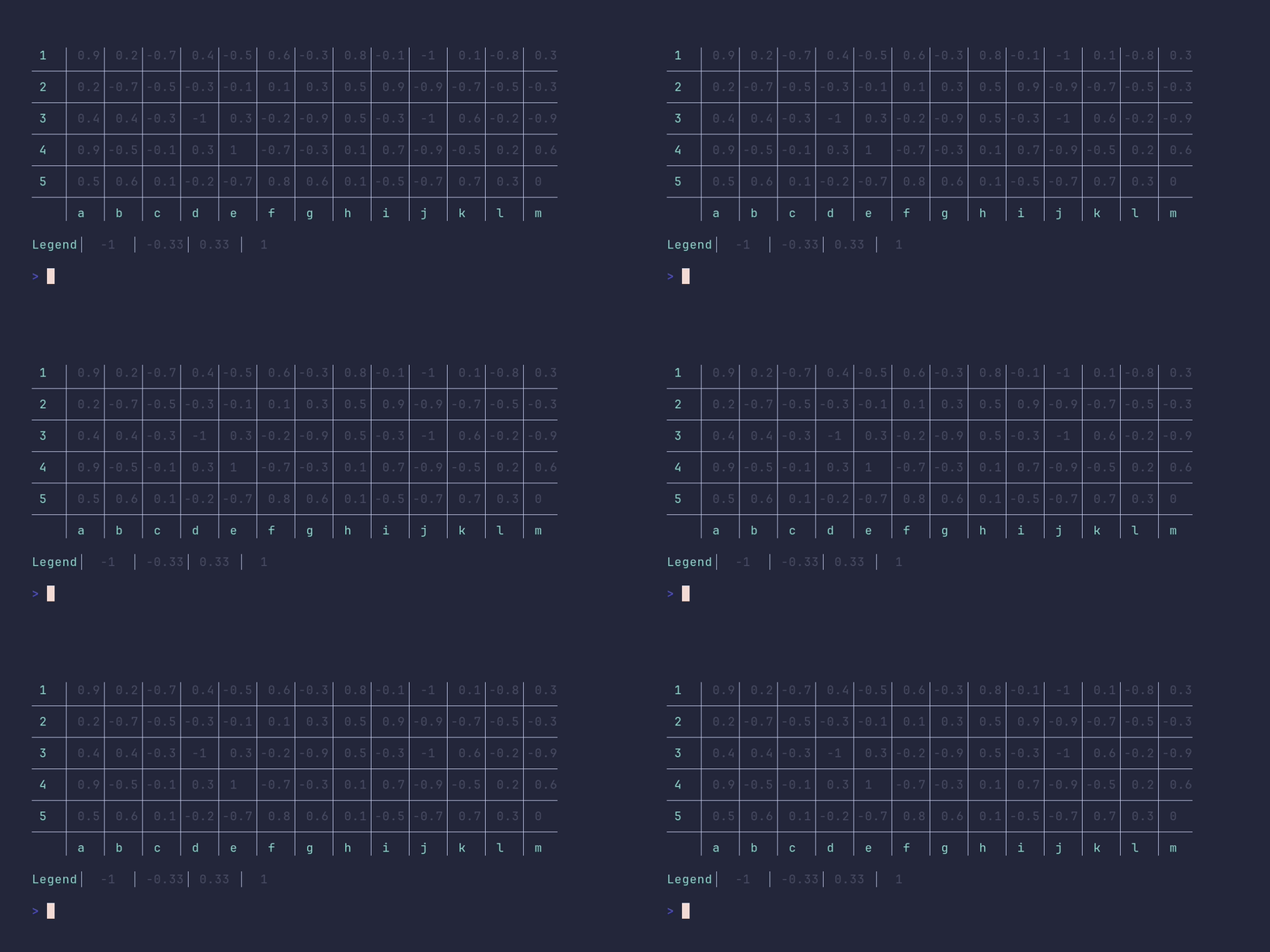
package main
import ( 	"github.com/pterm/pterm" )
func main() { 	// Define the data for the heatmap 	data := [][]float32{ 		{0.9, 0.2, -0.7, 0.4, -0.5, 0.6, -0.3, 0.8, -0.1, -1.0, 0.1, -0.8, 0.3}, 		{0.2, -0.7, -0.5, -0.3, -0.1, 0.1, 0.3, 0.5, 0.9, -0.9, -0.7, -0.5, -0.3}, 		{0.4, 0.4, -0.3, -1.0, 0.3, -0.2, -0.9, 0.5, -0.3, -1.0, 0.6, -0.2, -0.9}, 		{0.9, -0.5, -0.1, 0.3, 1, -0.7, -0.3, 0.1, 0.7, -0.9, -0.5, 0.2, 0.6}, 		{0.5, 0.6, 0.1, -0.2, -0.7, 0.8, 0.6, 0.1, -0.5, -0.7, 0.7, 0.3, 0.0}, 	}
// Define the axis labels for the heatmap 	headerData := pterm.HeatmapAxis{ 		XAxis: []string{"a", "b", "c", "d", "e", "f", "g", "h", "i", "j", "k", "l", "m"}, 		YAxis: []string{"1", "2", "3", "4", "5"}, 	}
// Print an informational message 	pterm.Info.Println("The following table has no rgb (supported by every terminal), no axis data and a legend.") 	pterm.Println()
// Create the heatmap with the defined data and options, and render it 	pterm.DefaultHeatmap. 		WithData(data). 		WithBoxed(false). 		WithAxisData(headerData). 		WithLegend(false). 		WithColors(pterm.BgBlue, pterm.BgRed, pterm.BgGreen, pterm.BgYellow). 		WithLegend(). 		Render() }
heatmap/custom_legend
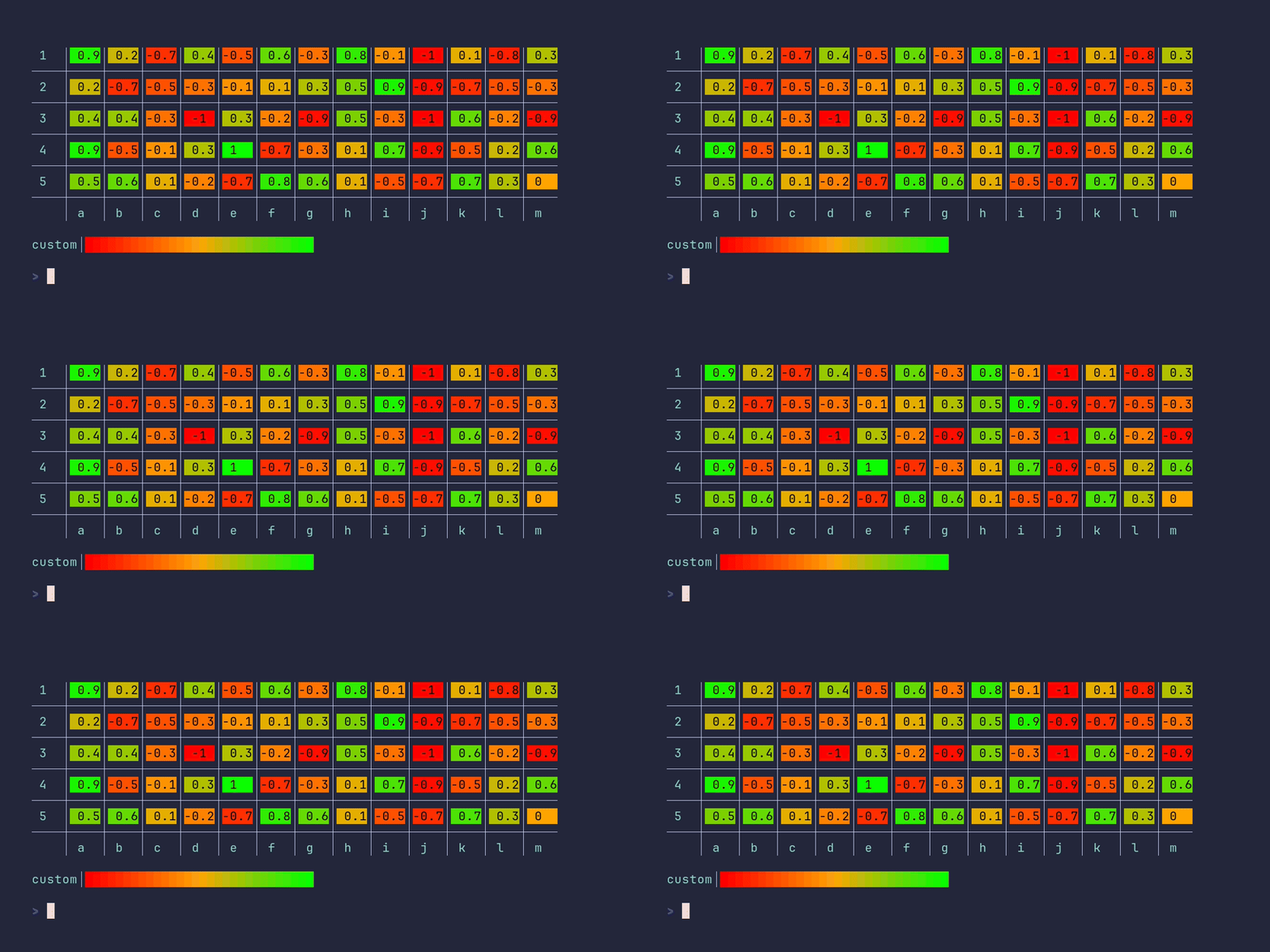
package main
import ( 	"github.com/pterm/pterm" )
func main() { 	// Define the data for the heatmap 	data := [][]float32{ 		{0.9, 0.2, -0.7, 0.4, -0.5, 0.6, -0.3, 0.8, -0.1, -1.0, 0.1, -0.8, 0.3}, 		{0.2, -0.7, -0.5, -0.3, -0.1, 0.1, 0.3, 0.5, 0.9, -0.9, -0.7, -0.5, -0.3}, 		{0.4, 0.4, -0.3, -1.0, 0.3, -0.2, -0.9, 0.5, -0.3, -1.0, 0.6, -0.2, -0.9}, 		{0.9, -0.5, -0.1, 0.3, 1, -0.7, -0.3, 0.1, 0.7, -0.9, -0.5, 0.2, 0.6}, 		{0.5, 0.6, 0.1, -0.2, -0.7, 0.8, 0.6, 0.1, -0.5, -0.7, 0.7, 0.3, 0.0}, 	}
// Define the header data for the heatmap 	headerData := pterm.HeatmapAxis{ 		XAxis: []string{"a", "b", "c", "d", "e", "f", "g", "h", "i", "j", "k", "l", "m"}, 		YAxis: []string{"1", "2", "3", "4", "5"}, 	}
// Print an informational message 	pterm.Info.Println("The following table has rgb (not supported by every terminal), axis data and a custom legend.") 	pterm.Println()
// Create the heatmap with the defined data and options 	// Options are chained in a single line for simplicity 	pterm.DefaultHeatmap. 		WithData(data). 		WithBoxed(false). 		WithAxisData(headerData). 		WithEnableRGB(). 		WithLegendLabel("custom"). 		WithLegendOnlyColoredCells(). 		Render() // Render the heatmap }
heatmap/custom_rgb
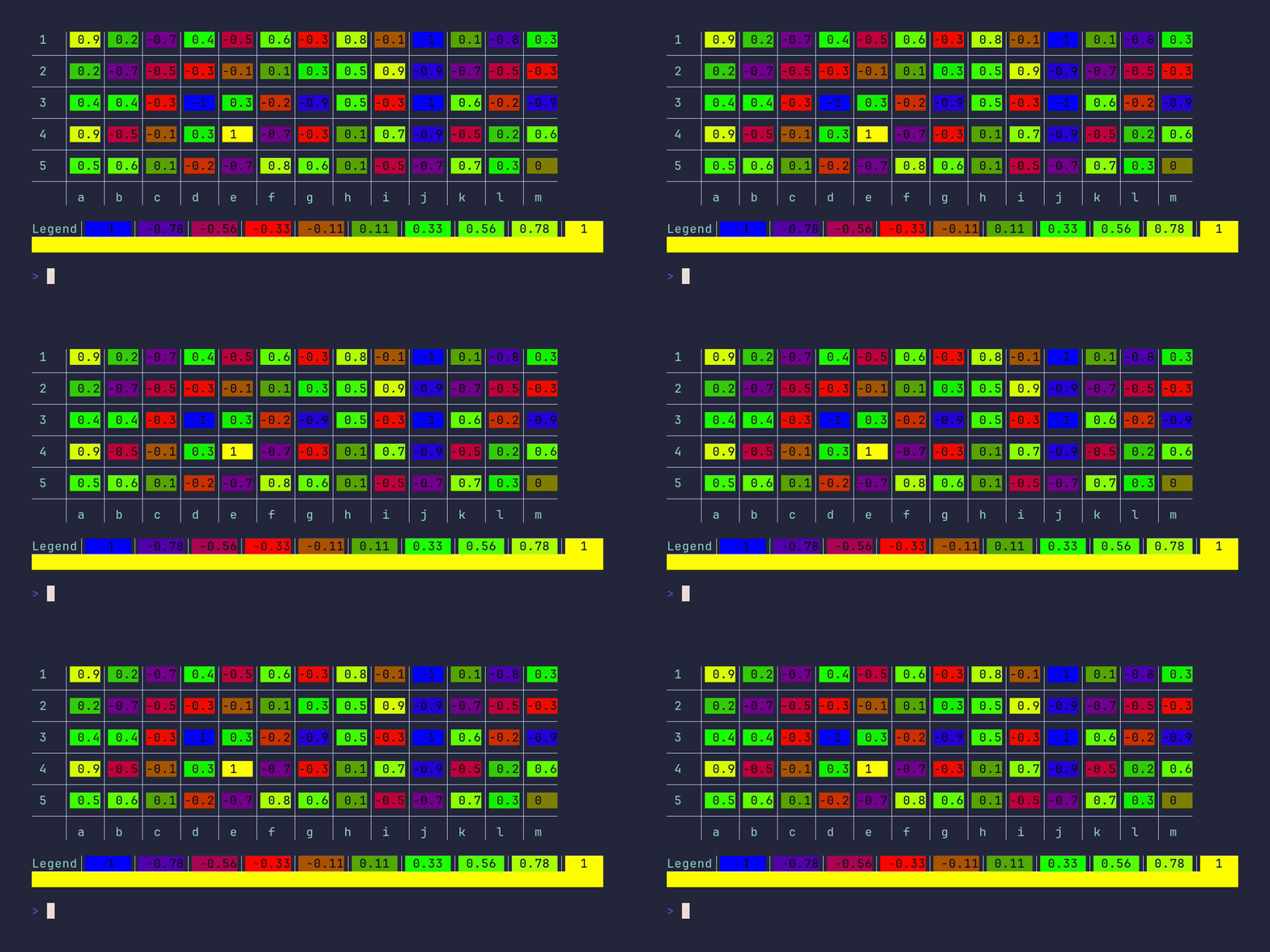
```go package main
import ( "github.com/pterm/pterm" )
func main() { // Define the data for the heatmap. data := [][]float32{ {0.9, 0.2, -0.7, 0.4, -0.5, 0.6, -0.3, 0.8, -0.1, -1.0, 0.1, -0.8, 0.3}, {0.2, -0.7, -0.5, -0.3, -0.1, 0.1, 0.3, 0.5, 0.9, -0.9, -0.7, -0.5, -0.3}, {0.4, 0.4, -0.3, -1.0, 0.3, -0.2, -0.9, 0.5, -0.3, -1.0, 0.6, -0.2, -0.9}, {0.9, -0.5, -0.1, 0.3, 1, -0.7, -0.3, 0.1, 0.7, -0.9, -0.5, 0.2, 0.6}, {0.5, 0.6, 0.1, -0.2, -0.7, 0.8, 0.6, 0.1, -0.5, -0.7, 0.7, 0.3, 0.0}, }
// Define th
README truncated. View on GitHub


