
🚀🎬 Node-based Manim IDE with AI-powered animation generation
🌿 EfficientManim




✨🌿 A node-based visual IDE for mathematical animations — with AI tooling, a structured history system, and a built-in explanation engine for students and teachers. 🎊🎯
✨ What It Is
EfficientManim turns Manim from a code-only tool into a visual, AI-augmented workspace. Wire Mobjects and animations together on an infinite canvas, generate scenes from plain English or PDF slides, and get structured explanations for every move — all without leaving the editor.
🚀 Features
🎬 Node-Based Visual Workflow
Drag-and-drop Mobjects and Animations onto an infinite canvas, connect them with smart wires, and watch your scene graph come alive. Wire validation runs automatically, and live static previews update as you build.
- 60+ Manim classes across 8 categories (Geometry, Text, Graphs, 3D, Animations…), searchable in real time via the Manim Class Browser
- Multiple Scenes per project — create, rename, delete, and switch between them in the Scenes tab; each scene carries its own node graph and auto-saves state on switch
- VGroup Utility — select Mobject nodes → click Create VGroup → get auto-generated
VGroup(...)code displayed in an expandable tree - Recents Panel — top-5 Mobjects and top-5 Animations tracked per session, persisted to
~/.efficientmanim/usage.json; double-click to add instantly
🤖 AI Features
Prompt → Manim
Describe an animation in plain English. Get runnable Manim code.📄 PDF Slide Animation
Upload one or more PDFs. The AI parses each slide, builds an animation plan, and produces both Manim code and a ready-to-edit node graph — turning a static lecture deck into a structured animated scene.🎙️ AI Voiceover Studio
TTS generation with multi-voice support and automatic duration syncing to animation timing.🐙 GitHub Snippet Loader
Clone any GitHub repo into~/.efficientmanim/snippets/, browse .py files, and double-click to load a snippet directly into the AI panel. All repos repopulate on startup automatically.
🧠 Explain This Animation
Select a scene, a group of nodes, or a single animation — then hit 🧠 Explain in the main toolbar. The system produces a clear, student-friendly explanation of what the animation is doing and why.
| Mode | What You Get | |------|-------------| | Simple | Short, intuition-first summary | | Detailed | Full step breakdown with conceptual reasoning |
Copy or regenerate instantly from the Explain Panel. Explanations can also be triggered programmatically via MCP (explain.scene, explain.selected_nodes).
🎓 Learning Mode
Learning Mode watches what you build and fires micro-explanations as you go — turning the editor into a live tutor.
Triggers automatically when you:
- Add axes, graphs, or equations
- Apply transformations
- Attach tangent lines, slopes, or area visuals
- Hit a checkpoint or land a large batch addition
👩🏫 Teacher Mode
Generate a full structured lesson from the current scene in one click.
Output includes:
- Concept explanation
- Visual explanation tied to the animation
- Step-by-step teaching script
- Student-friendly notes
- Key takeaways
.md), plain text (.txt), or copy to clipboard. Enable: Settings → Teacher Mode → Enable Teacher Mode.
🕰️ History-Powered Explanations
The rewritten HistoryManager captures grouped atomic operations — AI merges, property edits, motion, wiring — with per-node undo/redo stacks and project/scene/node checkpoints.
The explanation engine hooks directly into history:
- Explain a checkpoint state — what did the scene look like at this moment?
- Explain a diff — what changed between two checkpoints?
- Explain an undo/redo action — in plain student language, not code
docs/history_system.md for the full data model and checkpoint API.
🧭 MCP Command Interface
Every action in EfficientManim — node edits, wires, VGroups, scenes, rendering, assets, AI workflows, themes, keybindings, TTS, explanations, Learning Mode, Teacher Mode — is scriptable via structured JSON through the MCP command layer.
// Example
{ "command": "explain.scene", "mode": "detailed" }
{ "command": "teachermode.generatelesson", "export": "markdown" }
{ "command": "history.restorecheckpoint", "id": "chk42" }
Full reference in docs/mcp_commands.md.
🎨 Workspace & Polish
| Feature | Detail | |---------|--------| | Dark / Light Themes | Full dark mode, QSS-based with a ColorToken system, toggled via Ctrl+T or Settings | | Tooltips Everywhere | Every button, panel, and action has a tooltip — the UI is self-explanatory | | Editable Keybindings | Help → Edit Keybindings… Double-click any shortcut to rebind; duplicate detection included | | Editable Project Name | Rename the .efp file from a textbox in the top-right corner — no file manager required | | Portable .efp Format | ZIP-based project bundle: nodes, wires, images, sounds, and video assets in one file | | Professional Rendering | Full scene export to MP4/WebM — up to 4K, 15–60 FPS, multiple quality presets |
⌨️ Keyboard Shortcuts
| Action | Shortcut | |--------|----------| | New Project | Ctrl+N | | Open Project | Ctrl+O | | Save Project | Ctrl+S | | Save As | Ctrl+Shift+S | | Exit | Ctrl+Q | | Undo | Ctrl+Z | | Redo | Ctrl+Y | | Delete Selected | Del | | Fit View | Ctrl+0 | | Auto-Layout | Ctrl+L | | Export Code | Ctrl+E | | Copy Code | Ctrl+Shift+C | | Toggle Theme | Ctrl+T | | Edit Keybindings | Ctrl+, |
All shortcuts are fully editable via Help → Edit Keybindings…
🛠️ Prerequisites
- Python 3.10+
- FFmpeg — required for video rendering (must be in
PATH) - Git — optional, for the GitHub Snippet Loader
- LaTeX — optional, for local LaTeX rendering
📦 Installation
git clone https://github.com/programmersd21/EfficientManim.git
cd EfficientManim
pip install -r requirements.txt
python main.py
Manual install:
pip install manim PySide6 google-genai pydub requests numpy pdfplumber regex📸 Gallery
| | | |---|---| | 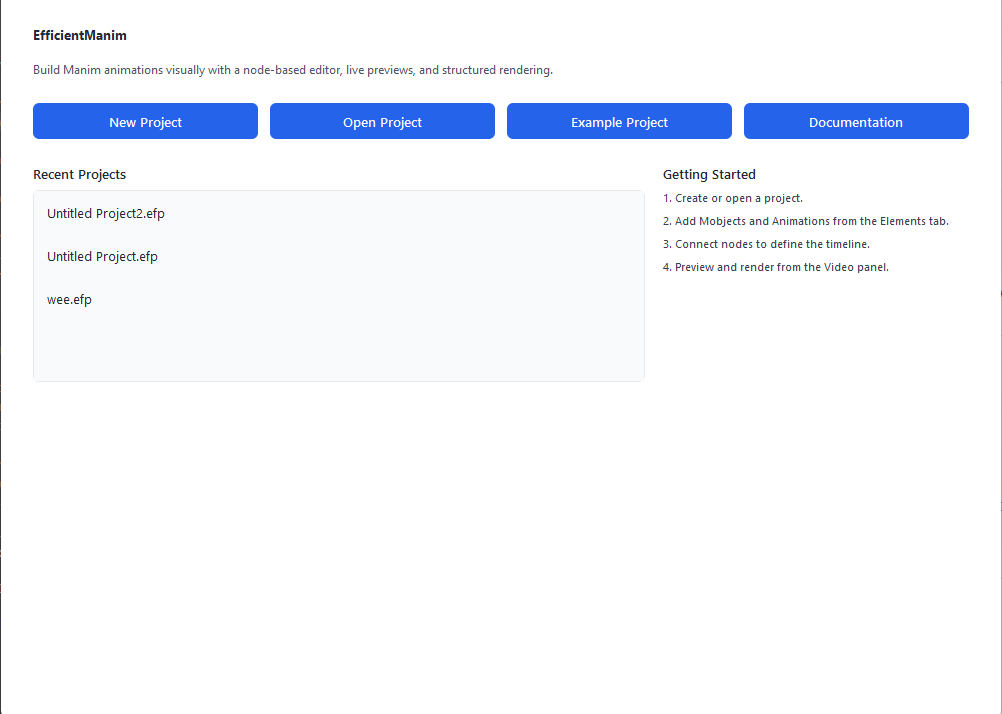 |
| 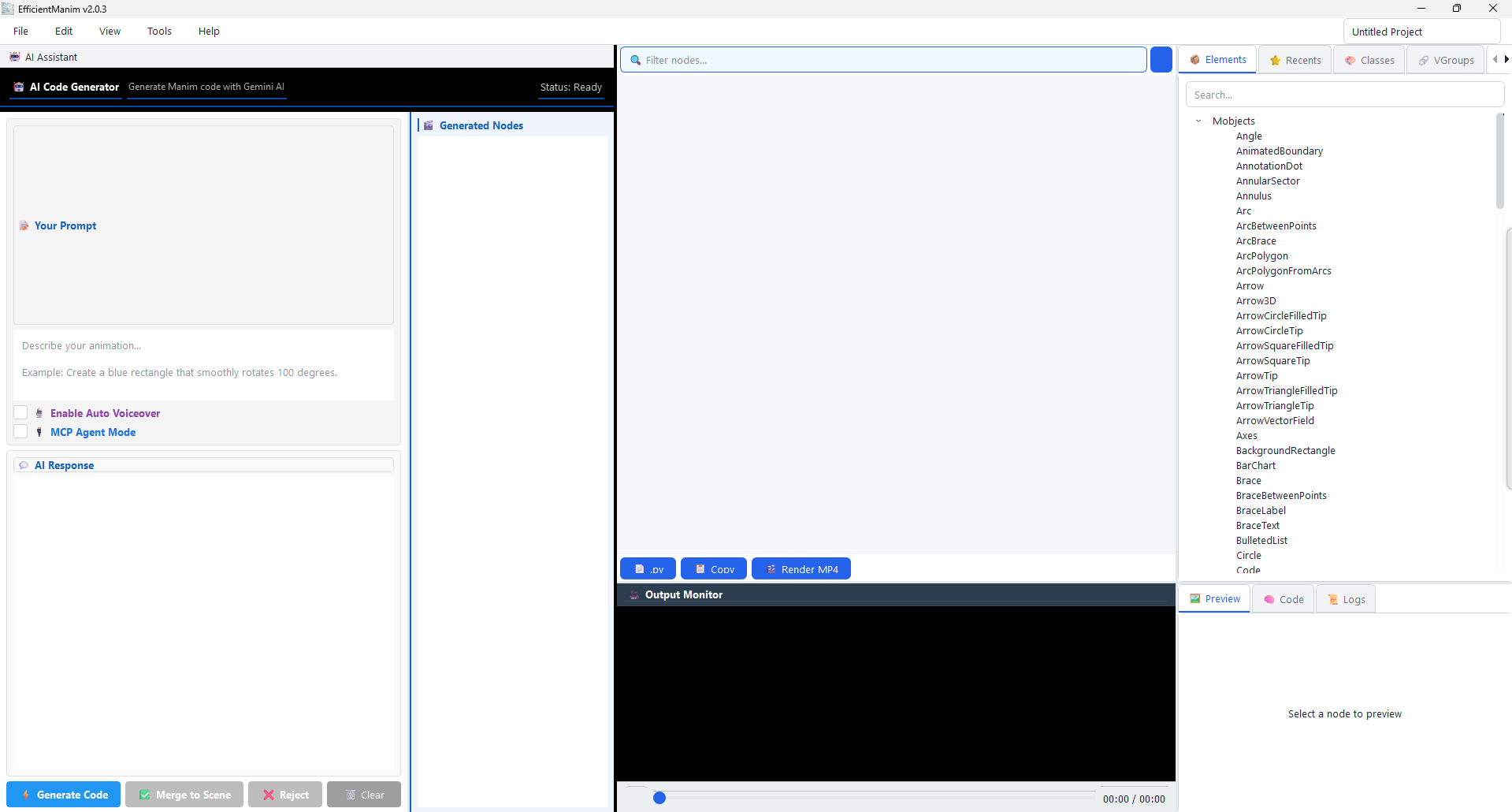 | | Launch and initialize the workspace | A clean canvas ready for composition | |
 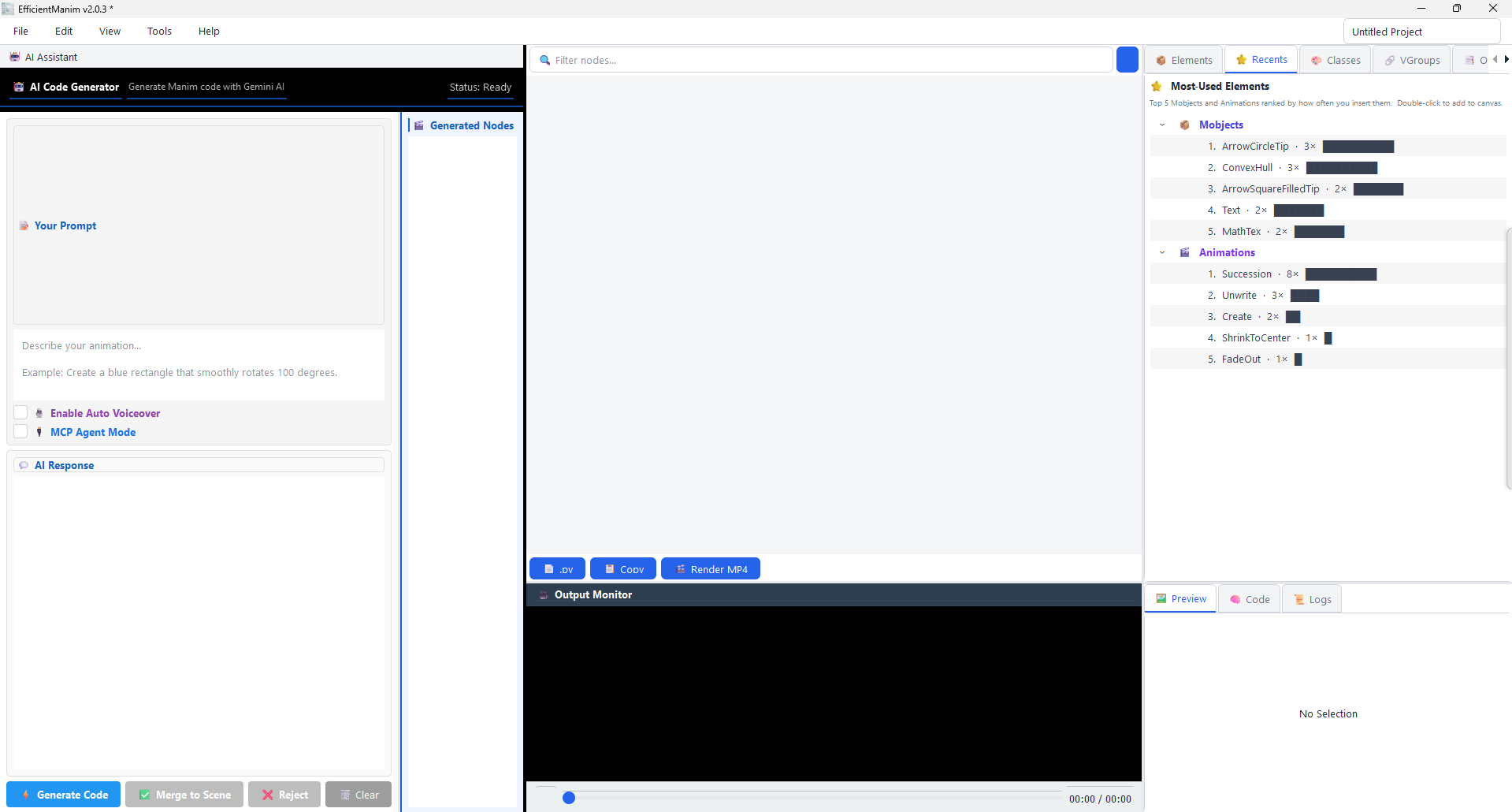 |
| 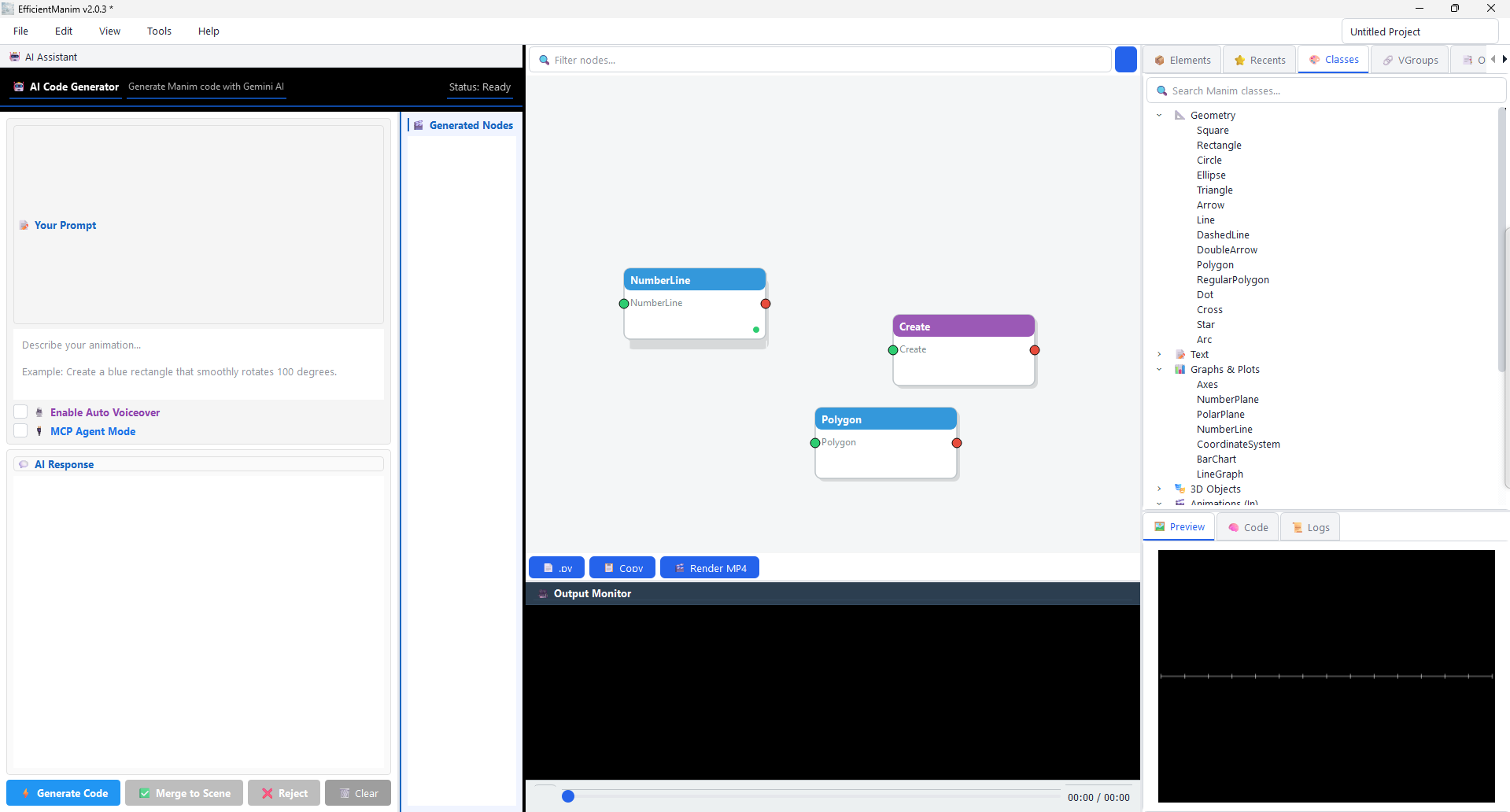 | | Recents panel — jump back in fast | Manipulate nodes interactively | |
 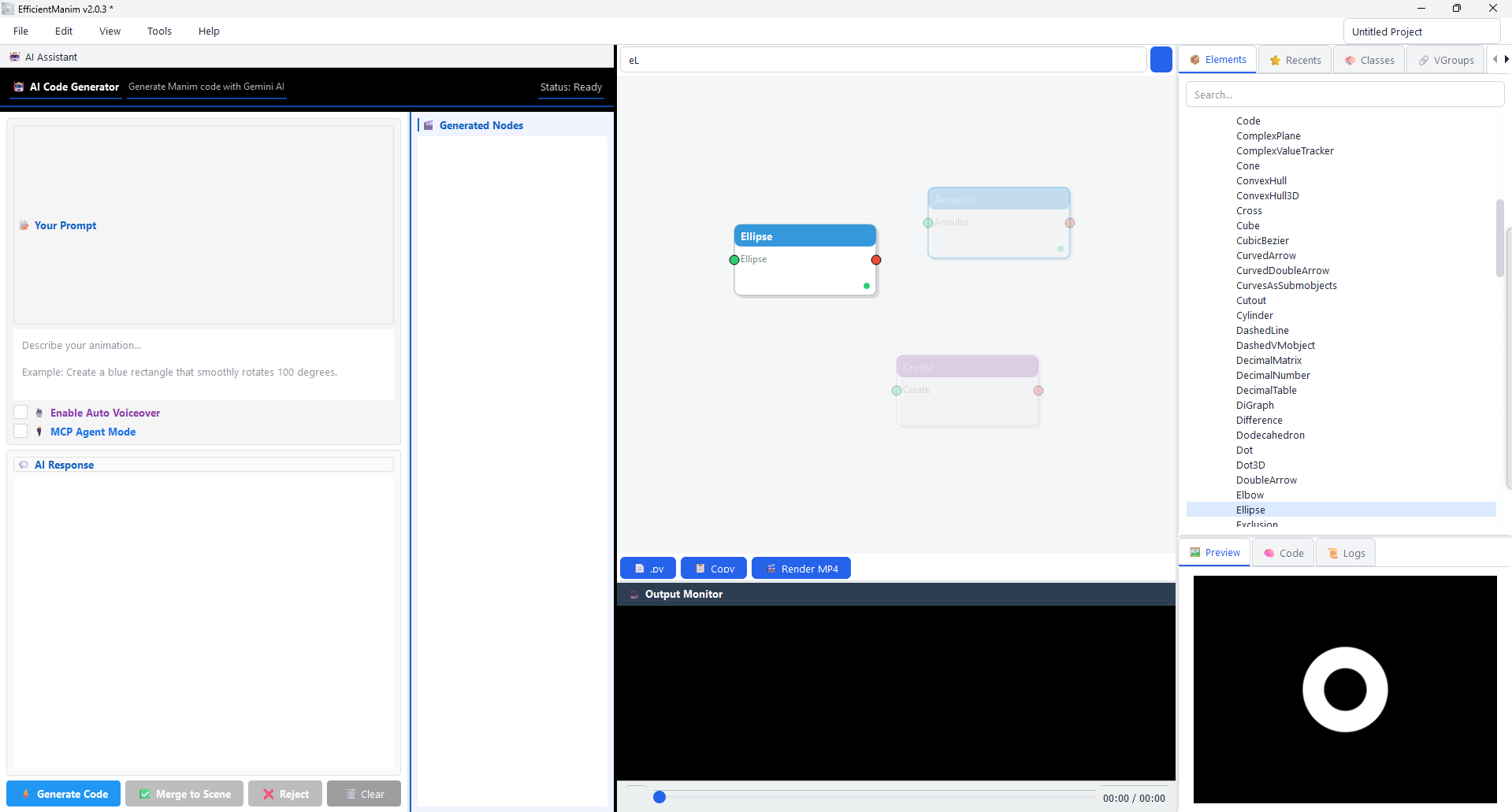 |
| 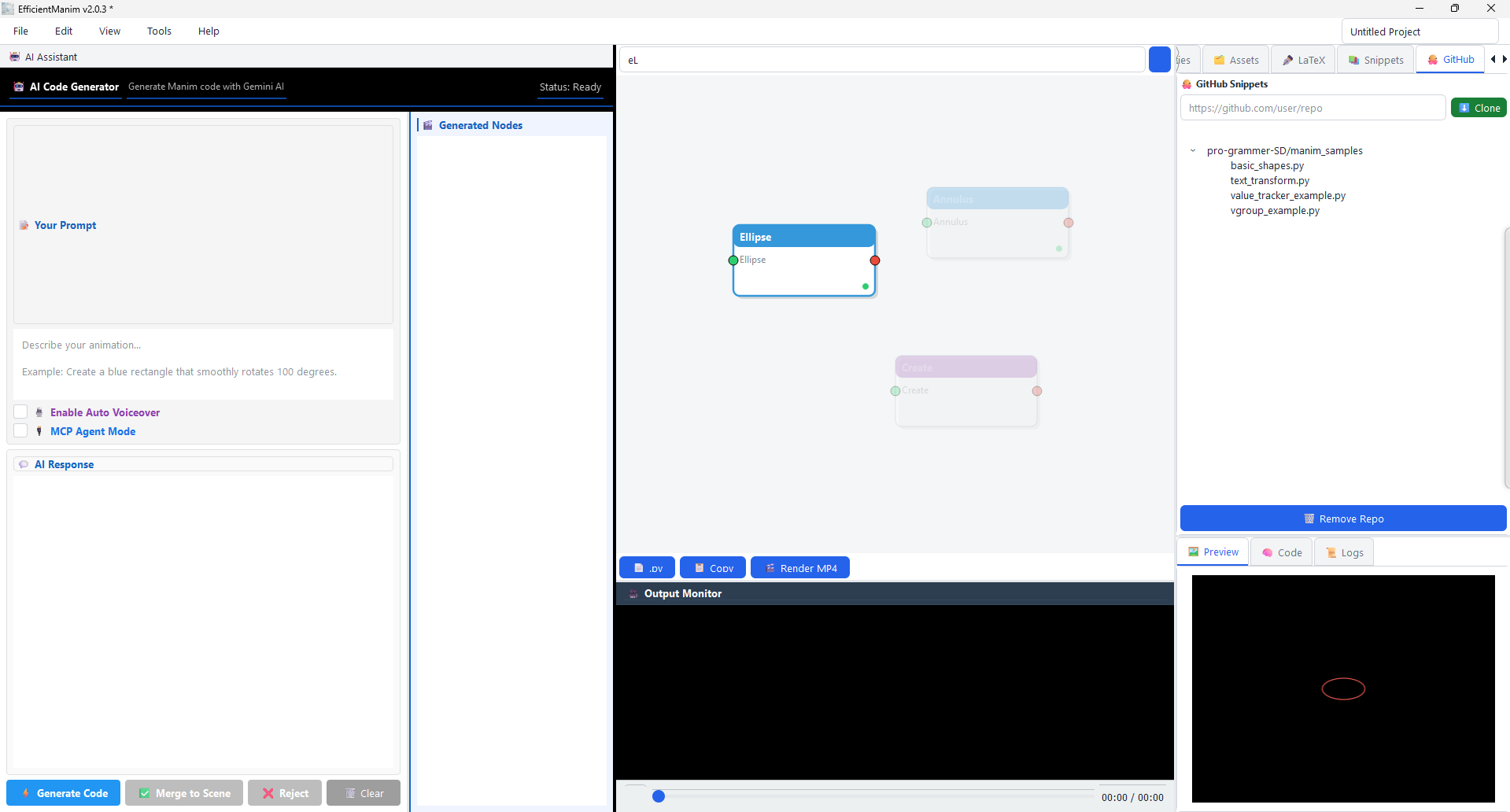 | | Real-time element search | GitHub snippets at your fingertips | |
 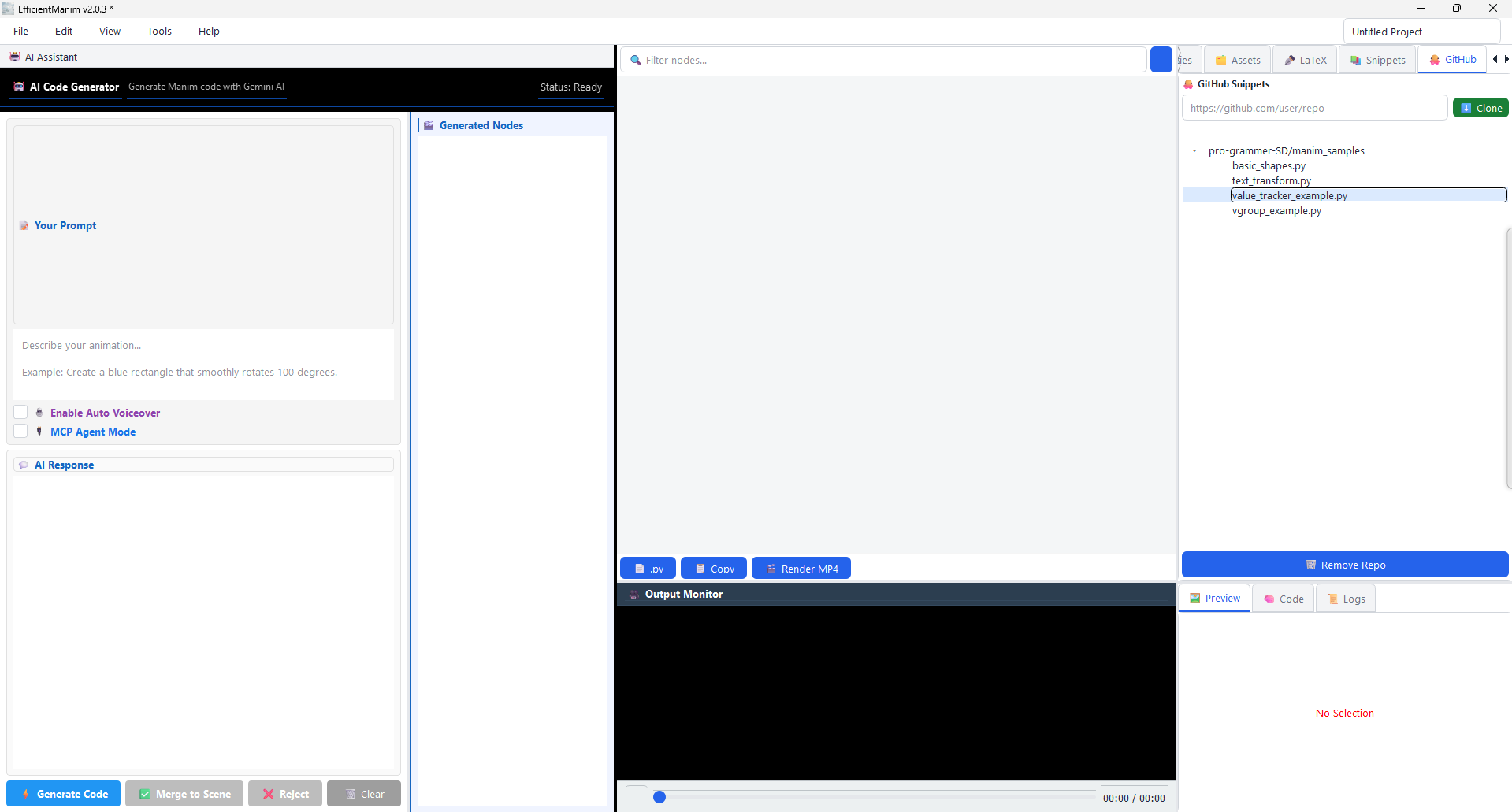 |
| 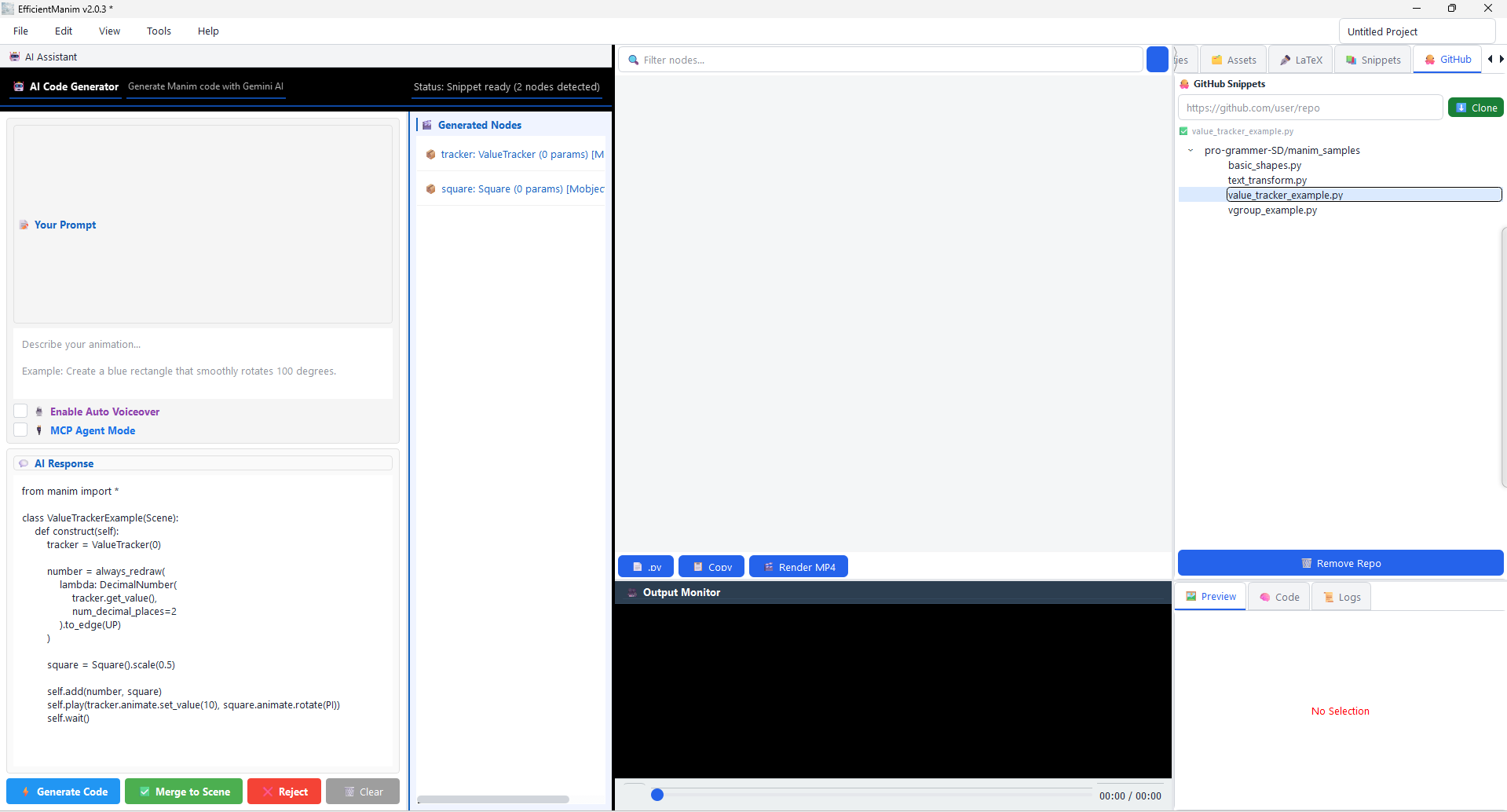 | | Selecting a snippet from a cloned repo | Loading external code into the workspace | |
 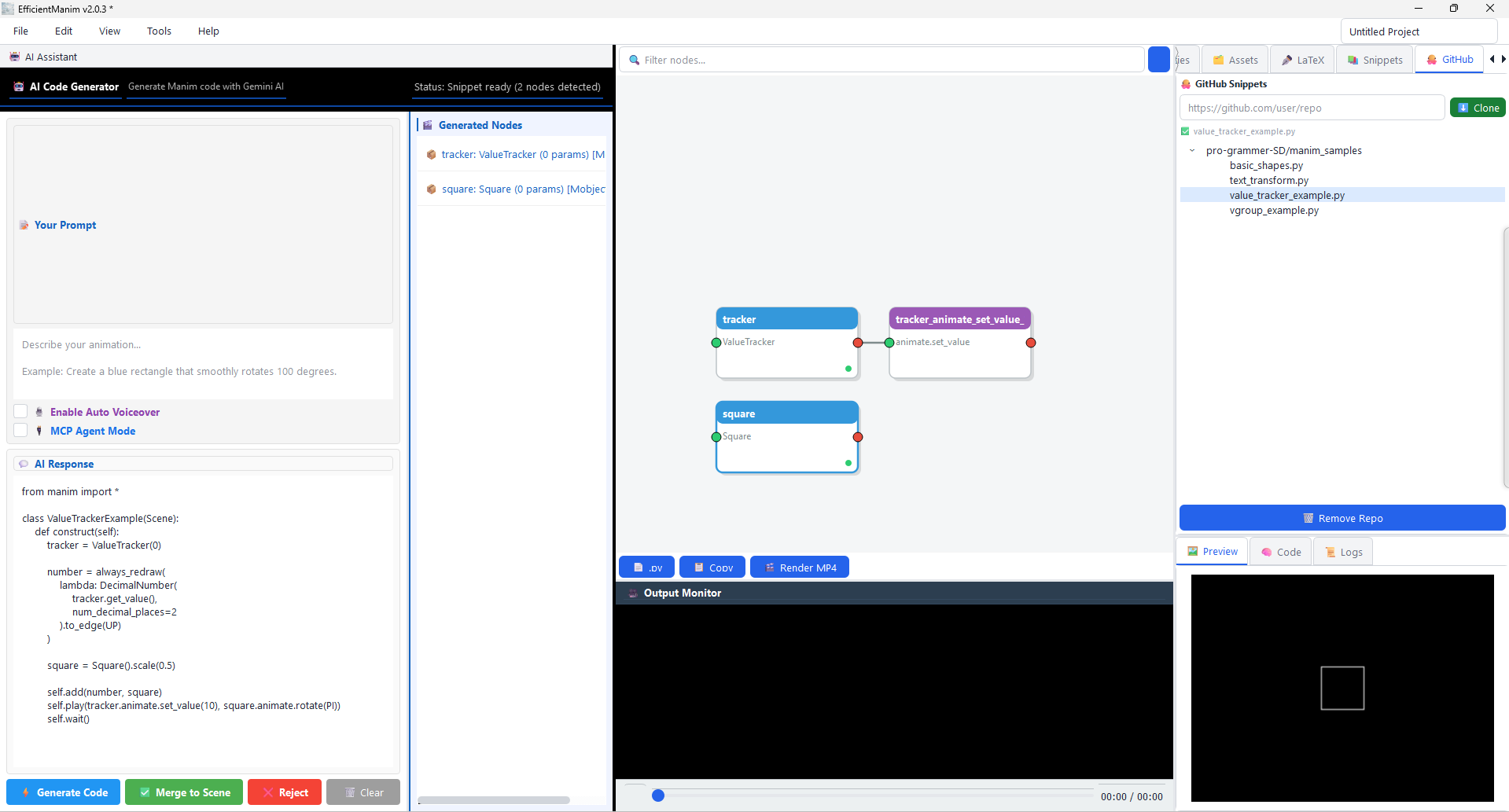 |
|  | | Instant preview for fast iteration | Final rendered output in the node canvas |
📚 Documentation
| File | Contents | |------|----------| | docs/explain_system.md | Explain Panel architecture and extension guide | | docs/history_system.md | History data model, checkpoint API, and history-powered explanations | | docs/mcp_commands.md | Full MCP command reference — every command, payload, and sample response | | docs/README.md | Architectural overview, project structure, and design decisions |
💬 Community
Discuss the project on Reddit: r/manim — I built a node-based Manim IDE with AI assistance
Made with ❤️💚💙 by Soumalya · @programmersd21


