
PRISM AI Agents
Last updated Apr 19, 2026
46
Stars
7
Forks
1
Issues
0
Stars/day
Attention Score
23
Language breakdown
No language data available.
▸ Files
click to expand
README
PRISM AI Agent
An opinionated, batteries-included, ElizaOS distribution designed for ease of development and secure, scalable deployments.
Overview
PRISM AI Agent provides a stable environment for deploying AI agents at scale, both within Trustless Engineering Co. and for customers' on-premises deployments.
Watch a quick demo on how to deploy using Github Codespaces!
Key Features
- Simplified ElizaOS setup
- Isolated structure to allow custom plugins/agents
- Helm chart for deployment into any kubernetes environment
- Dev Container support
Prerequisites
Note: The default/recommended setup requires at least 16GB RAM.
Development Environment Options
1. GitHub Codespaces (Recommended)
The fastest way to get started! Choose a 64GB RAM codespace for optimal performance.
2. Local Installation
Supports Linux/MacOS/Windows with the following requirements: * Make sure to enable Kubernetes in Docker Desktop- CtlPtl - Local Kubernetes Cluster Controller
- Tilt - Local Kubernetes Development Toolkit
- Helm - Kubernetes Package Manager
- KIND - Kubernetes-in-Docker (only needed if not using Docker Desktop)
Getting Started
1. Initialize Environment
make init2. Configure API Keys
Required configuration:OPENAIAPIKEY- Get yours hereOPENROUTERAPIKEY(Recommended) - Get yours at OpenRouter.ai
.env file:
OPENAIAPIKEY=sk-...
OPENROUTERAPIKEY=sk-or-....
3. Launch Development Environment
- Run
tilt upin the root directory - Access the environment:
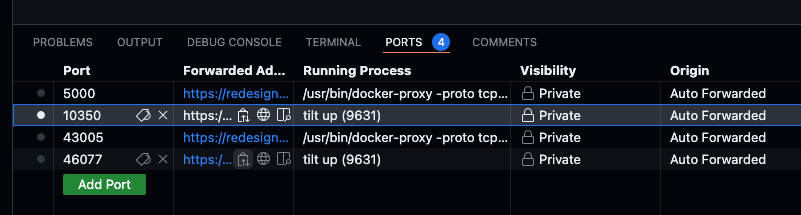
Known Issue: On first startup,@elizaos/adapter-postgresmay attempt to create an existingvectorplugin. Simply restart theprism-agentresource using the refresh icon.
4. Access the Agent
Once all containers show green status, access the Agent UI at http://localhost:3800.Support & Community
Join our Discord community for support and discussions!
Made with ❤️ by @wedtm and the Trustless Engineering Co. team.


