
A JWT based Kubernetes webhook authentication service.
kubehook 


Kubehook is a webhook token authentication
service for Kubernetes. It provides one API endpoint to generate
JSON Web Tokens, and another to validate tokens on behalf of
Kubernetes.
Generating a token
Kubehook provides a small web UI to request tokens: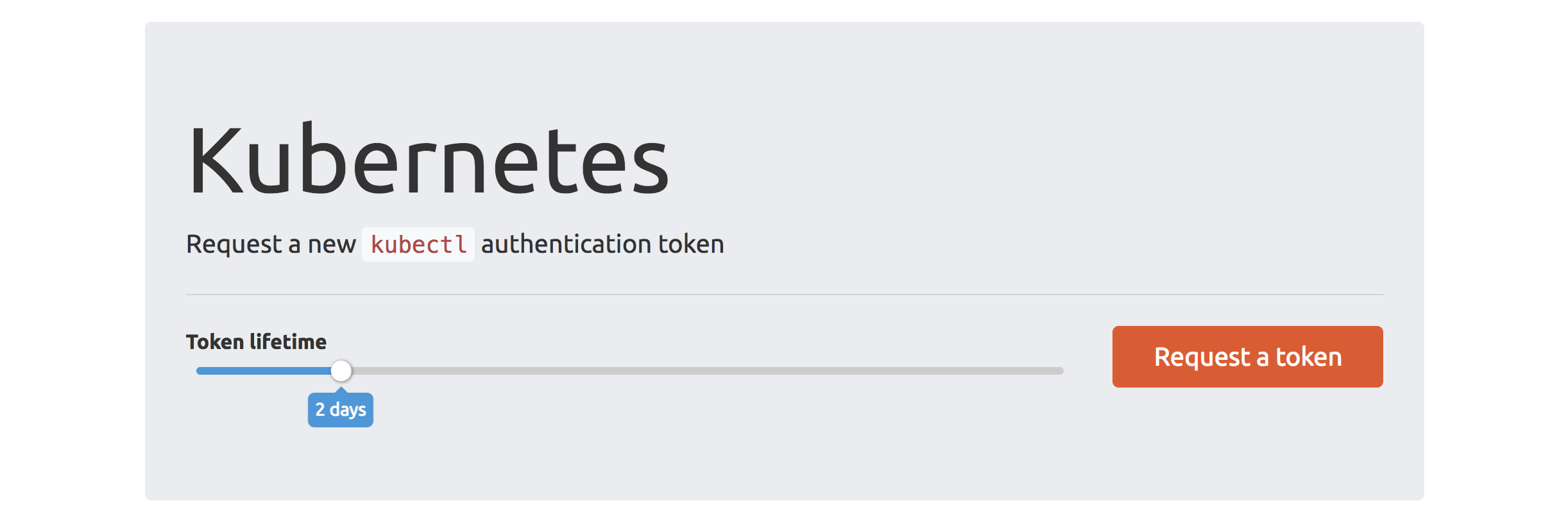
Once a token has been requested the UI explains how to use it: 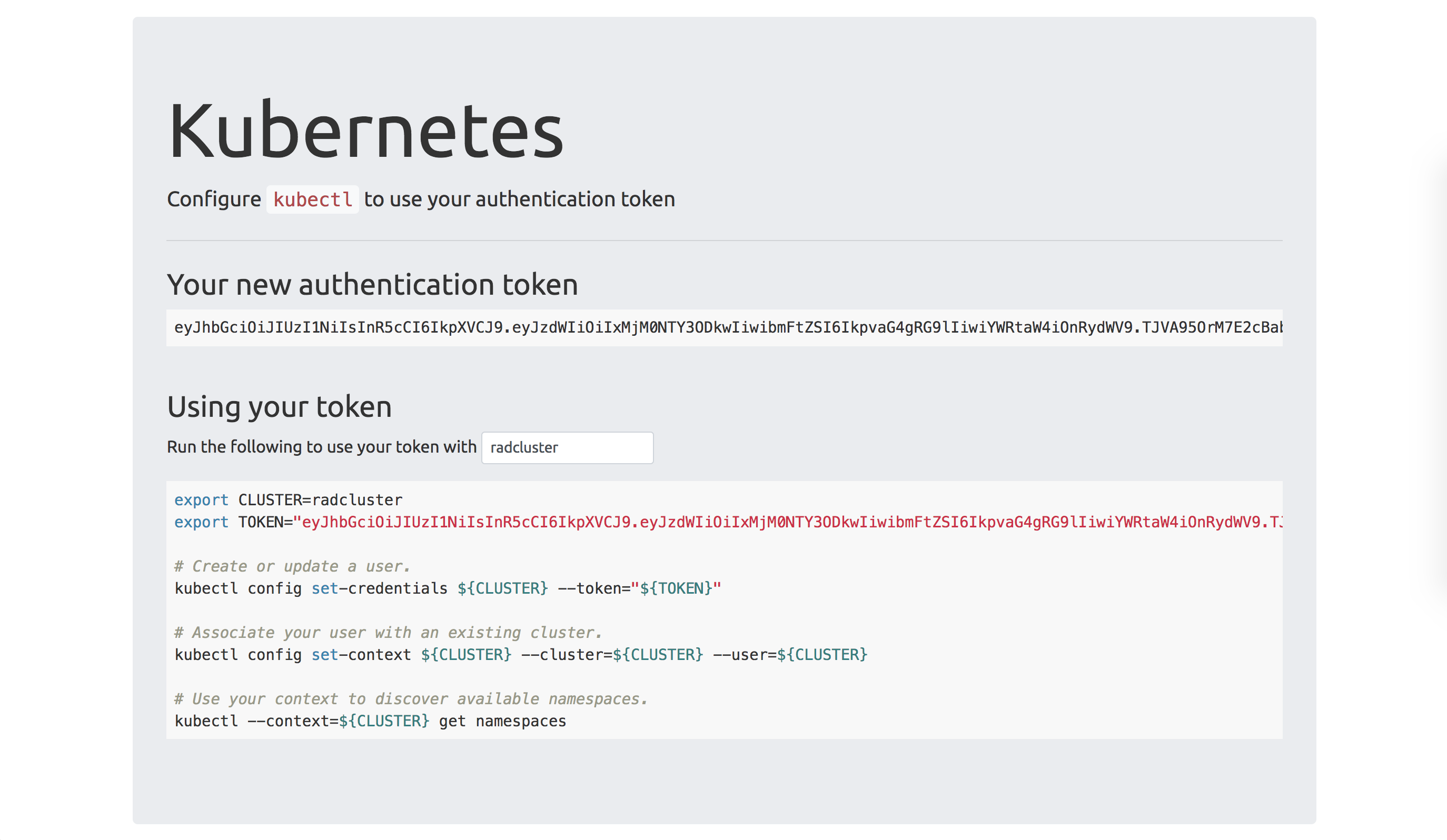
Kubehook can optionally be configured with a set of Kubernetes clusters to automatically configure. When run with the --kubecfg-template users can simply download a ~/.kube/config file preconfigured with well known clusters. 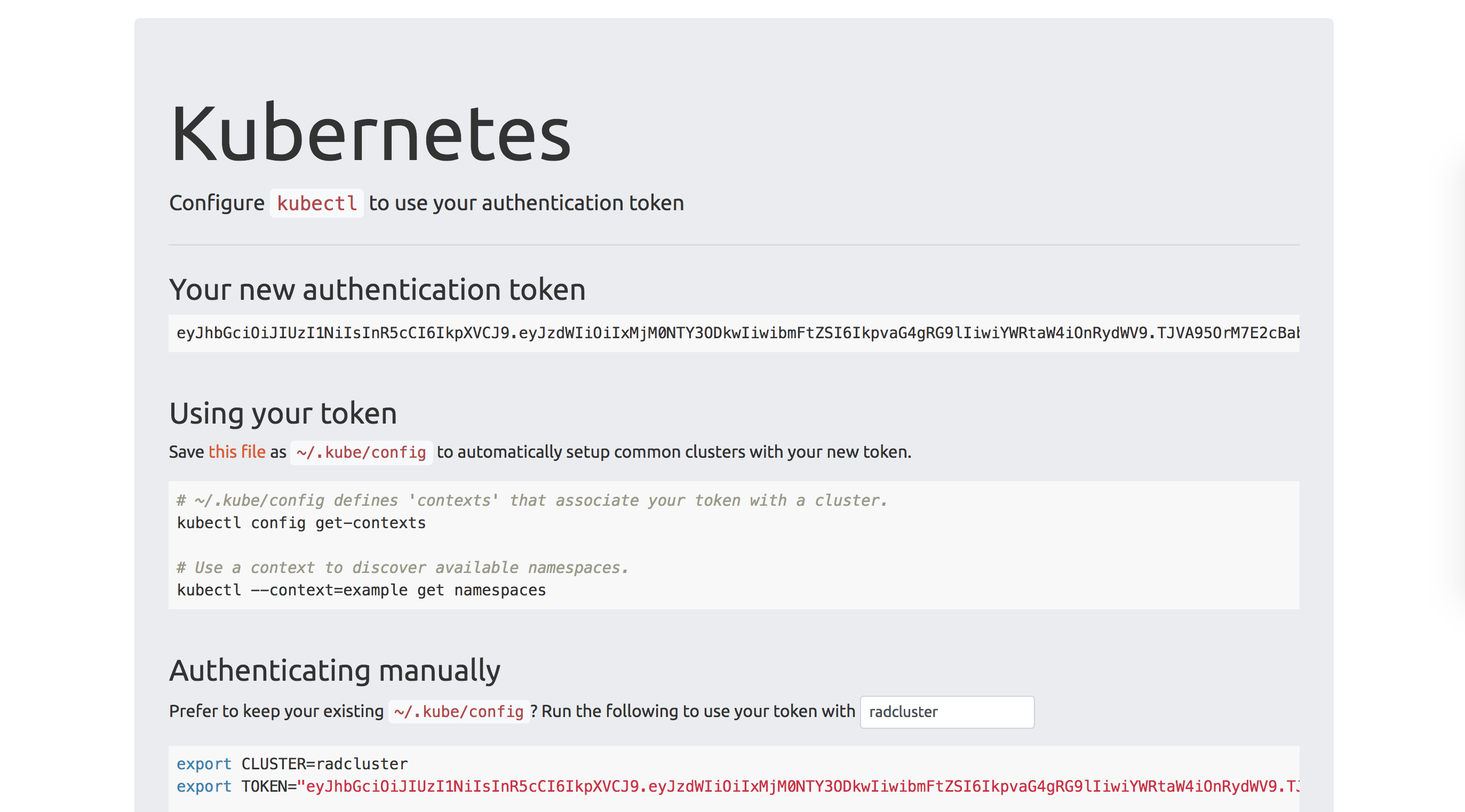
Deploying Kubehook
Kubehook assumes it is running behind a reverse proxy such as nginx that terminates TLS and authenticates callers. Tokens will be generated for the username provided via a configurable HTTP header -X-Forwarded-User by
default.
CFG=$(mktemp -d /tmp/kubehook.XXXX)
cat <<EOF >$CFG/template
apiVersion: v1
kind: Config
clusters:
- name: kubehook
cluster:
certificate-authority-data: REDACTED
server: https://kubehook.example.org
EOF
docker run -d \ -p 10003:10003 \ -v $CFG:/cfg \ -e "KUBEHOOK_SECRET=secret" \ "planetlabs/kubehook:latest" \ /kubehook --kubecfg-template /cfg/template
Kubehook supports the following arguments:
$ docker run planetlabs/kubehook:latest /kubehook --help usage: kubehook [<flags>] <secret>
Authenticates Kubernetes users via JWT tokens.
Flags:       --help                   Show context-sensitive help (also try --help-long                                and --help-man).       --listen=":10003"        Address at which to expose HTTP webhook.   -d, --debug                  Run with debug logging.       --shutdown-grace-period=1m                                  Wait this long for sessions to end before                                shutting down.       --audience="github.com/planetlabs/kubehook"                                  Audience for JWT HMAC creation and verification.       --user-header="X-Forwarded-User"                                  HTTP header specifying the authenticated user                                sending a token generation request.       --max-lifetime=168h0m0s  Maximum allowed JWT lifetime, in Go's                                time.ParseDuration format.       --kubecfg-template=KUBECFG-TEMPLATE                                  A kubecfg file containing clusters to populate                                with a user and contexts.       --client-ca=CLIENT-CA    If set, enables mutual TLS and specifies the path to CA file                                to use when validating client connections.       --client-ca-subject=CLIENT-CA-SUBJECT                                If set, requires that the client CA matches the provided                                subject (requires --client-ca).       --tls-cert=TLS-CERT      If set, enables TLS and specifies the path to TLS                                certificate to use for HTTPS server (requires --tls-key).       --tls-key=TLS-KEY        Path to TLS key to use for HTTPS server (requires                                --tls-cert).
Args:   <secret>  Secret for JWT HMAC signature and verification.
Kubehook is stateless and uses a HMAC shared secret. This means that a token generated by one Kubehook instance can be validated by another, as long as they are configured with the same secret. Note that you must also configure webhook token authentication at the API server before token based authentication will work.
Usage
To generate a token with a 24 hour lifetime:$ export USERNAME=cooluser
$ curl -i -X POST \
-H "Content-Type: application/json" \
-H "X-Forwarded-User: ${USERNAME}" \
-d "{\"lifetime\": \"24h\"}" \ # Lifetime is parsed via https://golang.org/pkg/time/#ParseDuration
http://localhost:10003/generate
HTTP/1.1 200 OK
Content-Type: application/json; charset=utf-8
Date: Mon, 11 Dec 2017 08:00:14 GMT
Content-Length: 208
{"token":"eyJhbGciOiJIUzI1NiIsInR5cCI6IkpXVCJ9.eyJhdWQiOiJnaXRodWIuY29tL25lZ3ova3ViZWhvb2siLCJleHAiOjE1MTMwNjU2MTQsIm5iZiI6MTUxMjk3OTIxNCwic3ViIjoiY29vbHVzZXIifQ.ylxC6wFglLBI0_0e0LQftwuqI95mb0L5Wjnp5aCmPHU"}
To download a ~/kube/config file (Kubehook must be running with --kubecfg-template):
$ export USERNAME=cooluser $ curl -X GET \ -H "X-Forwarded-User: ${USERNAME}" \ http://localhost:10003/kubecfg?lifetime=24h > ~/.kube/configTo validate a token (i.e. the endpoint called by the Kubernetes API server):
$ export TOKEN=eyJhbGciOiJIUzI1NiIsInR5cCI6IkpXVCJ9.eyJhdWQiOiJnaXRodWIuY29tL25lZ3ova3ViZWhvb2siLCJleHAiOjE1MTMwNjU2MTQsIm5iZiI6MTUxMjk3OTIxNCwic3ViIjoiY29vbHVzZXIifQ.ylxC6wFglLBI0_0e0LQftwuqI95mb0L5Wjnp5aCmPHU $ curl -i -X POST \     -H "Content-Type: application/json" \     -d "{\"apiVersion\":\"authentication.k8s.io/v1beta1\",\"kind\":\"TokenReview\",\"spec\":{\"token\":\"${TOKEN}\"}}" \     http://localhost:10003/authenticate
HTTP/1.1 200 OK Content-Type: application/json; charset=utf-8 Date: Mon, 11 Dec 2017 08:02:10 GMT Content-Length: 239
{"kind":"TokenReview","apiVersion":"authentication.k8s.io/v1beta1","metadata":{"creationTimestamp":"2017-12-11T08:02:10Z"},"spec":{},"status":{"authenticated":true,"user":{"username":"cooluser","uid":"github.com/planetlabs/kubehook/cooluser"}}}


