A toolbar overlay for debugging Flask applications
Last updated Jul 6, 2026
979
Stars
148
Forks
41
Issues
0
Stars/day
Attention Score
71
Language breakdown
JavaScript 75.4%
Python 16.3%
HTML 5.1%
CSS 3.3%
▸ Files
click to expand
README
Flask-DebugToolbar
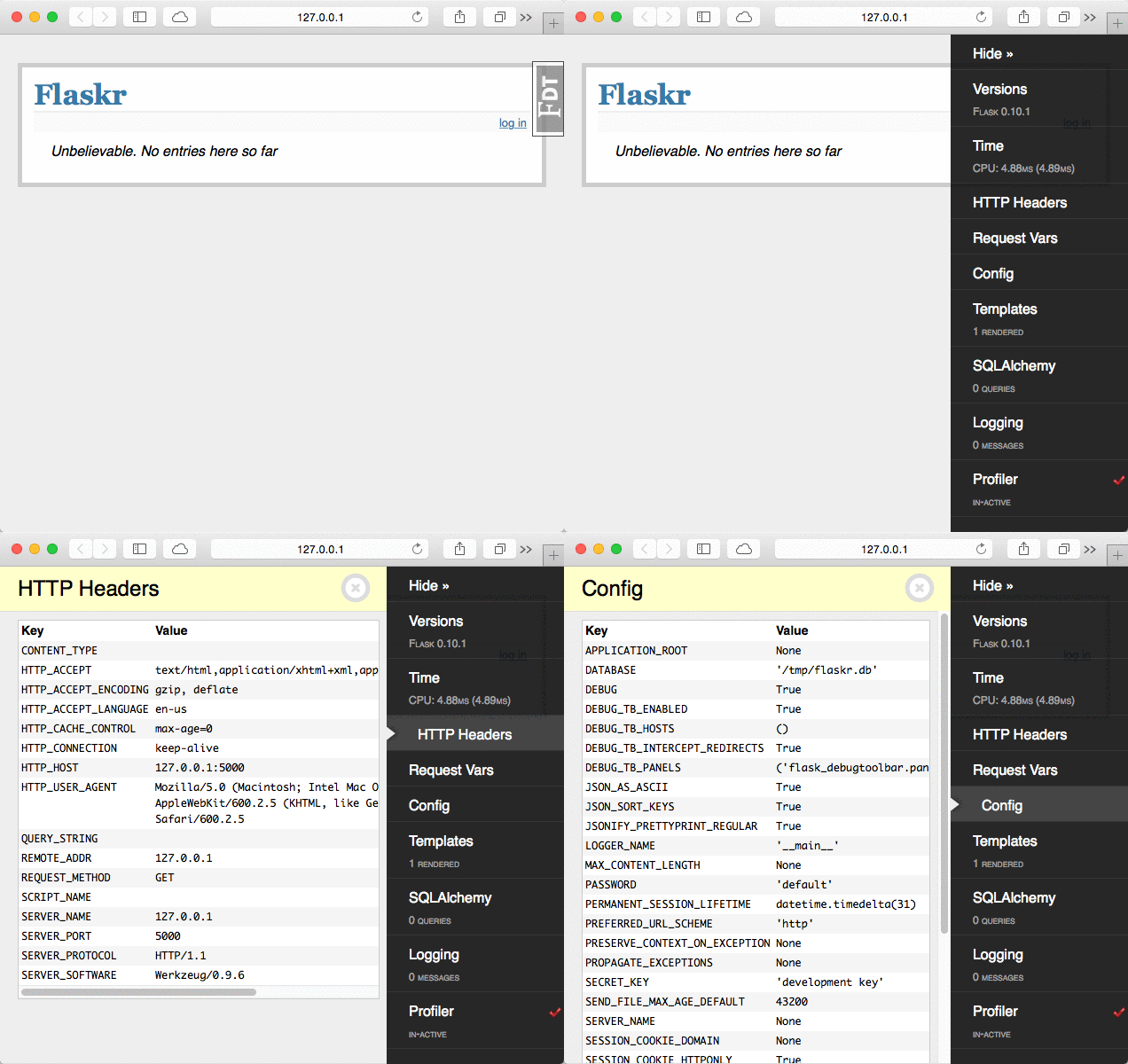
A [Flask][] extension that injects debugging information into rendered HTML pages. Presented as a sidebar with configurable panels of information.
This is a port of the excellent [django-debug-toolbar][ddt].
[Flask]: https://flask.palletsprojects.com [ddt]: https://github.com/jazzband/django-debug-toolbar/
Pallets Community Ecosystem
[!IMPORTANT]\
This project is part of the Pallets Community Ecosystem. Pallets is the open
source organization that maintains Flask; Pallets-Eco enables community
maintenance of related projects. If you are interested in helping maintain
this project, please reach out on [the Pallets Discord server][discord].
[discord]: https://discord.gg/pallets
Example
Setting up the debug toolbar is simple:
from flask import Flask
from flask_debugtoolbar import DebugToolbarExtension
app = Flask(name) app.config["SECRET_KEY"] = "<replace with a secret key>"
toolbar = DebugToolbarExtension(app)
The toolbar will automatically be injected into Jinja templates when debug mode is enabled.
$ flask -A my_app run --debug