
A language server for emmet.io

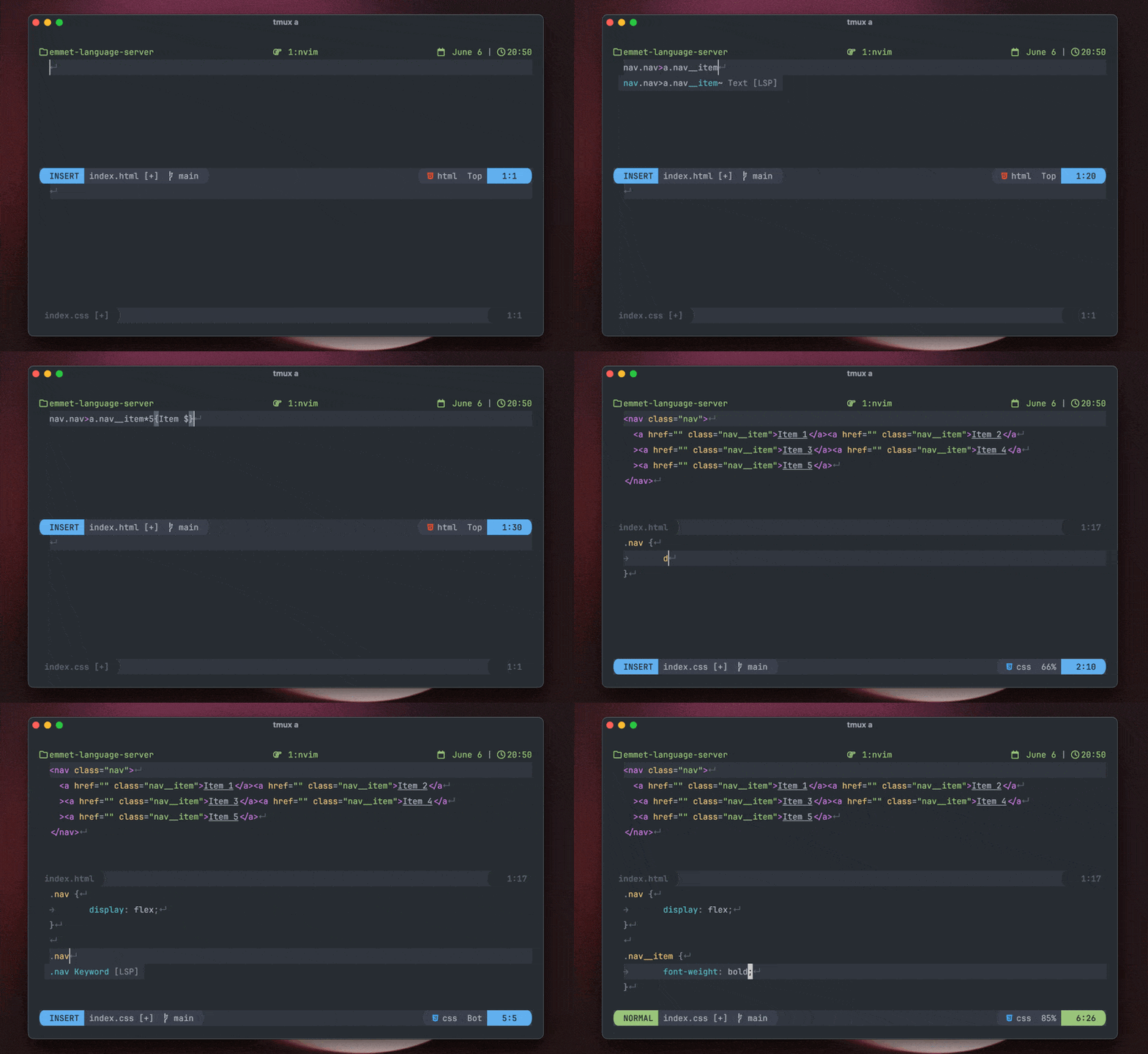
Why another language server?
While aca/emmet-ls works for what I need, there were a couple of things that annoyed me from time to time and while trying to fix one of those things (aca/emmet-ls#55) I've discovered that we can leverage microsoft/vscode-emmet-helper and make a simple language server that wraps that package to provide completions.
So I decided to do that and it worked!
The most important thing is that microsoft/vscode has an excellent integration with emmet and we can have that, in all editors that implement the Language Server Protocol.
Setup
Using npm:
npm i -g @olrtg/emmet-language-serverUsing mason.nvim:
:MasonInstall emmet-language-serverNeovim
[!NOTE]
Want deeper integration (eg. wrap with abbreviation)? Check out nvim-emmet.
With nvim-lspconfig:
Remember that if you don't need to support a new filetype or change the default settings of the language server you just need to pass an empty table to the setup function (like this: lspconfig.emmetlanguageserver.setup({})).
lspconfig.emmetlanguageserver.setup({
filetypes = { "css", "eruby", "html", "javascript", "javascriptreact", "less", "sass", "scss", "pug", "typescriptreact" },
-- Read more about this options in the vscode docs.
-- Note: only the options listed in the table are supported.
init_options = {
---@type table<string, string>
includeLanguages = {},
--- @type string[]
excludeLanguages = {},
--- @type string[]
extensionsPath = {},
--- @type table<string, any> Emmet Docs
preferences = {},
--- @type boolean Defaults to true
showAbbreviationSuggestions = true,
--- @type "always" | "never" Defaults to "always"
showExpandedAbbreviation = "always",
--- @type boolean Defaults to false
showSuggestionsAsSnippets = false,
--- @type table<string, any> Emmet Docs
syntaxProfiles = {},
--- @type table<string, string> Emmet Docs
variables = {},
},
})Without nvim-lspconfig:
vim.api.nvimcreateautocmd({ "FileType" }, {
pattern = "css,eruby,html,htmldjango,javascriptreact,less,pug,sass,scss,typescriptreact",
callback = function()
vim.lsp.start({
cmd = { "emmet-language-server", "--stdio" },
root_dir = vim.fs.dirname(vim.fs.find({ ".git" }, { upward = true })[1]),
-- Read more about this options in the vscode docs.
-- Note: only the options listed in the table are supported.
init_options = {
---@type table<string, string>
includeLanguages = {},
--- @type string[]
excludeLanguages = {},
--- @type string[]
extensionsPath = {},
--- @type table<string, any> Emmet Docs
preferences = {},
--- @type boolean Defaults to true
showAbbreviationSuggestions = true,
--- @type "always" | "never" Defaults to "always"
showExpandedAbbreviation = "always",
--- @type boolean Defaults to false
showSuggestionsAsSnippets = false,
--- @type table<string, any> Emmet Docs
syntaxProfiles = {},
--- @type table<string, string> Emmet Docs
variables = {},
},
})
end,
})Helix
Install normally with npm (or your favourite package manager), then add the following to languages.toml:
[language-server.emmet-lsp]
command = "emmet-language-server"
args = ["--stdio"]
[language-server.emmet-lsp.config] same configuration options as nvim above includeLanguages = {} etc.
[[language]] name = "html" roots = [".git"] language-servers = ["emmet-lsp"]
Credits
- @aca for the first language server (aca/emmet-ls)
- @wassimk for bringing the microsoft/vscode-emmet-helper repo to my attention in aca/emmet-ls#55
- microsoft/vscode for having such an amazing integration with emmet and the easy and open package to integrate with
- emmetio/emmet for the awesome tool


