
A BLE Heart Rate Monitor bridge for Social VR, OBS, Data Logging, and more!
iron-heart

A BLE Heart Rate Monitor bridge built in Rust for use with OSC in Social VR, OBS, general biometric data-logging, and more!
Demos
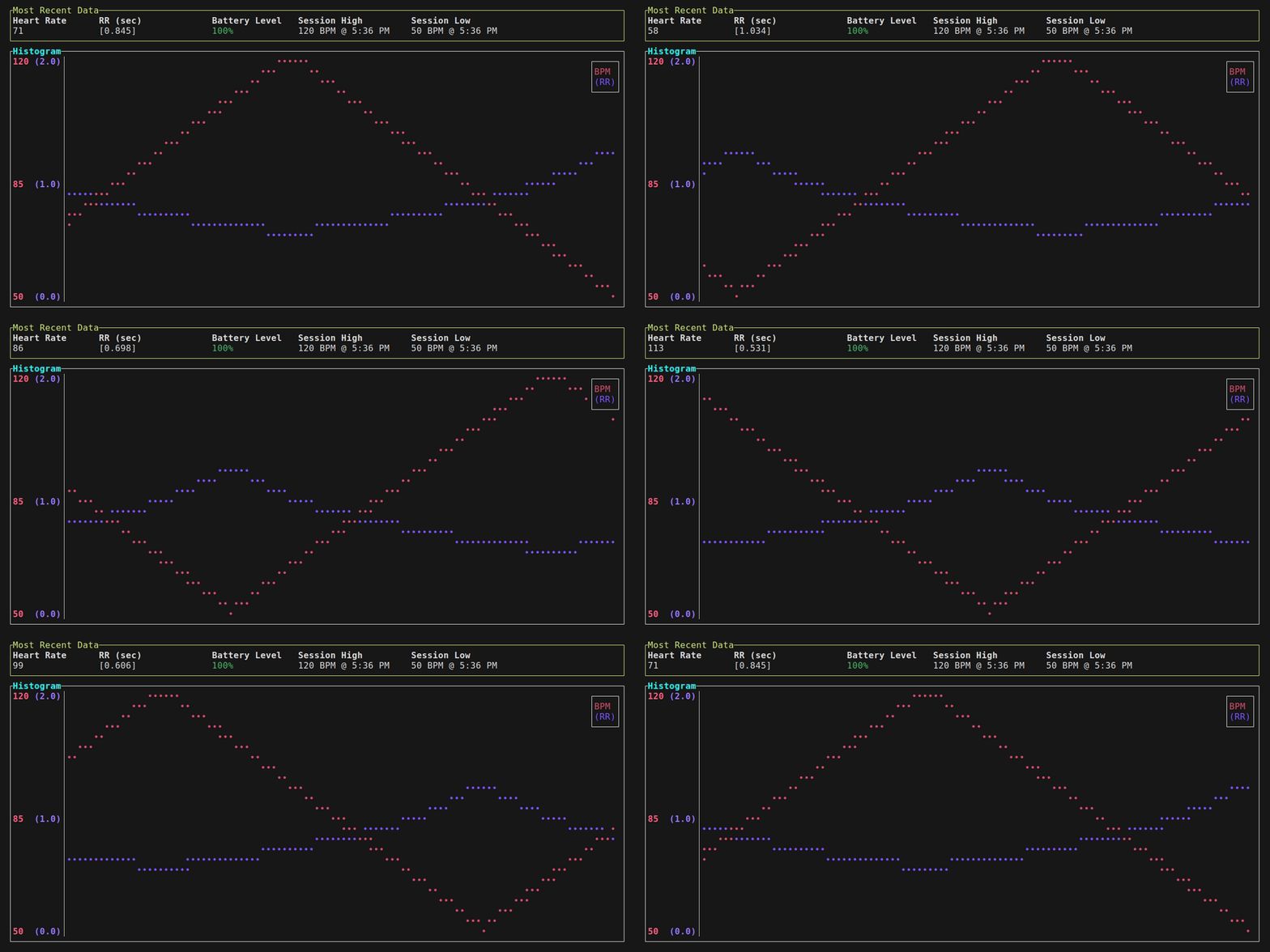
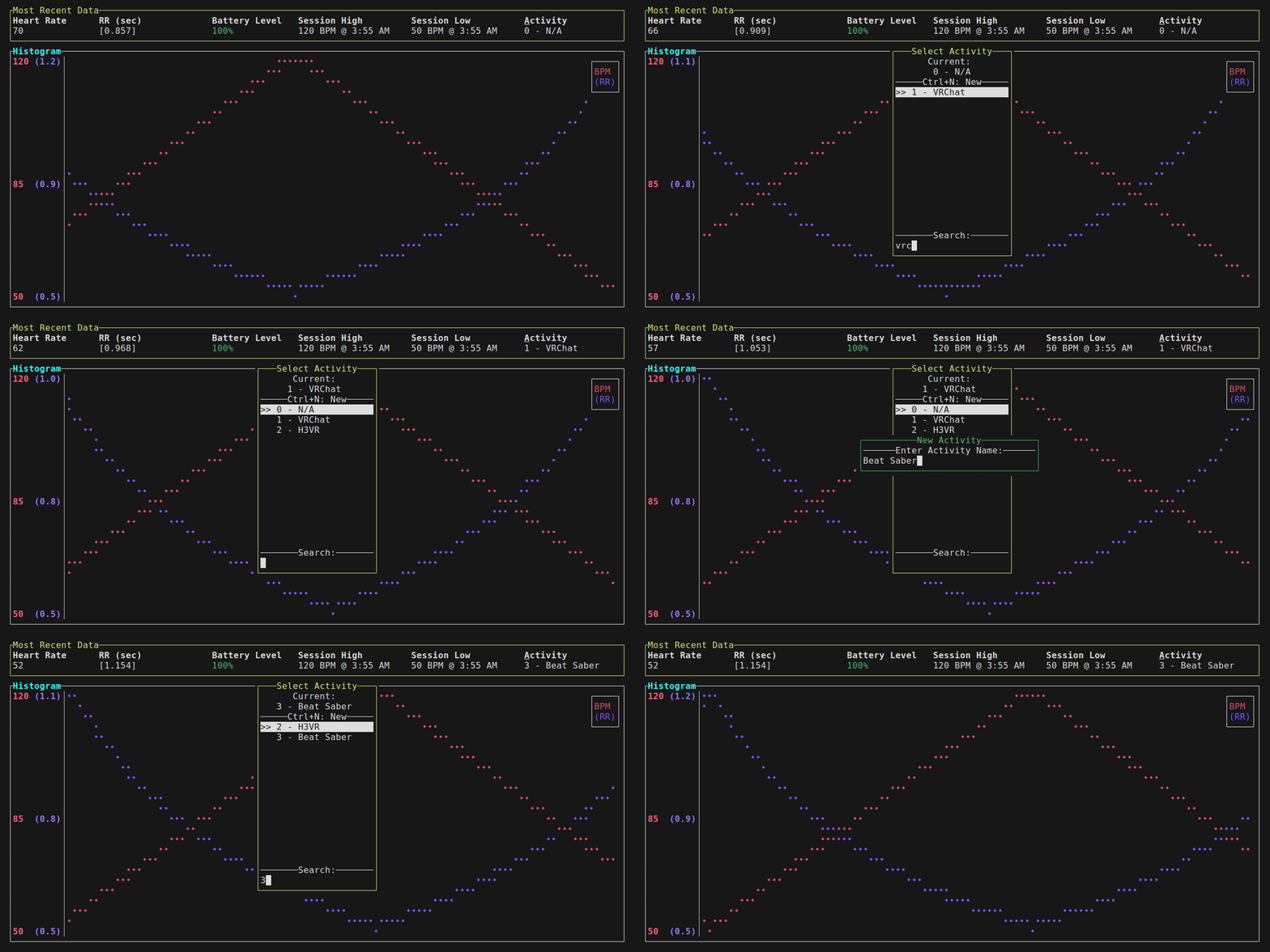
Features
- Supports any BLE-specification-following Heart Rate Monitor! (Many by Polar, Coospo, etc.)
- Supports receiving heart rate data via WebSockets with JSON payloads!
- Accurate per-heart-beat effects: Using the monitor's reported time between heart beats (RR Interval), we can drive avatar effects that match your heart's beating!
- Quick reconnection to saved device on app startup
- Terminal UI and Charts: Powered by Ratatui
- CSV Logging, review your past sessions!
- Prometheus Push logging for metrics! Compatible with VictoriaMetrics too!
- Text file output, perfect for an OBS Text Source!
- Self-Updating!
- Can auto-start with VRChat using VRCX's App Launcher
- Dummy Mode: Test avatars and prefabs without needing to put on/own a sensor
- Hide temporary disconnections (optional): In case of spotty connections, this can help mask those moments of signal loss
How to use
- Place the executable in a convenient spot
- Power on and wear the Heart Rate sensor
- Find the device in the list of Discovered Devices
- Connect, and done!
\*: devices that advertise the Heart Rate Measurement characteristic. Usually devices whose main purpose is to measure heart rate will advertise this (i.e. Polar/Coospo/etc sensors)!
Configuration File
iron-heart.toml (default)
[osc]
enabled = true
host_ip = "0.0.0.0"
target_ip = "127.0.0.1"
port = 9000
Duration in MS that parambeatpulse will be true for each "beat"
pulselengthms = 100
onlypositivefloat_bpm = false
If app loses connection to sensor, it will keep the Connected bool true and jitter the value slightly to mimic a connection.
hide_disconnections = false
maxhidedisconnection_sec = 60
twitchrrthreshold_ms = 50
[osc.addresses] prefix = "/avatar/parameters/" Bool hrm_connected = "isHRConnected" Bool: See hide_disconnections hiding_disconnect = "isHRReconnecting" Int: 0 - 100 hrmbatteryint = "HRBattery" Float: 0.0 - 1.0 hrmbatteryfloat = "HRBatteryFloat" Bool: On each heart beat, this param flip/flops beat_toggle = "HeartBeatToggle" Bool: See pulselengthms beat_pulse = "isHRBeat" Int: 0 - 255 bpm_int = "HR" Float: -1.0 to 1.0 (or 0.0 to 1.0 if onlypositivefloat_bpm) bpm_float = "floatHR" Int: Only useful for local debugging, value is too large to sync (goes over 255) latestrrint = "RRInterval" Bool params that hold True for a moment if RR Interval changed more than the threshold Useful for triggering ear twitches or similar! rrtwitchup = "HRTwitchUp" rrtwitchdown = "HRTwitchDown" Int: 0 - 255, index of chosen Activity activity = "HRActivity"
[ble] neveraskto_save = false saved_name = "" saved_address = "" If no RR was supplied for an update, burn X values before using new ones rrignoreafter_empty = 0
[websocket] Note: BLE is disabled if websockets are enabled enabled = false port = 5566
[misc] log_level = "info" Useful for OBS writebpmto_file = false Writes under BPM writerrto_file = false bpmfilepath = "bpm.txt" logsessionsto_csv = false logsessionscsvpath = "sessionlogs" Used to dismiss VRCX startup prompt vrcxshortcutprompt = true
[dummy] Ignore BLE and WebSockets entirely, just send values for testing enabled = false low_bpm = 50 high_bpm = 120 How many packets to send per second bpm_speed = 1.5 How many cycles from low->high before simulating a disconnect, 0 to disable Will trigger hide_disconnections behavior if also enabled loopsbeforedc = 2
[tui] sessionstatsuse_12hr = true chartbpmenabled = true chartrrenabled = true chartrrmax = 2.0 chartrrclamp_high = true chartrrclamp_low = false False to show charts side-by-side charts_combine = true
[updates] updatecheckprompt = true allowcheckingfor_updates = false version_skipped = ""
[activities] Allow choosing an activity in the TUI, useful for log analysis enabled = false On startup, set the activity to the last used one remember_last = true
[prometheus] When enabled, will POST metrics to the specified URL in Prometheus Text Exposition format enabled = false url = "localhost:9000" header = ""
Any metric can be disabled by setting it to an empty string
[prometheus.metrics]
bpm = "heartratebpm"
rr = "heartraterr"
battery = "heartratebattery"
twitchup = "heartratetwitchup"
twitchdown = "heartratetwitchdown"
activity = "heartrateactivity"
Known Compatible WebSocket Senders
Alternatives
If you want to see a C# implementation or need OSCQuery/Quest Standalone support, check out Natsumi-sama's HRPresence.
Acknowledgments/Author Notes
- This is my first Rust project! If you see any glaring issues, let me know!
- This project is based on Zackary Troop's btlescan project! It provided a great starting point for me, as I was already wanting to use btleplug and Ratatui.
- Many thanks to Nathan Fairhurst for their robust BLE HR Measurement packet decoding snippet (from rust-cycle)!
- More thanks to burntsushi for their blog posts on Rust, namely Error Handling in Rust.
- Cheers to Strophox for inspiring this section
- A massive shoutout to Will Crichton @willcrichton and the Cognitive Engineering Lab's work on the Experimental Rust Book. I owe my ability to write and understand Rust code at this level to them and that book.


